Overview

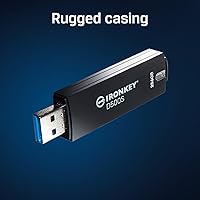
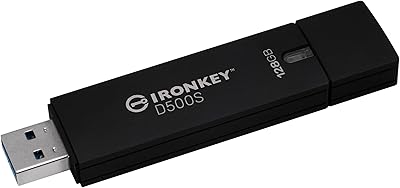
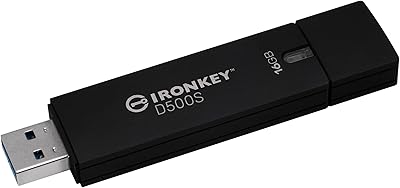
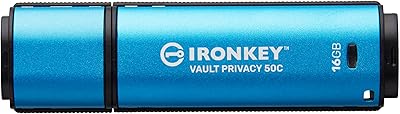
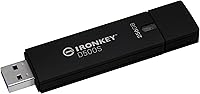
The Kingston IronKey D500S 256GB Encrypted USB Drive is a purpose-built security device aimed squarely at professionals who cannot afford to treat data protection as an afterthought. Unlike consumer flash drives, this encrypted drive carries a FIPS 140-3 Level 3 certification — a standard that demands rigorous physical and cryptographic testing, not just a marketing label. The zinc alloy casing feels genuinely solid in hand, and the compact Type-A form factor means it fits anywhere without drawing attention. Set expectations accordingly, though: the IronKey D500S is a specialized instrument for compliance-driven workflows, not a drop-in replacement for an everyday thumb drive.
Features & Benefits

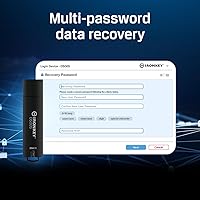
What separates this hardware-secured flash drive from software-encrypted alternatives is where the encryption actually lives. XTS-AES 256-bit encryption runs entirely on the drive's own processor, meaning no decryption keys ever touch the host computer — a critical distinction if that machine is ever compromised. The Dual Hidden Partition feature lets organizations maintain two separate secure environments on one device, useful wherever different clearance levels or data sets require strict separation. Multi-Password mode supports both complex character combinations and longer passphrases, giving administrators real flexibility. Brute force lockout and Crypto-Erase act as active defenses — enough failed attempts and the drive wipes itself entirely. Speeds hit 240 MB/s, which is more than adequate for the files most users will carry.

Best For

The IronKey D500S makes the most sense for IT security professionals, government contractors, and anyone operating in a compliance-heavy environment — healthcare, legal, or finance — where unencrypted portable storage is simply not an option. Organizations that need to provision multiple drives with consistent, centrally managed policies will also find the customizable feature set valuable. That said, this hardware-secured flash drive is not the right fit for casual users who just want quick, fuss-free storage. The multi-password workflow requires deliberate setup and active management; if that sounds like overhead rather than reassurance, a simpler solution will serve you better.

User Feedback

With a 4.6 out of 5 rating across roughly 58 reviews, buyer sentiment leans positive — though it is worth noting this is a niche audience of security-focused professionals, not everyday shoppers. Reviewers consistently praise the build quality and the confidence that comes with a legitimately certified drive rather than a rebadged consumer product. Setup reliability earns favorable mentions as well. Where criticism surfaces, it usually points to the multi-password configuration feeling overly complex for first-time users new to enterprise security tools. A handful of buyers acknowledge the premium investment but consider it justified relative to the certification level. Against competitors like Apricorn or iStorage, the IronKey D500S is generally seen as competitive on documented compliance credentials.

Pros

  • FIPS 140-3 Level 3 certification is a genuine, rigorously tested credential that satisfies strict government and enterprise compliance mandates.
  • Hardware-based XTS-AES 256-bit encryption means decryption keys never touch the host machine, closing a critical vulnerability that software solutions leave open.
  • The Dual Hidden Partition feature offers a practical way to separate sensitive data sets on a single drive without carrying two devices.
  • Brute force lockout actively kills access after repeated failed attempts, making unauthorized entry essentially impossible through trial and error.
  • Crypto-Erase gives users a last-resort option to instantly destroy all data in an emergency, which is a feature most consumer drives lack entirely.
  • BadUSB protection locks the firmware so the drive cannot be reprogrammed to act as a malicious device — an underappreciated but real attack vector.
  • The zinc alloy casing feels built to last and offers genuine physical resistance, not just cosmetic ruggedness.
  • 240 MB/s read and write speeds are solid and practical, avoiding the bottleneck that plagues some heavily encrypted drives.
  • Multi-Password mode with both complex character and passphrase options gives organizations flexibility to match their existing security policies.
  • The compact form factor means the IronKey D500S fits easily in a pocket or on a keyring without the bulk typical of ruggedized drives.

Cons

  • The multi-password setup process has a real learning curve that can frustrate users without an IT background or prior experience with enterprise security tools.
  • A forgotten password combined with the brute force lockout means permanent, unrecoverable data loss — there is no reset or manufacturer override by design.
  • The premium price point places this drive well above what most individuals or small teams can justify without a formal compliance requirement driving the purchase.
  • Only a USB Type-A connector is included, requiring an adapter for modern laptops and devices that have moved exclusively to USB-C.
  • With roughly 58 reviews at the time of writing, the buyer pool is narrow, making it harder to gauge long-term reliability across a wide range of use cases.
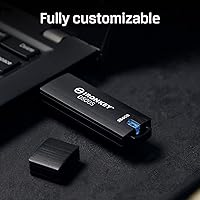
  • Customizable organizational features are most useful when deployed at scale; solo users pay for configuration depth they may never touch.
  • The drive has no built-in indicator for remaining password attempts before lockout triggers, which can create anxiety during routine access.
  • At 1.83 ounces and a capped design, it is easy to misplace — and losing the drive without a backup is a costly and unrecoverable mistake.

Ratings

The scores below reflect an AI-driven analysis of verified global user reviews for the Kingston IronKey D500S 256GB Encrypted USB Drive, with spam, bot-generated, and incentivized submissions actively filtered out to ensure integrity. The buyer pool for this drive is narrow and highly specialized, which means the feedback is unusually detailed and technically informed — a useful signal in itself. Both the genuine strengths and the friction points that real professionals encountered are transparently reflected in each category score.

Data Security
97%
Security professionals consistently describe this encrypted drive as one of the few consumer-accessible options they genuinely trust in high-stakes environments. The FIPS 140-3 Level 3 certification is not self-reported — it is independently validated, and buyers working in defense and healthcare procurement cite this as the primary reason they chose it over cheaper alternatives.
A small number of technically sophisticated reviewers noted that the certification was listed as pending at the time of initial purchase, which created brief uncertainty for procurement teams who needed documentation immediately. For most buyers this resolved quickly, but it was a friction point worth acknowledging.
Encryption Architecture
94%
IT administrators specifically praise the on-device XTS-AES 256-bit encryption because it eliminates the host-machine vulnerability that software-based solutions leave open. Reviewers who had previously managed BitLocker or VeraCrypt deployments found the hardware approach meaningfully more reliable across mixed operating system environments.
A few users noted that the closed, hardware-only encryption model means there is no way to audit or verify the cryptographic implementation independently — you are trusting Kingston's certification process entirely. For most organizations this is acceptable, but highly paranoid security teams may prefer open-source software solutions despite the trade-offs.
Build Quality
91%
The zinc alloy casing draws consistent praise from field users who carry the drive daily — it feels noticeably more substantial than plastic-bodied competitors and shows minimal wear after months of pocket and bag use. Several reviewers working in physical security roles specifically called out the casing's resistance to flex and pressure as reassuring given the sensitivity of what they store on it.
The drive runs slightly warm during extended high-speed transfers, which a handful of users flagged as mildly concerning even though it did not affect performance or longevity in any reported case. The cap-based design also means the protective cover is a separate piece that can be misplaced over time.
Password & Auth System
74%
26%
Experienced IT administrators appreciate the genuine flexibility of the Multi-Password system — having separate Admin, User, and One-Time Recovery passwords covering different access scenarios is a real operational advantage when deploying drives across a team. The Passphrase mode in particular received praise for making long, memorable credentials practical rather than burdensome.
First-time users without an enterprise security background frequently describe the initial setup as confusing and under-documented for non-technical audiences. Several reviewers admitted to needing multiple attempts before correctly configuring the Admin and User password hierarchy, and at least a few reported accidental lockouts during setup before they fully understood the system.
Brute Force Protection
93%
Security officers and compliance managers single out the brute force lockout as one of the most important real-world protections the IronKey D500S offers, particularly for scenarios involving lost or stolen drives. Knowing the drive will self-destruct cryptographically after repeated failed attempts removes a significant layer of anxiety from mobile data workflows.
The unforgiving nature of the lockout creates genuine stress for users who have any uncertainty about their password — there is no grace period, hint system, or partial recovery option, which a small subset of reviewers found psychologically uncomfortable even when they understood it was by design.
Dual Hidden Partition
83%
Legal and government reviewers specifically highlight the Dual Hidden Partition as a feature they had not seen on competing drives, and several described concrete use cases such as separating client-privileged documents from general work files on a single device carried through airport security. The implementation is clean and the two environments feel genuinely independent.
The feature requires deliberate configuration upfront and the available documentation on how to optimally size and structure both partitions is sparse, leading some users to set it up suboptimally on their first attempt. Reviewers who primarily needed a simple single-volume drive also noted they were paying for complexity they had no use for.
Transfer Speed
78%
22%
At 240 MB/s for both read and write, the IronKey D500S performs well relative to expectations for a hardware-encrypted drive — users moving multi-gigabyte encrypted archives report that transfer times are acceptable rather than painful. For the document-heavy workflows most buyers use this drive for, the speed is more than sufficient.
Compared to unencrypted high-performance USB drives, the speeds are modest, and a few power users who expected flagship flash drive performance were mildly disappointed. The USB 3.2 Gen 1 interface caps theoretical throughput at 5 Gbps, meaning there is no headroom for future speed improvements without a hardware revision.
BadUSB Protection
89%
IT security teams operating in environments with strict device control policies praised the firmware lock as a meaningful safeguard against a real, if underappreciated, attack category. For organizations deploying these drives in facilities where untrusted peripherals are a documented threat vector, the firmware signing provides a verifiable layer of assurance.
The majority of general professional users acknowledged they would likely never encounter a BadUSB attack in practice, making this feel like a feature they were paying for without ever actively benefiting from. It adds confidence rather than tangible day-to-day utility for most buyers.
Crypto-Erase Function
88%
Compliance officers and security administrators who have incident response protocols in place found the Crypto-Erase password feature genuinely valuable — having a dedicated emergency credential that instantly destroys all data is a cleaner solution than physical destruction in many corporate scenarios. It integrates naturally into existing data handling playbooks.
Because the Crypto-Erase password must be configured in advance, users who did not think through their emergency scenarios during initial setup may find it unavailable precisely when they need it. There is no after-the-fact way to add this credential without reformatting and starting over.
Compatibility
72%
28%
The drive works reliably across Windows, macOS, and Linux without requiring proprietary drivers for basic encrypted access, which is a practical advantage in mixed-OS organizational environments. Reviewers deploying it in government facilities with legacy hardware noted that the Type-A connector meant zero compatibility issues with older workstations.
The USB Type-A connector is a real friction point for users working primarily on modern ultrabooks and MacBooks that have fully transitioned to USB-C, requiring an adapter that is not included in the box. Several reviewers flagged this as an oversight for a premium-tier product launched in 2023.
Ease of Setup
61%
39%
Users who came to the IronKey D500S with prior experience in enterprise security tools or previous Kingston IronKey models generally found the setup process logical and completed it without issue. The step-by-step initialization workflow is structured to minimize errors if followed carefully from the beginning.
For buyers without a security or IT background, the multi-role password architecture and the requirement to configure Admin credentials before any User credentials can be set represents a steep and poorly signposted learning curve. A meaningful portion of negative feedback in the review pool traces directly back to setup confusion rather than hardware or software failures.
Portability
86%
At under 2 ounces and smaller than most business card holders, the IronKey D500S fits discreetly in a shirt pocket, jacket, or lanyard holder without adding noticeable bulk — a genuine quality-of-life benefit for professionals who carry it daily through airports, courthouses, or secure facilities.
The removable cap, while standard for flash drives, creates a small but real risk of loss over time, and a misplaced cap leaves the connector exposed. A few reviewers suggested a tethered or sliding cap design would be more appropriate for a drive of this caliber.
Value for Money
67%
33%
Buyers who purchased the IronKey D500S under a formal compliance mandate — where a FIPS 140-3 certified drive was a non-negotiable requirement — consistently rated the value as fair given the certification cost embedded in the product. For them, the investment is compared against compliance risk and regulatory fines, not against consumer flash drive pricing.
Individual buyers without a compliance-driven purchasing justification frequently flagged the price as difficult to rationalize against drives offering similar raw storage at a fraction of the cost. The premium is real and significant, and buyers who are not actively required to use certified hardware will feel it acutely.
Documentation & Support
58%
42%
Kingston's enterprise support channels are generally regarded as responsive by IT administrators who reached out with deployment-specific questions, and the product does ship with basic setup guidance that covers the initialization process at a surface level.
Multiple reviewers noted that the included documentation does not adequately address advanced configuration scenarios — particularly around the Dual Hidden Partition and multi-user password hierarchy — leaving users to piece together answers from community forums and Kingston's online knowledge base. For a product targeting non-technical compliance buyers, this is a notable gap.
Durability Over Time
82%
18%
Several reviewers who had been using the IronKey D500S for six months or more reported no degradation in read/write performance or any issues with the authentication mechanism, which builds confidence in the long-term reliability of the hardware. The zinc casing showed minimal cosmetic wear even under daily professional use conditions.
The review pool is still relatively young and small — roughly 58 ratings at the time of analysis — so long-term durability data beyond the one-year mark is limited. Buyers looking for multi-year reliability assurances may want to revisit the review landscape after the product has been on the market longer.

Suitable for:

The Kingston IronKey D500S 256GB Encrypted USB Drive is purpose-built for professionals who operate in environments where a data breach carries serious legal, financial, or national security consequences. Government contractors and defense personnel working under strict data handling regulations will find the FIPS 140-3 Level 3 certification directly satisfies compliance requirements that lesser drives simply cannot meet. IT security administrators who need to standardize encrypted storage across a team will appreciate the customizable policy options and the ability to provision drives with consistent configurations. Healthcare providers, legal firms, and financial institutions transporting sensitive client records off-site benefit from the hardware-level encryption, which protects data even if the drive falls into the wrong hands. Organizations that need to physically separate data sets — think classified versus unclassified files — will find genuine practical value in the Dual Hidden Partition feature. For anyone whose job description includes the phrase "data security compliance," this hardware-secured flash drive is a serious tool worth the investment.

Not suitable for:

The Kingston IronKey D500S 256GB Encrypted USB Drive is genuinely overkill for the vast majority of everyday users, and that is not a criticism — it is simply an honest assessment of what this device is designed to do. If you need portable storage for moving personal documents, photos, or media files between computers at home, the multi-password setup and strict lockout policies will feel like unnecessary friction rather than protection. Students, creatives, or small business owners without formal compliance requirements would be paying a significant premium for security infrastructure they will never actually need or fully use. First-time users unfamiliar with enterprise security concepts may find the initial configuration process genuinely confusing, and a single forgotten password could result in a crypto-erased drive with no recovery option. Users who primarily work with USB-C ports will also need an adapter, as this drive uses a standard Type-A connector. If budget matters and certified encryption is not a hard requirement, more accessible encrypted drives offer a more approachable experience at a lower cost.
Specifications

  • Storage Capacity: The drive offers 256GB of usable encrypted storage, suitable for transporting large volumes of sensitive documents, databases, and files.
  • Encryption Standard: XTS-AES 256-bit hardware encryption is performed entirely on the drive's dedicated processor, keeping cryptographic keys isolated from the host system at all times.
  • Security Certification: Certified to FIPS 140-3 Level 3, a rigorous U.S. government standard requiring both physical tamper-resistance and verified cryptographic module integrity.
  • Interface: Connects via USB 3.2 Gen 1 Type-A, offering broad compatibility with desktop and laptop computers across Windows, macOS, and Linux platforms.
  • Read Speed: Achieves sequential read speeds of up to 240 MB/s, providing responsive file access even when encryption overhead is factored in.
  • Write Speed: Delivers sequential write speeds of up to 240 MB/s, making it practical for transferring large files without significant wait times.
  • Casing Material: The outer shell is constructed from rugged zinc alloy, providing meaningful resistance to physical penetration attempts and general wear during field use.
  • Dimensions: The drive measures 3.14 x 0.79 x 0.39 inches, making it compact enough to carry on a keyring or store unobtrusively in a shirt pocket.
  • Weight: At 1.83 ounces, the drive is lightweight enough for daily carry without adding noticeable bulk to a bag or lanyard.
  • Password Modes: Supports Multi-Password authentication with both Complex character mode and Passphrase mode, giving administrators flexibility to match existing organizational security policies.
  • Brute Force Defense: Built-in brute force lockout permanently disables access after a defined number of consecutive failed password attempts, with no manufacturer bypass available.
  • Crypto-Erase: A dedicated Crypto-Erase password allows authorized users to instantly and irreversibly destroy all data on the drive in emergency situations.
  • BadUSB Protection: Firmware is cryptographically signed and locked, preventing any third party from reprogramming the drive to impersonate another device type or inject malicious code.
  • Hidden Partitions: An industry-first Dual Hidden Partition feature allows two separate, independently authenticated data environments to coexist on the same physical drive.
  • Connector Type: Uses a standard USB Type-A plug; no USB-C connector is included, so users with modern USB-C-only devices will require a separate adapter.
  • Color: Available in black with a matte-finish casing that avoids drawing attention in professional or field environments.
  • Manufacturer: Designed and manufactured by Kingston Digital, Inc., a division of Kingston Technology with an established track record in enterprise and secure storage solutions.
  • Model Identifier: The official model designation is IKD500S/256GB, which should be referenced when confirming compliance documentation or sourcing replacement units through procurement channels.

Related Reviews

Kingston Ironkey D500S 16GB Encrypted Flash Drive
83%
94%
Security Features
88%
Ease of Use
85%
Transfer Speed
90%
Build Quality/Durability
60%
Price vs. Capacity
More
Kingston IronKey D500S 128GB Encrypted Flash Drive
85%
94%
Security & Encryption
88%
Build Quality & Durability
87%
Performance (Speed)
82%
Ease of Use & Setup
80%
Portability & Size
More
Kingston IronKey Vault Privacy 50 256GB Drive
81%
97%
Encryption Strength
94%
Security Certifications
91%
Build Quality
86%
Password & Authentication
63%
Transfer Speed
More
Kingston IronKey Keypad 200 256GB Flash Drive
82%
97%
Hardware Encryption Security
94%
OS Compatibility
89%
Build Quality & Durability
78%
Keypad Usability
61%
Value for Money
More
Kingston IronKey Locker+ 50 32GB USB Drive
82%
94%
Encryption & Security
88%
Build Quality
76%
Ease of Setup
89%
Cloud Backup Feature
86%
Password Flexibility
More
Kingston IronKey Vault Privacy 50 USB-C 512GB Encrypted Flash Drive
87%
94%
Security & Encryption
88%
Performance (Speed)
85%
Build Quality & Durability
82%
Portability & Size
90%
Ease of Use
More
YIGORN 256GB Encrypted USB Drive
84%
91%
Security Features
88%
Fingerprint Recognition Speed
89%
Build Quality & Durability
84%
Data Transfer Speed
85%
Ease of Use
More
Kingston IronKey Vault Privacy 50 128GB Drive
79%
96%
Encryption Strength
88%
Build Quality
57%
Ease of Setup
72%
Value for Money
76%
Transfer Speed
More
Kingston IronKey Keypad 200C 64GB Encrypted Flash Drive
84%
96%
Hardware Security
94%
Encryption Strength
88%
Keypad & Access Design
93%
OS Compatibility
62%
Transfer Speed
More
Kingston IronKey Vault Privacy 50C 16GB Drive
83%
97%
Data Security
91%
Build Quality
63%
Ease of Setup
61%
Value for Money
78%
Transfer Speed
More

FAQ

No — and that is by design, not an oversight. The Kingston IronKey D500S 256GB Encrypted USB Drive has no backdoor, no manufacturer recovery option, and no master password. Once the brute force lockout triggers from too many failed attempts, the drive crypto-erases itself permanently. This is exactly what makes it trustworthy for sensitive data, but it also means you absolutely must store your password somewhere safe before you ever write a file to the drive.
The IronKey D500S is compatible with Windows, macOS, and Linux. The hardware encryption is handled entirely by the drive itself, so it does not depend on any operating system software or driver to secure your data. That said, some of the advanced administrative configuration utilities are Windows-centric, so if you are deploying this in a mixed-OS environment, it is worth reviewing Kingston's documentation for your specific setup.

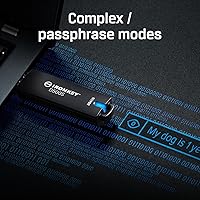
Complex mode works like a traditional strong password — a mix of uppercase and lowercase letters, numbers, and symbols, typically shorter in length. Passphrase mode lets you use a longer string of words or a sentence, which many people find easier to remember while still being cryptographically strong. Both are legitimate options; the right choice depends on your organization's existing security policy or personal preference.

Think of it as two completely separate lockers on one physical drive, each unlocked by a different password. When you authenticate with one password, only that partition is visible; the other remains entirely hidden and inaccessible. This is useful for scenarios where one set of data should only be accessible to certain personnel, or where you need to physically demonstrate an empty or unclassified drive to someone while keeping a second partition private.

For most home users, probably not. But in high-security environments — government facilities, financial institutions, or anywhere with strict device control policies — BadUSB attacks, where a compromised drive pretends to be a keyboard or network adapter, are a documented threat. This hardware-secured flash drive locks its firmware so it cannot be reprogrammed to impersonate another device type, which closes that specific attack vector entirely.

Kingston does not publicly specify the exact attempt count in its standard documentation, as the threshold can be configured by administrators during deployment. What is certain is that once the limit is reached, the drive initiates a full crypto-erase with no recovery path. If you are deploying these at an organizational level, confirm the lockout threshold during your setup process and document it clearly for your users.

Kingston offers the D500S family in multiple capacities, ranging from 8GB up to 512GB, so if 256GB feels tight for your workflow, larger options exist in the same certified product line. For most professional use cases — transporting reports, encrypted documents, or database exports — 256GB is a generous amount of working space.

Not directly. The IronKey D500S uses a standard USB Type-A connector, which is the older, larger rectangular plug. If your laptop only has USB-C ports — as is common on newer MacBooks and ultrabooks — you will need a USB-A to USB-C adapter or a hub. The adapter itself does not affect the encryption or security of the drive, but it is an extra accessory to keep in mind.

FIPS 140-3 Level 3 certification is one of the most widely recognized benchmarks for cryptographic security in regulated industries. Many HIPAA, FISMA, and government procurement frameworks specifically reference FIPS-validated storage as an acceptable or required standard. That said, compliance is ultimately determined by your organization's specific policies and applicable regulations, so it is worth confirming with your compliance officer before making a procurement decision.

The zinc alloy shell is genuinely robust — it is designed to resist physical tampering as a security measure, not just protect against accidental drops, which means it holds up well to everyday wear. Kingston does not advertise a specific IP water resistance rating for this model, so it should not be treated as waterproof. Incidental moisture is unlikely to cause immediate damage, but intentional water exposure is best avoided.