Overview

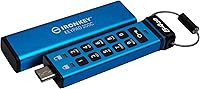
The Kingston IronKey Keypad 200C 64GB Encrypted Flash Drive is built for one purpose: keeping sensitive data out of the wrong hands, full stop. Unlike software-encrypted drives that depend on a host system's integrity, this encrypted keypad drive authenticates entirely through its onboard alphanumeric keypad, meaning no drivers, no companion apps, and no host OS involvement whatsoever. Plug it into a Windows machine, a Linux workstation, a Mac, or even an air-gapped system — it behaves the same way everywhere. If raw speed is your priority, look elsewhere. But if you need verifiable, hardware-level security with credentials that hold up to government scrutiny, this is a fundamentally different class of portable storage.
Features & Benefits

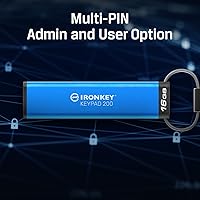
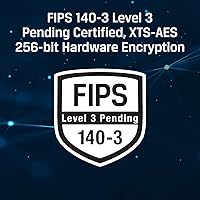
The IronKey Keypad 200C carries FIPS 140-3 Level 3 certification — a government-recognized standard requiring tamper-evident physical protection and resistance to real physical attacks, not just logical ones. All XTS-AES 256-bit encryption happens entirely on the drive itself, so nothing sensitive touches the host machine's memory. If someone attempts to brute-force the PIN, the drive locks progressively and can ultimately crypto-erase all stored data. The firmware is digitally signed, closing the door on BadUSB exploits where a drive gets reprogrammed to behave maliciously. Admins can configure separate User and Admin PINs for role-based access, and both Global and Session Read-Only modes add another layer of protection when operating on machines you don't fully trust.

Best For

This hardware-secured flash drive was clearly designed with professionals in mind, not casual consumers. IT administrators managing sensitive files across multiple staff members will appreciate the Admin and User PIN structure for delegating access without surrendering control. Compliance-driven fields — healthcare, legal, finance — benefit from FIPS-validated encryption that satisfies many regulatory frameworks without extra software overhead. Government contractors and defense personnel with strict data-handling mandates will find it meets their requirements. Remote workers who regularly connect through hotel kiosks or shared workstations will value the session read-only mode as a practical daily safeguard. General consumers looking for fast, affordable storage are genuinely better served by something else.

User Feedback

Across several hundred ratings, buyers give this encrypted keypad drive strong marks overall, with the physical keypad interface drawing consistent praise — many note it removes the anxiety of relying on software that could be compromised or absent on a given system. Confirmed compatibility with Chromebooks, Linux distributions, and air-gapped environments comes up frequently as a real-world win. On the other side, a handful of users mention a learning curve around PIN entry sequencing and switching between Admin and User modes. Transfer speeds draw occasional comments too — functional, not fast — but buyers who understood the product's purpose rarely held that against it. Satisfaction runs high among the security-focused crowd this drive was built for.

Pros

  • FIPS 140-3 Level 3 certification meets strict government and enterprise security standards without extra software.
  • The onboard alphanumeric keypad means authentication never depends on the host machine being trustworthy.
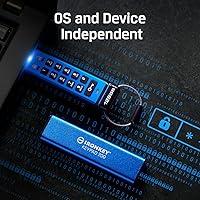
  • True OS independence — verified working on Windows, Mac, Linux, Chromebooks, and air-gapped systems.
  • XTS-AES 256-bit encryption runs entirely on the drive, leaving zero sensitive data on the host system.
  • Brute-force lockout with optional crypto-erase makes stolen drives effectively useless to attackers.
  • Digitally signed firmware blocks BadUSB reprogramming attacks that affect many competing drives.
  • Separate Admin and User PIN modes give IT teams granular, role-based access control at the hardware level.
  • Read-only modes protect data integrity when plugging into machines you do not fully control.
  • Compact and lightweight at under an ounce, so it travels easily without adding bulk.
  • Build quality draws consistent praise from buyers who previously relied on software-based encryption solutions.

Cons

  • Transfer speeds lag behind non-encrypted USB drives of the same generation — the trade-off is real and noticeable.
  • PIN entry sequencing has a learning curve; new users often need several sessions before it feels intuitive.
  • Switching between Admin, User, and read-only modes is not immediately obvious without reading the documentation.
  • 64GB capacity is modest for the price tier, especially for users moving large media or database files regularly.
  • No companion app or desktop dashboard makes remote PIN resets or access auditing impossible without physical access.
  • A forgotten Admin PIN can result in permanent data loss through crypto-erase — there is no recovery option.
  • The USB-C connector requires an adapter on older machines, adding a small but real inconvenience for some workflows.
  • The premium price is difficult to justify for individuals or small teams without formal compliance requirements.
  • Keypad buttons may feel small for users with larger hands, particularly under time pressure or in poor lighting.

Ratings

The Kingston IronKey Keypad 200C 64GB Encrypted Flash Drive earns its reputation among security-focused buyers, and the scores below reflect exactly that reality — generated by AI after analyzing verified global user reviews while actively filtering out incentivized, bot-generated, and spam submissions. Strengths in hardware security and cross-platform compatibility come through clearly, but honest pain points around speed, price, and usability learning curves are reflected just as transparently.

Hardware Security
96%
This is the category where the IronKey Keypad 200C genuinely stands apart. FIPS 140-3 Level 3 certification is not a marketing badge — it requires rigorous physical tamper-evidence and on-device cryptographic processing, and buyers working in government, defense, and healthcare consistently report it meets or exceeds their compliance requirements without any additional tooling.
A small number of enterprise buyers note that the FIPS 140-3 certification was listed as pending at launch, which caused minor procurement delays in organizations that require fully ratified certifications before purchasing. For most buyers this is a non-issue, but regulated industries should verify current certification status before ordering.
Encryption Strength
94%
XTS-AES 256-bit hardware encryption running entirely on the drive controller means the host computer never handles the raw encryption process. IT administrators particularly appreciate that sensitive data leaves no decryptable trace on borrowed or shared machines, which is a critical requirement for legal and financial professionals handling client data on the move.
Because the encryption is hardware-bound, there is no way to recover data if the drive is crypto-erased after brute-force attempts — and no cloud backup option exists. Users who are accustomed to software-encrypted drives with recovery keys find this absolute finality unsettling until they adjust their backup habits accordingly.
Keypad & Access Design
88%
The physical alphanumeric keypad is consistently praised as a meaningful upgrade over software-dependent alternatives. Buyers who regularly work on air-gapped systems or corporate machines where installing apps is restricted describe the keypad as the single most practical feature — authentication happens before the drive even touches the host system.
A noticeable subset of reviewers mention a real adjustment period. The PIN entry sequence, combined with toggling between Admin, User, and read-only modes, is not immediately intuitive, and the buttons can feel small under less-than-ideal lighting conditions. Kingston's documentation helps, but the onboarding experience is not frictionless.
OS Compatibility
93%
True OS independence is repeatedly confirmed by real-world buyers across an unusually wide range of environments — Windows, macOS, Linux distributions, ChromeOS, and fully air-gapped systems all work without drivers or companion software. For IT teams supporting heterogeneous device fleets, this is a significant operational advantage over software-encrypted competitors.
While the drive itself is OS-agnostic, buyers with older hardware using only USB Type-A ports need a separate adapter that is not included in the box. This is a minor but recurring friction point mentioned by users who work in environments with legacy equipment still in service.
Transfer Speed
62%
38%
At 280 MB/s read and 200 MB/s write, the drive is capable enough for routine professional use — moving documents, encrypted archives, and database exports is comfortable at these speeds. Buyers who primarily use it as a secure transport medium for structured data rarely flag speed as a genuine blocker in their daily workflows.
Compared to modern non-encrypted USB 3.2 drives, the throughput shows the cost of on-device encryption processing. Users who expected consumer-grade speed were frequently disappointed, and transferring multi-gigabyte files — large video assets or disk images — can feel noticeably slow. This is an inherent trade-off, but it catches unprepared buyers off guard.
Build Quality
91%
The physical construction draws consistent praise — the housing feels solid and purposeful rather than plasticky, and buyers who carry it daily on a keyring or in a laptop bag report no signs of wear after extended use. The overall form factor inspires the kind of confidence you want from a device protecting sensitive organizational data.
The drive does not carry an official IP waterproofing rating, which some buyers in field-based roles noted as a gap. While the casing is clearly robust, there is no formal specification covering submersion or prolonged moisture exposure, leaving buyers in harsh environments to make assumptions about durability they cannot verify.
Multi-PIN Management
83%
The Admin and User PIN structure is well-regarded among IT administrators who deploy multiple units across a team. Being able to reset a User PIN without wiping the drive, or lock it into read-only mode centrally, covers real organizational workflows that simpler encrypted drives simply cannot accommodate.
The multi-PIN system has no remote management capability — every administrative action requires physical access to the drive. For organizations managing large fleets of these drives, the absence of any centralized management dashboard means PIN resets and policy changes are handled entirely in person, which adds operational overhead at scale.
BadUSB Protection
92%
Digitally signed, non-reprogrammable firmware is a feature security professionals actively seek out, and buyers who work in high-risk IT environments specifically cite BadUSB protection as a deciding factor in choosing the IronKey Keypad 200C over competing encrypted drives. It closes an attack vector that most USB drives leave wide open.
For buyers outside security-focused roles, this feature is essentially invisible — they cannot observe it functioning and have no practical way to test it independently. While the protection is real, it contributes to the price without delivering tangible day-to-day feedback, which makes it harder to justify for less security-aware purchasers.
Brute Force Protection
91%
The auto-lock and crypto-erase mechanism after repeated failed PIN attempts is exactly the kind of last-resort protection that gives compliance officers peace of mind when a drive is physically lost or stolen. Buyers in healthcare and legal sectors describe it as a non-negotiable feature their data-handling policies specifically require.
The permanence of crypto-erase is a genuine double-edged outcome — a legitimate user who forgets their PIN after a period of non-use faces the same consequence as an attacker. Several reviewers report losing access to data after returning to a drive they had not used in months, underscoring the need for rigorous PIN documentation practices.
Read-Only Modes
84%
Session Read-Only mode in particular is well-received by remote workers and consultants who regularly plug into client machines or hotel business center computers. Being able to grant read access to a host system while preventing it from writing anything back to the drive addresses a practical, real-world threat that most casual USB users never think about.
Configuring and switching between Global and Session Read-Only modes requires familiarity with the Admin PIN workflow, and buyers who set a Global Read-Only mode accidentally — or without fully understanding it — have reported confusion when the drive refuses writes on their own trusted machine. Better in-box documentation would reduce these avoidable support moments.
Value for Money
61%
39%
For buyers with genuine compliance obligations — government contractors, healthcare IT, legal professionals — the certification credentials and security feature set justify the premium tier pricing within their procurement context. The drive replaces software licensing costs and reduces audit risk, which reframes the price as an operational investment rather than a consumer purchase.
For individual buyers or small teams without formal regulatory requirements, the price is a hard sell against capable non-certified alternatives. Reviewers who purchased out of general security interest rather than compliance necessity frequently note they are paying for certifications that do not materially affect their actual use case, making the value equation feel unbalanced.
Portability
87%
Weighing under an ounce and fitting easily in a shirt pocket, this hardware-secured flash drive travels without adding any meaningful burden to a daily carry setup. The compact footprint means it clips to a badge reel or sits in a laptop bag pocket without the bulk that some competing encrypted drives carry.
The keypad adds width and depth compared to a standard slim USB drive, meaning it does not sit flush when connected to machines with tightly packed USB ports. A few buyers noted that adjacent ports become blocked when the drive is plugged in, which is a minor but real physical inconvenience in dense port configurations.
Setup & Onboarding
69%
31%
Once a buyer works through the initial PIN configuration and understands the mode structure, the day-to-day usage pattern becomes routine fairly quickly. Users who invested time upfront reading the manual consistently report smooth subsequent experiences, and the OS-independent design means there is no software installation step to complicate the initial setup.
The first-time setup experience is not beginner-friendly by any standard. Multiple reviewers describe frustration during initial PIN configuration, particularly around understanding the distinction between Admin and User roles before either has been set. Buyers who skipped the documentation and tried to configure by intuition frequently had to reset and start over.

Suitable for:

The Kingston IronKey Keypad 200C 64GB Encrypted Flash Drive is purpose-built for professionals who handle data where a breach would have serious consequences. IT administrators overseeing sensitive organizational files will find the Admin and User PIN structure genuinely useful for managing access across a team without handing over full control. Compliance-driven industries — healthcare, legal, and finance in particular — benefit from FIPS 140-3 Level 3 validation, which satisfies many regulatory data-protection requirements without requiring additional software or infrastructure. Government contractors and defense personnel with strict handling mandates will find it checks the right certification boxes. Remote workers who routinely connect to shared or public computers get real, practical value from the session read-only mode, which prevents a hostile host system from quietly writing anything back to the drive. If your threat model involves physical theft, institutional audits, or untrusted machines, this encrypted keypad drive was built precisely with you in mind.
Not suitable for:

The Kingston IronKey Keypad 200C 64GB Encrypted Flash Drive is a poor fit for anyone whose primary concern is speed or everyday convenience. At 280 MB/s read and 200 MB/s write, it is functional but noticeably slower than modern high-performance USB drives — the encryption overhead is real, and buyers who need to move large files quickly will feel it. The premium price point is hard to justify if your data does not require this level of cryptographic protection; a standard USB-C drive does the job for far less. Casual users who just want to shuttle files between home and office will find the keypad PIN process more friction than it is worth for their use case. Students, general consumers, or anyone unfamiliar with concepts like brute-force lockout or crypto-erase may find the learning curve around Admin and User modes frustrating without a clear organizational reason to use those features.
Specifications

  • Brand: Manufactured by Kingston Digital, Inc., a well-established name in enterprise and consumer storage hardware.
  • Model: The exact model identifier is IKKP200C/64GB, which designates the USB-C variant of the IronKey Keypad 200 series at 64GB capacity.
  • Capacity: Offers 64GB of usable encrypted storage for documents, databases, and sensitive organizational files.
  • Interface: Connects via USB 3.2 Gen 1 Type-C, providing broad compatibility with modern laptops, workstations, and USB-C hubs.
  • Read Speed: Delivers sequential read speeds of up to 280 MB/s under standard conditions.
  • Write Speed: Achieves sequential write speeds of up to 200 MB/s, which is adequate for most professional file-transfer workflows.
  • Encryption: Uses XTS-AES 256-bit hardware encryption, processed entirely on the drive controller with no reliance on the host system.
  • Certification: Holds FIPS 140-3 Level 3 certification, a U.S. government-recognized standard requiring tamper-evident design and resistance to physical intrusion.
  • PIN Protection: Supports multi-PIN configuration with distinct Admin and User modes, enabling role-based access management across individuals or teams.
  • Attack Protection: Incorporates brute-force lockout with optional crypto-erase and BadUSB defense through digitally signed, non-reprogrammable firmware.
  • Access Modes: Provides both Global Read-Only and Session Read-Only modes to prevent unauthorized writes when operating on untrusted host machines.
  • OS Compatibility: Fully OS-independent and requires no drivers or software installation, functioning on Windows, macOS, Linux, ChromeOS, and embedded systems.
  • Dimensions: Measures 3.15 x 0.80 x 0.43 inches, making it compact enough for a keyring, badge holder, or small carry pouch.
  • Weight: Weighs approximately 0.882 ounces, adding negligible bulk to a laptop bag or pocket.
  • Connectivity: USB Type-C connector; users with Type-A only ports will need a separate USB-C to Type-A adapter.

Related Reviews
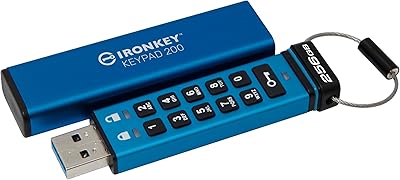
Kingston IronKey Keypad 200 256GB Flash Drive
82%
97%
Hardware Encryption Security
94%
OS Compatibility
89%
Build Quality & Durability
78%
Keypad Usability
61%
Value for Money
More
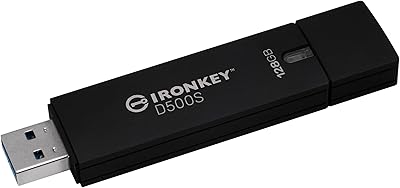
Kingston IronKey D500S 128GB Encrypted Flash Drive
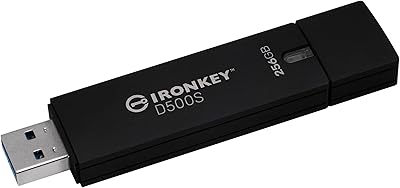
85%
94%
Security & Encryption
88%
Build Quality & Durability
87%
Performance (Speed)
82%
Ease of Use & Setup
80%
Portability & Size
More
Kingston IronKey D500S 256GB Encrypted Flash Drive
85%
94%
Security Features
88%
Data Transfer Speed
92%
Build Quality
90%
Durability
85%
Ease of Use
More
Kingston Ironkey D500S 16GB Encrypted Flash Drive
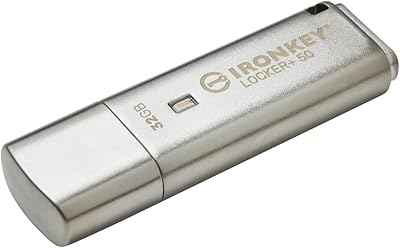
83%
94%
Security Features
88%
Ease of Use
85%
Transfer Speed
90%
Build Quality/Durability
60%
Price vs. Capacity
More
Kingston IronKey Locker+ 50 32GB USB Drive
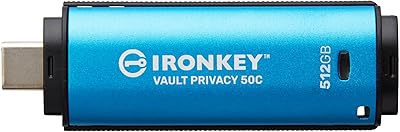
82%
94%
Encryption & Security
88%
Build Quality
76%
Ease of Setup
89%
Cloud Backup Feature
86%
Password Flexibility
More
Kingston IronKey Vault Privacy 50 USB-C 512GB Encrypted Flash Drive
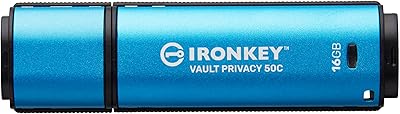
87%
94%
Security & Encryption
88%
Performance (Speed)
85%
Build Quality & Durability
82%
Portability & Size
90%
Ease of Use
More
Kingston IronKey Vault Privacy 50C 16GB Drive
83%
97%
Data Security
91%
Build Quality
63%
Ease of Setup
61%
Value for Money
78%
Transfer Speed
More
Kingston IronKey Vault Privacy 50 256GB Drive
81%
97%
Encryption Strength
94%
Security Certifications
91%
Build Quality
86%
Password & Authentication
63%
Transfer Speed
More
Kingston IronKey Vault Privacy 50 128GB Drive
79%
96%
Encryption Strength
88%
Build Quality
57%
Ease of Setup
72%
Value for Money
76%
Transfer Speed
More
Verbatim Fingerprint Secure 64GB USB Flash Drive
76%
93%
Data Security
74%
Fingerprint Recognition
83%
Ease of Setup
81%
Build Quality
67%
Transfer Speed
More

FAQ

Yes, it works natively on macOS with no software or drivers required. You enter your PIN on the keypad before plugging in, and the drive mounts just like any external storage device. The encryption is entirely handled by the drive itself, so the host operating system never needs to get involved.

This is where things get serious. After a set number of consecutive incorrect PIN attempts, the drive crypto-erases itself — meaning the encryption key is destroyed and the data is permanently unrecoverable. There is no backdoor and no reset service. Kingston built it this way intentionally, so treat your PIN the same way you would a safe combination.

Yes, that is exactly what the Admin and User PIN modes are for. The Admin PIN gives full access including the ability to reset the User PIN, configure read-only settings, and manage security policies. The User PIN allows access to the stored data but cannot alter drive settings. It is a practical setup for IT administrators managing shared drives within a team.

Kingston rates the drive's casing as durable, but it is not marketed with a specific IP waterproofing rating for this model. The electronics are protected by a rugged outer shell, but it is sensible to avoid submerging it or exposing it to prolonged moisture.

Yes, and this is one of the most frequently confirmed use cases from real buyers. Because the drive handles all authentication and encryption internally, it works on any system that can read a standard USB mass storage device — Chromebooks, Linux machines, and fully isolated air-gapped systems included.

Before connecting the drive to a computer, you press a key sequence on the physical keypad to enter your PIN and unlock the drive. Once unlocked, you plug it in and it mounts normally. The unlock state typically persists for the current session, and the drive re-locks when removed or after a period of inactivity depending on configuration.

It is workable, but not exceptional by modern standards. For documents, PDFs, or database files, 280 MB/s is perfectly comfortable. If you are regularly transferring large video files or disk images, you may notice the speed is a step behind top-tier non-encrypted USB drives. The encryption overhead is the trade-off for hardware-level security.

Global Read-Only locks the drive into read-only mode permanently until an Admin changes it — useful for distributing a drive loaded with reference data that should never be altered. Session Read-Only activates read-only for a single connection session only, which is handy when plugging into a machine you do not fully trust. After removal and re-authentication, the drive returns to its normal read-write state.

No. The firmware is digitally signed by Kingston, which means it cannot be replaced or modified by a connected host system. This specifically protects against BadUSB-style attacks, where a malicious computer attempts to reprogram a USB device to behave as a keyboard or network adapter. On this hardware-secured flash drive, the firmware is locked at manufacture.

Kingston does not include an adapter with the standard retail package, so if your laptop or workstation only has Type-A ports, you will need to source a USB-C to USB-A adapter separately. It is a minor but real consideration if you use older equipment regularly.

Where to Buy