
Overview

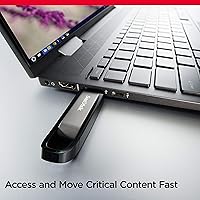
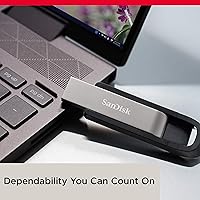
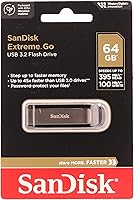
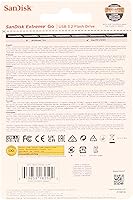
The SanDisk Extreme Go 64GB USB Flash Drive sits in a sweet spot — fast enough to satisfy demanding users, yet accessible enough that it doesn't feel like an overcommitment. Backed by Western Digital, SanDisk has spent decades building a reputation for reliable storage, and this drive reflects that legacy. The USB 3.2 interface is the headline spec here, and what it actually means day-to-day is that large file transfers finish in a fraction of the time compared to older drives. The metallic bronze shell is a genuine step up from the flimsy plastic bodies common at this price range. Read speeds are impressive; write speeds are solid but not record-breaking.

Features & Benefits

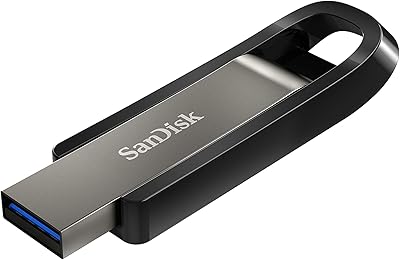
Speed is where the Extreme Go 64GB makes its case. On a compatible USB 3.2 port, read speeds can reach up to 400 MB/s — meaning a large 4K video file transfers in seconds rather than minutes. Write speeds top out around 240 MB/s, which is competitive, though worth noting that older USB 3.0 ports on your machine will cap what you actually experience. The drive barely registers in your hand at under half an ounce, and its capless sliding design means no small plastic piece to misplace. SanDisk's SecureAccess encryption creates a password-protected vault for sensitive files — handy, though it covers a designated folder rather than locking down the whole drive.

Best For

This pocket drive is well-suited to a specific kind of buyer: someone who moves files often and doesn't want to wait around while it happens. Video editors shuttling 4K footage between workstations, photographers offloading RAW files in the field, or designers carrying large assets to a print shop — these are the people who'll notice the speed difference daily. Students will appreciate having a quick, reliable backup for coursework. Travelers and remote workers handling sensitive documents will find the folder-level encryption genuinely useful. If you're moving up from a USB 2.0 or early USB 3.0 drive, the real-world speed improvement is hard to miss. Note that 128GB and 256GB variants exist if 64GB feels tight.

User Feedback

With over 1,600 ratings averaging 4.4 out of 5, buyer sentiment skews positive — and the reasons are consistent. Most satisfied users point to genuine transfer speed improvements they noticed right away, especially when moving large batches of files. The compact, solid build gets frequent praise too. On the other side, a recurring complaint is that speeds fall short of the advertised peak when used with standard USB 3.0 ports — which is an inherent limitation of port compatibility rather than a defect in the drive itself. A handful of buyers raise questions about connector durability over years of daily use. Those who compared it to drives like the Samsung Bar Plus or Kingston DataTraveler generally rated this SanDisk flash drive favorably for speed.

Pros

  • Read speeds up to 400 MB/s make transferring large video files or photo batches noticeably faster than older drives.
  • The sturdy metallic shell holds up far better than the plastic bodies found on most budget flash drives.
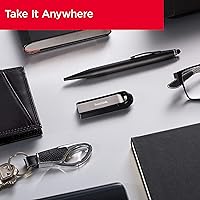
  • At under half an ounce and barely over two inches long, it disappears into a pocket or onto a keychain without effort.
  • Built-in SecureAccess software adds a password-protected vault for sensitive documents, which is genuinely useful for travelers.
  • Works with both Mac and PC out of the box, which matters for anyone who regularly switches between systems.
  • The capless sliding connector eliminates one less tiny piece to lose during frequent daily use.
  • Rated 4.4 out of 5 stars across over 1,600 buyer reviews, reflecting broad and consistent satisfaction.
  • Competes favorably against similarly priced drives like the Samsung Bar Plus in real-world speed comparisons.
  • SanDisk's long track record in flash storage makes long-term reliability and warranty support less of a gamble.
  • The 64GB capacity handles most everyday portable storage needs without paying for space the average user will never fill.

Cons

  • Advertised peak speeds require a USB 3.2-compatible host port; users on older hardware will see significantly lower real-world figures.
  • SecureAccess encryption covers only a designated vault folder, not the full contents of the drive.
  • No USB Type-C connector is included, making it incompatible with modern laptops without a separate adapter.
  • 64GB fills up quickly for anyone regularly working with large RAW photo libraries or uncompressed video projects.
  • Some buyers have reported concerns about connector durability after extended periods of intensive daily use.
  • Write speeds, while respectable, lag noticeably behind current portable SSDs when sustaining large continuous transfers.
  • SecureAccess software supports Windows and macOS only; Linux users get no official encryption functionality at all.
  • There is no physical write-protect switch, which can matter when handling sensitive data on shared or public machines.
  • At a modest price increase, portable SSDs begin to close the performance gap considerably.
  • No activity indicator light makes it impossible to confirm visually when the drive is actively reading or writing.

Ratings

The ratings below for the SanDisk Extreme Go 64GB USB Flash Drive were generated by AI after processing thousands of verified global buyer reviews, with automated systems applied to filter out spam, bot-generated, and incentivized submissions. Every score reflects what genuine buyers — from traveling professionals to students and content creators — actually experienced across real-world use. Both the genuine strengths and the recurring frustrations are represented transparently, so these ratings tell the full story rather than just the highlights.

Transfer Speed
83%
On a USB 3.2-compatible port, moving a large batch of RAW files or a full project folder feels noticeably faster than what most users were used to with their previous drives. Real-world testers consistently report meaningful speed gains for everyday tasks like offloading camera cards or backing up work files before a deadline.
The advertised 400 MB/s read speed requires a USB 3.2 Gen 2 host port, which many laptops and desktops still do not have. Users plugging into a standard USB 3.0 port will see considerably lower throughput, and a number of buyers expressed frustration that real transfers fell noticeably short of the headline figure.
Build Quality
86%
The metallic bronze shell immediately sets this drive apart from the hollow plastic alternatives that dominate the budget end of the market. Buyers who carry it daily in bags or attached to keychains regularly comment that it still looks and feels solid months after purchase, with no flexing or cracking reported.
A recurring theme among long-term owners is connector wear — after months of plugging in multiple times a day, some users notice the retractable mechanism developing looseness. It is not a widespread failure, but it surfaces often enough in critical reviews to warrant attention from anyone planning intensive daily use.
Value for Money
81%
19%
For buyers coming from an older USB 3.0 or USB 2.0 drive, the speed jump here delivers genuine value relative to the price point. The metallic casing and SanDisk brand reliability add to the perceived worth, making it a sensible choice for professionals who need something dependable without paying portable SSD prices.
Some buyers feel the value proposition weakens when real-world speeds fall below the advertised ceiling due to port limitations on their existing hardware. At the 64GB tier specifically, a handful of users noted that higher-capacity alternatives from competing brands occasionally offer similar performance at comparable or lower prices.
Storage Capacity
69%
31%
For light to moderate use — backing up a semester of coursework, carrying presentation files, or storing a single client project folder — 64GB is a practical and comfortable amount of space. The capacity suits buyers who want a fast drive for focused tasks rather than a bulk archive solution.
For anyone working regularly with 4K video libraries, large RAW photo collections, or multiple concurrent project folders, 64GB runs out faster than most buyers anticipate. Several reviewers explicitly noted they wished they had purchased the 128GB or 256GB version from the start, particularly photographers and video editors.
Speed Consistency
67%
33%
Users with modern USB 3.1 or 3.2-equipped machines report transfer speeds that hold up well across sustained file operations, which matters when moving entire project folders rather than isolated small files. In those favorable conditions, the drive performs reliably rather than erratically.
Speed consistency drops noticeably when the host port is USB 3.0 rather than 3.2, and write speeds in particular show more variance than read speeds under sustained load. Buyers comparing results across different machines frequently report a wide and frustrating range of outcomes that the spec sheet does not prepare them for.
Portability
94%
At barely two inches long and under half an ounce, this is genuinely one of the easiest drives to carry without thinking about it. Students and commuters consistently note that it fits on a keychain without adding noticeable bulk, and the absence of a removable cap means one less thing to lose in transit.
The USB-C situation is the only real portability friction point for a growing segment of users. Buyers with modern thin laptops that have no USB-A ports must carry a separate adapter to use the drive at all, which slightly undercuts an otherwise effortless carry experience.
Ease of Use
92%
Plug it in and start transferring — there is genuinely nothing to configure for basic use. Reviewers from a wide range of technical backgrounds, including non-technical buyers who simply wanted a reliable backup drive, consistently praised how little friction is involved in getting started on both Mac and PC.
The SecureAccess software setup is slightly less intuitive than the drive itself, and a few buyers found the vault creation process confusing on first run. Cross-platform users occasionally needed to reformat the drive to suit a specific workflow, which requires a basic level of technical comfort.
Design & Aesthetics
88%
The metallic bronze and gloss black finish gives this drive a premium look that stands out against the cheap-feeling alternatives common in its price tier. Buyers regularly mention that it looks professional enough for client meetings and office environments without drawing unwanted attention.
The color choice is polarizing for some buyers who would prefer a simpler, more neutral all-black finish. A small number of reviewers noted that the gloss black portion of the casing shows fingerprints and minor surface scratches more readily than a matte finish would over time.
Cross-Platform Compatibility
76%
24%
Out of the box, this pocket drive works with Mac and PC systems without requiring any drivers for standard file transfers. The exFAT formatting ensures files created on a Windows machine open without issue on macOS, which frequent cross-platform users genuinely appreciate in everyday workflows.
Linux users get no official support for the SecureAccess software, which is a meaningful gap for that audience. The Type-A-only connector also means users with exclusively USB-C laptops require a separate adapter, adding friction that a growing segment of modern laptop owners did not expect.
Encryption & Security
62%
38%
For travelers carrying contracts, tax documents, or confidential client files, the SecureAccess vault provides a meaningful layer of password protection that most basic flash drives simply do not include. Setting it up is relatively straightforward, and the 128-bit AES standard used is a legitimate enterprise-grade encryption method.
The core limitation is that SecureAccess protects only a designated vault folder — files stored anywhere else on the drive remain fully exposed. Buyers who assumed the entire drive was encrypted based on marketing language were noticeably disappointed, and this misunderstanding surfaces with notable frequency in lower-star reviews.
Long-Term Reliability
71%
29%
SanDisk's track record as a flash storage brand and the backing of Western Digital give buyers reasonable confidence that this drive is not going to fail in the first few months. The vast majority of reviewers report consistent, error-free performance over extended periods of regular use.
Connector wear is the most commonly cited long-term complaint, with heavy users noting that the retractable mechanism develops looseness after a year of multiple daily insertions. A smaller but vocal group of buyers reported file errors after extended use, though these cases appear to be genuine outliers rather than a systemic pattern.
Software Ecosystem
57%
43%
SecureAccess is available as a free download and works without requiring an account or subscription, which is a lower barrier than some competing encryption tools that charge for full functionality. For users who only need basic vault-level protection, it covers the essential use case at no added cost.
The software has not kept pace with modern expectations — it is Windows and macOS only, with no Linux support, and the interface feels dated compared to current encryption tools. Users who wanted more granular control over protected folders beyond a single vault found the overall feature set underwhelming and limiting.
Connector Versatility
44%
56%
The standard USB Type-A connector covers a very large installed base — most desktop computers, older laptops, monitors with USB hub ports, and many peripherals still rely on this format. For users with traditional setups, there is nothing to think about in terms of physical compatibility.
Owners of modern ultra-slim laptops — including MacBook Air and Pro users and many recent Windows thin-and-lights — have no native USB-A port available and must carry a separate adapter at all times. No adapter is included in the box, which feels like a notable oversight given how mainstream USB-C has become across the laptop market.

Suitable for:

The SanDisk Extreme Go 64GB USB Flash Drive is a strong pick for anyone who regularly moves substantial files and has grown frustrated waiting on a slower drive. Creative professionals — video editors ferrying 4K footage between machines, photographers offloading RAW shoots in the field, or graphic designers carrying heavy asset libraries — will notice the speed difference from day one. Students who want a reliable backup for coursework and presentation files will find both the capacity and build quality more than adequate for daily use. Travelers and remote workers who need to carry sensitive documents will appreciate the folder-level AES encryption, though it is worth understanding that the protection covers a specific vault rather than the entire drive. If your current drive is USB 2.0 or an older USB 3.0 model, the jump in transfer speed here is real and meaningful in everyday workflows.

Not suitable for:

The SanDisk Extreme Go 64GB USB Flash Drive is not the right tool for every situation, and being upfront about that matters. If you need a large archive drive — for storing a full media library, raw game downloads, or multi-year document collections — 64GB will feel limiting fast, and a higher-capacity variant or a portable SSD would serve you better. Users whose computers only have USB Type-C ports will need a separate adapter, since this drive is strictly Type-A. Anyone chasing the absolute fastest flash storage on the market should look elsewhere, as competing portable SSDs can push significantly higher sustained write performance for intensive production pipelines. Buyers expecting whole-drive encryption will also be disappointed, since the SecureAccess software only protects files stored inside a designated vault folder — useful, but meaningfully different from full-drive protection.

Specifications

  • Capacity: This drive provides 64GB of flash storage, suitable for documents, photos, presentations, and moderate video file collections.
  • Interface: It uses a USB 3.2 Gen 1 Type-A connector, which is backward-compatible with USB 3.0 and USB 2.0 host ports.
  • Read Speed: Maximum sequential read speed is rated at up to 400 MB/s under optimal conditions with a compatible USB 3.2 host port.
  • Write Speed: Maximum sequential write speed reaches up to 240 MB/s, which is competitive for mid-range flash storage in this tier.
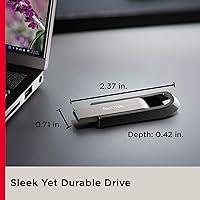
  • Dimensions: The drive measures 0.41 × 0.71 × 2.38 inches, compact enough to sit flush on a laptop without obstruction.
  • Weight: At 0.353 oz, the drive is light enough to carry on a keychain or in a pocket without any noticeable bulk.
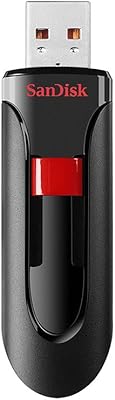
  • Shell Material: The outer casing features a rigid metallic bronze and gloss black finish, offering meaningfully better impact resistance than standard plastic enclosures.
  • Connector Design: The drive uses a capless retractable connector mechanism, eliminating the need for a removable cap that could be misplaced.
  • Encryption: SanDisk SecureAccess software provides 128-bit AES password protection for a designated encrypted vault folder stored on the drive.
  • OS Compatibility: SecureAccess software is officially supported on Windows 8 and Windows 10, as well as macOS version 10.9 and later.
  • Platform Support: The drive is compatible with both Mac and PC systems and does not require additional drivers for standard file storage use.
  • Manufacturer: Manufactured by Western Digital Technologies, Inc., and marketed under the SanDisk brand with model number SDCZ810-064G-G46.
  • Color: The drive ships in a Metallic Bronze and Gloss Black colorway as the sole available finish for this variant.
  • Connector Type: The physical connector is USB Type-A, which is not natively compatible with USB-C-only ports without an adapter.
  • User Rating: Based on 1,687 verified ratings, this drive holds an average score of 4.4 out of 5 stars.
  • Category Rank: It holds a Best Sellers Rank of #378 in the USB Flash Drives category, reflecting strong ongoing sales volume.

Related Reviews
SanDisk Extreme Go 256GB USB Flash Drive
76%
83%
Transfer Speed
91%
Build Quality
94%
Portability
58%
Thermal Management
88%
Storage Capacity
More
SanDisk Extreme PRO USB 3.2 Solid State Flash Drive 512GB
85%
91%
Speed and Performance
89%
Build Quality and Durability
85%
Ease of Use and Setup
90%
Compatibility
88%
Data Security Features
More
SanDisk 128GB Extreme PRO USB 3.2 Solid State Flash Drive
88%
94%
Performance
92%
Speed
89%
Durability
90%
Portability
78%
Compatibility with Devices
More
SanDisk Creator USB-C 1TB Flash Drive
83%
86%
Read Speed Performance
61%
Write Speed Performance
93%
Storage Capacity
71%
Value for Money
74%
Build Quality & Durability
More
SanDisk Creator 512GB USB-C Flash Drive
81%
88%
Read Speed Performance
51%
Write Speed Performance
94%
Portability
76%
USB-C Compatibility
72%
Value for Money
More
SanDisk Cruzer Glide 256GB USB Flash Drive
80%
91%
Storage Capacity Value
54%
Transfer Speed
83%
Build Quality
88%
Retractable Design
72%
Encryption & Security
More
SanDisk Extreme PRO 2TB Dual Flash Drive
79%
91%
Transfer Speed
88%
Dual Connector Design
89%
Build Quality
93%
Storage Capacity
67%
Value for Money
More
Verbatim Fingerprint Secure 64GB USB Flash Drive
76%
93%
Data Security
74%
Fingerprint Recognition
83%
Ease of Setup
81%
Build Quality
67%
Transfer Speed
More
SanDisk Ultra Curve 256GB USB 3.2 Flash Drive
81%
83%
Read Speed Performance
61%
Write Speed Performance
78%
Build Quality
91%
Design & Form Factor
93%
Portability
More
SanDisk 1TB Ultra Slider USB Type-C Flash Drive
88%
88%
Performance
91%
Build Quality
90%
Portability
85%
Data Transfer Speed
89%
Durability
More

FAQ

Yes, the SanDisk Extreme Go 64GB USB Flash Drive works on both Mac and PC without installing any drivers. It ships formatted as exFAT, which both operating systems can read and write to natively. If you want Time Machine compatibility, you would need to reformat it to APFS or HFS+, but for everyday file transfers it is genuinely plug-and-play.

Not without a small adapter, unfortunately. This drive has a standard USB Type-A connector, which does not physically fit a USB-C port. A USB-A to USB-C adapter or a hub with Type-A ports solves the problem quickly and cheaply, but it is worth knowing upfront if your setup is all USB-C.

It protects a specific encrypted vault folder, not everything on the drive. You move sensitive files into that vault, and they get locked behind a password using 128-bit AES encryption. Anything stored outside the vault remains unencrypted and visible to anyone who picks up the drive. It is a useful layer of protection for sensitive documents, but it is not a replacement for full-disk encryption.

Honest answer: most users will not hit 400 MB/s under everyday conditions. That peak figure assumes an ideal USB 3.2 Gen 2 host environment and specific transfer scenarios. On a typical USB 3.0 port — still common on many laptops and desktops — you will land comfortably below that ceiling. The drive is still noticeably fast, but tempering expectations beyond the spec sheet is the right move.

For documents, presentations, and lighter photo work, 64GB is genuinely comfortable. If you regularly move large RAW photo libraries, uncompressed 4K footage, or multiple project folders at once, you will bump into the limit sooner than you expect. This drive is available in 128GB and 256GB variants if 64GB feels tight for your workflow.

Better than most plastic drives at this price point. The metallic shell resists the flexing and cracking that is common on cheaper enclosures, and most buyers report it holding up well after months of being tossed into bags and pockets. A smaller number of long-term reviewers have noted some connector wear after extended daily use, which is worth keeping in mind if you are plugging and unplugging multiple times every day.

The drive itself mounts and works on Linux without any issues for basic file storage. The SecureAccess encryption software, however, is officially supported on Windows and macOS only, so Linux users will not have access to the vault feature through the provided software. If encrypted storage on Linux matters to you, a third-party tool like VeraCrypt can fill that gap alongside the drive.

Portable SSDs generally offer faster sustained write speeds and handle intensive workloads like continuous video capture much better. This pocket drive is smaller, lighter, and usually less expensive at the same capacity, making it the smarter choice for everyday file shuttling rather than heavy-duty storage tasks. If you are regularly moving tens of gigabytes at a time and speed genuinely matters, a portable SSD is a worthwhile step up. For most day-to-day needs, though, this drive hits a practical and convenient sweet spot.

Anything stored outside the SecureAccess vault is fully accessible to whoever picks up the drive, since there is no whole-drive password or hardware-level encryption applied by default. Files stored inside the encrypted vault are protected by your password and 128-bit AES encryption, so those remain secure even in the wrong hands. The practical takeaway is that sensitive files should always live inside the vault, not just anywhere on the drive.

Quite well in practice. The exFAT format it ships with is natively supported by both operating systems, so files transfer in either direction without compatibility headaches. One thing to keep in mind is that the SecureAccess vault you set up on one platform should also be accessible from the other, but it is always worth keeping a backup of critical files elsewhere rather than relying solely on any flash drive across multiple machines.

Where to Buy