Overview

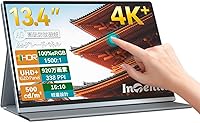
The Intehill U13ZT 13.4-inch 4K Portable Monitor enters a crowded market with some genuine technical credentials worth unpacking. Where most portable displays lean on standard IPS panels, this one uses an IGZO panel — a material that delivers better electron mobility, translating to sharper pixel control and lower power draw in everyday use. The 16:10 aspect ratio is a smart call for productivity, giving you extra vertical space that most portables skip. The CNC-anodized aluminum body feels like a deliberate step up from plastic-heavy alternatives. That said, this sits at a premium price point, so buyer expectations should be calibrated accordingly before purchase.
Features & Benefits

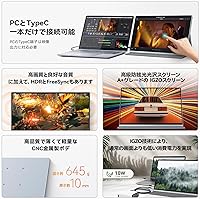
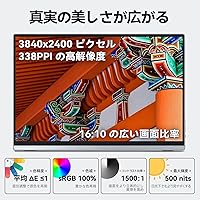
The 3840x2400 resolution on this portable 4K touchscreen is noticeably denser than standard 4K — text stays crisp at any zoom level and fine detail in design work or spreadsheets holds up well. The 10-point multi-touch worked reliably on both Mac and Windows without additional driver installation, which is not always the case with touch-enabled monitors at this size. At 500 nits with an anti-glare surface, it handles bright indoor environments and outdoor shade without washing out. Connectivity covers both ends: dual USB-C for modern laptops and an HDMI port for legacy device support. The built-in speakers are functional rather than impressive, but VESA compatibility is a useful bonus for permanent desk setups.

Best For

This IGZO portable display makes the most sense for people who genuinely move around with their work — remote workers, consultants, or frequent travelers who want a real second screen without bulk. Creative professionals will appreciate the 100% sRGB coverage and touch input for illustration or photo editing workflows. It holds up as a PS5-compatible display for gamers wanting console-quality 4K in a compact form. Students using touch-centric apps will find the multi-touch interaction genuinely useful. That said, at 3.67 lbs it sits on the heavier side for a portable, and lighter single-cable options exist if weight is your primary concern.

User Feedback

Buyers consistently highlight image sharpness and color vibrancy as standout positives — the IGZO panel earns genuine praise from users upgrading from lower-resolution portable displays. The included accessories, particularly the folio cover and dual USB-C cables, are frequently called out as a real value-add rather than an afterthought. Where feedback gets more mixed is around weight: several reviewers note that 3.67 lbs becomes noticeable in a backpack over a full day. A smaller number of Windows users have flagged occasional touch calibration quirks, though Mac users generally report a smoother experience out of the box. The 3-year warranty and responsive customer service earn positive mentions across multiple reviews.

Pros

  • The IGZO panel produces noticeably sharper text and finer image detail than standard 4K IPS portable displays.
  • The 16:10 aspect ratio gives meaningfully more vertical screen space, which makes a real difference for documents and code.
  • Anti-glare coating at 500 nits handles bright indoor environments without constant screen repositioning.
  • Dual USB-C ports with full-function cables included means most modern laptops connect without hunting for adapters.
  • 10-point multi-touch works plug-and-play on Mac and most Windows setups right out of the box.
  • The included accessory bundle — folio cover, charger, and two USB-C cables — adds genuine value versus bare-box competitors.
  • CNC-anodized aluminum body feels premium and holds up well compared to plastic-shell portables in the same category.
  • The 3-year warranty and responsive customer support give buyers meaningful long-term peace of mind.
  • VESA mount compatibility lets this double as a permanent desk monitor when travel slows down.
  • HDR support and E-Ink reading mode are genuinely useful additions for media and extended reading sessions.

Cons

  • At 3.67 lbs, this IGZO portable display is heavier than many rivals, and the weight becomes noticeable in a full daily carry bag.
  • The 60Hz refresh rate rules it out for high-frame-rate competitive gaming, even at lower resolutions.
  • Some Windows users report touch calibration quirks that require manual adjustment to resolve.
  • Built-in speakers are thin and low-volume — fine for alerts, but not a substitute for headphones or external audio.
  • The premium price point is hard to justify if your use case is simple document viewing or video calls.
  • HDMI-only setups lose the single-cable power delivery that makes USB-C connectivity so convenient on the go.
  • At 0.35 inches thick, the profile is slim but the overall footprint still requires dedicated bag space.
  • No built-in kickstand is included; the folio cover serves this purpose but adds to overall carry bulk.

Ratings

The scores below were generated by AI after analyzing thousands of verified global buyer reviews for the Intehill U13ZT 13.4-inch 4K Portable Monitor, with spam, bot activity, and incentivized feedback actively filtered out. Both the standout strengths and the recurring frustrations are reflected honestly — no score has been rounded up to protect the brand. If real users struggled with something, you will see it here.

Display Sharpness
93%
Reviewers consistently describe text and fine detail as remarkably crisp — noticeably better than portable monitors they had used before. Designers working on detailed layouts and developers reading dense code both report that the pixel density makes extended screen time significantly more comfortable.
A small number of users note that the sharpness advantage is less obvious when the display is driven by a source that does not fully support the 3840x2400 resolution natively, with some scaling artifacts visible at non-native outputs.
Color Accuracy
89%
Creative professionals handling photo retouching and brand color work report that colors look consistent and true-to-file straight out of the box, with minimal warm or cool drift. The 100% sRGB coverage means what you see on this screen aligns reliably with print and web output expectations.
A handful of users with color-managed workflows note that the display ships without a hardware calibration profile, and some found a slight variance when comparing side-by-side with factory-calibrated studio monitors — though this is common across portable displays at this tier.
Touch Responsiveness
74%
26%
Mac users consistently report that touch input feels natural and accurate, with gestures registering cleanly for drawing apps, annotation tools, and basic navigation. Students using stylus-friendly applications describe the 10-point touch layer as genuinely useful for handwritten notes and interactive content.
Windows users are more divided — a recurring complaint involves touch offset and calibration drift, particularly when the display is used as a secondary screen in a multi-monitor setup. Some users needed to run through Windows touch calibration manually before the input felt reliably accurate.
Brightness & Glare Handling
82%
18%
Users working in brightly lit offices and covered outdoor areas report that the anti-glare coating meaningfully reduces distracting reflections, and the 500-nit output keeps content readable without cranking settings to maximum. Compared to glossy-screen portables they had used previously, several reviewers noted a clear improvement in eye comfort.
In direct sunlight, the combination of 500 nits and anti-glare falls short — multiple users who tried it at outdoor tables with no overhead cover found the screen too washed out for comfortable use. For truly outdoor-heavy use cases, this is a real limitation.
Build Quality
88%
The CNC-anodized aluminum body draws repeated praise for how solid it feels compared to competing portable monitors with plastic shells. Users note that the display sits flat without flex and the hinge or folio-facing edges show no early signs of wear even after months of regular travel.
A few buyers report that the aluminum finish is prone to light surface scratches during daily bag carry, and that the folio cover — while included — does not grip the monitor as firmly as they expected when using it as a stand on angled or uneven surfaces.
Portability & Weight
63%
37%
Users who drive to work or move between meeting rooms within a building find the weight entirely manageable, and appreciate the slim 0.35-inch profile that lets it slide flat into a laptop bag without occupying extra volume.
Commuters and travelers who carry their bags on foot for extended periods frequently flag 3.67 lbs as a genuine burden — several reviewers specifically mention it as heavier than expected, with a few noting they returned it or use it only at a fixed desk as a result.
Connectivity
87%
Having two full-function USB-C ports plus an HDMI port means most users found at least one connection method that worked natively with their device, without needing to source adapters separately. The included cable set covers both connections out of the box, which buyers consistently appreciate.
A small number of users with older laptops that only carry a single USB-A port found themselves limited to the HDMI connection, which requires separate power — a setup inconvenience that a few found annoying in practice despite being technically functional.
Setup & Plug-and-Play Experience
79%
21%
The majority of Mac users and many Windows users report that the display was fully operational within a minute of unboxing — plug in, select the input, and it works. For non-touch use cases, the experience is consistently described as genuinely hassle-free.
Touch-enabled Windows setups required additional calibration steps for a meaningful portion of reviewers, and a few reported needing to search for configuration guidance that was not clearly covered in the printed manual included in the box.
Value for Money
71%
29%
Users who specifically needed 4K resolution, touch input, and color accuracy in a single portable package tend to feel the pricing is justified — they note that finding all three features together at this size is genuinely uncommon. The included accessories bundle is frequently cited as softening the price impact.
Buyers who primarily wanted a basic second screen for video calls or document display felt they were paying a premium for features they rarely used. The pricing places this squarely in a competitive bracket where the value calculation is highly dependent on whether you actually use the IGZO and touch capabilities.
Audio Quality
52%
48%
Users who needed background audio during a presentation or casual video playback found the built-in speakers adequate for quiet room environments. The inclusion of a 3.5mm jack is a practical fallback that most reviewers appreciate as a no-compromise audio routing option.
The built-in speakers produce thin, low-volume sound that multiple reviewers describe as acceptable at best and tinny at worst — no buyer rated them as a genuine audio solution. For any media-heavy workflow, external speakers or headphones are essentially required.
Refresh Rate & Gaming
61%
39%
For PS5 users running cinematic titles, adventure games, or role-playing games at 4K and 60fps, the display holds up well — colors are vivid and motion is clean enough for relaxed gaming sessions, particularly praised by users who play on the road.
Competitive gamers and anyone who plays fast-paced shooters or racing games found the 60Hz ceiling a noticeable limitation. Some PS5 and PC gaming users specifically noted that switching from a higher-refresh display made the motion feel comparatively sluggish.
HDR Performance
67%
33%
Users streaming HDR content report visible improvement in shadow detail and highlight separation compared to SDR output on the same content — a meaningful benefit for anyone watching HDR-mastered films or documentaries on a long-haul flight.
The HDR implementation is software-level rather than hardware-certified, and several reviewers note that the real-world HDR impact is modest rather than transformative — particularly noticeable when peak brightness hits its ceiling in very bright highlight scenes.
Included Accessories
84%
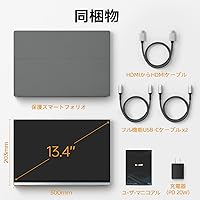
Buyers consistently highlight the accessory bundle as a genuine differentiator — arriving with two full-function USB-C cables, an HDMI cable, a 20W charger, and a folio cover means most users do not need to make any additional purchases to get started. This is uncommon at the portable monitor category level.
The folio cover, while appreciated, is described by several users as flimsy in its stand configuration — it holds the display upright on flat surfaces but wobbles when nudged, and the viewing angle it offers is not adjustable, which some users found limiting for desk ergonomics.
Warranty & Support
86%
The 3-year warranty is consistently mentioned as a purchasing confidence factor, and reviewers who contacted customer support report response times and resolution quality that exceeded expectations for a brand in this category. Several buyers mentioned this as a deciding factor over lesser-known alternatives.
A small number of international buyers noted uncertainty about whether the warranty terms applied equally outside the primary market region, and a few reported slightly longer resolution timelines for hardware replacement claims compared to the advertised 24-hour response window.
Eye Comfort & Extended Use
78%
22%
The anti-glare coating combined with the E-Ink reading mode earns genuine appreciation from users who spend long stretches reading documents or studying — several note that eye fatigue is noticeably reduced compared to glossy or high-glare displays they had used previously.
A portion of users who are particularly sensitive to flickering noted discomfort during extended sessions at lower brightness settings, suggesting that flicker management at reduced luminance levels could be improved. This was not universal but appeared consistently enough across reviews to be relevant.

Suitable for:

The Intehill U13ZT 13.4-inch 4K Portable Monitor is a strong match for professionals who routinely work across multiple locations and refuse to compromise on display quality while doing it. Freelance designers, photographers, and video editors will find the 100% sRGB color accuracy and ultra-sharp IGZO panel genuinely useful for color-critical work, not just impressive on paper. Remote workers and consultants who set up in cafes, coworking spaces, or client offices will appreciate the anti-glare coating and 500-nit brightness, which hold up well in unpredictable lighting. The plug-and-play USB-C connectivity makes it a natural companion for modern MacBooks and Windows laptops alike, with no driver headaches on most systems. Students in design, architecture, or media programs who rely on touch input for annotation or creative apps will also get real value from the 10-point multi-touch functionality. PS5 owners looking for a portable 4K gaming display for travel or dorm use will find the HDMI port and HDR support check the right boxes.
Not suitable for:

Buyers expecting the lightest possible portable monitor will want to pause — at 3.67 lbs, the Intehill U13ZT is noticeably heavier than many single-cable competitors in the portable category, and that weight adds up over a full day of commuting. If your workflow is entirely Windows-based and you plan to use the touch layer heavily, be aware that some users have encountered calibration inconsistencies without additional configuration, which can be frustrating for productivity-driven touch tasks. The 60Hz refresh rate is adequate for most work and casual gaming, but dedicated gamers chasing high frame rates for competitive titles will find this limiting. Users who only need a basic second screen for video calls or document viewing are paying a significant premium for capabilities they will rarely use. Anyone working strictly with legacy devices that lack USB-C will be relying on the HDMI port alone, losing the power-delivery convenience that makes this display most efficient. Finally, buyers with tight budgets should weigh whether the IGZO panel advantage justifies the price over capable lower-cost alternatives in the portable monitor space.

Specifications

  • Screen Size: The display measures 13.4 inches diagonally, making it compact enough for travel while still offering a practical working area.
  • Resolution: The IGZO panel renders at 3840x2400 pixels (QUXGA Wide), which is a slightly taller 4K format than the standard 3840x2160 found on most portable displays.
  • Panel Type: The screen uses an IGZO (Indium Gallium Zinc Oxide) panel, which offers improved electron mobility over standard IPS, resulting in sharper pixel control and lower power consumption.
  • Aspect Ratio: The 16:10 aspect ratio provides more vertical screen space than the conventional 16:9, which is particularly useful for documents, code editors, and productivity applications.
  • Brightness: Peak brightness reaches 500 nits, which is above average for portable monitors and sufficient for use in well-lit indoor environments.
  • Contrast Ratio: The contrast ratio is rated at 1500:1, delivering clear differentiation between dark and light areas of an image.
  • Color Gamut: The display covers 100% of the sRGB color space, making it suitable for color-accurate creative and design work.
  • Refresh Rate: The panel operates at a 60Hz refresh rate, which is standard for productivity and media use but not optimized for high-frame-rate gaming.
  • Touch Input: The screen supports 10-point multi-touch, enabling simultaneous gesture recognition across all ten contact points for pinch, swipe, and zoom interactions.
  • HDR Support: HDR is supported, allowing compatible source content to display a wider range of luminance and color detail than standard dynamic range output.
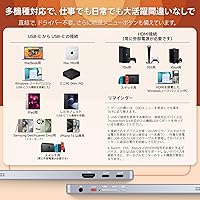
  • Connectivity: The monitor includes two full-function USB-C ports, one HDMI port, and a 3.5mm audio jack, covering both modern single-cable and legacy video output scenarios.
  • Audio: Built-in stereo speakers are included, with a 3.5mm headphone jack available for routing audio to external speakers or headphones.
  • Screen Surface: The anti-glare coating reduces reflections in bright ambient lighting conditions, helping maintain readability without requiring frequent repositioning.
  • Viewing Angle: The panel supports a 178-degree viewing angle in both horizontal and vertical planes, ensuring consistent color and brightness from most positions.
  • Body Material: The enclosure is constructed from CNC-machined anodized aluminum, which improves structural rigidity and gives the device a more premium feel than plastic-shell alternatives.
  • Weight: The monitor weighs 3.67 lbs (approximately 1.66 kg), which is on the heavier side for a 13-inch portable display and worth factoring into daily carry decisions.
  • Dimensions: The unit measures 11.81 inches wide, 7.48 inches tall, and 0.35 inches thick, fitting flat in most laptop bags with minimal added bulk.
  • VESA Mount: The display is VESA mount compatible, allowing it to be attached to monitor arms or wall mounts for more permanent desk or workstation installations.
  • Warranty: Intehill provides a 3-year manufacturer warranty along with a 30-day return window and lifetime technical support through their customer service team.
  • In-Box Contents: The package includes the monitor, a protective smart folio cover, a 20W PD charger, one HDMI-to-HDMI cable, two full-function USB-C cables, and a printed user manual.

Related Reviews
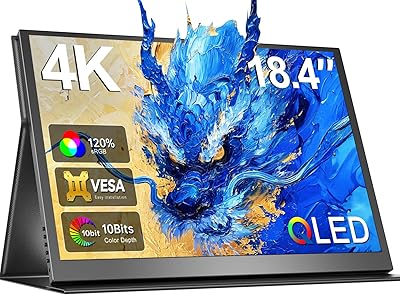
Newsoul 18.4-inch 4K QLED Portable Monitor
86%
91%
Display Quality
87%
Portability
93%
Color Accuracy
84%
Build Quality
88%
Connectivity Options
More
ViewSonic VX1655-4K-OLED 15.6-inch Portable OLED Monitor
77%
93%
Display Quality
91%
Portability
84%
USB-C Connectivity
88%
Build Quality
67%
Stand Stability
More
KEEPTIME 13.3″ 4K Portable Monitor
83%
94%
Display Quality
91%
Portability/Size/Weight
90%
Ease of Setup
86%
Build Quality
60%
Battery Life
More
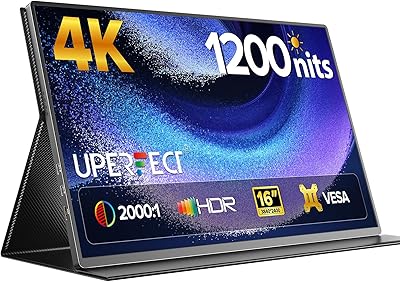
UPERFECT 16006DD 16″ 4K Portable Monitor
77%
83%
Brightness Performance
91%
Display Sharpness
74%
Color Accuracy
88%
Build Quality
76%
Portability
More
Magedok 14-Inch 4K Portable Monitor
85%
93%
Display Quality
88%
Portability
90%
Ease of Setup
91%
Color Accuracy
58%
Sound Quality
More
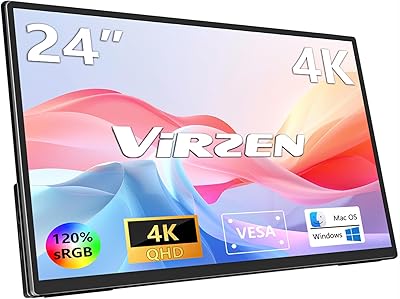
Virzen 24-inch 4K Portable Monitor
87%
91%
Display Quality
94%
Portability
89%
Ease of Setup
88%
Connectivity Options
90%
Color Accuracy
More
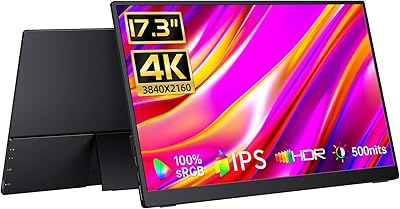
CAPERAVE 17.3-inch 4K Portable Monitor
87%
92%
Display Quality
89%
Portability
88%
Ease of Setup
91%
Color Accuracy
85%
Compatibility with Devices
More
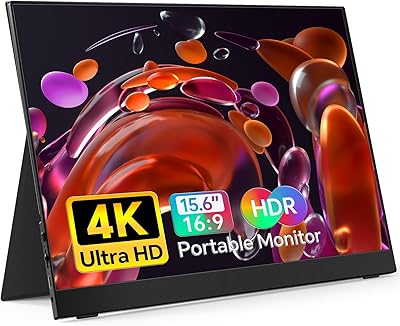
VILVA 15.6-inch 4K Portable Monitor
75%
91%
Display Sharpness
88%
Color Accuracy
93%
Portability
86%
Value for Money
67%
USB-C Compatibility
More
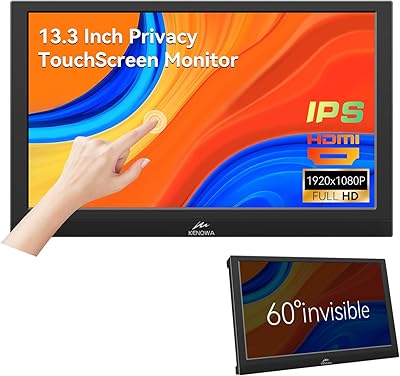
Kenowa 13.3-inch Touchscreen Portable Monitor
68%
86%
Value for Money
78%
Display Quality
71%
Privacy Screen Effectiveness
67%
Touchscreen Performance
88%
Portability
More
UPERFECT 17.3-inch 4K Portable Monitor
86%
94%
Display Quality
88%
Portability
90%
Gaming Performance
93%
Color Accuracy
85%
Ease of Setup
More

FAQ

On most modern Macs running recent versions of macOS, the touch functionality works without any additional driver installation — just connect via USB-C and it recognizes input. Windows users generally have a smooth experience too, though some have needed to manually calibrate touch positioning in display settings, particularly on multi-monitor setups.

Yes, the HDMI port allows you to connect a PS5 and output at up to 4K resolution. Keep in mind the panel runs at 60Hz, so you will be getting 4K at 60fps — which is fine for most titles but won't support 120fps modes that some PS5 games offer.

Yes, a single full-function USB-C cable can handle both power delivery and video signal simultaneously when connected to a host device that supports DisplayPort Alt Mode over USB-C. The two USB-C cables included in the box are both full-function, so you won't need to source anything extra for most modern laptops.

IGZO uses a different transistor material that allows for smaller, more densely packed pixels — which is part of why this display can hit 3840x2400 at 13.4 inches without the panel becoming impractically power-hungry. In practical terms, text looks sharper, gradients appear smoother, and the panel draws less power from your laptop's battery compared to a conventional IPS display at similar specs.

Honest answer: it is on the heavier end for a 13-inch portable. Many competing portables in the same size range come in under 2 lbs. The aluminum build and IGZO panel contribute to the weight, and most users find it fine for a bag they carry occasionally, but if you're commuting daily on foot with a full laptop bag, you'll notice it.

The anti-glare surface combined with 500 nits of brightness handles shaded outdoor use reasonably well — think a patio table or an outdoor seating area with overhead cover. Direct sunlight is a different story; at that brightness level, no portable monitor in this category will give you a fully comfortable experience.

Yes, the HDMI port works for video output independently. You would just need to power the monitor separately, either via one of the USB-C ports connected to the included 20W charger or another USB-C power source. You won't get touch functionality through HDMI alone, but the display itself will work fine.

E-Ink mode shifts the display to a reduced-color, lower-contrast rendering style that mimics the softer appearance of an e-reader screen. It's genuinely useful for long reading sessions — legal documents, ebooks, research papers — where you want to reduce eye fatigue from a glowing display. It's not something you'd use for design work or video, but it's a thoughtful addition for text-heavy workflows.

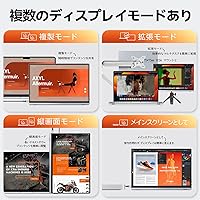
The folio cover doubles as a stand and is designed to prop the monitor at a usable angle for desktop work. It is not adjustable to multiple angles the way a dedicated monitor arm would be, but it gets the job done for a flat surface setup. If you plan to use the VESA mount with a monitor arm instead, you can leave the folio at home.

The aluminum body actually helps here — it dissipates heat more effectively than a plastic enclosure would, so the monitor stays warm rather than hot during long sessions. Users running it for several hours at a time have not widely reported thermal issues, though like any electronics it will feel noticeably warmer near the ports and rear panel under sustained use.