
Overview

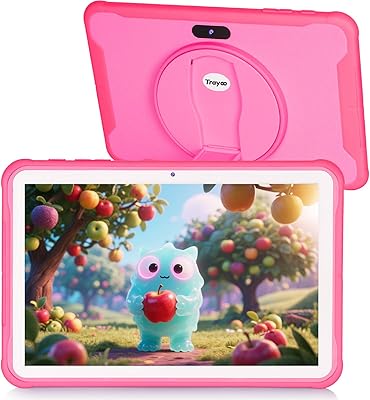
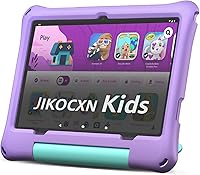
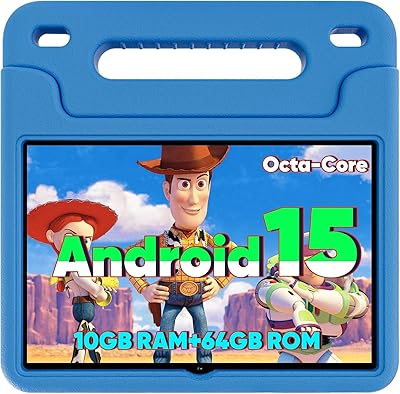
The JIKOCXN C3 10-inch Kids Tablet is a budget-oriented Android 15 device aimed squarely at children aged 3 to 12, and it comes from a brand most parents won't recognize right away — worth keeping in mind when weighing your purchase. On the plus side, it ships with a food-grade silicone case and an adjustable stand already in the box, which is a genuinely useful inclusion at this price point. The Unisoc octa-core chip handles everyday tasks reasonably well, though it's firmly entry-level territory. One important caveat upfront: the 90-day warranty is considerably shorter than the one or two years most competing kids tablets offer.

Features & Benefits

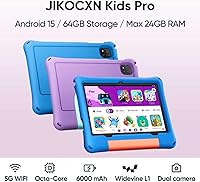
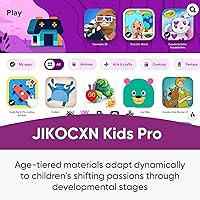
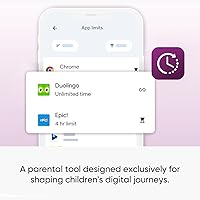
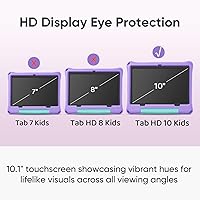
Android 15 comes with built-in ad blocking, which means kids are less likely to stumble onto intrusive ads mid-session. The parental control suite lets you set daily screen time limits, approve specific apps and websites, and create a dedicated child profile — all without downloading anything extra. The 10.1-inch IPS display runs at 1280x800 and includes a low blue light mode, which parents will appreciate during longer reading or homework stretches. Storage starts at 64GB and expands up to 1TB via microSD. USB-C charging is fast, reaching a full charge in roughly two hours, and real-world battery life sits comfortably around eight hours under typical use.

Best For

This kids tablet makes the most sense for parents buying a first tablet for a child between six and twelve who does not need anything high-powered. If your kid's routine involves YouTube Kids, a handful of educational apps, and the occasional casual game, the hardware here is more than adequate. It is also a solid pick for gift-givers who want a complete, ready-to-use package — the bundled case means no scrambling for accessories after unwrapping. Families who download lots of offline content will find the microSD expansion slot genuinely useful, since 64GB fills up faster than expected with videos and apps combined.

User Feedback

Parents who have picked up this children's Android tablet generally praise how approachable the parental controls are — setup reportedly takes just a few minutes with no technical knowledge required. The display earns positive mentions too, particularly from households with younger kids who do a lot of reading on it. That said, a recurring complaint is performance under load: heavier apps and multitasking can produce noticeable lag, which is consistent with the entry-level chip inside. Battery results are mixed, with some users reaching the advertised eight hours and others landing closer to six. The short warranty window draws consistent criticism, especially given how hard kids tend to be on devices.

Pros

  • Built-in parental controls work without extra apps or subscriptions, saving parents setup time.
  • Android 15 includes ad blocking that keeps kids from stumbling onto unwanted content mid-session.
  • The bundled silicone case and adjustable stand make this a complete out-of-the-box package.
  • USB-C fast charging brings the battery to full in around two hours, which is genuinely convenient.
  • MicroSD expansion up to 1TB means storage is rarely a long-term concern for content-heavy families.
  • The low blue light display mode is a thoughtful inclusion for kids who read or study on the device.
  • At this price tier, the 10.1-inch screen size offers comfortable viewing for children without feeling cramped.
  • Bluetooth 5.0 support lets kids connect wireless headphones or speakers without compatibility headaches.
  • Dual cameras give children the ability to video call family or take photos, adding everyday versatility.

Cons

  • The 90-day warranty is significantly shorter than the industry standard of one to two years for kids tablets.
  • Only 4GB of physical RAM powers the device; the remaining 20GB is virtual and noticeably less effective under load.
  • The Unisoc processor can produce lag when running demanding apps or switching between multiple tasks.
  • Real-world battery life sometimes falls closer to six hours rather than the advertised eight, depending on usage.
  • JIKOCXN has limited brand recognition, making long-term parts availability and customer support harder to gauge.
  • The 2.2-pound weight may feel slightly heavy for younger children in the three-to-five age range to hold comfortably.
  • No mention of a screen protector in the bundle, which is a common oversight for a device marketed to kids.
  • Software update cadence from lesser-known Android tablet brands is often inconsistent, which can affect long-term security.

Ratings

The scores below for the JIKOCXN C3 10-inch Kids Tablet were generated by our AI system after analyzing verified purchase reviews from buyers worldwide, with spam, bot-submitted, and incentivized feedback actively filtered out before any scoring was applied. Ratings reflect the full picture — where this children's Android tablet genuinely delivers for families and where it falls short in day-to-day use. Both the strengths and the frustrations that real parents consistently reported are transparently baked into every score you see here.

Value for Money
78%
22%
For parents who do not want to spend heavily on a first tablet for a child, this kids tablet delivers a surprisingly complete package — case, stand, and a full Android 15 experience included. Buyers frequently note that getting all of that at this price tier feels like a fair trade, especially for households where the tablet might get dropped or lost within a year.
The short 90-day warranty undercuts the value equation meaningfully — if the device develops a hardware fault after that window closes, the savings evaporate fast. A handful of reviewers also noted that the overall build quality starts to show wear sooner than they expected, which tempers the long-term value case.
Parental Controls
84%
Parents consistently praise how straightforward the built-in control suite is to configure — no app download, no subscription, just a few taps to set screen time limits, approve apps, and lock down browsing. For non-technical caregivers, the fact that it works reliably out of the box without needing a separate service is a genuine win.
Some parents found that determined older kids figured out workarounds within a few weeks, which points to the controls being functional but not as robust as dedicated platforms like Google Family Link or Amazon Kids Plus. The customization depth is also more limited than what third-party parental control apps can offer.
Performance & Speed
61%
39%
For light, everyday use — YouTube Kids, simple educational apps, story apps, basic games — the Unisoc processor handles things well enough that most younger children will not notice anything off. Parents buying this for a six or seven year old who watches videos and does reading exercises report a generally smooth experience for those specific tasks.
Push the tablet harder — open several apps, run a graphics-heavy game, or multitask — and the lag becomes noticeable. The 4GB of physical RAM is the real bottleneck here, and the virtual RAM expansion does not compensate the way extra physical memory would, leaving some users frustrated after a few months of heavier use.
Display Quality
76%
24%
The 10.1-inch IPS screen looks clean and colorful for everyday content, and the low blue light mode is something parents of younger children genuinely appreciate being able to switch on during evening use. Brightness levels are adequate for indoor use, and the 1280x800 resolution holds up well enough for video streaming and reading apps.
Outdoor visibility is limited — in direct sunlight the screen struggles, which matters if the tablet travels to parks or backyards. At 1280x800, the resolution also falls behind pricier competitors, and while it is perfectly usable, detail-oriented content like fine text or high-resolution images does not look as sharp as on higher-end panels.
Battery Life
69%
31%
Under moderate conditions — streaming video, light app use, some reading — the battery holds up reasonably well across a school day or long car journey, which is exactly the scenario most parents are buying for. The USB-C fast charging is a practical bonus that many reviewers specifically called out, since a two-hour full charge fits naturally into overnight or nap-time routines.
The advertised eight-plus hours is a stretch for anything beyond passive video playback; real-world heavy use pulls it noticeably closer to five or six hours, which disappointed buyers who expected the full claim. A few parents also noted that battery capacity seemed to degrade faster than expected after several months of daily charging cycles.
Build Quality
63%
37%
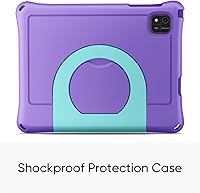
The included food-grade silicone case adds a meaningful layer of drop protection that genuinely extends the life of the device in a child's hands. Parents report that minor drops from table height have not caused visible damage, which is a realistic bar for a kids tablet in the six-to-ten age range.
Without the case, the tablet itself feels noticeably lightweight in a way that reads as plasticky rather than premium. Several reviewers mentioned that port covers and the case's adjustable stand hinge showed wear or looseness within a few months, suggesting the components are built to a budget rather than for years of rough handling.
Ease of Setup
82%
18%
Unboxing to active use is genuinely quick — Android 15 guides new users through setup cleanly, and the parental control profile creation is simple enough that most parents complete it in under ten minutes. Gift-givers in particular appreciate that there is very little technical configuration required before handing it to a child.
A small but consistent group of reviewers ran into Wi-Fi connectivity hiccups during initial setup, requiring router restarts or manual network input before the device would connect reliably. The instruction manual is also thin on detail, leaving parents who want to configure more advanced parental settings to figure things out by trial and error.
Screen Size & Ergonomics
73%
27%
The 10.1-inch screen is a comfortable size for children aged seven and up — large enough to watch content or follow along with educational apps without straining, but not so oversized that it feels unwieldy on a desk or lap. The adjustable stand is a practical addition for propped-up viewing during meals or homework time.
At 2.2 pounds with the case attached, younger children in the three-to-five age range will find it tiring to hold for extended periods — it is heavy for small hands. The 2-inch depth with the case also makes it bulkier than it looks in product photos, which a few buyers noted was surprising when it arrived.
Software & App Access
79%
21%
Full Google Play Store access is a meaningful advantage over some kids tablets that restrict users to curated app stores — children can download mainstream educational apps, streaming platforms, and games without any workaround needed. Android 15 also runs cleanly, and the built-in ad blocking keeps the browsing experience noticeably tidier for younger users.
As with many budget Android devices, there is some pre-installed bloatware that parents need to disable or remove before handing the device to a child. There is also no guarantee of timely Android security updates from JIKOCXN, which is a longer-term software concern that more established brands handle more reliably.
Camera Usability
58%
42%
Having an 8MP rear camera gives kids a functional way to take photos, scan QR codes for apps, and participate in video calls, which covers the basic use cases most families actually need from a children's tablet camera. Kids in the six-to-ten range tend to be forgiving of camera quality as long as it works, and it does.
Image quality is mediocre even by budget camera standards — photos taken in lower light look grainy and washed out, and video recording lacks the detail that would make it useful for anything beyond casual snapping. Parents who expected a genuinely usable camera for video calls or creative projects were frequently underwhelmed.
Connectivity
77%
23%
Bluetooth 5.0 means the tablet pairs quickly and reliably with wireless headphones and speakers — a feature parents who use it for quiet time in the car or on planes find genuinely useful. Wi-Fi on the 802.11ac standard keeps streaming stable on home networks without buffering issues in most household setups.
There is no cellular connectivity option, so the tablet is entirely dependent on Wi-Fi availability — not a dealbreaker, but worth noting for families who travel frequently without portable hotspots. A small number of reviewers also reported occasional Bluetooth disconnection issues with certain headphone brands, though this appears to be intermittent rather than systemic.
Warranty & Support
44%
56%
JIKOCXN does offer lifetime technical support via direct contact, and some buyers report receiving helpful email responses to setup or software questions within a reasonable timeframe. For purely software-related issues, that ongoing support channel provides at least some safety net beyond the initial purchase window.
A 90-day exchange window is genuinely difficult to recommend for a device marketed to children — hardware problems in kids tablets often emerge after several months of daily use, well outside this coverage period. This is the single most consistently criticized aspect across buyer feedback, and it compares poorly against the one-to-two year warranties that category leaders routinely provide.
Storage Flexibility
83%
The microSD expansion up to 1TB is one of the most parent-friendly features on this tablet — families who download offline videos, audiobooks, and educational content quickly fill base storage, and the ability to add a large card affordably keeps that from becoming a recurring problem. The 64GB base is also a reasonable starting point for most children's usage patterns.
The microSD card is not included, which means first-time buyers who do not already own one face an additional purchase right after unboxing. It is a minor but mildly frustrating omission at a price point where including even a small starter card would have been a goodwill gesture that competitors sometimes make.

Suitable for:

The JIKOCXN C3 10-inch Kids Tablet is a practical pick for parents who want to hand their child a capable, ready-to-use device without spending heavily or configuring it from scratch. Families with children aged six to twelve who use tablets primarily for YouTube Kids, reading apps, and light educational games will find the hardware more than adequate for those daily habits. The built-in parental controls are especially valuable for households where parents want oversight without relying on a separate subscription or app — you can set time limits and approve content right out of the box. Gift-givers benefit from the bundled silicone case and stand, since the package feels complete from the moment it is unwrapped. Parents who frequently travel or have kids who consume offline videos and downloaded content will also appreciate the microSD slot, which allows substantial storage expansion without any fuss.

Not suitable for:

The JIKOCXN C3 10-inch Kids Tablet is not the right fit for parents who prioritize long-term reliability backed by a solid manufacturer warranty — at only 90 days, the coverage window is noticeably thin compared to the one or two years that most established kids tablet brands provide. Buyers expecting flagship-level performance will be disappointed; the Unisoc entry-level chip handles basic tasks fine but struggles when apps get heavier or multiple things run at once. The advertised 24GB RAM figure also deserves scrutiny — only 4GB is physical memory, with the rest being virtual expansion, which does not perform the same way and can contribute to sluggishness over time. Tech-savvy families who compare this against well-known brands will likely find the value proposition harder to justify given the brand's limited track record and shorter support commitment. If the tablet is intended for a child who tends to be rough on devices, the relatively modest warranty creates real financial risk.

Specifications

  • Screen Size: The display measures 10.1 inches diagonally with an IPS panel and a resolution of 1280x800 pixels.
  • Processor: A Unisoc octa-core chip clocked at 2.0 GHz handles all processing tasks on this tablet.
  • GPU: Graphics are handled by a Mali-G57 coprocessor integrated within the Unisoc chipset.
  • Physical RAM: The tablet has 4GB of physical RAM, supplemented by up to 20GB of virtual RAM expansion via software.
  • Storage: Internal storage is 64GB ROM, expandable up to 1TB using a microSD card sold separately.
  • Operating System: The device runs Android 15 out of the box, with built-in ad-blocking and a pre-installed parental control suite.
  • Battery: The battery is rated for over 8 hours of active use and up to 7 days of standby time on a full charge.
  • Charging: USB-C fast charging powers the tablet from empty to full in approximately 2 hours.
  • Rear Camera: The rear-facing camera captures images at 8 megapixels and supports standard video recording.
  • Wireless: Wi-Fi connectivity supports the 802.11ac standard, and Bluetooth 5.0 is included for wireless peripherals.
  • Display Tech: The screen includes a low blue light mode and a one-touch reading mode to reduce eye strain during extended use.
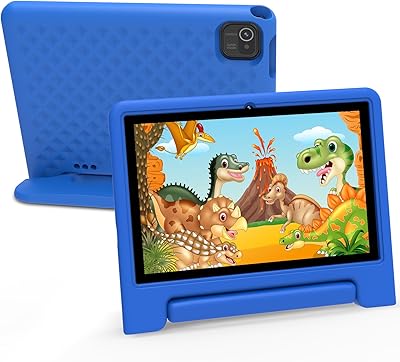
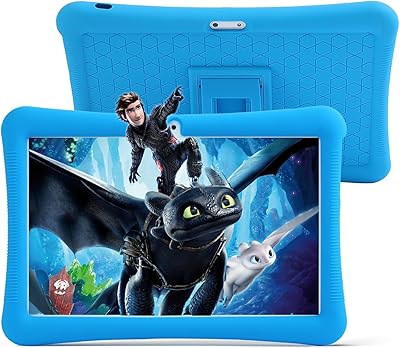
  • Protective Case: A food-grade silicone protective case with a built-in adjustable stand is included in the box at no extra cost.
  • Weight: The tablet weighs 2.2 pounds, which includes the bundled silicone case.
  • Dimensions: Overall dimensions measure 13 x 9 x 2 inches with the protective case attached.
  • Warranty: JIKOCXN provides a 90-day free exchange policy along with lifetime technical support via direct contact.
  • Target Age: The manufacturer recommends this tablet for children aged 3 to 12 years old.
  • Color: This variant is available in Purple; other color options may be offered separately on the product listing.
  • Charging Port: The device uses a USB-C port for both charging and data transfer, replacing older micro-USB standards.

Related Reviews
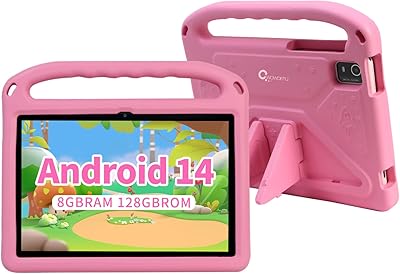
WXUNJA X-C30 10.1-inch Kids Tablet
72%
83%
Value for Money
86%
Parental Controls
81%
Battery Life
78%
Parental App & Setup
63%
Display Quality
More
CWOWDEFU 10-inch Kids Tablet 128GB
86%
87%
Performance
92%
Battery Life
88%
Build Quality
82%
Display Quality
91%
Ease of Use
More
TWTNVOF Kids Tablet 10 inch, 32GB
86%
89%
Educational Features
94%
Parental Controls
90%
Durability & Build Quality
82%
Battery Life
85%
Performance (Processor Speed)
More
YYSWIE 10.1-inch Kids Tablet 64GB
85%
91%
Value for Money
88%
Durability
94%
Battery Life
85%
Parental Controls
89%
Ease of Use
More
Jeazans KT1016 10-inch Kids Tablet
70%
83%
Value for Money
77%
Build Quality
62%
Performance
66%
Battery Life
74%
Display Quality
More
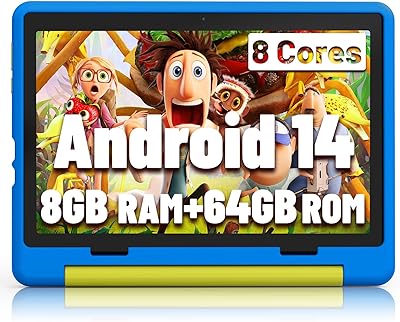
YINOCHE F11 10-inch Kids Tablet
67%
81%
Value for Money
76%
Parental Controls
78%
Battery Life
83%
Ease of Setup
74%
App Ecosystem
More
niuniutab K102 Kids Tablet 10-inch, 64GB
86%
92%
Value for Money
89%
Build Quality & Durability
84%
Battery Life
90%
Parental Controls
78%
Display Quality
More
EDDBNi EVAP-C20 Kids Tablet 10-inch 64GB
86%
89%
Value for Money
91%
Battery Life
93%
Parental Controls
88%
Build Quality / Durability
85%
Display Quality
More
okulaku K12 10.1-inch Kids Tablet
66%
81%
Value for Money
74%
Display Quality
53%
Performance
58%
Battery Life
77%
Parental Controls
More
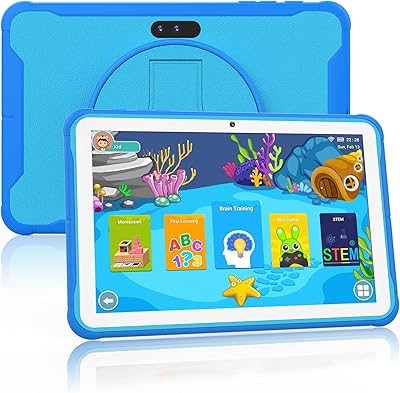
YINOCHE Y101 10-inch 32GB Kids Tablet
72%
88%
Value for Money
83%
Parental Controls
79%
Build Quality & Durability
74%
Display Quality
61%
Performance & Speed
More

FAQ

The silicone protective case and adjustable stand are both included in the box — no separate purchase needed. It is one of the more practical inclusions at this price point, so you can hand it to a child right away without hunting for accessories.

No third-party app is required. The parental controls come pre-installed on the device, and you set everything up directly through the tablet's settings. You can create a child profile, approve specific apps and websites, and set daily screen time limits all from one straightforward menu.

Not exactly. The tablet has 4GB of physical RAM built into the hardware, which is what does the actual heavy lifting. The remaining 20GB is virtual RAM, which borrows from internal storage to supplement memory under load. Virtual RAM is slower than physical RAM, so do not expect the same performance you would get from a device with 24GB of true physical memory.

Yes, the tablet has full access to the Google Play Store, so your child can download educational apps, games, and streaming platforms just like on any standard Android device. You can also restrict what is downloadable through the built-in parental controls if you want to keep things curated.

The manufacturer rates it at over 8 hours, and for moderate use — think video streaming, light gaming, or reading — most users land somewhere between 6 and 8 hours. Heavier tasks like graphics-intensive games will pull that number down closer to the lower end.

Yes, the tablet has a microSD card slot that supports cards up to 1TB, though the card itself is not included. A standard microSD card from any reputable brand will work fine — just check the card's speed rating if you plan to run apps directly from it.

The manufacturer lists the age range as 3 to 12, but realistically it is better suited to children aged six and up. Younger toddlers may find the 2.2-pound weight awkward to hold for extended periods, and the interface, while kid-friendly, is not as simplified as dedicated toddler tablet platforms.

Honestly, 90 days is on the short side. Most competing kids tablets from more established brands offer one to two years of coverage. JIKOCXN does advertise lifetime technical support, which may help with software issues, but hardware failures after the 90-day window would likely come out of pocket. It is worth factoring that risk in before buying, especially if the tablet is for a young child who may be hard on devices.

Low blue light modes do have genuine research behind them in terms of reducing eye fatigue, especially during evening use. Whether you notice a visible difference depends on the child and usage habits, but having the option to enable it with one tap is a practical feature worth using, particularly if the tablet gets used before bedtime.

The tablet supports Wi-Fi on the 802.11ac standard, which is solid for streaming and general browsing on a home network. Bluetooth 5.0 is also on board, so any standard Bluetooth headphones, earbuds, or speakers should pair without issues — a handy feature for keeping things quiet during long car rides or flights.