
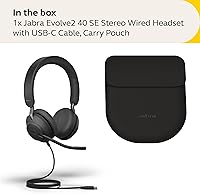
Overview

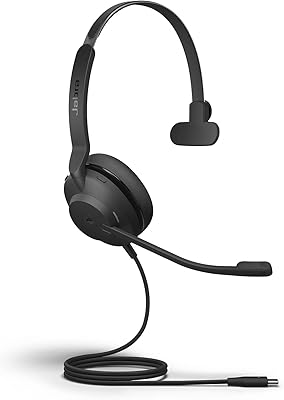
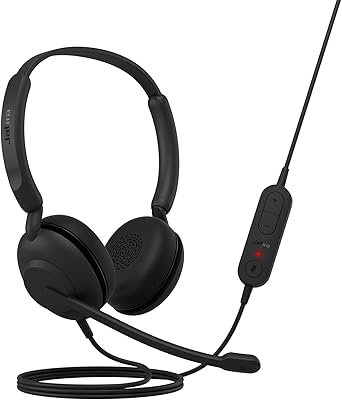
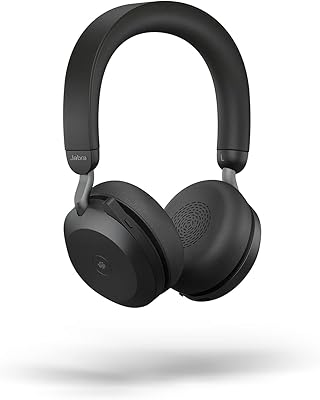
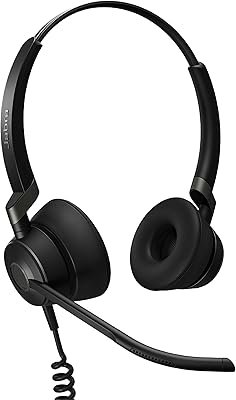
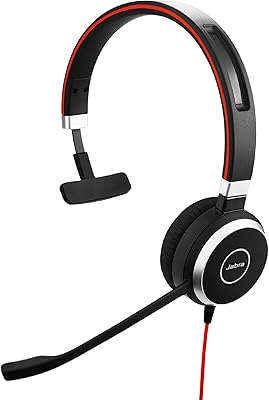
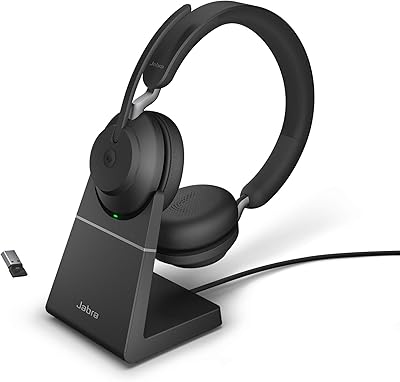
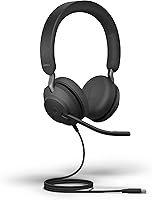
The Jabra Evolve2 40 SE Wired Stereo Headset is designed to provide clear audio for professional calls and virtual meetings. This wired headset offers a comfortable fit with an on-ear design, making it ideal for long hours of use. It is certified for Microsoft Teams, ensuring seamless integration for office environments. Additionally, the headset features noise-cancelling technology that reduces background distractions, enhancing call clarity. Whether you're in a quiet home office or a bustling workspace, this headset provides the reliable performance needed for productive meetings.

Features & Benefits

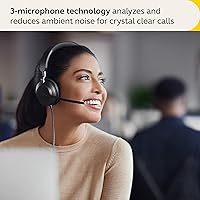
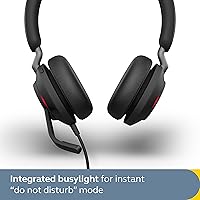
This headset stands out with its advanced 3-microphone technology, designed to enhance call quality by reducing background noise. The Busylight feature automatically lights up when you're on a call, signaling to others that you're unavailable, which is especially useful in open office settings. With USB-C connectivity, the Jabra Evolve2 40 SE ensures fast, stable connections with modern devices. Additionally, the Jabra Direct app offers easy firmware updates and management, allowing users to customize settings and keep the headset up-to-date for optimal performance.

Best For

The Jabra Evolve2 40 SE is best suited for professional users who rely on clear, uninterrupted communication. It is ideal for remote workers who need reliable audio isolation during virtual meetings. The headset's certification for Microsoft Teams makes it an excellent choice for those who frequently use the platform. Office environments where minimizing background noise is essential will also benefit from this headset’s noise-cancelling features. Its comfort and lightweight design further make it a top choice for all-day wear during conference calls and virtual team discussions.

User Feedback

Overall, users are pleased with the Jabra Evolve2 40 SE, especially its call clarity and ease of integration with Microsoft Teams. Many appreciate the comfort it offers for extended use, with several mentioning that it’s lightweight and doesn’t cause discomfort during long meetings. However, there are some complaints about the lack of active noise cancellation, with a few users finding it insufficient for noisy environments. Despite this, the reliable performance and intuitive features like the Busylight make it a popular choice for office and remote work setups.

Pros

  • The USB-C connectivity ensures compatibility with modern devices and reliable performance.
  • This headset is certified for Microsoft Teams, making it an excellent choice for professional use.
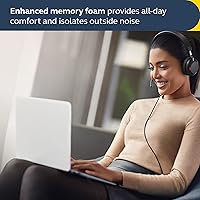
  • The on-ear design is lightweight and comfortable, even during long conference calls.
  • Its passive noise isolation works well in quiet environments to minimize distractions.
  • The 3-microphone technology enhances call clarity, making it ideal for virtual meetings.
  • The Busylight feature is highly useful in office settings, signaling to others when you're on a call.

Cons

  • Lack of active noise cancellation may be a limitation in noisy environments.
  • The on-ear design may not be comfortable for all users, especially for extended use.
  • Some users find the fit to be too tight, causing discomfort after long periods.
  • Not ideal for users who need noise isolation in very loud or crowded spaces.
  • While great for Teams, it may not have all the features some users expect from high-end headsets.
  • Some users mentioned the headset can feel a bit bulky compared to other lightweight models.

Ratings

After analyzing verified user reviews from various platforms and languages, we found that the Jabra Evolve2 40 SE Wired Stereo Headset receives solid praise for its ease of use and Microsoft Teams integration. Feedback is generally positive, highlighting key strengths in comfort and performance, though there are occasional concerns about its noise-cancelling capabilities in noisy environments. Only authentic, high-quality reviews informed our ratings, ensuring a balanced representation of both strengths and potential drawbacks from a wide range of user experiences.

Call Quality
88%
Many users highlight the crisp and clear call quality, even in noisy environments. The 3-microphone technology delivers sharp audio that enhances conversations, making this headset ideal for professional calls and virtual meetings.
Some users feel that the microphone still struggles to fully isolate background noise, especially in more chaotic environments. While the sound is clear, it doesn't completely eliminate distracting sounds from the surroundings.
Comfort for Long Use
90%
The on-ear design and lightweight build make it a comfortable choice for extended use. Many buyers report that they can wear it for hours during long calls or meetings without experiencing significant discomfort.
Not everyone finds the on-ear fit ideal for long periods. A few users mentioned that the pressure on their ears became uncomfortable after extended use, particularly those with larger heads.
Ease of Microsoft Teams Integration
91%
Users rave about how effortlessly this headset integrates with Microsoft Teams. The dedicated Teams button provides quick access to key functions, making it highly convenient for frequent Teams users.
Some reviewers noted that while integration with Teams is seamless, it doesn't offer as many advanced customizations as other devices specifically built for the software. A few wished for more fine-tuning options.
Noise Isolation
72%
28%
The passive noise isolation does a good job of blocking out moderate background noise. Many users appreciated its ability to reduce distractions during calls in quiet office environments.
However, in noisier environments, such as open offices or public spaces, the headset's passive isolation isn't enough to completely block out chatter and other sounds. Some users were disappointed with the lack of active noise cancellation.
Build Quality
85%
The headset is well-built and feels sturdy yet lightweight. Users often comment on its solid construction, which doesn't compromise comfort, making it suitable for daily use in professional settings.
While the build quality is generally positive, a few users have pointed out that the plastic construction feels a bit less premium compared to some higher-end models. Durability concerns were raised by a small number of reviewers.
Busylight Effectiveness
86%
The Busylight feature is highly valued, especially in busy office environments. It effectively alerts others when you're on a call, helping to reduce interruptions and enhance productivity.
A few users noted that the Busylight indicator could be more visible in brightly lit or larger spaces. Some wished for an option to adjust the brightness or color of the light to suit different work conditions.
USB-C Connectivity
89%
The USB-C connectivity is appreciated for its modern compatibility with a range of devices. It provides a stable connection and fast data transfer, enhancing the overall user experience.
Some buyers mentioned that while USB-C is increasingly popular, it may not be compatible with all legacy devices or office setups, especially if older USB-A ports are still in use.
Setup & App Experience
84%
The setup process is quick and user-friendly, especially for those familiar with Jabra's ecosystem. The Jabra Direct app provides useful features like firmware updates, which add to the overall convenience.
A few users found the app interface slightly clunky or less intuitive than expected. Some also noted that the app's features are limited in terms of customizability, which might be a downside for more advanced users.
Weight & Portability
87%
Weighing only 188 grams, the headset is lightweight and portable, making it easy to carry between meetings or for travel. Users find it comfortable to wear without feeling too bulky or heavy.
While lightweight, the headset's design may not be compact enough for users looking for something that folds or collapses more easily for travel. This makes it slightly less portable for those with minimal bag space.
Value for Money
92%
For the price, this headset offers excellent value. Many buyers consider it a great investment for professional use, especially with the Microsoft Teams certification and overall reliable performance.
A few users felt that while the headset offers great features, the price may be slightly higher than expected for a wired model without advanced noise cancellation. Some questioned if the features justified the cost compared to other models.
Customer Support & Warranty
80%
20%
Jabra's customer support is generally well-received, with many users reporting positive experiences when dealing with issues. The 2-year warranty is also a nice perk for added peace of mind.
However, a small number of buyers mentioned delays in receiving support or inadequate solutions to certain issues. Some users felt the warranty registration process was a bit cumbersome.
Overall Durability
83%
The headset is praised for its overall durability, holding up well to regular use in office environments. Users have noted that it feels sturdy enough to last through daily wear and tear.
Despite the solid construction, some users reported that the ear cushions wear out over time with frequent use. The durability of the plastic components was also questioned by a few, especially after extended periods of use.

Suitable for:

The Jabra Evolve2 40 SE Wired Stereo Headset is an excellent choice for professionals who frequently use Microsoft Teams. Its seamless integration with the platform, coupled with the dedicated Teams button, makes it particularly useful for remote workers or office employees who rely on virtual meetings for communication. Users will also appreciate its lightweight on-ear design, which ensures comfort during long calls. This headset is ideal for environments where minimizing distractions is important, thanks to the passive noise isolation, and its USB-C connectivity ensures reliable performance with modern devices. Overall, this headset suits people who prioritize productivity and comfort in a work setting.

Not suitable for:

However, the Jabra Evolve2 40 SE Wired Stereo Headset may not be the best fit for those seeking active noise cancellation or those who work in extremely noisy environments. While the passive noise isolation helps to reduce background noise, it doesn’t provide the level of sound-blocking that more advanced headsets with active noise cancellation can offer. Additionally, users with larger heads or those who prefer over-ear designs may find the on-ear fit uncomfortable for extended wear. If you're someone who frequently needs to block out significant noise or prefers a different type of fit, this headset may not meet your needs.

Specifications

  • Connectivity: The headset features a USB-C connection for fast and reliable data and audio transfer with modern devices.
  • Microphone Technology: Equipped with 3 microphones, the headset enhances call clarity by isolating your voice from background noise.
  • Noise Cancellation: The headset provides passive noise isolation to minimize ambient sound, though it lacks active noise cancellation.
  • Microsoft Teams Certified: This headset is certified for seamless integration with Microsoft Teams, with a dedicated Teams button for easy access.
  • Busylight: The built-in Busylight feature alerts others when you are on a call, reducing interruptions in a busy environment.
  • Design: The headset has an on-ear design that is lightweight and designed for comfort during extended use.
  • Weight: The headset weighs 188 grams, making it lightweight for all-day comfort without causing strain.
  • Fit: The on-ear design offers a comfortable and secure fit, ideal for long meetings and work sessions.
  • App Compatibility: The Jabra Direct app allows users to manage settings, update firmware, and customize the headset's features.
  • Warranty: The headset comes with a 2-year warranty, provided the product is registered with Jabra.
  • Microphone Design: The microphone is designed to pick up voice clearly while reducing surrounding noise, ensuring optimal communication quality.
  • Cable Length: The wired connection provides a standard cable length, giving enough flexibility for comfortable movement.
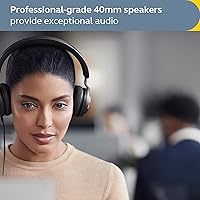
  • Audio Quality: The headset delivers clear, crisp audio for both voice calls and multimedia applications, ensuring professional sound quality.
  • Compatibility: Compatible with a variety of devices including Windows and Mac computers, as well as any device with a USB-C port.
  • Usage Scenario: This headset is particularly suited for remote workers and professionals who need reliable communication in office or virtual meetings.

FAQ

The Jabra Evolve2 40 SE is ideal for professionals who need clear audio for calls, especially those who use Microsoft Teams frequently. It offers easy integration with Teams and a comfortable fit for long hours of use in office or remote work environments.

To set up the Jabra Evolve2 40 SE, simply plug the USB-C connector into your device. It should automatically be recognized as an audio device. If needed, you can download the Jabra Direct app to manage settings or install firmware updates.

Yes, the Jabra Evolve2 40 SE is certified for Microsoft Teams. It has a dedicated Teams button that allows you to easily join and manage meetings, making it an excellent choice for those using Teams for professional communication.

The Jabra Evolve2 40 SE offers passive noise isolation but does not include active noise cancellation (ANC). It reduces background noise to a degree, but may not be sufficient for very noisy environments.

The headset features an on-ear design and is lightweight, weighing only 188 grams. Many users find it comfortable for long calls and meetings, though comfort may vary depending on head size and sensitivity to pressure from on-ear cups.

The Busylight on the Jabra Evolve2 40 SE serves as a visual indicator for colleagues, letting them know when you are on a call. This is especially useful in open office environments where interruptions can be minimized.

Yes, you can use the Jabra Direct app to download and install firmware updates for the headset. This ensures your device is always up to date with the latest features and improvements.

The Jabra Evolve2 40 SE uses a USB-C connection, which ensures reliable audio performance with modern devices. It’s ideal for those who want hassle-free, plug-and-play compatibility with newer laptops, desktops, and mobile devices.

Yes, the headset is compatible with a variety of communication apps, including Zoom, Skype, and others. It can be used as a standard wired headset, offering high-quality audio for calls in any platform.

While the headset offers passive noise isolation, it may not be sufficient for very noisy environments. If you're working in a loud area and need more advanced noise cancellation, you may want to consider a headset with active noise-cancelling features.