Overview

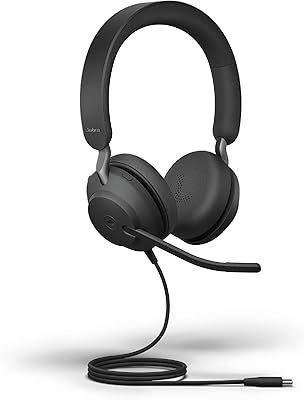
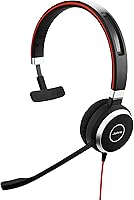
The Jabra Evolve 40 UC Mono Wired Headset occupies a practical sweet spot for professionals who spend a significant chunk of their day on calls — whether that means back-to-back Teams meetings in a home office or fielding client requests in a busy open-plan workspace. The mono on-ear design is a deliberate choice, not a shortcut: it lets you stay aware of your surroundings while keeping one ear locked onto the conversation. Jabra has a well-established track record in enterprise audio, and this headset reflects that pedigree. Just go in with realistic expectations — call clarity and comfort are its strengths, not active noise cancellation.
Features & Benefits

The busylight indicator is one of those features that sounds minor until you actually work in a shared space — it activates automatically when you answer a call and can be triggered manually when you simply need to concentrate. Passive noise isolation from the leather-feel cushions takes the edge off ambient chatter and keyboard clatter, though it will not block out loud HVAC systems or a ringing phone nearby. UC platform certification for Skype for Business, Cisco, and most major softphones means setup is genuinely plug-and-play with no driver headaches. The inline controls cover mute, volume, and call management without touching your computer, and the 3.5mm jack extends usability to your smartphone when needed.

Best For

This mono office headset makes the most sense for people whose work revolves around voice calls — customer support agents, account managers, and remote workers grinding through Zoom and Teams meetings all day. If you hot-desk regularly, the plug-and-play USB connection has you up and running within seconds on any Windows or macOS machine. It works equally well for professionals who want a single headset bridging a desk phone and a laptop without juggling adapters. What it is not built for is anyone expecting immersive stereo audio for music or media. The mono format is a deliberate trade-off that suits call-heavy roles perfectly but will disappoint users with broader listening needs.

User Feedback

With over 8,000 ratings averaging 4.2 stars, the Evolve 40 has earned a strong standing largely through consistent long-term durability — a theme that surfaces repeatedly from owners who have worn it daily for a year or more. Call clarity and all-day comfort are the most commonly praised qualities. On the critical side, some users report that on-ear pressure builds noticeably after three or four hours of continuous wear, and the mono-only format is a genuine sticking point for anyone who hoped to use it for casual listening. A smaller group of reviewers has also flagged USB compatibility issues with certain laptop models, making it worth a quick check if your workstation setup is non-standard.

Pros

  • Call audio is consistently clear and natural — voices come through without harshness or distortion.
  • The busylight works reliably and is genuinely useful in shared offices and busy home environments.
  • At under 3 oz, the Evolve 40 is light enough to forget you are wearing it through a long morning of calls.
  • Certified UC compatibility means it works out of the box with Teams, Cisco, Zoom, and most major softphone platforms.
  • Passive noise isolation from the leather-feel cushions meaningfully reduces keyboard clatter and ambient office chatter.
  • Inline controls for mute, volume, and call management remove the need to touch your computer mid-conversation.
  • The 3.5mm jack adds genuine flexibility — use it with a smartphone or tablet when you step away from your desk.
  • Long-term owners consistently praise build quality; this is a headset that tends to last years of daily professional use.
  • Plug-and-play USB setup works on Windows and macOS without driver installs or software configuration.
  • The tangle-free cable holds up well to being packed and unpacked daily, which matters for hot-deskers and commuters.

Cons

  • Mono-only audio makes this a poor choice for music, media, or any listening beyond voice calls.
  • On-ear pressure can become noticeable after three or four hours of continuous wear for some users.
  • No active noise cancellation means loud or unpredictable environments will still bleed through during calls.
  • A subset of users has reported USB compatibility issues with certain laptop models, particularly newer ultrabooks.
  • The wired cable limits mobility — stepping away from your desk mid-call means ending or interrupting it.
  • No USB-C cable is included in the box, which creates an adapter dependency on modern slim laptops.
  • The on-ear fit may not suit users with larger ears who prefer over-ear cushions for extended wear.
  • There is no companion app or EQ customization, so what you hear out of the box is what you get.

Ratings

The scores below reflect our AI-driven analysis of thousands of verified global reviews for the Jabra Evolve 40 UC Mono Wired Headset, with spam, bot-generated, and incentivized feedback actively filtered out before scoring. Each category is rated independently to give you an honest, granular picture — not a single averaged star count that obscures what the headset actually does well and where it falls short. Strengths in call clarity and durability are reflected here, as are the real frustrations around comfort over time and noise isolation limits.

Call Audio Quality
91%
Voice clarity is consistently praised by users who spend six or more hours daily on Teams or Cisco calls — callers on the other end rarely ask for repeats, and the dynamic driver handles speech frequencies with natural warmth. The microphone pickup is focused enough that colleagues in the background do not regularly bleed into the call.
A small number of users report occasional tinny reproduction on certain USB configurations, particularly with older Dell docking stations. The audio tuning is optimized strictly for voice, so anyone occasionally joining a webinar with music intros will notice the flatness immediately.
Comfort & Wearability
78%
22%
At under 3 oz, the Evolve 40 is light enough that most users forget they are wearing it through a morning of back-to-back calls. The leather-feel cushions feel soft on initial contact, and the adjustable headband accommodates a wide range of head sizes without much fiddling.
On-ear pressure accumulates noticeably for users wearing it beyond three continuous hours — a recurring complaint from call center agents and customer support staff who wear it for full shifts. The cushion surface can also feel warm in summer or in poorly ventilated offices, which a few reviewers flagged as an irritant.
UC Platform Compatibility
93%
This UC-certified headset plugs into a Windows or macOS machine and registers instantly with Teams, Zoom, Webex, and Cisco platforms in the vast majority of setups — no driver hunting, no IT ticket required. The inline mute button maps correctly to most softphone apps, which is genuinely appreciated by users managing calls in fast-paced environments.
A subset of users with newer USB-C-only ultrabooks have hit compatibility snags that required adapters or firmware checks before the headset was recognized properly. Jabra's UC certification list, while broad, does not cover every niche enterprise telephony deployment, so edge cases do exist.
Passive Noise Isolation
67%
33%
The leather-feel cushions do a reasonable job of softening high-frequency ambient sounds — keyboard clatter, nearby conversations, and HVAC hum are all somewhat muffled in a typical open-plan office. For moderate noise environments, most users find it sufficient to stay focused on a call without constant distraction.
In genuinely loud spaces — busy call centers, open coworking venues, or home offices near street-level noise — the passive-only isolation falls noticeably short. Several reviewers were explicit that they expected more sound blocking at this price point, especially given competing headsets in the same tier that offer hybrid ANC.
Build Quality & Durability
88%
Long-term ownership reviews are where the Evolve 40 earns some of its strongest praise — users who have worn it daily for two or three years often note that it still performs identically to day one. The tangle-free cable holds up to being packed into laptop bags and unspooled repeatedly, which matters significantly for hot-deskers and frequent travelers.
A few users report that the leather-feel cushion surface begins to peel or crack after 18 to 24 months of intensive daily use, particularly in warm climates. The plastic headband feels slightly less premium than the rest of the build and occasionally prompts questions about long-term hinge durability.
Busylight Effectiveness
84%
The automatic activation during calls is reliable and consistent — colleagues in shared offices quickly learn to read the signal without being asked. The manual override adds a practical layer for deep-focus work sessions where you do not want interruptions even between calls.
The light is relatively small and low-intensity, which means it can be hard to spot in bright, sunlit offices or across larger open-plan spaces. A handful of remote workers noted it is essentially useless when working alone at home, making it feel like a feature that only earns its value in specific contexts.
Inline Controls
82%
18%
The cable-mounted control unit covers everything you actually need mid-call — answer, end, mute, and volume — without having to alt-tab away from whatever document you are working on. The button feedback is tactile enough that most users can operate them without looking down.
The control unit sits lower on the cable than some users prefer, requiring a slight stretch or repositioning depending on how the cable is routed. A few reviewers also noted that the volume adjustment increments feel coarser than expected for fine-tuning during a live call.
Connectivity Flexibility
79%
21%
Having both USB and 3.5mm connections on a single headset is a practical advantage for users who split time between a desk setup and a personal device — you can switch from a Zoom call on your laptop to a mobile call without swapping headsets. The dual-connection design also makes this headset usable across a wide range of hardware without additional peripherals.
The USB connector is a standard USB-A, meaning users with USB-C-only devices need a separate adapter that is not included in the box. The 3.5mm connection also lacks the call-control integration available over USB, so mute and volume controls do not always function correctly when connected to a smartphone.
Value for Money
76%
24%
For professionals who need a no-compromise call-focused headset with verified UC certification and a proven durability record, the price is defensible and most enterprise buyers consider it reasonable for what it delivers. IT managers purchasing in bulk often cite the low failure rate as the primary justification for the cost.
Individual buyers comparing it against consumer headsets in the same price range will find the feature set lean — no ANC, no wireless, no stereo. The mono-only format is particularly hard to justify for users who want a single headset that handles both calls and personal audio with equal competence.
Setup & Plug-and-Play Ease
89%
The vast majority of users report that the Evolve 40 is recognized instantly on both Windows and macOS via USB, with the operating system automatically setting it as the default audio device for calls. Hot-deskers particularly appreciate never having to re-configure audio settings when moving between machines.
A recurring edge case involves certain enterprise IT environments with locked-down audio policies that prevent the headset from being set as the default device automatically. This is more of an IT configuration issue than a product flaw, but it does generate support friction for a small percentage of corporate users.
Microphone Quality
86%
Recipients on the other end of calls consistently report that voices come through clearly and naturally — background noise pickup is well-managed for a wired boom microphone at this tier. Users in home offices note that typical household sounds like distant music or appliance hum are not prominently captured.
In very noisy environments the microphone does pick up some ambient sound, and there is no software-based noise suppression built into the hardware itself — you rely on whatever noise filtering your UC platform provides. A small number of users also found the boom arm position restrictive compared to more flexible alternatives.
Portability & Storage
73%
27%
The lightweight build and tangle-free cable make this a reasonably portable option for professionals who commute or move between meeting rooms and desk spaces throughout the day. The compact footprint means it fits easily in most laptop bags without taking up dedicated space.
There is no included carrying case or pouch, which means the headset gets thrown loose into bags alongside other accessories. Several users noted surface scratches on the earcup and headband after a few months of bag-carry, which does not affect performance but matters to users who care about condition over time.
Music & Media Audio
41%
59%
For casual background listening during light tasks — a podcast, a quiet playlist — the mono driver delivers acceptable clarity and the audio is not fatiguing at moderate volumes. Users who treat music as a secondary function rather than a priority find it tolerable for short sessions.
As a music-listening device, this headset is genuinely poor — the mono output, voice-tuned driver, and on-ear fit combine to make stereo music feel thin, flat, and incomplete. This is by design, not a defect, but buyers who hope to use it as a dual-purpose headset will be consistently disappointed by the audio experience.

Suitable for:

The Jabra Evolve 40 UC Mono Wired Headset is purpose-built for professionals whose workday is dominated by voice communication — think customer support agents handling back-to-back calls, account managers on Cisco Webex all afternoon, or remote workers who live in Microsoft Teams meetings. The mono on-ear design is genuinely useful in shared or open-plan spaces where you need one ear free to catch a colleague's question or hear someone approach your desk. Hot-deskers will appreciate that it connects instantly via USB on any Windows or macOS machine with zero setup friction. The busylight is a small but meaningful feature in busy households or open offices — it signals availability at a glance and removes the need to wave people off mid-call. If your priority is reliable, fatigue-free call audio across a long workday and you do not need wireless freedom, this UC-certified headset consistently delivers.
Not suitable for:

The Jabra Evolve 40 UC Mono Wired Headset is a poor fit for anyone who wants a single headset that handles both professional calls and leisure listening equally well — the mono format and call-tuned audio make music feel flat and unengaging. Users working in genuinely loud environments, such as manufacturing floors or noisy coworking spaces, will find the passive-only isolation insufficient; without active noise cancellation, intrusive background sound is only softened, not blocked. People who frequently move away from their desk mid-call — pacing during a presentation, for instance — will quickly run into the hard limit of a wired cable. If you rely on a USB-C-only laptop and do not carry an adapter, compatibility is not guaranteed without extra hardware. And for anyone who simply prefers wireless convenience and is willing to manage battery life, the wired-only design will feel like a step backward.
Specifications

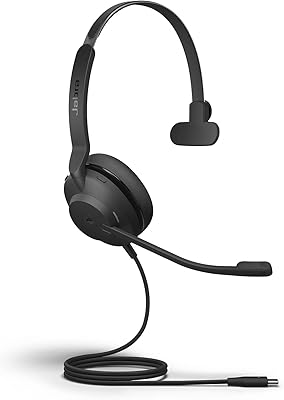
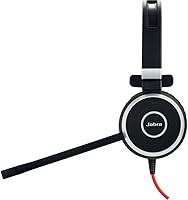
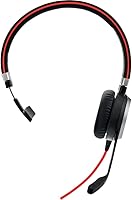
  • Form Factor: On-ear, mono design with a single earcup worn over one ear, leaving the other ear free for environmental awareness.
  • Connectivity: Connects via USB (for softphones and UC platforms) and a 3.5mm jack (for smartphones, tablets, and personal devices).
  • Wireless: This is a fully wired headset with no Bluetooth or wireless capability of any kind.
  • Noise Isolation: Passive isolation only, provided by leather-feel cushions that reduce ambient high-frequency sounds without active noise cancellation circuitry.
  • Busylight: An integrated LED busylight activates automatically during calls and can also be triggered manually via the inline control unit.
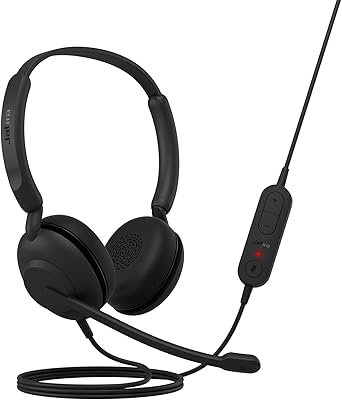
  • Inline Controls: The cable-mounted control unit supports call answer and end, microphone mute, and volume adjustment without touching the connected device.
  • Driver Type: Dynamic audio driver delivering a frequency response of up to 20,000 Hz, tuned primarily for voice clarity rather than music reproduction.
  • Impedance: The headset operates at 40 Ohm impedance, compatible with standard USB-connected softphone setups and 3.5mm audio sources.
  • Weight: The headset weighs 2.82 oz (approximately 0.08 kg), making it suitable for continuous all-day wear without significant fatigue.
  • Cable: Tangle-free cable construction is designed to withstand regular packing and daily movement between workstations.
  • Ear Cushion Material: Cushions use a leather-feel synthetic material that provides a degree of comfort and passive sound isolation during extended wear.
  • UC Certification: Certified for use with Skype for Business and Cisco platforms, and broadly compatible with Zoom, Microsoft Teams, and other major UC softphone applications.
  • OS Compatibility: Works natively on Windows and macOS without requiring proprietary driver installation for standard USB audio operation.
  • Microphone: Built-in microphone is integrated into the headset boom arm, optimized for voice call clarity in professional communication environments.
  • Product Dimensions: The headset measures approximately 0.16 x 3.95 x 2.94 inches, making it compact enough to store easily in a bag or desk drawer.
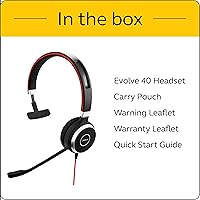
  • In the Box: Package includes the headset unit, connectivity accessories, and a warranty statement; no separate charging stand or carrying case is included.
  • Color Options: Available in Black, Red, and Silver finish variants to suit different personal or workplace preferences.
  • Manufacturer: Made by Jabra, a GN Audio brand with a long-standing presence in enterprise and professional communication audio hardware.

Related Reviews
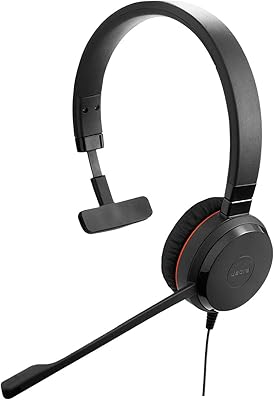
Jabra Evolve 30 II UC Mono Wired Headset
85%
89%
Comfort for Extended Use
92%
Call Quality & Microphone Performance
95%
Ease of Use & Setup
72%
Noise Cancellation Effectiveness
78%
Build Quality & Durability
More
Jabra Evolve2 30 UC Mono USB-C
78%
88%
Microphone Clarity
74%
Passive Noise Isolation
71%
Comfort & Wearability
82%
Build Quality
93%
USB-C Compatibility & Setup
More
Jabra Evolve 10
Jabra Evolve 10
77%
83%
Microphone Clarity
78%
Comfort & Wearability
62%
Build Quality
71%
Audio Playback Quality
94%
Ease of Setup
More
Jabra Evolve 20 UC Stereo
81%
91%
Microphone Clarity
86%
All-Day Comfort
88%
Call Control Usability
93%
UC Platform Compatibility
74%
Build Quality & Durability
More
Jabra Evolve2 40 SE Wired Stereo Headset
86%
88%
Call Quality
90%
Comfort for Long Use
91%
Ease of Microsoft Teams Integration
72%
Noise Isolation
85%
Build Quality
More
Jabra UC Voice 250 MS Wired Headset
84%
88%
Audio Quality
82%
Microphone Performance
91%
Ease of Setup
85%
Comfort for Long Calls
80%
Noise Cancellation Effectiveness
More
Jabra Stealth UC Bluetooth Headset
84%
89%
Sound Quality
90%
Comfort & Fit
76%
Battery Life
85%
Noise Cancellation
80%
Voice Control Functionality
More
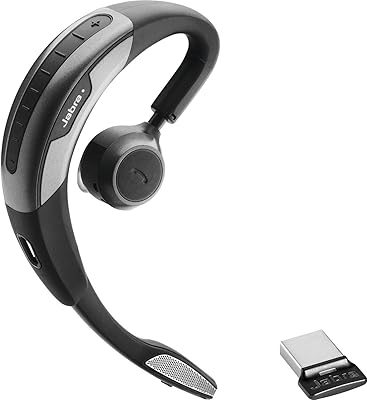
Jabra Motion UC Wireless Headset
84%
92%
Comfort and Fit
88%
Sound Quality and Clarity
85%
Battery Life
90%
Noise Cancellation Performance
80%
Connectivity and Integration
More
Jabra Engage 50 Stereo Wired Headset
88%
94%
Call Clarity
90%
Noise Cancellation Effectiveness
88%
Comfort for Long Use
93%
Microphone Quality
85%
Build Quality
More
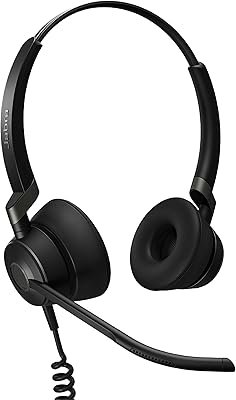
Jabra Engage 65 Mono Wireless Headset
82%
88%
Wireless Range & Stability
91%
Microphone Clarity
93%
Battery Life
74%
Comfort Over Long Shifts
67%
Value for Money
More

FAQ

Yes, the Evolve 40 is certified for major UC platforms including Microsoft Teams, Skype for Business, and Cisco. You plug it in via USB and your softphone should recognize it immediately on both Windows and macOS — no driver installation needed in most cases.

Absolutely. The 3.5mm jack lets you connect directly to a smartphone or tablet for personal calls or audio. The USB connection handles your desk-based UC softphone work, so you can switch between the two depending on what you are doing.

It is genuinely useful in a shared workspace. The light activates automatically when you answer a call, signaling to nearby colleagues that you are busy. You can also switch it on manually when you need uninterrupted focus time, which a lot of open-office workers find more helpful than expected.

The isolation is passive — the leather-feel cushions take the edge off background chatter and keyboard noise, but this is not an ANC headset. In a moderately busy office it works well enough, but in a loud environment like a busy call center or coffee shop, some background noise will still come through. Do not expect the same effect as active noise-cancelling headphones.

For most people it is fine through a standard workday — at under 3 oz it is very light. That said, a noticeable segment of long-term users mention that on-ear pressure builds after three or four continuous hours. If you wear headsets all day without many breaks, it is worth keeping that in mind.

Yes, it works well with Zoom. While the official certifications are for Skype for Business and Cisco, the headset is broadly compatible with all major voice-over-IP and video conferencing apps including Zoom, Google Meet, and Webex. The inline mute button also functions correctly in most of these platforms.

The main difference is that this is a mono headset with a single earcup, while the stereo version covers both ears. Mono is preferred in office environments where you need to hear your surroundings — a colleague, a phone ringing, someone walking up to your desk. If you want both ears covered and do not mind being more isolated, the stereo variant may suit you better.

The headset uses a standard USB-A connector, so you will need a USB-A to USB-C adapter if your laptop lacks full-size USB ports. Alternatively, the 3.5mm jack works fine if your device has a headphone socket. A small handful of users have also noted USB compatibility quirks on certain newer ultrabooks, so it is worth testing before committing.

The leather-feel cushions can be wiped down with a slightly damp cloth or a gentle cleaning wipe — avoid harsh solvents or alcohol-based cleaners that could dry out or crack the material over time. For hygiene in shared or hot-desk environments, Jabra and most enterprise IT teams recommend periodic wipe-downs as routine maintenance.

Based on long-term owner feedback, durability is one of this UC-certified headset's most consistently praised qualities. Many reviewers report using it daily for two or more years without significant wear issues. The tangle-free cable holds up well to being stuffed in bags and moved between desks, which matters for anyone who does not keep it at a fixed workstation.

Where to Buy