Overview

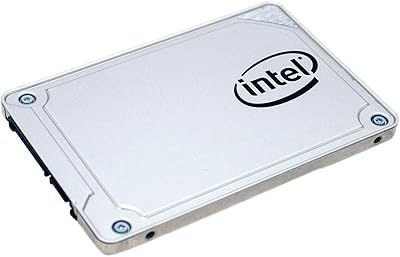
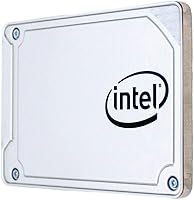
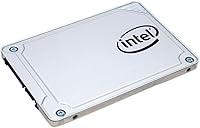
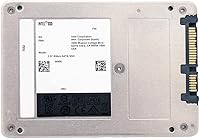
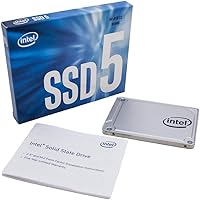
The Intel SSD 545s 512GB Internal SSD is Intel's answer to the everyday desktop upgrader who wants reliable solid-state storage without chasing cutting-edge specs. Sitting comfortably in the mid-range tier, it carries the weight of a well-known brand behind it — which matters when you're dropping a drive into a machine you depend on daily. Under the hood, 64-layer 3D TLC NAND stacks memory cells vertically, improving density and giving the drive better endurance than older planar designs. One honest caveat: this runs on a SATA interface, so it will never match NVMe speeds. For a 512GB OS-and-apps drive, though, that trade-off rarely stings in practice.

Features & Benefits

The 545s pulls up to 550 MB/s sequential reads and 500 MB/s writes — solid numbers for SATA, though they reflect the interface ceiling rather than any shortcoming of the drive itself. The 64-layer 3D NAND architecture is the real story here: stacking cells vertically means better storage density and a longer cell lifespan compared to flat, planar-style NAND. Physically, the drive is compact at 2.5 inches and just half an inch thick, making it a clean fit into desktop caddies or older laptop bays. Power consumption stays low, a practical plus for machines that run around the clock. At roughly 2.2 ounces, it practically disappears inside a chassis once seated.

Best For

This SATA SSD is a natural fit for anyone pulling a spinning hard drive out of an aging desktop and wanting an immediate, tangible speed boost without overcomplicating the build. It also makes sense as secondary storage in a system where M.2 slots are already spoken for by a faster NVMe drive. Older laptops with a 2.5-inch bay but no M.2 support are another obvious home for it. Small business machines and home office setups benefit here too — environments where consistent read performance and dependable daily operation outweigh the need for peak benchmark numbers. It is not a drive for enthusiasts chasing frame rates; it is a drive for people who simply want their computer to stop feeling sluggish.

User Feedback

Across 553 ratings, this Intel drive holds a 4.3 out of 5, and the pattern in buyer feedback is fairly consistent: people highlight fast boot times, straightforward installation, and quiet operation as the main wins. Where sentiment gets more divided is pricing — several reviewers feel the cost-per-GB is harder to justify alongside newer competing drives offering similar TLC performance for less. A handful of buyers also noted that Intel's SSD management software has grown less capable since the brand's storage division changed hands, so robust toolbox support is no longer a given. There are occasional BIOS compatibility concerns on very old systems too, which is worth investigating before committing if your machine predates modern UEFI firmware.

Pros

  • Boot times drop noticeably right after installation — the upgrade from a mechanical hard drive feels immediate.
  • The 2.5-inch form factor fits into an enormous range of desktops and older laptops without adapters.
  • 64-layer 3D TLC NAND offers better cell endurance and density than older planar NAND designs.
  • Sequential reads up to 550 MB/s max out what the SATA 6Gb/s interface can realistically deliver.
  • Low power draw makes the 545s a practical choice for machines that stay on all day.
  • At roughly 2.2 ounces, installation is physically simple even inside cramped or compact chassis.
  • The 4.3-star average across hundreds of real buyers reflects consistent, reliable day-to-day satisfaction.
  • Works as a clean secondary drive in multi-storage builds where NVMe slots are already taken.
  • Intel firmware maturity means solid out-of-box compatibility with a wide range of modern operating systems.

Cons

  • SATA interface limits throughput — NVMe alternatives at similar price points are significantly faster.
  • Cost-per-gigabyte runs higher than several competing TLC drives currently on the market.
  • Intel's SSD management software has lost functionality since the storage division changed ownership.
  • No M.2 form factor option means this drive is a non-starter for slim ultrabooks and newer compact builds.
  • The 512GB ceiling feels tight for users who store large media libraries or multiple AAA game installs.
  • A small subset of users report compatibility friction with very old BIOS versions on legacy hardware.
  • Write speeds, while adequate, lag behind newer SATA competitors that have closed the gap in recent years.
  • Buyers focused purely on value will find it difficult to justify the price against budget-oriented rivals.

Ratings

Our AI rating engine analyzed hundreds of verified global purchases of the Intel SSD 545s 512GB Internal SSD, actively filtering out incentivized reviews, duplicate accounts, and suspicious submission patterns to surface what real buyers actually experience. The scores below reflect both the genuine strengths and the honest frustrations that show up repeatedly across international markets. Nothing has been smoothed over — if a pain point came up consistently, it is reflected in the number.

Read Performance
83%
For everyday desktop and laptop use, the sequential read speeds feel genuinely responsive — browsers open fast, large files load without hesitation, and boot times on Windows machines drop dramatically compared to mechanical drives. Users replacing aging HDDs consistently describe the improvement as transformative for daily productivity.
The SATA 6Gb/s interface imposes a hard ceiling that becomes obvious the moment you compare this drive to an NVMe alternative in a benchmark or a large file transfer. Power users and anyone moving video files regularly will feel the constraint.
Write Performance
76%
24%
Write speeds hold up well for typical workloads — saving documents, installing applications, and writing smaller files all feel snappy in practice. The 64-layer 3D TLC NAND handles sustained writes more gracefully than earlier planar TLC designs, which showed more obvious slowdowns under pressure.
Extended write-intensive tasks, such as large game installations or bulk photo imports, can expose the drive's sustained write limitations as it works through its cache buffer. Competing drives in the same price tier have narrowed this gap noticeably in recent product generations.
Reliability & Endurance
81%
19%
The 64-layer 3D NAND architecture gives this drive a meaningful endurance advantage over older planar TLC designs, and long-term owners report no unexpected failures after sustained daily use in desktop machines. Intel's firmware heritage contributes to stable, predictable behavior under varied workloads.
Without active SSD Toolbox support, monitoring endurance metrics now requires third-party software, which introduces an extra step that less technical users may overlook. A small number of buyers on very old systems report early detection inconsistencies tied to outdated BIOS environments.
Value for Money
58%
42%
For buyers who place meaningful weight on brand heritage and firmware maturity, the 545s offers a sense of purchase confidence that budget-tier alternatives from lesser-known manufacturers do not always provide. In markets where newer competing drives are less readily available, the pricing feels more defensible.
The cost-per-gigabyte is hard to justify when placed directly alongside newer TLC competitors offering comparable or better endurance ratings for noticeably less money. This is the single most recurring criticism across buyer reviews, and it is difficult to argue against when the storage market has moved so aggressively on pricing.
Compatibility
77%
23%
The standard 2.5-inch SATA form factor means this drive fits into an enormous range of existing desktops and laptops without adapters or special configurations. Support for legacy Windows versions including XP SP3 makes it genuinely viable for maintaining older business machines.
A handful of buyers with very old hardware report BIOS-level recognition issues that required firmware updates to resolve, which is not always straightforward on aged systems. Newer thin-and-light laptops that have moved entirely to M.2 slots are simply incompatible, no workaround available.
Installation Experience
91%
Nearly every buyer who mentions installation describes it as the easiest part of the upgrade process — the drive is light, slim, and physically undemanding to seat in both desktop caddies and laptop bays. First-time upgraders consistently report confidence during installation, which is not always the case with hardware projects.
The package does not include a mounting bracket for 3.5-inch desktop bays, which catches some buyers off guard and requires a separate inexpensive purchase. There is also no migration software bundled in the box, meaning OS cloning relies on free third-party tools.
Software & Management Tools
44%
56%
During its active development period, Intel's SSD Toolbox was genuinely useful for monitoring health metrics, running diagnostics, and managing firmware updates directly from a clean interface. Buyers who used it during that window appreciated having a first-party solution.
Since Intel's NAND and SSD business transitioned to new ownership, the Toolbox has effectively stalled — updates are sparse, availability has become inconsistent, and support is no longer reliable. This is a real gap for users who want integrated drive management, and it meaningfully reduces one of the original selling points of buying Intel over a no-name brand.
Power Efficiency
84%
Buyers running always-on home servers or small business workstations appreciate how little this drive contributes to overall system power draw during long operating hours. The low idle power consumption is a genuine practical benefit in energy-conscious environments.
Power efficiency is largely table stakes at this product tier — most competing SATA SSDs perform similarly in this regard, so it provides little differentiation. Users running on battery in older laptops will see improvement over an HDD, but not a standout advantage versus other solid-state alternatives.
Build & Form Factor
88%
The physical construction feels solid without being heavy, and the 0.5-inch thickness fits cleanly into both standard and slim 2.5-inch bays without flex or rattle once secured. At just over two ounces, it handles easily during installation even with limited clearance inside compact chassis.
The drive ships without a protective carry case or anti-static pouch, which feels like an oversight for a mid-range component at this price point. The exterior label offers minimal information at a glance, which makes identifying the drive post-installation in a multi-drive system slightly cumbersome.
Boot Time Improvement
89%
This is consistently the most praised outcome in buyer reviews — machines that previously crawled through a 70-plus-second startup routine are regularly reported to boot in under 20 seconds after installation. The subjective before-and-after experience for HDD-to-SSD upgraders is dramatic and immediate.
On systems already running an SSD, the improvement will be marginal, and buyers upgrading from another SATA SSD may be underwhelmed by the difference. The gains are primarily meaningful in the HDD-to-SSD transition scenario.
Noise & Heat
93%
As with all flash storage, the 545s operates in complete silence and generates negligible heat under normal desktop workloads, which buyers in quiet home office setups specifically call out as a quality-of-life win. No active cooling is required, and temperatures remain stable during extended use.
This is an area where essentially all SSDs perform similarly, so there is little to differentiate the 545s from any competitor. Buyers should not treat silence and low heat as a distinguishing reason to choose this drive over an alternative.
Longevity & Ownership Experience
74%
26%
Multi-year owners of the 545s report consistent behavior with no notable degradation in everyday performance across typical mixed workloads. The 3D NAND architecture gives confidence that the drive is not burning through its write cycles prematurely.
The erosion of first-party software support casts a mild shadow over the long-term ownership experience, as health monitoring and firmware management now depend on workarounds. Warranty support clarity has also become murkier following the ownership transition, which adds a layer of uncertainty for buyers thinking beyond the immediate purchase.

Suitable for:

The Intel SSD 545s 512GB Internal SSD is a strong fit for anyone still running a mechanical hard drive in a desktop or older laptop and looking for a meaningful, no-fuss performance improvement without rebuilding their entire system. If your machine has a free 2.5-inch bay — common in pre-2018 laptops and nearly every mid-tower desktop — this drive drops in cleanly and immediately cuts boot times and application load times in ways that feel dramatic compared to spinning-disk storage. It also works well as a secondary drive in builds where the primary M.2 slot already hosts a faster NVMe drive, giving you extra capacity for files, games, or backups on a budget. Small business and home office users who need dependable daily performance rather than raw benchmark speed will find the 545s a sensible, low-maintenance choice. The Intel brand name carries real firmware-level maturity here, and the 64-layer 3D TLC NAND gives it better long-term endurance than older planar drives at comparable price points.

Not suitable for:

The Intel SSD 545s 512GB Internal SSD is not the right call for buyers building or upgrading a system that already supports M.2 NVMe — in that scenario, spending the same money on an NVMe drive will deliver dramatically higher throughput that this SATA drive simply cannot approach by design. Enthusiasts benchmarking storage performance, content creators moving large video files regularly, or gamers installing fast-loading modern titles will feel the SATA ceiling quickly. Buyers who are highly cost-conscious and willing to compare on a per-gigabyte basis will also find newer competing TLC drives from other brands offering similar or better endurance ratings for less money, making the value case harder to justify on price alone. Those who relied on Intel's SSD Toolbox for drive health monitoring and firmware updates should know that software support has become more limited since Intel's NAND and SSD business changed hands, so ongoing toolbox functionality is not guaranteed. Finally, users on very old hardware with outdated BIOS versions should verify compatibility before purchasing, as a small number of legacy systems have reported initialization issues.

Specifications

  • Capacity: The drive provides 512GB of flash storage, suitable for an operating system, core applications, and a moderate media library.
  • Interface: It connects via SATA 6Gb/s, the standard high-speed interface found on the vast majority of desktops and laptops produced in the last decade.
  • Form Factor: The 2.5-inch internal form factor is the most widely compatible physical size for both desktop drive bays and traditional laptop hard drive slots.
  • Dimensions: The drive measures 4 x 3 x 0.5 inches, sitting just half an inch thick for a clean fit in standard and slim caddies.
  • Weight: At 2.24 ounces, the drive is lightweight enough to install without stress on mounting brackets or chassis clips.
  • NAND Type: Storage cells use 64-layer 3D Triple-Level Cell NAND, which stacks memory vertically to improve density and endurance over older planar designs.
  • Sequential Read: Sequential read speeds reach up to 550 MB/s, which represents the practical ceiling for SATA 6Gb/s interface throughput.
  • Sequential Write: Sequential write speeds are rated at up to 500 MB/s, delivering fast file transfer performance for everyday workloads.
  • Power Draw: The drive is engineered for low power consumption, making it well suited for always-on systems and energy-conscious desktop builds.
  • OS Compatibility: The drive supports Windows 8.1 and Windows XP SP3, as well as modern Windows versions, covering a broad range of legacy and current systems.
  • Installation Type: This is an internal drive requiring physical mounting inside a desktop chassis or laptop bay; no external enclosure is included.
  • Compatible Devices: It is designed for desktop computers and laptops equipped with a standard 2.5-inch internal drive bay.
  • Model Series: The drive carries the model designation SSDSC2KW512G8X1, which identifies it as part of Intel's 545s product line.
  • Brand: Manufactured by Intel, a company with an extensive history in semiconductor engineering and storage firmware development.
  • User Rating: The drive holds a 4.3 out of 5 average rating based on 553 customer ratings on the Amazon platform.
  • Best Sellers Rank: It ranks at approximately number 1,408 in Internal Solid State Drives, indicating steady and consistent market demand.

Related Reviews
ASUS NUC 12 NUC12WSHi7 16GB/512GB
82%
88%
Everyday Performance
83%
Build Quality & Chassis
61%
Thermal Management & Fan Noise
91%
Port Selection & Connectivity
89%
Wireless & Network Performance
More
Intel 670p 512GB SSD
86%
88%
Performance
91%
Value for Money
94%
Ease of Installation
85%
Energy Efficiency
90%
Compatibility
More
Intel SSD 545s Series 256GB
85%
91%
Value for Money
88%
Performance
92%
Compatibility
89%
Ease of Installation
85%
Power Efficiency
More
Patriot P210 512GB Internal SSD
85%
90%
Value for Money
88%
Performance for Everyday Tasks
80%
Speed Consistency
85%
Gaming Performance
93%
Ease of Installation
More
Patriot Memory P320 512GB M.2 NVMe SSD
82%
93%
Value for Money
84%
Read Performance
71%
Write Performance
96%
Installation Ease
88%
Compatibility
More
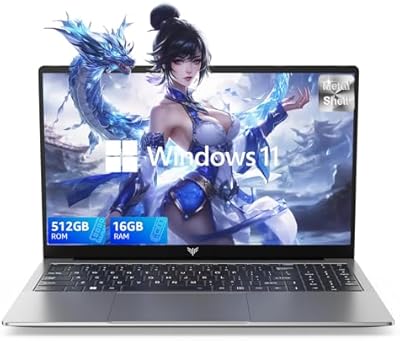
KAIGERR LX15 Laptop with Intel N97, 16GB RAM, 512GB SSD
82%
91%
Value for Money
84%
Performance
80%
Display Quality
65%
Battery Life
88%
Build Quality
More
BOSGAME Mini PC E3 (N150, 16GB/512GB)
79%
88%
Value for Money
74%
Processing Performance
91%
Multi-Display Support
89%
Connectivity & Ports
76%
Build Quality & Design
More
HP G9 15.6-inch Laptop
72%
83%
Value for Money
54%
Performance
78%
RAM & Multitasking
67%
Display Quality
49%
Battery Life
More
NIAKUN NIK-0002 16-Inch 512GB Laptop
67%
82%
Value for Money
79%
Display Quality
58%
Performance
53%
Build Quality
51%
Battery Life
More
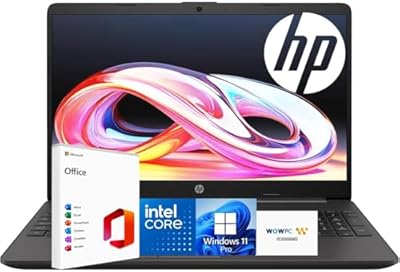
HP 15-inch Laptop, Intel Celeron N4120, 16GB RAM, 512GB SSD
77%
92%
Value for Money
65%
Display Quality
88%
Performance for Everyday Tasks
80%
Build Quality
78%
Portability
More

FAQ

Most likely yes — if your laptop uses a standard 2.5-inch hard drive bay, the 545s will slot right in. The drive is just 0.5 inches thick, which fits both standard and slim 2.5-inch bays. The one thing worth checking beforehand is whether your laptop connects via SATA, which nearly all pre-2016 laptops do.

The difference is substantial for everyday tasks. Boot times that used to take 60 to 90 seconds on a mechanical drive typically drop to 15 to 20 seconds or less. Application launches, file transfers, and general responsiveness all improve noticeably. It is one of the most impactful upgrades you can make to an older machine without replacing the whole computer.

The hardware itself is compatible with any system that has a SATA interface, including older Intel-based Macs with a 2.5-inch drive bay. However, Intel does not officially list macOS support, and the SSD management software is Windows-only. Plenty of users have used this drive in Mac systems without issues, but you would need a third-party tool to monitor drive health on macOS.

It works perfectly as a primary boot drive — that is actually one of its strongest use cases. Installing your operating system and main applications on this SATA SSD and booting from it will give you fast, responsive startup times and snappy app performance. Many buyers use it specifically to replace their old boot drive.

If your motherboard or laptop has an available M.2 NVMe slot, an NVMe drive will deliver significantly higher sequential speeds — often three to five times faster on paper. That said, for typical daily tasks like web browsing, office work, and booting, real-world differences between SATA and NVMe are less dramatic than benchmarks suggest. The 545s makes the most sense when your system only supports SATA, or when your NVMe slots are already occupied.

Intel historically offered the Intel SSD Toolbox for this purpose, but following the sale of Intel's NAND and SSD business, that software is no longer actively maintained and its availability has become inconsistent. For drive health monitoring, most users now rely on free third-party tools like CrystalDiskInfo on Windows, which reads standard S.M.A.R.T. data without any issues.

For a lot of everyday users, yes — 512GB comfortably holds a Windows installation, standard productivity and creative applications, a decent photo library, and several games. Where it can feel tight is if you store large video files, maintain a big game library, or use it as your only drive without cloud backup. In those cases, pairing it with a larger secondary drive or choosing a higher capacity option would be the smarter move.

The 545s series was originally backed by a five-year limited warranty from Intel. However, given that Intel's storage division has since transitioned to a new owner, warranty support and terms may differ depending on when and where you purchase the drive. It is worth checking with the specific seller about current warranty coverage before buying.

Most desktop cases use standard 3.5-inch drive bays, so you will likely need a 2.5-inch to 3.5-inch mounting adapter or bracket to secure the drive — these are inexpensive and widely available. Beyond that, a standard SATA data cable and a free SATA power connector from your power supply are all you need. The drive itself is light and easy to handle during installation.

A small number of buyers with very old hardware have reported initialization issues tied to outdated BIOS versions. If your system predates UEFI firmware and uses a legacy BIOS, it is worth checking whether your motherboard has received any updates that improve SSD compatibility. For systems built in the last ten years, compatibility is rarely a concern.

Where to Buy