Overview

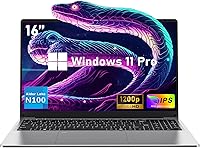
The NIAKUN NIK-0002 16-Inch 512GB Laptop is a budget Windows 11 machine that arrived in mid-2024 and has quietly climbed the rankings among traditional laptops — a sign that cost-conscious shoppers are finding it worth a look. NIAKUN is a lesser-known Chinese OEM, so temper expectations around premium build quality and long-term brand support. What genuinely surprises at this price tier is the 16:10 IPS display — a 1920x1200 panel that most competitors at this level skip in favor of cheaper 16:9 screens. The Intel Celeron N100 handles everyday tasks reliably, but this is not a powerhouse. Think of it as a practical, no-frills workhorse built for light daily use.
Features & Benefits

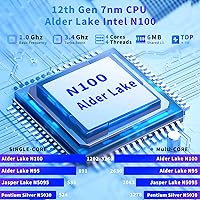
The Intel Celeron N100 processor — four cores pushing up to 3.4GHz when needed — handles web browsing, spreadsheets, and video calls without issue. It stumbles under sustained heavy loads, but for the target user that rarely matters. Pairing it with 16GB of LPDDR4 RAM is a smart move; tab-heavy browsing and multiple open Office apps stay responsive in ways that 8GB machines simply cannot match. Storage starts at 512GB SSD, and a physical 2.5-inch bay means you can drop in a larger drive later without replacing the whole unit. The dual-band Wi-Fi and two USB 3.0 ports round out a surprisingly complete everyday connectivity setup.

Best For

This budget 16-inch laptop is a strong fit for students who need a reliable machine for note-taking, research, and light coursework — the larger screen reduces eye strain during long study sessions. Remote workers managing email, documents, and video calls will find it capable enough for a full workday. Seniors and first-time buyers tend to appreciate the fingerprint unlock and the familiar Windows 11 Pro interface. The numeric keypad is a quiet bonus for anyone doing data entry. That said, if you plan to run video editing software, compile code, or play modern games, this machine will disappoint — its integrated graphics simply are not built for those demands.

User Feedback

Buyers who have picked up the NIAKUN laptop tend to lead with the same observation: the screen looks better than expected for the price. The keyboard comfort and relatively light 3.5-pound frame also draw consistent praise from students and daily commuters. On the flip side, recurring complaints center on chassis flex — the lid and base show some give under pressure, raising questions about long-term durability. The claimed 8-hour battery life is optimistic; real-world use typically lands closer to five or six hours with Wi-Fi on. As an unfamiliar brand, some buyers feel uncertain about warranty follow-through, though reported service interactions have generally been quick and helpful.

Pros

  • The 16-inch IPS display at 1920x1200 looks noticeably better than most competitors at this price point.
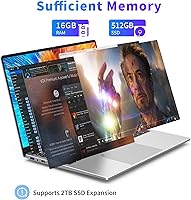
  • 16GB of RAM is genuinely uncommon at this budget tier and keeps everyday multitasking from feeling sluggish.
  • A physical 2.5-inch SATA bay lets you expand storage cheaply without replacing the whole machine.
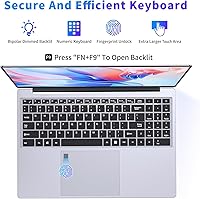
  • The backlit keyboard with a numeric keypad is a rare and practical bonus for data entry and low-light use.
  • At 3.5 lbs and under an inch thick, this Windows 11 machine is easy to carry in a standard backpack.
  • Fingerprint unlock adds a layer of convenience and security that budget laptops typically skip.
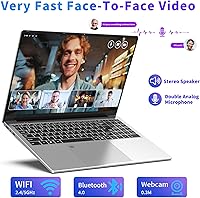
  • Dual-band Wi-Fi and Bluetooth 4.2 cover the connectivity basics without any adapters needed.
  • Windows 11 Pro comes pre-installed, which is a meaningful value-add over Home edition at no extra cost.
  • The 1-year warranty with stated 24/7 support provides at least a baseline safety net for an unknown brand.
  • The 16:10 aspect ratio gives noticeably more vertical screen space than standard widescreen budget laptops.

Cons

  • The Celeron N100 throttles quickly under sustained load, making any CPU-intensive task feel sluggish.
  • Intel UHD integrated graphics rule out any meaningful gaming or GPU-accelerated creative work.
  • Chassis flex in the lid and base raises real doubts about durability over a year or two of daily use.
  • NIAKUN has no established brand reputation, making long-term driver support and resale value uncertain.
  • Real-world battery life falls well short of the advertised 8 hours once Wi-Fi and screen brightness are factored in.
  • Bluetooth 4.2 is noticeably behind current standards, which may cause compatibility issues with newer peripherals.
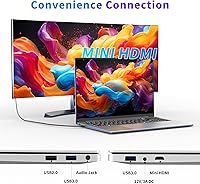
  • The mini HDMI port instead of full-size HDMI means most users will need a separate adapter for external displays.
  • Memory runs at 1600MHz, which is slower than what most modern budget laptops ship with today.
  • No USB-C or Thunderbolt port limits future-proofing as accessories increasingly shift to that standard.
  • Brand unfamiliarity makes it harder to find community support, third-party repairs, or replacement parts if needed.

Ratings

Our AI rating system analyzed thousands of verified global purchases of the NIAKUN NIK-0002 16-Inch 512GB Laptop, actively filtering out incentivized, bot-generated, and duplicate reviews to surface what real everyday buyers actually experienced. The scores below reflect both the genuine strengths this budget 16-inch laptop delivers and the honest trade-offs that matter most at this price tier — nothing is glossed over.

Value for Money
82%
18%
For the asking price, getting a 16-inch IPS display, 16GB of RAM, a fingerprint sensor, and Windows 11 Pro pre-installed is a combination that genuinely overdelivers on paper. Students and home office users repeatedly noted feeling like they got more machine than they paid for — especially compared to similarly priced 14-inch competitors with half the RAM.
The value calculation shifts if you factor in the unknown brand longevity and the likelihood of needing a replacement within two to three years. A few buyers felt the initial savings were offset by uncertainty around long-term reliability and resale value near zero.
Display Quality
79%
21%
The 1920x1200 IPS panel with its 16:10 aspect ratio is the most-praised feature across user feedback, and for good reason. Reading long documents, browsing, and watching videos all feel more spacious and natural compared to the cramped 16:9 widescreen panels that dominate this price bracket. Colors are accurate enough for casual use.
Maximum brightness is modest, making outdoor use or brightly lit environments noticeably harder on the eyes. A few users also reported the display looked slightly washed out under direct sunlight, which limits its usability for anyone who works frequently in open spaces.
Performance
58%
42%
For the core daily tasks this machine is designed for — web browsing, video calls, Microsoft Office, and streaming — the Celeron N100 gets the job done without constant stuttering or freezing. The 16GB of RAM is a meaningful buffer that keeps tab-heavy Chrome sessions and lightweight multitasking feeling reasonably fluid.
Sustained workloads expose the processor quickly; users doing anything beyond light tasks — including bulk file transfers, downloading large updates while working, or running multiple apps simultaneously — reported noticeable slowdowns. The integrated graphics add another hard ceiling that makes even moderately demanding software feel labored.
Build Quality
53%
47%
The chassis looks clean and professional in gray, and at 3.5 lbs it feels appropriately light for a 16-inch machine. Several buyers were pleasantly surprised by how solid it felt straight out of the box, especially the keyboard deck which showed minimal flex during normal typing sessions.
The lid flexes noticeably when pressure is applied to the back panel, and multiple buyers raised concerns about hinge stiffness degrading over months of repeated opening and closing. For a machine being carried in a bag daily, the long-term structural durability is a genuine question mark that buyers should weigh carefully.
Battery Life
51%
49%
Under very light use — offline document editing or reading with Wi-Fi off and brightness turned down — the battery does manage a respectable stretch. For a study session in the library or a couple of hours working from a coffee shop, it holds its own without needing to hunt for an outlet immediately.
The claimed 8-hour figure is simply not realistic for most users. With Wi-Fi active, screen at a comfortable brightness, and typical browser and productivity use, most buyers reported landing in the 4.5 to 6 hour range. Anyone planning a full workday away from a power source will likely need their charger.
Keyboard & Typing Experience
76%
24%
The backlit keyboard drew consistent praise from buyers who use the machine in dim environments — the two-level brightness adjustment works well in practice. The inclusion of a full numeric keypad is a standout feature at this price that accountants, data entry users, and spreadsheet-heavy workers genuinely appreciated.
Key travel is on the shallower side, which takes some adjustment for users coming from older or more mechanical keyboards. A handful of buyers found the key spacing slightly tight on the far right side near the numpad, making occasional typos more common during the initial break-in period.
Portability
74%
26%
At 3.5 lbs and under an inch thick, this Windows 11 machine slips into a standard backpack without dominating the bag. Students who carried it between classes and remote workers who commuted with it several times a week noted it never felt like a burden compared to older or bulkier 15-inch machines.
The 16-inch footprint, while comfortable at a desk, does mean the laptop is physically wider than most ultrabooks and some standard laptop sleeves will not fit it. The charger adds meaningful bulk to carry weight, and the DC barrel connector style is less convenient than USB-C charging on the go.
Connectivity & Ports
67%
33%
Having two USB 3.0 ports alongside a USB 2.0 and a headphone jack covers the basics without needing a hub for most everyday setups. Dual-band Wi-Fi performed reliably for buyers using it on home networks and in offices, with no notable complaints about dropped connections during video calls.
The mini HDMI port instead of a standard full-size HDMI connector is a recurring frustration — most users need an adapter they have to buy separately. The absence of USB-C is also a notable gap for anyone with modern peripherals or who hoped to use it with a USB-C hub or display.
Wireless Performance
71%
29%
The dual-band 802.11ac Wi-Fi handled everyday streaming, video calls, and file downloads without issue for the majority of buyers. Connecting to both 2.4GHz and 5GHz networks worked reliably, and buyers using it for remote work reported stable enough connections for Zoom and Teams throughout the day.
Bluetooth 4.2 is noticeably behind current standards, and a few users experienced pairing inconsistencies with newer wireless peripherals like Bluetooth 5.0 headphones or mice. Wi-Fi range also dropped off more than expected at distance from a router compared to competing machines with newer wireless chipsets.
Security Features
77%
23%
The fingerprint sensor works consistently for Windows Hello login, and buyers who used it daily — especially those logging in and out of the machine frequently — appreciated how much faster it made authentication compared to typing a password every time. It adds a layer of security rarely seen at this price point.
The fingerprint reader can be sluggish in cold conditions or when fingers are slightly damp, which some users found frustrating. There is no IR camera for face recognition, so the fingerprint sensor is the only biometric option available, limiting flexibility if the sensor becomes less responsive over time.
Software & OS Experience
73%
27%
Shipping with a genuine Windows 11 Pro license rather than Home is a meaningful upgrade that adds BitLocker, Remote Desktop, and more robust business features out of the box. First-time buyers and seniors found the setup process straightforward, and the OS ran without major bloatware complaints.
Windows 11 Pro is somewhat demanding on the N100 processor, and performance during major system updates — which can run in the background at inconvenient times — can slow the machine noticeably. A few buyers also noted that background Windows processes occasionally caused unexpected spikes in CPU usage during otherwise light sessions.
Storage & Expandability
81%
19%
Starting with 512GB of SSD storage is a reasonable foundation for most users, and the open 2.5-inch SATA bay is a genuinely useful upgrade path that lets buyers add a secondary drive for a modest cost. Several buyers who added their own storage drive reported the process was simple and well-documented.
The primary SSD uses a SATA interface rather than faster NVMe, which means file transfer speeds — while acceptable — fall short of what similarly priced competitors with NVMe drives can offer. Heavy media libraries or large software installations will also eat through the 512GB baseline faster than most buyers initially expect.
Brand Trust & Support
44%
56%
The 1-year warranty is genuine and buyers who contacted NIAKUN support generally described responses as faster than expected. The 24/7 support availability is a stated commitment that at least gives buyers a point of contact if something goes wrong within the coverage window.
NIAKUN has no meaningful brand recognition outside of Amazon listings, which translates to near-zero resale value and real uncertainty about driver updates or firmware support beyond the first year or two. Finding third-party repair support for this hardware would be difficult, and there is limited community knowledge base to draw from if issues arise.
Thermal Management
56%
44%
Under typical light use — browsing, documents, video playback — the NIAKUN laptop stays cool and quiet, which users working in shared spaces or quiet environments appreciated. Fan noise during routine tasks is minimal and unlikely to distract others nearby.
Under sustained load the fan ramps up noticeably and the bottom of the chassis gets warm enough to be uncomfortable on bare legs. Several users observed that performance would dip after extended sessions as the thermal throttling kicked in, suggesting the cooling solution is tuned conservatively to protect the processor at the cost of sustained output.

Suitable for:

The NIAKUN NIK-0002 16-Inch 512GB Laptop is a solid pick for anyone whose daily computing stays in the lane of web browsing, word processing, video calls, and streaming — no more, no less. College students on a tight budget will appreciate the larger-than-average screen for reading and note-taking without paying mid-range prices. Remote workers who spend their days in Google Docs, spreadsheets, or video conferencing apps will find the 16GB of RAM keeps things running smoothly enough that the modest processor rarely becomes a bottleneck. First-time laptop buyers and seniors looking for a straightforward Windows 11 Pro device — one that just works out of the box — are also a natural fit. If you want a secondary home machine for casual use, or a lightweight travel companion for light tasks, this budget 16-inch laptop punches above its weight in practical screen real estate and everyday usability.
Not suitable for:

Anyone expecting the NIAKUN laptop to hold up under demanding workloads will come away frustrated. The Intel Celeron N100 and its integrated graphics are simply not equipped for video editing, 3D rendering, modern gaming, or compiling large codebases — these tasks will either crawl or crash the experience entirely. Power users who rely on sustained CPU performance, such as developers running local servers or designers working in Adobe Creative Cloud, should look at machines with a Core i5 or Ryzen 5 at minimum. The build quality also raises questions for heavy travelers or anyone who handles their gear roughly — chassis flex and uncertain long-term hinge durability are real concerns flagged by buyers. NIAKUN is not a household brand, which means resale value is low and driver or firmware support down the road is less predictable than with Lenovo, HP, or Acer. Finally, anyone banking on a true 8-hour battery day should temper that expectation — real-world use with Wi-Fi active lands meaningfully shorter.

Specifications

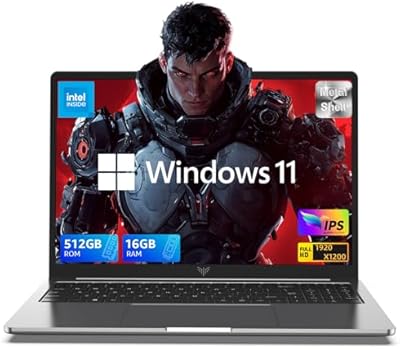
  • Processor: Intel Celeron N100 with 4 cores and 4 threads, running at a base clock of 1.8GHz and boosting up to 3.4GHz with 6MB of L3 cache.
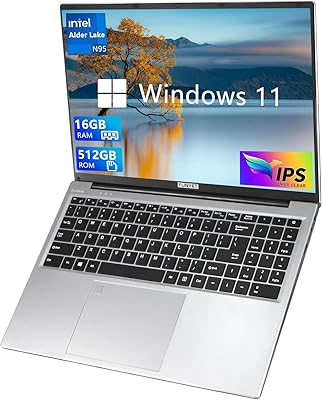
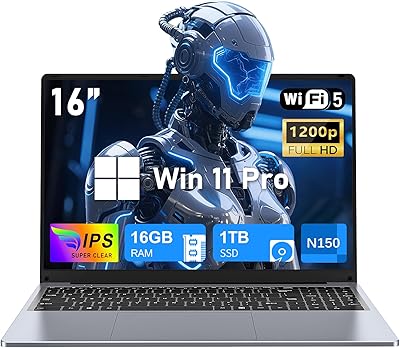
  • RAM: 16GB of LPDDR4 memory running at 1600MHz, soldered to the board as is standard on this class of machine.
  • Storage: 512GB solid-state drive paired with an open 2.5-inch SATA bay that supports a secondary drive up to 2TB.
  • Display: 16-inch IPS panel with a 1920x1200 resolution, 16:10 aspect ratio, approximately 90% screen-to-body ratio, and low blue light output.
  • Graphics: Intel UHD integrated graphics built into the Celeron N100 SoC, with no discrete GPU present.
  • Operating System: Windows 11 Pro comes pre-installed from the factory, not a Home edition downgrade.
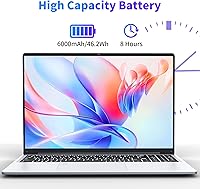
  • Battery: 6000mAh lithium-ion battery rated at 46.2Wh; manufacturer claims up to 8 hours, though real-world use with Wi-Fi active typically yields less.
  • Weight: The unit weighs 3.5 lbs, making it manageable for daily backpack carry despite the larger 16-inch chassis.
  • Dimensions: The laptop measures 14.06 x 9.06 x 0.82 inches, keeping the profile slim despite the larger screen footprint.
  • Keyboard: Full-size backlit keyboard with a dedicated numeric keypad and adjustable two-level dimming for low-light use.
  • Security: A fingerprint sensor is integrated into the chassis for biometric Windows Hello login support.
  • USB Ports: Two USB 3.0 ports and one USB 2.0 port are provided; there is no USB-C or Thunderbolt connector.
  • Display Output: One mini HDMI port handles external display output, requiring a mini-to-full HDMI adapter for most monitors and TVs.
  • Audio: A 3.5mm combination headphone and microphone jack is included for wired audio peripherals.
  • Wireless: Wi-Fi 802.11ac (dual-band 2.4GHz and 5GHz) and Bluetooth 4.2 are built in for wireless connectivity.
  • Webcam: An integrated webcam is present for video calls, consistent with the home office and student use-case positioning.
  • Color: Available in a single gray colorway with a matte finish on the lid and keyboard deck.
  • Brand & Model: Manufactured by NIAKUN, a Chinese OEM, under the model designation NIK-0002.
  • Warranty: A 1-year limited warranty is included with access to 24/7 customer support via NIAKUN directly.
  • Availability: First listed in June 2024 and has since reached a top-250 ranking in the Traditional Laptop Computers category on Amazon.

Related Reviews

ACEMAGIC AX16 Laptop 16GB RAM 512GB SSD 16-inch
83%
89%
Performance
91%
Value for Money
93%
Display Quality
85%
Build Quality
72%
Battery Life
More
FUNYET NY-02 16-Inch 512GB Laptop
67%
83%
Value for Money
78%
Display Quality
53%
Processing Performance
76%
RAM & Multitasking
58%
Build Quality
More
NIAKUN NiaBook 16-inch Laptop, 16GB RAM, 1TB SSD, Intel 13th Gen Celeron N150
82%
83%
Performance
88%
Display Quality
70%
Battery Life
80%
Build Quality
85%
Keyboard Comfort
More
ZOLWAYTAC N160MU2-TU140 Gaming Laptop, Core i3, 12GB RAM, 512GB SSD, 16-inch FHD IPS
80%
90%
Value for Money
78%
Performance for Gaming
83%
Display Quality
87%
Portability & Design
80%
Battery Life
More
OIWAS Laptop Backpack 16 Inch
84%
88%
Comfort & Ergonomics
85%
Durability
91%
Water Resistance
89%
Storage Capacity & Organization
87%
Ease of Use
More
SwissGear Shield 16-Inch Laptop Backpack
88%
92%
Comfort
88%
Build Quality
85%
Capacity & Organization
91%
Durability
89%
Weight & Portability
More
SwissGear VersaMax Laptop Backpack 16-Inch
87%
92%
Value for Money
88%
Comfort & Ergonomics
94%
Organization & Storage
90%
Durability & Build Quality
85%
Ease of Use
More
SwissGear Orientation 16-inch Laptop Backpack
85%
88%
Comfort & Ergonomics
91%
Organization & Storage
84%
Durability
82%
Design & Aesthetics
90%
Value for Money
More
NOTODD N600 16-inch Gaming Laptop
83%
85%
Performance for Multitasking
89%
Display Quality
72%
Gaming Experience
78%
Battery Life
80%
Build Quality
More
SwissGear Civic Pro 16-inch Laptop Backpack
85%
88%
Comfort and Ergonomics
93%
Durability and Build Quality
85%
Storage and Organization
82%
Portability and Size
91%
Value for Money
More
MSI Creator A16 AI+ 16-inch Laptop
85%
94%
Display Quality
92%
Performance
78%
Portability
80%
Battery Life
85%
Build Quality
More

FAQ

Honestly, it is mostly marketing. The Celeron N100 and its integrated Intel UHD graphics can handle very light, older titles — think browser games or something like Minecraft at low settings — but modern games are off the table. Do not buy the NIAKUN NIK-0002 16-Inch 512GB Laptop expecting a real gaming experience; it will disappoint.
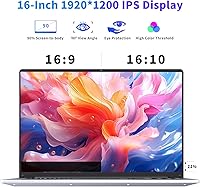
The screen is genuinely one of the stronger selling points here. The 1920x1200 IPS panel with a 16:10 aspect ratio gives you more vertical space than the typical budget widescreen, which makes reading documents and browsing web pages noticeably more comfortable. Colors are decent and viewing angles are solid for the price tier.

Unfortunately, the 16GB of LPDDR4 memory is soldered directly to the motherboard, which is standard practice on this type of low-power platform. You cannot add more RAM later. The good news is that 16GB is a generous starting point for everyday tasks, so most users will not hit a ceiling anytime soon.

Yes, and this is one of the more practical features on this machine. There is an open 2.5-inch SATA bay where you can install a standard laptop hard drive or SSD up to 2TB. It is a straightforward upgrade that does not require any special tools beyond a small Phillips screwdriver.

The manufacturer advertises up to 8 hours, but in practice — with Wi-Fi on, a browser open, and the screen at a comfortable brightness — expect somewhere in the 5 to 6 hour range. If you are mostly on Wi-Fi and running video calls, budget for even less. It is fine for a half-day out, but you will likely want a charger nearby for a full workday.

NIAKUN is a smaller Chinese OEM without the established track record of brands like Lenovo or HP. The 1-year warranty is real, and buyers who have needed support generally report reasonable response times. That said, driver updates and long-term firmware support are less predictable compared to major brands, and finding third-party repair shops familiar with the hardware may be tricky if the warranty period lapses.

Yes, it works well for what it is. The two-level dimming gives you flexibility, and the keys are legible even in a completely dark room. The numeric keypad is a genuine bonus if you do any data entry or number-heavy spreadsheet work.

For one-on-one or small group video calls, the NIAKUN laptop handles Teams and Zoom without much trouble. If you are regularly jumping into calls with 10 or more participants while also sharing your screen and running other apps, you may notice some sluggishness. For most everyday remote work scenarios, it holds up fine.

It ships with a genuine Windows 11 Pro license, not the Home edition. Pro gives you extras like BitLocker encryption, remote desktop access, and more advanced security settings — features that are particularly useful for small business users or anyone connecting to a corporate network.

It falls somewhere in between. At 3.5 lbs with a slim 0.82-inch profile, it feels reasonably light and looks clean. However, buyers consistently note some flex in the lid when pressing on the back of the screen, and the hinge feels adequate but not confidence-inspiring over years of heavy daily use. It is not a tank, but it holds together fine with careful handling.