Overview

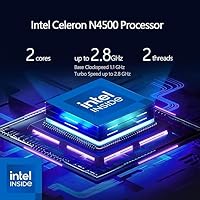
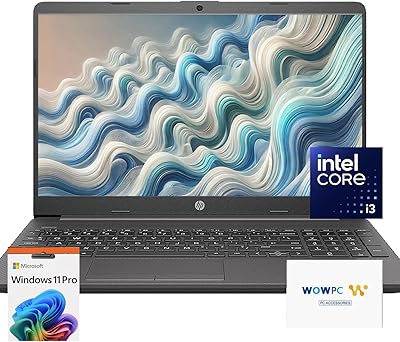
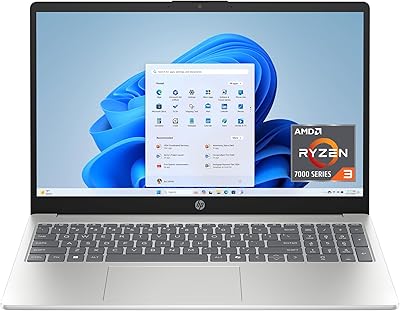
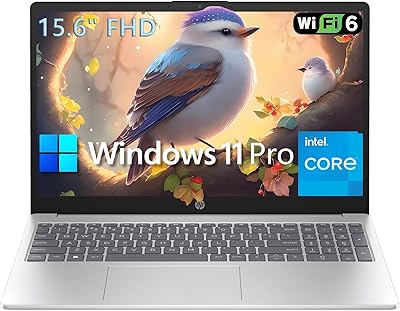
The HP G9 15.6-inch Laptop is a straightforward entry-level machine built for people who need a dependable computer without a complicated setup or a steep price. It ships ready to work — Windows 11 Pro is pre-installed, a Microsoft Office activation card is in the box, and there is even a recovery USB included, which is a genuinely useful touch that most competitors skip. The processor here is Intel's Celeron N4500, and it's worth being upfront: this isn't a powerhouse. It handles everyday tasks well, but anyone expecting heavy multitasking or demanding software will want to look elsewhere.
Features & Benefits

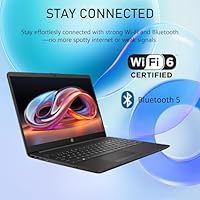
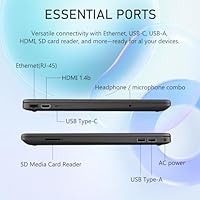
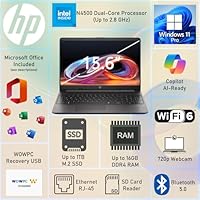
Where the G9 genuinely stands out is in the supporting hardware around that modest processor. 16GB of DDR4 RAM is rare at this price tier and makes a real difference when juggling multiple browser tabs or a spreadsheet alongside a streaming video. The 512GB PCIe SSD keeps boot times short and gives casual users plenty of room for files and downloads. The 15.6-inch IPS display at full 1080p resolution with anti-glare coating is comfortable for long indoor sessions — colors are decent, if not vivid. Surprisingly, this budget HP machine includes Wi-Fi 6 and Bluetooth 5.0, alongside a solid port lineup: HDMI, Ethernet, SD card reader, USB-C, and USB-A.

Best For

This HP laptop is a natural fit for students who need a reliable machine for notes, research, and light productivity apps — without spending a fortune. It also works well for home users who spend most of their screen time browsing, streaming, or managing the occasional document. The full-size keyboard and numeric keypad, along with an Ethernet port, make it a reasonable option for remote workers handling data entry or video calls on a wired connection. First-time laptop buyers and older users will especially appreciate the out-of-box setup — no hunting for software licenses or troubleshooting recovery media. It's genuinely ready the moment you open the box.

User Feedback

Buyers who pick up the G9 tend to appreciate how little effort is required to get started — the bundled software setup earns consistent praise. The out-of-box experience is a recurring highlight, with many noting they were up and running within minutes. On the flip side, users with heavier workloads report that the Celeron processor can feel slow when too many applications run at once, which aligns with what you'd expect from hardware in this category. A few buyers flag screen brightness as just adequate rather than impressive. Battery life is notably absent from the product specs, and real-world user reports suggest it's a mixed picture — fine for shorter sessions, less so for all-day use away from an outlet.

Pros

  • Comes ready to use straight out of the box, with Windows 11 Pro and Microsoft Office included.
  • 16GB of RAM is a genuine stand-out feature at this price point, keeping everyday tasks running smoothly.
  • The 512GB PCIe SSD means fast startup times and plenty of room for documents, photos, and downloads.
  • Wi-Fi 6 support is an uncommon inclusion at this tier and helps future-proof wireless performance.
  • A dedicated Ethernet port makes wired connections easy for anyone working from home.
  • The full-size keyboard with numeric keypad is practical for data entry and extended typing sessions.
  • The anti-glare 1080p IPS display is comfortable for long indoor work or study sessions.
  • The bundled WOWPC Recovery USB is a thoughtful inclusion that saves time if something ever goes wrong.
  • Port selection is genuinely comprehensive: HDMI, USB-C, USB-A, SD card reader, and audio jack are all here.
  • The large 15.6-inch screen offers a roomy viewing experience without a premium price tag.

Cons

  • The Celeron N4500 processor struggles with multitasking and slows noticeably when the workload picks up.
  • Battery life is undisclosed in the specs, and user reports suggest it falls short for all-day portable use.
  • Screen brightness is only average, making outdoor or brightly lit environments uncomfortable to work in.
  • The G9 weighs 6 pounds, which is on the heavier side for anyone who carries their laptop regularly.
  • USB-C is data-only and does not support charging or video output, limiting its versatility.
  • Integrated Intel UHD graphics rules out any meaningful gaming or GPU-accelerated creative work.
  • The plastic build feels less sturdy than similarly sized machines in higher price brackets.
  • No mention of RAM or storage upgradability, which is a concern if you plan to extend the lifespan.
  • The Celeron processor may struggle with future Windows updates as system requirements evolve.
  • Color accuracy on the display is adequate at best, which matters for anyone doing photo-related work.

Ratings

Our AI rating system analyzed thousands of verified global user reviews for the HP G9 15.6-inch Laptop, actively filtering out incentivized, bot-generated, and spam submissions to surface what real buyers genuinely experience. The scores below reflect an honest cross-section of both praise and frustration, weighted by usage context and review depth. Strengths in value and connectivity are clearly visible in the data, as are the real limitations around processing power and battery transparency.

Value for Money
83%
Buyers consistently point to the bundled Microsoft Office license and Windows 11 Pro as what tips the value equation in this machine's favor. Getting a ready-to-use productivity setup without paying for software separately is a meaningful saving that resonates strongly with students and first-time buyers.
A subset of reviewers feel the Celeron processor limits the laptop's useful lifespan, which chips away at the long-term value proposition. If you outgrow it in two years, the savings on software start to feel less significant in hindsight.
Performance
54%
46%
For light, focused tasks — typing a document, watching a video, or browsing a handful of tabs — users report that the G9 handles things without obvious friction. Boot times are snappy thanks to the PCIe SSD, which makes the overall experience feel quicker than the processor spec alone would suggest.
Push beyond those basic tasks and the Celeron N4500 makes itself known. Users trying to run multiple applications simultaneously, join a video call while screen-sharing, or use any moderately demanding software report noticeable lag and sluggishness that becomes genuinely frustrating over time.
RAM & Multitasking
78%
22%
The 16GB of DDR4 RAM is a genuine bright spot that users notice in real use — keeping a dozen browser tabs open alongside a Word document or a streaming video is manageable without the system choking. At this price point, this amount of memory is uncommon and appreciated.
The RAM advantage is partially offset by the processor bottleneck; more memory helps, but it cannot fully compensate when the CPU is already at its ceiling. Users doing anything CPU-intensive still hit walls regardless of how much RAM is available.
Display Quality
67%
33%
The 1080p IPS anti-glare panel earns decent marks for indoor use — text is sharp, colors are acceptable for everyday consumption, and the anti-glare coating makes it practical for work under artificial lighting or near a window during the day.
Brightness is a recurring complaint, with users finding it underwhelming in well-lit rooms and almost unusable outdoors. Color accuracy is described as flat by anyone who uses the screen for photo viewing or light creative tasks, which limits its appeal beyond basic productivity.
Battery Life
49%
51%
Some users doing very light work — reading, writing offline, or low-brightness streaming — report getting through a half-day without reaching for the charger, which covers shorter commutes or classroom sessions reasonably well.
Battery life is the most commonly flagged disappointment across reviews, with many users reporting the machine rarely makes it through a full workday on a single charge. The fact that no official battery specification is published makes it harder for buyers to set expectations before purchasing.
Connectivity & Ports
88%
Reviewers frequently highlight the port selection as a genuine strength — having Ethernet, HDMI, an SD card slot, and both USB-A and USB-C on a budget laptop means most users can connect what they need without a hub or adapter. The Wi-Fi 6 inclusion is a forward-thinking touch that users with compatible routers notice immediately.
The USB-C port being data-only is a limitation that catches some buyers off guard, particularly those hoping to use it for charging or to drive an external display. It is functional, but it does not deliver the versatility that USB-C implies to modern users.
Wireless Performance
82%
18%
Users with Wi-Fi 6 routers report noticeably stable and fast wireless performance, and even those on older routers find the connection reliable for video calls and streaming. The inclusion of Wi-Fi 6 at this price tier earns genuine appreciation in reviews.
A small number of users report inconsistent connection stability in environments with heavy wireless interference, though this is difficult to separate from router or ISP-side factors. Range at the edges of a larger home or office is described as adequate rather than exceptional.
Keyboard & Typing Experience
73%
27%
The full-size layout with a numeric keypad is a consistent positive for users who do data entry, financial work, or extended typing sessions. Key spacing is described as comfortable, and the layout feels familiar without a learning curve.
Key travel and tactile feedback are described as shallow and somewhat mushy by users accustomed to better keyboards, which can lead to fatigue during long writing sessions. There is no backlight, which limits usability in darker environments.
Build Quality
61%
39%
The laptop looks clean and professional in its Jet Black finish, and the slim profile gives it a more polished appearance than many machines at a similar price. For light, stationary home or office use, the build holds up reasonably well.
The all-plastic chassis shows its budget roots under closer inspection, with some flex in the lid and base noted by users who handle it frequently. A few reviewers mention the machine feels less robust than they expected, which is a valid concern for anyone who plans to carry it daily.
Setup & Out-of-Box Experience
91%
This is one of the most praised aspects across user reviews — the machine arrives with Windows 11 Pro installed, Office ready to activate, and a recovery USB already in the box. For non-technical users, seniors, and first-time buyers, the ability to be up and running within minutes is a meaningful differentiator.
Some reviewers note a modest amount of pre-installed bloatware that needs to be cleared before the experience feels fully clean. It is a minor friction point, but worth flagging for users who prefer a minimal, lean setup from the start.
Storage Speed & Capacity
79%
21%
The 512GB PCIe SSD is fast enough to make the laptop feel responsive at startup and when opening applications, which helps mask some of the processor's limitations in everyday use. For a typical home or student user, 512GB covers documents, photos, and software with room to spare.
There is no clarity on whether the SSD is replaceable or upgradable, which concerns longer-term users who may accumulate more files over time. Users who work with large media files or extensive downloads may find the capacity limiting sooner than expected.
Webcam Quality
58%
42%
The built-in webcam is serviceable for standard video calls on Zoom, Teams, or Google Meet, and users report it handles typical indoor lighting without major issues. For casual remote meetings and online classes, it does the job.
Image quality is noticeably soft and grainy in lower light, and the webcam resolution falls short of what users now expect even at budget price points. Anyone who appears frequently on video calls for professional settings may want to invest in an external webcam.
Software Bundle Value
86%
Having a legitimate Microsoft Office activation card and the WOWPC Recovery USB included in the box adds tangible value that buyers notice and comment on positively. The Office license alone represents a meaningful cost offset that makes the overall package more compelling for productivity-focused users.
Some users are unclear about exactly which version or tier of Microsoft Office is included until after purchase, which creates occasional disappointment if expectations do not match the actual bundle. Clearer upfront communication from the seller on this point would reduce post-purchase confusion.
Portability
62%
38%
The slim 0.58-inch profile makes the G9 easy to slide into a backpack or bag, and the footprint is compact enough for a 15.6-inch machine. For users who move it occasionally between rooms at home or carry it to a nearby class, it is manageable.
At 6 pounds, this budget HP machine is noticeably heavy for daily commuters or students who carry a full backpack. Users who expected something lighter based on the slim design report that the weight becomes a real consideration on longer travel days.
Long-Term Reliability
63%
37%
Early-adopter reviews describe the machine as dependable for the tasks it is designed for, with no widespread reports of hardware failures or significant quality control issues in the first months of ownership. The included recovery USB provides some peace of mind for system-level problems.
The Celeron processor and plastic construction raise questions about how well the G9 will hold up over a three-to-five-year ownership cycle, particularly as software requirements grow. Users planning to keep a laptop for several years may find this machine feels underpowered sooner than a more capable alternative would.

Suitable for:

The HP G9 15.6-inch Laptop is a smart pick for anyone whose daily computing needs revolve around browsing, streaming, writing, and basic spreadsheet work. Students in particular get a lot of practical value here — the included Microsoft Office activation card means they can write papers and build presentations without hunting down a subscription or a separate license. Home users who just want a reliable machine for email, video calls, and the occasional document will find this more than capable. Seniors or first-time laptop buyers will appreciate that everything is already set up and ready to go, with no technical hurdles between them and actually using the computer. The wired Ethernet port is a quiet but genuinely useful feature for remote workers who need a stable connection for video conferencing or accessing company systems.
Not suitable for:

The HP G9 15.6-inch Laptop is not the right tool for anyone who pushes hardware hard. The Intel Celeron N4500 processor is honest about what it is — a light-duty chip that starts to drag when you open too many tabs, run a video editor, or use any software that demands real processing muscle. Creative professionals working with photo or video editing software will run into frustrating slowdowns. Gamers should look elsewhere entirely, as the integrated Intel UHD graphics simply cannot handle modern titles. Students in demanding programs like engineering or computer science, where compiling code or running simulations is routine, will likely outgrow this machine faster than they expect. Battery life is also an unknown quantity — the specs don't disclose it, and real-world reports suggest it's unreliable for full-day use away from a power outlet.
Specifications

  • Processor: Powered by the Intel Celeron N4500 dual-core chip, running at a base speed of 1.1 GHz and bursting up to 2.8 GHz for short demanding tasks.
  • RAM: Equipped with 16GB of DDR4 SDRAM, providing a comfortable buffer for everyday multitasking and browser-heavy workloads.
  • Storage: Features a 512GB PCIe SSD, offering fast read and write speeds for quick boot times and responsive file access.
  • Display: A 15.6-inch IPS panel with a 1920x1080 (Full HD) resolution and an anti-glare coating designed to reduce eye strain during extended indoor sessions.
  • Graphics: Uses Intel UHD integrated graphics, which shares system memory and is suited only for light visual tasks and standard video playback.
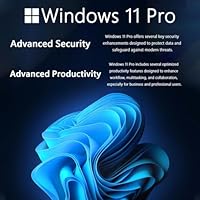
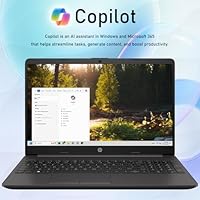
  • Operating System: Ships with Windows 11 Pro pre-installed, offering enhanced security features and professional-grade management tools over the standard Home edition.
  • Bundled Software: Includes a Microsoft Office activation card in the box, allowing the user to install and activate the Office suite without a separate purchase.
  • Wireless: Supports Wi-Fi 6 (802.11ax) and Bluetooth 5.0, providing faster and more stable wireless connectivity compared to previous Wi-Fi generations.
  • Ports: Includes USB-C (data only), one USB-A 3.2 port, HDMI output, RJ-45 Ethernet, an SD card reader, and a 3.5mm headphone and microphone combo jack.
  • Keyboard: Full-size English keyboard layout with a dedicated numeric keypad, suitable for spreadsheet work and extended data entry sessions.
  • Webcam: Comes with a built-in webcam positioned above the display, adequate for video calls and online meetings.
  • Dimensions: Measures 14.09 x 9.52 x 0.58 inches (LxWxH), keeping the overall footprint reasonably compact for a 15.6-inch class laptop.
  • Weight: Weighs approximately 6 pounds, which is fairly typical for a plastic-chassis 15.6-inch laptop but worth noting for commuters.
  • Color & Finish: Available in a Jet Black finish that provides a professional, understated appearance suited to both home and office environments.
  • Recovery: Ships with a WOWPC Recovery USB drive, allowing users to restore the system to factory settings without needing to download recovery media separately.
  • Ethernet: A dedicated RJ-45 Ethernet port enables wired internet connections, offering greater stability and speed compared to wireless for remote work scenarios.
  • Audio: Includes HD audio support and a combo headphone and microphone jack, supporting standard 3.5mm headsets for calls and media consumption.

Related Reviews

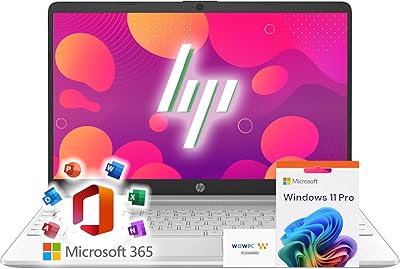
HP 15.6-inch Laptop 15-ef0021nr, Ryzen 3 3200U, 8GB RAM, 256GB SSD
82%
92%
Value for Money
85%
Performance
83%
Build Quality
89%
Portability
81%
Battery Life
More
HP 15 G9 16GB 1TB Laptop
71%
88%
Value for Money
54%
Performance
83%
RAM & Multitasking
86%
Storage
74%
Display Quality
More
HP 15.6-inch Laptop, Intel Core i5-1334U, 8GB RAM, 512GB SSD
84%
86%
Performance for Everyday Tasks
91%
Battery Life
90%
Value for Money
88%
Display Quality
82%
Build Quality
More
HP 15.6-inch Laptop, AMD Ryzen 7 5825U, 8GB RAM, 512GB SSD
84%
89%
Performance
87%
Display Quality
92%
Privacy Features
80%
Battery Life
85%
Portability
More
HP 15.6 G9 Laptop, 40GB RAM, 1TB SSD, Intel Core i3-1315U
83%
89%
Value for Money
91%
Battery Life
87%
Performance for Work & Study
90%
Multitasking Ability
82%
Build Quality
More
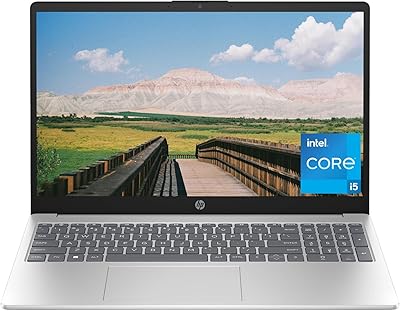
HP 15.6-inch Laptop, AMD Ryzen 7 5700U, 8GB RAM, 256GB SSD
81%
89%
Value for Money
91%
Battery Life
88%
Portability
87%
Processor Performance
71%
Display Quality
More
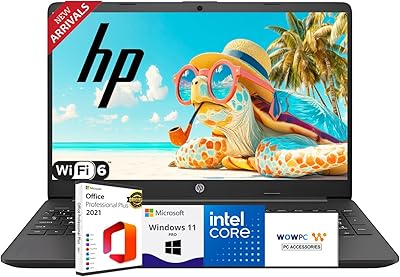
HP 15 Core i5-1235U 15.6-inch Laptop
75%
88%
Value for Money
82%
Performance
74%
Display Quality
58%
Battery Life
69%
Build Quality
More
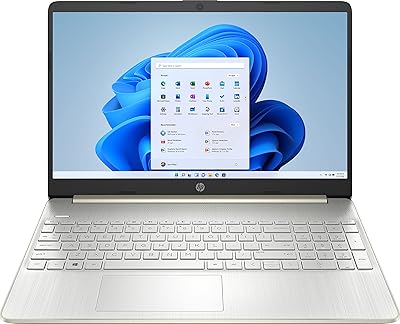
HP G9 Laptop, Intel Core i5-1235U, 16GB RAM, 1TB SSD, 15.6″ FHD Display
82%
89%
Performance
78%
Display Quality
82%
Battery Life
91%
Build Quality
85%
Software & Productivity
More
HP 15.6-inch Touch-Screen Laptop, 11th Gen Intel Core i7, 16GB RAM, 512GB SSD
85%
91%
Performance
87%
Value for Money
65%
Display Quality
80%
Battery Life
92%
Portability
More
HP 15 Intel N100 16GB/256GB
77%
88%
Value for Money
83%
Everyday Performance
91%
RAM & Multitasking
67%
Display Quality
72%
Build Quality & Portability
More
HP Laptop 15-fc0099nr
71%
83%
Value for Money
71%
Performance
88%
Battery Life
61%
Display Quality
84%
Touchscreen Responsiveness
More

FAQ

It includes a genuine Microsoft Office activation card in the box — not a trial subscription. You redeem it once, and you get a licensed copy of Office to install and keep. That said, double-check which version of Office is included before assuming you're getting the full suite, as bundle configurations can vary.

For most college workloads — writing essays, doing research, attending online classes, and managing spreadsheets — it holds up well. The 16GB of RAM helps when you have a dozen browser tabs open alongside Word or PowerPoint. Where it struggles is with specialized academic software like engineering tools, data analysis platforms, or any application that demands serious processing power.

The listing does not specify whether the RAM is soldered or slotted, which is a legitimate concern. On many budget Celeron-based laptops, RAM is soldered directly to the motherboard and cannot be upgraded. It would be worth confirming with the seller or HP support before purchasing if expandability matters to you.

Honestly, this is one of the bigger unknowns with the G9 — battery life is not disclosed in the product specs. Based on similar Celeron N4500 laptops, you can generally expect somewhere between 5 and 8 hours with light use, but real-world results vary significantly depending on screen brightness and what you are running. Plan to keep the charger nearby if you are working away from an outlet for extended periods.

Yes, streaming video is well within its comfort zone. The 1080p display and Wi-Fi 6 connectivity make for a smooth streaming experience, and the Celeron processor has no trouble handling standard definition or HD playback. 4K streaming may push it a bit, but for typical streaming services at 1080p, you should have no problems.

Unfortunately, no. The USB-C port on this machine is data-only, which means it cannot be used to charge the laptop or connect an external display. For monitor output you would need to use the HDMI port, and charging is done through the dedicated power connector.

The recovery USB lets you reinstall the original factory version of Windows if something goes seriously wrong — a corrupted system, a failed update, or a malware situation that makes the laptop unbootable. Most people will never need it, but having it on hand is genuinely useful and saves the hassle of creating your own recovery media or downloading recovery tools.

Yes, the HDMI port makes that straightforward. You can connect this HP laptop to any HDMI-compatible monitor or TV for a larger screen or a dual-display setup. Just keep in mind that the integrated Intel UHD graphics will limit performance if you are trying to push high-resolution or high-refresh-rate external displays.

This is genuinely one of the best use cases for the G9. The Ethernet port gives you a reliable wired connection for video calls, the full-size keyboard with numeric keypad is comfortable for extended typing, and the built-in webcam handles platforms like Zoom or Teams without issues. As long as you are not running heavy applications in the background at the same time, it manages a typical remote work day comfortably.

For most home users, the practical difference is minimal in day-to-day use. However, Windows 11 Pro adds useful features like BitLocker encryption for data security, Remote Desktop for accessing the machine from another device, and better options if the laptop ever needs to join a company or school network. For a student or small business owner, those extras can actually come in handy, and getting Pro included at this price is a genuine value add.