Overview

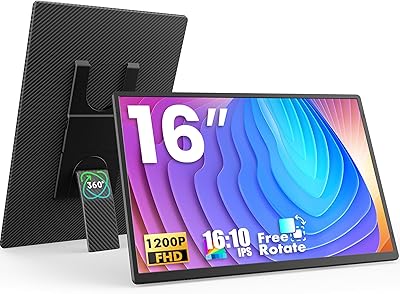
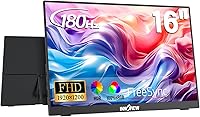
The InnoView INVPM405 16-inch 180Hz Portable Monitor enters a crowded market with a clear pitch: one display that works equally well for remote productivity and mobile gaming. What sets it apart from the pack is its 16:10 aspect ratio, a format still rare among portable screens where 16:9 dominates almost universally. At under half an inch thick and 1.69 pounds, this laptop display companion genuinely disappears into a bag. The specs look compelling on paper — but mid-range hardware always needs real-world scrutiny. Build quality and panel consistency can vary, and knowing what you are actually getting before buying matters more than any spec sheet.
Features & Benefits

The 180Hz refresh rate is the headline feature, and it is genuinely rare to find it in a portable monitor at this price point — most competitors top out at 60Hz or 144Hz. Pair that with FreeSync support and screen tearing becomes a non-issue during fast-paced gaming. The 1920×1200 resolution is not just a numbers game; that extra vertical space from the 16:10 ratio makes a real difference when you are coding or reviewing long documents side by side. Color accuracy is solid indoors at 100% sRGB, though 300 nits of brightness will struggle against direct sunlight. The dual USB-C ports handle video, data, and charging over a single cable, and the glossy panel pops indoors — just expect reflections outside.

Best For

This portable monitor hits its sweet spot for laptop users who travel — think coffee shop regulars, frequent flyers, or anyone running dual screens out of a backpack. Developers and spreadsheet users will particularly appreciate the taller 16:10 canvas, which lets you see more lines of code or rows of data without constant scrolling. Mobile gamers pairing it with a Switch, Steam Deck, or gaming laptop get a genuine refresh rate advantage over typical portable displays. It is also a capable option for light creative work where sRGB accuracy matters but you do not need studio-grade specs. Console players looking for a compact setup for PS5 or Xbox will find it functional, though purchasing a dedicated adapter separately is unavoidable for the best experience.

User Feedback

Buyers consistently praise the plug-and-play experience with USB-C laptops and modern consoles — most report it just works without any driver fuss. Color accuracy earns positive marks too, with many users finding it credibly close to the advertised sRGB claims for everyday tasks. The glossy screen, however, draws fair criticism: in bright rooms or near windows, reflections become genuinely distracting. Stand stability is another sticking point, as some buyers find the included stand less rigid than expected on uneven surfaces. A recurring frustration worth flagging: the 20W adapter needed for full-performance operation is not included, which catches buyers off guard. Overall, feedback positions the InnoView screen extender as a competitive option at this price, though not without its compromises.

Pros

  • The 180Hz refresh rate is genuinely rare among portable monitors at this price, giving mobile gamers a real edge.
  • FreeSync support keeps gameplay smooth and tear-free without needing any complicated setup.
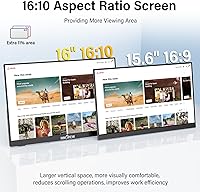
  • The 16:10 aspect ratio provides noticeably more vertical screen space than the 16:9 competition.
  • At 1.69 pounds and under half an inch thick, this laptop display companion fits easily into any backpack.
  • Dual USB-C ports handle video, data, and pass-through charging over a single cable, cutting down on clutter.
  • Plug-and-play compatibility with MacBooks, modern gaming handhelds, and consoles is consistently praised by buyers.
  • 100% sRGB coverage delivers credibly accurate colors for everyday creative and design tasks indoors.
  • The built-in VESA 75×75mm mount adds flexibility for users who want a more permanent wall or arm setup.
  • Flicker-free and Low Blue Light modes make extended work sessions noticeably easier on the eyes.
  • The HDMI port alongside the USB-C options gives this portable monitor broader device compatibility than many rivals.

Cons

  • The 20W USB-C adapter required for full performance is not included, which trips up buyers who do not read the fine print.
  • The glossy panel creates frustrating reflections in bright rooms or near sunlit windows.
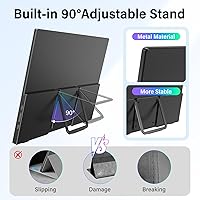
  • The included stand lacks rigidity and can wobble on uneven surfaces, which gets annoying quickly.
  • 300 nits of brightness is adequate indoors but falls short in any environment with significant ambient light.
  • HDR support is technically present but delivers a underwhelming experience due to the modest brightness ceiling.
  • Some users report that unlocking 180Hz mode requires manually adjusting display settings rather than it activating automatically.
  • The glossy coating, while punchy indoors, picks up fingerprints and smudges more visibly than a matte alternative would.
  • Buyers comparing against competing portable monitors note that stand quality and accessory bundles from rivals can be stronger at a similar price.

Ratings

The scores below for the InnoView INVPM405 16-inch 180Hz Portable Monitor were generated by AI after analyzing thousands of verified buyer reviews from global markets, with spam, bot-generated, and incentivized feedback actively filtered out. Each category reflects a balanced synthesis of what real users praised and what genuinely frustrated them — nothing is glossed over. Strengths and pain points are weighted equally so you can make a confident, informed decision.

Refresh Rate Performance
88%
Buyers who game on the go consistently single out the 180Hz experience as a genuine upgrade over the 60Hz and 144Hz options they previously owned. On fast-paced titles like Valorant or Apex Legends paired with a gaming laptop, the motion clarity is noticeably cleaner and more responsive.
Reaching 180Hz is not always automatic — many users had to manually dig into display settings to unlock it, which caught first-timers off guard. A handful of buyers also reported that certain older GPUs struggled to push the full rate reliably over HDMI.
Color Accuracy
82%
18%
For a portable monitor at this price tier, the color output earns consistent praise from designers, photographers doing mobile reviews, and content creators who need reliable sRGB fidelity on the move. Colors look punchy and well-saturated indoors, and buyers doing UI or web design found results matched their calibrated desktop monitors closely.
A few users working in print-adjacent fields noted the display leans slightly cool out of the box, requiring manual color temperature adjustment. The glossy panel also makes it tricky to judge true neutrals in environments with mixed artificial lighting.
Portability & Form Factor
91%
At under half an inch thick and 1.69 pounds, this laptop display companion genuinely disappears into a backpack alongside a 15-inch laptop without adding noticeable bulk. Commuters and frequent travelers repeatedly highlight how easy it is to set up at a cafe table or airport lounge in under a minute.
The slim chassis does mean the internal speakers — where present on comparable monitors — are absent here, so audio always routes through the connected device. A small number of buyers also noted the plastic back panel feels less premium than the thin profile visually implies.
Panel Brightness
63%
37%
Indoors in a controlled lighting environment, 300 nits is perfectly adequate for both productivity tasks and gaming, and most home-office and cafe users report no complaints during standard daytime use at a desk away from direct light.
Step outside or sit near a south-facing window and the glossy surface becomes a genuine problem — reflections wash out the image and 300 nits simply cannot fight back. Users in bright co-working spaces with overhead fluorescent lighting also flagged this as a recurring frustration.
Stand Stability
54%
46%
The included stand does the basic job on flat surfaces — for a quick hotel desk setup or a kitchen table working session, it holds the monitor at a usable angle without immediately toppling over.
On any surface with slight texture or unevenness, the stand wobbles noticeably, especially when tapping the screen or adjusting cables. Multiple buyers called it the single weakest component of the package and recommended pairing the unit with a third-party stand or a VESA arm almost immediately.
USB-C Connectivity
86%
The dual USB-C setup is consistently praised by MacBook users and Steam Deck owners who love running a single cable for both video and power delivery simultaneously. Buyers appreciate that either port can handle input, which adds practical flexibility when cable management is tight.
Not every USB-C cable in the box supports the full video plus charging combination, and several buyers discovered this only after frustrating trial-and-error testing. It is also worth noting that a dedicated 20W adapter is needed for stable charging pass-through, and it does not come included.
HDR Quality
47%
53%
HDR mode does improve perceived contrast in darker scenes, and for gaming titles with heavy shadow detail it can pull out a bit more visual information than SDR mode alone provides.
At 300 nits peak brightness, the HDR experience falls well short of any meaningful HDR standard — buyers who expected a genuine HDR boost were largely disappointed. Most experienced users ended up leaving HDR off, noting it adds a slightly blown-out look to highlights without delivering the intended impact.
Plug-and-Play Ease
89%
The setup experience is one of the most consistently praised aspects across buyer feedback — plug in a USB-C cable to a modern laptop or console and the screen simply works, with no driver installation or configuration needed in the vast majority of cases. Switch and PS5 users particularly appreciated the zero-fuss connection via HDMI.
A small subset of buyers using older Windows laptops or non-standard USB-C configurations encountered recognition issues on first connection. Getting 180Hz active adds a manual step that breaks the otherwise frictionless setup experience.
Gaming Features
78%
22%
The built-in Game Crosshair overlay is a genuinely useful addition for FPS players who want a targeting aid without relying on in-game options, and FreeSync noticeably reduces tearing in mid-range GPU setups where frame rates fluctuate around the 100–150Hz range.
The crosshair overlay options are limited in style and size customization, which left more serious FPS players wanting more control. HDR and the Game Crosshair cannot always be used simultaneously without display quirks, which is a minor but real annoyance.
Value for Money
83%
Considering the 180Hz refresh rate, 16:10 resolution, and dual USB-C connectivity are all features typically found on more expensive portable monitors, buyers widely agree this laptop display companion punches above its weight class for the asking price.
The missing 20W adapter stings a bit when you factor in the real total cost, and the underwhelming stand quality makes some buyers feel the savings came at a visible price. A few shoppers noted that rival brands at similar price points offer better accessory bundles.
Eye Comfort
76%
24%
The combination of flicker-free backlight and Low Blue Light mode is welcomed by buyers who use the screen for extended coding or writing sessions, with several noting a clear reduction in end-of-day headaches compared to their previous portable monitors.
The Low Blue Light mode adds a warm yellow-orange tint that some users found disruptive for color-sensitive work, requiring them to toggle it off frequently. A hardware-level filter without affecting color temperature would have been more practical.
Compatibility Range
84%
The mix of USB-C, HDMI, and broad FreeSync support means this portable monitor plays nicely with an unusually wide range of devices — MacBooks, Windows laptops, Switch, PS5, Xbox, and Android phones with DisplayPort support all work with minimal friction.
Nintendo Switch in handheld mode and some older Android phones do not support video output over USB-C, limiting compatibility there. Buyers expecting universal plug-and-play across all their devices occasionally hit unexpected dead ends.
Build Quality
67%
33%
The slim aluminum-look chassis feels solid enough for daily bag carry, and the screen itself showed no signs of flex or pressure sensitivity during typical transport and setup handling that buyers described in their feedback.
The back panel and stand mechanism use plastic that feels noticeably budget-grade up close, and a few buyers reported minor light bleed along screen edges out of the box. At this price tier it is not shocking, but it is a step behind the build quality of pricier competitors.
Audio Output
58%
42%
The 3.5mm audio jack is a practical addition that lets users plug in wired headphones directly at the monitor rather than routing audio back through the laptop, which is a small but appreciated convenience for desk setups.
There are no built-in speakers on this unit, which means any audio must go through the connected device or external headphones — a real limitation for users who expected a self-contained experience. Buyers who did not check the specs in advance were regularly surprised by this omission.

Suitable for:

The InnoView INVPM405 16-inch 180Hz Portable Monitor is a strong match for people whose work or play regularly takes them away from a fixed desk. Remote workers who split time between home, cafes, and co-working spaces will immediately appreciate the taller 16:10 canvas — it is a meaningful productivity upgrade over squinting at a single laptop screen for hours. Developers and data-heavy professionals in particular benefit from the extra vertical real estate when scrolling through code or large spreadsheets. On the gaming side, anyone pairing it with a Switch, Steam Deck, or gaming laptop will find the 180Hz refresh rate and FreeSync combination genuinely hard to match at this price point among portable options. Light creative work — photo editing, design mockups, client presentations — is also well-served by the reliable 100% sRGB coverage, provided you are working indoors where the glossy panel can actually shine.
Not suitable for:

Buyers expecting a no-compromise professional color tool or a premium outdoor display should look elsewhere, and the InnoView INVPM405 16-inch 180Hz Portable Monitor has real limitations worth weighing carefully before purchasing. At 300 nits, the panel simply does not have the horsepower to fight ambient light in bright environments — anyone who regularly works near windows or outdoors will find the glossy surface creates persistent reflections that undercut the otherwise decent color quality. The HDR mode is present but should not be taken too seriously; without significantly higher peak brightness, HDR content looks flat compared to what a proper HDR-capable display delivers. Users who need a rock-solid, adjustable stand for extended desktop-replacement use will find the bundled stand underwhelming — this is a travel accessory first and a permanent workstation monitor second. It is also worth flagging upfront that optimal performance requires a 20W USB-C adapter that does not come in the box, adding a hidden cost that budget-conscious buyers need to factor in.

Specifications

  • Screen Size: The display measures 16 inches diagonally, offering a generous viewing area that remains portable enough for daily bag carry.
  • Resolution: Native resolution is 1920×1200 pixels (FHD+), delivering sharper vertical detail than standard 1920×1080 panels of the same size.
  • Aspect Ratio: The 16:10 aspect ratio provides approximately 18% more vertical screen space compared to conventional 16:9 portable monitors.
  • Refresh Rate: Supports a maximum refresh rate of 180Hz, with backward compatibility at 144Hz, 120Hz, and 60Hz depending on the connected device.
  • Brightness: Peak brightness is rated at 300 nits (cd/m²), which is suitable for indoor use but limiting in high-ambient-light environments.
  • Color Coverage: The panel covers 100% of the sRGB color space and renders approximately 16.7 million colors for accurate everyday color work.
  • Panel Surface: The screen uses a glossy panel coating, which enhances color vibrancy indoors but increases reflection in brightly lit spaces.
  • Adaptive Sync: FreeSync (AMD Adaptive Sync) is supported to reduce screen tearing and stuttering during gaming sessions.
  • HDR Support: HDR mode is available, though effective HDR performance is constrained by the 300-nit brightness ceiling of the panel.
  • Connectivity: The monitor includes 2× USB-C ports (supporting video, data, and pass-through charging), 1× full-size HDMI, and 1× 3.5mm audio jack.
  • Power Requirement: Optimal performance requires a 20W USB-C power adapter, which is not included in the box and must be purchased separately.
  • Dimensions: The unit measures 13.88 × 9.36 × 0.46 inches (L × H × D), making it thin enough to slide into most laptop sleeves.
  • Weight: The monitor weighs 1.69 pounds, light enough for daily commuting or travel without adding meaningful bag burden.
  • VESA Mount: The rear of the unit is compatible with standard 75×75mm VESA mounting brackets for arm or wall installation.
  • Eye Care: Built-in Low Blue Light filtering and Flicker-Free technology are included to reduce eye fatigue during prolonged use.
  • Gaming Features: A built-in Game Crosshair overlay is included, providing an on-screen targeting reticle for first-person shooter titles.
  • Model Number: The official model identifier is INVPM405, designated by InnoView for this specific 16-inch FHD+ portable display variant.
  • Brand: Manufactured and sold by InnoView, a brand specializing in portable display accessories for laptops and mobile devices.

Related Reviews

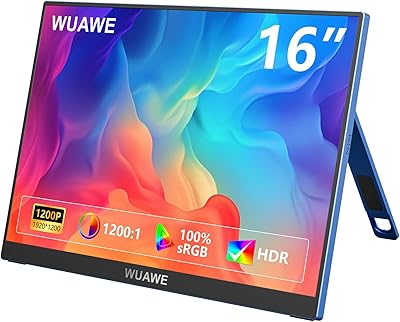
WUAWE WAB160 16-inch Portable Monitor
76%
91%
Portability
83%
Build Quality
78%
Display Clarity
61%
Brightness
86%
Connectivity
More
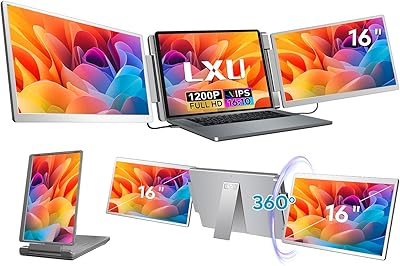
LXU S11 16-inch Portable Screen Extender
71%
83%
Display Quality
88%
Aspect Ratio Utility
91%
Setup & Ease of Use
41%
Mac Compatibility
62%
Portability
More
InnoView INVPM406 15.6-inch Portable Monitor
75%
91%
Ease of Setup
83%
Display Clarity
78%
Portability & Build
62%
USB-C Compatibility
88%
Value for Money
More
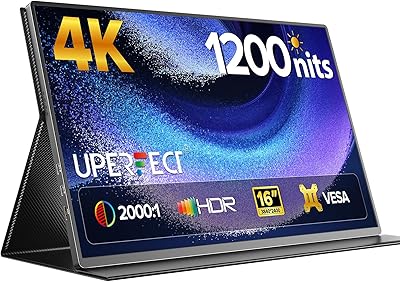
UPERFECT 16006DD 16″ 4K Portable Monitor
77%
83%
Brightness Performance
91%
Display Sharpness
74%
Color Accuracy
88%
Build Quality
76%
Portability
More
Newsoul M160B04 16″ OLED Portable Monitor
77%
93%
Image Quality
89%
Portability
86%
Color Accuracy
84%
Gaming Performance
58%
Brightness & Glare
More
InnoView 18-Inch 260Hz Portable Gaming Monitor
79%
88%
Display Clarity
83%
Refresh Rate Performance
91%
Color Accuracy
61%
Brightness & HDR
79%
Build Quality
More
ViewSonic VG1656-2K 16-Inch Portable Monitor
82%
91%
Display Quality & Resolution
85%
Color Accuracy
88%
Build Quality & Materials
86%
Portability & Weight
83%
Connectivity & USB-C Setup
More
FLYTOCCA N3 16-Inch Portable Monitor
77%
91%
Portability & Form Factor
78%
Display Quality
63%
Brightness & Outdoor Usability
83%
Matte Screen & Glare Resistance
74%
Stand & Orientation Flexibility
More
ViewSonic TD1656-2K 16-inch Touchscreen Portable Monitor
80%
93%
Display Sharpness
74%
Touch Responsiveness
91%
USB-C Connectivity
88%
Portability
86%
Build Quality
More
InnoView 14-inch OLED Portable Monitor 4K UHD
85%
92%
Display Quality
88%
Portability
90%
Color Accuracy
94%
Response Time (Gaming)
85%
Build Quality
More

FAQ

Yes, in most cases it connects plug-and-play via a single USB-C cable to any MacBook with a Thunderbolt or USB-C port that supports DisplayPort Alt Mode. You will not need any drivers or software. Just make sure your cable supports video output, not just charging, as not all USB-C cables are created equal.

Unfortunately, yes. The InnoView INVPM405 16-inch 180Hz Portable Monitor requires a 20W USB-C adapter for optimal performance, and one is not included in the box. If you are powering it from a laptop that supports pass-through charging over USB-C, you may be able to skip the adapter — but for the most stable experience, especially during gaming, a dedicated 20W adapter is the safer choice.

It can genuinely hit 180Hz, but you need to manually enable it in your operating system display settings — it does not always default there automatically. On Windows, go to Display Settings, then Advanced Display, and set the refresh rate to 180Hz. Not all source devices support 180Hz output, so check your GPU or laptop specs before expecting the full rate.

It works well with both via USB-C. The Switch in docked mode will typically output at 60Hz, so you will not see the full 180Hz benefit there, but the display handles it cleanly. The Steam Deck can push higher frame rates on less demanding titles and the portable monitor renders them smoothly with FreeSync active.

It is adequate for light travel use but not particularly rigid. On a flat, stable desk it holds position fine, but on textured or uneven surfaces the stand can feel less confident. If you plan to use this as a semi-permanent desk addition, a third-party monitor arm with the VESA 75×75mm mount is a much better long-term solution.

Indoors away from direct light sources, it is not an issue — the colors look vivid and the glossy finish actually works in your favor. But if you sit near a window or work in a bright room, the reflections become a genuine distraction. This is a known trade-off with glossy portable monitors and worth considering if most of your work happens in variable lighting.

Yes, through the HDMI port, which is the most reliable connection method for consoles. Both PS5 and Xbox output at up to 120Hz at 1080p, and the laptop display companion will display that without issue. Keep in mind the native resolution is 1920×1200, so console output in 16:9 will show small black bars at the top and bottom, which most people barely notice in practice.

For everyday creative tasks — reviewing design mockups, editing casual photos, working on UI assets — the 100% sRGB coverage is genuinely solid. It is not a substitute for a factory-calibrated professional display, but for on-the-go work it is more than acceptable. If you are a professional photographer or print designer who needs Delta-E calibrated accuracy, this is not the right tool.

The Low Blue Light mode reduces the blue spectrum output from the panel to lessen eye strain during long sessions. It does add a warm, slightly yellowish tint to the screen, which some people find jarring if they are used to a neutral white point. You can toggle it on and off as needed — many users leave it off during color-sensitive work and switch it on for late-night reading or coding sessions.

At this price, most competing portable monitors max out at 60Hz or 144Hz and stick with the standard 16:9 format, so the 180Hz refresh rate and 16:10 aspect ratio genuinely differentiate the InnoView screen extender from the crowd. Where competitors sometimes pull ahead is in stand quality, included accessories, and matte panel options. It is a strong value pick for gamers and productivity users, but if stand durability or a matte coating are non-negotiable for you, it is worth comparing a few alternatives before committing.