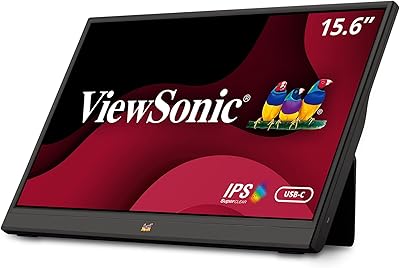
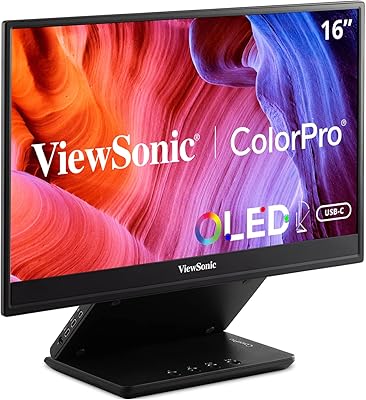
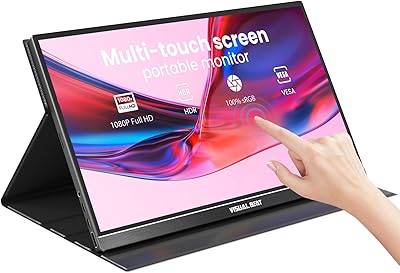
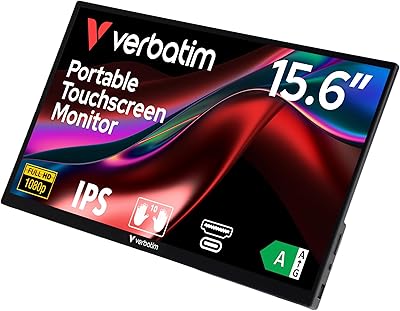
Overview

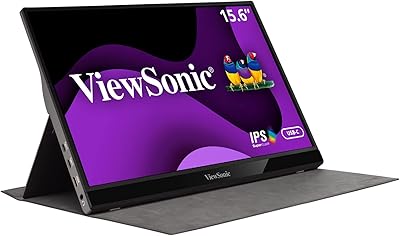
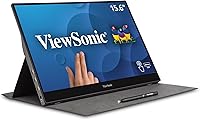
The ViewSonic TD1655 15.6-inch Portable Touchscreen Monitor sits comfortably in the mid-to-premium tier of portable displays, targeting remote workers, students, and anyone who needs a capable second screen away from home. What separates it from bare-panel alternatives is the combination of 10-point touch input and a single USB-C cable that handles video, data, and charging together. It also ships with a magnetic cover that doubles as a built-in stand — a practical inclusion most competitors skip entirely. Set your expectations honestly: this is a strong everyday productivity display, not something you would reach for color-critical editing or fast-paced gaming.
Features & Benefits

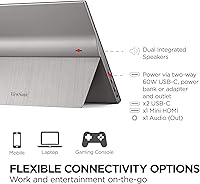
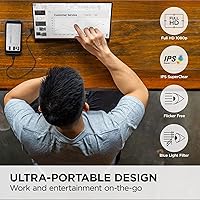
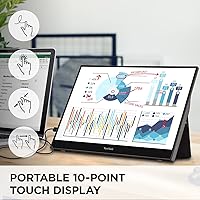
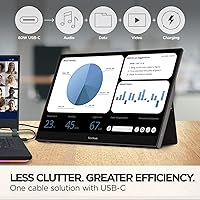
The 15.6-inch IPS panel delivers a clean 1080p image with a matte finish that handles overhead lighting and window glare far better than glossy alternatives. The 10-point capacitive touch performs well for annotating documents in portrait mode or navigating apps without reaching for an extra peripheral. Connecting to a modern laptop is straightforward — one USB-C cable carries the display signal, audio output, and up to 60W of pass-through charging simultaneously. The two built-in speakers handle video calls and background audio adequately; don't expect much volume or depth. For long sessions, the flicker-free backlight and low blue-light mode genuinely reduce the fatigue that accumulates over hours of screen time.

Best For

This compact second screen makes the most sense for people who regularly work outside a fixed desk. Hybrid professionals carrying a laptop to client meetings or coworking spaces get an instant second display without a bag full of adapters. Students benefit from running lecture slides on one screen while annotating PDFs on the other in portrait orientation. Developers who want a dual-display road setup without hauling a docking station will find the single-cable workflow genuinely practical. At 2.2 lbs and just 0.6 inches thick, it slips into a standard laptop backpack — no dedicated sleeve required. If adapter and dongle management is a daily frustration, this portable touchscreen monitor was built with exactly that pain point in mind.

User Feedback

Across a broad pool of verified buyers, the ViewSonic TD1655 earns consistently strong marks for touch responsiveness and build quality relative to its price point. The single-cable USB-C pairing gets frequent praise — many users report it simply works on both Mac and Windows without extra configuration. Criticism clusters around two areas: the cover-stand offers limited angle adjustment, which can feel awkward on uneven surfaces, and some Windows users mention occasional driver hiccups requiring a reconnect to resolve. The built-in speakers draw mild notes — adequate for calls, underwhelming for media. A few buyers flag the stand feeling less rigid over prolonged daily use. Still, overall satisfaction skews decisively positive among those using it for productivity rather than entertainment.

Pros

  • Single USB-C cable handles video, audio, and up to 60W laptop charging simultaneously — no dongle juggling required.
  • The matte IPS panel holds up well in bright environments where glossy screens become mirrors.
  • 10-point touch works reliably for document annotation and portrait-mode navigation without extra peripherals.
  • At 2.2 lbs and just over half an inch thick, this portable touchscreen monitor fits most standard laptop bags without issue.
  • The included magnetic cover doubles as a functional stand, saving buyers the cost and hassle of a separate accessory.
  • Flicker-free backlight and low blue-light mode make extended work sessions noticeably easier on the eyes.
  • Portrait orientation support adds real versatility for reading long documents or coding with more vertical screen space.
  • Plug-and-play pairing with modern laptops is reliable enough that most users report no driver installation needed on Mac.
  • Full HD 1080p resolution is sharp and clean for productivity tasks, video calls, and general media consumption.
  • Build quality feels solid for the price tier, with most buyers noting it holds up well to regular travel use.

Cons

  • The cover-stand offers very limited tilt adjustment, making ergonomic positioning on a desk more of a compromise than a choice.
  • Some Windows users experience occasional signal drops or driver conflicts that require unplugging and reconnecting to resolve.
  • Built-in speakers produce thin, low-volume audio — acceptable for a quick call, not for anything you actually want to listen to.
  • The cover-stand hinge can feel less rigid after extended daily use, which undermines confidence when traveling with it set up.
  • No adaptive sync or high refresh rate makes the ViewSonic TD1655 a poor fit for anyone who games on the road.
  • Color accuracy is average at best; there is no factory calibration or wide color gamut for professional visual work.
  • Older laptops without USB-C require adapters that reintroduce the cable clutter this monitor is designed to eliminate.
  • The 60Hz refresh rate can feel sluggish when used as a primary display for fast-scrolling or multitasking-heavy workflows.
  • No height adjustment or VESA mount support limits long-term desk ergonomics for users who plan to use it semi-permanently.

Ratings

The scores below were generated by AI after analyzing thousands of verified global buyer reviews for the ViewSonic TD1655 15.6-inch Portable Touchscreen Monitor, with spam, incentivized, and bot-flagged submissions actively filtered out before scoring. Each category reflects the genuine distribution of praise and frustration found across real purchase-verified feedback. Both the standout strengths and the recurring pain points are represented transparently so you can make a fully informed decision.

Touch Responsiveness
83%
Most users find the 10-point capacitive touch accurate enough for annotating PDFs, sketching rough diagrams, and navigating apps with fingers during presentations. In day-to-day use, the response latency is low enough that writing notes in portrait mode feels natural rather than laggy.
The touch layer is not pressure-sensitive, which disappoints buyers hoping for stylus-level precision. A subset of Windows users report occasional registration misses near the edges of the screen, particularly after driver updates.
USB-C Connectivity
89%
The single-cable workflow is the feature that earns the most enthusiastic praise — plugging one USB-C cable into a modern laptop and having video, audio, and charging all activate instantly is genuinely convenient for daily commuters and coworkers switching desks throughout the day.
Compatibility is not universal; laptops with USB-C ports that lack DisplayPort Alt Mode support require adapters, which defeats the one-cable promise. A small but vocal group of users reports intermittent signal drops during longer sessions on specific Windows machines.
Display Quality
78%
22%
The IPS panel renders text and spreadsheets crisply at 1080p, and the matte coating handles reflections well in bright coworking spaces and cafes where glossy screens become problematic. Colors are natural and balanced for productivity tasks.
Color accuracy is average by professional standards — there is no factory calibration, and the gamut coverage won't satisfy anyone doing photo or video work. At 60Hz, fast scrolling can produce a subtle softness that more discerning users notice after extended use.
Portability
91%
At 2.2 lbs and just 0.6 inches thick, this compact second screen genuinely disappears into a standard laptop backpack alongside a 15-inch notebook without requiring a dedicated sleeve. Frequent travelers consistently rate this as one of the lightest and slimmest options they've tried at this screen size.
The included magnetic cover adds a small but measurable amount of bulk and weight, and users who remove it to save space lose the only included stand. A few buyers note that the edges feel slightly sharp when pulling the display in and out of tight bag pockets.
Stand and Ergonomics
57%
43%
The magnetic cover-stand is a genuine value-add compared to bare-panel competitors that ship with nothing. It holds the display reasonably well in both landscape and portrait modes for typical desk or table setups during short sessions.
The tilt range is narrow and the hinge offers no height adjustment whatsoever, which becomes frustrating during longer work sessions where ergonomics matter. Several long-term users mention the stand feels noticeably less firm after a few months of daily use, making it wobble slightly on uneven surfaces.
Build Quality
76%
24%
The chassis feels solid for a portable display, and most buyers are satisfied with how well the unit holds up to regular bag packing and unpacking. The matte plastic body resists light scratches and fingerprints better than glossy alternatives in the same category.
The cover-stand connection point and hinge mechanism draw the most criticism regarding long-term durability. A subset of reviewers report that the magnetic cover loses some of its holding strength over time with frequent attachment and detachment.
Eye Comfort
81%
19%
The combination of a flicker-free backlight and a dedicated low blue-light mode makes a real difference for users logging four or more hours in front of this portable touchscreen monitor daily. Students and remote workers frequently mention reduced evening eye fatigue compared to their previous portable displays.
The low blue-light mode introduces a slight warm color shift that bothers color-conscious users enough that they turn it off, negating the benefit. The filter is also software-level on some configurations rather than hardware-level, which limits its effectiveness.
Audio Quality
44%
56%
The dual built-in speakers are adequate for brief video calls and quick media clips when headphones aren't available, sparing users from complete silence in a pinch. For a monitor in this category, having speakers at all is a convenience most competitors don't bother with.
Volume headroom is limited and the sound is thin with virtually no low-end presence, making music or long-form video genuinely unpleasant at higher volumes. Most users default to headphones or an external speaker within the first week, treating the built-in audio as a last resort.
Setup Experience
84%
Plug-and-play behavior on both macOS and Windows 11 is reliable for the majority of buyers — connecting the USB-C cable and having the display recognized within seconds is the most common experience reported, requiring no manual driver hunting.
Windows driver quirks affect a meaningful minority, with some users needing to manually update HID touch drivers before the touch layer activates correctly. First-time setup on Linux is noticeably more involved and not officially supported.
Value for Money
72%
28%
The combination of a touchscreen, USB-C single-cable operation, and an included cover-stand at this price tier is genuinely difficult to match from competing brands. Buyers who use all three features regularly feel the premium over bare-panel alternatives is justified.
For buyers who don't need touch or who run into stand ergonomic frustrations, the value equation weakens considerably. Non-touch portable IPS monitors at lower price points offer comparable display quality, which makes the pricing feel steep for a subset of users.
Mac Compatibility
86%
MacBook owners with USB-C consistently report the smoothest experience — the display is recognized instantly, mirroring and extended desktop modes both work correctly, and charging pass-through functions without any configuration. It feels purpose-built for modern Apple laptops.
Touch input on macOS is largely non-functional as a productivity feature, since macOS does not natively support external touch displays. Mac users are essentially paying for a touchscreen they cannot fully use, which skews the value proposition.
Windows Compatibility
69%
31%
On Windows 10 and 11, touch input works as intended for most users, and the monitor is recognized automatically in most USB-C configurations with a capable host. Users who get it working cleanly report a consistent and stable experience across extended sessions.
Driver conflicts and occasional touch drop-outs on Windows are frequent enough in user reports to qualify as a pattern rather than isolated incidents. Reconnecting the cable or reinstalling HID drivers resolves most issues, but the troubleshooting requirement undermines the plug-and-play promise for less technical buyers.
Portrait Mode Usability
79%
21%
Using this portable touchscreen monitor in portrait orientation for reading academic papers, reviewing long codebases, or browsing tall documents is a practical and well-executed use case. The touch input in portrait mode feels particularly natural for scrolling and annotation.
The cover-stand is noticeably less stable in portrait orientation than landscape, with the display having a slight tendency to tilt backward on smooth surfaces. Users working in portrait mode on a slick desk often need to lean it against something for reliable positioning.
Glare Resistance
82%
18%
The matte anti-glare coating earns consistent praise from users working in cafes, near windows, or under bright office lighting where glossy panels become mirrors. In real-world mixed-light environments, the coating delivers on its promise without significantly dulling perceived contrast.
In very bright direct sunlight, the matte coating reduces but does not eliminate glare, and the screen becomes harder to read comfortably. Users who primarily work outdoors will find the coating helpful but not sufficient as a complete solution.

Suitable for:

The ViewSonic TD1655 15.6-inch Portable Touchscreen Monitor is purpose-built for people whose work doesn't stay in one place. Hybrid professionals who shuttle between home, offices, and client sites get a full HD second screen without adding meaningful weight or a tangle of adapters to their bag. Students who annotate lecture notes, mark up PDFs, or split their screen between research and writing will find the 10-point touch input genuinely useful rather than a gimmick. Developers and power users who want a dual-display setup on the road — without committing to a docking station — benefit from the single USB-C cable that carries video, data, and charging at once. Travelers who live out of a standard laptop backpack will appreciate that at 2.2 lbs and 0.6 inches thick, this compact second screen doesn't demand a dedicated sleeve or a larger bag.
Not suitable for:

The ViewSonic TD1655 15.6-inch Portable Touchscreen Monitor is not the right tool for every buyer, and it's worth being clear about where it falls short. Anyone doing color-critical work — photo editing, video grading, or print pre-production — should look at a display with a wider color gamut and factory calibration, which this monitor does not offer. Gamers will find the 60Hz refresh rate limiting; there is no adaptive sync support, and the panel simply isn't tuned for fast motion. Buyers hoping to replace a proper desktop display will likely find the stand system frustrating — the cover-based kickstand offers limited angle adjustment and can feel unstable on uneven surfaces over time. If loud, room-filling audio matters to your workflow, the built-in speakers won't deliver it. Finally, users on older laptops without USB-C may face compatibility headaches that undercut the clean one-cable promise entirely.
Specifications

  • Brand: Manufactured by ViewSonic, a well-established display and visual solutions company.
  • Model: The specific model designation is TD1655, part of ViewSonic's portable display lineup.
  • Screen Size: The display measures 15.6 inches diagonally, providing a practical balance between portability and usable screen area.
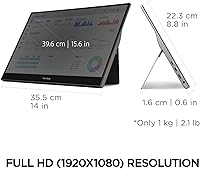
  • Resolution: Native resolution is 1920x1080 Full HD, delivering sharp and clear visuals for productivity and media tasks.
  • Panel Type: Uses an IPS panel, which provides consistent color accuracy and wider viewing angles compared to TN alternatives.
  • Refresh Rate: Runs at a standard 60Hz refresh rate, suitable for everyday productivity and general media consumption.
  • Screen Surface: Features a matte anti-glare coating that reduces reflections in bright or mixed-lighting environments.
  • Touch Input: Supports 10-point capacitive touch, enabling multi-finger gestures, annotation, and natural navigation without additional peripherals.
  • Connectivity: Equipped with two USB-C ports supporting video, audio, data transfer, and up to 60W pass-through power delivery over a single cable.
  • Power Delivery: Capable of delivering up to 60W of charging power to a connected laptop via USB-C, reducing the need for a separate charger.
  • Weight: The monitor weighs 2.2 lbs, making it light enough to carry daily in a standard laptop bag without noticeable added burden.
  • Dimensions: Physical dimensions are 14 x 8.8 x 0.6 inches, keeping the profile slim enough to slide alongside a laptop in most backpacks.
  • Orientation: Supports both landscape and portrait orientations, giving users flexibility for reading, coding, or extended document work.
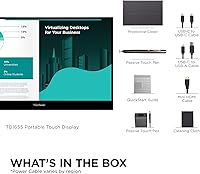
  • Included Stand: Ships with a magnetic protective cover that folds into a built-in kickstand, supporting both landscape and portrait display angles.
  • Eye Care: Incorporates a flicker-free backlight and low blue-light mode designed to reduce visual fatigue during extended screen sessions.
  • Audio: Includes dual built-in speakers for basic audio output, adequate for video calls and light media use.
  • Aspect Ratio: Standard 16:9 widescreen aspect ratio, consistent with most laptop screens and mainstream content formats.
  • Color: Available in a blue-toned finish as listed in the manufacturer specifications.
  • Date Available: First made available in May 2020 and remains an active, non-discontinued product as of the latest manufacturer data.
  • Manufacturer: ViewSonic Corporation, the manufacturer, is headquartered in Brea, California, and distributes globally.

Related Reviews

ViewSonic VG1655 15.6-Inch Portable Monitor
85%
91%
Portability & Design
88%
Display Quality
93%
Ease of Setup
85%
Performance for Casual Use
65%
Gaming Performance
More
ViewSonic VA1655 15.6-Inch Portable Monitor
77%
93%
Portability & Form Factor
87%
Display Quality
82%
USB-C Connectivity
74%
Build Quality
91%
Ease of Setup
More
Visual Beat V15T 15.6-inch Portable Touch Monitor
78%
88%
Touch Responsiveness
84%
Display Quality
61%
Brightness & Outdoor Use
93%
Portability
86%
Connectivity
More
ViewSonic VP16-OLED 15.6-inch Portable OLED Monitor
80%
93%
Display Quality
91%
Color Accuracy
88%
Portability
74%
USB-C Connectivity
81%
Build Quality
More
ViewSonic VX1655-4K-OLED 15.6-inch Portable OLED Monitor
77%
93%
Display Quality
91%
Portability
84%
USB-C Connectivity
88%
Build Quality
67%
Stand Stability
More
Topmonitor P15.6/2.5K Portable Monitor 15.6-inch 2560×1680
86%
94%
Display Quality
90%
Portability/Size/Weight
91%
Color Accuracy
87%
Connectivity (USB-C, HDMI)
85%
Build Quality
More
LUMIPIX 15.6-Inch Portable Monitor
84%
91%
Portability
89%
Display Quality
93%
Ease of Setup
87%
Connectivity
84%
Build Quality
More
VILVA V156F1 15.6-inch Portable Monitor
69%
74%
Display Quality
61%
Portability
82%
Connectivity & Compatibility
67%
Build Quality
83%
Value for Money
More
InnoView INVPM406 15.6-inch Portable Monitor
75%
91%
Ease of Setup
83%
Display Clarity
78%
Portability & Build
62%
USB-C Compatibility
88%
Value for Money
More
Anyuse PM1561P 15.6-inch Portable Monitor
74%
91%
Portability & Form Factor
84%
Image Clarity
72%
Setup & Compatibility
74%
Build Quality & Durability
61%
Brightness & Outdoor Usability
More

FAQ

For most modern laptops with a USB-C port that supports DisplayPort Alt Mode, one cable genuinely handles everything — video, audio, and charging up to 60W. That said, if your laptop's USB-C port only handles data and not video output, you will need an adapter. Check your laptop specs before assuming it will work cable-free.

On macOS, the display typically connects and functions as a standard extended monitor without any driver installation. Touch input on Mac is more limited since macOS doesn't natively support touch displays the way Windows does. On Windows 10 and 11, touch usually activates automatically, though a small number of users report needing to reconnect or update drivers if the touch layer doesn't register immediately.

The cover-stand works well for occasional and travel use, but it offers limited angle adjustment — you get a fixed range of tilt rather than full flexibility. Some long-term daily users have noted the hinge feels less firm over time. If you're setting this up as a permanent desk monitor, consider propping it against a wall or using a small external stand for better stability.

Honestly, not ideally. The IPS panel produces decent everyday color, but it isn't factory calibrated for professional color work and doesn't cover a wide color gamut. It's fine for general creative tasks and presentations, but if color accuracy is critical to your work, you'd want a monitor specifically rated for that purpose.

Yes, and it works well for that. The ViewSonic TD1655 15.6-inch Portable Touchscreen Monitor supports portrait orientation natively, and the cover-stand can hold it vertically. Many users find portrait mode particularly useful for reading long documents, reviewing code, or browsing with more vertical real estate.
The matte anti-glare surface does a solid job of diffusing reflections. It won't eliminate glare entirely in direct sunlight, but compared to glossy panels it's significantly more usable in mixed or bright lighting conditions — which matters a lot if you work in cafes, coworking spaces, or near windows.

They're functional at best. The dual speakers produce enough volume for a video call or a quick YouTube clip, but the audio is thin and lacks bass. For anything you actually want to enjoy listening to — music, a film, a podcast — headphones or external speakers will make a meaningful difference.

In most cases, yes. At 0.6 inches thick and 2.2 lbs, this compact second screen is designed to slip into the same sleeve or main compartment as a laptop. Most 15-inch and 16-inch laptop bags have enough depth to accommodate both without needing a dedicated monitor sleeve.

The 10-point capacitive touch is responsive for finger-based annotation and drawing, but it is not a pressure-sensitive digitizer. A standard capacitive stylus will work, but if you're looking for precise pen input with pressure levels — like a Wacom experience — this isn't designed for that level of input fidelity.

In that case, the single-cable setup won't work for video. You would need to use a USB-C to HDMI or DisplayPort adapter, or a hub that supports video output, and then connect separately for power. The monitor does support this configuration, but it adds back the cable clutter the one-cable design is meant to avoid.