Overview

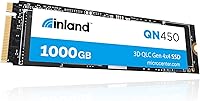
The INLAND QN450 1TB NVMe SSD is Inland's push to bring Gen4 performance to buyers who don't want to pay flagship prices — and it largely delivers. Inland is the house brand of Micro Center, which means it skips the big marketing budgets of Samsung or WD, but comes backed by a major retailer with genuine storage credibility. This drive occupies the mid-range Gen4 segment, sitting above aging Gen3 options without demanding a steep premium. The M.2 2280 form factor fits virtually every modern motherboard and laptop. Since launching in mid-2024, it has built an impressively strong ratings profile for a product still finding its footing in a crowded market.
Features & Benefits

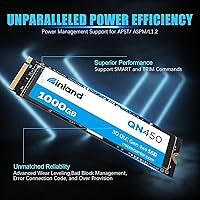
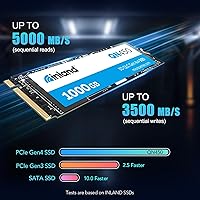
Raw speed is the headline here. Sequential reads reach 5,000 MB/s — roughly 50% faster than a typical Gen3 drive — which produces a noticeable difference when transferring large files, booting Windows, or loading an open-world game. Random performance sits at 350K/450K IOPS, which keeps everyday multitasking smooth rather than sluggish. Laptop users benefit from built-in power management through APST, ASPM, and L1.2, letting the drive throttle back during idle moments to conserve battery. The QN450 is also backward compatible with Gen3 slots, so it works in older systems without any configuration fuss. Endurance is rated at 300 TBW — reasonable for home and light professional use.

Best For

This Inland SSD is a sharp fit for a few types of buyers in particular. Anyone stepping up from a Gen3 drive or a SATA SSD for the first time will feel a real improvement in everyday responsiveness. Budget-minded PC builders who want Gen4 speeds without paying for a premium brand will find the value hard to argue with. Gamers chasing faster load times on a mid-range rig — or looking to expand PS5 storage — will get solid results. Students and remote workers building or upgrading a capable laptop will also appreciate how efficiently this Gen4 drive handles light sustained workloads without generating excessive heat.

User Feedback

Sitting at a 4.7-star average across roughly 190 ratings, the QN450 performs well above expectations for a relatively new budget-adjacent drive. Buyers repeatedly highlight how painless installation is — plug it in and the BIOS finds it immediately. Real-world sequential speeds are reported to track closely with what Inland advertises, which is worth noting since some drives fall short of their own specs under typical conditions. Value relative to name-brand Gen4 alternatives is a consistent theme in positive reviews. That said, a handful of users in compact or poorly ventilated builds report thermal throttling under sustained loads, and the absence of a DRAM cache may be a factor for users with intensive write-heavy workflows.

Pros

  • Gen4 sequential reads up to 5,000 MB/s deliver a clear, noticeable speed advantage over Gen3 drives.
  • Real-world speeds reported by buyers closely match the advertised figures — rare for budget storage.
  • Backward compatibility with PCIe Gen3 slots makes the QN450 usable in older systems without any configuration changes.
  • Built-in power management (APST, ASPM, L1.2) actively helps preserve laptop battery life during idle periods.
  • Installation is plug-and-play — BIOS recognizes this Inland SSD immediately with no driver setup needed.
  • Endurance rating of 300 TBW and 1.5 million hours MTTF is solid for home and light professional use.
  • Fits the PS5 expansion slot and meets Sony's minimum speed requirements at an accessible price point.
  • Wear Leveling and Bad Block Management help maintain drive health over time without user intervention.
  • Strong 4.7-star average from real buyers signals consistent quality control across units.
  • Value relative to name-brand Gen4 competitors at comparable capacities is frequently highlighted by verified owners.

Cons

  • No DRAM cache may cause write performance to dip under sustained, heavy workloads.
  • Does not include a heatsink, which matters in compact builds with limited airflow.
  • Some users in thermally challenged enclosures have reported throttling during extended high-load sessions.
  • As a relatively new drive launched in mid-2024, long-term reliability data across years of real use is still limited.
  • Inland is a Micro Center house brand, which may be harder to find or return outside of Micro Center locations.
  • 300 TBW endurance is adequate for typical home use but underwhelming for write-intensive professional environments.
  • No bundled software or utilities for monitoring drive health out of the box.
  • Benchmark ceiling is below top-tier Gen4 drives, so it may not satisfy enthusiasts chasing peak storage performance.

Ratings

The scores below were produced by our AI rating engine after analyzing verified buyer reviews worldwide for the INLAND QN450 1TB NVMe SSD, with automated filters applied to remove incentivized, bot-generated, and outlier submissions. The result is an honest snapshot of how real users experience this drive across performance, usability, and value — strengths and frustrations included.

Sequential Read Speed
88%
Buyers who ran CrystalDiskMark or similar tools after installation consistently reported figures landing near the advertised 5,000 MB/s ceiling, which is rare for a drive at this price tier. In practical terms, large file transfers that used to take minutes on older Gen3 drives finish noticeably faster.
The peak speeds are only achievable on a native PCIe Gen4 slot — users dropping it into a Gen3 system see roughly half that throughput. A small number of reviewers also noted that sustained transfers over long periods cause speeds to taper as the drive heats up.
Value for Money
93%
This is the category where the QN450 consistently earns its strongest praise. Buyers repeatedly point out that comparable Gen4 drives from Samsung or WD carry a significant price premium for performance gains that most everyday users will never notice in real use.
The value calculation shifts somewhat if you factor in purchasing a separate heatsink, which some compact build users feel is almost mandatory. Without that addition, buyers in throttle-prone enclosures may not extract the full performance they paid for.
Installation Experience
94%
Nearly every reviewer mentions how straightforward the physical install is — slot it into the M.2 port, secure the retention screw, and the BIOS picks it up on the first boot without any fuss. First-time builders in particular found this reassuring given how intimidating SSD installation can seem.
A handful of users with older AMD 400-series motherboards noted they needed a BIOS update before the drive was recognized, which is not unique to this drive but still worth flagging for buyers on legacy platforms.
Real-World Write Performance
74%
26%
For typical workloads — installing games, copying photos, writing documents — the QN450 handles everything without hesitation. Random write IOPS are strong enough that the OS feels snappy and responsive even when multiple background apps are writing simultaneously.
The lack of a dedicated DRAM cache becomes more apparent during sustained sequential writes, where speeds can drop notably after the SLC write buffer fills. Video editors or users doing large continuous backup jobs may see inconsistency that a DRAM-equipped drive would handle more gracefully.
Thermal Management
66%
34%
In well-ventilated mid-tower cases and laptops with adequate M.2 clearance, the drive runs at perfectly acceptable temperatures during normal use. Users in open-air test benches or standard ATX towers rarely report any throttling under gaming or productivity workloads.
The absence of an included heatsink is a real gap in compact and small form factor builds where airflow around the M.2 slot is limited. Several SFF builders reported throttling under sustained loads, and a few noted temperature-related slowdowns during long game install sessions.
Endurance & Longevity
79%
21%
A 300 TBW rating and 1.5 million hour MTTF spec are reassuring numbers for a drive in this segment, signaling that Inland is not cutting corners on rated lifespan. For students, home users, and casual gamers writing tens of gigabytes per day at most, the rated endurance should last well beyond five years.
Compared to premium-tier Gen4 drives that offer 600 TBW or more, the 300 TBW ceiling may give pause to power users who write aggressively day after day. The drive is also relatively new, so there is limited multi-year field data to validate how it ages in practice.
Backward Compatibility
91%
The ability to drop this Gen4 drive into an older PCIe Gen3 system without any configuration changes is a genuine plus. Buyers who are upgrading incrementally — new drive now, new motherboard later — appreciate that their investment is not wasted in the interim.
While it works in Gen3 slots, there is no way to unlock the full speed potential without a Gen4-capable platform, which means some buyers are paying for headroom they cannot currently use. This is inherent to the technology rather than a flaw in the drive itself.
Power Efficiency
83%
Laptop users, particularly those on 13-inch and 14-inch ultrabooks, noted that the drive does not noticeably accelerate battery drain compared to their previous SATA or Gen3 drives. The APST and L1.2 support genuinely helps the controller throttle power consumption during idle and light-load periods.
Active power draw during heavy sequential operations is higher than on some competing drives with more aggressive power profiles, though this only matters for users doing sustained intensive work on battery. Day-to-day browsing or document work shows no meaningful impact.
BIOS & OS Compatibility
89%
The drive showed up cleanly across a wide range of reported platforms including Intel 12th and 13th Gen systems, AMD Ryzen 5000 and 7000 series boards, and PS5 consoles. Windows 11 installation off a USB drive onto the QN450 was described as routine and trouble-free by multiple buyers.
A small subset of users on older Intel 10th Gen or AMD 300-series motherboards required BIOS updates to enable NVMe boot support, which is a platform limitation rather than a drive defect but can still catch unprepared buyers off guard.
Packaging & Presentation
61%
39%
The drive arrives securely in a compact retail package, and the physical unit itself looks clean and professional. For buyers who care primarily about function over presentation, the no-frills packaging is perfectly adequate.
There is no accessory bundle to speak of — no heatsink, no cloning software license, no installation guide beyond the basics. Buyers coming from brands like Samsung, which includes migration tools and a more polished unboxing experience, may find the experience noticeably sparse.
Gaming Load Times
86%
Gamers upgrading from SATA SSDs reported meaningful reductions in level load times across titles like Hogwarts Legacy, Cyberpunk 2077, and Call of Duty. The combination of strong sequential reads and solid random IOPS keeps shader compilation stutters to a minimum on supported titles.
The performance gap between this Inland SSD and a top-tier Gen4 drive in gaming scenarios is smaller than the spec sheet suggests — most load time differences are measured in seconds rather than large margins. Competitive gamers chasing every millisecond may still prefer a DRAM-equipped flagship.
Brand Trust & Support
71%
29%
Inland's backing by Micro Center gives it a layer of retail credibility that pure white-label brands lack. Buyers who purchased through Micro Center directly mentioned that in-store return and exchange processes were easy and hassle-free.
Buyers outside of Micro Center's service area are effectively dealing with an online-only support structure, which feels less reassuring for a storage device compared to brands with dedicated global warranty lines. Long-term support documentation and firmware update cadence are also less established than legacy brands.
Multitasking Responsiveness
82%
18%
The 450K random write IOPS figure translates into a noticeably responsive feel when switching between open applications, running browser sessions with many tabs, or loading a game while a background antivirus scan runs. Several buyers upgrading from HDDs described the experience as transformative.
Under extreme multitasking scenarios — simultaneous large downloads, game installs, and video rendering — the DRAM-less design can produce brief stalls that a cache-equipped drive would smooth over. Most users will never push the drive this hard, but power users should take note.
PS5 Compatibility
84%
The drive meets Sony's minimum read speed threshold for PS5 storage expansion and fits the console's M.2 2280 slot without any modifications. Several PS5 owners confirmed it was recognized immediately after installation and formatted through the console's storage menu without issues.
No heatsink is included, and Sony recommends one for PS5 installations to prevent throttling inside the console's enclosure. Buyers need to budget for and source a compatible low-profile heatsink separately, which adds a small but real additional step and cost to the process.

Suitable for:

The INLAND QN450 1TB NVMe SSD is a well-matched choice for a wide range of everyday buyers who want a meaningful performance upgrade without paying for a premium brand name. PC builders assembling a mid-range gaming rig or general-purpose desktop will find the Gen4 speeds more than sufficient for Windows boot times, application launches, and large file transfers. Laptop upgraders — especially those in ultrabooks with thermally constrained interiors — benefit from the drive's built-in power management, which helps keep battery drain in check during light workloads. First-time NVMe buyers graduating from an old SATA drive will notice an immediate and tangible improvement in how responsive their system feels day to day. It also works cleanly as a PS5 storage expansion or a secondary game library drive, where its sequential read speeds meet Sony's minimum requirements comfortably. Students and budget-conscious professionals who need reliable, fast storage without obsessing over top-tier benchmarks will find this Inland SSD a practical, low-risk choice.
Not suitable for:

The INLAND QN450 1TB NVMe SSD is not the right call for every buyer, and it is worth being upfront about where it falls short. Enthusiasts who run sustained write-heavy workloads — video editors working with large RAW files, data scientists processing huge datasets, or professionals doing constant large-scale backups — may find that the absence of a dedicated DRAM cache leads to inconsistent write performance under prolonged pressure. Users building in small form factor cases or compact enclosures with poor airflow should be aware that the drive has shown signs of thermal throttling in some edge-case configurations, and it does not ship with a heatsink. Those who prioritize long-term brand accountability or prefer drives with a proven multi-year track record in demanding environments may feel more comfortable with an established name like Samsung or WD Black, which carry broader third-party benchmark histories. If maximum endurance for a high-write enterprise or prosumer workstation is the goal, the 300 TBW rating on this Gen4 drive is on the modest side compared to higher-tier alternatives.
Specifications

  • Capacity: The drive offers 1TB (1000 GB) of usable storage, suitable for an operating system, applications, and a sizable game library.
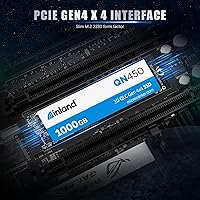
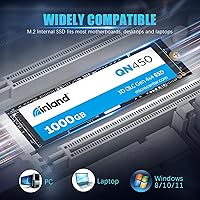
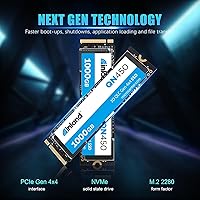
  • Form Factor: It uses the M.2 2280 form factor, meaning the stick measures 22mm wide and 80mm long — the most common size in modern laptops and desktops.
  • Interface: The QN450 connects via PCIe Gen4 x4 NVMe, the current mainstream high-speed storage interface found on most motherboards released since 2021.
  • Sequential Read: Rated sequential read speed reaches up to 5,000 MB/s, which is roughly 50% faster than typical PCIe Gen3 NVMe drives under ideal conditions.
  • Sequential Write: Sequential write performance is rated to complement the Gen4 interface, supporting fast large-file transfers and OS installations.
  • Random Read: Random read performance is rated at 350,000 IOPS, which contributes directly to snappy application launches and faster boot times.
  • Random Write: Random write performance is rated at 450,000 IOPS, benefiting multitasking workloads where many small files are written simultaneously.
  • Endurance: The drive is rated for 300 TBW (terabytes written), which is adequate for years of typical home, student, or light professional use.
  • Reliability: Inland rates the QN450 at 1.5 million hours mean time to failure (MTTF), reflecting standard industry expectations for a mainstream consumer SSD.
  • Power Management: The drive supports APST, ASPM, and L1.2 power management standards, enabling the controller to reduce power draw during idle periods.
  • Supported Commands: SMART monitoring and TRIM commands are fully supported, helping the operating system maintain drive health and performance over time.
  • Data Integrity: Advanced Wear Leveling, Bad Block Management, and Over-Provisioning are built into the firmware to extend usable drive life.
  • Compatibility: The QN450 is backward compatible with PCIe Gen3 x4 slots and works across desktops, laptops, gaming consoles, and compatible tablets.
  • Weight: The drive weighs just 0.634 ounces, making it negligible in terms of impact on laptop weight or system balance.
  • Package Size: The retail package measures approximately 5.08 x 3.46 x 0.35 inches, arriving in a compact, minimal box.
  • Brand: Inland is the house brand of Micro Center, a major U.S. specialty retailer with a long history of selling computer hardware components.
  • Launch Date: The QN450 series was first made available in July 2024, making it a relatively recent addition to the Gen4 SSD market.
  • Heatsink: No heatsink is included in the package; buyers with compact or thermally restricted builds may want to source one separately.

Related Reviews

Inland TN470 1TB Gen4 NVMe SSD
87%
92%
Read Speed
88%
Write Speed
65%
Thermal Performance
91%
Value for Money
85%
Installation & Setup
More
INLAND Performance Plus 1TB Gen4 NVMe SSD
82%
91%
Sequential Read Speed
83%
Sequential Write Speed
93%
PS5 Compatibility
61%
Thermal Performance
78%
Long-Term Reliability
More
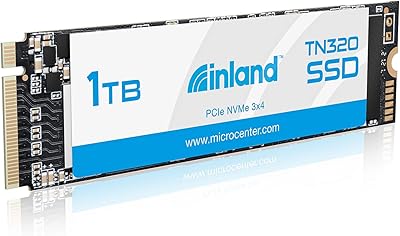
INLAND TN320 1TB NVMe M.2 SSD
87%
92%
Value for Money
88%
Performance Speed
94%
Ease of Installation
85%
Durability and Endurance
90%
Compatibility
More
RONGSHU 1TB NVMe SSD
87%
91%
Performance
94%
Read Speed
89%
Write Speed
88%
Installation Ease
75%
Thermal Management
More
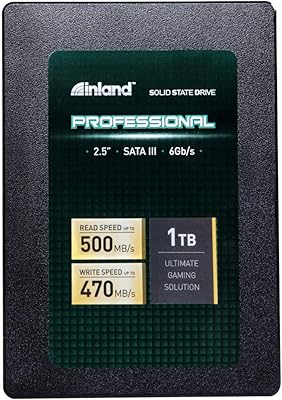
Inland Professional 1TB SATA Internal SSD
80%
92%
Value for Money
89%
Installation Ease
83%
Real-World Speed
81%
Reliability & Longevity
84%
Compatibility
More
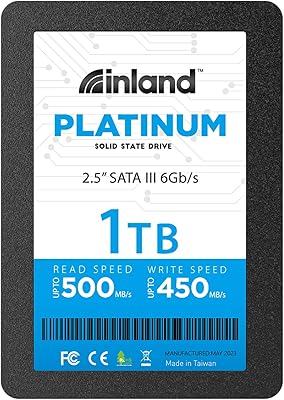
INLAND Platinum 1TB SSD
91%
94%
Sequential Read/Write Performance
89%
Random 4K IOPS Performance
91%
Reliability/Durability
95%
Compatibility with Laptops & Desktops
83%
Installation Ease
More
WD_BLACK SN8100 1TB NVMe SSD
89%
95%
Performance
90%
Reliability
94%
Speed (Read/Write)
88%
Installation & Setup
92%
Endurance (TBW)
More
fanxiang S880ER 1TB NVMe SSD
87%
92%
Performance for Gaming
90%
Data Transfer Speed
89%
Cooling Efficiency
87%
Ease of Installation
91%
PS5 Compatibility
More
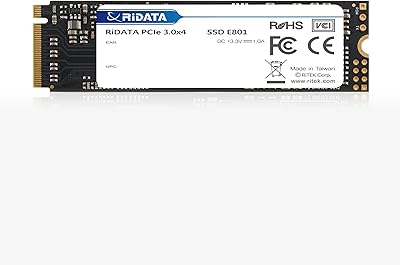
Ridata E801 1TB NVMe SSD
89%
93%
Sequential Read Speed
89%
Sequential Write Speed
88%
Random Read Performance
85%
Random Write Performance
92%
Reliability
More
Transcend MTE310 1TB NVMe SSD
88%
92%
Performance
94%
Speed (Read/Write)
88%
Reliability
91%
Ease of Installation
84%
Software/Software Experience
More

FAQ

Yes, the QN450 meets Sony's minimum sequential read speed requirement for PS5 storage expansion. Just keep in mind that the PS5 slot does benefit from a heatsink, and since one is not included, you will want to pick up a compatible one before installation.

It will. The INLAND QN450 1TB NVMe SSD is backward compatible with PCIe Gen3 x4 M.2 slots, so it will install and function normally. You just won't reach the full Gen4 speeds — it will operate at Gen3 bandwidth instead, which is still a solid performer.
No, you don't. Buyers consistently report that the drive is recognized by the BIOS immediately after installation with no additional drivers or software required. Just slot it in, secure the screw, and you are ready to go.

For most people, yes. If you are using this drive for a home PC, gaming, general work, or student tasks, you would realistically be writing tens of gigabytes a day at most — at that rate, 300 TBW translates to many years of safe use. It is only a concern if you are doing constant large-scale data processing or heavy video editing workflows.

No, neither is included. The package is fairly minimal — just the drive itself. If you are migrating from an existing drive, you will need to handle cloning through a third-party tool like Macrium Reflect or the software bundled with your motherboard.

It can throttle under sustained loads in builds with poor airflow, which is the most common complaint among users in compact cases. If your SFF build runs hot, consider adding a small M.2 heatsink or ensuring your case has adequate ventilation around the motherboard area.

Inland is the in-house storage brand of Micro Center, which is one of the largest and most respected specialty computer retailers in the United States. They have been selling Inland-branded drives for several years, and their products generally offer competitive specs at lower prices than big-name brands. The QN450 specifically has earned a strong reputation from real buyers.

Those flagship drives outperform the QN450 in sustained workloads and carry a longer track record, but they also cost noticeably more. For gaming, casual content work, or general productivity, most people will not feel the difference day to day. If you are doing professional-grade video production or heavy server-style workloads, the premium drives earn their price premium. For everyone else, this Gen4 drive is hard to fault.

Absolutely. It works perfectly as a primary system drive. Windows 11 installs cleanly, and users report fast boot times consistent with what you would expect from a Gen4 NVMe drive. Just make sure your motherboard's M.2 slot is set to NVMe mode in the BIOS rather than SATA mode.

SSDs do not suddenly fail when they hit the TBW rating — it is a conservative threshold, not a cliff. The NAND cells gradually wear, and the drive may eventually transition to a read-only state rather than failing abruptly. SMART monitoring, which this drive supports, will give you advance warning well before anything critical happens.

Where to Buy