Overview

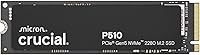
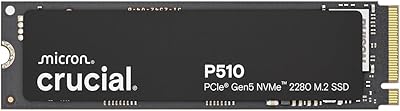
The Crucial P510 1TB Gen5 NVMe SSD is Crucial's push into PCIe 5.0 territory, and it arrives at a price point that doesn't require a second mortgage. For years, Gen5 drives were the domain of early adopters willing to pay a hefty premium. The P510 changes that calculus. Backed by Micron's own NAND manufacturing — the same company that makes the chips — this drive carries a credibility that third-party brands simply can't match on the reliability front. It's aimed squarely at builders and upgraders who want cutting-edge storage performance without watching the enthusiast tax eat their budget alive.
Features & Benefits

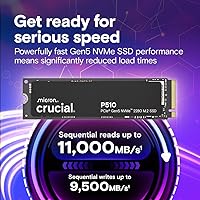
The headline numbers are hard to ignore — reads up to 11,000 MB/s and writes approaching 9,500 MB/s put this Gen5 SSD in rare company at this price. But raw speed only matters if your board supports it, and this is where things get nuanced. If you're on an older PCIe system, the P510 will still work through backward compatibility, though you won't see Gen5 figures. The M.2 2280 form factor means installation is physically straightforward across most modern systems. Crucial also bundles Acronis True Image software for data migration, which is a handy convenience when cloning an old drive — not a headline feature, but genuinely useful.

Best For

This Crucial drive makes the most sense for a specific type of buyer. If you're building a new rig around a PCIe 5.0 motherboard, it's the obvious choice in this storage tier. Serious gamers will notice meaningful reductions in load times on titles that stream large assets — open-world games, for instance, feel notably snappier off a fast NVMe. Video editors and photographers who routinely move large RAW files or high-bitrate footage will also get real-world benefit from the write performance. That said, everyday users doing basic tasks — browsing, office work — won't extract much value from Gen5 over a solid Gen4 drive.

User Feedback

With a 4.8-star average across nearly 350 ratings, buyers are clearly satisfied — but it's worth digging into why. Installation gets frequent praise; most users found the physical setup quick and uncomplicated. The speed jump from SATA or older NVMe drives is the most cited reason for satisfaction. On the downside, a handful of users report that the drive runs noticeably warm under sustained heavy workloads, which is a known trait of Gen5 hardware — adding a heatsink is worth considering, especially in tighter enclosures. A few found the Acronis registration process more cumbersome than expected. Benchmark peaks are impressive; real-world daily use, while fast, can feel closer to a good Gen4 drive depending on the workload.

Pros

  • Competitive Gen5 pricing makes PCIe 5.0 performance accessible without a painful budget stretch.
  • Micron-manufactured NAND gives the P510 a reliability edge over brands sourcing chips from third parties.
  • M.2 2280 form factor installs cleanly in virtually any modern laptop, desktop, or workstation.
  • Buyers upgrading from SATA or Gen3 NVMe drives describe the real-world speed improvement as immediately noticeable.
  • Backward compatibility with PCIe 4.0 and 3.0 slots makes it a viable buy-ahead choice for future platform upgrades.
  • Ranked #35 in Internal Solid State Drives with a 4.8-star average from nearly 350 verified buyers.
  • Gamers report faster level loads and reduced streaming stutter in open-world and asset-heavy titles.
  • Acronis True Image is included, making drive cloning and migration accessible even for less experienced users.
  • Cross-platform support covers Windows, macOS, and Linux without extra configuration.
  • Tiny physical footprint adds zero meaningful weight or bulk, even in space-constrained laptop upgrades.

Cons

  • No heatsink or thermal pad included — a notable gap given how warm Gen5 drives run under sustained load.
  • Thermal throttling under back-to-back heavy workloads is a documented concern reported by multiple users.
  • Full Gen5 speeds require a PCIe 5.0 slot; installing in older systems leaves serious performance on the table.
  • Acronis activation has frustrated some users with a clunky registration process and occasional license recognition failures.
  • No native Crucial drive management or health monitoring utility — third-party tools are required for telemetry.
  • Long-term endurance data is still limited since the drive is relatively new to market.
  • Customer support response times for warranty or software issues have drawn criticism from some buyers.
  • Real-world sustained throughput under mixed heavy workloads can fall noticeably short of peak sequential figures.
  • 1TB capacity fills quickly for users managing large media libraries, game collections, or video production archives.
  • Buyers on Gen3 platforms may find the performance gap over a cheaper Gen3 drive narrower than expected.

Ratings

The Crucial P510 1TB Gen5 NVMe SSD earns its place near the top of the internal SSD charts, and these scores reflect that — but they also reflect where real buyers have run into friction. Our AI has processed verified purchase reviews from global marketplaces, actively filtering out incentivized, bot-generated, and outlier feedback to surface what actual users consistently experience. Both the strengths and the legitimate pain points are accounted for here, so you get an honest picture before you buy.
Raw Read & Write Performance
93%
Users coming from Gen4 or older SATA drives consistently describe the speed jump as immediately noticeable — large game installs that once took minutes feel noticeably faster, and transferring a folder of 4K footage is no longer a coffee-break errand. Benchmark results from verified buyers align closely with Crucial's published figures on compatible PCIe 5.0 hardware.
The top-tier speeds are only achievable on PCIe 5.0 motherboards, and a meaningful portion of buyers installed this on Gen4 systems without realizing it. On those platforms, performance is still solid, but the drive's full potential simply isn't unlocked, which has led to some disappointment in reviews.
Value for Money
91%
At its price point, this Gen5 SSD undercuts several competing drives while delivering comparable peak throughput — buyers frequently call it the most affordable way to get into PCIe 5.0 storage without compromising on brand credibility. For budget-conscious builders, the price-to-performance ratio is genuinely difficult to argue with.
A few buyers noted that similarly priced Gen4 drives offer near-equivalent real-world performance for typical everyday workloads, which makes the Gen5 premium feel harder to justify if your use case doesn't lean heavily on sustained large-file transfers or the latest PCIe 5.0 platform.
Thermal Management
61%
39%
Under light to moderate workloads — booting Windows, launching applications, loading game levels — the P510 stays within normal operating temperatures and users report no obvious slowdowns. For casual users, heat is essentially a non-issue in day-to-day operation.
Under sustained heavy workloads like large file copies, extended game asset streaming, or back-to-back benchmark runs, thermal throttling has been flagged by a notable subset of users. The drive lacks an integrated heatsink, and in compact cases with poor airflow, temperatures climb quickly enough to affect sustained write speeds.
Installation & Compatibility
94%
The standard M.2 2280 form factor means this drive slots into virtually every modern laptop, desktop, and workstation without adapter headaches. Buyers across all experience levels — from first-time builders to seasoned PC veterans — consistently describe the physical installation as quick and trouble-free.
A small number of laptop users reported compatibility quirks with specific OEM systems that have non-standard M.2 slot configurations or firmware restrictions. These are edge cases, but worth verifying against your specific device before purchasing, especially with certain gaming laptops.
Reliability & Endurance
88%
Being manufactured on Micron's own NAND — rather than sourced from a third party — gives buyers legitimate confidence in long-term endurance. Early adopters who have been running the drive for several months report zero errors or unexpected behavior, which is consistent with Micron's track record in enterprise and consumer storage.
The drive is relatively new to market, so long-term endurance data beyond several months is still limited in the wild. Buyers looking for years of community-validated reliability data may want to wait, as the sample size of long-term user reports is still building up.
Data Migration Experience
72%
28%
The bundled Acronis True Image software works as advertised for most users — cloning an existing drive to the P510 is a point-and-click process that even less technical buyers found manageable. For upgraders replacing an old boot drive, having migration software included removes a real friction point.
A recurring complaint involves the Acronis registration and activation process, which some users found unexpectedly cumbersome. A handful reported difficulty getting the software to recognize their drive or activate the license, requiring support contact — not a dealbreaker, but an avoidable frustration.
Real-World Gaming Performance
86%
Gamers running open-world titles or games with large streaming assets report a perceptible improvement in load times and level transitions compared to their previous Gen3 or SATA drives. Installing and launching large titles from services like Steam also feels snappier in day-to-day use.
Competitive gamers primarily playing fast-paced titles with smaller map sizes or pre-loaded assets may find the upgrade less impactful than expected. The performance gains in gaming contexts are real but not always dramatic, and depend heavily on the specific titles and hardware pairing.
Content Creator Workflow Performance
89%
Video editors working with high-bitrate 4K or 6K footage cite noticeably faster project load times and smoother timeline scrubbing when the drive is used as a primary working scratch disk. Importing and exporting large RAW photo libraries also benefits from the high sequential write speeds.
Users running heavily multi-layered projects with numerous simultaneous read-write operations — such as complex DaVinci Resolve timelines with multiple effects — have noted that sustained throughput under that type of mixed workload doesn't always match the sequential speed headline figures.
Form Factor & Physical Build
90%
At under a quarter of an ounce and barely larger than a stick of gum, the P510 is remarkably unobtrusive. Laptop upgraders in particular appreciate how it disappears into the chassis without adding any perceptible weight or bulk, and the standard dimensions mean no clearance issues.
The drive ships without a heatsink or thermal pad, which is a notable omission given how warm Gen5 hardware can run. Buyers with cases or laptops that have limited airflow near the M.2 slot would have appreciated even a basic thermal solution included in the box.
Software & Ecosystem
68%
32%
Crucial's supporting ecosystem — including its online SSD compatibility checker and storage advisor — makes it easy to verify whether the P510 will work in a given system before buying. This is particularly helpful for less experienced upgraders who are unsure about slot types or BIOS requirements.
Beyond the bundled Acronis tool, Crucial does not offer a dedicated drive management or health monitoring utility of its own, unlike some competitors. Users who want granular telemetry — drive health, temperature logs, wear indicators — need to rely on third-party tools like CrystalDiskInfo.
Backward Compatibility
83%
The ability to drop a Gen5 drive into a PCIe 4.0 or even Gen3 system and have it work immediately is genuinely appreciated by buyers who are planning ahead. It means you can buy now for a future platform upgrade without the drive becoming an expensive paperweight in the interim.
The performance drop when running on older PCIe generations is more significant than some buyers anticipated. On a Gen3 slot specifically, the speed advantage over a mid-range Gen3 drive narrows considerably, which can make the purchase feel like a mismatch if you are not actively planning a platform upgrade soon.
OS & Platform Support
91%
Windows, macOS, and Linux compatibility is well-documented and buyers across all three platforms report plug-and-play recognition without driver headaches. The drive also functions in gaming consoles with M.2 expansion slots, giving it notable flexibility as a cross-platform storage solution.
macOS users on Apple Silicon Macs should be aware that the full PCIe 5.0 interface is not natively supported in that ecosystem. Functionality works, but the platform-specific limitations mean the P510 is not ideally matched to Mac-centric workflows in the way it is for Windows-based builders.
Packaging & Out-of-Box Experience
79%
21%
The drive arrives well-protected and clearly labeled, and buyers appreciate the inclusion of the Acronis license information in the packaging. For first-time installers, the straightforward unboxing and minimal cable clutter of an M.2 drive makes the whole process feel approachable.
There are no installation guides, mounting screws, or thermal pads included, which can catch inexperienced builders off guard. Motherboard screws for M.2 slots are usually included with the board itself, but buyers assembling budget builds with minimal accessories occasionally found themselves hunting for the right hardware.
Brand Trust & Reputation
92%
Crucial's Micron parentage carries real weight with informed buyers — this is not a white-label brand reselling someone else's NAND. Years of positive consumer and enterprise storage experience means buyers feel confident choosing the P510 over lesser-known Gen5 alternatives at similar price points.
A small segment of buyers noted that Crucial's customer support response times for warranty or activation issues can be slower than expected. While the brand reputation is strong, the post-purchase support experience has occasionally fallen short of the confidence the brand name inspires.

Suitable for:

The Crucial P510 1TB Gen5 NVMe SSD is a strong fit for anyone building or upgrading a system around a modern PCIe 5.0 motherboard who wants top-tier storage performance without paying top-tier prices. Enthusiast PC builders who prioritize future-proofing their rig will find it a natural anchor for a high-performance storage setup. Gamers who play open-world or asset-heavy titles — where load times and streaming speed actually translate into a smoother experience — will notice a real difference coming from SATA or older NVMe drives. Content creators who regularly work with large raw video files, high-resolution photo libraries, or complex project directories will also benefit from the drive's high sustained write speeds in practical workflows. Upgraders migrating from aging SATA SSDs or Gen3 drives will find the performance jump substantial and immediately tangible, and the bundled Acronis migration software makes that transition less painful. If you're the type of buyer who plans hardware purchases with the next two or three years in mind, this Gen5 SSD is a considered and well-priced choice.

Not suitable for:

The Crucial P510 1TB Gen5 NVMe SSD is not the right pick for everyone, and it's worth being honest about that. If your motherboard only supports PCIe 3.0 or 4.0, this drive will still function, but you will not get anywhere near the performance you are paying for — a well-reviewed Gen4 drive would almost certainly serve you better at a lower cost. Users who primarily do everyday computing tasks — web browsing, document editing, streaming media — genuinely cannot extract any meaningful benefit from Gen5 speeds; the bottleneck in those workflows is never the storage drive. Buyers with compact cases, slim laptops, or enclosed systems with poor airflow near the M.2 slot should also think carefully, as this drive runs warm under load and ships without a heatsink or thermal pad. Anyone who needs a large-capacity drive for archiving, backups, or media libraries should also look elsewhere, since 1TB fills up quickly in those use cases. Finally, Mac-centric users or those on Apple Silicon who were hoping for the full PCIe 5.0 experience will be disappointed — the platform simply does not support it in the same way a dedicated Windows PC build does.

Specifications

  • Storage Capacity: The drive provides 1TB of usable storage, suitable for operating systems, large game libraries, and working media files.
  • Interface: Connects via PCIe 5.0 NVMe, delivering the highest consumer-grade bandwidth currently available on compatible motherboards.
  • Form Factor: Follows the M.2 2280 standard, measuring 3.1 x 0.86 x 0.09 inches — the most widely supported M.2 size across modern systems.
  • Sequential Read: Peak sequential read speed reaches up to 11,000 MB/s under optimal PCIe 5.0 conditions.
  • Sequential Write: Peak sequential write speed reaches up to 9,500 MB/s, making large file transfers and saves noticeably faster than previous generations.
  • Backward Compatibility: Fully compatible with PCIe 4.0 and PCIe 3.0 M.2 slots, though speeds will be limited to the maximum bandwidth of the host slot.
  • NAND Type: Built on Micron-manufactured NAND flash, produced in-house for consistent quality control and endurance across the drive's lifespan.
  • Weight: The drive weighs just 0.229 ounces, adding negligible mass even in weight-sensitive laptop upgrades.
  • Compatible OS: Works with Windows, macOS, and Linux out of the box without requiring additional drivers for basic operation.
  • Compatible Devices: Designed for use in laptops, desktops, workstations, and gaming consoles equipped with an accessible M.2 expansion slot.
  • Included Software: Ships with a license for Acronis True Image for Crucial, a disk cloning and migration utility for transferring data from an existing drive.
  • Color & Finish: The drive has a black finish and follows a standard bare-board M.2 design without an integrated heatsink or thermal pad.
  • Heatsink: No heatsink or thermal pad is included in the box; buyers with thermally constrained enclosures should plan for an aftermarket solution.
  • Hardware Platform: Compatible with Linux, macOS, and Windows-based hardware platforms across a wide range of consumer and prosumer configurations.
  • Manufacturer: Designed and sold by Crucial, a consumer storage brand operated by Micron Technology, one of the largest NAND manufacturers in the world.
  • Market Ranking: Holds a position of #35 in the Internal Solid State Drives category on Amazon at the time of evaluation.
  • User Rating: Carries a 4.8-out-of-5-star average rating based on approximately 347 verified purchase reviews across global storefronts.
  • Release Date: First made available for purchase in April 2025, making it a recently launched product with a growing — but still early — ownership base.

Related Reviews
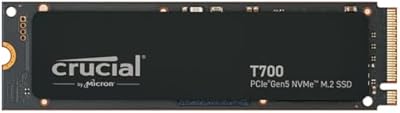
Crucial P510 2TB Gen5 NVMe SSD
89%
95%
Performance
92%
Speed (Read/Write)
88%
Compatibility with PCIe 4.0 and 3.0
90%
Ease of Installation
85%
Software (Acronis Migration Tool)
More
Crucial T700 1TB Gen5 NVMe M.2 SSD
89%
96%
Performance
94%
Speed (Read/Write)
92%
Gaming Performance
90%
Compatibility
80%
Thermal Management
More
Crucial P5 1TB NVMe SSD
84%
91%
Read Performance
88%
Write Performance
86%
Random I/O Responsiveness
71%
Thermal Management
94%
Installation Ease
More
Crucial P3 1TB NVMe SSD
87%
88%
Sequential Read Performance
81%
Sequential Write Performance
79%
Random Read/Write IOPS
93%
Installation Ease
90%
Compatibility
More
Crucial T710 2TB Gen5 NVMe SSD
88%
96%
Performance
94%
Speed (Read/Write)
90%
Thermal Management (Cooling)
88%
Ease of Installation
70%
Software Experience
More
Crucial P3 Plus 1TB NVMe SSD
84%
88%
Read & Write Speed
93%
Value for Money
61%
Thermal Management
96%
Installation Ease
89%
Long-Term Reliability
More
Crucial T705 2TB PCIe Gen5 NVMe SSD
84%
98%
Sequential Read Performance
91%
Game Loading Efficiency
56%
Thermal Management
94%
Video Rendering Speed
93%
DirectStorage Integration
More
Crucial P2 1TB NVMe PCIe M.2 SSD
84%
89%
Performance
92%
Value for Money
85%
Installation Ease
80%
Compatibility
88%
Durability
More
Crucial T500 1TB Gen4 NVMe M.2 SSD
84%
93%
Sequential Read & Write Speed
89%
Random I/O Performance
91%
Gaming Performance
67%
Thermal Management
96%
Installation Ease
More
Crucial P5 Plus 1TB NVMe M.2 SSD
84%
91%
Sequential Read Speed
88%
Sequential Write Speed
63%
Thermal Management
86%
Random I/O Performance
93%
Build & Reliability
More

FAQ

No, you don't — the drive is backward compatible with PCIe 4.0 and 3.0 slots. That said, if your board only supports Gen3 or Gen4, your speeds will be capped at what that slot can handle, which means you won't come close to the drive's peak performance. It will still work fine, but you'd be paying for headroom you can't currently use.

It does not. The drive ships as a bare M.2 board with no heatsink or thermal pad included. For most desktop builds with decent case airflow, your motherboard's M.2 heatsink cover handles it adequately. If you're installing in a compact case, a Mini-ITX build, or a laptop with a tight thermal environment, picking up an aftermarket M.2 heatsink is a sensible precaution.

Under everyday tasks — booting Windows, launching apps, loading game levels — temperatures stay within a reasonable range and throttling is not typically an issue. Where things get more interesting is during extended heavy workloads: large file copies, back-to-back benchmark runs, or sustained video rendering. In those scenarios, some users have reported thermal throttling kicking in, which can reduce sustained write speeds temporarily until the drive cools down.

It's a disk cloning utility that lets you copy everything from your current drive — OS, apps, files — directly onto the P510 without reinstalling Windows from scratch. For most users, it's a point-and-click process that works as advertised. The main friction point some buyers hit is the registration and license activation step, which can be a bit clunky. If you run into trouble, Acronis support is the right contact rather than Crucial.

Yes, the PS5 supports M.2 NVMe drives in the 2280 form factor, and this drive meets those physical requirements. That said, Sony recommends a drive with a heatsink for the PS5 slot — since none is included in the box, you would need to add one separately before installing it in the console.

Honestly, for everyday tasks — browsing, office apps, streaming, casual gaming — you are unlikely to feel a meaningful difference in day-to-day use. The gap between Gen4 and Gen5 becomes more tangible when you are regularly moving large files, editing high-resolution video, or running workloads that keep the drive busy for extended periods. If those aren't your use cases, a quality Gen4 drive is a perfectly rational alternative.

Crucial does not currently offer a proprietary drive monitoring utility for the P510. Your best options are free third-party tools: CrystalDiskInfo is the most widely used on Windows for checking drive health, temperature, and S.M.A.R.T. data. Most modern motherboard software suites also expose M.2 temperature readings through their system monitoring dashboards.

It will physically fit in any Mac with an accessible M.2 slot, and it will be recognized by macOS. However, Apple Silicon Macs and many Intel Macs do not expose a user-accessible M.2 slot for aftermarket upgrades. If you have a Mac Pro or a Mac with a compatible slot, the drive will work, but you won't get full PCIe 5.0 throughput since that standard isn't supported in the same way on Apple platforms.

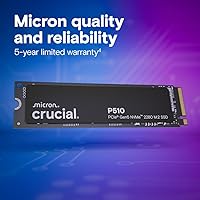
Crucial typically covers their consumer NVMe drives with a five-year limited warranty, which is standard for the category. For the most accurate and up-to-date warranty terms specific to your region and purchase date, it's worth confirming directly on Crucial's website or through your retailer documentation, as warranty terms can vary by market.

Almost certainly yes, assuming your system has an available M.2 slot. The jump from a SATA SSD to a fast NVMe drive is one of the more impactful storage upgrades you can make — boot times, application launches, and file transfers all improve noticeably. Whether you specifically need Gen5 over a cheaper Gen4 drive is a separate question, but moving away from SATA to any modern NVMe is a meaningful real-world improvement.

Where to Buy