Overview

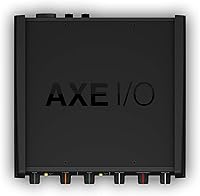
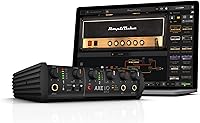
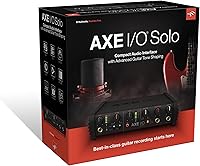
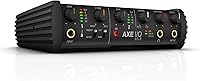
The IK Multimedia AXE I/O Solo Audio Interface isn't just another USB interface thrown together for the home studio market — it's clearly designed with guitarists in mind from the ground up. The Z-Tone impedance circuit alone sets it apart from the sea of general-purpose boxes at this price tier. You get 24-bit/192kHz conversion and a 117dB dynamic range, which is legitimately professional territory. The included AmpliTube 5 SE and TONEX SE software sweetens the deal considerably, though worth noting these are starter (SE) editions, not full versions. The unit is compact and sits neatly on a desk, though it does require an external DC power supply rather than drawing power over USB.
Features & Benefits

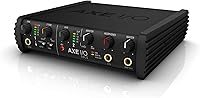
The Z-Tone circuit is where this guitar-focused interface earns its keep. Think of it like a tone knob that changes how your guitar's pickups interact with the input — brightening single-coils, thickening humbuckers, or anywhere in between. There's also an Active/Passive pickup selector, so you're not accidentally overloading the input with hot active pickups. The dedicated amp output enables re-amping workflows without needing a separate box — record the dry signal, then send it back through a real amp later. MIDI I/O is a genuine surprise at this price, making it practical for syncing pedalboards or controllers. Two footswitch inputs round things out for hands-free operation, and the direct monitoring blend knob keeps latency completely out of the equation.

Best For

The AXE I/O Solo is a strong pick for guitarists who want tone-shaping baked into the hardware rather than handled entirely in software. If you're building out a home studio setup and already use or plan to explore amp simulation, the tight integration with AmpliTube and TONEX gives it a natural edge. Singer-songwriters who need to track both vocal and guitar through one unit will find it capable enough for both roles. The dedicated amp output also makes it appealing to players who re-amp regularly. That said, if you're an absolute beginner or just need a dead-simple setup for occasional recordings, the depth of controls here might feel like more than you bargained for.

User Feedback

Across verified reviews, the Z-Tone control is the feature generating the most genuine excitement — players describe hearing real, usable tonal differences when dialing it in, which isn't something you typically get from a general interface. The TONEX SE bundle also gets frequent mentions as a welcome bonus. On the flip side, a handful of reviewers were caught off guard by the external power requirement — it's not bus-powered, which matters if portability is a priority. Beginners sometimes struggle with the impedance controls at first, finding the learning curve steeper than expected. With a 4.2-star average from nearly 450 ratings, this IK Multimedia unit sits firmly in solid-performer territory, with complaints that are real but mostly minor.

Pros

  • The Z-Tone impedance circuit produces genuinely different, usable tonal characters — not just a cosmetic knob.
  • Active/Passive pickup selector prevents input overload and adapts the gain structure for different guitar types.
  • Dedicated amp output enables re-amping workflows without purchasing a separate re-amp box.
  • MIDI input and output is uncommon at this price tier and adds real flexibility for pedalboard and controller users.
  • 24-bit/192kHz resolution and 117dB dynamic range deliver professional-grade audio quality for home studio work.
  • Two footswitch and expression controller inputs allow hands-free operation during tracking or live performance.
  • Direct monitoring with a DAW blend control keeps latency out of the picture entirely while tracking.
  • Bundled AmpliTube 5 SE and TONEX SE provide a strong starting library of amp tones right out of the box.
  • Compact desktop footprint keeps the workspace tidy without sacrificing I/O depth.
  • Works with both Mac and PC, with no compatibility headaches reported across the user base.

Cons

  • Requires an external DC power supply — not bus-powered over USB, which limits portability for mobile sessions.
  • SE software editions are entry-level versions; unlocking the full AmpliTube or TONEX experience costs extra.
  • Impedance and Z-Tone controls carry a real learning curve that can overwhelm players new to DI recording.
  • Only two instrument inputs, which becomes a bottleneck quickly for band recording or multi-instrument sessions.
  • No built-in tuner, which competing interfaces at similar price points sometimes include.
  • The guitar-centric design makes it a poor value for podcasters, vocalists, or keyboard-focused producers.
  • External power brick adds another cable to manage, which some users find clutter they didn't expect.
  • Setup-related gripes appear consistently in reviews, suggesting the initial configuration isn't always intuitive.

Ratings

Our scores for the IK Multimedia AXE I/O Solo Audio Interface are generated by AI after analyzing verified buyer reviews from markets worldwide, with spam, bot-generated content, and incentivized feedback actively filtered out before any score is calculated. The result is a balanced, data-driven breakdown that reflects both where this guitar-focused interface consistently earns praise and where real ownership friction surfaces. Every category below is scored transparently — strengths and pain points alike.
Guitar Tone Shaping
93%
The Z-Tone impedance circuit is the feature users mention most enthusiastically, with players describing real, audible differences when dialing between settings — from glassy, open single-coil tones to thicker, more compressed humbucker characters. The Active/Passive pickup selector adds further practical value that guitarists with multiple instruments appreciate immediately.
For users unfamiliar with how impedance loading works, the Z-Tone knob can feel like a mystery at first, and without experimentation or some reading up, it is easy to set it once and forget it — missing much of the value this hardware feature actually delivers.
Sound Quality
87%
Buyers tracking guitar DI or vocals through this IK Multimedia unit consistently describe clean, detailed recordings that hold up well under mixing — the 117dB dynamic range and 24-bit/192kHz conversion translate to noticeably less noise and more headroom than the budget interfaces most users upgraded from.
A handful of users report minor noise floor sensitivity when the unit is placed near other USB peripherals or in poorly grounded setups, though this appears to be an environmental variable rather than a structural flaw in the hardware design itself.
Value for Money
81%
19%
The combination of guitar-specific hardware — Z-Tone, dedicated amp output, MIDI I/O, footswitch inputs — alongside the AmpliTube 5 SE and TONEX SE software makes the overall package feel well-loaded for its tier, particularly for players who would otherwise need to purchase these capabilities separately.
Both software titles are SE-tier editions with meaningfully restricted content libraries, and buyers who expected complete platforms out of the box sometimes feel pushed toward paid upgrades sooner than anticipated — the gap between SE and full versions is larger than the marketing implies.
Ease of Setup
63%
37%
On modern Mac and Windows systems, basic audio driver recognition is generally painless, and straightforward guitar-in, headphones-out use is up and running within minutes. Players who skip the tone controls initially find the hardware setup experience comparable to any mainstream interface.
The Z-Tone and impedance controls carry a real learning curve that catches a noticeable share of buyers off guard, with several reviewers describing hours of documentation reading and tutorial watching before feeling confident the unit was actually configured correctly for their guitar and workflow.
Re-amping Capability
88%
Having a dedicated amp output built into the interface removes the need for a separate re-amp box — a genuine cost and workflow benefit for players who record DI first and decide on amp tone afterward, which is a common and practical approach in modern home studio guitar work.
Users new to re-amping often need to spend time calibrating levels and understanding the signal flow before getting clean results, and the documentation covering this specific workflow is thinner than it should be given how prominently the feature is marketed.
MIDI & Connectivity
84%
MIDI input and output at this price point is genuinely uncommon, and users who connect pedalboards, expression pedals, or hardware synths describe the integration as clean and reliable. The two footswitch inputs further extend the connectivity options for players running more involved live or studio rigs.
Some Windows users report needing to manually configure ASIO driver settings before MIDI and audio routing work together without dropouts, a friction point that Mac users rarely encounter and one that can add unexpected setup time for PC-based players.
Latency & Monitoring
82%
18%
The direct monitoring circuit with a DAW blend knob is consistently praised during tracking sessions — blending the dry input with the processed DAW return in real time keeps recording fluid and eliminates the concentration-breaking distraction of monitoring latency while laying down takes.
At higher buffer sizes or on older computers, some users report a slight but perceptible delay in the DAW return signal when blended into the monitor mix, requiring buffer adjustments that are not immediately intuitive for players with limited audio engineering experience.
Software Bundle
72%
28%
AmpliTube 5 SE and TONEX SE are functional, playable applications that deliver genuine creative value from day one, giving players immediate access to a working selection of amp tones and gear captures — particularly useful for those new to software-based amp simulation.
It does not take long before users hit the ceiling of what the SE editions include and begin feeling nudged toward paid upgrades, and the overall gap between these starter versions and the full platforms is substantial enough that some buyers describe the bundle as more promotional than practical.
Build Quality
76%
24%
The unit feels solid on a desk, with knobs and switches that have a reassuring resistance without feeling plasticky or fragile. For a compact home studio interface, the physical construction matches or slightly exceeds what most buyers expect given the price tier.
Some reviewers note that the casing material does not convey the premium feel that the feature set might suggest, and a few mention that connector jacks feel less robust than they would prefer — a concern that tends to surface after extended regular use rather than immediately out of the box.
Microphone Preamp
77%
23%
The Class-A mic preamp handles vocal and acoustic instrument recording with enough clarity and low noise to satisfy singer-songwriters tracking home demos, and it compares favorably to the preamps found on similarly priced general-purpose interfaces in the same market segment.
Only one mic preamp input is available, which limits tracking options significantly for anyone working beyond a solo vocal and guitar setup, and users with experience on dedicated preamp hardware note that the onboard circuit lacks the warmth and character of higher-end standalone units.
Portability
54%
46%
The compact footprint and 2.2-pound weight mean the unit packs light and takes up minimal space in a bag, making it technically viable for guitarists who want consistent tone-shaping available at rehearsal spaces, a friend's studio, or occasional travel sessions.
The requirement for an external DC power supply is a genuine portability drawback — buyers expecting a bus-powered USB interface were frequently caught off guard, and the additional power brick means another cable to manage and another outlet to locate wherever the unit travels.
Driver Stability
74%
26%
On Mac, driver behavior is consistently reported as stable across recent macOS versions, with most users describing a reliable plug-and-play experience that requires no manual intervention after the initial software installation is complete.
Windows users report a more varied experience, with some encountering ASIO configuration issues, dropout problems at certain sample rates, or the need to reinstall drivers after OS updates — issues that appear most frequently in older Windows 10 environments and are not well-documented in the included setup materials.
Headphone Output
79%
21%
The headphone output delivers enough volume and clarity for comfortable monitoring during tracking sessions, handling both high-impedance studio headphones and standard consumer models without obvious signal degradation or harshness in the upper frequency range.
At maximum output, users with low-sensitivity or high-impedance headphones sometimes find the output reaches its ceiling before delivering the loudness they want, and the dynamic punch falls short of what a dedicated headphone amplifier provides for critical mixing or detailed reference listening.
Input Flexibility
78%
22%
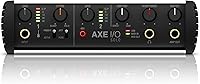
The layout combining dual instrument inputs, a Combo XLR/Hi-Z jack, and a dedicated amp output gives the AXE I/O Solo a surprisingly versatile I/O arrangement for a two-channel interface, covering most guitar recording and re-amping scenarios without requiring additional hardware.
Two instrument inputs is the hard ceiling, and users who need to expand beyond a single guitar-and-vocal setup quickly outgrow the routing options — the interface was not designed for multi-source tracking, and pushing it beyond its intended configuration makes its limitations apparent.

Suitable for:

The IK Multimedia AXE I/O Solo Audio Interface is built for guitarists who have outgrown basic plug-and-play interfaces and want hardware that actively participates in shaping their tone. If you spend serious time tracking guitar at home — whether you're layering DI takes for later re-amping, dialing in amp sims through AmpliTube or TONEX, or just want your passive single-coils to sound noticeably different from your active humbuckers at the input stage — this unit was designed with exactly those scenarios in mind. Singer-songwriters who need one compact box to handle both a microphone and a guitar without sacrificing quality on either will find the combo XLR/Hi-Z input a practical solution. The inclusion of MIDI I/O and dual footswitch inputs also makes it a smart fit for players who run pedalboards or expression controllers and want everything routed through one interface. Intermediate to advanced players who understand the value of impedance matching and re-amping will get the most out of what this box offers.
Not suitable for:

If you're a total beginner who just wants to record quick ideas without reading a manual, the AXE I/O Solo may frustrate more than it helps — the Z-Tone and impedance controls add a real learning curve that casual users often find unnecessary. Producers or podcasters whose work centers on vocals, keys, or multiple microphones will also find this guitar-focused interface limiting, since it's optimized for instrument inputs rather than multi-mic tracking setups. Anyone expecting bus-powered convenience should know upfront that the IK Multimedia AXE I/O Solo Audio Interface requires an external DC power supply, which makes it less practical for laptop-based mobile sessions or travel recording. If your studio already runs a more capable multi-channel interface and you're simply looking for a software upgrade, the included SE-edition apps alone won't justify the cost. Budget-conscious buyers who primarily need a straightforward two-in, two-out box for basic recording will find more cost-efficient options that cover those fundamentals without the guitar-specific feature set.
Specifications

  • Audio Resolution: Supports 24-bit recording at sample rates up to 192kHz for high-fidelity capture across the full audible spectrum.
  • Dynamic Range: Delivers a dynamic range of 117dB, providing substantial headroom and low noise floor for professional-grade recordings.
  • Frequency Response: Covers a frequency response of 5Hz to 32kHz, capturing detail well beyond the standard 20Hz–20kHz audible range.
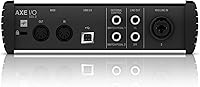
  • Inputs: Features two 1/4-inch instrument inputs and one Combo XLR/Hi-Z jack for connecting guitars, basses, and microphones simultaneously.
  • Outputs: Provides two balanced TRS line outputs, one headphone output, and one dedicated amp output for re-amping or hardware amplifier routing.
  • MIDI I/O: Includes dedicated MIDI input and output ports for integrating hardware controllers, pedalboards, and external synthesizers.
  • Footswitch Inputs: Equipped with two footswitch and continuous expression controller inputs for hands-free parameter control during recording or performance.
  • Connectivity: Connects to a host computer via USB, compatible with standard USB ports found on Mac and Windows PCs.
  • Power Supply: Requires an external DC power adapter, which is included in the box; the unit does not draw power from the USB connection.
  • Compatibility: Officially supported on macOS and Windows PC; also compatible with iPad when used with an appropriate USB adapter.
  • Tone Shaping: Incorporates IK Multimedia's proprietary Z-Tone impedance-adapting circuit, which adjusts the electrical load seen by the guitar pickup to alter tonal character.
  • Pickup Selector: Includes a dedicated Active/Passive pickup switch to optimize input gain structure for both active and passive guitar pickups.
  • Included Software: Ships with AmpliTube 5 SE and TONEX SE, both entry-level (SE) editions of IK Multimedia's amp modeling and tone-capture platforms.
  • Dimensions: Measures 7.68 x 7.68 x 2.09 inches, offering a compact square footprint suitable for most desktop studio setups.
  • Weight: Weighs 2.2 pounds, making it lightweight enough for transport while maintaining a solid, desk-stable build.

Related Reviews
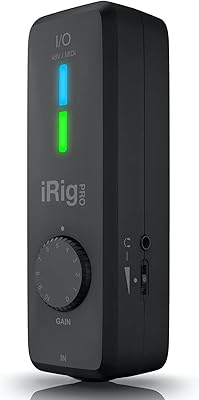
IK Multimedia iRig Pro I/O
81%
93%
Audio Resolution
96%
Portability & Size
91%
Input Versatility
88%
Compatibility
84%
Phantom Power Performance
More
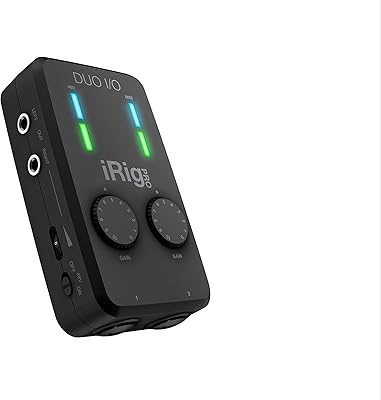
IK Multimedia iRig Pro Duo I/O
85%
94%
Portability
88%
Build Quality
86%
Preamp Performance
92%
Mobile Compatibility
83%
Power Versatility
More
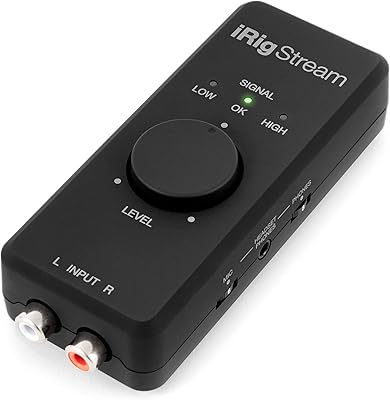
IK Multimedia iRig Stream
85%
93%
Stereo Input Quality
96%
Portability & Form Factor
91%
Ease of Setup
88%
Loopback Functionality
84%
Monitoring & Latency
More
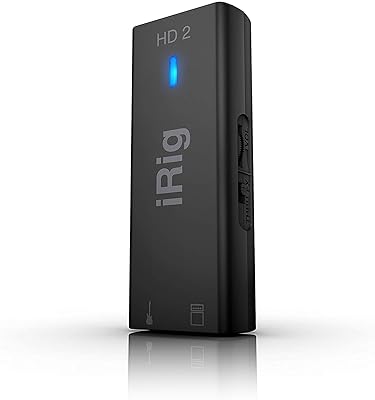
IK Multimedia iRig HD 2 Guitar Audio Interface
87%
92%
Audio Performance
89%
Portability
85%
Usability
88%
Build Quality
91%
Software Compatibility
More
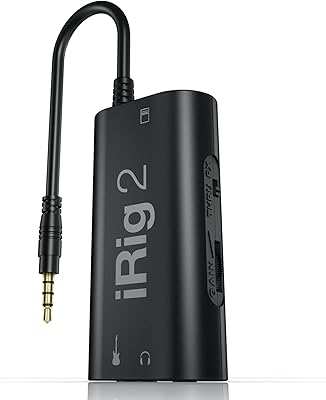
IK Multimedia iRig 2
87%
93%
Ease of Setup
88%
Input Gain Control
96%
Portability
67%
Signal Purity
82%
Live Rig Integration
More
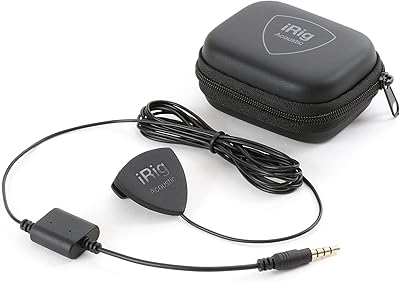
IK Multimedia iRig Acoustic Guitar Microphone Interface
76%
93%
Ease of Setup
96%
Portability
67%
Sound Quality
71%
Build Quality
63%
Clip Fit & Stability
More
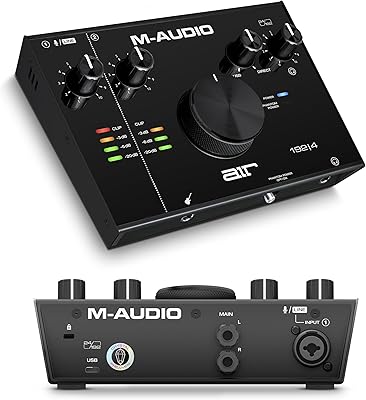
M-Audio AIR 192|4
M-Audio AIR 192|4
85%
93%
Build Durability
91%
Tactile Control Experience
88%
Preamplifier Transparency
87%
Recording Latency
86%
Software Bundle Value
More
Universal Audio Arrow Thunderbolt 3 Audio Interface
77%
93%
Audio Conversion Quality
91%
Unison Preamp Performance
88%
Real-Time UAD Processing
58%
Thunderbolt 3 Connectivity
61%
Windows Compatibility
More
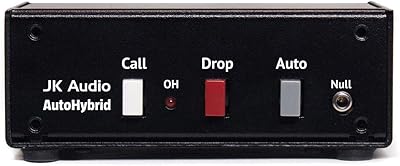
JK Audio Autohybrid Telephone Audio Interface
75%
88%
Audio Signal Clarity
84%
Sidetone Rejection
86%
Build Quality
61%
Ease of Setup
31%
VoIP Compatibility
More
Antelope Discrete 4 Synergy Core Audio Interface
71%
88%
Preamp Quality
83%
Onboard DSP Performance
47%
Software Stability
74%
Included Plugin Library
86%
Connectivity & I/O Depth
More

FAQ

Yes, and meaningfully so if you understand how to use the Z-Tone control. The Z-Tone circuit changes the electrical impedance that your guitar pickup sees at the input, which affects how the pickup behaves — brighter, more open sounds at one extreme, warmer and thicker at the other. Most general-purpose interfaces just present a fixed high-impedance input and call it done, so the difference here is real and usable, not just a marketing claim.

It requires an external DC power supply, which is included in the box, but it is not bus-powered over USB. This is worth knowing before you buy — if you were planning to use it purely off a laptop for mobile sessions, you will need a power outlet as well. For a fixed desktop setup this is a non-issue, but travelers should factor it in.

You do not need any engineering background to use it. Think of it like a passive tone control that sits before your signal hits the preamp — turning it one way makes your pickups respond brighter and more articulate, the other way and things get warmer and compressed-sounding. The results are more about feel and character than technical precision, so just trust your ears when dialing it in.

No — both AmpliTube 5 SE and TONEX SE are entry-level editions with a limited selection of amps, effects, and captures compared to their paid counterparts. They are genuinely useful starting points and give you a real taste of both platforms, but if you want access to the full libraries you will need to upgrade through IK Multimedia's store. That said, the SE bundles are not stripped-down demos — you get working, playable software out of the box.

Yes. The Combo XLR/Hi-Z input handles a microphone via XLR, while the second 1/4-inch input takes your guitar or bass. You can run both simultaneously, which makes it practical for singer-songwriters who want to track vocals and guitar in a single pass without switching cables.

Re-amping is the process of recording a dry, unprocessed guitar signal to your DAW and then sending that recording back out through a real amplifier later to be re-recorded. The AXE I/O Solo has a dedicated amp output specifically for this, so you can route the DAW signal back to a real amp without needing a separate re-amp box, which typically costs extra. It is a genuinely useful feature for anyone who records DI first and decides on amp tone later.

Yes, it works as a standard USB audio interface with any DAW that supports Core Audio on Mac or ASIO and WDM on Windows — which covers Logic Pro, Ableton Live, Pro Tools, Reaper, Studio One, and others. No proprietary driver should be required on modern operating systems, though checking IK Multimedia's support page for the latest driver recommendations is always a good idea before installing.

It depends on how seriously you take guitar tone. If you are a complete beginner who just wants to lay down rough ideas quickly, the Z-Tone controls and re-amping features may feel overwhelming at first, and you might be better served by something simpler. But if you are an intermediate player who already thinks about pickup types, amp settings, and recording quality, the learning curve here is worth pushing through — the results are noticeably better than what a basic interface delivers.

Yes, with the right adapter. The unit connects via USB, so using Apple's USB-C to USB or Lightning to USB Camera Adapter allows it to work with compatible iPads running apps like AmpliTube for iOS. Keep in mind you will still need to power the interface from its external supply since it cannot draw power from the iPad.

More useful than most people expect. The two footswitch and expression controller inputs let you toggle presets, control parameters in AmpliTube, or trigger actions in your DAW hands-free while playing. For players who use a pedalboard setup or want to punch in and out of record without reaching for the mouse, this is a practical feature that many competing interfaces in this price range simply do not offer.

Where to Buy