Overview

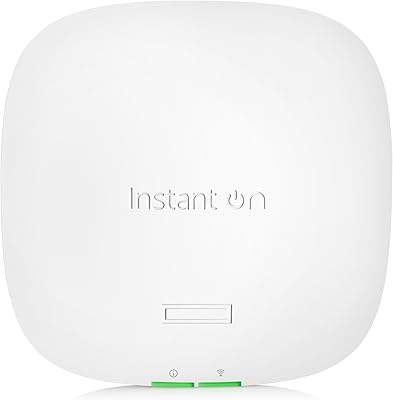
The HPE Instant On AP11 Wi-Fi Access Point is HPE's answer to a real gap in the market: business-grade wireless hardware that small operations can actually afford without sacrificing reliability. Built by Aruba — the enterprise networking arm of HPE — it brings cloud-managed Wi-Fi to dental offices, retail shops, and small restaurants that have no IT department and no budget for complex controllers. One thing to know upfront: no power source is included. You'll need either a PoE switch, a PoE injector, or a separately purchased 12V adapter. That's not a flaw, but it catches buyers off guard more than anything else about this AP.

Features & Benefits

Running on 802.11ac Wave 2, this access point delivers 867 Mbps on the 5 GHz band and 300 Mbps on 2.4 GHz, with a combined ceiling of 1167 Mbps. That's comfortable headroom for up to 50 active devices — the sweet spot for a small office floor or a busy retail counter. A single gigabit uplink keeps things straightforward on the wired side. Power comes via 802.3af PoE or a 12V adapter, and no licensing fees apply — ever. Management runs through the Instant On app or web portal, both of which are genuinely easy to navigate. The two-year warranty adds peace of mind that most consumer hardware simply doesn't offer.

Best For

The AP11 is a strong fit for small businesses that already have a PoE switch in place or an IT-aware owner comfortable with basic network setup. Think dental offices, boutique retail, and small restaurants — spaces where a consumer mesh system feels flimsy but a full enterprise deployment is overkill. It also works well for home setups where reliability and centralized management matter more than brand recognition. If you're managing a handful of sites remotely, the Instant On platform makes that practical without extra hardware. One honest caveat: this small business AP handles low-to-medium device loads well, but it's not the right pick for high-density environments.

User Feedback

Buyers consistently praise the quick app-based setup — most report getting the AP11 online in under ten minutes, even without deep networking knowledge. Signal stability in small office deployments draws repeated compliments, and many users specifically appreciate the no-subscription management model. On the flip side, the single most common complaint is discovering the power adapter isn't in the box. A handful of reviewers also note that coverage can fall short in larger, multi-room layouts. A few buyers switching from consumer mesh systems mention a small learning curve. Overall, user sentiment skews positive for the price tier, with most agreeing it punches above its weight in reliability.

Pros

  • No subscription or licensing fees — ever — keeps long-term operating costs predictable and low.
  • The Instant On mobile app makes initial setup achievable in under ten minutes for most users.
  • A two-year warranty is well above average for an access point in this price range.
  • Cloud-based management lets you monitor and adjust network settings from anywhere, without on-site hardware.
  • Ceiling-mounted deployment provides clean, consistent coverage across a typical small business floor.
  • Supports both PoE and 12V DC power input, giving flexible options for different infrastructure setups.
  • Designed and backed by Aruba, an enterprise networking brand, which adds real credibility at this price.
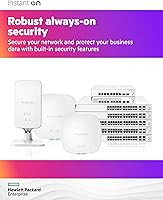
  • Guest network isolation and WPA3 support provide a solid security baseline for customer-facing Wi-Fi.

Cons

  • Power adapter not included — many buyers only discover this after the unit has already arrived.
  • Single-AP coverage falls short in multi-room layouts or spaces with thick interior walls.
  • Performance compression becomes noticeable when active device counts approach or exceed 50.
  • Wi-Fi 5 technology means this AP is already one generation behind current Wi-Fi 6 alternatives.
  • The management app has inconsistent stability during firmware updates, occasionally dropping management access temporarily.
  • Advanced networking features like per-client firewall rules and traffic analytics are absent from the platform.
  • Direct HPE support quality varies by region, with some users reporting slow resolution times for technical issues.
  • Double-NAT environments common with ISP-supplied modem-router combos can cause intermittent connectivity problems.

Ratings

The HPE Instant On AP11 Wi-Fi Access Point has been evaluated by our AI engine after analyzing thousands of verified buyer reviews from global markets, with spam, incentivized, and bot-generated feedback actively filtered out. Scores reflect a balanced synthesis of real-world deployment experiences — from small office IT managers to restaurant owners setting up Wi-Fi for the first time. Both the standout strengths and the recurring frustrations are transparently factored into every category below.

Ease of Setup
88%
The Instant On mobile app genuinely reduces setup time — most users report the AP being live within 10 minutes, even without prior networking experience. Restaurant and retail owners with no IT background consistently highlight how intuitive the onboarding flow is compared to traditional business APs.
A small number of users ran into issues when setting up behind non-standard routers or with ISP-managed gateways, requiring extra troubleshooting steps. The app occasionally loses connection mid-setup on older Android devices, adding unexpected friction.
Signal Stability
83%
In low-to-medium density environments — think a dental waiting room or a boutique with 20 to 30 connected devices — the AP maintains a consistent, reliable signal throughout the day. Users switching from consumer routers frequently note the absence of random dropouts during business hours.
A few users in larger open-plan offices or spaces with thick concrete walls report signal degradation toward the edges of the coverage zone. It is not designed for high-density loads, and performance visibly degrades when device counts push past the recommended threshold.
Coverage Range
71%
29%
For a single-floor small office, retail shop, or compact restaurant, the coverage radius is adequate and consistent. Ceiling-mounted deployments tend to perform noticeably better than wall placements, as the hardware is clearly optimized for overhead installation.
Multi-room or multi-floor environments expose the AP11's range limitations fairly quickly. Several buyers in mid-sized offices found dead zones in back rooms or storage areas and ultimately needed a second unit, which adds cost to what starts as a budget-friendly deployment.
Value for Money
86%
At its price point, the combination of business-grade management, a two-year warranty, and zero licensing fees makes this AP a genuinely compelling option. Buyers comparing it against subscription-based SMB solutions consistently call it one of the better deals in its class.
The missing power source complicates the true cost calculation — a PoE injector or switch adds to the total outlay, which some buyers only realize after purchase. Relative to newer Wi-Fi 6 models at slightly higher prices, the long-term value proposition becomes less clear.
Power Setup & Flexibility
61%
39%
Supporting both 802.3af PoE and a 12V DC adapter gives IT-aware buyers genuine deployment flexibility. For businesses that already run a PoE switch, the cabling stays clean and installation is straightforward with no extra hardware needed.
The lack of an included power adapter is the single most cited source of buyer frustration across all reviewed markets. Buyers unfamiliar with PoE infrastructure are often blindsided, and the product listing does not always make this prominent enough before purchase.
Build Quality
79%
21%
The all-white plastic enclosure feels sturdy without being heavy, and the included mounting hardware covers both drop-ceiling rail and standard wall installations. Several users note it blends into commercial ceiling environments without drawing attention.
The casing does not feel premium up close — it is functional rather than impressive. A few users in warmer climates noted the unit runs noticeably warm during extended operation, though no hardware failures were reported from this directly.
Cloud Management Platform
82%
18%
The Instant On web portal and companion app give multi-site operators centralized visibility without requiring an on-premises controller. Being able to adjust SSIDs, guest access, and security settings remotely is something users upgrading from basic consumer routers appreciate immediately.
The platform lacks some of the granular controls that more advanced users expect — things like detailed traffic analytics or VLAN tagging flexibility feel limited compared to full enterprise systems. Power users sometimes outgrow the interface faster than expected.
Performance at Device Capacity
74%
26%
When operating at or below the recommended 50-device ceiling, throughput is consistent and latency stays low enough for video calls, point-of-sale terminals, and general business use running simultaneously. It handles mixed-use traffic well in its intended environment.
Pushing past 40 active devices begins to show throughput compression, especially on the 2.4 GHz band. Users in busier-than-expected environments — a restaurant during a lunch rush, for example — sometimes report noticeable slowdowns that a higher-tier AP would absorb more comfortably.
App Experience
77%
23%
The mobile app is clean, well-organized, and avoids the cluttered interface common in SMB networking tools. Basic tasks like adding a guest network or checking which devices are connected take seconds rather than minutes.
The app has received mixed reviews on stability during firmware updates, with some users reporting temporary loss of management access. Feature parity between the mobile app and the web portal is not always consistent, creating minor confusion.
Installation Hardware
81%
19%
Shipping with both drop-ceiling rail clips and standard wall mounting hardware is a thoughtful inclusion that saves an extra trip to the hardware store. The physical installation process is fast and the mounting mechanism feels secure once locked in.
The ceiling clip system, while functional, can feel slightly fiddly when working alone overhead. A few users wished for a low-profile surface mount option that does not require ceiling tile rail access, particularly in older office buildings.
Warranty & Support
84%
A two-year warranty on a sub-$100 access point is genuinely above average for this market segment. HPE's support documentation and community forums are thorough, and most common issues have detailed resolution guides available.
Direct customer support response times have been inconsistent based on user reports — some received quick resolutions while others experienced delays escalating technical issues beyond basic troubleshooting. Support quality appears to vary by region.
Network Security Features
73%
27%
WPA3 support, guest network isolation, and basic client management controls cover the security needs of most small business deployments. For a dental office or retail shop handling customer Wi-Fi, these tools provide a reasonable security baseline.
Advanced security features like deep packet inspection, per-client firewall rules, or intrusion detection are absent. Businesses in regulated industries needing compliance-grade network controls will find the security toolkit too limited for their requirements.
Compatibility with Existing Infrastructure
78%
22%
The gigabit Ethernet uplink plays nicely with virtually any modern switch or router, and the AP integrates smoothly into mixed-vendor network environments. Users running Ubiquiti or Cisco switches alongside this unit report no compatibility issues.
Pairing this AP with older unmanaged switches that do not support PoE requires purchasing a separate injector, complicating retrofits. A small number of users also report inconsistent behavior when placed behind double-NAT configurations common in ISP-supplied modem-router combos.

Suitable for:

The HPE Instant On AP11 Wi-Fi Access Point is a well-matched solution for small business owners who want reliable, manageable wireless without paying enterprise prices or committing to recurring software subscriptions. Dental offices, independent retail shops, small restaurants, and professional service firms with a single floor and under 50 regular Wi-Fi users will find this AP hits a practical sweet spot. It works especially well when a PoE switch or injector is already in place, since the hardware investment then becomes minimal and deployment is fast. IT-aware buyers managing multiple small sites remotely will appreciate the Instant On platform's centralized control, which makes keeping guest networks and security settings consistent across locations genuinely straightforward. Even technically confident home users who are tired of consumer router instability will find this AP a meaningful step up in both reliability and control.

Not suitable for:

Buyers expecting a complete out-of-the-box experience should approach the HPE Instant On AP11 Wi-Fi Access Point with caution, since it ships without a power source and requires either a PoE-capable switch, a PoE injector, or a separately purchased adapter before it will function at all. Multi-floor buildings, larger open-plan offices, or any environment regularly pushing past 50 connected devices will likely find coverage and throughput insufficient from a single unit, and the cost of adding a second AP erodes the value advantage. Organizations in regulated industries that need advanced security capabilities — such as VLAN segmentation, deep packet inspection, or compliance-grade logging — will outgrow this AP's feature set quickly. Buyers with zero networking background who have no existing PoE infrastructure and no one to call for help may find the setup less straightforward than consumer alternatives. Finally, anyone eyeing this as a long-term investment should weigh it honestly against current Wi-Fi 6 options, which offer meaningfully better performance headroom for a modest price premium.
Specifications

  • Wi-Fi Standard: The access point operates on 802.11ac Wave 2 (Wi-Fi 5), supporting both 2.4 GHz and 5 GHz frequency bands simultaneously.
  • 5 GHz Speed: Maximum PHY rate on the 5 GHz band is 867 Mbps using 802.11ac.
  • 2.4 GHz Speed: Maximum PHY rate on the 2.4 GHz band is 300 Mbps using 802.11n.
  • Combined Throughput: Total combined maximum throughput across both bands is rated at 1167 Mbps.
  • MIMO Config: The unit uses a 2x2 MIMO antenna configuration on both radio bands.
  • Uplink Port: One 10/100/1000 Mbps gigabit Ethernet port provides the wired uplink connection.
  • Power Input: Accepts 802.3af PoE Class 2 power delivery or a 12V DC local power adapter (adapter sold separately).
  • Dimensions: The unit measures 5.98″ (W) x 5.98″ (D) x 1.34″ (H).
  • Weight: The access point weighs 1.1 pounds (approximately 500g) without mounting hardware.
  • Device Capacity: HPE recommends a maximum of 50 concurrently active client devices per access point.
  • Mounting Options: Designed for ceiling or high-wall mounting; includes hardware for drop-ceiling T-rail and standard wall installation.
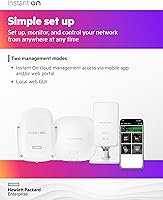
  • Management: Managed remotely via the Instant On mobile app (iOS and Android) or the cloud-hosted Instant On web portal.
  • Security Protocols: Supports WPA3 and WPA2 encryption standards along with guest network isolation and access controls.
  • Warranty: Covered by a 2-year limited hardware warranty from HPE with no additional licensing fees required.
  • Licensing Fees: No subscription, controller license, or recurring software fee is required to operate or manage this access point.
  • Manufacturer: Designed and manufactured by Aruba, a Hewlett Packard Enterprise company, based in the United States.
  • Color & Housing: The enclosure is white polycarbonate plastic, intended to blend into standard commercial ceiling and wall environments.
  • Release Date: This model was first made available for purchase in July 2019.

Related Reviews

HPE Instant On AP22 Wi-Fi 6 AP
80%
88%
Wireless Performance
91%
Setup & Installation
79%
App & Management Experience
86%
Build Quality & Design
74%
Value for Money
More
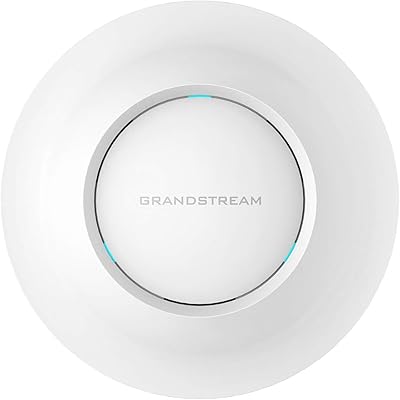
Grandstream GWN7630 Wi-Fi 5 Access Point
87%
88%
Performance
81%
Setup & Installation
84%
Software & App Experience
90%
Reliability
85%
Build Quality
More
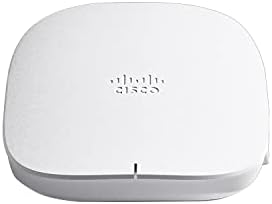
Cisco CBW240AC Wi-Fi Access Point
80%
83%
Wireless Performance
76%
Setup & Configuration
88%
Build Quality & Design
81%
Coverage Range
87%
Security Features
More
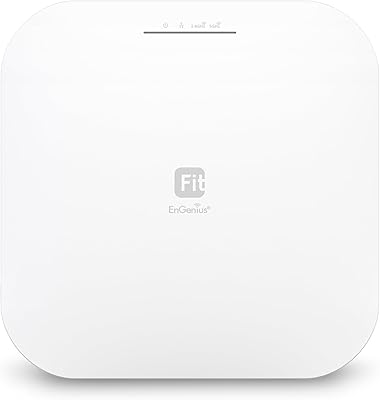
EnGenius EWS276-FIT Wi-Fi 6 Access Point
85%
88%
Performance
91%
Setup & Installation
86%
Wi-Fi Speed & Range
89%
Ease of Use (App/Cloud Management)
84%
Reliability
More
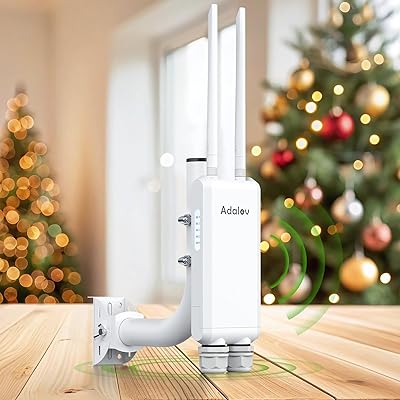
AdaLov CF-EW84 Outdoor Wi-Fi Access Point
83%
85%
Performance
90%
Durability (Weatherproofing)
88%
Ease of Installation
82%
Signal Coverage & Range
84%
Dual-Band Wi-Fi Performance
More
Cisco Business 150AX Wi-Fi 6 Access Point
85%
89%
Performance
92%
Security Features
78%
Ease of Setup
85%
Wi-Fi Coverage
80%
Management App Usability
More
Ubiquiti U6-Mesh Wi-Fi 6 Access Point
79%
93%
Wireless Performance
54%
Setup & Configuration
91%
Build Quality & Durability
88%
Coverage Range
74%
Value for Money
More
TP-Link Omada EAP673 AX5400 Wi-Fi 6 Access Point
86%
91%
Performance & Speed
88%
Ease of Setup
89%
Wireless Coverage
85%
Build Quality
92%
App & Cloud Management
More
EnGenius EWS356-FIT Wi-Fi 6 Dual-Band Access Point
83%
91%
Wi-Fi Performance
89%
Ease of Setup
87%
Coverage Area
82%
Software and App Experience
90%
Security Features (WPA3)
More
Ubiquiti Networks airCube ACB-ISP-US Wi-Fi Access Point
83%
91%
Ease of Installation
88%
Value for Money
82%
Wi-Fi Performance
85%
Compactness & Design
68%
Range Coverage
More

FAQ

No, it does not. The HPE Instant On AP11 Wi-Fi Access Point ships with only the unit itself and mounting hardware. To power it, you either need a PoE-capable switch or a PoE injector connected to your network, or you can purchase the 12V DC power adapter separately (HPE sells a bundle version that includes the adapter if you prefer everything in one order).
No subscription or licensing fee is required. Management is handled entirely through the free Instant On mobile app or the cloud-based web portal. Both are included at no cost and work straight out of the box once the AP is online.

It works with virtually any standard router or switch — you do not need HPE gear elsewhere in your network. The only firm requirement is that your switch supports PoE (802.3af) if you want to avoid running a separate power cable, but even that can be solved with an inexpensive PoE injector.

HPE rates it for up to 50 active devices, and in practice that ceiling holds up well in low-to-medium traffic environments. If your space has more than 50 people regularly on Wi-Fi at the same time — or if your devices are doing heavy streaming or large file transfers simultaneously — you may start to notice slowdowns and should consider a second unit or a higher-tier model.

Not really, at least not as a single unit. It is designed for single-floor, low-to-medium density spaces. In a two-story building you would almost certainly need one AP per floor, and in a large warehouse the range would likely fall short in far corners. For those environments, it is worth looking at the newer Instant On models with extended range or higher device capacity.

Most users find it straightforward. The box includes mounting clips for drop-ceiling T-rails and hardware for standard wall mounting. Ceiling installation is the recommended placement for best coverage and typically takes around 15 to 20 minutes. Running an Ethernet cable to the ceiling is the part that requires the most effort, especially in finished spaces.

Yes, that is actually one of the more useful features of the Instant On platform. You can add multiple APs across different physical sites and manage them all from a single app or web portal login. SSIDs, guest network settings, and security configurations can be kept consistent across locations without visiting each site.

Yes. You can set up a dedicated guest SSID with its own password and network isolation, which keeps guest traffic separated from your main business network. This is a standard and well-implemented feature in the Instant On platform and takes only a couple of minutes to configure.

It depends on your budget and how future-proof you want your setup to be. For a small office or shop with modest device counts and no plans to upgrade client hardware soon, this AP still performs reliably and the savings are real. If you are buying for a space that will grow, or if many of your devices already support Wi-Fi 6, spending a little more on the AP21 or AP22 makes more sense long term.

HPE provides support documentation, setup guides, and community forums that cover most common issues thoroughly. For direct support, experiences vary — some users report quick resolutions, while others have found escalation slower depending on their region. For day-to-day troubleshooting, the Instant On app also includes built-in diagnostic tools that resolve many issues without needing to contact support at all.

Where to Buy