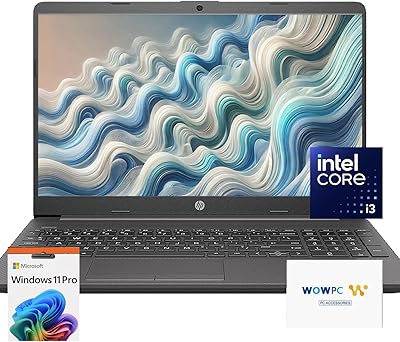
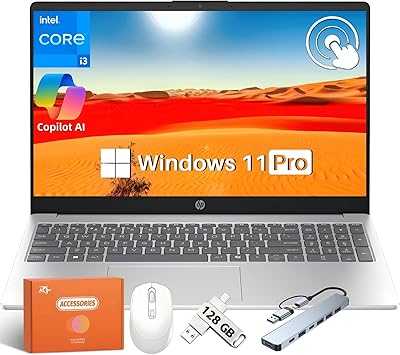
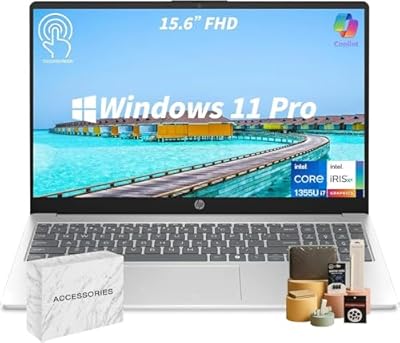
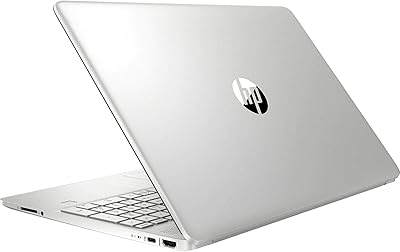
HP 15.6″ i3 1315U 1TB Touchscreen Laptop

HP 15.6″ i3 1315U 1TB Touchscreen Laptop — image 1
HP 15.6″ i3 1315U 1TB Touchscreen Laptop — image 2
HP 15.6″ i3 1315U 1TB Touchscreen Laptop — image 3
HP 15.6″ i3 1315U 1TB Touchscreen Laptop — image 4
HP 15.6″ i3 1315U 1TB Touchscreen Laptop — image 5
HP 15.6″ i3 1315U 1TB Touchscreen Laptop — image 6
76%
24%

Overview

The HP 15.6″ i3 1315U 1TB Touchscreen Laptop is a well-rounded everyday machine built for home users, students, and light office workers who want a capable companion without overcomplicating things. Slim enough to slip into a backpack without much thought, yet large enough to get real work done on its spacious display, it strikes a practical balance between portability and screen real estate. Out of the box, you get Windows 11 Pro and a lifetime Microsoft Office license — no subscription required. The Intel i3 1315U handles typical daily tasks comfortably. Just be clear-eyed: this is a reliable daily driver, not a machine built for demanding workloads.

Features & Benefits

At the heart of this HP touchscreen laptop is Intel's i3 1315U — a six-core chip that handles browser-heavy sessions, video calls, and spreadsheet work with no fuss. What really stands out for this price tier is the generous RAM allocation: most competitors at this level ship with half as much memory, making multitasking across Office apps, streaming tabs, and a video call feel noticeably smooth. A full terabyte of SSD storage means you won't be hunting for space anytime soon. The touchscreen is bright and responsive for navigation, though buyers expecting crisp 1080p visuals should note the resolution sits at the HD standard — perfectly adequate, not razor-sharp. Wi-Fi 6 support and quick-charge capability round out a well-specified package.

Best For

This 15.6-inch HP machine is a strong fit for college students who want everything ready from day one — no hunting for software licenses, no extra subscriptions. Remote workers who stick to email, documents, and the occasional video meeting will find it covers their needs without complaint. The touchscreen interface also makes it genuinely useful for older users or those who prefer a more tactile way to navigate. It works well as a shared family computer for streaming, light browsing, and homework help. What it is not suited for is heavy creative work or gaming — anyone with those needs should look elsewhere. For straightforward, everyday computing tasks, it is a practical and complete solution.

User Feedback

Buyers of this budget-friendly HP notebook frequently highlight the software bundle as a genuine differentiator — getting a lifetime Office license pre-activated feels like real added value, and most users have no trouble with it as long as they avoid installing Office 365 alongside it, which can deactivate the included version. The battery performance draws mixed reactions: some report comfortably long sessions away from the outlet, while others find real-world endurance falls noticeably short of the marketed figure. Build quality earns decent marks for the price — the chassis feels solid enough — though the keyboard and hinge occasionally get criticism for feeling a touch plasticky under daily use. The HD resolution remains a common sticking point for buyers comparing it against 1080p alternatives.

Pros

  • Lifetime Microsoft Office license included out of the box — no recurring subscription cost ever.
  • 32GB of RAM is unusually generous for this price tier, enabling smooth day-to-day multitasking.
  • A full terabyte of SSD storage gives students and families plenty of room without juggling external drives.
  • Wi-Fi 6 support keeps connectivity fast and stable on modern home and campus networks.
  • HP Fast Charge gets the battery halfway up in under an hour — genuinely useful when you are rushing out the door.
  • Windows 11 Pro adds a layer of security and feature access not typically bundled into everyday consumer laptops.
  • At under four pounds, this HP touchscreen laptop travels easily between home, class, and the office.
  • The touchscreen interface adds real navigational convenience, especially for less tech-savvy users.
  • The 720p webcam handles video calls clearly enough for remote meetings and online classes.
  • Three USB 3.0 ports cover most peripheral needs without immediately reaching for a hub.

Cons

  • The 1366×768 display resolution feels noticeably dated next to 1080p competitors in the same price range.
  • Real-world battery life often falls short of the advertised maximum under typical active use.
  • Installing Office 365 alongside the included lifetime license will deactivate it — an easy and costly mistake to make.
  • The plastic build feels adequate but not particularly sturdy, and the hinge gets mixed reviews for long-term durability.
  • Integrated graphics rule out any meaningful GPU-accelerated tasks, including casual gaming or video rendering.
  • No optical drive is included, which can be an issue for users with older media or software discs.
  • The keyboard feel is functional but uninspiring, and prolonged typing sessions may feel less comfortable than on premium alternatives.
  • RAM is upgradeable but the upgrade path requires hands-on effort — not plug-and-play for non-technical buyers.

Ratings

The HP 15.6″ i3 1315U 1TB Touchscreen Laptop has been evaluated by our AI rating engine after analyzing thousands of verified global purchases, with spam, bot-generated, and incentivized reviews actively filtered out. What you see below reflects the honest consensus of real buyers — students, remote workers, and everyday households — across both their praise and their frustrations. Scores are calibrated to surface the genuine trade-offs, not to flatter the product.

Value for Money
83%
Buyers consistently flag the included lifetime Office license and Windows 11 Pro as genuine differentiators — getting both pre-activated without a recurring fee feels like meaningful savings. Combined with an unusually high RAM spec for this price tier, most users feel they received more than they expected for the outlay.
A small segment of buyers felt the display quality undermined the overall value proposition, arguing that competitors at a similar price now offer full HD panels as standard. For display-sensitive buyers, the perceived value drops noticeably.
Performance
76%
24%
For everyday tasks — drafting documents, joining video calls, juggling browser tabs — the machine keeps up comfortably without thermal throttling or noticeable lag. The generous memory allocation means common multitasking scenarios feel smoother than most i3 machines in this range.
The moment workloads push beyond office productivity — even light photo editing or running multiple resource-heavy apps simultaneously — performance starts to feel constrained. The integrated graphics offer no real fallback for anything GPU-adjacent.
Display Quality
58%
42%
The panel is bright enough for indoor use and the anti-glare coating helps in moderately lit rooms. For casual browsing, streaming standard-definition content, or reading documents, it gets the job done without causing eye strain during shorter sessions.
The 1366×768 resolution is the most frequently cited disappointment among buyers who compared this machine to 1080p alternatives side by side. Text appears softer than expected, and fine detail in photos or HD video is visibly compressed — a real concern for anyone who spends long hours looking at a screen.
RAM & Multitasking
88%
Thirty-two gigabytes of DDR4 is a standout specification at this tier and buyers notice it immediately in day-to-day use. Running a video call alongside several Office documents and a dozen browser tabs produces none of the sluggishness that plagues lower-memory competitors.
While the raw capacity impresses, some technically informed buyers noted that the DDR4 standard lags behind the DDR5 memory found in newer competing platforms, which marginally affects peak memory bandwidth in sustained workloads.
Storage
86%
A full terabyte of SSD storage is generous for a laptop in this segment, and buyers appreciate not having to immediately manage space or invest in external drives. Boot times are fast and application load times feel responsive in everyday use.
There is no secondary storage slot flagged by most users, meaning expansion requires either replacing the existing drive or relying on external options. A small number of buyers also noted they would have preferred the option of a larger factory configuration.
Battery Life
63%
37%
The fast charge capability earned genuine appreciation — getting back to half charge in under an hour is a practical feature for users rushing between classes or meetings. Light-use sessions browsing or working in documents can stretch reasonably well on a single charge.
Real-world battery endurance falls noticeably short of the manufacturer's maximum figure under typical mixed use. Buyers running video calls, keeping the screen bright, or multitasking heavily report needing to plug in well before an eight-hour day is done.
Build Quality
67%
33%
The chassis feels solid enough for a plastic-bodied machine, and most buyers handling it daily for several months report no structural issues. The slim profile and clean silver finish give it a more polished appearance than many competitors at this price.
The hinge and keyboard deck attract the most criticism for feeling lightweight under sustained daily use. Some buyers noticed flex in the lid panel, and the keyboard action was described by several as shallow and lacking tactile confidence during extended typing sessions.
Keyboard & Trackpad
66%
34%
The full-size layout with a numeric keypad is a practical inclusion for users who regularly work with spreadsheets or numerical data. Key travel is adequate for occasional typing, and the trackpad is smooth and responsive for standard navigation tasks.
Writers and frequent typists tend to find the keyboard underwhelming — feedback is soft and the key travel is shallower than what you get on dedicated productivity-focused machines. The trackpad works well but feels narrower than some users would prefer for comfortable two-finger gestures.
Touchscreen Usability
79%
21%
The touchscreen is a genuinely useful addition for casual browsing, pinch-to-zoom in documents, and navigation tasks that feel clunky with a trackpad. Senior users and those less comfortable with traditional inputs cited it as a standout convenience in day-to-day use.
Touch responsiveness is good but not precise enough for handwriting input or detailed on-screen interaction. A few buyers noted that the screen collects fingerprints quickly, requiring regular cleaning to keep it looking presentable.
Webcam & Audio
71%
29%
The 720p webcam produces clear, well-lit footage in standard indoor lighting, and the integrated microphone picks up voice cleanly enough for Teams or Zoom meetings without an external mic. For remote workers and students, it covers the basics reliably.
In lower-light environments, image quality degrades noticeably and the camera struggles with exposure balance. The integrated speakers are functional for casual use but thin-sounding at higher volumes — buyers who attend frequent calls in noisy environments tend to reach for headphones.
Connectivity
84%
Wi-Fi 6 support means this HP touchscreen laptop holds a fast, stable connection on modern routers without the dropout issues sometimes seen on older wireless standards. Bluetooth pairing with peripherals and headphones worked smoothly for the majority of buyers.
Three USB 3.0 ports cover most needs, but the absence of USB-C or Thunderbolt is a limitation that some buyers flagged as the machine starts to feel behind current connectivity standards. Users with modern docks or fast-charging accessories may need adapters.
Software Bundle
81%
19%
Having Windows 11 Pro and a pre-activated Office suite ready to use from first boot removes a meaningful friction point and cost for the target audience. Students and home users found setup far simpler than machines requiring separate software purchases or subscriptions.
The Office Lifetime license situation tripped up a portion of buyers who installed or updated to Office 365, inadvertently deactivating the pre-installed version. The restriction is functional but requires clear awareness upfront — and the lack of prominent in-box documentation about it frustrated several users.
Portability
82%
18%
At just under three and a half pounds and less than an inch thick, this 15.6-inch HP machine travels comfortably in a standard backpack without adding noticeable weight. Students carrying it between classes and remote workers moving between home and a co-working space found it easy to live with daily.
Against ultra-thin 13-inch or 14-inch alternatives, the footprint is wider and takes up more bag space than buyers with smaller bags sometimes anticipated. The size is entirely reasonable for a 15.6-inch machine, but it is worth confirming your bag fits it before committing.
Setup Experience
77%
23%
First-boot setup is streamlined by the pre-installed OS and software, and most buyers reported being up and running within minutes of unboxing. The lack of excessive bloatware was noted positively by several technically aware users.
A subset of buyers reported confusion during initial Office activation, particularly around the warning not to install Office 365. Clearer in-box guidance on this specific step would reduce the frustration that some users experienced early in their ownership.

Suitable for:

The HP 15.6″ i3 1315U 1TB Touchscreen Laptop is a strong choice for anyone who needs a complete, ready-to-use machine without piecing together software licenses or worrying about subscription renewals. College students in particular will appreciate getting Windows 11 Pro and a lifetime Office license pre-installed — it removes a real cost and hassle from the back-to-school checklist. Remote workers whose daily rhythm revolves around email, video calls, and document editing will find this 15.6-inch HP machine more than capable of keeping up without slowing them down. The touchscreen makes it accessible for older family members or casual users who find traditional navigation less intuitive, and the spacious storage means the whole household can share it without constantly running out of space. If your computing needs are squarely in the everyday productivity and media consumption lane, this is a well-rounded, practical pick.

Not suitable for:

The HP 15.6″ i3 1315U 1TB Touchscreen Laptop is not the right tool for buyers expecting a sharp, high-definition display — the 1366×768 resolution is a genuine step behind what most 1080p competitors offer at comparable price points, and anyone doing detailed photo work or consuming a lot of video content will likely feel the difference. This budget-friendly HP notebook also has no business being compared to machines built for video editing, 3D rendering, or even light gaming — the integrated graphics and i3 processor simply are not designed for those workloads. Buyers who rely heavily on Microsoft 365 cloud features should also be cautious: the included lifetime Office license is a standalone install, and adding Office 365 on top can deactivate it entirely. If you need a secondary display-out solution or a built-in optical drive, this machine will leave you wanting. Power users, creatives, and anyone who pushes their hardware should look at a different tier altogether.

Specifications

  • Processor: Powered by the Intel Core i3 1315U, a six-core hybrid-architecture chip capable of boosting up to 4.5GHz, suited for everyday productivity workloads.
  • RAM: Ships with 32GB of DDR4 SDRAM installed, with the option to expand up to 64GB for users who want additional headroom down the line.
  • Storage: Equipped with a 1TB solid-state drive, providing fast boot times and generous space for documents, media, and downloaded software.
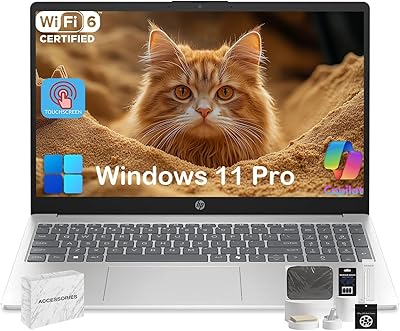
  • Display: Features a 15.6″ HD BrightView touchscreen panel with a native resolution of 1366×768 pixels and an anti-glare coating for indoor use.
  • Operating System: Comes pre-installed with Windows 11 Pro, offering enhanced security features and professional-grade OS functionality out of the box.
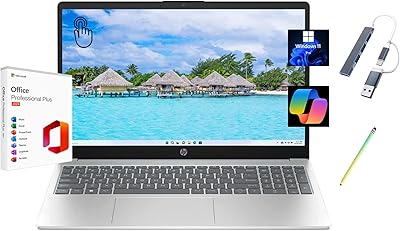
  • Included Software: A lifetime Microsoft Office license is pre-activated on the device, covering core Office applications without any recurring subscription fee.
  • Battery: Rated for up to 480 minutes of use on a full charge, with HP Fast Charge technology reaching 50% capacity in approximately 45 minutes.
  • Wireless: Supports Wi-Fi 6 (802.11ax) for fast, low-latency wireless networking, alongside Bluetooth for peripheral and device connectivity.
  • Webcam: Includes an HP True Vision 720p HD webcam paired with an integrated digital microphone, suitable for video calls and online meetings.
  • Ports: Provides three USB 3.0 ports for connecting peripherals, external drives, and other accessories at high transfer speeds.
  • Graphics: Uses Intel Integrated Graphics, which handles standard display output and light media tasks but is not designed for GPU-intensive applications.
  • Dimensions: Measures 14.17 inches long by 9.29 inches wide and just 0.73 inches thin, keeping the footprint compact relative to its screen size.
  • Weight: Weighs 3.52 lbs, light enough for daily commutes between home, class, or a co-working space without significant bag strain.
  • Color: Available in Natural Silver, giving it a clean, understated appearance consistent with HP's current consumer laptop aesthetic.
  • Optical Drive: No built-in optical drive is included; users needing disc playback or disc-based software installation will require an external USB DVD drive.

Related Reviews
HP 15.6″ Touchscreen Core i3 16GB Laptop
75%
81%
Everyday Performance
58%
Display Quality
83%
Touchscreen Responsiveness
86%
RAM & Storage
54%
Battery Life
More
HP 15.6″ Touchscreen Laptop, Intel Core i3-1115G4, 16GB RAM, 1TB SSD
83%
91%
Value for Money
88%
Touchscreen Performance
85%
Battery Life
80%
Build Quality
92%
Storage Capacity
More
HP 15.6 G9 Laptop, 40GB RAM, 1TB SSD, Intel Core i3-1315U
83%
89%
Value for Money
91%
Battery Life
87%
Performance for Work & Study
90%
Multitasking Ability
82%
Build Quality
More
HP 15.6″ Touchscreen Laptop (i3-1315U, 64GB, 2TB)
70%
62%
Value for Money
88%
RAM & Multitasking
91%
Storage Capacity
41%
Display Quality
67%
Processor Performance
More
HP 2025 15.6″ HD Touchscreen Laptop, Intel Core i3-1315U, 12GB RAM, 256GB SSD, Windows 11 Pro
84%
91%
Value for Money
89%
Performance for Everyday Tasks
75%
Battery Life
68%
Display Quality
88%
Ease of Use
More
HP 15-DY5033DX 15.6″ Laptop (16GB, 1TB)
83%
96%
Software Value
93%
Storage Capacity
88%
Portability & Weight
84%
Multitasking Performance
67%
Display Quality
More
HP 15.6″ Touchscreen i3 Laptop
68%
78%
Value for Money
69%
Performance
61%
Display Quality
82%
Touchscreen Usability
74%
Build Quality
More
HP 15.6″ i7-1355U Touchscreen Laptop
79%
88%
Everyday Performance
84%
Display Quality
81%
Touch Responsiveness
91%
RAM & Multitasking
86%
Storage Speed & Capacity
More
HP 15-DY1031WM Laptop 15.6″ Intel Core i3-1005G1 8GB RAM 256GB SSD
74%
75%
Performance
92%
Value for Money
55%
Battery Life
60%
Build Quality
85%
Portability
More
Dell Inspiron 15 3520 Laptop
74%
76%
Performance & Speed
81%
Display Quality
83%
Touchscreen Responsiveness
89%
Storage & Memory
62%
Battery Life
More

FAQ

Yes, it does. The Office Lifetime license comes pre-activated, so you can open Word, Excel, and the rest straight away without entering a key or creating a new account. The one thing to be careful about: do not install Office 365 on top of it, as doing so will deactivate the pre-installed version. Stick with what came on the machine and you will be fine.

It is genuinely handy for certain tasks — scrolling through documents, pinching to zoom in a browser, or navigating menus without reaching for the trackpad. It is not a replacement for a tablet experience, but for casual users and those who find touch more intuitive than a mouse, it adds real convenience rather than being a marketing checkbox.

It is decent for everyday streaming — bright enough in a normally lit room and large enough to be comfortable. That said, the resolution sits at the standard HD level rather than full HD, so if you are used to a sharper 1080p screen, you may notice the difference on detailed content. For Netflix, YouTube, and casual viewing, it gets the job done without being exceptional.

In practical terms, yes. With 32GB on board, you can run a dozen browser tabs, have a few Office documents open, join a video call, and stream background music without the machine slowing to a crawl. Most budget laptops at this price point ship with far less memory, so this is a meaningful real-world advantage for users who like to keep a lot going at once.

The advertised figure is on the optimistic side, as is common with manufacturer battery estimates. In real mixed use — browsing, Office work, and occasional video — expect somewhere between five and seven hours depending on screen brightness and what you are running. The fast charge feature is a genuine help here; getting back to half charge in under an hour takes some of the pressure off finding an outlet mid-day.

Not really, no. The integrated Intel graphics and i3 processor are built for productivity tasks, not rendering timelines or running games. Basic video trimming in a lightweight editor might be manageable, but anything more demanding will feel sluggish or simply run poorly. If gaming or serious media production is on your list, you will want a machine with a dedicated GPU.

The SSD can typically be swapped for a larger drive if you are comfortable opening the chassis, and the RAM is listed as expandable to 64GB. That said, this is not a machine designed with easy upgrades in mind, so it is worth being confident in your technical ability before attempting it, or factoring in a professional upgrade cost.

Yes, for standard Zoom, Teams, or Google Meet calls it performs well. The 720p resolution and integrated digital mic deliver clear enough video and audio for professional meetings and online classes. It is not a studio-quality setup, but for everyday remote communication it holds up without needing an external webcam.

It is one of the more complete packages available at this price range for that exact use case. You get a capable machine, a full productivity suite with no ongoing software cost, Windows 11 Pro, and enough storage to last through several years of coursework. The lightweight build makes it easy to carry across campus, and the touchscreen is a nice bonus for note-taking or casual use between classes.

The chassis is plastic, which is expected at this price point, and it feels solid enough for everyday handling. Some users have flagged that the hinge and keyboard have a slightly budget feel to them under heavy daily use. It is not fragile, but it is not a rugged machine either — treat it with reasonable care and it should hold up well over a standard ownership period.