Overview

The Google TV Streamer 4K Streaming Media Player marks a real shift for Google — out with the dongle, in with a proper set-top box. Released in late 2024 as the spiritual successor to the Chromecast lineup, this Google TV box trades the familiar stick form for a compact, porcelain-colored unit that sits beside your TV rather than dangling from its HDMI port. That change matters more than it sounds: you get 32 GB of storage, enough to load apps without constantly juggling what stays and what gets deleted. Priced to compete with the Roku Ultra and Fire TV Cube, it runs a content-aggregating interface that pulls watchlists from multiple services into one place.

Features & Benefits

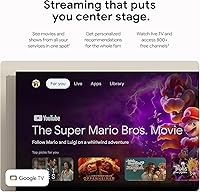
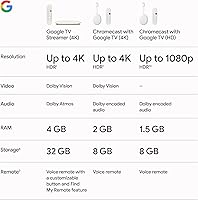
Picture quality is where the Streamer 4K earns its keep. It handles 4K Ultra HD with HDR10, Dolby Vision, and HLG — in practice, content on supported apps looks noticeably richer than what an older 1080p device delivers. Built-in Chromecast still works exactly as you'd hope, letting you fling video from a phone or laptop to the TV without touching an input menu. The voice remote is genuinely useful for cross-app searching and smart home control. What sets this Google TV box apart from most rivals, though, is its Matter and Thread hub capability — a rare feature that lets it act as a central node for a wide range of compatible smart home gadgets.

Best For

The Streamer 4K is an easy recommendation for anyone already living inside Google's ecosystem. If your phone is Android, your speakers are Nest, and your thermostat talks to Google Home, setup takes minutes and everything connects without friction. It's also a strong pick for cord-cutters who've outgrown a basic streaming stick and want more storage and a smarter interface without paying Apple TV 4K prices. Content-discovery-focused viewers will appreciate how Google TV surfaces recommendations across apps rather than forcing you into each one separately. That said, if you're an iPhone household or prefer keeping streaming and smart home management separate, Google's set-top streamer may feel more demanding than expected.

User Feedback

Buyers of this Google TV box consistently praise the fast, responsive interface and how reliably casting holds up over time — two things that frustrated longtime Chromecast users. The remote earns solid marks too, particularly the shortcut buttons and Google Assistant integration. On the downside, the mandatory Google account requirement is a recurring complaint, and several owners flag that the home screen mixes promoted content in with your apps — a small but persistent irritant. Setup is smooth for Android users; those migrating from Apple or Roku often report a steeper adjustment. Long-term reliability appears solid so far, with no widespread lag complaints, though the device is still relatively new to the market.

Pros

  • The Google TV interface aggregates content across all major apps into one unified watchlist, cutting down on app-hopping.
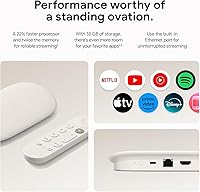
  • 32 GB of internal storage is generous for this category — enough for games, niche apps, and future installs without constant cleanup.
  • Built-in Chromecast works reliably and instantly from Android phones, tablets, and Chrome browsers.
  • Supports 4K Ultra HD with Dolby Vision and HDR10, delivering noticeably better picture on capable TVs.
  • The voice remote handles cross-app search and Google Assistant commands without needing your phone.
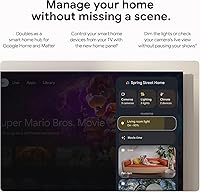
  • Matter and Thread hub support turns the Streamer 4K into a smart home controller — a rare bonus for a streaming device.
  • Setup is quick and painless for Android users, often completing in just a few minutes.
  • App load times are fast, and 4K streaming holds steady without buffering on a solid Wi-Fi connection.
  • The compact set-top box sits neatly on an AV shelf without consuming much space or adding cable clutter.

Cons

  • A Google account is required — there is no way to set up or use the device without one.
  • The home screen regularly surfaces promoted titles and paid content, which some users find intrusive.
  • iPhone and Apple ecosystem users lose access to several of the smoothest casting and integration features.
  • The Google TV interface can feel cluttered, prioritizing algorithmic recommendations over a clean app grid.
  • No Ethernet port means you are fully dependent on Wi-Fi signal quality for 4K playback stability.
  • Non-Android users report a noticeably steeper and more frustrating initial setup experience.
  • Google's track record of discontinuing hardware lines may give cautious buyers pause about long-term support.
  • At its price point, it competes against strong alternatives that may suit non-Google households better.

Ratings

Our AI rating engine analyzed thousands of verified global user reviews for the Google TV Streamer 4K Streaming Media Player, actively filtering out incentivized, bot-generated, and duplicate submissions to surface only genuine buyer experiences. The scores below reflect a balanced synthesis of both what users consistently praise and the pain points that genuinely frustrate them in daily use. Strengths and shortcomings are weighted equally — nothing is glossed over.

Interface Speed
88%
Users repeatedly describe the Google TV interface as snappy and responsive, even after months of continuous use. Switching between apps, waking from standby, and loading content rows all happen quickly enough that it rarely interrupts the viewing experience — a clear step up from older Chromecast hardware.
A small but vocal group of users report occasional sluggishness when the home screen is loading a heavy mix of recommendations and live content previews simultaneously. It's not a constant issue, but it surfaces often enough to keep the score from climbing higher.
Picture Quality
91%
On a Dolby Vision-capable TV, the Streamer 4K delivers genuinely impressive results — colors look rich and natural rather than oversaturated, and HDR highlights hold detail well in bright scenes. Users upgrading from 1080p sticks frequently mention the visible improvement as the most immediately satisfying part of the switch.
The device itself is only as good as the source content and the TV it's paired with — users with older 4K sets lacking proper HDR tone mapping may see less dramatic improvement. A handful of reviewers also noted occasional HDR handshake delays when switching inputs.
Casting Reliability
86%
For Android users, casting from YouTube, Chrome, or Google Photos is near-instant and holds stable without dropping mid-stream — a meaningful improvement over earlier Chromecast generations that were notorious for losing the cast connection. Office workers who use it to throw presentation content or background music to a living room TV find it especially dependable.
iPhone users report a more inconsistent casting experience, with occasional failures to discover the device from the iOS share menu. Casting from third-party apps on any platform can be hit-or-miss depending on the app's own Chromecast implementation rather than the hardware itself.
Content Discovery
83%
The Google TV watchlist system is one of the genuinely useful differentiators here — you can save a title from Netflix, find it later in your universal watchlist, and launch it without remembering which app it lives in. For households juggling five or more subscriptions, this alone saves real time on a nightly basis.
The home screen mixes algorithmic recommendations with promoted and sponsored content in a way that some users find cluttered and difficult to customize meaningfully. Power users who want a clean, app-grid-only layout will find the interface harder to tame than Roku's more neutral approach.
Smart Home Integration
84%
The Matter and Thread hub capability is a genuinely underappreciated feature — users with Nest thermostats, smart lights, or Thread-enabled sensors can control them directly through the remote or Google Assistant without needing a separate hub device. For households already in the Google Home ecosystem, this consolidation is a real convenience win.
Users outside the Google Home ecosystem get essentially no value from these features, and the initial configuration of Matter devices through the TV is not as intuitive as doing it through the Google Home app on a phone. Thread network reliability also depends heavily on having other Thread-compatible devices already in the home.
Remote Control
79%
21%
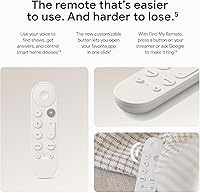
The physical remote is well-built for the category — buttons have good tactile feedback, the Google Assistant mic works reliably from across the room, and the shortcut buttons for popular apps are genuinely useful for cutting down navigation time. Users who rely on voice search for finding content across apps find it particularly practical.
Some users find the remote too minimalist, wishing for a dedicated power-off button or more customizable shortcut slots. A few reviewers also report that the remote's Bluetooth pairing occasionally drops and requires re-pairing after a power outage or firmware update.
Setup Experience
72%
28%
For Android phone users, setup genuinely takes just a few minutes — the device detects your phone and pre-fills Wi-Fi credentials, app preferences, and Google account details automatically. Users who already own other Google devices report it as one of the faster streaming box setups they've experienced.
Non-Android users — particularly those coming from Apple or Roku — describe setup as noticeably more demanding, requiring manual entry of credentials and more deliberate navigation through unfamiliar menus. The mandatory Google account step is a recurring frustration for users who prefer minimal account-linking with their hardware.
App Library
81%
19%
The Google TV app store covers every major streaming service without gaps — Netflix, Disney+, Max, Apple TV+, Peacock, and Paramount+ are all present and regularly updated. Users with niche interests in international content or fitness streaming apps tend to find more options here than on competing platforms.
A handful of region-specific or smaller streaming apps that exist on Android phones are not available in the Google TV store, which can frustrate users who assumed full Android app compatibility. Gaming app selection is improving but still trails dedicated game streaming platforms by a noticeable margin.
Storage Value
87%
Having 32 GB available is a legitimate quality-of-life improvement over the 8 GB or 16 GB found on most competing sticks — users who previously had to delete apps to make room for new ones describe the extra headroom as immediately noticeable. Households with kids who install multiple game apps particularly appreciate not having to manage storage constantly.
A portion of the 32 GB is consumed by the OS and pre-installed apps, so the usable storage is somewhat less than the headline figure. Users with very large game libraries or offline download habits from services like Netflix may still find themselves monitoring space over time.
Wi-Fi Performance
74%
26%
In homes with a modern router and the streaming box within reasonable range, 4K content streams without buffering interruptions and Wi-Fi connection re-establishment after standby is fast. Users in smaller apartments or with mesh Wi-Fi networks report consistently strong performance.
The absence of an Ethernet port is a real limitation for users in larger homes or those with congested wireless environments — there's no wired fallback option. Several users in multi-story houses specifically note that 4K HDR streams occasionally drop to lower quality during peak network hours.
Value for Money
76%
24%
For users who are already in the Google ecosystem and want a capable 4K box with smart home hub features, the price is reasonable relative to what you'd spend buying a Chromecast and a separate Matter hub. The 32 GB storage and Dolby Vision support at this tier are competitive with similarly priced alternatives.
Users outside the Google ecosystem may find the value proposition weaker — they pay for smart home and casting features they'll underuse while Roku Ultra offers a more neutral, arguably cleaner experience at a comparable price. Apple TV 4K users stepping down to this device often feel the software polish gap justifies spending more.
Design & Build
77%
23%
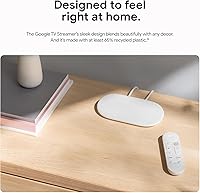
The compact box form factor is a genuine upgrade from a dangling HDMI dongle — it sits neatly on a shelf, stays cool during extended use, and the porcelain finish blends into most entertainment centers without drawing attention. Users appreciate that the power and HDMI cables keep the setup looking tidy.
The design, while clean, is not particularly distinctive — several users describe it as unremarkable compared to the more premium feel of the Apple TV hardware. The power brick adds a small amount of cable clutter that a USB-powered stick would avoid entirely.
Privacy Controls
58%
42%
Google does provide some opt-out controls for ad personalization and activity tracking within the settings menu, and users who take the time to configure these options report feeling more in control of their data footprint. The device itself does not have an always-on microphone — the remote's mic is push-to-activate.
The mandatory Google account requirement and the platform's inherent data-collection model are dealbreakers for privacy-conscious buyers. Unlike Roku, which offers a more neutral stance, Google's set-top streamer is tightly tied to an ecosystem that monetizes viewing behavior, and there is no meaningful way to opt out of that architecture entirely.
Long-Term Reliability
69%
31%
Early adopter feedback through mid-2025 is broadly positive — no widespread reports of hardware failures, overheating, or software regressions that have broken core functionality. Google's software update cadence for this device has been consistent since launch, which builds reasonable confidence for buyers.
Google's hardware history gives some buyers legitimate pause — the company has discontinued previous Chromecast and Pixel device lines with limited long-term support windows. The device is still relatively new, so long-term durability data remains thin, and cautious buyers are right to factor that uncertainty into their decision.

Suitable for:

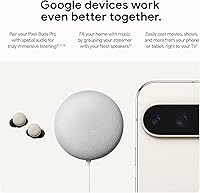
The Google TV Streamer 4K Streaming Media Player is purpose-built for households already invested in Google's ecosystem, and that's where it genuinely shines. Android phone users will appreciate how naturally casting and phone-to-TV mirroring works — no fiddling, no third-party apps, it just connects. Families or individuals upgrading from an aging Chromecast or a basic streaming stick will find the jump to a full box with 32 GB of storage a meaningful improvement, especially if they've ever run out of space deleting apps to make room for new ones. The built-in Matter and Thread hub support is a particularly strong draw for smart home enthusiasts using Nest, Google Home, or any growing collection of compatible devices — this box quietly doubles as a home automation hub without needing a separate gadget. Content-hungry viewers who hate jumping between apps to find something to watch will also get real value from the Google TV interface, which pulls recommendations from across services into a single, unified feed.
Not suitable for:

The Google TV Streamer 4K Streaming Media Player is a harder sell if you're not already living in Google's world. iPhone and iPad users will find that some of the smoothest integrations — like quick casting from Photos or Safari — are either clunky or require workarounds that Android users never have to think about. Privacy-conscious buyers should know upfront that a Google account is mandatory; there's no guest mode or account-free setup, and the home screen will surface promoted content alongside your apps. If you're a Roku loyalist who values the platform's neutrality across ecosystems and its cleaner, ad-lighter interface, switching may feel like a lateral move at best. Apple TV 4K users accustomed to that platform's polish and tighter hardware-software integration might also find Google's set-top streamer a step down in overall refinement. And if smart home features aren't relevant to you at all, you'd be paying a premium for capabilities that'll just sit unused.
Specifications

  • Resolution: Supports 4K Ultra HD output for sharp, detailed picture on compatible televisions.
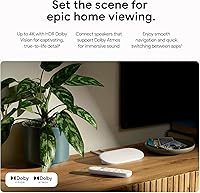
  • HDR Formats: Compatible with HDR10, Dolby Vision, and HLG for accurate color and contrast across a wide range of content.
  • Internal Storage: Equipped with 32 GB of onboard storage for apps, games, and cached data.
  • Connectivity: Connects to home networks via Wi-Fi, supporting faster wireless bands for stable 4K streaming.
  • Video Output: Outputs video through a single HDMI port, compatible with standard HDMI-equipped televisions and monitors.
  • Form Factor: Compact set-top box design intended to sit on an AV shelf rather than plug directly into the TV.
  • Dimensions: Measures 11.76 x 3.63 x 2.55 inches, keeping a low profile in most entertainment setups.
  • Weight: Weighs 8.2 ounces, making it lightweight and easy to position without stressing connected cables.
  • Operating System: Runs Google TV, a content-aggregating interface built on top of Android TV that unifies multiple streaming services.
  • Voice Assistant: Integrates Google Assistant for voice-driven search, playback control, and smart home commands via the included remote.
  • Cast Support: Includes Chromecast built-in, allowing direct casting from Android devices, iPhones, tablets, and Chrome browsers.
  • Smart Home: Supports Matter and Thread protocols, enabling the device to function as a smart home hub for compatible gadgets.
  • Remote Type: Ships with a voice-capable remote featuring dedicated shortcut buttons and a built-in microphone for Google Assistant.
  • Color: Available in Porcelain, a neutral off-white finish designed to blend into most living room environments.
  • Model Number: Officially designated as model GRS6B by Google.
  • Availability: First made available for purchase on October 14, 2024, positioning it as a late-2024 product release.

Related Reviews
Xiaomi Mi Box S Android TV 4K HDR Streaming Media Player
86%
90%
Value for Money
88%
Setup & Ease of Use
92%
Picture Quality (4K HDR)
89%
Google Assistant Voice Control
78%
App Performance
More
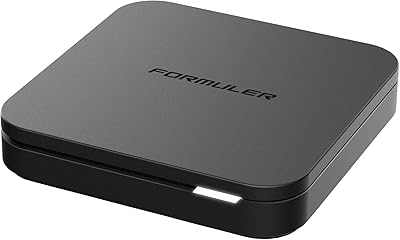
Formuler Z10 SE Android 10 2GB RAM 4GB ROM 4K Streaming Media Player
81%
88%
Value for Money
91%
4K Streaming Quality
89%
Ease of Setup
84%
Connectivity Options
78%
User Interface
More
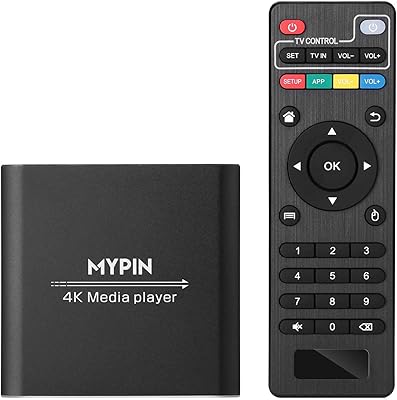
MYPIN HA0284-NCUSF 4K Media Player
77%
91%
Ease of Setup
88%
Format Compatibility
74%
4K Video Quality
83%
H.265 Decoding Performance
86%
Storage Flexibility
More
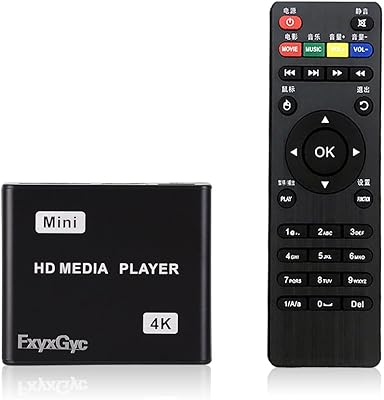
FxyxGyc 4K01 4K HDMI Media Player
82%
88%
4K Playback Performance
92%
File Format Compatibility
86%
External Storage Support
74%
Interface Navigation
91%
Digital Signage Reliability
More
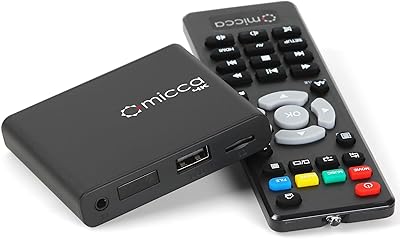
Micca Speck 4K
Micca Speck 4K
87%
94%
Local Playback Reliability
92%
Ease of Setup
88%
Format Compatibility
96%
Digital Signage Functionality
64%
Large Library Navigation
More
Roku Ultra 4K Streaming Player
82%
88%
Streaming Performance
84%
Picture Quality
91%
Remote Quality
89%
Private Listening
93%
Connectivity Options
More
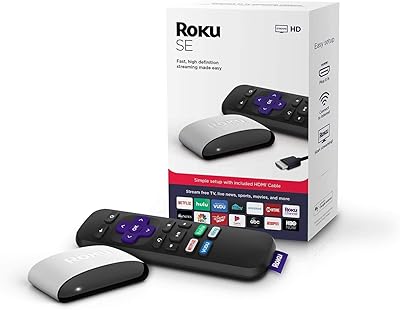
Roku 3903 SE Streaming Media Player
79%
93%
Ease of Setup
88%
Interface & Navigation
82%
Streaming Performance
77%
Picture Quality
58%
Remote Control
More
QIAOLET Google TV 4K Smart Projector
76%
91%
Streaming Platform Integration
72%
Image Brightness & Clarity
67%
Native Resolution Accuracy
74%
Built-in Audio Quality
88%
Smart OS & App Experience
More
YFDSPSM M9-8K Streaming Media Player
71%
83%
Value for Money
81%
Setup & Ease of Use
76%
Streaming Performance
88%
WiFi Connectivity
71%
Remote Control Quality
More
AGPTEK HA0058 4K Media Player
77%
74%
Video Playback Quality
88%
Format Compatibility
91%
Ease of Setup
58%
Remote Control
67%
Build Quality & Design
More

FAQ

Yes, a Google account is required to complete setup and access the full Google TV interface. There is no guest mode or account-free option. If you share the device with family members, you can add additional profiles under a single account.

It works with any television that has an available HDMI port, regardless of brand or age. You do not need a smart TV — the Streamer 4K provides all the smart functionality on its own. For 4K and HDR output, your TV will need to support those formats.

Most smart TVs, even recent ones, run slower software with fewer app updates than a dedicated streaming box. The Streamer 4K tends to load apps faster, receives more consistent software updates, and offers a significantly better content discovery experience through Google TV's unified interface.

It works with iPhones for basic casting using the Google Home app and browser-based casting from Chrome, but the experience is noticeably smoother on Android. Features like quick-cast from the system share menu and tighter integration with Google Photos are largely Android-only perks.

It means the Streamer 4K can act as a central hub for smart home devices that use the Matter or Thread communication standards — things like smart locks, lights, sensors, and thermostats. Instead of needing a separate Google Home Hub or Nest device to manage these gadgets, this box handles it automatically in the background.

For most users, 32 GB is more than sufficient. The major streaming apps are relatively small, and even with a handful of games installed, you are unlikely to hit the ceiling under normal use. It is a meaningful upgrade over the 8 GB found on many competing sticks and older Chromecast models.

The included remote works well and is not required for basic navigation — you can also use the Google Home app on your phone as a remote. Additionally, if your TV supports HDMI-CEC, your existing TV remote may control basic playback functions on the device.

Yes, the Google TV home screen includes a row of promoted content and sponsored titles mixed in with your apps and recommendations. There is no official toggle to remove them entirely, though organizing your home screen and prioritizing your own watchlist can push them further down. It is a genuine complaint among users who prefer a cleaner interface.

Switching from Roku or Fire TV is manageable but takes some adjustment. The Google TV interface is organized differently, and finding your preferred apps may require a brief exploration period. Android users will find most of their preferences auto-populated during setup; others should expect to spend 15 to 20 minutes getting everything configured the way they like it.

The device is Wi-Fi only — there is no Ethernet port. For most households with a reasonably strong router signal in the same room or nearby, Wi-Fi handles 4K streaming without issue. If your router is far away or your connection is congested, you may want to consider a Wi-Fi extender or mesh network before purchasing.

Where to Buy