Overview

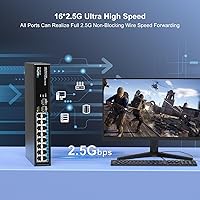
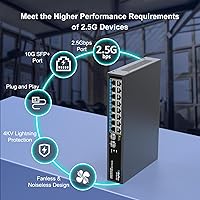
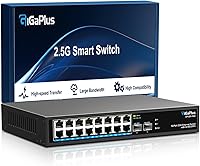
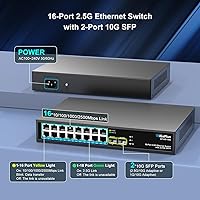
The GigaPlus S25-1602 18-Port 2.5G Network Switch arrives at a moment when 2.5G networking is finally practical for home labs and small offices, yet affordable options remain surprisingly scarce. With 16 RJ45 ports running up to 2.5 gigabits and two 10G SFP+ uplinks, it covers a solid range of connectivity needs without requiring an enterprise budget. Setup is genuinely straightforward: plug it in, connect your devices, and it negotiates speeds automatically. The fanless metal chassis makes it a natural fit for always-on deployments where fan noise would be a constant irritant. In a still-maturing category, this 2.5G switch punches meaningfully above its weight.
Features & Benefits

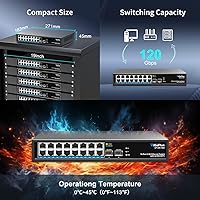
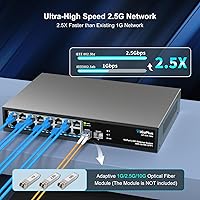
All 16 RJ45 ports on this fanless network switch auto-negotiate across 10M, 100M, 1G, and 2.5G, so plugging in an older laptop or a newer 2.5G NAS works without any manual configuration. The two 10G SFP+ uplinks are where things get interesting for more demanding setups — you can tie this switch into a faster router or server via fiber or DAC cable without creating a bottleneck at the core. A 120 Gbps non-blocking fabric means every port can run at full speed simultaneously, which matters when multiple devices are moving large files at once. Built-in 4KV lightning protection and both desktop and wall-mount support round out a practical, no-fuss hardware package.

Best For

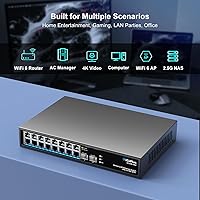
The GigaPlus 18-port switch is a strong fit for anyone running a multi-bay NAS from Synology or QNAP that supports 2.5G — the speed difference over standard gigabit is immediately noticeable when transferring large media libraries or VM backups. It also suits WiFi 6 access point deployments where the AP's 2.5G uplink port would otherwise be throttled by an older 1G switch. Gamers with 2.5G motherboard ports or a PCIe adapter will appreciate the headroom. That said, this is strictly an unmanaged switch, so anyone needing VLANs, QoS, or port mirroring needs to look at managed alternatives. Small offices that simply want reliable, silent connectivity without touching a config interface will feel right at home.

User Feedback

Verified buyers tend to praise the plug-and-play reliability of this 2.5G switch — most report that devices link up at the correct speed immediately without any fiddling. The all-metal enclosure earns positive mentions for feeling solid and well-built. On the flip side, a handful of users have noted the chassis runs noticeably warm after extended use under heavy load, so adequate airflow around it is worth planning for. SFP+ transceiver compatibility with third-party modules has been a sticking point for a small subset of buyers, making it worth verifying before purchasing non-branded optics. A few prosumer users have flagged minor auto-negotiation hiccups with older gigabit hardware, though this appears to be the exception rather than the rule.

Pros

  • All 16 RJ45 ports auto-negotiate from 10M up to 2.5G, so mixed older and newer hardware coexist without manual configuration.
  • Two 10G SFP+ uplinks give you genuine backbone headroom for connecting a fast NAS or router without creating a choke point.
  • The 120 Gbps non-blocking switching fabric means every port can run at full speed at the same time without contention.
  • Zero fan noise makes this 2.5G switch a practical choice for living rooms, home offices, or any noise-sensitive space.
  • Built-in 4KV lightning protection adds a layer of hardware resilience rarely found at this price tier.
  • Wall-mount and desktop installation options give you real flexibility in tight or rack-free spaces.
  • Setup genuinely takes minutes — no software, no login page, no configuration file to wrestle with.
  • The all-metal chassis feels sturdy and well-constructed, not like cost-cut plastic found on cheaper switches.
  • Backwards compatibility with 1G and older devices means you do not need to replace your entire hardware fleet to benefit.
  • Verified buyers consistently report that link speeds negotiate correctly and stay stable after initial connection.

Cons

  • The chassis can run noticeably warm under sustained heavy traffic, so placement in an enclosed cabinet without airflow is risky.
  • Being fully unmanaged means there is no way to segment traffic, set priorities, or monitor port-level activity.
  • Third-party SFP+ transceiver compatibility is not guaranteed, and some buyers have hit walls with non-branded modules.
  • A small number of users have reported auto-negotiation inconsistencies when mixing very old gigabit hardware with 2.5G devices.
  • There is no fanless guarantee against long-term thermal degradation if deployed in a consistently hot environment.
  • No VLAN support means this switch cannot isolate IoT devices, guest networks, or security segments at the switch level.
  • GigaPlus is a relatively new brand in a niche category, so long-term firmware support and warranty service remain unproven at scale.
  • The lack of any management interface means troubleshooting a connectivity problem requires physical inspection rather than remote diagnostics.

Ratings

The scores below were generated by our AI system after analyzing verified purchase reviews from buyers worldwide, with spam, bot-submitted, and incentivized feedback actively filtered out before scoring. The GigaPlus S25-1602 18-Port 2.5G Network Switch earned strong marks in several key areas, while a handful of real-world limitations kept certain categories from reaching their ceiling. Both the genuine strengths and the honest pain points are reflected in these ratings.
Plug-and-Play Setup
93%
Verified buyers consistently describe setup as taking under five minutes with zero configuration required — you connect power, plug in cables, and the switch handles everything. For home lab users and small office staff without dedicated IT support, this frictionless experience is one of the most frequently praised aspects of this 2.5G switch.
A small percentage of users with older or mixed-vendor hardware reported that a device or two did not negotiate to the expected speed on the first connection, requiring a cable re-seat or reboot to resolve. These cases appear to be edge cases rather than a systemic issue.
Port Count & Layout
88%
Sixteen 2.5G RJ45 ports is a genuinely generous count at this tier — most competing fanless options top out at eight ports, making this GigaPlus 18-port switch a clear winner for denser home lab or multi-AP office deployments. The two 10G SFP+ uplinks positioned separately from the copper ports keep cable management clean.
The physical port spacing is snug enough that very thick or locking RJ45 connectors can be awkward to seat side by side. A few rack-conscious buyers also wished the port layout included rack-mount ears out of the box rather than as an afterthought.
2.5G Speed Performance
91%
Users running Synology or QNAP NAS units with 2.5G ports report near-theoretical throughput in real file transfer tests, with sustained speeds comfortably above what a standard gigabit switch could ever deliver. Content creators moving large video libraries across the local network noticed the difference immediately in day-to-day use.
A handful of prosumer users running multiple simultaneous high-bandwidth sessions across many ports noted occasional latency spikes, though these reports are not widespread and may reflect specific NIC driver or cable quality factors rather than the switch itself.
Fanless Noise Level
94%
Complete silence is the defining characteristic here — no fan hum, no spin-up noise, nothing. Buyers who placed this fanless network switch in living rooms, home offices, or open-plan workspaces specifically cited the absence of noise as a major quality-of-life improvement over their previous fan-cooled switches.
The silence comes with a thermal trade-off that is worth acknowledging: the chassis can become quite warm to the touch during extended heavy use, which makes placement in enclosed or poorly ventilated spaces a genuine concern for long-term reliability.
Thermal Management
67%
33%
Under typical mixed home or small office loads — a NAS, a few PCs, and a couple of access points — the passive cooling holds up well enough and the switch runs stably without any reported throttling. The metal chassis does transfer heat away from internal components reasonably well in open-air deployments.
When many ports are simultaneously pushed near full load for extended periods, the chassis surface temperature climbs noticeably, and buyers running this switch inside a closed AV cabinet or entertainment center have flagged warmth as a concern. There is no thermal indicator or protection alert to warn users when operating conditions are pushing limits.
Build Quality
83%
The all-metal enclosure gives the switch a premium feel that stands out in a category where cheaper plastic housings are common. Buyers handling it for the first time frequently comment that it feels denser and more solidly constructed than expected at this price point.
Some buyers noted that while the chassis feels solid, the port labeling text is faint and can be difficult to read in low-light server closet conditions. A couple of users also pointed out minor fit inconsistencies in the SFP+ port covers.
10G SFP+ Uplink Utility
79%
21%
For users who have a 10G router, NAS, or server as their network core, the two SFP+ uplinks are a practical and well-implemented feature that prevents the switch from becoming the bottleneck in an otherwise fast infrastructure. Direct-attach copper cables work reliably in tested configurations.
Third-party transceiver compatibility is inconsistent, and a portion of buyers using non-branded SFP+ modules have encountered link-up failures. GigaPlus does not publish an official compatibility list, which adds friction for buyers who want to use existing optics from another deployment.
Backward Compatibility
86%
Auto MDI/MDIX and multi-speed auto-negotiation across 10M, 100M, 1G, and 2.5G mean this switch slots into existing mixed networks without any disruption to older devices. Home users with a combination of legacy smart home hardware and newer 2.5G devices found the coexistence completely transparent.
A small but notable subset of users experienced auto-negotiation inconsistencies specifically with older gigabit network interface cards from certain manufacturers, where the device would link at 100M rather than 1G until a manual speed was forced at the NIC level.
Value for Money
84%
In the context of the 2.5G switch market — which remains a niche with limited competition and often inflated pricing — buyers broadly feel that the per-port cost is fair for what is delivered. The combination of port count, uplink options, and fanless metal construction is difficult to match at a comparable price point.
Buyers comparing this switch against budget gigabit options purely on price may experience sticker shock, and those who do not actively use 2.5G devices may not realize the speed benefits that justify the premium over a standard 1G switch.
Lightning & Surge Protection
77%
23%
The inclusion of 4KV lightning protection is a meaningful differentiator for buyers in regions prone to electrical storms, or those running cables that span multiple buildings or long outdoor runs. Several users in suburban home environments specifically mentioned this feature as a purchase factor.
GigaPlus does not provide detailed technical documentation about the protection circuitry, making it difficult for more technically minded buyers to independently verify the 4KV rating or assess how it compares to rated industrial-grade protection standards.
Mounting Flexibility
72%
28%
Support for both desktop and wall mounting gives this fanless network switch genuine versatility for small office and home environments where a full rack is unavailable or impractical. Wall mounting in particular is frequently noted as useful for network closets and behind-TV media setups.
Rack mounting is not natively supported without a separately sourced bracket, which is a gap for buyers who want to integrate this switch into a standard 19-inch rack alongside other equipment. The omission is a recurring complaint among home lab users with structured rack setups.
Long-Term Reliability
74%
26%
Early adopters who have been running the switch in always-on deployments for several months report stable operation with no port failures or unexpected reboots. The metal chassis and fanless design remove two of the most common mechanical failure points found in cheaper switches.
GigaPlus is a relatively new entrant in the networking hardware space, and the long-term reliability track record is simply too short to draw firm conclusions. Buyers with mission-critical uptime requirements may reasonably prefer an established brand with a longer history of support data.
Brand Support & Documentation
61%
39%
GigaPlus advertises lifetime technical support for the product, and some buyers report receiving responsive replies when they contacted support with pre-purchase compatibility questions. The advertised support commitment is a positive signal for a newer brand trying to build trust.
The product documentation is sparse, and the lack of a published compatibility list for SFP+ modules or an official FAQ creates unnecessary friction for buyers who hit edge cases. Users looking for a user guide beyond basic port diagrams will find the available materials thin.
Indicator Lights & Diagnostics
68%
32%
Per-port LED indicators correctly reflect link speed and activity, which is enough for most plug-and-play users to confirm at a glance that their devices have connected and are actively communicating. The LED behavior is accurate and consistent across tested configurations.
There is no way to distinguish between a 1G and a 2.5G link from the LED color alone on some units, which has caused confusion among buyers trying to verify whether their device actually negotiated to 2.5G without checking the NIC settings on the connected device itself.

Suitable for:

The GigaPlus S25-1602 18-Port 2.5G Network Switch is built for people who have outgrown gigabit speeds but have no interest in managing a complex enterprise switch. It hits the sweet spot for home lab users running 2.5G-capable NAS devices from brands like Synology or QNAP, where the jump from 1G to 2.5G produces a real, tangible difference in file transfer times. WiFi 6 and WiFi 6E access point deployments are another natural fit — many modern APs ship with 2.5G uplink ports that a standard gigabit switch simply cannot fully utilize. Content creators and gamers with 2.5G-enabled motherboards or PCIe adapters will also benefit from the headroom this fanless network switch provides across all 16 RJ45 ports. Small offices or retail environments that need always-on, silent networking without any ongoing configuration overhead will find the plug-and-play approach genuinely refreshing.
Not suitable for:

The GigaPlus S25-1602 18-Port 2.5G Network Switch is an unmanaged device, full stop — if your setup requires VLANs, QoS prioritization, port mirroring, or any form of traffic control, this is the wrong tool regardless of its other merits. Network administrators overseeing larger or more complex environments will quickly hit the ceiling of what an unmanaged switch can offer. The fanless design, while quiet, means the chassis relies entirely on passive airflow for cooling, and in poorly ventilated spaces or under sustained heavy load across many ports simultaneously, it can run quite warm. Buyers who need guaranteed compatibility with a wide range of third-party SFP+ transceivers should proceed cautiously and verify support before committing, as some users have encountered issues with non-branded optics. Anyone with a dense rack setup expecting enterprise-grade thermal management or a warranty-backed managed feature set should look at purpose-built managed switches in a higher tier.
Specifications

  • Total Ports: The switch provides 18 total ports: 16 RJ45 copper ports and 2 SFP+ fiber or DAC uplink ports.
  • RJ45 Speed: All 16 RJ45 ports support auto-negotiation across 10M, 100M, 1G, and 2.5G speeds per the IEEE 802.3bz standard.
  • SFP+ Uplinks: Two SFP+ ports support 10G uplink connections via compatible fiber transceivers or direct-attach copper cables.
  • Switching Capacity: The internal switching fabric runs at 120 Gbps in a non-blocking configuration, allowing all ports to operate at full speed simultaneously.
  • Management: This is a fully unmanaged switch with no web interface, CLI, or configuration software — it operates automatically from the moment it is powered on.
  • MDI/MDIX: Auto MDI/MDIX is supported on all RJ45 ports, eliminating the need for crossover cables in any connection scenario.
  • Cooling Method: Passive fanless cooling relies on the metal chassis to dissipate heat, producing zero fan noise during operation.
  • Chassis Material: The enclosure is constructed from metal, providing structural rigidity and functioning as a passive heatsink for internal components.
  • Lightning Protection: Built-in 4KV surge and lightning protection is present on all ports to help guard against electrical transients.
  • Operating Temperature: The switch is rated for continuous operation in environments up to 40 degrees Celsius.
  • Mounting Options: Supports both flat desktop placement and wall mounting, with no rack-mount kit included in the standard package.
  • Device Weight: The unit weighs 1.84 kg (approximately 4.05 lbs), reflecting its all-metal build.
  • Package Dimensions: The retail package measures 13.82 x 10.47 x 3.58 inches, accommodating the switch and included accessories.
  • Data Standard: All 2.5G RJ45 ports comply with IEEE 802.3bz, the ratified standard for 2.5 Gigabit Ethernet over Cat5e or Cat6 cabling.
  • Included Model: The unit ships as model S25-1602, which designates the 16-port 2.5G plus 2-port 10G SFP+ configuration.

Related Reviews
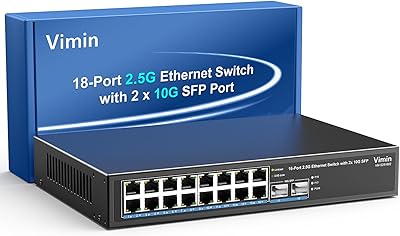
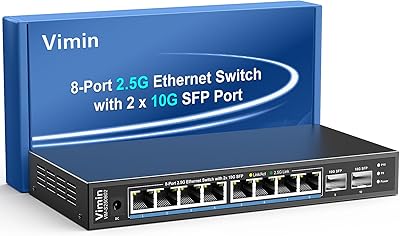
VIMIN 18-Port 2.5G Unmanaged Switch
87%
86%
Performance
92%
Ease of Setup
88%
Build Quality
94%
Fanless Design
85%
Compatibility with Devices
More
VIMIN 6-Port 2.5G Unmanaged Network Switch
83%
88%
Throughput Performance
84%
Build Quality
93%
Setup & Ease of Use
67%
SFP+ Port Usability
96%
Fanless Noise Level
More
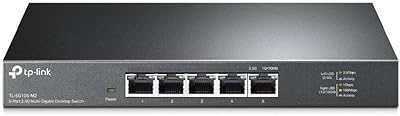
TP-Link TL-SG105-M2 5-Port 2.5G Unmanaged Switch
82%
91%
Throughput Performance
96%
Ease of Setup
88%
Build Quality
71%
Thermal Management
63%
Port Count & Expandability
More
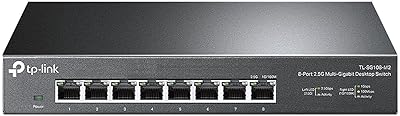
TP-Link TL-SG108-M2 8-Port 2.5G Multi-Gigabit Network Switch
89%
93%
Ease of Setup
89%
Network Performance
91%
Build Quality
96%
Noise Level (Fanless Design)
87%
Compatibility with Cat5e Cables
More
TEROW 4-Port 2.5G 2-Port SFP+ Network Switch

81%
93%
Value for Money
96%
Ease of Setup
88%
Port Performance & Link Stability
71%
SFP+ Port Compatibility
84%
Build Quality & Materials
More
ienRon 6-Port 2.5Gb PoE Switch with 2-Port 10Gb SFP+
85%
86%
Performance
91%
Ease of Setup
88%
PoE Power Delivery
84%
Build Quality
93%
Fanless Operation
More
VIMIN 10-Port 2.5G Unmanaged Switch
79%
96%
Ease of Setup
89%
Port Performance
84%
Build Quality
67%
Thermal Management
71%
SFP Uplink Usability
More
Goalake 8-Port 2.5G Ethernet Switch
80%
91%
Port Count & Configuration
88%
Throughput & Switching Performance
93%
Ease of Setup
79%
Build Quality & Materials
96%
Fanless & Noise Level
More
Sodola 6-Port 2.5G Managed Switch
88%
88%
Performance
93%
Ease of Setup
85%
Build Quality
89%
Energy Efficiency
84%
Compatibility
More
BrosTrend 8-Port 2.5G Unmanaged Switch
83%
93%
Port Speed Consistency
96%
Ease of Setup
61%
Build Quality
74%
Thermal Performance
91%
Value for Money
More

FAQ

Cat5e is sufficient for 2.5G speeds at typical home and office cable run lengths — this is one of the practical advantages of the IEEE 802.3bz standard. You generally only need to think about upgrading to Cat6 if your runs exceed around 100 meters, which is unusual in most home or small office environments.

No, you do not need to replace anything. Every RJ45 port auto-negotiates down to 1G, 100M, or even 10M as needed, so your older laptops, printers, or IP cameras will connect just fine alongside your newer 2.5G devices.

The switch is not locked to any specific brand of transceiver, but compatibility is not universally guaranteed either. Most standard 10G SFP+ modules from reputable vendors tend to work, but a small number of buyers have reported issues with certain off-brand or no-name transceivers. If possible, test your module before relying on it in a critical setup.

The fanless design keeps things quiet, but the chassis does get warm — sometimes noticeably so — under heavy sustained traffic across multiple ports. In a closed cabinet with no airflow, heat can accumulate faster than it dissipates, which could affect long-term reliability. If you are mounting it inside a cabinet, make sure there is at least some passive ventilation to keep the area from getting stagnant.

Yes, this is one of the most common and well-suited use cases for this switch. Synology NAS units with 2.5G RJ45 ports will link up automatically, and you will immediately notice faster transfer speeds compared to a standard gigabit switch. No configuration is required on either side.

Unfortunately, no. This is an unmanaged switch, which means there is no VLAN support, no QoS, and no traffic management of any kind. If network segmentation is important to your setup, you will need to look at a managed switch instead.

Absolutely — this is one of the clearest wins for this fanless network switch. WiFi 6 and WiFi 6E access points with 2.5G uplink ports are increasingly common, and connecting them to a standard gigabit switch wastes that bandwidth headroom entirely. Plugging them into this switch lets those APs actually use their full uplink capacity.

Genuinely just a few minutes. You plug in the power adapter, connect your devices with Ethernet cables, and the switch handles everything else automatically. There is no app to install, no web portal to log into, and no configuration file to edit. If your devices support 2.5G, they will link at 2.5G — if they only support 1G, they will link at 1G.

Wall mounting is a supported installation option, and the chassis has mounting slots built in. That said, you should verify what hardware is included in your specific package, as accessory bundling can occasionally vary. If mounting hardware is not included, standard M3 or M4 screws from a hardware store will typically do the job.

No, it is completely silent. The fanless passive design means there are no moving parts whatsoever — no fan hum, no spin-up on boot, nothing. This makes the GigaPlus 18-port switch a genuinely practical choice for living rooms, bedrooms, or any shared space where fan noise from networking gear would be a constant low-level irritant.