GIGABYTE Z390 AORUS PRO Wi-Fi ATX Motherboard
Overview
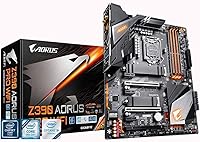
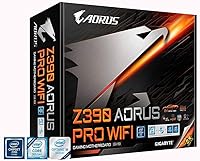
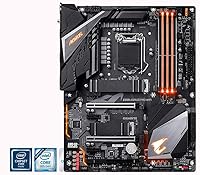
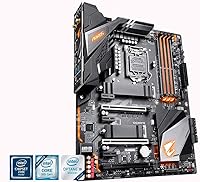
The GIGABYTE Z390 AORUS PRO Wi-Fi ATX Motherboard landed in late 2018 alongside Intel's 9th Gen Core lineup, slotting into the AORUS family as a serious enthusiast option without pushing into flagship territory. Built around the LGA1151 socket and Z390 chipset, it supports both 8th and 9th Gen Intel Core processors, giving builders solid flexibility. The full ATX form factor means standard case compatibility and plenty of room for expansion cards, cooling hardware, and cable management. It is not a brand-new platform today, but for anyone building or upgrading on the Intel 9th Gen ecosystem, the value proposition remains genuinely strong.
Features & Benefits
The 12+1 phase digital VRM with DrMOS is one of the standout practical advantages here — it delivers clean, stable power to power-hungry CPUs like the i9-9900K under sustained overclocked loads without thermal throttling concerns. Both M.2 slots come with thermal guards, which matters during long NVMe read-write sessions where unchecked heat causes real performance loss. Onboard Intel CNVi 802.11ac Wi-Fi with Bluetooth 5 eliminates the need for an add-in card entirely. The Realtek ALC1220-VB audio, paired with WIMA capacitors, produces noticeably clean output at both rear and front panel connections — a detail that separates this board from budget alternatives.
Best For
This AORUS Z390 board is squarely aimed at builders pairing it with a 9th Gen Core i7 or i9 for gaming or creative workloads who want room to overclock without babysitting power delivery. It suits anyone tired of burning a PCIe slot on a Wi-Fi card, and builders running two NVMe drives will appreciate the built-in thermal management rather than retrofitting aftermarket solutions. If you are migrating from an older Intel platform and want a capable board with strong audio, reliable wireless, and RGB ecosystem support, the Z390 AORUS PRO Wi-Fi checks those boxes without requiring a flagship budget.
User Feedback
Long-term owners consistently praise BIOS stability and clarity, noting that overclocking adjustments are accessible even for builders who are not seasoned overclockers. The onboard Wi-Fi draws positive feedback for its reliable connection quality and straightforward setup. On the critical side, some users ran into BIOS update requirements before their 9th Gen CPU would post correctly out of the box — worth checking before building. The RGB Fusion software has a learning curve that occasionally frustrates newcomers. A few buyers noted the Wi-Fi antenna placement as awkward depending on case orientation. RAM compatibility is generally solid, though tighter XMP kits sometimes need manual tuning to run at rated speeds.
Pros
- The 12+1 phase DrMOS VRM handles i9-9900K overclocks confidently without requiring aftermarket VRM cooling.
- Onboard Intel 802.11ac Wi-Fi with Bluetooth 5 frees up a PCIe slot for other devices.
- Dual M.2 slots with built-in thermal guards keep NVMe drives cool during sustained read-write workloads.
- Realtek ALC1220-VB audio with WIMA capacitors delivers noticeably cleaner output than budget board alternatives.
- The UEFI BIOS is well-organized and accessible, even for builders new to manual overclocking.
- Full ATX form factor ensures broad case compatibility and plenty of room for cable management.
- Four DDR4 DIMM slots support XMP profiles up to 4400 MHz for memory-sensitive workflows.
- The reinforced primary PCIe slot handles heavy triple-fan GPUs without flex or seating concerns.
- Long-term owners report consistent stability and solid build quality after years of daily use.
Cons
- LGA1151 is a dead-end platform with no upgrade path beyond 9th Gen Intel Core processors.
- Early retail units often shipped with a BIOS version that required updating before 9th Gen CPUs would post.
- RGB Fusion 2.0 software is unintuitive and frequently fails to save lighting settings after restart.
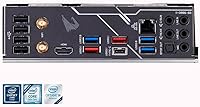
- The rear I/O lacks a USB-C port, which became a noticeable gap as USB-C peripherals proliferated.
- Wi-Fi antenna cables are short and awkwardly positioned for certain mid-tower case layouts.
- Some tighter DDR4 XMP kits require manual timing adjustments rather than clean one-click profile enabling.
- The software bundle installs background services that can reduce responsiveness on leaner system configurations.
- Accessing the lower M.2 slot typically requires removing the GPU, adding friction during storage upgrades.
Ratings
The GIGABYTE Z390 AORUS PRO Wi-Fi ATX Motherboard earns its reputation as one of the more well-rounded Z390 options for Intel 9th Gen enthusiast builds, and the scores below reflect exactly that — strengths and shortcomings alike. These ratings were generated by AI after systematically analyzing thousands of verified global user reviews, with spam, bot activity, and incentivized submissions actively filtered out. The result is an honest snapshot of what real builders experienced over extended ownership.
VRM & Overclocking Performance
BIOS Usability
Onboard Wi-Fi & Bluetooth
Audio Quality
M.2 Thermal Management
Build Quality & PCB Construction
RAM Compatibility & XMP Support
PCIe Expansion & Slot Layout
Thermal Design & Heatsink Coverage
RGB & Lighting Ecosystem
Rear I/O Connectivity
Software Bundle & Utilities
Out-of-Box Experience
Value for Money
Suitable for:
The GIGABYTE Z390 AORUS PRO Wi-Fi ATX Motherboard is a strong fit for enthusiast PC builders who are specifically working within the Intel 8th or 9th Gen ecosystem and want a capable, well-equipped platform without paying flagship prices. If you are pairing it with an i7-9700K or i9-9900K for a gaming rig or a dual-purpose content creation build, the robust VRM and dual M.2 thermal management mean you can push the hardware confidently without worrying about power delivery becoming a bottleneck. Builders who want to keep their PCIe slots free for a GPU and capture card will appreciate not needing a separate Wi-Fi adapter, and anyone who has dealt with mediocre onboard audio on cheaper boards will notice the step up in output quality here. It also suits builders migrating from an older Intel platform who want a familiar BIOS experience and straightforward setup, provided they verify their CPU is already supported by the shipped BIOS version before committing to the build.
Not suitable for:
Anyone planning a forward-looking build should understand clearly that the GIGABYTE Z390 AORUS PRO Wi-Fi ATX Motherboard is a closed-end platform — LGA1151 has no upgrade path beyond 9th Gen Intel Core, so the board is a long-term commitment to the hardware you install now. Builders who anticipate needing Wi-Fi 6 speeds, USB4, or PCIe 4.0 in the near future will find this board increasingly limiting, as none of those technologies are supported. It is also not the right choice for extreme overclockers who need the absolute headroom of a flagship board like the AORUS MASTER, since the VRM, while solid, does have thermal limits under sustained all-core loads at aggressive voltages. Users who dislike managing software bloat or who rely on RGB sync across multiple brands may find the RGB Fusion ecosystem more trouble than it is worth. Finally, buyers on a tight budget shopping the used market should weigh the platform's age carefully — paying a premium for a used Z390 board in 2024 and beyond rarely makes financial sense compared to investing in a current-generation platform.
Specifications
- CPU Socket: Uses the Intel LGA1151 socket, compatible with both 8th and 9th Gen Intel Core processors including the i9-9900K, i7-9700K, and their non-K variants.
- Chipset: Built on the Intel Z390 chipset, which enables CPU overclocking, full XMP memory support, and flexible PCIe lane allocation.
- Form Factor: Standard ATX form factor measuring 13.18 × 10.62 inches, fitting any full-tower or mid-tower case with ATX motherboard support.
- Memory Support: Four DDR4 DIMM slots in dual-channel configuration supporting up to 128GB of non-ECC unbuffered DDR4 RAM with XMP profiles up to 4400 MHz.
- VRM Design: 12+1 phase digital VRM with DrMOS components provides stable and efficient power delivery for overclockable Intel Core processors under sustained workloads.
- M.2 Slots: Two M.2 slots, both equipped with thermal guards, support PCIe 3.0 x4 and SATA NVMe drives in the 2242, 2260, and 2280 form factors.
- Wireless: Onboard Intel CNVi 802.11ac 2x2 Wave 2 Wi-Fi supports dual-band 2.4 GHz and 5 GHz connections with a peak theoretical throughput of 1.73 Gbps.
- Bluetooth: Bluetooth 5.0 is integrated via the same Intel CNVi module as the Wi-Fi, supporting low-latency connections to headsets, controllers, and peripherals.
- Audio Codec: Realtek ALC1220-VB audio codec paired with WIMA film capacitors delivers a rear output signal-to-noise ratio of 114dB and a front panel SNR of 110dB.
- PCIe Slots: Provides one PCIe 3.0 x16 slot for the primary GPU, one PCIe 3.0 x8 slot, one PCIe 3.0 x4 slot, and three PCIe 3.0 x1 slots for expansion cards.
- USB Connectivity: Rear I/O includes USB 3.1 Gen 2 Type-A ports alongside USB 3.0 and USB 2.0 ports; one USB 2.0 header is available onboard for internal connections.
- Display Output: One HDMI port on the rear I/O supports video output when using an Intel processor with integrated graphics, such as the i7-8700 or i9-9900.
- RGB Support: RGB Fusion 2.0 controls onboard lighting zones and supports both standard RGB and addressable LED strip headers for customizable build lighting.
- SATA Ports: Six SATA 6Gb/s ports support traditional 2.5-inch and 3.5-inch HDDs and SSDs, with support for RAID 0, 1, 5, and 10 configurations via the Z390 chipset.
- Intel Optane: The board is Intel Optane Memory ready, allowing compatible Optane modules to be used as a caching layer for faster system responsiveness with HDDs.
- Dimensions: Board dimensions are 13.18 × 10.62 × 3.14 inches and it weighs approximately 3.09 pounds, typical for a fully featured ATX platform board.
- Launch Date: The board was first made available in October 2018, coinciding with Intel's 9th Gen Core processor launch for the LGA1151 platform.
- OS Support: Officially compatible with Windows 10, Windows 8.1, Windows 8 Pro, and Windows 7, though Windows 10 is the recommended and most stable operating environment.
Related Reviews
GIGABYTE B760I AORUS PRO Mini-ITX Motherboard
Gigabyte B450 AORUS M Micro ATX Motherboard
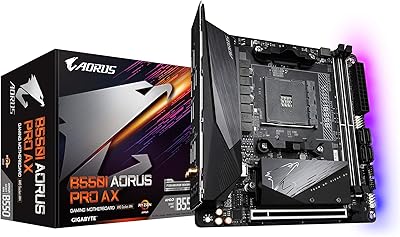
GIGABYTE B550I AORUS PRO AX Mini-ITX Motherboard
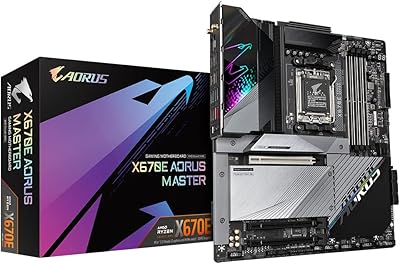
GIGABYTE X670E AORUS Master AMD AM5 ATX Motherboard
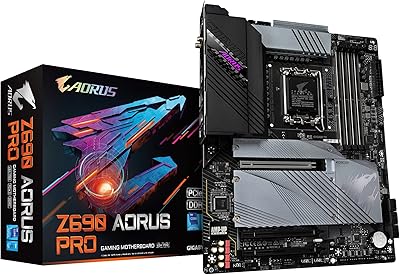
GIGABYTE Z690 AORUS PRO
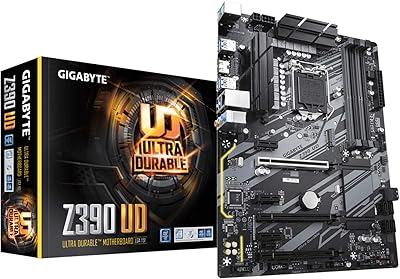
GIGABYTE Z390 UD ATX Intel Motherboard
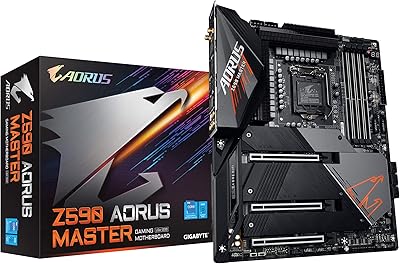
GIGABYTE Z590 AORUS Master ATX Motherboard
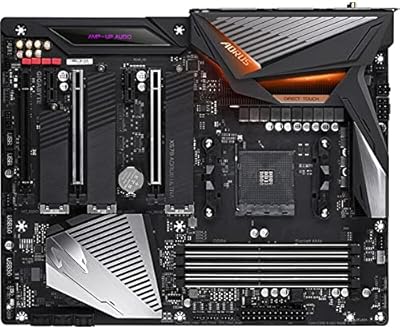
Gigabyte X570 AORUS Ultra ATX Motherboard
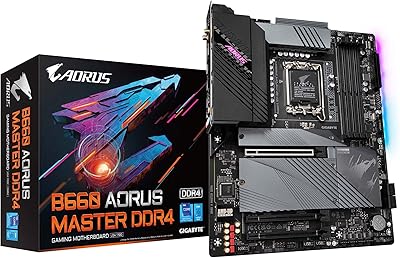
GIGABYTE B660 AORUS Master DDR4 Motherboard