Overview

The Gigabyte B450M DS3H Micro-ATX Motherboard arrived during a period when AMD's Ryzen platform was hitting its stride, and it carved out a lasting reputation as one of the more sensible budget picks for AM4 builds. The B450 chipset strikes a practical balance — enough feature coverage for everyday Ryzen 1st and 2nd gen builds without the price premium of X470 or X570 boards. At Micro-ATX dimensions, it fits comfortably in most mid-tower and compact cases, giving builders solid flexibility without sacrificing much in the way of expansion. This is not a flagship board, and it doesn't pretend to be. What it offers is a dependable foundation for a capable, affordable Ryzen system.
Features & Benefits

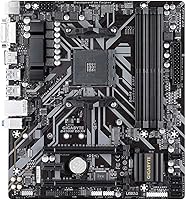
Four DDR4 slots with dual-channel support up to 3600 MHz gives you room to grow — start with 8GB and upgrade later without swapping sticks. A single PCIe 3.0 x16 slot handles any mid-range GPU without bottlenecking it, and two PCIe 2.0 x1 slots leave space for a sound card or Wi-Fi adapter if needed. The inclusion of an M.2 NVMe slot is worth calling out: at this price tier, fast SSD storage isn't a given, so having it here keeps your build lean and cable-free. Onboard HDMI and DVI-D outputs are genuinely useful if you're running a Ryzen APU, and the audio noise guard makes the built-in sound more usable than you might expect on a board at this level.

Best For

This budget AM4 motherboard is a natural fit for first-time builders who want a stable Ryzen platform without overcomplicating their parts list. It pairs especially well with Ryzen 3 or Ryzen 5 APUs for a compact home office or student machine — the dual display outputs handle that use case cleanly, no GPU required. Upgraders coming from older Intel or AMD platforms will appreciate the no-fuss BIOS setup. That said, be clear about the limits: this isn't the board to pair with a Ryzen 9 or push toward serious overclocking, and anyone expecting built-in wireless will be disappointed. You'll need an add-in card or USB adapter for Wi-Fi, which is a small but real added cost to factor in.

User Feedback

With over 8,000 ratings and a consistently high average score, the DS3H has earned real credibility through volume alone. Buyers repeatedly point to easy installation and a BIOS that doesn't intimidate newcomers as standout positives. Long-term stability for light-to-moderate workloads also comes up often — people aren't returning it six months in, which says something. The recurring complaints are worth taking seriously though: the VRM setup runs warm under sustained CPU loads, making it a poor match for thermally demanding chips. RAM compatibility can also be finicky — it's worth checking Gigabyte's QVL list before buying memory. No onboard Wi-Fi is another point of friction that catches some buyers off guard. Overall, satisfaction is high, but only when the board is matched to the right use case.

Pros

  • Four DDR4 slots with dual-channel support give you a clear memory upgrade path without swapping out your existing kit.
  • The M.2 NVMe slot keeps your build clean and fast without relying on SATA SSDs or extra data cables.
  • Onboard HDMI and DVI-D outputs make it genuinely practical with Ryzen APUs — no discrete GPU required for dual monitors.
  • The beginner-friendly BIOS is consistently praised by new builders for being easy to navigate straight out of the box.
  • Realtek Gigabit LAN delivers reliable wired networking for gaming, remote work, or everyday home use.
  • RGB Fusion adds 12V LED strip support in seven colors — a welcome cosmetic option for budget builds that want some character.
  • Over 8,000 ratings with a high average score reflects broad, sustained satisfaction that goes well beyond early-adopter enthusiasm.
  • The Micro-ATX footprint fits comfortably in most mid-tower and compact cases, giving you meaningful build flexibility.
  • The audio noise guard produces noticeably cleaner onboard sound than you would expect at this price point.
  • Long-term stability under everyday workloads is a recurring theme in user feedback — it simply keeps running without drama.

Cons

  • VRM cooling is limited — pairing this board with a high-core-count Ryzen chip under sustained load invites thermal issues.
  • No onboard Wi-Fi means an extra adapter purchase, adding cost and potentially consuming one of your PCIe expansion slots.
  • RAM compatibility can be inconsistent — always cross-check your memory kit against Gigabyte's published QVL before committing to a purchase.
  • Only one M.2 slot means builders planning a multi-drive NVMe setup will need to look at a different board entirely.
  • The rear USB port count is lean, and users with several peripherals may find themselves reaching for a hub sooner than expected.
  • No onboard debug LEDs or diagnostic indicators make troubleshooting boot failures more time-consuming and frustrating than on higher-tier boards.
  • No PCIe 4.0 support limits the board's longevity if you plan to eventually upgrade to newer GPU or storage generations.
  • Cable management can be awkward depending on your case, as the board layout does not leave much room for flexibility.
  • This budget AM4 motherboard offers only minimal fan header options, which can be restrictive for builders running custom cooling configurations.
  • Ryzen 5000 series support is uncertain and BIOS-dependent — do not assume compatibility without thoroughly researching your specific chip and board revision.

Ratings

Our scores for the Gigabyte B450M DS3H Micro-ATX Motherboard are generated by AI after analyzing thousands of verified global user reviews, with active filtering applied to remove spam, bot activity, and incentivized feedback. The ratings reflect real-world performance across a wide range of use cases — from first-time Ryzen builds to compact home office setups — and do not soften the weaknesses. Both genuine strengths and recurring pain points are represented transparently so you can make a confident, well-informed purchase decision.
Value for Money
88%
For a budget AM4 platform, the DS3H punches above its weight — four memory slots, an NVMe M.2 slot, and dual display outputs are features buyers might expect only from pricier boards. Across thousands of reviews, the consistent theme is genuine surprise at how much functionality you get. That ratio of capability to cost is hard to argue with at this tier.
The value story depends on your use case — needing Wi-Fi or running a demanding CPU quickly adds costs that erode the initial savings. Some users also reported that RAM kits outside Gigabyte's tested list led to unexpected troubleshooting time and expense. It is a great deal for the right build, but not a universal one.
Ease of Installation
91%
First-time builders consistently praise how straightforward the installation process is — clear labeling, sensible component placement, and a BIOS that walks you through the basics without burying options in confusing menus. For someone assembling their first Ryzen rig, this board rarely produces the anxiety-inducing boot failures that plague some alternatives at this price.
A small number of users ran into initial POST failures tied to RAM incompatibility rather than the board itself, which can be unnerving for a beginner who does not yet know where to start troubleshooting. The limited diagnostic indicators on the board make isolating these issues harder than on higher-end alternatives.
BIOS Experience
87%
The BIOS layout is genuinely approachable — basic tasks like enabling XMP memory profiles, checking temperatures, or setting the boot order take minutes rather than the confused hour-long sessions some competing boards produce. Experienced builders also noted that the interface handles manual fan control and voltage monitoring without unnecessary complexity.
Overclocking options in the BIOS are present but limited in scope — users chasing fine-grained CPU voltage control or advanced memory tuning will find the toolset thin compared to X470 or X570 boards. A handful of users also reported that certain BIOS versions introduced instability that required a manual rollback to resolve.
VRM & Power Delivery
52%
48%
For builds centered on Ryzen 3 or Ryzen 5 processors running at stock speeds, the VRM holds up without issue during everyday tasks like browsing, light gaming, and document work. Users in these configurations report no throttling or unexpected shutdowns, which is the realistic target audience for this board.
Pair this board with a Ryzen 7 or higher and run sustained workloads — rendering, video encoding, gaming marathons — and the VRM runs hot enough to trigger throttling that noticeably hurts performance. Multiple users who tried running a Ryzen 7 2700X reported instability and crashes that only resolved after switching to a board with better power delivery.
Stability & Reliability
84%
Long-term reliability is one of this board's clearest strengths — reviewers who have been running it for one, two, or even three years consistently report zero major failures under typical home or office use. The B450 chipset's maturity means driver support and compatibility are well-established, which contributes to that everyday dependability.
Stability is less consistent when users push the hardware outside its intended envelope — high-end CPUs, aggressive memory overclocks, or taxing sustained workloads introduce instability that stock-speed builds simply do not encounter. A small proportion of users also reported component failures within the first year, though this is not unusual given the large volume of units in circulation.
Memory Compatibility
63%
37%
When memory is chosen from Gigabyte's qualified vendor list, the dual-channel DDR4 setup performs reliably and XMP profiles load without drama. Users running 16GB dual-channel configurations at 3000 to 3200 MHz consistently report smooth operation with no crashes or performance dips during gaming or general productivity tasks.
Stray outside the tested list and compatibility becomes a genuine lottery — some users reported systems that refused to POST until they manually adjusted memory timings, while others found certain kits simply never stabilized. The board has no onboard diagnostic lights to help isolate the problem, which makes the troubleshooting process especially opaque for newcomers.
Connectivity & I/O
58%
42%
Realtek Gigabit LAN covers wired networking cleanly for gaming, streaming, or work-from-home setups. The HDMI and DVI-D rear outputs mean APU users can run a functional dual-display configuration without spending anything on additional hardware, which is a meaningful convenience for home office and study builds on a tight budget.
No onboard Wi-Fi is the most frequently cited I/O complaint — it is not a minor detail when your desk is far from a router and a PCIe adapter eats your only free expansion slot. The USB port count on the rear panel is also lean, which users managing keyboards, mice, headsets, and hubs tend to feel almost immediately.
Storage Options
78%
22%
Having an M.2 NVMe slot at this price tier is a genuine advantage — it lets you keep your build tidy without SATA cables cluttering the case, and NVMe speeds are noticeable in real-world tasks like OS boot times and loading large files. Additional SATA ports round out the setup for secondary drives.
Only one M.2 slot means users who want multiple NVMe drives — common among content creators or developers working with large project files — will need to fall back on slower SATA storage. There is no M.2 heatsink included either, which can result in thermal throttling on high-performance NVMe drives during sustained read or write operations.
Audio Quality
73%
27%
The audio noise guard separates the onboard sound circuitry from electrical interference produced by other components, which produces a measurably cleaner signal than bare-minimum budget boards. Users running headsets directly from the rear audio jack reported satisfactory quality for gaming, video calls, and casual music listening without needing any extra equipment.
Audiophiles and dedicated streamers will find the onboard audio lacking compared to even a mid-tier standalone sound card — background hiss was noted by some users in quiet listening environments. For anything beyond casual use, a USB DAC or dedicated audio interface is worth factoring into the budget.
Thermal Performance
56%
44%
Under light to moderate CPU loads — office applications, web browsing, light gaming — the board manages thermals without complaint and the passive chipset heatsink is sufficient. Users running Ryzen 3 and lower-wattage Ryzen 5 chips reported no heat-related issues over extended daily use in well-ventilated cases.
The VRM area lacks dedicated heatsinks, and under higher CPU loads this becomes a tangible problem — VRM temperatures climb into ranges where thermal protection activates, causing CPU performance to drop precisely when sustained output is needed most. Users running rendering or extended video encoding workloads were the most consistently affected group.
Overclocking Potential
43%
57%
Light memory frequency tuning — bumping a 2666 MHz kit to 3000 or 3200 MHz via XMP — generally works without issue on this board, which is about the extent of what most buyers at this tier actually want to do. For casual tinkerers, that level of low-risk adjustment is accessible.
Serious CPU overclocking is simply not viable here — the VRM power delivery cannot sustain elevated voltages and frequencies without generating heat and instability, and the BIOS overclocking toolkit is shallow compared to mid- or high-end alternatives. Users who bought this hoping to extract meaningful performance headroom from their Ryzen chip were frequently disappointed.
Build Quality
74%
26%
For a budget motherboard, the physical construction is respectable — PCIe and memory slots feel solid, and the board shows no signs of flex or poor soldering under normal installation conditions. Users coming from pricier boards will notice the economy but will not find anything that undermines confidence during assembly.
The VRM component quality is where the cost-cutting is most evident — fewer phases and lighter components mean the board was not built with thermal headroom under sustained load in mind. Some users also noted that the capacitor layout near the CPU socket leaves limited clearance for larger aftermarket cooler mounting brackets.
CPU Compatibility Range
67%
33%
The AM4 socket covers a wide enough range of 1st and 2nd generation Ryzen chips to satisfy most budget builders — from entry-level Ryzen 3 APUs to the Ryzen 5 2600X, the board handles these at stock speeds without issues. BIOS updates also opened up Ryzen 3000 series support for many users after launch.
Ryzen 5000 series compatibility is unreliable and not officially supported, so buyers who planned a budget upgrade path to a Ryzen 5 5600X later were frequently disappointed. The platform's age also makes this effectively a terminal board for most builds, with no meaningful CPU upgrade route beyond 2nd generation Ryzen.
RGB & Aesthetics
66%
34%
RGB Fusion support for 12V LED strips is a welcome inclusion at this price — for builders who care about case aesthetics, syncing lighting through software without needing a dedicated controller is a practical convenience. The seven selectable color modes cover the most common preferences without feeling overly restrictive.
The board itself carries no onboard RGB LEDs, so the aesthetic contribution depends entirely on external strips you connect yourself — it offers nothing visually without additional accessories. Users accustomed to boards with built-in lighting were often underwhelmed, and the RGB Fusion software received mixed feedback for its stability and ease of use.
Software & Drivers
71%
29%
Driver installation is straightforward, and Gigabyte's support page for this board is well-organized — most users located everything they needed without escalating to customer support. The board has been on the market long enough that community forums, Reddit threads, and third-party guides provide plentiful troubleshooting resources for common setup issues.
The RGB Fusion software has a poor reputation among users — frequent crashes, inconsistent sync behavior, and a cluttered interface make it less useful than the hardware header it controls. Some users also noted that BIOS update procedures were less intuitive than expected for a board marketed toward first-time builders.

Suitable for:

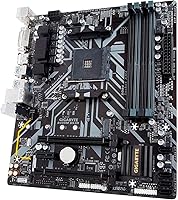
The Gigabyte B450M DS3H Micro-ATX Motherboard is genuinely well-matched to first-time PC builders who want a solid AMD Ryzen foundation without stretching their budget. If you're pairing a Ryzen 3 or Ryzen 5 APU with integrated Vega graphics for a home office, student desk, or light gaming setup, this board handles that job cleanly — onboard HDMI and DVI-D outputs let you run dual monitors without spending anything on a discrete GPU. Upgraders migrating from an older platform will find the BIOS approachable and the installation process forgiving, which matters more than it sounds when you're building for the first time. The Micro-ATX form factor is a practical choice for anyone who wants flexibility across mid-tower and compact cases without committing to a full ATX footprint. Builders who need only one GPU slot, are not chasing aggressive overclocks, and are comfortable using wired Ethernet will find everything they actually need here and very little they don't.
Not suitable for:

The Gigabyte B450M DS3H Micro-ATX Motherboard is a poor fit for anyone planning to run a power-hungry processor like a Ryzen 7 or Ryzen 9 under sustained load — the VRM cooling is modest at best, and thermal throttling becomes a genuine concern in demanding workloads. Serious overclockers should look elsewhere; this board was built for value and day-to-day stability, not for extracting maximum performance headroom. Anyone who relies on wireless connectivity will need to separately budget for a Wi-Fi adapter, since there is absolutely no onboard wireless — it is an easy detail to overlook when comparing specs quickly. Content creators, streamers, or developers running CPU-intensive tasks for extended periods will likely push past the board's power delivery limits before long and wish they had spent a bit more. If your build demands multiple M.2 drives, a dense USB layout, or headroom for a high-end Ryzen chip down the road, this board will feel constrained sooner than expected.
Specifications

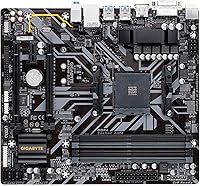
  • Form Factor: Micro-ATX layout fits any case designed for Micro-ATX or full ATX builds without compatibility issues.
  • CPU Socket: AM4 socket supports AMD 1st and 2nd Generation Ryzen processors, including Ryzen APUs with integrated Radeon Vega graphics.
  • Chipset: AMD B450 chipset delivers a mainstream feature set suitable for everyday Ryzen builds without the cost premium of X-series platforms.
  • Memory Slots: Four DDR4 DIMM slots support dual-channel, non-ECC unbuffered memory configurations at speeds up to 3600 MHz.
  • Memory Type: Only non-ECC unbuffered DDR4 modules are supported; ECC and registered memory are not compatible with this board.
  • GPU Slot: One PCIe 3.0 x16 slot accommodates a full-length discrete graphics card operating at full x16 bandwidth.
  • Expansion Slots: Two PCIe 2.0 x1 slots are available for add-in cards such as Wi-Fi adapters, sound cards, or capture devices.
  • M.2 Storage: One PCIe Gen3 M.2 slot accepts NVMe SSDs in the M-key form factor for fast, cable-free storage.
  • Display Outputs: Rear panel includes one HDMI port and one DVI-D port, both dependent on a Ryzen APU with integrated graphics.
  • Networking: Realtek Gigabit Ethernet provides wired LAN connectivity; no onboard Wi-Fi or Bluetooth module is included.
  • USB Ports: The rear panel provides two USB 2.0 Type-A ports, with additional front-panel USB headers available on the board itself.
  • Audio: Onboard audio features high-quality capacitors and a dedicated noise guard circuit to reduce electrical interference and improve sound clarity.
  • RGB Support: RGB Fusion software controls one 12V LED strip header with seven selectable color modes.
  • Wireless: No onboard wireless module is present; Wi-Fi connectivity requires a separately purchased PCIe or USB adapter.
  • OS Support: Officially compatible with Windows 7 and Windows 10 operating systems.
  • Board Weight: The board weighs approximately 1 pound, consistent with standard Micro-ATX motherboards in this category.

Related Reviews

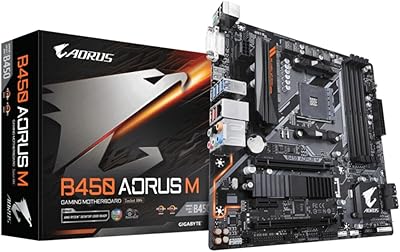
Gigabyte B450 AORUS M Micro ATX Motherboard
84%
91%
Value for Money
88%
Performance with Ryzen Processors
84%
RGB Lighting Customization
87%
Ease of Setup
82%
Display Options
More
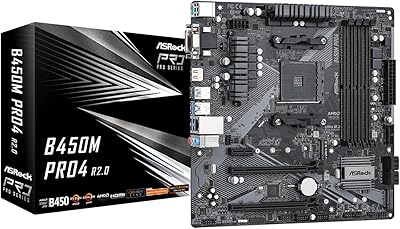
ASRock B450M PRO4 R2.0 Micro ATX Motherboard
74%
88%
Value for Money
79%
CPU Compatibility
86%
Ease of Installation
74%
BIOS & Software
83%
Long-term Reliability
More
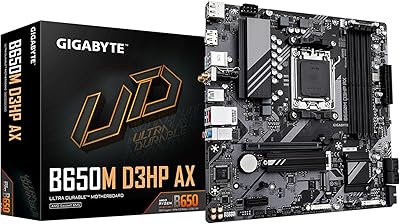
GIGABYTE B650M D3HP AX AM5 Micro ATX Motherboard
87%
91%
Performance
87%
Value for Money
90%
Build Quality
85%
Ease of Installation
88%
Power Delivery and Stability
More
Gigabyte B550M DS3H Motherboard
85%
91%
Value for Money
87%
Performance in Gaming
90%
Stability and Reliability
89%
Power Delivery (VRM)
94%
LAN Connectivity (Speed & Stability)
More
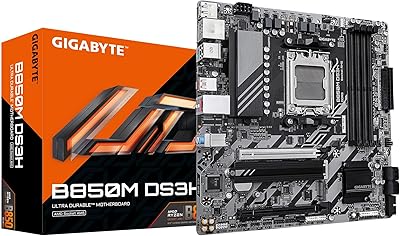
GIGABYTE B850M DS3H mATX Motherboard
77%
88%
Value for Money
79%
Build Quality
91%
Ease of Installation
67%
BIOS Experience
83%
CPU Compatibility
More
ASRock A520M Pro4 Micro ATX Motherboard
83%
92%
Value for Money
89%
Processor Compatibility
86%
Performance Stability
84%
Build Quality
88%
Ease of Setup
More
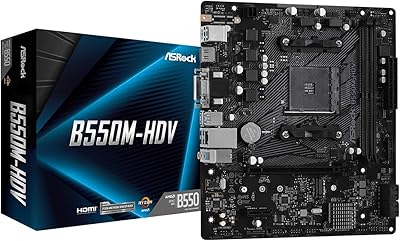
ASRock B550M-HDV Micro-ATX Motherboard
76%
91%
Value for Money
88%
CPU Compatibility
86%
Ease of Setup
89%
Stability & Reliability
58%
VRM & Power Delivery
More
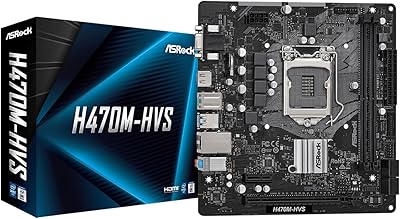
ASRock H470M-HVS Micro-ATX Motherboard
69%
83%
Value for Money
91%
CPU Compatibility
78%
BIOS Experience
47%
Storage Options
53%
Connectivity & USB
More
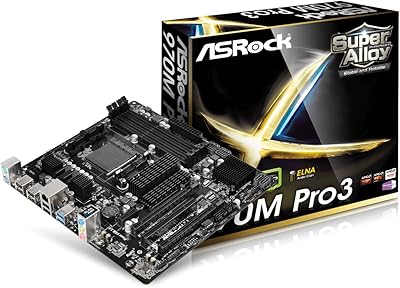
ASRock 970M Pro3 Micro ATX Motherboard
74%
88%
Value for Money
91%
Compatibility & CPU Support
86%
Ease of Installation
61%
BIOS Usability
54%
Overclocking Headroom
More
MSI Pro B650M-B Micro ATX Motherboard
75%
88%
Value for Money
83%
Build Quality
91%
Ease of Setup
54%
Storage Expansion
86%
Memory Performance
More

FAQ

No, it does not. The DS3H has no onboard wireless module whatsoever, so if you need Wi-Fi, plan to purchase a PCIe Wi-Fi card or a USB adapter separately. It is one of the most commonly overlooked details at the point of purchase, so factor that extra cost into your budget before you buy.

The Gigabyte B450M DS3H Micro-ATX Motherboard officially supports AMD 1st and 2nd Generation Ryzen processors on the AM4 socket, including Ryzen APUs with integrated Vega graphics. Ryzen 3000 series chips can work with a BIOS update, but Ryzen 5000 series compatibility is not officially guaranteed and varies by board revision, so verify carefully before committing.
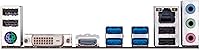
Yes, but only if your CPU is a Ryzen APU with integrated Radeon Vega graphics — like a Ryzen 3 2200G or Ryzen 5 2400G. Standard Ryzen processors without integrated graphics will give you no video output unless a discrete GPU is installed, because the HDMI and DVI-D ports are tied entirely to the APU.

The board supports up to four DDR4 sticks in a dual-channel configuration, with official support for speeds up to 3600 MHz. Real-world stability at higher frequencies depends on your specific kit and CPU, so it is strongly worth cross-referencing your memory against Gigabyte's qualified vendor list before purchasing to avoid compatibility issues.

Not particularly. This budget AM4 motherboard has a modest VRM that handles stock operation just fine, but it runs warm under sustained loads and is not built for serious frequency pushing. If overclocking is important to your build, a board with a more robust power delivery section will serve you much better in the long run.

Both are supported. The board includes one PCIe Gen3 M.2 slot that accepts NVMe drives, which is a genuinely valuable feature at this price point since not all entry-level boards include it. Standard SATA drives connect via the onboard SATA ports, so you can mix storage types to suit your budget.

Any case labeled Micro-ATX or ATX will fit this board without issues. The Micro-ATX footprint is smaller than a full ATX board, which can actually help with cable routing in tighter cases. Mini-ITX cases will not work, as those are designed for a much smaller form factor.

Yes, and this is something real buyers mention repeatedly as a standout positive. The BIOS interface is clearly laid out, and basic tasks like enabling XMP memory profiles or setting your boot drive are straightforward even without prior experience. Physical installation follows standard Micro-ATX conventions, so any beginner tutorial will apply.

Up to two, using the onboard HDMI and DVI-D ports simultaneously — but only when running a Ryzen APU with integrated graphics. If you install a discrete GPU, those rear-panel ports become inactive and your monitor connections move to the GPU itself, where the number of outputs depends on that card.

It is a real concern, but a manageable one. Some users have reported that certain memory kits need XMP profiles disabled or manual timings adjusted before the system will POST reliably. The safest approach is to buy a kit that appears on Gigabyte's official qualified vendor list for the DS3H — that eliminates most of the guesswork before your parts even arrive.

Where to Buy