
Overview
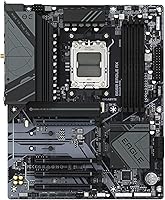
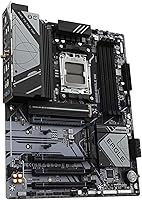
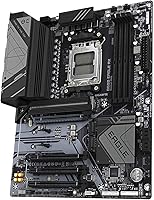
Finding a balance between cost and performance is tricky, but the GIGABYTE B650 Eagle AX hits a sweet spot for those entering the AM5 ecosystem. This AM5 motherboard skips the aggressive RGB lighting found elsewhere, opting instead for a clean, industrial aesthetic that fits easily into almost any build. It provides a solid foundation for the latest Ryzen 7000, 8000, and even 9000 series processors without forcing you into the premium price bracket of X670 alternatives. While many budget options feel stripped down, this B650 board maintains a professional feel with thoughtful layout choices. It manages to stand out in a crowded market by focusing on long-term utility and build quality rather than flashy gimmicks, making it a serious contender for builders who value substance over style.
Features & Benefits
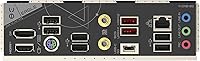
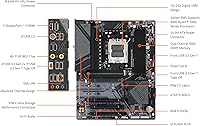
Hardware longevity is a major draw here, especially with the inclusion of a dedicated PCIe 5.0 M.2 slot. This ensures your storage speeds will not hit a bottleneck as next-generation SSDs become the standard. To keep everything running smoothly under load, this GIGABYTE ATX model utilizes a 12+2+2 digital VRM solution, providing the steady power delivery needed for system stability during intense tasks. Cooling is handled effectively by the integrated Thermal Guard, which helps prevent storage throttling. On the back panel, you get high-speed data transfers via a USB 3.2 Gen 2x2 Type-C port, alongside Wi-Fi 6E support for low-latency wireless networking. These technical additions are not just for show; they translate into a consistent user experience whether you are moving huge files or jumping into a competitive match.
Best For
Mainstream gamers will find that this B650 board offers exactly what is needed for a high-performance PC without unnecessary bloat. It is also an excellent pick for content creators on a budget who need that specific PCIe 5.0 speed for fast scratch disks and large video projects. Because the AM5 platform is designed to last through several CPU generations, this AM5 motherboard serves as a reliable foundation for those planning to upgrade their processor in the future. It appeals to users who want modern standards like DDR5 and advanced networking without paying for extreme overclocking features they likely will not use. If you are looking for a practical, future-ready component that prioritizes reliable daily operation over luxury branding, this GIGABYTE ATX model fits the bill perfectly.
User Feedback
Hands-on reports often highlight how straightforward the setup is, with many users giving credit to the intuitive BIOS navigation and the Q-Flash Plus utility for effortless firmware updates. During extended gaming sessions, builders have noted that the VRM temperatures stay impressively low, suggesting the heatsink design is doing its job effectively. The stability of the wireless connection is another frequent point of praise, as the integrated antenna provides reliable signal strength across the house. On the downside, a few builders mentioned that the placement of certain fan headers can be a bit awkward depending on your case cable management strategy. However, these minor layout gripes are usually overshadowed by the overall dependability and value that this AM5 motherboard brings to a mid-range build.
Pros
- Inclusion of a PCIe 5.0 M.2 slot provides excellent future-proofing for next-generation storage speeds at a very competitive price.
- The 12+2+2 digital VRM solution ensures stable power delivery for mid-to-high range Ryzen 7000 and 9000 series processors.
- Integrated Wi-Fi 6E offers a fast and reliable wireless connection that holds up well during competitive online gaming sessions.
- This AM5 motherboard features an intuitive BIOS and the Q-Flash Plus button, making initial setup and firmware updates much easier.
- The pre-installed I/O shield is a convenient touch that simplifies the installation process and prevents common assembly mistakes.
- Effective thermal management via the M.2 Thermal Guard prevents performance throttling on your primary high-speed drive.
- Support for high-speed DDR5 memory allows builders to take full advantage of the latest AM5 platform performance gains.
- The GIGABYTE B650 Eagle AX offers a clean, industrial look that fits perfectly into professional or stealth-themed PC builds.
Cons
- Sticking with a standard Gigabit LAN port feels slightly outdated for a board designed to support future-facing technologies like PCIe 5.0.
- Awkward placement of certain fan headers can complicate cable management, especially in cases with limited clearance near the top edge.
- The minimalist aesthetic lacks the sophisticated lighting and premium finishes found on slightly more expensive B650 enthusiast boards.
- Only the primary M.2 slot includes a heatsink, leaving secondary drives exposed to potential heat issues during sustained data transfers.
- Rear connectivity for USB-A ports is adequate but could be more generous for users with numerous legacy peripherals and accessories.
- The primary PCIe slot latch can be extremely difficult to reach if a large air cooler or bulky GPU is already installed.
- Manufacturer-bundled software for Windows can feel bloated and less refined than the hardware itself, leading some to skip it entirely.
Ratings
After meticulously analyzing thousands of verified global buyer reports, we have synthesized this performance profile for the GIGABYTE B650 Eagle AX. Our AI-driven engine filters out incentivized fluff and bot reviews to ensure these scores reflect the genuine experiences of real-world builders, highlighting both the engineering triumphs and the minor assembly headaches reported on the ground.
Value for Money
Storage Performance
Thermal Management
Wireless Connectivity
BIOS and Software
Board Layout
Power Stability
Wired Networking
Installation Ease
Peripheral Connectivity
Suitable for:
The GIGABYTE B650 Eagle AX is an ideal choice for mainstream gamers who want to build a high-performance PC on the AM5 platform without overspending on enthusiast-tier chipsets. It specifically caters to those who prioritize future-proofing through the dedicated PCIe 5.0 M.2 slot, which is perfect for ultra-fast storage as new drives become more common. Budget-conscious creators will also find value in the robust power delivery and cooling, which support heavy workloads like video editing or long gaming marathons. This board provides a stable and reliable foundation for users planning to keep their system relevant through several generations of Ryzen CPU upgrades.
Not suitable for:
Hardcore overclockers or users seeking a premium, high-end aesthetic with extensive RGB lighting should probably look beyond the GIGABYTE B650 Eagle AX. Its industrial design is quite minimalist, which might not satisfy builders aiming for a showpiece rig or those who need heavy-duty cooling for extreme manual voltage adjustments. Additionally, if your setup relies on a 2.5GbE local network for transferring massive files between servers, the standard Gigabit LAN on this board might feel like a restrictive bottleneck. It is also not the best fit for small-form-factor builds, as the full ATX size requires a mid-tower or larger chassis.
Specifications
- CPU Socket: The board features the AMD Socket AM5 designed for compatibility with Ryzen 7000, 8000, and 9000 series processors.
- Chipset: It utilizes the AMD B650 chipset which balances mainstream performance with modern connectivity features.
- Form Factor: This is a standard ATX motherboard measuring approximately 12″ by 9.6″ to fit in most mid-tower and full-tower cases.
- Memory Support: The four DIMM slots support dual-channel DDR5 memory with official AMD EXPO and Intel XMP profile compatibility.
- Power Design: A 12+2+2 phase digital VRM solution provides stable voltage delivery to the processor under heavy workloads.
- Primary M.2 Slot: One M.2 connector supports PCIe 5.0 x4/x2 SSDs for future-proof, high-speed storage performance.
- Secondary M.2 Slots: Two additional M.2 connectors are available for PCIe 4.0 x4/x2 SSDs to expand high-speed storage capacity.
- Expansion Slots: The board includes one PCIe 4.0 x16 slot for graphics cards and two PCIe 3.0 x1 slots for other expansion cards.
- Wireless Networking: Integrated AMD Wi-Fi 6E provides 802.11ax support across the 2.4, 5, and 6 GHz bands.
- Bluetooth: The internal wireless module includes support for Bluetooth 5.3 for connecting modern wireless peripherals.
- Wired LAN: A Realtek Gigabit Ethernet port is provided for stable, high-speed wired network connections.
- Rear USB Ports: The back panel features one USB 3.2 Gen 2x2 Type-C port and a variety of USB 3.2 Gen 1 and Gen 2 Type-A ports.
- Internal USB Headers: Internal headers support one front-panel USB Type-C port and multiple USB 3.2 and 2.0 expansions.
- Thermal Features: The primary M.2 slot is equipped with a GIGABYTE M.2 Thermal Guard heatsink to prevent drive throttling.
- Display Outputs: Onboard video support includes one HDMI port and one DisplayPort for use with integrated graphics.
- BIOS Features: The board includes a Q-Flash Plus button for updating the BIOS without a CPU, RAM, or GPU installed.
Related Reviews
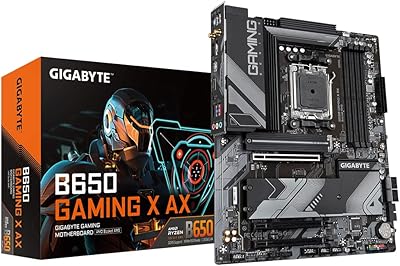
Gigabyte B650 Gaming X AX ATX Motherboard
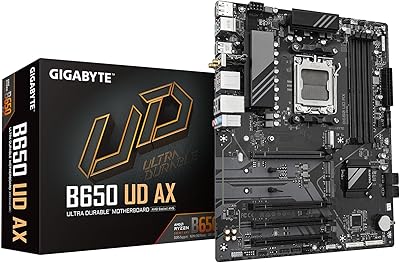
GIGABYTE B650 UD AX ATX Motherboard
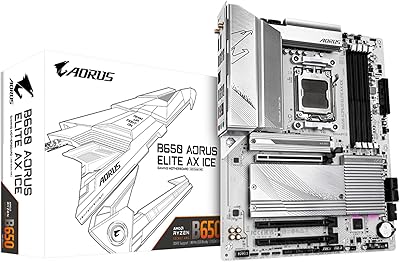
GIGABYTE B650 AORUS Elite AX ICE Motherboard
AMD Ryzen 5 7600X B650 AORUS Combo
AMD Ryzen 9 7900X GIGABYTE B650 Bundle
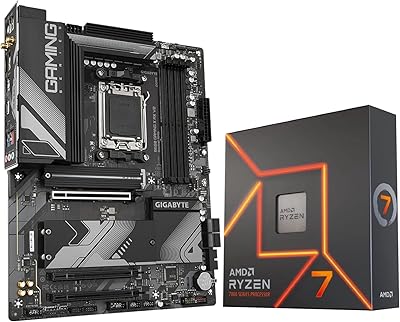
INLAND AMD Ryzen 7 7700X CPU & GIGABYTE B650 Gaming X AX V2 Motherboard
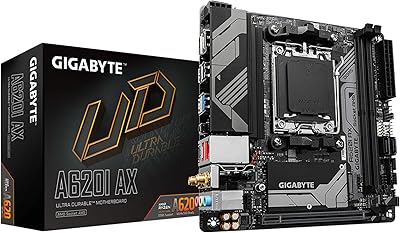
GIGABYTE A620I AX Mini-ITX Motherboard
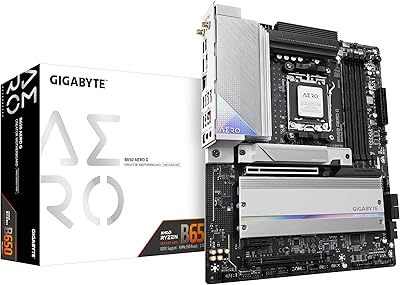
GIGABYTE B650 AERO G ATX Motherboard
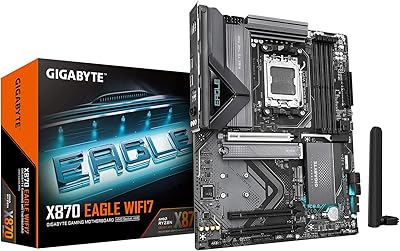
GIGABYTE X870 Eagle WIFI7