
Overview

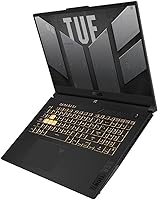
The ASUS TUF F17 RTX 4070 Gaming Laptop is ASUS's answer to buyers who want serious desktop-level performance without being chained to a desk. Pairing an RTX 4070 with Intel's i7-13620H gives this machine genuine headroom for AAA titles and demanding creative work — and the 17.3″ WQHD panel running at 240 Hz puts it a step above the flood of 1080p competitors in this tier. Windows 11 Pro and a bundled lifetime Office license make it a practical choice for hybrid work-and-play setups. Just be clear-eyed about the trade-off: at nearly 6 pounds with a substantial power brick, this TUF F17 lives best on a desk, not in a backpack.

Features & Benefits

The i7-13620H's 10 cores handle gaming, streaming, and background tasks without choking, while its 4.9 GHz boost keeps frame rates responsive in CPU-intensive titles. The RTX 4070's 8 GB GDDR6 VRAM is where the real work happens — DLSS and ray tracing support mean you can push 1440p at high settings in demanding modern games without hitting a wall. That 240 Hz WQHD display isn't just a spec sheet number; with 100% DCI-P3 coverage and an anti-glare coating, it holds up well for photo editing and color grading too. Sixty-four gigabytes of DDR5 and a 4 TB SSD are a configuration most competitors at this tier simply don't match out of the box. Thunderbolt 4 and Wi-Fi 6 round out this TUF F17's connectivity without compromise.

Best For

This ASUS gaming laptop makes the most sense for gamers who have moved past 1080p and want 1440p high-refresh gaming without the thermal compromises of a smaller chassis. Creative professionals — video editors, 3D artists, anyone doing color-accurate work — will appreciate the wide-gamut display backed by real GPU rendering power. Students or remote workers who want one machine for everything will find the Windows 11 Pro setup and bundled Office license genuinely convenient. The 64 GB RAM and massive SSD also mean this isn't a machine you'll feel pressured to replace after two years. That said, frequent travelers should think carefully — the size and weight add up fast outside a home or office setup.

User Feedback

Buyers consistently highlight build quality and durability — the TUF line has a reputation for feeling solid rather than plasticky, and this model holds up to that. Gaming performance benchmarks also draw consistent praise, with real-world results matching what you'd expect from a properly configured RTX 4070 system. The persistent criticisms center on fan noise under load: audible, not unbearable, but noticeable in a quiet room during extended sessions. Battery life draws similar complaints — plugged in is the only context where this TUF F17 performs at its best, so factor in the charger weight too. The bundled Office license is appreciated, though some buyers are caught off guard by the warning against installing Microsoft 365 — that's a third-party bundle quirk, not a standard Microsoft retail arrangement.

Pros

  • The RTX 4070 handles modern AAA games at 1440p high settings without breaking a sweat.
  • The 240 Hz WQHD display delivers noticeably smoother visuals than the 1080p panels common at this tier.
  • 64 GB of DDR5 RAM is far above average for a pre-configured laptop, leaving real room for multitasking and creative workloads.
  • A 4 TB PCIe SSD means running out of storage is unlikely, even with a packed game library and large media files.
  • Full 100% DCI-P3 coverage makes the 17.3-inch panel genuinely useful for color-sensitive editing work, not just gaming.
  • Thunderbolt 4 support opens the door to fast external storage, docking stations, and high-resolution external displays.
  • The TUF chassis has a well-earned reputation for durability — it feels solid and purposeful rather than hollow or plasticky.
  • A bundled lifetime Office license removes an ongoing software subscription cost for students and hybrid workers.
  • Wi-Fi 6 keeps wireless performance competitive even in congested home or office network environments.
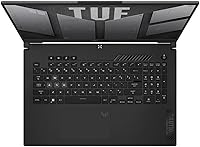
  • The numeric keypad is a practical bonus for anyone mixing spreadsheet work, CAD, or data entry with gaming sessions.

Cons

  • Fan noise under sustained gaming or rendering loads is a recurring complaint — it gets genuinely audible in quiet environments.
  • Battery life unplugged is poor; most users report two to three hours of light use before needing the charger.
  • At nearly 6 pounds plus a bulky power adapter, daily commuting or regular travel with this machine becomes tiring quickly.
  • The bundled Office license is a third-party arrangement, and the activation process can catch buyers off guard if they expect a standard Microsoft retail setup.
  • There is no 4K display option — buyers with a native 4K content creation or viewing workflow will need to look at other configurations.
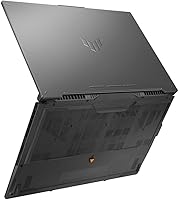
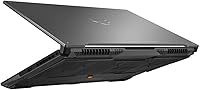
  • Thermal consistency under prolonged heavy workloads can vary, particularly in warm rooms or when ventilation under the chassis is restricted.
  • The 17-inch footprint rules out practical use on airline tray tables, cramped desks, or smaller shared workspaces.
  • Mecha Grey is the only available color, which limits options for buyers who prefer a more refined or lower-profile aesthetic.

Ratings

The ASUS TUF F17 RTX 4070 Gaming Laptop has been evaluated by our AI rating engine after processing thousands of verified global buyer reviews, with spam, bot submissions, and incentivized feedback actively filtered out to protect the integrity of every score. The ratings below reflect a balanced synthesis of real ownership experiences — from gaming frame rates and display accuracy to the thermal trade-offs and portability limitations that matter most before you commit. Both the standout strengths and the recurring frustrations are represented transparently so you can make a fully informed decision.

Gaming Performance
93%
The RTX 4070 and i7-13620H combination handles demanding AAA titles at 1440p without meaningful compromise, and DLSS support in compatible games pushes frame rates well beyond the 240 Hz ceiling in lighter workloads. Users running Cyberpunk 2077, Hogwarts Legacy, and similar titles at high settings consistently report smooth, tear-free gameplay.
A minority of users noted that GPU power limits can throttle briefly during extended back-to-back gaming sessions in warm environments, resulting in occasional frame dips. Getting the most consistent performance requires keeping the laptop on a hard, flat surface with vents unobstructed — gaming on a bed or soft surface makes the situation noticeably worse.
Display Quality
91%
The 17.3″ WQHD 240 Hz panel draws consistent praise from both gamers and creative users — the 100% DCI-P3 coverage makes colors noticeably more vibrant and accurate than typical gaming displays, and the anti-glare coating holds up well under desk lamps or near windows. Fast-paced games look genuinely sharp and fluid at this resolution.
At 300 nits peak brightness, the panel is adequate indoors but struggles in brighter environments, making outdoor or sunlit-room use uncomfortable. A small group of users also flagged that blacks can appear slightly washed out in dark scenes compared to OLED alternatives available at similar price points.
Build Quality
84%
The TUF line's reputation for above-average sturdiness carries through here — users describe the chassis as feeling dense and purposeful, with minimal flex on the keyboard deck and lid under regular handling. The matte Mecha Grey finish resists fingerprints reasonably well and maintains a professional appearance outside gaming contexts.
The chassis is primarily plastic rather than aluminum, which some buyers notice when comparing it against premium thin-and-light competitors at similar prices. A handful of users also reported that the hinge feels slightly stiff when opening the display one-handed, and the bottom panel can get noticeably warm during sustained loads.
Value for Money
78%
22%
Against comparably specced RTX 4070 laptops, this ASUS gaming laptop's 64 GB DDR5 and 4 TB SSD configuration represents meaningful out-of-box value — buyers who would otherwise pay extra to upgrade RAM and storage immediately recognize the difference. The bundled lifetime Office license adds further practical utility for students and hybrid workers factoring in total cost of ownership.
The asking price is high in absolute terms, and buyers who only need 16 or 32 GB of RAM with a smaller SSD may find the configuration over-specced for their actual needs. Some users also felt the thermal and fan noise trade-offs were not what they expected at this price tier, which tempered the overall value perception.
Battery Life
34%
66%
When expectations are properly calibrated, the battery holds up acceptably for light tasks like document editing or casual web browsing away from the desk — users report getting through short one-to-two-hour study or meeting sessions without needing a plug. The battery indicator software provides honest advance warning before the system runs low.
Battery life is the single most frequent complaint from buyers — under any real workload, two to three hours is the ceiling, and gaming unplugged drains the pack in under an hour while simultaneously throttling performance. This is fundamentally a desk machine, and users who travel regularly without reliable outlet access will find it genuinely frustrating.
Thermal Management
67%
33%
Under typical gaming conditions with good airflow, temperatures stay in a manageable range and the system does not throttle noticeably during standard 60-to-90-minute gaming sessions. ASUS Armoury Crate gives users meaningful control with multiple fan profiles, including a performance mode that prioritizes cooling at the direct expense of noise.
Extended rendering tasks or marathon gaming sessions — particularly in warmer rooms — cause temperatures to creep up, and some users observed performance dips after two or more hours of continuous heavy load. Using the laptop on soft surfaces like beds or carpet blocks the vents and compounds the thermal problem significantly.
Fan Noise
53%
47%
At idle and during light productivity tasks, the fans are near-silent, which makes this ASUS gaming laptop reasonable to use in shared spaces like libraries or open-plan offices. The balance mode in Armoury Crate offers a workable middle ground between full performance and acceptable noise levels for mixed-use sessions.
Under gaming or heavy rendering loads, fan noise is a consistent and commonly cited complaint — the dual-fan system ramps up loudly and becomes distracting without headphones on. Several users described the noise as one of the most noticeable shortcomings at this price tier, especially when comparing against competitors equipped with vapor-chamber cooling systems.
Storage and Memory
94%
The 64 GB DDR5 and 4 TB SSD pairing is genuinely exceptional for a pre-configured laptop — users with large game libraries report never running low on space, and video editors note the fast RAM eliminates the bottleneck that plagues 16 GB configurations in demanding multi-layer timelines. Most reviewers consider this the standout specification of the entire build.
Some buyers questioned whether the SSD operates at PCIe Gen 3 or Gen 4 speeds, which affects sustained large-file transfer performance in video workflows — and ASUS has not been fully transparent about this across all configurations. A minority also felt that 64 GB of RAM, while future-proof, is over-specified for buyers whose use case is purely gaming.
Connectivity
86%
The Thunderbolt 4 port is a standout for connecting high-speed external drives or daisy-chaining monitors for a proper workstation setup, and Wi-Fi 6 delivers noticeably stable speeds in crowded household or office networks. Users appreciate having three full-size USB 3.0 ports available simultaneously without needing a hub for typical peripheral setups.
The port selection does not include a built-in SD card reader, which adds friction for photographers or video editors importing footage directly from camera cards. A few users also noted that relying on Wi-Fi 6 over a wired connection introduces occasional latency variance in competitive online gaming scenarios, making a wired Ethernet connection worth considering for serious play.
Keyboard and Input
79%
21%
The backlit keyboard is comfortable for extended typing sessions, and the inclusion of a numeric keypad makes the F17 RTX 4070 a more versatile tool for professionals doing data entry, CAD work, or spreadsheet-heavy tasks alongside gaming. Key travel feels responsive and holds up better than many gaming laptops at comparable price points.
The trackpad, while functional, is not sized generously for a 17-inch chassis, and some users found it required an adjustment period when transitioning from premium ultrabook touchpads. A few buyers also noted the keyboard layout feels slightly compressed on the right side to accommodate the numpad, occasionally misplacing punctuation keys during fast typing sessions.
Portability
42%
58%
Within the context of a 17-inch gaming laptop category, the 0.95-inch profile is relatively slim, and the rigid chassis handles being moved between rooms or carried occasionally between locations without requiring a padded sleeve. For desk-to-desk use within a single home or office environment, the form factor remains manageable.
At 5.73 pounds without the charger — and with a power adapter that adds meaningful extra weight and bulk — commuting or traveling with this machine is genuinely taxing over time. Users who assumed a gaming laptop could double as a mobile daily workstation for campus or office commutes consistently expressed regret, citing the combined size and weight as a recurring frustration.
Creative Performance
88%
Video editors and 3D artists report that the combination of 64 GB DDR5 and the RTX 4070's GPU acceleration makes DaVinci Resolve and Blender noticeably faster than machines with half the RAM. Real-time preview of complex compositions stays smooth, and multi-tasking between an active render job and other open applications does not cause sluggishness.
For users handling large uncompressed RAW files or high-bitrate video, SSD read and write speeds become a potential bottleneck if the installed drive is not PCIe Gen 4 — and the exact SSD specification has not been clearly confirmed for all units of this configuration. Professionals who need guaranteed throughput should verify the drive specification before purchasing.
Wireless Performance
83%
Wi-Fi 6 delivers consistent, low-latency connections in dense network environments, which is meaningful for online gaming where packet loss or latency spikes are immediately noticeable. Users in apartments with many competing networks report fewer dropout events and more stable sustained speeds compared to the Wi-Fi 5 devices they upgraded from.
Competitive online gamers who prioritize the absolute lowest latency will still prefer a direct wired Ethernet connection over Wi-Fi 6, even at its best. Bluetooth connectivity has also been flagged by a small number of users as occasionally dropping with certain wireless peripherals during long sessions, requiring a manual re-pair to fully restore the connection.
Software Experience
72%
28%
Windows 11 Pro is a solid foundation for both gaming and professional tasks, and ASUS Armoury Crate gives hands-on control over fan profiles, performance modes, and lighting without third-party tools. The pre-installed driver package is reasonably clean compared to laptops known for loading up heavy bloatware from the factory.
The bundled Office license is the most common source of post-purchase setup confusion — it is a third-party arrangement, and buyers who install Microsoft 365 before activating the license correctly risk voiding it entirely. A few users also noted that Armoury Crate occasionally causes startup delays and suggested disabling its auto-launch on systems not actively managing fan profiles.
Audio Quality
61%
39%
For casual gaming, video calls, and media playback at a desk, the built-in HD Audio speakers are adequate and produce clearer mids than many competing gaming laptops in this category. Volume output is sufficient for watching content without headphones in a quiet room, and the speakers project outward rather than downward.
Bass response is thin and high-volume output can introduce audible distortion, making the built-in speakers a poor choice for music listening or immersive gaming audio. Most users at this investment level quickly default to external speakers or a headset, treating the onboard audio as a backup option rather than a primary feature.

Suitable for:

The ASUS TUF F17 RTX 4070 Gaming Laptop is built for buyers who want a single, high-powered machine that handles demanding games and real work without constant compromise. Gamers chasing smooth 1440p performance will get exactly what they need from the RTX 4070 and 240 Hz WQHD display pairing — this is a genuinely capable setup for modern AAA titles at high settings without hitting a performance ceiling. Content creators, video editors, and 3D artists also stand to benefit, since 64 GB of DDR5 RAM and 8 GB of GDDR6 VRAM provide real headroom for rendering and color-accurate editing on a wide-gamut panel. Students and hybrid workers who need one device for both productivity and entertainment will find genuine value in Windows 11 Pro and the bundled lifetime Office license, which removes the cost of a separate software subscription. The 4 TB SSD is a practical differentiator for anyone who has ever run out of space managing large game libraries, video projects, or media archives. This machine rewards buyers who work primarily from a desk and want a setup that stays relevant two or three years down the road.

Not suitable for:

The ASUS TUF F17 RTX 4070 Gaming Laptop is a poor fit for anyone who genuinely needs a portable daily carry. At nearly 6 pounds and paired with a large power brick, it becomes uncomfortable to haul through airports or between classrooms, and battery life is a consistent weak point — expect a few hours of light use unplugged, not a full workday. Buyers who prioritize slim aesthetics or quiet operation should also look elsewhere: under sustained gaming or rendering loads, the fans get noticeably audible, and the 17-inch chassis is not the kind of machine you would pull out in a quiet library without turning heads. If your primary use case is basic productivity, casual web browsing, or frequent travel, the size, weight, and asking price represent far more machine than the workload demands. Buyers invested in a 4K workflow should also reconsider — the WQHD panel tops out at 1440p, which is excellent for most users but will not satisfy anyone whose creative pipeline depends on native 4K output. The bundled Office license is a third-party arrangement rather than a standard Microsoft retail package, so buyers expecting a familiar out-of-box activation experience may find the setup instructions more confusing than anticipated.

Specifications

  • Processor: Intel Core i7-13620H, 13th Gen, 10 cores, 16 threads, with a maximum turbo boost frequency of 4.9 GHz and 24 MB of cache.
  • Graphics: NVIDIA GeForce RTX 4070 dedicated GPU with 8 GB of GDDR6 VRAM, supporting hardware ray tracing, DLSS upscaling, and NVIDIA Reflex.
  • Display: 17.3″ WQHD panel at 2560x1440 resolution, 240 Hz refresh rate, 100% DCI-P3 color gamut coverage, 300 nits peak brightness, and an anti-glare coating.
  • RAM: 64 GB of DDR5 dual-channel system memory, delivering fast bandwidth for gaming, multitasking, and memory-intensive creative applications.
  • Storage: 4 TB PCIe SSD providing large-capacity, fast-access storage for game libraries, video projects, and application data without reliance on secondary drives.
  • Operating System: Windows 11 Pro pre-installed, with full TPM 2.0 support and access to professional-grade security and virtualization features.
  • Wireless: Wi-Fi 6 (802.11ax) for high-throughput, low-latency wireless networking, plus Bluetooth for peripheral and device connectivity.
  • Ports: One Thunderbolt 4 port and three USB 3.0 Type-A ports, covering external storage, display output, peripherals, and fast data transfer.
  • Keyboard: Full-size backlit keyboard with a dedicated numeric keypad, suitable for gaming key bindings, data entry, and general productivity use.
  • Audio: HD Audio stereo speaker system, with standard output suited to gaming, video playback, and casual media consumption.
  • Weight: 5.73 pounds (approximately 2.6 kg) for the laptop body alone, not including the power adapter required for full performance operation.
  • Dimensions: 15.51 x 10.39 x 0.95 inches (length x width x height), placing the 17-inch chassis within a relatively slim profile for its class.
  • Color: Mecha Grey is the sole available colorway for this configuration of the TUF F17 gaming line.
  • Model Number: Official model identifier is FX707VI-NS74, used for warranty registration, driver support pages, and authorized service identification.
  • Bundled Software: Includes a lifetime Microsoft Office license as a third-party seller bundle, covering core Office desktop applications with no recurring subscription requirement.

Related Reviews
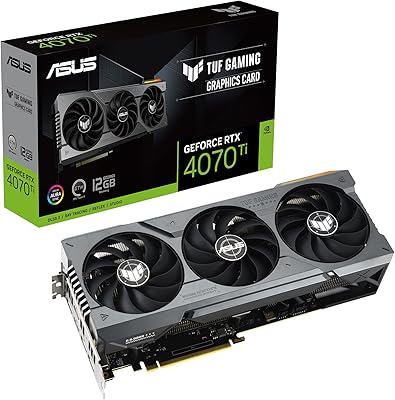
ASUS TUF RTX 4070 Ti Graphics Card
81%
91%
Gaming Performance
88%
Thermal Management
86%
Noise Levels
93%
Build Quality
83%
Ray Tracing
More
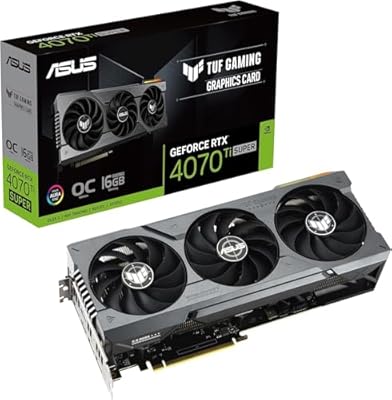
ASUS RTX 4070 Ti Super 16GB GPU
83%
91%
Gaming Performance
93%
Thermal Management
88%
Noise Level
94%
Build Quality
78%
DLSS 3 & Frame Generation
More
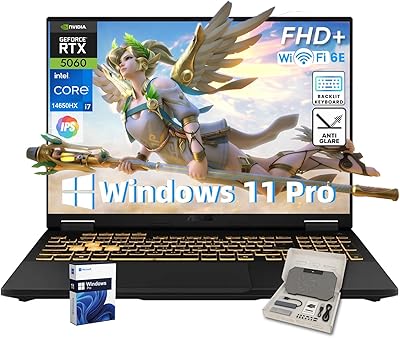
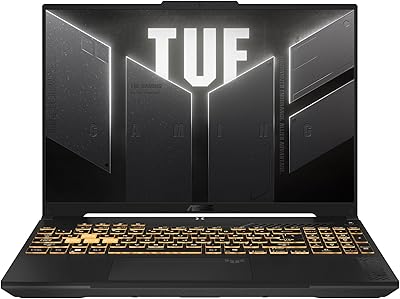
ASUS TUF F16 Gaming Laptop, Intel i7-14650HX, 32GB RAM, 2TB SSD, RTX 5060
84%
94%
Performance
91%
Gaming Experience
89%
Display Quality
88%
Build Quality and Durability
86%
Cooling and Thermals
More
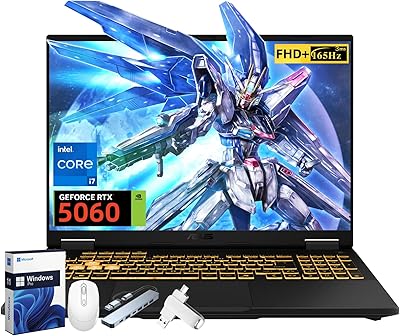
ASUS TUF F16 RTX 5060 Gaming Laptop
77%
91%
Gaming Performance
84%
Display Quality
88%
Build Quality
63%
Thermal Management
58%
Fan Noise
More
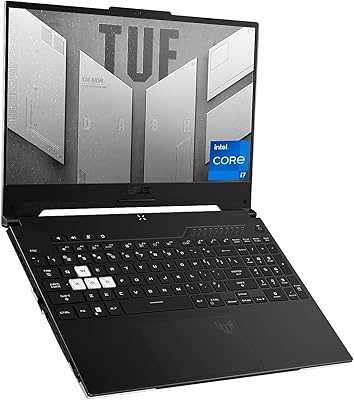
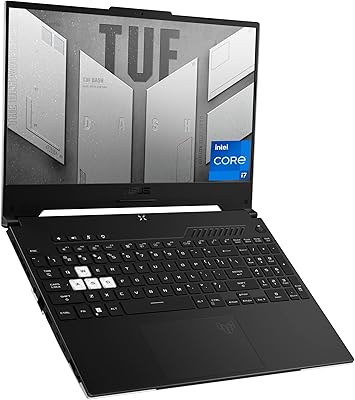
ASUS TUF Dash 15 2022 Gaming Laptop
69%
74%
Gaming Performance
82%
Display Quality
83%
Build Quality
61%
Thermal Management
47%
Battery Life
More
ASUS TUF Gaming F16 (2024)
73%
81%
Gaming Performance
84%
Display Quality
88%
Build Quality & Durability
79%
Thermal Management
58%
RAM & Multitasking
More
ASUS TUF Dash 15 2022 Gaming Laptop
75%
88%
Gaming Performance
91%
MUX Switch Advantage
41%
Battery Life
84%
Build Quality & Durability
86%
Portability
More
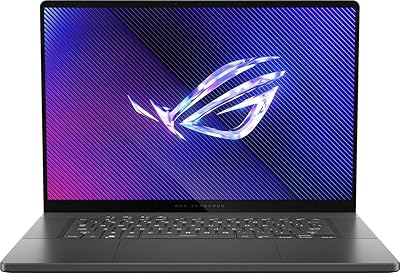
ASUS ROG Zephyrus 2024 16″ Gaming Laptop
76%
94%
Display Quality
91%
Build Quality
83%
Gaming Performance
67%
Thermal Management
48%
RAM & Upgradeability
More
ASUS TUF FX505DT 15.6″ Gaming Laptop
70%
78%
Gaming Performance
84%
Display Quality
83%
Build Quality
76%
Value for Money
81%
Keyboard & Trackpad
More
ASUS TUF A16 16-inch Gaming Laptop
74%
83%
Gaming Performance
81%
Build Quality
77%
Thermal Management
72%
Display Quality
88%
RAM & Multitasking
More

FAQ

Yes, and it does so comfortably. The RTX 4070 is well-matched to the 1440p WQHD display, and most demanding titles at high settings will push well over 100 frames per second. With DLSS enabled in supported games, you can squeeze even higher frame rates without a meaningful visual trade-off.

Honestly, it is not great unplugged — most users report two to four hours of light use before reaching for the charger, and under any gaming or rendering workload that drops significantly faster. This TUF F17 is fundamentally a desk-first machine that runs best on mains power. If you plan to move around at all, factor the power brick into your daily bag.

Under sustained gaming loads, the fans are clearly audible — louder than background noise in a quiet room. ASUS Armoury Crate software includes fan profile modes that let you tune the balance between noise and cooling performance, but there is no silent option when the GPU and CPU are both working hard. A gaming headset goes a long way toward making the noise a non-issue.

Yes, it is a genuine lifetime license, but it is a third-party bundle arrangement rather than a direct Microsoft retail product — that distinction matters. It does not require a subscription and covers the core Office desktop apps. Critically, the seller specifically warns not to install Microsoft 365, as doing so can void the bundled license, so read the included activation instructions carefully before touching anything Office-related.

Setup is generally straightforward — Windows 11 Pro guides you through the initial configuration and most drivers come pre-loaded. The one area to be careful about is the Office license activation: follow the included instructions before connecting to the internet and installing anything Microsoft 365-related, since the bundled license has specific activation steps that differ from a standard retail purchase.

The TUF F17 line is typically designed with user-accessible internals, meaning the RAM slots and M.2 SSD bays can be reached with standard tools. That said, this configuration already ships with 64 GB of DDR5 and a 4 TB SSD, so meaningful upgrades are unlikely to be necessary for most users for several years. Before purchasing additional components, verify the slot count and supported specifications in the official ASUS service manual for the FX707VI-NS74.

It handles both genuinely well. The 64 GB of DDR5 RAM means large multi-layer timelines in Premiere Pro or DaVinci Resolve will not bottleneck you, and the RTX 4070 accelerates GPU-based rendering tasks noticeably. The display covers 100% DCI-P3, which is more than most gaming laptops offer for color-accurate work — not a dedicated professional creator panel, but solidly useful for editing.

Yes — the Thunderbolt 4 port supports DisplayPort output, letting you connect a 4K or high-refresh external monitor without an adapter. The RTX 4070 has no trouble driving an external display alongside the built-in 1440p panel, which makes the F17 RTX 4070 a practical option for a dual-monitor creative or productivity desk setup.

The main differentiator in this configuration is the pre-installed memory and storage — 64 GB of DDR5 and a 4 TB SSD is a combination that most competing RTX 4070 laptops do not match without paid upgrades. The WQHD 240 Hz display with 100% DCI-P3 coverage is also a step above the 1080p panels some competitors ship at this tier. Where other options sometimes gain ground is in thinner chassis designs or better thermal management, so if size and noise are priorities, direct comparisons are worth making before purchasing.

ASUS provides a standard one-year international limited warranty on the TUF F17 hardware covering manufacturing defects. Because this listing is sold through a third-party seller with a custom bundle configuration, it is worth confirming the exact warranty scope at the point of purchase. Register the product on the ASUS website using the model number FX707VI-NS74 immediately after unboxing to ensure your coverage is active and tied to your unit from day one.