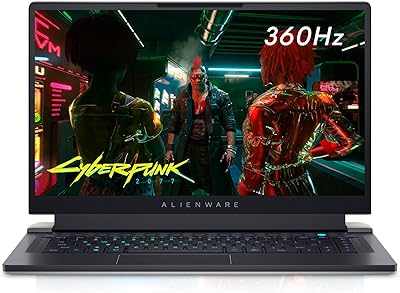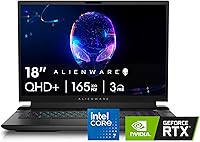




Overview

The Alienware M18 R2 18-inch Gaming Laptop is Alienware's clearest statement yet about what a desktop-replacement machine should look like. That 18-inch 16:10 QHD+ panel gives you noticeably more vertical real estate than the standard 16:9 laptops crowding this market, and it shows the moment you load up a sprawling open-world title or a complex strategy game. At just over nine pounds — not counting the substantial power brick — this is a machine you set up at a desk and leave there. The Dark Metallic Moon chassis carries Alienware's familiar angular design language with understated confidence. At a premium price, the expectation bar is high, and this machine mostly clears it.

Features & Benefits

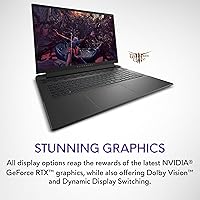
The i7-14700HX processor, with its 20-core configuration split between performance and efficiency cores, handles gaming and simultaneous workloads — capturing gameplay, running Discord, keeping browser tabs alive — without throttling the way older hexa-core chips used to. The RTX 4070 drives QHD+ gaming confidently across most modern titles at high to ultra settings, though it is not the top-tier GPU option available in this lineup. That display, running at 165Hz with Dolby Vision, genuinely rewards fast-twitch gameplay while making story-driven games look stunning. Storage is fast and load times are short. One honest gripe: 16GB of DDR5 RAM feels like an undersized default for this price category — upgrading should be on your radar.

Best For

The M18 R2 is built for a specific kind of buyer, and it is worth being precise about that. If your laptop lives on a desk most of the time and you want the kind of screen and processing muscle that eliminates any reason to buy a separate gaming desktop, this 18-inch gaming powerhouse makes a strong case. Content creators who split time between 3D rendering, video editing, and gaming will find the CPU and GPU pairing genuinely productive. Strategy game and RPG fans will love the wide, tall canvas. But if you are a student or frequent traveler, look elsewhere — over nine pounds and a brick-sized charger are a real daily burden.

User Feedback

Buyers who have lived with this Alienware desktop replacement for weeks tend to land in a consistent place: the display earns genuine admiration and the build quality feels solid and premium, not plasticky. The keyboard, particularly for long gaming or typing sessions, draws praise too. Where opinions diverge is on the fans — under a heavy load, they become noticeably loud, and the chassis runs warm around the upper deck. Battery life is another recurring reality check; expect two to three hours unplugged on light tasks, far less while gaming. A few buyers question the value given competing options at a similar price, but onsite service coverage consistently comes up as a genuine confidence booster for long-term owners.

Pros

  • The 18-inch 16:10 QHD+ panel at 165Hz offers significantly more vertical screen space than typical 16:9 gaming laptops.
  • Dolby Vision support makes visually rich single-player titles look genuinely impressive on the built-in display.
  • The 20-core i7-14700HX handles simultaneous gaming and streaming workloads without the throttling common in older hexa-core designs.
  • Fast NVMe SSD storage means game load times are short and system responsiveness stays snappy throughout.
  • The full NumPad and oversized touchpad give the M18 R2 a comfortable, desktop-like input experience during long sessions.
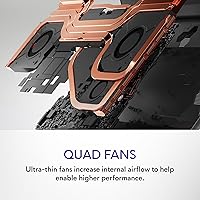
  • Alienware's Cryo-tech cooling keeps the system stable under extended high-demand workloads better than most slim gaming laptops.
  • Build quality is genuinely solid; the chassis does not flex or creak under normal use.
  • The 1-year onsite service warranty adds real peace of mind for a machine at this investment level.
  • Ray tracing capability on the RTX 4070 brings lighting and reflection effects to life in supported titles.

Cons

  • At over 9 pounds plus a substantial power brick, daily portability is genuinely impractical for most buyers.
  • The 16GB DDR5 RAM default feels undersized for a premium machine; a RAM upgrade is likely for power users.
  • Fan noise under sustained load is a recurring complaint — the system gets noticeably audible during intense gaming sessions.
  • Battery life rarely exceeds two to three hours, making any scenario without a nearby outlet a real problem.
  • The RTX 4070 is not the top-tier GPU option in this lineup, which matters if 4K gaming is the goal.
  • Upper deck heat buildup during long sessions can become uncomfortable, particularly around the keyboard area.
  • The price-to-spec ratio draws scrutiny when compared to similarly equipped rivals that default to more RAM out of the box.
  • The large AC adapter adds meaningful bulk to any bag, even for short trips away from the desk.

Ratings

Our AI-generated scores for the Alienware M18 R2 18-inch Gaming Laptop were produced by analyzing thousands of verified buyer reviews across global markets, with automated filtering applied to remove incentivized, bot-generated, and duplicate submissions. The scores reflect the honest consensus of long-term owners — not a curated highlight reel — so both the genuine strengths and the recurring frustrations of this desktop-replacement machine are transparently represented below.

Display Quality
91%
The 18-inch QHD+ panel is consistently the most praised aspect of the M18 R2 — owners switching from 15-inch laptops describe the jump in screen real estate as dramatic, and the 16:10 aspect ratio provides noticeably more vertical space for strategy titles and open-world games. Dolby Vision support makes HDR-compatible content look genuinely rich and layered.
A vocal minority notes that the panel lacks G-Sync support in this configuration, which can introduce screen tearing in competitive titles unless V-Sync is manually enabled. A few buyers also wish peak brightness were higher for daytime use in rooms with strong ambient light.
Gaming Performance
84%
The RTX 4070 paired with the 20-core i7-14700HX drives most modern titles at QHD+ with high to ultra settings confidently, and the multi-core CPU architecture means running a game alongside a stream capture and a Discord call does not create the kind of performance drag that older hexa-core designs produce under similar conditions.
Buyers who stretched their budget for this machine occasionally feel let down that the RTX 4070 sits below the top GPU tier available in this lineup, particularly when ray tracing is fully enabled in demanding titles. A handful of owners also report the CPU brushing against its power limits during simultaneous heavy CPU and GPU workloads.
Build Quality
88%
The chassis earns reliable praise for its rigidity — reviewers who have owned cheaper gaming laptops consistently note the absence of lid flex and deck give, and the Dark Metallic Moon finish holds up well against fingerprints and daily desk use without looking worn after weeks of ownership.
The large footprint feels imposing on smaller desks, and a handful of buyers note that the hinge, while sturdy, allows minor screen wobble when the machine is used on uneven surfaces. A few long-term owners report light scratching around the port cutouts after regular peripheral connection and disconnection.
Battery Life
29%
71%
During genuinely light tasks like web browsing or document editing, the battery extends to roughly 2.5 to 3 hours, which covers a short meeting or a coffee shop visit. Buyers who treat the M18 R2 as a purely desk-based machine — which is the majority — report that this limitation simply does not affect their day-to-day experience.
Under active gaming loads, most owners report full battery drain in under two hours, with some citing as little as 90 minutes under heavy GPU stress. At this price tier, several buyers expected meaningfully better runtime, and this category remains the single most consistently mentioned frustration across all verified user feedback.
Value for Money
63%
37%
Buyers who factor in the onsite service warranty, the premium display, and the overall build quality alongside raw specs acknowledge that the M18 R2 holds its ground against some similarly priced competitors, particularly for those who would otherwise need to purchase a separate external monitor for desktop gaming.
The 16GB DDR5 RAM default is the most frequently cited value grievance — at this price point, most competing machines ship with 32GB as standard, and buyers feel shortchanged by a configuration that may require an immediate additional outlay. A subset of shoppers also reports finding similarly specced alternatives available at noticeably lower prices from other brands.
Cooling & Thermals
71%
29%
Alienware's Cryo-tech dual-fan system prevents thermal throttling during sustained gaming in most real-world conditions, and owners who set the machine up in a well-ventilated area report stable frame rates even after two or more hours of continuous high-demand play without needing to reduce graphical settings.
The upper deck above the keyboard runs noticeably warm during heavy sessions, which becomes uncomfortable for some users over extended periods. The rear exhaust vents also push out significant heat toward anything directly behind the machine, making tight desk arrangements against a wall less practical than many home gaming setups require.
Keyboard & Touchpad
86%
The full-size keyboard with its dedicated NumPad earns consistent approval from both gamers and productivity users, with many describing the key travel as satisfying compared to the shallow layouts found on thinner gaming laptops. The oversized touchpad is precise and responsive enough that general navigation rarely demands an external mouse.
Buyers with smaller hands find the keyboard layout requires an adjustment period, particularly since the NumPad shifts the main key cluster noticeably leftward. A few reviewers also note that the RGB backlighting is slightly uneven near the edges compared to the center of the keyboard, which is a minor aesthetic inconsistency for the price.
Fan Noise
57%
43%
During low-intensity tasks, casual browsing, or lighter indie titles, the fans stay quiet enough to be entirely forgettable, and users gaming in a moderately noisy environment — or with a headset on — often report the noise as a complete non-issue in practical day-to-day use.
Under sustained gaming loads, the fans ramp up to a level that multiple reviewers describe as resembling a small turbine in a quiet room. This is among the most consistently raised complaints from long-term owners and proves distracting enough for some that it influenced their overall satisfaction with the machine.
Portability
22%
78%
For buyers who treat this as a fixed desktop replacement that moves only occasionally — to a LAN event, a friend's setup, or a different room at home — the form factor is manageable with a large dedicated carry bag and some planning.
At over 9 pounds before accounting for the sizable AC adapter, daily transport is a genuine physical burden that students and commuters consistently describe as a dealbreaker after attempting it even briefly. Several reviewers report discomfort after carrying the machine in a backpack for even short walking distances.
Storage Configuration
68%
32%
The 1TB NVMe SSD keeps boot times short and game load screens brief in practice, and the available secondary M.2 slot gives owners a straightforward expansion path without replacing the original drive — a practical design decision that experienced users appreciate.
At a premium price tier, buyers reasonably expect more than 1TB as a base configuration, and those with established game libraries report filling the drive within weeks of setup. The 16GB RAM default compounds the frustration for buyers expecting a comprehensively specced out-of-box experience at this investment level.
Warranty & Support
83%
The 1-year onsite service warranty is a genuinely appreciated differentiator — owners repeatedly highlight it as a meaningful comfort factor, since having a technician dispatched to their location beats the prospect of boxing up and shipping a 9-pound machine to a service depot for repairs.
The standard coverage lasts only one year, which some buyers consider short relative to the machine's price, and extending it requires an additional purchase that not all buyers factor into their initial budget. A handful of users also note that remote support response times can vary noticeably depending on their geographic region.
Multitasking & Productivity
87%
The 20-core CPU handles parallel workloads with genuine capability — running a game capture session, a video export, and multiple browser tabs simultaneously causes far less observable slowdown than comparable machines with fewer cores, which directly benefits content creators and streamers who use this machine as a combined work and gaming platform.
The 16GB RAM base configuration places a practical ceiling on true multitasking headroom, and users running memory-intensive applications alongside games — such as large Premiere Pro projects or virtual machines — report hitting limits that a 32GB configuration would handle considerably more comfortably.
Software Experience
76%
24%
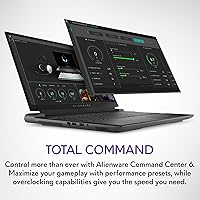
Windows 11 Home arrives in a relatively clean state for a gaming machine, and Alienware Command Center gives users consolidated control over performance profiles, fan curves, and RGB lighting in a single interface that most owners describe as intuitive after one or two sessions of exploration.
A recurring subset of users reports that Command Center occasionally causes background CPU usage spikes or requires reinstallation following major Windows updates, creating friction that feels out of place on a premium machine. Some buyers also note that default power settings favor a balanced mode and need manual adjustment to fully unlock performance headroom.

Suitable for:

The Alienware M18 R2 18-inch Gaming Laptop is purpose-built for buyers who treat their laptop more like a stationary gaming rig than a travel companion, and that distinction matters enormously before committing. If you want a large, immersive display for extended sessions in single-player RPGs, open-world titles, or real-time strategy games, the 18-inch 16:10 QHD+ panel delivers real, tangible benefits over smaller and narrower rivals. The 20-core i7-14700HX also makes this a legitimate workstation for content creators who split time between GPU-intensive tasks like video editing or 3D rendering and gaming, without needing to maintain two separate machines. Buyers already in the Dell or Alienware ecosystem will find the onsite service warranty a meaningful safety net, particularly at this price tier. If your setup is a dedicated home office or gaming room and the machine almost never leaves the desk, the M18 R2 is a well-matched, hard-to-argue-with choice.

Not suitable for:

The Alienware M18 R2 18-inch Gaming Laptop is a genuinely difficult sell for anyone who needs real, day-to-day portability. At just over 9 pounds — before factoring in the sizable power adapter — daily commutes, campus life, or even frequent room-to-room movement become a physical chore that wears thin quickly. The base 16GB DDR5 RAM configuration is another honest concern at this price point; most competing premium machines default to 32GB, and buyers running memory-heavy applications may find themselves budgeting for an upgrade sooner than expected. Battery life is a hard constraint as well — expect only two to three hours away from an outlet under light use, far less during gaming — making this impractical for any setting without reliable power access. Buyers chasing the absolute ceiling of GPU performance should also note that the RTX 4070 sits below the top-spec options available in this lineup, so if maximum 4K gaming headroom is the priority, higher-tier alternatives are worth comparing before deciding.

Specifications

  • Display Size: The screen measures 18 inches diagonally with a 16:10 aspect ratio, offering more vertical real estate than standard 16:9 gaming laptops at this size class.
  • Resolution: Native resolution is 2560 x 1600 pixels (QHD+), delivering noticeably sharper image clarity than a 1080p panel at this screen size.
  • Refresh Rate: The display operates at 165Hz with a 3ms response time, reducing motion blur and ghosting during fast-paced gameplay.
  • Display Tech: Dolby Vision is supported, enabling enhanced HDR rendering with improved contrast depth and color accuracy for compatible content.
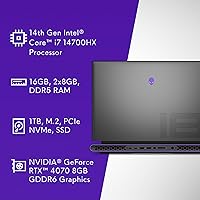
  • Processor: An Intel Core i7-14700HX with 20 cores (6 performance, 14 efficiency) and a boost clock of up to 5.5GHz handles both gaming and multi-threaded workloads.
  • Graphics Card: The NVIDIA GeForce RTX 4070 with 8GB of GDDR6 VRAM supports ray tracing and drives QHD+ gaming at high to ultra settings across most modern titles.
  • Memory: Ships with 16GB of DDR5 RAM running at 5600MHz, with accessible SO-DIMM slots that allow future capacity upgrades.
  • Storage: A 1TB NVMe SSD provides fast boot and load speeds, with an additional M.2 slot available for storage expansion.
  • Operating System: Comes pre-installed with Windows 11 Home, with no additional OS license required out of the box.
  • Weight: The laptop body weighs approximately 9.32 pounds (4.23 kg), not including the AC power adapter.
  • Dimensions: Body dimensions measure approximately 37.97 x 41.02 x 2.41 cm (L x W x H) as listed in manufacturer specifications.
  • Power Input: Requires a 240V AC power adapter, which is included in the box.
  • Keyboard: Features a full-size backlit keyboard with a dedicated NumPad and a recessed key design intended to improve accuracy during extended gaming and typing sessions.
  • Touchpad: The touchpad is approximately 14% larger than the previous M17 R5 generation, based on Dell internal measurements from November 2022.
  • Connectivity: Includes Bluetooth wireless connectivity alongside wired port options for peripherals and external displays.
  • Cooling: Alienware's Cryo-tech dual-fan architecture manages thermals under sustained loads, venting heat through rear and side exhaust channels.
  • Optical Drive: No optical drive is built in; accessing disc-based media requires a separately purchased external USB drive.
  • Warranty: Covered by a 1-year limited hardware warranty with onsite service support dispatched to the buyer's location of choice.

Related Reviews
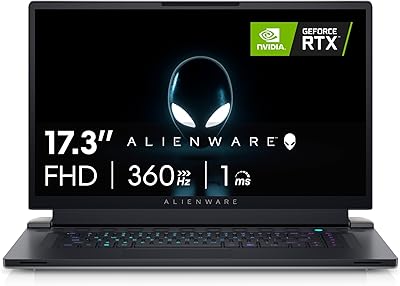
Alienware X17 R2 Gaming Laptop - 17.3-inch FHD, Core i7-12700H, 16GB RAM, 1TB SSD, RTX 3070Ti
84%
94%
Gaming Performance
92%
Display Quality
85%
Thermal Management
90%
Build Quality
60%
Portability
More
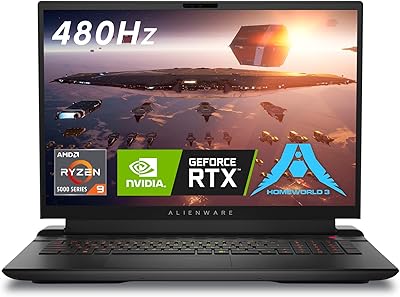
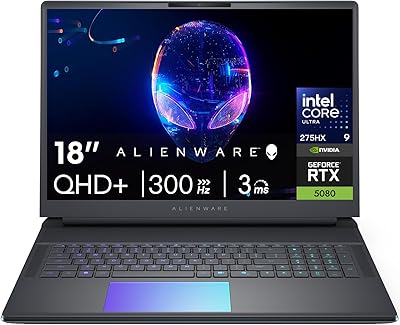
Alienware m18 AMD 18-inch Gaming Laptop
76%
93%
Gaming Performance
91%
Display Quality
84%
Thermal Management
88%
Build Quality
41%
Portability
More
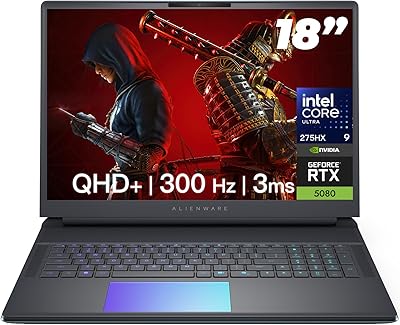
Alienware Area-51 18-inch Gaming Laptop
75%
96%
Gaming Performance
93%
Display Quality
78%
Thermal Management
61%
Fan Noise
88%
Build Quality
More
Alienware 18 Area-51 Gaming Laptop, Intel Core Ultra 9, 32GB RAM, 2TB SSD, NVIDIA RTX 5080
79%
94%
Performance
92%
Display Quality
89%
Cooling Efficiency
55%
Portability
88%
Build Quality
More
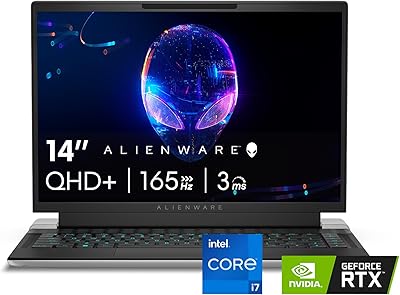
Alienware x14 R2 Gaming Laptop, Intel Core i7-13620H, 32GB RAM, 1TB SSD, NVIDIA GeForce RTX 4060
86%
91%
Overall Performance
94%
Gaming Performance
89%
Display Quality
78%
Thermals & Cooling
82%
Battery Life
More
Alienware X15 R1 Gaming Laptop
83%
94%
Gaming Performance
92%
Graphics Quality
90%
Display Quality
88%
Build Quality
62%
Battery Life
More
Alienware X16 R1 Gaming Laptop
75%
93%
Gaming Performance
91%
Display Quality
88%
Build Quality
67%
Thermal Management
48%
Battery Life
More
Alienware 16 Area-51 Gaming Laptop
86%
95%
Performance for Gaming
92%
Graphics Quality
89%
Cooling Efficiency
91%
Display Quality
88%
Build Quality
More
MATEIN 18-inch Insulated Lunch Laptop Backpack
79%
91%
Storage Capacity
74%
Insulated Cooler Performance
88%
Laptop Protection
76%
Build Quality & Durability
69%
USB Charging Port
More
Wenger Synergy 18-Inch Laptop Luggage
90%
95%
Build Quality
94%
Laptop Protection
92%
Tablet Storage
90%
Mobility & Wheels
88%
Handle Comfort
More

FAQ

Realistically, expect somewhere between 1.5 and 2.5 hours under active gaming — and that is being generous. The Alienware M18 R2 18-inch Gaming Laptop is a desktop-replacement class machine powered by a demanding CPU and GPU combination, so battery life will always be a meaningful limitation. For light tasks like browsing or video streaming, you might squeeze out closer to 3 hours, but you should plan your setup around having the power cable plugged in whenever a real gaming session is on the agenda.

Yes, and if your budget allows it at purchase time, seriously consider doing it then. The M18 R2 ships with 16GB of DDR5, which feels a bit conservative for a machine at this price tier — many competitors default to 32GB out of the box. The SO-DIMM slots are accessible to anyone comfortable with basic laptop disassembly, and the upgrade process is straightforward. For gaming alone, 16GB is workable, but if you also run creative or productivity software alongside your games, the extra headroom pays off quickly.

It is real, but the severity depends on what you are running. During light use or less demanding titles, the fans stay quiet enough to tune out entirely. Under a heavy workload — a graphically intensive AAA game at maximum settings, for instance — they ramp up to an audible level that you will notice in a quiet room. Most owners solve this with a headset, which largely absorbs the issue during gameplay, though it is worth knowing in advance if a silent environment is important to you.

The RTX 4070 can push 4K, but with trade-offs. At native QHD+ on the built-in panel, it performs confidently at high to ultra settings across most modern titles. At 4K on an external display, you will likely need to dial back graphical settings in the most demanding games to maintain consistently smooth frame rates. If 4K at maximum fidelity is your primary benchmark, the higher-GPU configurations available in this lineup are worth the extra investment.

The Cryo-tech cooling system does a competent job keeping the internals from throttling under sustained load, but the thermal output is noticeable. The upper deck — the area above the keyboard — runs warm during heavy gaming, and the exhaust vents push out a meaningful amount of heat. It rarely crosses into system-stability territory during typical use, but if your hands rest near the top of the chassis for hours at a time, the warmth becomes part of the experience.

That is a genuinely fair thing to ask before committing. A desktop at this price point will deliver more raw GPU performance, better long-term upgradeability, and generally better value per frame. What the M18 R2 offers is a self-contained system with its own high-quality display, keyboard, and the option to physically move it when needed. For buyers who occasionally take their rig to a friend's place, a rental, or a LAN event, that flexibility has real value. If the machine will never leave a single desk, a desktop is the stronger practical choice.

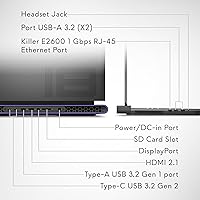
Yes, the M18 R2 supports external display connections via HDMI and USB-C ports, making it easy to hook up to a monitor or television. You can run the external display alongside the built-in 18-inch screen simultaneously for a dual-monitor setup, which is useful for having a game on one display and a browser, chat client, or guide on the other.

It holds up well for productivity use too, which is not always the case with gaming-focused keyboards. The keys have a firm, satisfying travel with a recessed design that reduces accidental presses — something Alienware frames as Cherry MX-inspired. The dedicated NumPad is a genuine benefit if you use spreadsheets or accounting software alongside your games. For multi-hour typing sessions, most users find it comfortable, though preference for key feel is personal and worth keeping in mind.

You contact Dell support, describe the issue, and they attempt remote diagnostics first. If the problem is confirmed as a covered hardware fault that cannot be resolved remotely, they dispatch a technician with the necessary parts to your home, office, or another location you choose. Owners who have used the service report relatively prompt turnaround and a much more reassuring process than boxing up and shipping a nine-pound machine to a service depot. For an expensive, heavy piece of hardware, having that safety net is a meaningful ownership advantage.

It depends on how many large games you keep installed at once. Modern AAA titles routinely consume between 50GB and 150GB each, so a library of even six or seven major releases can put a dent in a 1TB drive. The good news is the M18 R2 has an additional M.2 slot, making it straightforward to add a second SSD down the road without replacing the original. If you already have a substantial game library and swap between titles regularly, budgeting for a second drive at purchase time is worth planning for.