Samsung Galaxy Tab A 9.7-Inch 16GB Tablet
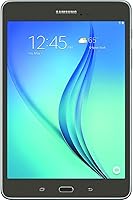
Samsung Galaxy Tab A 9.7-Inch 16GB Tablet — image 1
70%
30%

Overview

The Samsung Galaxy Tab A 9.7-Inch 16GB Tablet sits in a comfortable middle ground — substantial enough to be genuinely useful, yet unpretentious enough not to overpromise. At 9.7 inches, the screen hits a sweet spot that feels spacious for reading or watching video without making the device awkward to carry. Samsung's Galaxy Tab A lineup has built a reputation for reliable, no-drama everyday performance, and this slate continues that tradition. The Smoky Titanium finish and slim 0.3-inch profile give it a look and feel that punches above its weight class. Just set your expectations accordingly — this is a solid daily companion, not a performance machine.

Features & Benefits

The 9.7-inch TFT display won't wow anyone used to higher-resolution screens, but at 1024x768 it handles reading, YouTube, and casual browsing without complaint. The quad-core processor keeps things moving well enough for everyday tasks — opening apps, scrolling feeds, streaming video — though asking it to juggle several demanding apps at once will reveal its limits. Battery life is a genuine highlight; up to 8 hours of use means you're not hunting for an outlet halfway through the day. The 16 GB of built-in storage fills up faster than you'd expect, so grabbing a microSD card early is genuinely advisable rather than optional.

Best For

This Samsung tablet makes most sense for users who don't need cutting-edge hardware — and that's a larger group than you might think. Seniors and first-time tablet users will appreciate the approachable Android interface and comfortable screen size for reading news, video calling, or browsing photos. Students get a lightweight device that handles e-books, note-taking apps, and research without the weight or cost of a laptop. Families can share it as a household media slate for streaming shows and light games. If you're already in the Samsung ecosystem, the familiar Galaxy interface makes the learning curve practically nonexistent.

User Feedback

Owners of the Galaxy Tab A 9.7 tend to be pleasantly surprised by how solid it feels in hand — build quality reads as more premium than the price suggests, and the display earns consistent praise for being bright and comfortable to look at. That said, recurring criticism centers on RAM limitations; push the device with too many apps open and occasional lag becomes noticeable. The 16 GB storage situation comes up often too, with many users wishing they had grabbed a microSD card from day one. On the upside, long-term battery reliability stands out as one of the most consistently praised traits across owner reviews.

Pros

  • The 9.7-inch screen hits a genuinely comfortable size for reading, streaming, and browsing without feeling oversized.
  • Build quality feels solid and well-assembled, punching above expectations for a tablet in this tier.
  • At just one pound, this Samsung tablet is light enough to hold comfortably for extended reading sessions.
  • Battery life consistently delivers a full day of moderate use, with many owners reporting 7 to 8 hours without issue.
  • The Android interface is clean and accessible, making it especially friendly for less tech-savvy users.
  • Samsung brand reliability provides peace of mind, backed by wide service and support availability.
  • MicroSD expandability allows buyers to cheaply extend storage well beyond the built-in 16 GB.
  • The slim 0.3-inch profile makes it easy to slip into a bag or carry one-handed around the house.
  • The 5 MP rear camera handles document scanning and casual snapshot use without any fuss.
  • Proven reliability over years of real-world use makes this a low-risk pick for simple everyday tasks.

Cons

  • The 1.5 GB of RAM causes noticeable lag when switching between multiple open apps.
  • 16 GB of built-in storage fills up quickly — a microSD card is essentially a required purchase, not an optional one.
  • The 1024x768 display resolution looks soft and dated compared to modern tablets at similar or lower price points.
  • Android 5.0 Lollipop is significantly outdated, meaning many current apps may not perform optimally or may lose support.
  • Demanding or newer Play Store games and apps frequently stutter or refuse to run well on this hardware.
  • Wireless support tops out at 802.11a/b/g, which means it misses the faster 802.11n and ac standards.
  • The rear camera produces acceptable snapshots but falls short for anything beyond basic document or casual use.
  • Heavy multitaskers will hit the processor ceiling quickly, making the experience frustrating in those scenarios.

Ratings

Our AI rating system analyzed thousands of verified global reviews for the Samsung Galaxy Tab A 9.7-Inch 16GB Tablet, actively filtering out incentivized, duplicate, and bot-generated submissions to surface what real everyday users actually experienced. The scores below reflect an honest, balanced picture — where this Android slate genuinely earns its praise and where it falls short of buyer expectations. Both strengths and recurring frustrations are transparently weighted into every category score.

Display Quality
74%
26%
For casual reading, streaming standard-definition video, and browsing, the 9.7″ TFT screen gets the job done with a comfortable viewing size that owners consistently appreciate. Many buyers — especially those coming from small smartphone screens — describe the display as pleasantly spacious and easy on the eyes during long reading sessions.
The 1024x768 resolution looks noticeably soft when compared to more current tablets, and text rendering can appear less crisp than buyers used to modern screens might expect. Users who watch a lot of HD video tend to find the display adequate but not genuinely satisfying.
Performance
61%
39%
For the core use cases this tablet targets — reading e-books, streaming music, checking email, and light web browsing — the quad-core processor handles daily routines without constant frustration. Users running one app at a time generally report a smooth enough experience for their needs.
The 1.5 GB of RAM is a real bottleneck that surfaces quickly when switching between apps or loading heavier websites in Chrome. Multiple owners report lag, stuttering, and occasional app crashes during even modest multitasking, which is a recurring source of disappointment in long-term use.
Battery Life
83%
Battery performance is one of the most consistently praised aspects across user reviews, with many owners reporting a full day of reading, browsing, and occasional video without needing to reach for a charger. Travelers and students specifically cite the reliable all-day stamina as a standout practical advantage.
Heavy usage — continuous video streaming or intensive app use — pulls battery life closer to 6 hours, which is still respectable but noticeably below Samsung's stated ceiling. A small number of users report battery degradation after extended ownership of 18 months or more.
Build Quality
79%
21%
Owners are frequently surprised by how solid and well-assembled the Galaxy Tab A 9.7 feels in hand, with many noting that the build quality reads as more premium than they anticipated given the price tier. The slim 0.3-inch profile and Smoky Titanium finish give it a clean, understated look that holds up well to daily handling.
The rear casing can feel slightly plasticky under close inspection, and a few users note that the finish shows light scratches over time without a case. It does not have the premium material feel of flagship devices, which becomes more apparent side by side with higher-end competition.
Storage & Expandability
53%
47%
The microSD card slot is a genuine lifesaver here, and users who equip this Samsung tablet with an expanded card from day one report a much more satisfying long-term experience. Adding an affordable high-capacity card is a simple, cheap fix that transforms the storage situation entirely.
16 GB of built-in storage is uncomfortably tight by any modern standard — apps, system files, and cached data consume a significant portion almost immediately out of the box. Owners who did not anticipate this consistently flag running out of space within weeks as one of their biggest frustrations with the device.
Portability
88%
At exactly one pound and just 0.3 inches thin, this Android slate is genuinely easy to carry and comfortable to hold for extended periods without hand or wrist fatigue. Commuters and frequent travelers single out the lightweight build as a practical everyday advantage that does not require compromise.
The 9.7-inch footprint, while comfortable for most, is slightly too large to comfortably use one-handed for some buyers with smaller hands. It does not fit into jacket pockets or small bags the way a compact 7-inch tablet would.
Software & OS
47%
53%
At launch, Android 5.0 Lollipop offered a clean, accessible interface that first-time Android users found approachable and easy to navigate. The core Samsung UI experience felt familiar and well-organized for buyers already in the Galaxy ecosystem.
Android 5.0 Lollipop is significantly outdated now, and the lack of further OS updates means a growing number of current apps either run poorly or are no longer compatible at all. This is arguably the device's most serious long-term limitation and one buyers should factor heavily into their decision.
Camera
58%
42%
The 5 MP rear camera handles document scanning, video calls, and casual snapshots capably enough for basic everyday needs. Users who primarily use it to photograph receipts, whiteboards, or for occasional family video calls generally find it perfectly serviceable.
Image quality in low-light or outdoor conditions is mediocre at best, with noticeable noise and softness that makes it unsuitable for anything beyond utilitarian photography. Buyers expecting a capable camera as part of this package will be disappointed.
Value for Money
72%
28%
Positioned as an accessible entry into the Samsung tablet ecosystem, this Android slate offers recognizable brand quality, a well-sized screen, and reliable battery performance at a price that suits budget-conscious buyers. For its intended use cases, the value proposition holds up reasonably well.
As the device ages, newer competitors at comparable or lower price points now offer meaningfully better specs — more RAM, higher-resolution screens, and current Android versions — which erodes the value argument over time. Buyers considering this device today should weigh it carefully against newer alternatives.
Wi-Fi Connectivity
63%
37%
For standard home browsing, streaming on a typical router, and connecting to public Wi-Fi networks while traveling, the built-in wireless performs reliably without frequent drops or connection issues. Most casual users report stable everyday connectivity without problems.
The 802.11a/b/g wireless spec is noticeably dated and lacks support for the faster 802.11n and ac standards, which means slower throughput on modern routers compared to current devices. Users on congested networks or trying to stream high-bandwidth content may notice slower loading times.
Screen Size
82%
18%
The 9.7-inch form factor consistently earns praise for striking a comfortable balance — large enough for immersive reading and video, yet compact enough not to feel unwieldy at home or on the go. Users transitioning from smartphones find the larger canvas a welcome change for everyday content.
For productivity-focused users who want to split-screen or multitask visually, 9.7 inches is workable but not ideal. Some buyers note that a slightly larger display would have made certain tasks — like reading formatted documents or spreadsheets — more comfortable.
Ease of Setup
86%
First-time tablet owners and seniors frequently highlight how straightforward the initial setup process is, from logging into a Google account to downloading apps from the Play Store. Samsung's clean interface and the familiarity of Android make it approachable even for users with limited tech experience.
Buyers who want to transfer content from older devices or set up email accounts with non-standard configurations occasionally hit frustrating hurdles. A small number of first-time users report needing assistance navigating Android permissions and notification settings during initial configuration.
Speaker Audio
62%
38%
For watching a TV episode or listening to a podcast in a quiet room, the built-in speakers deliver acceptable volume and adequate clarity that suits casual use without headphones. Users watching content in bed or during solo travel find the audio functional and unobtrusive.
The speakers lack depth and bass, producing a noticeably flat sound profile that becomes apparent during music playback or action-heavy video content. Buyers who care about audio quality will almost certainly want to use headphones or pair a Bluetooth speaker for any serious listening.
Accessories & Compatibility
68%
32%
A wide range of third-party cases, screen protectors, Bluetooth keyboards, and stands are available for this tablet size, giving buyers flexibility to customize for their specific use case without difficulty. The broad 9.7-inch form factor means most universal tablet accessories fit it well.
There is no official Samsung keyboard cover or stylus designed for this specific model, which limits the out-of-box productivity accessory ecosystem compared to premium Samsung devices. Buyers hoping for a polished first-party accessory experience will need to rely entirely on third-party options.

Suitable for:

The Samsung Galaxy Tab A 9.7-Inch 16GB Tablet is genuinely well-suited for anyone who wants a capable, no-fuss Android tablet for everyday light use without paying flagship prices. Seniors and first-time tablet owners will find the 9.7-inch screen easy on the eyes for reading news, making video calls, or browsing family photos — and the straightforward Android interface doesn't demand a steep learning curve. Students can lean on this Android slate for e-books, research, and note-taking apps throughout the school day, and the one-pound build means it slips into a bag without adding noticeable weight. Families shopping for a shared household device for streaming shows, light gaming, or kids' educational apps will find it holds up well to that kind of rotating use. Frequent travelers will also appreciate how the reliable battery and slim profile make it an easy carry-on companion for long flights or commutes.

Not suitable for:

The Samsung Galaxy Tab A 9.7-Inch 16GB Tablet is not the right choice for anyone expecting modern performance from a tablet. With 1.5 GB of RAM and a 1.2 GHz quad-core chip, this Android slate will struggle noticeably with resource-heavy apps, multitasking between multiple demanding programs, or running the latest titles from the Play Store that were designed for newer hardware. Creative professionals, gamers, or anyone relying on a tablet as a productivity workhorse should look elsewhere. The 1024x768 display resolution, while adequate for casual use, is noticeably soft compared to sharper screens available on more recent devices, which may bother users who watch a lot of high-definition video. Additionally, the 16 GB of onboard storage is tight by today's standards — without a microSD card, users who download apps, music, and offline video will run out of room faster than expected.

Specifications

  • Display Size: The tablet features a 9.7″ TFT display, offering a comfortable viewing area suitable for reading, streaming, and general browsing.
  • Resolution: The screen renders at 1024x768 pixels, providing adequate clarity for everyday content consumption at this display size.
  • Processor: A Samsung quad-core processor clocked at 1.2 GHz handles everyday tasks including app navigation, light multitasking, and media playback.
  • RAM: The device includes 1.5 GB of SDRAM, which supports smooth performance for casual, single-app use but has limits under heavier workloads.
  • Storage: 16 GB of onboard flash memory is included, with support for microSD cards to expand capacity as needed.
  • Operating System: The tablet ships with Android 5.0 Lollipop, providing a familiar and accessible Android interface out of the box.
  • Rear Camera: A 5 MP rear-facing camera handles document scanning, casual snapshots, and basic photography needs.
  • Battery Life: Samsung rates the battery at up to 8 hours of average use on a single charge under moderate usage conditions.
  • Wireless: Connectivity is handled via 802.11a/b/g Wi-Fi, supporting standard home and public network connections.
  • Dimensions: The tablet measures 0.3 x 6.6 x 9.5 inches, making it slim and easy to hold or slip into a bag.
  • Weight: At exactly 1 pound, the device is light enough for extended one-handed reading sessions without significant fatigue.
  • Color: The reviewed model comes in Smoky Titanium, a neutral, professional-looking finish that resists showing fingerprints moderately well.
  • Brand: Manufactured by Samsung, a globally recognized consumer electronics company with widespread service and support infrastructure.
  • Model Number: The official model identifier for this unit is T550NZAAXAR, useful for finding compatible accessories and official support documentation.
  • Form Factor: The tablet has a traditional rectangular slate design with a 0.3″ thin profile, prioritizing portability over keyboard or stylus integration.

Related Reviews
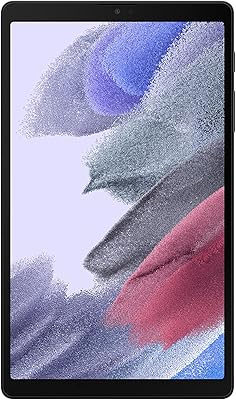
Samsung Galaxy Tab A7 Lite 8.7″ Tablet
76%
83%
Build Quality
61%
Performance
88%
Battery Life
67%
Display Quality
91%
Portability & Size
More
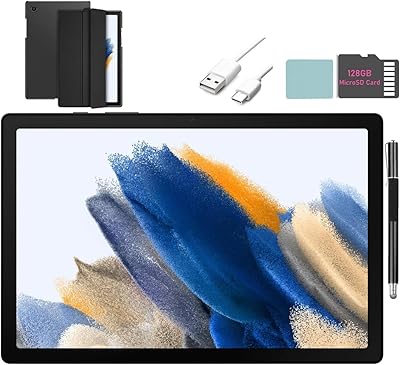
SAMSUNG Galaxy Tab A8 10.5-inch 32GB
83%
92%
Value for Money
88%
Display Quality
83%
Battery Life
80%
Performance
70%
Build Quality
More
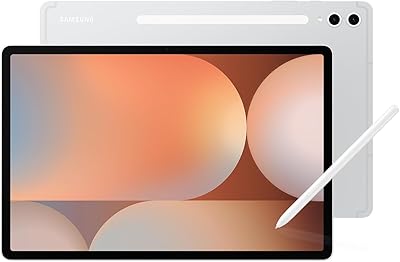
Samsung Galaxy Tab S10+ 256GB Android Tablet
82%
94%
Display Quality
91%
S Pen Performance
88%
Performance & Speed
83%
Battery Life
89%
Build Quality
More
Samsung Galaxy Tab S9 FE 128GB Tablet
78%
88%
Value for Money
76%
Display Quality
91%
Battery Life
53%
Charging Speed
87%
S Pen Experience
More
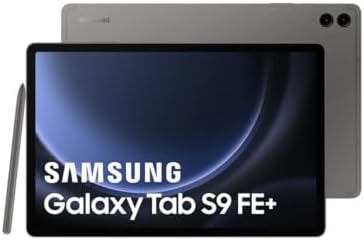
Samsung Galaxy Tab S9 FE+ 12.4″ Tablet
74%
78%
Display Quality
88%
S Pen Experience
86%
Battery Life
63%
Performance
82%
Build Quality
More
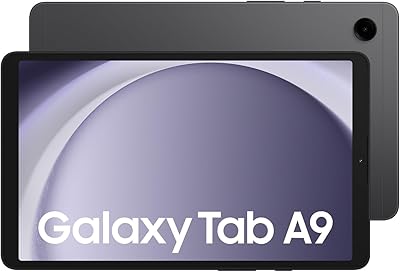
Samsung Galaxy Tab A9 8.7″ 64GB Tablet
73%
83%
Value for Money
61%
Display Quality
78%
Performance
86%
Connectivity
79%
Build Quality
More
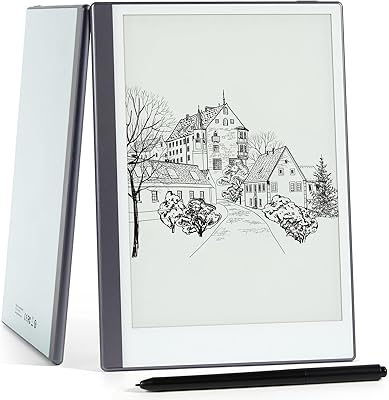
Geniatech KloudNote Mini 9.7″ E-Ink Tablet
68%
74%
Display Quality
81%
Stylus Performance
78%
Battery Life
41%
Software & App Compatibility
79%
Note-Taking Experience
More
Samsung Galaxy Tab S6 Lite (2024) Tablet
73%
83%
Value for Money
81%
Display Quality
79%
S Pen Experience
63%
Performance & Speed
88%
Battery Life
More
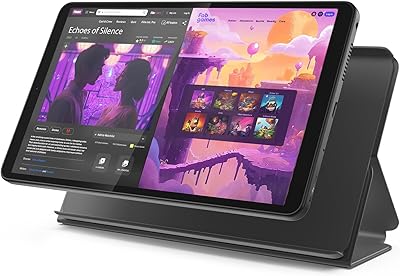
Lenovo Tab One 8.7-inch Android Tablet
74%
88%
Battery Life
84%
Value for Money
91%
Portability & Form Factor
71%
Display Quality
67%
Performance & Speed
More
Samsung Galaxy Tab S7 FE 64GB Tablet
76%
84%
Display Quality
88%
S Pen Experience
91%
Battery Life
71%
Performance
58%
Storage Value
More

FAQ

Yes, and honestly you probably should plan to from the start. The Galaxy Tab A 9.7 supports microSD cards, so you can add a card to store photos, downloaded videos, music, and offline content without eating into the built-in space. A 64 GB or 128 GB card is a cost-effective fix for what is otherwise a real day-to-day frustration.

It is actually one of the more sensible choices for that situation. The 9.7-inch screen is large enough to read comfortably, the Android interface is straightforward to navigate, and the lightweight build means it is easy to hold. Just expect a short learning curve around app installation and settings, which a quick initial setup session can largely take care of.

For standard-definition and 720p streaming, yes — both apps run acceptably well. The screen resolution caps at 1024x768, so you will not be watching true HD content, but for casual watching on a couch or during a commute, the experience is perfectly fine. Just make sure you have a stable Wi-Fi connection since the wireless chip tops out at 802.11g speeds.

It depends heavily on the app. Everyday tools like Gmail, Chrome, Kindle, and YouTube work without major issues. Newer, more demanding apps and games designed for current hardware may run sluggishly or not install at all due to the older Android version and limited RAM. If your app needs are modest, you will likely be fine.

Yes, there is a front-facing camera included, which is suitable for video calls on apps like Google Meet, WhatsApp, or Skype. Do not expect high-resolution video quality, but for casual calls with family or friends, it gets the job done reliably.

Samsung quotes up to 8 hours, and real-world owner feedback largely backs that up for moderate use — think web browsing, reading, and some video. If you are streaming video continuously or pushing the processor harder, expect something closer to 6 to 7 hours. Light users like seniors or students doing mostly reading often report hitting or slightly exceeding that 8-hour figure.

It works reasonably well for younger students doing basic schoolwork — reading apps, educational games, and video lessons all run fine. Just be aware that the 16 GB storage fills up quickly once apps and downloaded content accumulate, so a microSD card is worth adding early. Parental controls are available through Android settings and third-party apps.

This slate was not designed with an official stylus or keyboard folio in mind the way some premium tablets are, but there are third-party Bluetooth keyboards that pair with it perfectly well via Android's standard Bluetooth support. A basic wireless keyboard can meaningfully improve the experience if you plan to use it for longer writing sessions.

The built-in Wi-Fi supports 802.11a, b, and g standards, which covers most home routers and public hotspots without any issues for everyday use. It does not support the faster 802.11n or 802.11ac standards, so on a very congested or high-bandwidth network it may feel slower than a more current device would.

Yes, Bluetooth is supported, so you can pair wireless headphones, speakers, or a keyboard without any trouble. Standard Bluetooth audio works reliably with most modern wireless accessories, making it easy to watch shows or listen to music without cables.

Where to Buy