Overview

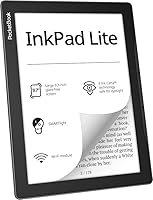
The PocketBook InkPad Lite 9.7″ E-Reader enters a market dominated by smaller, ecosystem-locked devices and makes a straightforward case: sometimes you just need more screen. At 9.7 inches, the display is roughly the size of an A5 sheet — close enough to a real paperback page that reading feels less like squinting at a gadget and more like turning an actual page. PocketBook has built its reputation on format flexibility and an open ecosystem, a sharp contrast to Kindle's walled garden. PDF-heavy readers, students, seniors, and avid book lovers are the obvious audience here. Just go in with clear expectations — this is a premium-priced device with no waterproofing, no audio, and no color screen.
Features & Benefits

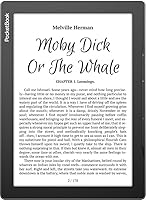
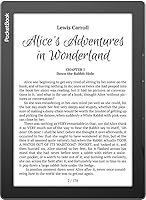
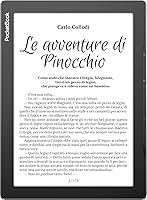
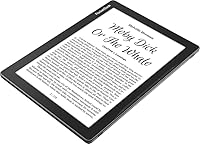
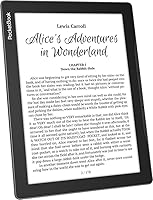
The 9.7-inch E-Ink Carta screen runs at 825×1200 resolution, which is sharp enough for dense body text and holds up reasonably well for detailed diagrams and comic panels — though it won't replace a tablet for image-heavy content. The SMARTlight front light lets you dial in both brightness and color temperature, so late-night reading doesn't feel like staring into a torch. Physical side buttons for page-turning are a welcome touch, especially during long sessions where tapping a screen grows tiresome. What really sets this PocketBook device apart is format support: 19 e-book types, including EPUB, PDF, DJVU, and MOBI, with no conversion required. A microSD slot adds room to grow beyond the built-in 8GB.

Best For

This large-screen e-reader hits its stride with anyone who regularly reads PDFs — research papers, legal documents, technical manuals — that look cramped and distorted on a 6-inch screen. Students and academics who want to annotate course materials without printing them out will find the display size genuinely practical. Seniors and low-vision readers benefit from the combination of generous screen real estate and the ability to scale fonts freely. Comic readers get a more satisfying panel layout than smaller devices allow, even without color. And if you've spent years frustrated by Kindle's format restrictions, the open ecosystem here is the most compelling reason to consider making the switch.

User Feedback

Owners consistently praise the screen size and build quality, and many specifically call out PDF rendering as a deciding factor — it handles complex layouts far better than smaller e-readers do. The physical page-turn buttons also earn regular appreciation. On the other side of the ledger, the 1.1-pound weight becomes noticeable during extended reading sessions; this is not a device you'll hold one-handed for two hours without noticing. The PocketBook OS is more capable than most, but first-time users often describe a learning curve getting comfortable with the menus. The 4.2-star average reflects genuine satisfaction, with lower ratings almost always tied to weight expectations or software unfamiliarity rather than core performance.

Pros

  • The 9.7-inch screen makes PDF documents readable without zooming, cropping, or horizontal scrolling.
  • Supports 19 e-book formats natively — no conversion software needed before loading your library.
  • SMARTlight lets you shift from cool white to warm amber for genuinely comfortable late-night reading.
  • Physical side buttons make page-turning effortless during long sessions without touching the screen.
  • The microSD slot means you are never forced to delete content to make room for new books.
  • Battery life is strong enough for weeks of moderate use between charges, even with the frontlight active.
  • Ambidextrous design and G-sensor rotation make it comfortable in any orientation or hand.
  • Seniors and low-vision readers can scale fonts freely across a screen large enough to make a real difference.
  • Build quality feels solid and durable — the matte finish resists fingerprints and the chassis does not flex.

Cons

  • At 1.1 pounds, extended one-handed reading sessions become physically tiring for many users.
  • No waterproofing at any level — a meaningful omission for a device at this price point.
  • PocketBook OS has a real learning curve; first-time users often struggle with initial setup and menus.
  • Software updates have historically been slow, leaving minor bugs unresolved for long stretches.
  • The built-in content store is limited compared to Kindle or Kobo — not ideal for casual book browsers.
  • Automatic brightness adjustment is inconsistent indoors and frustrates enough users that many disable it.
  • A faint uneven glow along the screen edge is noticeable in a completely dark room at low brightness.
  • No audio output of any kind — audiobooks and text-to-speech are simply not options here.
  • Large or graphically complex PDFs can cause slow page-turn delays on more demanding documents.
  • No microSD card is included in the box, which feels like an oversight given the target audience.

Ratings

The PocketBook InkPad Lite 9.7″ E-Reader scores below are generated by AI after analyzing thousands of verified buyer reviews worldwide, with spam, bot activity, and incentivized feedback actively filtered out. The InkPad Lite earned genuine enthusiasm from a specific, well-defined type of reader — but also drew consistent criticism in areas that matter at this price point. Both sides are reflected honestly here.
Screen Size & Readability
93%
The 9.7-inch display is the single most praised aspect across reviews. Readers who switched from 6-inch devices describe it as transformative — especially for anything with dense layouts, footnotes, or wide margins. Sitting with this on a couch feels much closer to holding a physical book than most e-readers allow.
A small number of users noted that at this screen size, the pixel density is lower than on smaller high-resolution e-readers, making very fine text or intricate diagrams appear marginally softer. It is not a dealbreaker, but those coming from a Kindle Paperwhite may notice the difference.
PDF Rendering Quality
88%
For a device without a reflow-heavy processor, PDF handling is genuinely impressive. Academic papers, legal documents, and multi-column layouts render without the cropping and horizontal scrolling that frustrates users on smaller screens. Several buyers specifically purchased this over competing devices after testing PDF performance.
Very large or graphically complex PDFs — think engineering manuals or scanned archival documents — can trigger slow page-turn delays. A handful of reviewers also reported occasional rendering glitches on DRM-protected PDFs, requiring a restart to clear.
Format Compatibility
91%
Supporting 19 e-book formats natively is not a marketing claim buyers gloss over — it is a real daily convenience. Users moving away from Kindle describe loading their existing MOBI, EPUB, and FB2 libraries without touching a conversion tool as one of the most satisfying aspects of owning this PocketBook device.
MOBI support, while present, is aging and a few users flagged minor formatting inconsistencies with newer MOBI files generated by updated tools. The breadth of format support is strong, but depth of rendering quality varies slightly across the less common formats.
Frontlight & SMARTlight System
84%
The ability to shift color temperature — from a cool, daylight-friendly white to a warm amber tone — makes evening reading genuinely comfortable without a separate lamp. Reviewers who read before bed frequently highlight this as a feature they now consider non-negotiable in any e-reader.
The automatic brightness adjustment is inconsistent indoors; several users disable it and set levels manually instead. At the lowest brightness setting, a faint uneven glow along the bottom edge of the screen is visible in a dark room, which some find distracting.
Build Quality & Materials
82%
18%
The chassis feels solid and purposeful — not premium in a glossy consumer-electronics sense, but reassuringly sturdy. The matte grey finish resists fingerprints well, and the slightly textured back makes it easier to grip during longer reading sessions without a case.
At 1.1 pounds, the physical construction contributes to a weight that some users find taxing over hour-long sessions. The device does not feel cheap, but the plastic body does not inspire the same confidence as devices with aluminium or glass-reinforced frames.
Ergonomics & Physical Controls
79%
21%
The side page-turn buttons are a feature many buyers specifically sought out after years on touchscreen-only devices. Reading in bed, on a commute, or with gloves becomes noticeably easier, and the G-sensor handles orientation switching smoothly when you shift from portrait to landscape.
The device is wide enough that true one-handed use — gripping the body and pressing the buttons simultaneously — becomes uncomfortable after a while, particularly for users with smaller hands. It works better rested on a surface or propped against a knee than held freely for extended periods.
Software & Operating System
71%
29%
PocketBook OS offers a genuinely deep feature set: granular font controls, custom dictionaries, reading statistics, annotation tools, and cloud sync. Power users who invest time in the settings frequently describe it as the most capable e-reader software they have used.
The learning curve is real. First-time PocketBook users often describe the menu structure as unintuitive, and the initial setup for cloud services and format preferences requires patience. Software updates have historically been infrequent, which has left some minor bugs unresolved for extended periods.
Battery Life
86%
In practice, most users report going several weeks between charges with moderate daily reading. The 720-hour rated battery life is a theoretical maximum, but even under heavier use with Wi-Fi enabled and frontlight active, the InkPad Lite comfortably outlasts reading trips, holidays, and work weeks.
Wi-Fi left enabled in the background drains the battery noticeably faster than the headline figure implies. A few users also reported that battery performance degraded after 12 to 18 months of regular use, which is not unusual for lithium polymer cells but worth factoring in for long-term ownership.
Weight & Portability
62%
38%
For desk reading, couch reading, or propped-up use, the weight is a non-issue. Commuters who carry it in a bag alongside other items report no complaints, and the slim 0.31-inch profile means it slides into any bag or sleeve without bulk.
Compared to lighter 6-inch e-readers, the 1.1-pound weight is a consistent pain point for users who read in bed or hold the device unsupported for more than 30 to 40 minutes. It is the most frequently mentioned physical limitation in lower-rated reviews.
Storage & Expandability
83%
8GB handles a surprisingly large personal library — thousands of standard e-books fit comfortably without ever touching the microSD slot. The card slot is a meaningful bonus for users with large comic or PDF archives, or those who want to keep work and leisure libraries physically separated.
The base 8GB is adequate for most readers, but the device ships without a microSD card included, which feels like an oversight at this price. Buyers with very large existing libraries should budget for a card from day one rather than treat it as an optional upgrade.
Wi-Fi & Cloud Sync
74%
26%
Syncing across the PocketBook ecosystem — including the companion smartphone app — works reliably once configured. Users who read across multiple devices appreciate being able to pick up where they left off, and the cloud library management removes the need to manually transfer files for everyday use.
The PocketBook cloud ecosystem is less mature and less populated than Amazon or Kobo equivalents. Users who want a built-in store with broad content discovery will find the options limited, and initial Wi-Fi setup occasionally requires troubleshooting on less common router configurations.
Value for Money
68%
32%
For the specific reader this device is designed for — someone who needs a large screen, wide format support, and an open ecosystem — the value proposition holds up. PDF power users and format-freedom advocates consistently rate satisfaction higher than the price tag initially suggests.
At this price tier, the absence of waterproofing, audio output, and a color screen is difficult to ignore. Buyers expecting a feature-complete premium device are often surprised by these omissions, and the comparison to competing devices at similar or lower prices makes the value argument harder to sustain for casual readers.
Comic & Graphic Content Display
77%
23%
CBR and CBZ support combined with the large canvas makes single-page comic panels genuinely readable without zooming. Manga readers in particular find the page size comfortable, and landscape mode with two-panel view works well for standard western comic layouts.
Without a color screen, the experience is fundamentally limited for color comics or illustrated children's books. The greyscale rendering is clean, but readers expecting tablet-like vibrancy will be disappointed. This is best suited to black-and-white or greyscale-friendly content.
Accessibility for Seniors & Low-Vision Readers
89%
The large screen paired with freely scalable fonts and adjustable frontlight warmth makes this one of the more genuinely accessible e-readers available. Seniors transitioning from physical large-print books frequently describe the reading experience as the closest digital equivalent they have found.
The software interface, while customizable, uses relatively small tap targets and menus that can frustrate users with limited dexterity or vision until they have configured their preferred settings. Out of the box, some initial guidance or setup assistance from a family member may be helpful.

Suitable for:

The PocketBook InkPad Lite 9.7″ E-Reader was clearly designed with a specific reader in mind, and if you fit that profile, it is a genuinely strong choice. Anyone who regularly reads PDFs — academic papers, legal briefs, technical manuals, scanned documents — will find the near-A4 canvas a practical upgrade over the cramped experience on a 6-inch screen. Students and researchers who want to annotate course materials or reference documents without printing them out will appreciate both the display size and the format breadth. Seniors or readers with low vision benefit from the combination of a large screen and freely scalable fonts, making this one of the more accessible e-readers available without resorting to a tablet. If you have spent years collecting e-books across EPUB, MOBI, FB2, DJVU, and other formats and resent being forced into a single ecosystem, the InkPad Lite is one of the few devices that handles all of them natively, without conversion tools or workarounds.
Not suitable for:

The PocketBook InkPad Lite 9.7″ E-Reader is a harder sell if you are a casual reader looking for a light, versatile device you can take anywhere without thinking about it. At 1.1 pounds, it is noticeably heavier than most e-readers, and reading it one-handed in bed or on a commute for long stretches becomes physically uncomfortable in a way that smaller devices do not. If you read in the bath, by the pool, or want protection against accidental spills, this device offers none — there is no waterproofing at any level. Audiobook listeners and anyone who relies on text-to-speech functionality will need to look elsewhere, as this PocketBook device has no speakers and no audio output. Buyers hoping for a rich built-in content store comparable to Kindle or Kobo will also be disappointed — the PocketBook ecosystem is functional but thin on curated discovery features. Finally, if you want color illustrations, children's picture books, or vibrant comic artwork, the greyscale E-Ink screen is a fundamental limitation that no software update can fix.

Specifications

  • Screen Size: The device features a 9.7″ E-Ink Carta display, roughly equivalent in area to a standard A5 sheet of paper.
  • Resolution: The screen renders at 825×1200 pixels, delivering adequate sharpness for body text, PDFs, and black-and-white comic panels.
  • Frontlight: SMARTlight technology allows independent adjustment of both brightness and color temperature, from cool white to warm amber.
  • Dimensions: The unit measures 9.3″L × 6.81″W × 0.31″Th, making it one of the slimmest large-format e-readers in its category.
  • Weight: The device weighs approximately 1.1 pounds (13 oz), which is noticeably heavier than standard 6-inch e-readers.
  • Internal Storage: 8GB of internal storage is built in, sufficient for several thousand standard e-books or a moderate collection of PDFs and comics.
  • Expandable Storage: A microSD card slot allows users to expand storage capacity beyond the built-in 8GB; no card is included in the box.
  • RAM: The device is equipped with 512MB of RAM, which handles standard reading tasks adequately but may slow under very large or complex files.
  • Battery Life: Rated at up to 720 hours under optimal conditions, with real-world usage typically delivering several weeks between charges at moderate reading intensity.
  • Connectivity: The device connects via Wi-Fi for cloud sync and content management, and via USB for wired file transfer and charging.
  • E-Book Formats: Nineteen e-book formats are supported natively, including EPUB, EPUB (DRM), PDF, PDF (DRM), DJVU, MOBI, FB2, FB2.ZIP, DOC, DOCX, RTF, TXT, CHM, HTM, HTML, PRC, ACSM, CBR, and CBZ.
  • Image Formats: Supported image formats include JPEG, BMP, PNG, and TIFF, allowing direct viewing of scanned documents and graphic files.
  • Display Type: The screen uses E-Ink Carta technology, which reflects ambient light like paper and produces no direct backlight emission, reducing eye strain during extended reading.
  • G-Sensor: A built-in G-sensor detects device orientation and rotates the screen automatically between portrait and landscape modes.
  • Cover Sensor: A cover sensor is included, allowing compatible cases to automatically wake or sleep the device when opened or closed.
  • Waterproofing: The device carries no waterproof or water-resistant rating and should be kept away from liquids, rain, and humid environments.
  • Audio: There are no built-in speakers, no headphone jack, and no text-to-speech functionality on this device.
  • Color Screen: The display is greyscale only; color content such as illustrated books or color comics will render in shades of grey.
  • Operating System: The device runs PocketBook's proprietary OS, which includes annotation tools, reading statistics, dictionary support, and cloud library management.
  • Battery Type: Power is supplied by a built-in lithium polymer rechargeable battery, which is not user-replaceable.

Related Reviews
PocketBook InkPad 4 7.8-inch E-Ink Reader
86%
91%
Display Quality
88%
Battery Life
89%
Build Quality & Durability
75%
Audio Performance
94%
File Support
More
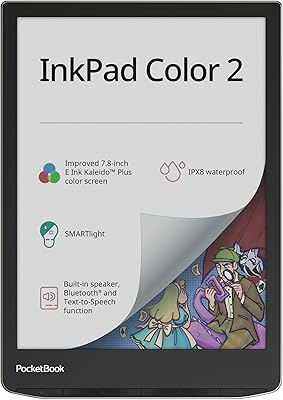
PocketBook InkPad Color 2 E-Reader
79%
71%
Color Screen Quality
88%
Greyscale Readability
93%
Format Compatibility
62%
Software & UI
79%
Audio Performance
More
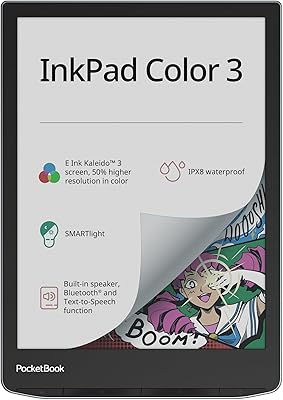
PocketBook InkPad Color 3 7.8″ E-Reader
75%
76%
Display Quality
83%
Battery Life
93%
Format Compatibility
88%
Build Quality
91%
Waterproofing
More
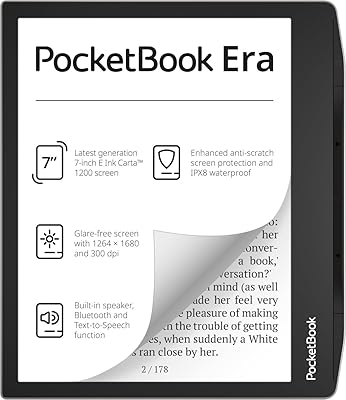
PocketBook Era E-Reader 16GB
86%
91%
Display Quality
88%
Waterproofing
94%
Battery Life
85%
Storage Capacity
87%
Ease of Use
More
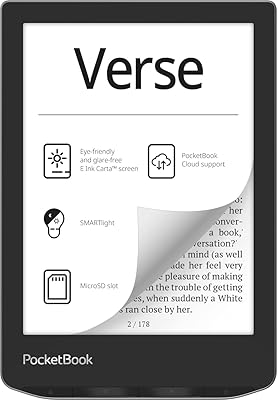
PocketBook Verse 6-inch E-Ink E-Reader
81%
93%
Format Compatibility
89%
Battery Life
71%
Display Quality
86%
Frontlight & SMARTlight
91%
Expandable Storage
More
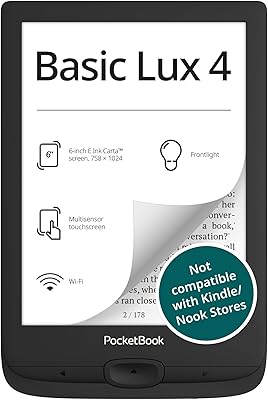
PocketBook Basic Lux 4 E-Reader
75%
94%
Format Compatibility
81%
Display Quality
88%
Portability & Build
78%
Frontlight Performance
73%
Battery Life
More
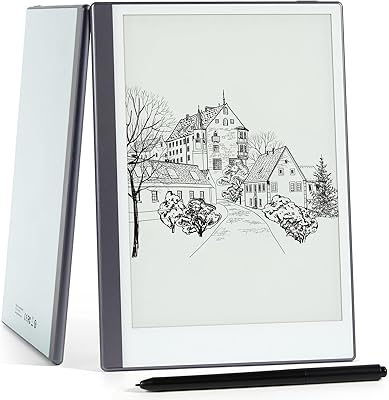
Geniatech KloudNote Mini 9.7″ E-Ink Tablet
68%
74%
Display Quality
81%
Stylus Performance
78%
Battery Life
41%
Software & App Compatibility
79%
Note-Taking Experience
More
Viltrox 25mm f/1.7 E-Mount Prime Lens
81%
88%
Autofocus Performance
83%
Image Sharpness
86%
Aperture & Background Rendering
71%
Build Quality & Feel
87%
Low-Light Capability
More
Meebook M7 6.8″ Android E-Reader
76%
88%
Display Quality
83%
Frontlight & Color Temperature
91%
App Ecosystem & Google Play
62%
Software & UI Responsiveness
67%
Build Quality & Design
More
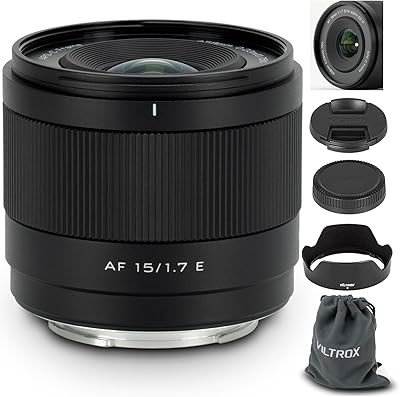
Viltrox 15mm F1.7 Wide-Angle Lens
83%
91%
Center Sharpness
72%
Edge & Corner Sharpness
83%
Autofocus Speed & Accuracy
88%
Aperture & Bokeh Quality
86%
Video Performance
More

FAQ

Not directly. Kindle books use Amazon's proprietary DRM, which locks content to Kindle apps and devices. However, if you have DRM-free e-books or content purchased through other stores in EPUB or MOBI format, the InkPad Lite handles those natively. Some users use legal DRM-removal tools for personal backups, but that is outside the scope of what the device officially supports.

Better than most e-readers, thanks to the large screen. Standard PDFs and academic papers render without the horizontal scrolling or cropping you get on 6-inch devices. That said, very large or graphically complex files can cause noticeable page-turn delays, so if your documents run into hundreds of dense, image-heavy pages, expect occasional slowdowns.

Yes, the SMARTlight system is well-suited for nighttime reading. You can dial the color temperature down to a warm amber tone that is much easier on the eyes in a dark room than a cool white screen. The brightness can be lowered significantly too. The one caveat is that at very low brightness levels, a faint uneven glow along the bottom edge of the screen is visible — most users do not find it distracting, but it is worth knowing about.

Yes, through ACSM file support. When you borrow an EPUB or PDF from a library via Overdrive or Libby, you download an ACSM file, which the InkPad Lite can open and decrypt using Adobe Digital Editions authorization. It requires a one-time setup with an Adobe ID, but once configured it works reliably for most library lending systems.

Honestly, it is one of the more common complaints from buyers, so it is worth being realistic. At 1.1 pounds, it is noticeably heavier than a standard e-reader, and holding it unsupported for an hour or more in bed does become tiring for many people. It works much better propped against a pillow or rested on a surface. If you read flat on your back holding a device above your head, this probably is not the right choice.

Both options work. When connected to a computer via USB, the device appears as a standard external drive and you can drag and drop files directly into the appropriate folders — no software required. Wi-Fi sync through the PocketBook cloud app is also available if you prefer managing your library wirelessly.

The device uses a standard microSD slot and supports cards formatted with FAT32 or exFAT. In practice, cards up to 128GB are widely reported to work without issue, giving you enormous room for even large comic or PDF archives. Cards larger than 128GB may work but are less consistently tested — sticking to well-known brands in that range is advisable.

It takes some getting used to. PocketBook OS is more capable than Kindle or Kobo software in terms of raw features, but the menu structure is not as immediately intuitive for first-time users. Most people find their footing within a few days of regular use. If you are less comfortable with technology, it may help to spend some time on the PocketBook support pages or community forums during initial setup.

Yes, and it is actually one of the stronger use cases for this device. The large screen means manga pages display at close to their intended size, and CBR and CBZ files open natively without any conversion. The greyscale rendering is clean and sharp enough for most black-and-white artwork. Color comics will display in greyscale, which works for some titles but loses a lot of visual impact for others.

No — there is no waterproofing or water resistance rating of any kind on this device. Even minor splashes are a risk. If reading near water is important to you, you would need to look at alternatives like the Kobo Libra Colour or Kindle Paperwhite, both of which carry IPX8 ratings. A waterproof case could offer some protection, but it is not something the manufacturer certifies or recommends.