Overview

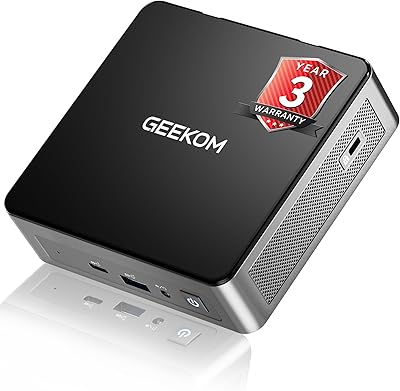
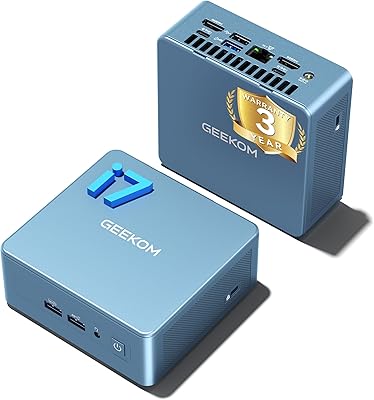
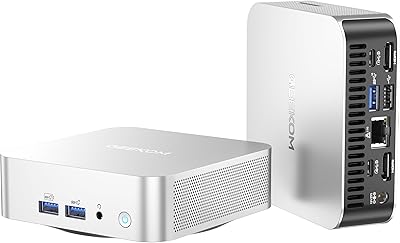
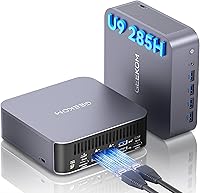
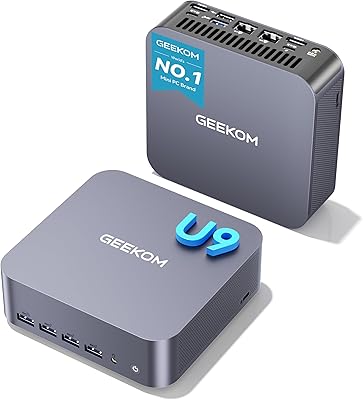
The GEEKOM GT2 Mega Mini PC sits firmly in the premium compact desktop segment — this is not a casual browsing box or a glorified media streamer. It is built around Intel's latest Core Ultra 9 285H (Arrow Lake-H), a chip you would normally expect in high-end laptops, now housed in an aluminum enclosure roughly the size of a hardcover book. That alone makes this mini PC worth serious attention. Energy consumption runs dramatically lower than a traditional tower, yet the performance headroom is genuinely workstation-level. The honest caveat upfront: the integrated Arc 140T GPU is capable, but it is not a substitute for a dedicated graphics card if serious gaming is your priority.

Features & Benefits

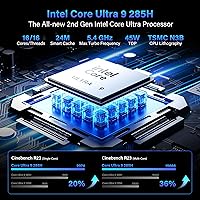
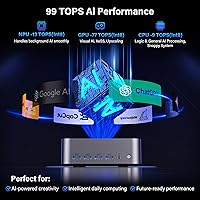
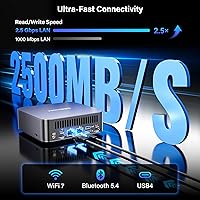
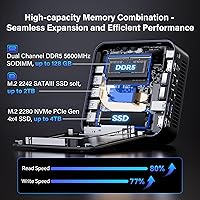
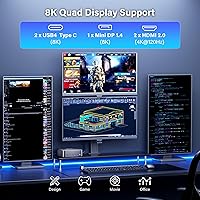
The heart of the GT2 Mega is a 16-core processor with a 5.4GHz turbo ceiling and a dedicated NPU rated at 99 TOPS, which means running local AI models without leaning on the cloud is actually practical here. Paired with 32GB of DDR5 5600MHz RAM — expandable to 128GB — and a 2TB PCIe Gen4 NVMe drive, everyday speed feels sharp and responsive. The connectivity story is equally strong: dual 2.5G Ethernet with link aggregation and WiFi 7 are rare in this form factor. Rounding things out, the quad-display setup via dual USB4, two HDMI 2.0 ports, and a Mini DisplayPort 1.4 gives multi-monitor users real flexibility without needing a separate dock.

Best For

This compact desktop makes the most sense for a specific kind of buyer. Small business owners and remote professionals who need a capable, space-efficient workstation will get real value here. Content creators handling 4K or 8K video timelines benefit from the fast storage and multi-monitor output. Developers running local LLMs or on-device inference will find the dedicated NPU genuinely useful rather than decorative. It also works well as a quiet, power-conscious living room media PC. Where it falls short is for buyers expecting to run demanding games at high settings — the Arc 140T handles lighter titles reasonably, but hardcore gaming still calls for a discrete GPU.

User Feedback

The GT2 Mega launched in mid-2025, so the review pool is still growing — early impressions should be weighed with that in mind. Most buyers highlight the out-of-box setup as a genuine strength: Windows 11 Pro activates cleanly and the system is ready to use quickly. Thermal behavior under sustained workloads draws the most discussion; several users report fan noise increasing noticeably during long video exports or compilation tasks, though hard throttling appears uncommon. On overall value, opinions split fairly predictably — those upgrading from older or budget mini PCs are broadly satisfied, while buyers comparing this against similarly priced towers debate whether the graphics trade-off is worth the compact form factor premium.

Pros

  • The Core Ultra 9 285H delivers serious multi-core performance in a chassis smaller than most lunch boxes.
  • 32GB of fast DDR5 RAM handles heavy multitasking comfortably, and the upgrade path to 128GB is genuinely useful.
  • WiFi 7 and dual 2.5G Ethernet with link aggregation put this mini PC ahead of most compact competitors on connectivity.
  • The dedicated NPU makes local AI inference practical — running lightweight LLMs without cloud dependency is a real, usable feature.
  • Quad-display support across four outputs is rare at this size and covers nearly every multi-monitor setup a professional might need.
  • Windows 11 Pro comes pre-installed and activates cleanly, keeping out-of-box setup quick and frustration-free.
  • The secondary M.2 2242 slot adds storage flexibility without replacing the primary high-speed drive.
  • A three-year warranty with lifetime customer support is a meaningful assurance for a premium-priced compact desktop.
  • The all-aluminum chassis feels premium and contributes to passive heat dissipation alongside the active cooling system.
  • Energy consumption is substantially lower than a comparable tower build, which adds up noticeably over months of daily use.

Cons

  • The Arc 140T GPU will disappoint buyers expecting playable frame rates in demanding modern games at medium-to-high settings.
  • Fan noise under sustained CPU loads — long renders, large compilations — is a real concern that GEEKOM's own specs cannot fully confirm.
  • Only one USB 3.0 and one USB 2.0 port means peripheral-heavy desks will almost certainly require a hub.
  • The product launched recently, so long-term reliability and thermal degradation data simply do not exist yet.
  • No Thunderbolt certification on the USB4 ports could limit compatibility with certain high-end docks and storage enclosures.
  • Upgrading RAM or storage requires opening the unit, which may void warranty concerns for less confident users.
  • The secondary storage slot is SATA III only, not NVMe, which creates a noticeable speed gap between the two drives.
  • At its price point, buyers comparing against small-form-factor builds with discrete GPUs will find the graphics trade-off a harder sell.

Ratings

The GEEKOM GT2 Mega Mini PC scores below reflect AI-driven analysis of verified global buyer reviews, with spam, bot activity, and incentivized feedback actively filtered out before scoring. Ratings cover everything from raw processing speed to thermal behavior under sustained stress, capturing both the genuine strengths and the real-world frustrations that honest owners report. No category has been softened — where trade-offs exist, the scores reflect them plainly.

CPU Performance
93%
Owners running demanding productivity workloads — compiling large codebases, handling multi-tab browser sessions with Figma or Notion open simultaneously, or processing financial models — consistently describe the Core Ultra 9 285H as fast and responsive without hesitation. The 16-core configuration handles context-switching in ways that single-digit core counts simply cannot match.
A small portion of users note that pushing the CPU to its peak TDP for extended periods causes clock speeds to pull back slightly during marathon rendering sessions, suggesting the 65W power limit does create a ceiling under the most punishing sustained loads.
GPU & Graphics
67%
33%
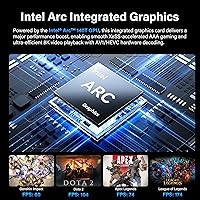
For media consumption, casual gaming, and content playback the Arc 140T performs well above what most people expect from integrated graphics — 8K video decodes cleanly, XeSS upscaling makes lighter titles look sharp, and multi-display color accuracy gets favorable comments from photo editors working at 4K.
Buyers who purchased expecting a gaming machine report real disappointment with modern AAA titles at high settings; frame rates in GPU-heavy games fall well short of even a budget discrete card. This is the single most common source of buyer remorse in early reviews of this compact desktop.
AI & NPU Capability
88%
Developers and hobbyists experimenting with local LLM inference highlight the NPU as a standout feature — running lightweight models like Mistral 7B locally without cloud dependency is a genuine, functional reality on the GT2 Mega rather than a theoretical benchmark number. Token generation speeds are described as usable for real workflows.
Buyers expecting to run larger parameter models smoothly will hit memory bandwidth and thermal limits fairly quickly, and software ecosystem support for the Arc NPU is still maturing — not every AI framework leverages it natively yet, requiring some manual configuration.
Thermal Management
71%
29%
Under typical office workloads and media playback, the IceBlast 2.0 cooling system keeps the chassis comfortably cool to the touch and fan noise stays at a low hum that most desk workers describe as easy to ignore during normal use throughout the day.
Sustained CPU loads — long video exports, extended compilations, or prolonged gaming sessions — push fan speeds up to levels that several owners describe as noticeably loud in quiet rooms. GEEKOM's claimed 40% noise reduction figure lacks independent verification, and real-world results appear to vary by ambient temperature and workload type.
RAM & Memory
91%
The 32GB DDR5 5600MHz dual-channel configuration is genuinely fast for this form factor, and owners running virtual machines, multiple browser instances, or large Lightroom catalogs alongside video calls report smooth, lag-free multitasking without needing to touch the upgrade path right away.
A minority of technically inclined buyers point out that while the 128GB ceiling is impressive on paper, the secondary slot being SATA-only means that high-capacity expansion configurations will involve a meaningful speed mismatch between the two drives in mixed storage setups.
Storage Speed
89%
The PCIe Gen4 x4 primary SSD draws consistent praise from content creators moving large video files or photographers importing RAW batches — transfer speeds feel noticeably quicker than the PCIe Gen3 drives found in many competing mini PCs at similar price points, and boot times are fast.
The secondary M.2 2242 slot being limited to SATA III is a recurring complaint among storage-focused buyers who wanted two fast NVMe drives; SATA speeds cap out well below the primary drive, making the second slot feel like an afterthought for performance-oriented users.
Connectivity
94%
WiFi 7 and dual 2.5G Ethernet in a chassis this small is a combination that IT buyers and home lab enthusiasts highlight as a genuine differentiator — link aggregation to a NAS or managed switch works reliably, and Bluetooth 5.4 handles multiple peripherals without the dropout issues that plagued earlier Bluetooth revisions.
The physical USB port count is tight for a premium workstation-class system — two USB4 ports, one USB 3.0, and one USB 2.0 means most buyers with a typical desk setup will need a hub immediately, which adds cost and introduces another potential point of failure.
Display Output
87%
Four simultaneous displays is a feature that multi-monitor professionals genuinely use and appreciate — traders, video editors, and developers running multiple screens describe the setup process as straightforward, and the Mini DisplayPort 1.4 output handles 8K resolution without signal issues on compatible displays.
Some buyers encounter compatibility friction with certain USB4 display adapters that lack proper DisplayPort Alt Mode support, and the HDMI 2.0 ports cap at 4K@120Hz rather than the newer 2.1 standard, which limits options for buyers targeting high-refresh 4K gaming monitors.
Build Quality
86%
The all-aluminum chassis feels genuinely solid and premium in hand — there is no flex, no plastic creaking, and the fit of panels is tight. Owners who place it on a desk or mount it behind a monitor consistently describe the construction as matching the price tier without hesitation.
A handful of buyers report that the chassis runs warm to the touch on the top surface during heavy workloads, and a few noted minor cosmetic blemishes near port cutouts on units received — likely a quality control variance rather than a systemic issue given the small sample size.
Setup & Out-of-Box Experience
92%
Windows 11 Pro activates immediately without any additional steps, and the system is ready to use within minutes of plugging in — buyers upgrading from older desktops or rival mini PCs consistently describe the initial setup as one of the smoothest they have experienced, with minimal bloatware present.
A small number of users report confusion finding the right display adapter combination to drive all four outputs simultaneously out of the box, and GEEKOM's included documentation is described as thin — some buyers had to consult community forums to understand secondary storage installation steps.
Value for Money
74%
26%
For buyers whose workload aligns with this machine's strengths — AI inference, multi-display productivity, 4K content creation, and network-heavy tasks — the combination of specs at this price point is genuinely difficult to match from competing brands without meaningful trade-offs elsewhere in the configuration.
Buyers who compare this compact desktop against small-form-factor builds featuring a dedicated mid-range GPU at a similar price find the graphics trade-off hard to justify, and a few owners feel the premium over competing Core Ultra 7 mini PCs is steeper than the real-world performance delta warrants.
Noise Level
69%
31%
During idle, light browsing, or media playback, this mini PC operates at a noise level that most owners barely register — it blends into the background in a typical home office or living room without drawing attention, and the fan ramp-up under light loads is gradual rather than abrupt.
Under sustained intensive workloads the fan becomes a consistent talking point in user reviews, with several buyers describing it as distracting during quiet evening sessions or in open-plan office environments. The gap between idle noise and peak load noise is wider than some competitors in the same segment.
Warranty & Support
82%
18%
The three-year warranty and GEEKOM's stated lifetime email support policy provide meaningful reassurance compared to the one-year coverage common among budget mini PC brands — prior GEEKOM model owners in community discussions generally describe support interactions as responsive and resolution-focused.
Since this specific model is new to market, the long-term support track record cannot yet be verified independently, and email-only support with no phone or live chat option frustrates buyers who encounter time-sensitive hardware issues and prefer faster communication channels.
Energy Efficiency
91%
Owners running this compact desktop as an always-on workstation or home server note that power draw under typical mixed workloads is dramatically lower than a comparable tower build — electricity cost savings over months of daily use are a real, tangible benefit that several buyers explicitly calculated and mentioned in their reviews.
At peak CPU TDP the efficiency advantage narrows, and buyers who run the system under continuous heavy load for extended periods report that the power consumption climbs closer to high-end laptop territory — the efficiency gains are most pronounced during moderate rather than maximum performance scenarios.

Suitable for:

The GEEKOM GT2 Mega Mini PC is a strong match for professionals and power users who need genuine workstation performance without dedicating half a desk to a tower. Small business owners running multiple applications simultaneously, financial analysts, or architects who want fast storage and multi-display flexibility will feel right at home here. Content creators working with 4K or 8K footage benefit directly from the PCIe Gen4 SSD speeds and the quad-display output options. Developers and AI enthusiasts who want to experiment with local large language models or on-device inference will find the dedicated NPU genuinely practical rather than a checkbox feature. IT managers outfitting dense office environments also have a compelling case — the energy efficiency and compact footprint reduce both infrastructure costs and cable clutter meaningfully.

Not suitable for:

Buyers expecting a capable gaming rig should look elsewhere before committing to the GEEKOM GT2 Mega Mini PC. The Intel Arc 140T is an integrated GPU — it handles lighter indie titles and older games reasonably well, but it cannot compete with even a mid-range discrete graphics card for demanding AAA titles at high settings. Buyers who regularly run GPU-intensive creative tasks like 3D rendering in Blender or heavy real-time effects in DaVinci Resolve will hit a ceiling that no amount of RAM expansion can fix. This compact desktop also offers a limited USB port count compared to full-size workstations, which can be a friction point for users with many peripherals. Finally, since this model launched in mid-2025, long-term reliability data is still limited — buyers who prioritize proven multi-year durability records may want to wait for more owner feedback to accumulate.

Specifications

  • Processor: Intel Core Ultra 9 285H with 16 cores (8P+8E), up to 5.4GHz turbo boost, and a 24MB cache, based on the Arrow Lake-H architecture.
  • GPU: Intel Arc 140T integrated graphics with 8 Xe-cores running up to 2.35GHz, supporting DirectX 12 Ultimate, ray tracing, and XeSS upscaling.
  • NPU: Dedicated AI Boost NPU delivers up to 99 TOPS of AI processing power, enabling on-device inference across a wide range of AI workloads.
  • RAM: 32GB DDR5 dual-channel memory at 5600MHz, expandable to a maximum of 128GB via the accessible SO-DIMM slots.
  • Primary Storage: 2TB M.2 2280 NVMe SSD using PCIe Gen4 x4 interface, backward compatible with Gen3 and SATA III drives.
  • Secondary Storage: One additional M.2 2242 SATA III slot supports up to 2TB, providing a secondary storage expansion option.
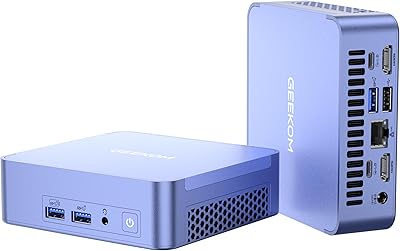
  • Display Outputs: Four simultaneous display outputs: two HDMI 2.0 (4K@120Hz), one Mini DisplayPort 1.4 (up to 8K@60Hz), and two USB4 ports with video output support.
  • Max Resolution: Supports up to 8K (7680×4320) at 60Hz via the Mini DisplayPort 1.4 or USB4 connections.
  • USB Ports: Two USB4 ports at 40Gbps (with 15W power delivery), one USB 3.0 Type-A, and one USB 2.0 Type-A are included on the chassis.
  • Networking: Dual 2.5G Ethernet ports with link aggregation support (up to ~5Gbps combined), WiFi 7 (up to 5.8Gbps), and Bluetooth 5.4.
  • Cooling System: IceBlast 2.0 active cooling uses dual copper heat pipes and a large fan, rated by the manufacturer for reduced noise and sustained load stability.
  • Operating Temp: The system is rated for stable operation in ambient temperatures ranging from -20°C to 55°C without thermal throttling under normal conditions.
  • Operating System: Windows 11 Pro comes pre-installed and pre-activated, ready to use out of the box without additional licensing steps.
  • Dimensions: The chassis measures 8.94 × 6.92 × 5.27 inches (approximately 227 × 176 × 134mm), making it compact enough to mount behind a monitor.
  • Weight: The unit weighs 3.65 pounds (approximately 1.66kg), light enough to reposition easily or VESA-mount behind a compatible display.
  • Chassis Material: The outer shell is constructed from an all-aluminum alloy, which contributes to passive heat dissipation and gives the unit a solid, premium feel.
  • Card Reader: An SD 4.0 card reader is built in, supporting cards up to 1TB for photographers and videographers who work with high-capacity media cards.
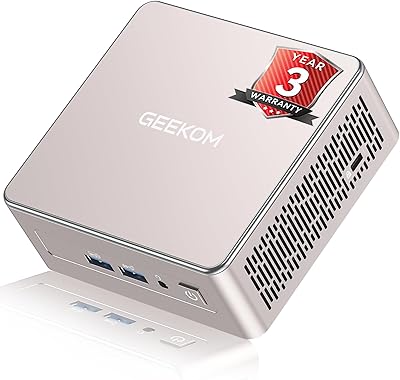
  • Warranty: GEEKOM provides up to 3 years of hardware warranty coverage, backed by lifetime customer support accessible via email for pre- and post-sales assistance.

Related Reviews
GEEKOM GT1 Mega AI Mini PC, 32GB RAM, 2TB SSD
87%
93%
Performance
88%
Graphics Quality
85%
Build Quality
91%
Multitasking Efficiency
84%
Cooling System Efficiency
More
GEEKOM AX8 Pro 512GB Mini PC
85%
88%
CPU Performance
91%
Build Quality
86%
Cooling & Noise
93%
Upgradability
89%
Connectivity & Ports
More
GEEKOM Air12 Mini PC 16GB/512GB
82%
88%
Value for Money
82%
Everyday Performance
71%
Build Quality
74%
Thermal Management & Noise
91%
Connectivity & Port Selection
More
GEEKOM Mini IT12 (i7-1280P, 32GB/1TB)
84%
91%
Out-of-Box Experience
88%
CPU Performance
86%
Memory & Storage Speed
71%
Thermal Management & Fan Noise
93%
Display & Connectivity
More
GEEKOM A5 2025 Edition Mini PC
80%
88%
Performance for Daily Use
83%
Build Quality
67%
Thermal Management
84%
Value for Money
76%
Multi-Monitor Support
More
GEEKOM A8 Mini PC with AMD Ryzen 9 8945HS, 32GB RAM, 2TB SSD
87%
93%
Performance
88%
Build Quality
90%
Usability
89%
Connectivity Options
80%
Cooling System Efficiency
More
GEEKOM A6 Mini PC 32GB/1TB
83%
88%
CPU Performance
67%
Thermal Management
91%
Build Quality
86%
RAM & Memory Performance
89%
Storage Speed
More
GEEKOM MEGAMINI G1 Mini PC (i9-13900HK, RTX 4060, 32GB DDR5, 2TB SSD)

80%
88%
Thermal Management
83%
Gaming Performance
91%
CPU Responsiveness
86%
Build Quality & Design
89%
Connectivity & Port Selection
More
Beelink Mini S12 Pro (N100, 16GB, 500GB)

83%
83%
Everyday Performance
91%
Value for Money
76%
Build Quality & Design
84%
Thermal Management & Noise
88%
Connectivity & Ports
More
Beelink Mini S12 Mini PC
78%
88%
Value for Money
82%
Performance for Daily Tasks
79%
Build Quality & Design
91%
Dual Monitor Support
84%
Thermal Management & Noise
More

FAQ

The 99 TOPS NPU in this mini PC is functional for real on-device AI tasks. Tools like LM Studio and Ollama can leverage it alongside the CPU to run lightweight LLMs such as Llama 3 8B or Mistral 7B locally without a cloud connection. Heavier models above 13B parameters will still strain the system, but for everyday AI experimentation it is genuinely capable.

Under light and moderate use, the GT2 Mega runs quietly. During sustained CPU-intensive tasks — long video exports, large code compilations, or extended benchmark runs — the fan does spin up noticeably. Independent user reports suggest it is not disruptive at desk distance, but it is audible. If you are sensitive to fan noise in a quiet room, this is worth factoring in.

For lighter games — older titles, indie games, or esports-style games at 1080p — the Arc 140T handles itself reasonably well with XeSS upscaling helping where supported. Modern AAA titles at high settings are a different story; integrated graphics simply cannot match even a budget discrete card. If gaming is your primary goal, this compact desktop is not the right choice.

Yes, both the RAM slots and M.2 storage bays are accessible after opening the chassis. RAM can be upgraded from the stock 32GB up to 128GB using DDR5 SO-DIMMs. The primary slot takes M.2 2280 NVMe PCIe Gen4 drives, and the secondary slot accepts M.2 2242 SATA III drives. Just be aware that opening the unit may have warranty implications, so check GEEKOM's current policy before proceeding.

No, the unit ships as a barebone-style system with Windows 11 Pro pre-installed — no monitor, keyboard, or mouse is included. You will need to supply your own peripherals and display. The good news is that setup is genuinely quick once you have everything connected.

Yes, four simultaneous displays are supported. You can mix and match from the two HDMI 2.0 ports, the Mini DisplayPort 1.4, and the two USB4 ports — though not all five outputs fire at the same time. Typical setups pair two HDMI monitors with one via Mini DP and one via USB4 with a compatible adapter or display. Check that any USB4 display adapter you buy explicitly supports DisplayPort Alt Mode.

Link aggregation lets you bond the two 2.5G Ethernet ports together so the system appears as a single ~5Gbps connection to a compatible managed switch or NAS. For most home users, you will never need it. If you are doing heavy local network transfers — like editing directly off a NAS or managing large file servers — it is a useful bonus. A standard router will simply treat each port as a separate 2.5G connection.

With a fast PCIe Gen4 SSD and 32GB of DDR5 RAM, the GT2 Mega handles 4K timelines competently for most editing workflows. Hardware AV1 and HEVC decoding offloads playback strain from the CPU. Where you will feel the limits is in GPU-accelerated effects and color grading in DaVinci Resolve — the Arc 140T is not as strong here as a mid-range discrete GPU, and render times reflect that.

You will not see WiFi 7 speeds with a WiFi 6 or older router — the connection negotiates down to the router's maximum capability. That said, WiFi 7 is backward compatible and works fine with older routers. The real benefit is future-proofing: when you do upgrade your router, this compact desktop will be ready to take full advantage without needing any hardware changes.

GEEKOM offers up to three years of warranty and positions lifetime email support as a selling point. Based on community reports from owners of their earlier models, response times are generally reasonable and replacement parts have been provided for hardware defects. Since this specific model is new, the long-term service track record is still forming — but the brand's overall support reputation within the mini PC community is considered solid.