Overview

The GEEK FULLY PD-110 13-in-1 Charging Station tackles one of the most common desk frustrations: too many devices, not enough outlets. Built as a vertical tower with a braided 6.6-foot cord and dual LED status indicators, it occupies a minimal footprint while extending your reach to outlets hidden behind furniture. Manufactured by Shen Zhen Tutuo Technology and available on Amazon since late 2023, this charging station sits comfortably in the mid-range tier — offering more ports and better safety credentials than budget strips without climbing into premium territory. One honest note upfront: it handles USB charging and light AC loads well, but it is not designed to run high-draw appliances.

Features & Benefits

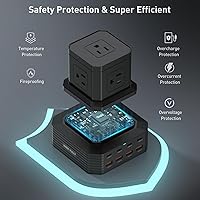
The standout feature here is the 100W GaN USB-C port. In practical terms, that means charging a MacBook Pro from empty to around half capacity in roughly 35 minutes — noticeably faster than a standard 65W brick. The PD-110 power hub distributes wattage intelligently via PowerIQ 4.0, automatically sensing whether it is talking to a laptop, tablet, or phone and adjusting output without any manual input. That said, the 100W total is shared across ports, so plugging in a laptop alongside several USB devices will reduce what each one receives. The UL/ETL/FCC certifications and 2000V surge rating add a meaningful layer of protection for expensive gear, and the wide-spaced AC outlets mean bulky adapters fit without blocking their neighbors.

Best For

This 13-in-1 strip makes most sense for students heading into a dorm room with a laptop, phone, tablet, wireless earbuds, and a desk lamp all competing for the same two wall outlets. Remote workers will find similar value — one hub replaces the tangle of individual chargers that typically consumes a desk corner. Households with mixed Apple and Android devices benefit from USB-C and USB-A ports running side by side. Portable enough for renters or frequent movers who want a single solution rather than a drawer full of adapters. Where it falls short is powering anything with a large heating element — space heaters and toasters push beyond the station's 1875W AC ceiling.

User Feedback

With 194 ratings averaging 4.6 out of 5 stars, buyer sentiment is genuinely positive — though that review count is still relatively modest for drawing sweeping conclusions. The most consistent praise focuses on USB-C charging speed, with multiple buyers confirming their laptops charged noticeably faster than with their original adapters. The generous cord length also earns frequent mentions; apparently the standard three-foot strip does not cut it for many desk configurations. On the critical side, a handful of reviewers note the casing can get warm under load — not alarmingly hot, but noticeable when all ports are busy. A few users also questioned whether peak wattage holds steady when multiple high-demand devices run simultaneously.

Pros

  • The primary USB-C port delivers 100W, charging a MacBook Pro to roughly half capacity in about 35 minutes.
  • PowerIQ 4.0 automatically senses each connected device and adjusts wattage output without any manual configuration.
  • Thirteen ports in one compact hub replace the need for multiple chargers scattered across a busy desk.
  • Wide-spaced AC outlets accommodate bulky wall adapters side by side without blocking neighboring sockets.
  • UL, ETL, and FCC certifications add a meaningful layer of protection for expensive laptops and tablets.
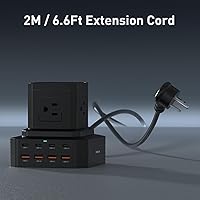
  • The 6.6-foot braided nylon cord easily reaches wall outlets tucked behind furniture or desks.
  • Dual LED indicators give an at-a-glance confirmation of power status and active surge protection.
  • A non-slip silicone base keeps the PD-110 power hub firmly planted on both wood and glass surfaces.
  • Buyers consistently report real-world USB-C charging speeds that hold up close to the advertised figures.
  • The flame-retardant polycarbonate shell and thermal management system help maintain safe operating temperatures during extended sessions.

Cons

  • The 100W output is shared across all active ports, so charging a laptop alongside multiple devices reduces individual speeds.
  • The casing reportedly runs noticeably warm when all ports are under heavy simultaneous load.
  • With roughly 194 reviews, long-term durability data is still too limited for a fully confident assessment.
  • The brand carries none of the established customer service track record that more recognized names offer.
  • No individual port on/off switches, so disabling a single slot requires physically unplugging the device.
  • Whether peak wattage is sustained reliably under prolonged full-load conditions remains a recurring question among buyers.
  • The AC outlets are unsuitable for high-draw appliances, limiting the strip's usefulness beyond electronics and light loads.
  • Port labeling has drawn minor complaints from users who found the markings less clear than expected in low-light conditions.

Ratings

Our AI-powered rating system analyzed verified buyer reviews worldwide for the GEEK FULLY PD-110 13-in-1 Charging Station, actively filtering out incentivized and bot-generated feedback to surface authentic user sentiment. The scores below are calibrated to reflect where this hub genuinely excels and where real buyers have encountered friction — no category has been inflated to flatter the product. Strengths in charging speed and port versatility are clearly reflected, as are the honest trade-offs around shared power output and heat under heavy load.

Charging Speed
88%
Buyers charging MacBook Pros and Windows laptops consistently report noticeably faster fill times compared to the standard 65W chargers that shipped with those devices. Several reviewers specifically noted that the 100W output holds up close to its claimed rate when the primary USB-C port is used in isolation, which is exactly the use case most laptop owners care about.
When multiple USB-C devices are connected simultaneously, charging speed drops meaningfully as the total wattage is divided across all active ports. Buyers who expected full-speed laptop charging while simultaneously powering a tablet and two phones found the shared power reality a frustrating surprise that the product marketing does not make obvious.
Port Variety & Count
91%
Having four USB-C ports, four USB-A ports, and five AC outlets in a single compact hub resonates strongly with households where family members use completely different device ecosystems. Reviewers running Apple laptops, Android phones, and AC-powered desk accessories side by side found this hub genuinely replaces what previously required two or three separate power solutions scattered around the desk.
The five AC outlets all share a single combined wattage ceiling, which limits what you can realistically run from them at the same time. Users who assumed five outlets meant five fully independent high-load circuits quickly discovered the total draw restriction, particularly when mixing AC appliances with active USB charging sessions.
Build Quality
76%
24%
The flame-retardant polycarbonate shell feels appropriately solid for the price point, and the braided nylon cord rather than a bare rubber cable signals genuine material care. The non-slip silicone base earns consistent praise from buyers who previously dealt with hubs skidding around on glass or smooth wood desk surfaces.
A handful of reviewers noted that the casing does not feel quite as premium as comparable hubs from more established brands, particularly around the port openings where tolerances feel slightly loose. The vertical tower design also depends on its own weight for stability, and a few users reported the unit can tip when the cord is pulled at an awkward angle.
Surge Protection
82%
18%
The UL, ETL, and FCC certifications give buyers meaningfully more confidence than the unverified safety claims on cheaper alternatives, and the 2000V surge rating covers the kinds of voltage spikes that occur during typical residential power fluctuations. Buyers protecting a MacBook or a Dell laptop cited the certified protection as a decisive reason to choose this hub over bargain-bin options.
The surge protection circuit is a one-time sacrificial component — once it absorbs a significant spike, it does not self-reset to full protection capacity, and the hub continues operating as a plain power strip without indicating the change in status. It is also not a substitute for whole-home surge protection at the breaker panel, a nuance some buyers only discovered after a notable power event.
Cable Length & Quality
87%
The 6.6-foot braided cord is one of the most consistently praised practical features across buyer reviews — it solves the real problem of desk setups where the nearest outlet sits several feet behind or below the work surface. The braided construction also holds up notably better than bare rubber to the repeated bending and repositioning that happens when cords get tucked behind furniture regularly.
A minority of buyers with unusually large room configurations or outlets in inconvenient positions reported wishing for a ten-foot option to cover longer distances cleanly. The cord is also fixed and non-detachable, which means any damage to it renders the entire unit unusable rather than just requiring a cable swap.
Heat Management
67%
33%
Under moderate everyday loads — a laptop charging alongside a couple of phones — the active heat dissipation system keeps the casing at a barely noticeable warmth that most buyers describe as normal and unremarkable. The flame-retardant shell provides a meaningful safety buffer, and the unit rarely causes genuine concern during standard daily use.
Running all ports under simultaneous heavy load produces a noticeably warm casing that some buyers found unsettling, even when it remained within safe operating parameters. Several reviewers mentioned deliberately keeping the hub in an open area rather than tucked into a desk cubby specifically to avoid heat accumulation during extended all-port charging sessions.
Outlet Spacing
83%
The roughly 1.8-inch clearance between AC outlets is a genuine usability improvement over most competing strips at this price point, where standard tight spacing forces oversized adapters to block adjacent sockets. Buyers running a mix of bulky phone charger bricks and small AC appliances alongside USB cables reported that everything fit without the usual plug-configuration frustration.
Very large transformer-style power bricks can still crowd the neighboring outlet even with the improved spacing, which is a limitation for buyers with particularly large AC adapters in their setup. The vertical tower orientation also means AC outlet cables hang outward from the unit's sides, which can look untidy and pull awkwardly depending on desk configuration.
Power Sharing
71%
29%
PowerIQ 4.0 handles the complexity of negotiating wattage with each connected device automatically, meaning buyers with a mixed collection of laptops, tablets, and phones never need to think about which port to use for which gadget. For casual multi-device households where devices are charged one or two at a time, the automatic allocation works smoothly and invisibly.
The total available power is finite and shared across all active ports, so running a power-hungry laptop alongside several other devices simultaneously creates real speed trade-offs that the product marketing does not surface prominently. Users who measured actual charging speeds under full-load conditions confirmed that per-device rates can drop considerably from single-device figures.
Value for Money
84%
At its price point, consolidating a 100W laptop charger, a multi-port USB hub, and a certified surge-protected power strip into a single unit represents strong practical value for most buyers. Reviewers who tallied up what they previously spent on separate solutions for their desk reported that this hub covered everything for less total outlay.
Budget-focused buyers comparing this against sub-20-dollar basic strips will find the premium hard to justify without fully understanding the USB charging speed and safety differences involved. The relative newness of the GEEK FULLY brand also introduces a mild question mark around long-term warranty support that more established names at similar prices do not carry.
Ease of Setup
93%
Setup is entirely plug-and-play with zero configuration required — buyers plug it into the wall, connect their devices, and the hub handles everything immediately without apps, drivers, or manual adjustments. Reviewers with no technical background, including students setting up a dorm room for the first time, reported zero friction getting the unit operational.
The complete absence of configuration also means there are no advanced controls such as individual port on/off switches or app-based power monitoring, which more technical buyers may find limiting. There is no included documentation explaining the shared power model, leaving some buyers to discover its practical implications through trial and error.
Device Compatibility
86%
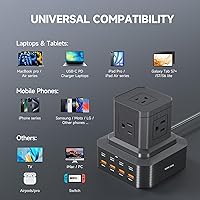
Supporting PD 3.0 and QC 4.0 alongside standard USB-A means the hub works with the vast majority of consumer electronics sold in the last several years — iPhones, Android flagships, MacBooks, and Windows laptops all coexist cleanly without adapter workarounds. Buyers with genuinely mixed-ecosystem households praised the hub for eliminating the compatibility headaches that come with brand-specific charging solutions.
Older devices relying on proprietary charging protocols may not receive optimized fast-charge speeds, defaulting to slower standard charging instead without any notification to the user. A small number of reviewers also reported that USB-A ports occasionally underperformed speed expectations with older cables, though in most cases this appears to be a cable quality issue rather than a hub deficiency.
Portability
78%
22%
At just over two pounds with a compact tower footprint, the PD-110 power hub is light enough to pack in a laptop bag for travel or move between rooms without real hassle. The non-slip base keeps it planted on flat surfaces even when cables are being frequently swapped, which is appreciated during the kind of active desk use that comes with working from different locations.
The vertical tower form factor is inherently less stable than a flat horizontal strip, and a few buyers mentioned it tips sideways when a cord is pulled at a sharp angle from the side. It also does not sit as naturally on floors or shelves as a conventional flat strip would, limiting placement flexibility for buyers with non-standard desk arrangements.
Safety Certifications
85%
Holding UL, ETL, and FCC certifications sets this hub clearly apart from the uncertified budget strips that dominate the bottom of the market, and buyers connecting expensive laptops or sensitive electronics cited the independent lab verification as a primary trust factor. The flame-retardant shell and separated circuit board design also reflect a more thoughtful approach to electrical safety than most competing products at this price.
The certifications verify the unit meets baseline safety standards but do not guarantee flawless performance under every unusual usage condition buyers might create. Some reviewers also noted that the certification markings are not prominently displayed on the physical unit itself, making them difficult to confirm without referring back to the product listing.
Long-Term Durability
69%
31%
The braided nylon cord and flame-retardant polycarbonate shell are both sensible material choices for a device that stays plugged in and handled daily over years of use. Early adopter reviews from buyers who have owned the hub since its late 2023 launch have not surfaced widespread reports of premature failure, which is an encouraging baseline signal given the product age.
With under 200 total reviews and a product lifespan of just over a year, genuine long-term durability data at scale simply does not exist yet for this hub. The relative newness of the GEEK FULLY brand also means buyers cannot rely on an established track record of post-warranty support or replacement availability the way they could with more seasoned manufacturers.

Suitable for:

The GEEK FULLY PD-110 13-in-1 Charging Station is a strong fit for anyone whose daily setup involves juggling more devices than available wall outlets. College students moving into a dorm room will get the most obvious value — one hub handles a laptop, phone, tablet, earbuds, and a desk lamp without hunting for a second power strip. Remote workers and home-office regulars benefit similarly: the vertical form factor frees up desk real estate, and the 6.6-foot cord provides enough slack to tuck the hub neatly behind a monitor or nightstand. Households where Apple and Android users share a single charging area also fit well here, since the combination of USB-C and USB-A ports means nobody needs a separate adapter. Renters and frequent movers will appreciate the all-in-one portability — this is the kind of hub you pack once and stop thinking about.

Not suitable for:

If your priority is powering high-draw appliances — space heaters, hair dryers, or a countertop coffee maker that pulls serious wattage — the GEEK FULLY PD-110 13-in-1 Charging Station is not the right tool for that job. Its AC outlets share a 1875W ceiling across all five sockets, which sounds adequate until you realize a single hair dryer can hit that limit on its own. Power users who need every USB-C port to simultaneously deliver maximum output should also temper expectations, since the total wattage is distributed across all active connections rather than delivered independently to each one. Buyers who place significant weight on long-term after-sales support from a well-established brand may hesitate as well — GEEK FULLY is a newer presence and the review base, while positive, is still modest in size. Finally, anyone who needs a flat, horizontal strip that tucks discreetly along a baseboard will find the vertical tower form factor a poor physical match.

Specifications

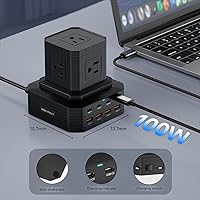
  • Port Count: The hub provides 13 total ports: 4 USB-C, 4 USB-A, and 5 AC outlets for simultaneous device connections.
  • USB-C Output: The primary USB-C port delivers up to 100W of Power Delivery output, enabling fast charging for laptops and tablets.
  • Charging Protocols: Supports PD 3.0 and QC 4.0 protocols for broad compatibility with modern USB-C and USB-A devices.
  • AC Rating: The five AC outlets operate at 125V/15A with a combined maximum load of 1875W across all sockets.
  • Surge Protection: Built-in surge protection guards against voltage spikes up to 2000V to help safeguard connected electronics.
  • Certifications: Carries UL, ETL, and FCC certifications for independently verified electrical safety and electromagnetic compliance.
  • Cable Length: Includes a 72-inch (6.6 ft) braided nylon power cord for flexible placement relative to wall outlets.
  • Cable Durability: The braided nylon cord is rated for more than 25,000 bend cycles before significant wear is expected.
  • Dimensions: The unit measures 3.54 × 3.54 × 0.04 inches as listed by the manufacturer, in a vertical tower form factor.
  • Weight: The hub weighs 2.01 pounds, light enough to relocate between rooms or pack for travel without difficulty.
  • Design: Uses a vertical tower layout paired with a non-slip silicone base to keep it stable on desk and hard surfaces.
  • Outlet Spacing: AC outlets are spaced approximately 1.8″ apart, allowing most bulky wall adapters to fit side by side without blocking neighbors.
  • Thermal Management: An active heat dissipation system regulates internal temperatures during extended or high-load charging sessions.
  • Shell Material: The outer casing is constructed from flame-retardant polycarbonate rated to withstand continuous temperatures up to 158°F.
  • LED Indicators: Dual LED indicators provide at-a-glance confirmation of both power-on status and active surge protection engagement.
  • Model & Brand: Sold under model number PD-110, manufactured by Shen Zhen Tutuo Technology and marketed under the GEEK FULLY brand.

Related Reviews
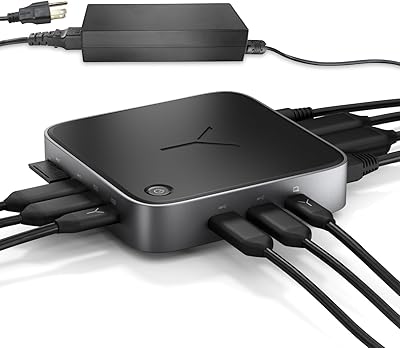
Selore&S-Global USB C Docking Station 13-in-1
86%
88%
Performance & Reliability
91%
Multi-Monitor Support
95%
Ease of Setup
89%
Compatibility with Devices
90%
Data Transfer Speed
More
Brydge Stone CORE USB-C Docking Station
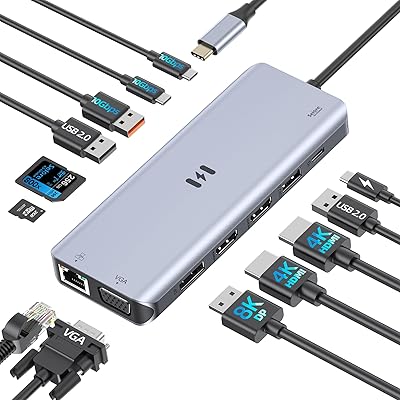
80%
88%
Value for Money
91%
Port Selection & Variety
74%
Dual Monitor Support
86%
Power Delivery Performance
83%
Display Output Quality
More
WAVLINK UMD23M-10GB 13-in-1 Laptop Docking Station
74%
67%
Multi-Monitor Performance
83%
Built-in SSD Enclosure
61%
Build Quality & Materials
54%
Thermal Management
78%
USB Port Speed & Variety
More
KWRNVO 7-in-1 Power Strip with 65W PD USB-C Charging
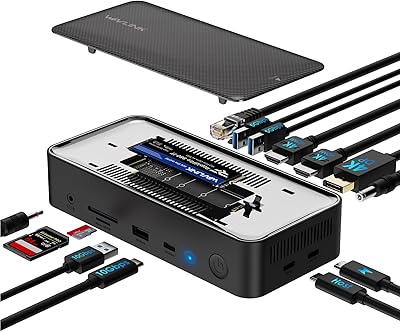
86%
92%
Charging Performance
85%
Build Quality
88%
Ease of Use
90%
Portability
84%
Safety Features
More
Tecmize 21-in-1 Power Strip with 30W PD Fast Charging and RGB Light
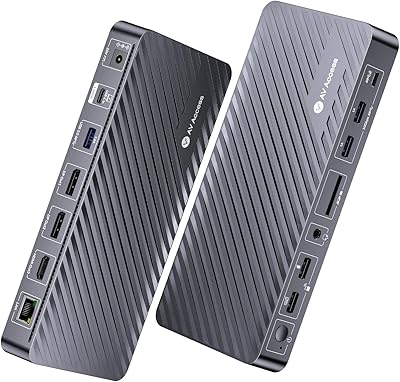
87%
88%
Charging Performance
91%
Design and Space Efficiency
79%
RGB Lighting Effect
94%
Surge and Overload Protection
85%
Ease of Use
More
AV Access KD-S03 Triple Monitor Docking Station
77%
88%
Multi-Monitor Performance
41%
macOS Compatibility
91%
Setup & Ease of Use
74%
100W Power Delivery
86%
Data Transfer Speed
More
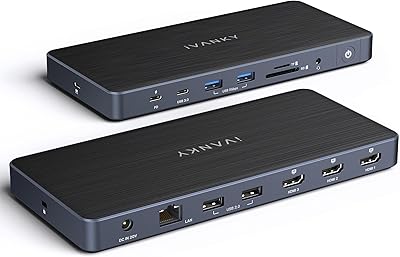
iVANKY FusionDock Pro 1+ 14-in-1 Docking Station
79%
83%
Multi-Monitor Performance
58%
Driver Setup Experience
88%
Charging Performance
86%
Data Transfer Speed
84%
Card Reader Speed
More
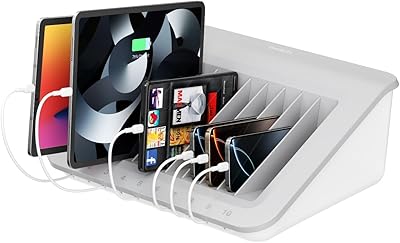
Belkin B2B074 10-Device Laptop Charging Station
75%
88%
Build Quality
74%
Device Compatibility
61%
Charging Speed
63%
Cable Management
91%
Surge Protection
More
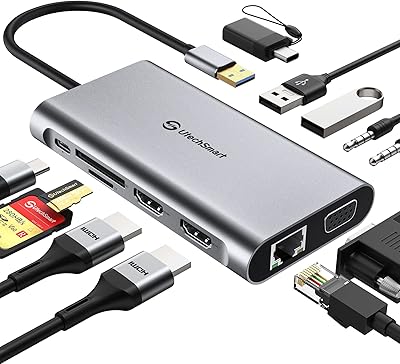
UtechSmart D3903-1 USB-C Docking Station
78%
76%
Multi-Monitor Performance
67%
macOS Compatibility
88%
Windows Compatibility
91%
Ethernet Reliability
71%
Setup & Ease of Use
More
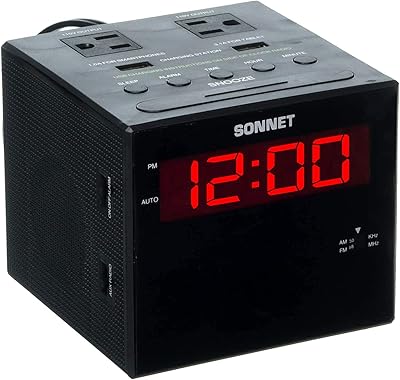
Sonnet R14-14 Alarm Clock Charging Station
76%
88%
Alarm Effectiveness
83%
Charging Functionality
91%
Value for Money
86%
Ease of Setup
79%
Display Readability
More

FAQ

The 100W ceiling on the primary USB-C port is shared across all active connections, so running several high-demand devices simultaneously will distribute that power. If your laptop is the only thing drawing from USB-C, it gets close to the full output. Add a phone and a tablet at the same time and each device receives a proportionally smaller share. For the fastest possible laptop charge, plug it into the primary USB-C port and keep the other ports lightly loaded.

The surge protection here covers voltage spikes up to 2000V, which handles the kinds of surges caused by power fluctuations or nearby lightning activity on a residential circuit — a meaningful safety margin over a basic unprotected strip. It is not a replacement for a whole-home surge protector installed at your breaker panel, which offers broader coverage. For protecting a laptop or tablet sitting on a desk, this level of protection is solid for everyday use.

Yes, all eight USB ports can operate simultaneously alongside the AC outlets. The built-in power management identifies what each connected device needs and allocates wattage automatically, so mixing USB-C laptops, USB-A phones, and AC-powered accessories on the same hub at the same time is completely supported.

This is actually one of the more practical design choices on this hub. The AC outlets are spaced about 1.8 inches apart, which gives enough clearance for most standard oversized adapters to sit side by side without covering their neighbors. Very large transformer bricks may still be a tight fit, but the typical bulky phone charger or small appliance adapter should coexist cleanly with the adjacent sockets.

The cord stretches 6.6 feet — 72 inches — which is considerably longer than the three-foot cords bundled with most basic power strips. That extra length makes a genuine difference when the nearest outlet is tucked behind a desk, under a nightstand, or in an awkward corner of the room. Most standard desk and bedroom setups should reach comfortably with cord to spare.

That is not what this hub is designed for. The GEEK FULLY PD-110 13-in-1 Charging Station has a combined AC load ceiling of 1875W shared across all five outlets, and high-draw heating appliances can hit or exceed that limit entirely on their own. Running them risks tripping the overload protection or pushing the unit well beyond its safe operating range. This charging station is built for electronics, monitors, desk lamps, and light loads — not for kitchen or heating appliances.

Under typical conditions — a laptop, a couple of phones, and a desk lamp — the casing stays comfortably cool to the touch. Some buyers have noted that pushing all ports under heavy simultaneous load can make the unit feel noticeably warm. It should not reach an alarming temperature, but if you are running it near full capacity for extended periods, make sure there is reasonable airflow around the unit and that it is not buried under a pile of cables.

Absolutely. The combination of USB-C and USB-A ports covers both ecosystems, and the power management system automatically identifies each device and delivers the appropriate charging speed without any manual adjustments needed. iPhone users with USB-C cables and Android users can both plug in simultaneously and each receive their respective maximum supported charging rate.

One LED confirms the hub is receiving power and is switched on. The other indicates whether the surge protection circuit is actively engaged. If that second light goes dark during normal operation, it typically means the surge protection component has been tripped or has reached the end of its service life — the hub will still function as a standard power strip, but the surge protection will no longer be active until the underlying cause is addressed.

It is entirely plug-and-play — no software, no app, no drivers, and no configuration steps whatsoever. Plug the cord into a wall outlet, connect your devices, and the hub handles the rest automatically. The power allocation adjusts in real time based on what each connected device is drawing, so there is nothing for the user to configure or manage after the initial setup.