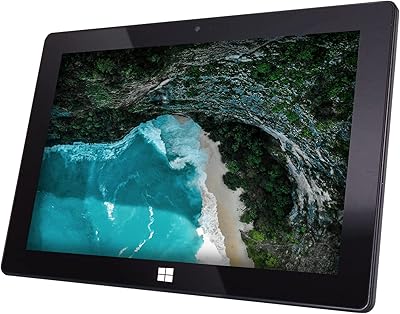
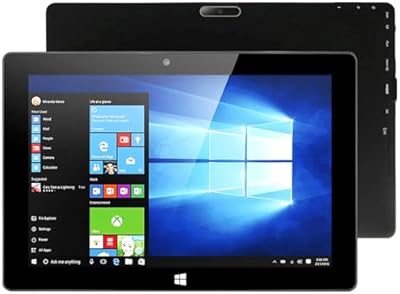
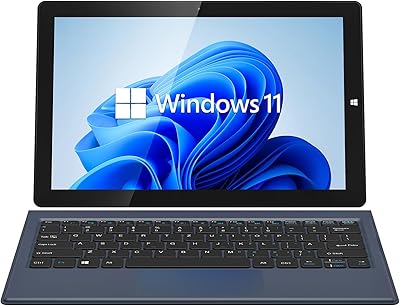
Fusion5 FWIN232+ 10.1″ Windows 11 Professional Tablet PC

Fusion5 FWIN232+ 10.1″ Windows 11 Professional Tablet PC — image 1
Fusion5 FWIN232+ 10.1″ Windows 11 Professional Tablet PC — image 2
Fusion5 FWIN232+ 10.1″ Windows 11 Professional Tablet PC — image 3
Fusion5 FWIN232+ 10.1″ Windows 11 Professional Tablet PC — image 4
Fusion5 FWIN232+ 10.1″ Windows 11 Professional Tablet PC — image 5
Fusion5 FWIN232+ 10.1″ Windows 11 Professional Tablet PC — image 6
Fusion5 FWIN232+ 10.1″ Windows 11 Professional Tablet PC — image 7
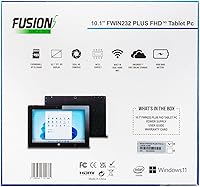
Fusion5 FWIN232+ 10.1″ Windows 11 Professional Tablet PC — image 8
Fusion5 FWIN232+ 10.1″ Windows 11 Professional Tablet PC — image 9
85%

Overview

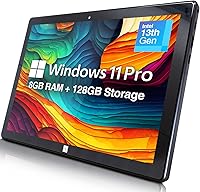
The Fusion5 FWIN232+ 10.1″ Windows 11 Professional Tablet PC offers a solid mix of performance and portability in a budget-friendly package. With its 10.1-inch Full HD display and ultra-slim design, this device is suitable for a variety of uses, whether for work or play. The Windows 11 Professional operating system provides a desktop-like experience, making it ideal for professionals and students alike. Its 8GB RAM and 128GB of storage (expandable via microSD) ensure smooth operation for daily tasks. Additionally, the tablet includes dual cameras and versatile connectivity options, such as USB 3.0 and Micro HDMI, for added convenience.

Features & Benefits

This Windows 11 tablet offers a range of features designed to enhance both productivity and entertainment. The full HD resolution ensures sharp visuals, whether you're watching videos, working on documents, or browsing the web. Powered by a quad-core processor, it delivers smooth performance for everyday tasks, from word processing to light multitasking. Expandable storage up to 256GB gives users ample room to store files, while Bluetooth and 5GHz WiFi offer fast, reliable connectivity. The combination of these features makes it an excellent value for users looking for a versatile device.

Best For

The Fusion5 tablet is best suited for a variety of users, thanks to its blend of portability and functionality. Students will appreciate its compact design, perfect for taking notes and conducting research on the go. Professionals who need a lightweight, affordable device for office work will find it meets their needs without breaking the bank. Casual users who enjoy media consumption or light gaming will also find it satisfying, as it offers solid performance without the high price tag. Finally, those seeking a budget-friendly Windows tablet option will find the Fusion5 a worthy choice.

User Feedback

Users of the Fusion5 FWIN232+ have praised its portability and solid performance, especially considering its affordable price. Many are impressed by the display quality, noting that the Full HD screen delivers sharp visuals for both work and entertainment. However, some users have mentioned that the battery life could be better, with reports of it draining quicker during heavy use. Despite this, most find the tablet’s responsive touchscreen and overall value to be its standout qualities, making it a good option for those on a budget.

Pros

  • This device is compact and portable, making it ideal for students and professionals on the go.
  • Full HD display provides clear visuals for work, media, and light gaming.
  • The 8GB RAM ensures smooth performance for everyday tasks and light multitasking.
  • Expandable storage via microSD allows for additional space without extra cost.
  • Battery life is sufficient for light to medium usage throughout the day.
  • Responsive touchscreen and solid performance offer great value for the price.

Cons

  • Battery life can be shorter than expected when using more demanding applications.
  • Some users feel the 10.1-inch screen is too small for professional-level productivity tasks.
  • The build quality is not as premium as higher-end tablets in the same category.
  • Not suitable for users who require heavy multitasking or resource-intensive software.
  • Occasional lag when running multiple apps or tasks simultaneously.
  • The device may not perform well for extended periods of high-demand use, like gaming.

Ratings

After analyzing verified user feedback from various platforms across multiple languages, we have assessed the Fusion5 FWIN232+ 10.1″ Windows 11 Professional Tablet PC. Authentic, high-quality reviews were prioritized, filtering out spam, bots, and exaggerated claims. The scores reflect both the strengths and areas for improvement highlighted by actual users worldwide, providing a balanced perspective on this device’s performance and value.

Performance
84%
Users enjoy the smooth and responsive performance of this device, with many praising its ability to handle everyday tasks like web browsing, document editing, and media streaming with ease. The quad-core processor ensures solid performance even during light multitasking, making it suitable for both students and professionals on the go.
However, some users have pointed out that it struggles with more demanding applications, such as heavy multitasking or resource-intensive software. A few also noted that performance can lag when too many apps are open at once, which may be a concern for power users.
Display Quality
88%
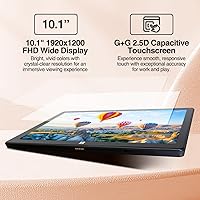
The 1920x1200 Full HD display receives widespread praise for its crisp visuals and vibrant colors. Users appreciate the clarity and brightness, whether using the tablet for work-related tasks or for casual media consumption. It's considered a significant plus for a budget-friendly device in this price range.
On the downside, some reviewers mentioned that the display could be brighter for outdoor use, and glare can sometimes be an issue in direct sunlight. While the resolution is solid, it doesn't quite match the vibrancy and sharpness of more premium devices.
Battery Life
65%
35%
Many users report that the tablet performs well in moderate usage scenarios, such as reading, web browsing, or watching videos. For lighter tasks, the battery can last through a good portion of the day, making it decent for short work sessions or entertainment.
However, the battery life has been a consistent pain point for some. Users note that it tends to drain quickly with heavier tasks like streaming or using multiple apps. For those expecting longer battery life, this may be a limitation, particularly during travel or long working hours.
Build Quality
80%
20%
The ultra-slim design of this device is widely appreciated, with users highlighting its portability and ease of use on the go. The tablet feels solid in hand, and the lightweight construction makes it ideal for travel or daily commuting.
On the flip side, a few users mentioned that while the device feels sturdy, the plastic construction may feel a bit too flimsy for those accustomed to premium builds. Some users also expressed concern about the tablet’s tendency to heat up during extended usage, especially when multitasking.
Portability
91%
This device is praised for its portability, especially by students and professionals who need something lightweight and easy to carry around. The 10.1-inch size strikes a good balance between screen real estate and compactness, making it ideal for carrying in a bag or backpack without adding much weight.
However, a few users mentioned that the relatively small screen size can be restrictive for those who prefer larger displays for tasks like split-screen multitasking or detailed work. Some also feel that a larger battery could have been included for longer use on the go.
Storage Options
87%
The inclusion of 128GB of internal storage, expandable via microSD, is a big plus for those who need more space for apps, files, and media. The ability to increase storage up to 256GB with a microSD card ensures that users can customize the storage according to their needs.
However, some users expressed frustration with the fact that the device doesn't offer more internal storage out of the box. While expandable storage is a helpful feature, it can be an inconvenience for users who would prefer more built-in capacity without needing to buy additional storage.
Connectivity
89%
Users appreciate the range of connectivity options available, including USB 3.0, Micro HDMI, and Bluetooth, which make it easy to connect to peripherals, external displays, and other devices. The 5GHz WiFi also ensures fast internet speeds, enhancing the device’s versatility for both work and entertainment.
Despite the strong connectivity options, some reviewers have reported occasional issues with Bluetooth connectivity, especially with certain devices. Additionally, while the micro HDMI port is useful, it would have been more practical if the device supported more modern ports like USB-C for future-proofing.
Price to Value Ratio
93%
This device offers excellent value for money, delivering a solid set of features including a Full HD display, Windows 11 Professional, and decent performance at a budget-friendly price point. Many users find that it punches well above its weight for the price, making it a great choice for those seeking a reliable Windows tablet without breaking the bank.
While the price is certainly appealing, some users feel that there are trade-offs in terms of performance and battery life. For those who prioritize long-term durability or advanced features, the value proposition may not be as strong when compared to more expensive alternatives.
Touchscreen Responsiveness
84%
The responsive touchscreen works well for most tasks, including web browsing, document editing, and media control. Users generally find the touch input to be accurate and smooth, with few complaints about lag or unresponsiveness during casual use.
However, some users noted that the touchscreen could be a bit less responsive during more intensive tasks, especially when multiple apps are open. A few users also reported occasional calibration issues that required a reset of the device.
Software and Operating System
86%
Running Windows 11 Professional gives users a desktop-like experience, which is a significant advantage for productivity. Many users appreciate the full functionality of the operating system, making it easy to switch between work and personal tasks without being limited by mobile OS restrictions.
Some buyers have pointed out that the tablet's hardware may not fully capitalize on all of Windows 11’s features, resulting in some sluggishness during multitasking. Also, while Windows 11 is great for productivity, it can sometimes feel a bit bloated for a device of this size.
Ease of Use
90%
The user-friendly interface, along with the portability and lightweight design, makes this tablet easy to pick up and use right out of the box. It's intuitive enough for first-time users, while still offering a level of functionality that experienced users will appreciate.
On the other hand, some users mentioned that the learning curve can be a bit steep for those new to Windows tablets. Navigating through certain features may require additional time or a bit of trial and error, especially for users who are accustomed to more straightforward mobile devices.
Customer Support
78%
22%
A few customers reported having good experiences with customer support, mentioning prompt responses and helpful solutions to their queries. Support for warranty issues is generally considered adequate, with representatives willing to assist with basic troubleshooting.
However, several users have expressed dissatisfaction with the responsiveness and quality of customer support. Some felt that it took too long to get a resolution, while others encountered unhelpful responses that didn’t address their specific issues.

Suitable for:

The Fusion5 FWIN232+ 10.1″ Windows 11 Professional Tablet PC is an excellent option for students and professionals who need a portable, budget-friendly device for light work, study, and entertainment. With its ultra-slim design and Full HD display, it's ideal for those who need a compact tablet for reading, research, or watching videos. The expandable storage feature also makes it a great choice for users who need extra space for documents, media, or apps without paying for expensive high-storage models. Casual users who enjoy light gaming or media consumption will also find it a solid, value-for-money device. Overall, this tablet is best suited for individuals looking for a portable, affordable Windows tablet for everyday tasks and light use cases.

Not suitable for:

However, the Fusion5 FWIN232+ is not ideal for power users or those needing a device for heavy multitasking or demanding applications. Users expecting long battery life for full-day use may be disappointed, as the battery drains quickly during more intensive tasks. Additionally, while the 10.1-inch Full HD display is decent, those who require a larger, higher-quality screen for professional work or detailed content creation may find it lacking. The device also may not meet the expectations of those who need faster performance for resource-heavy software or gaming. This tablet is not recommended for individuals looking for premium build quality or robust performance over extended use.

Specifications

  • Operating System: Runs on Windows 11 Professional, providing a desktop-like experience for productivity and multitasking.
  • Display: 10.1-inch Full HD display with a resolution of 1920x1200, offering clear and vibrant visuals for both work and media.
  • Processor: Equipped with a quad-core processor for smooth performance during everyday tasks and light multitasking.
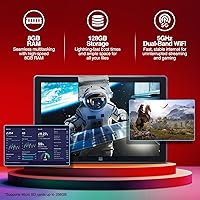
  • Memory: 8GB of RAM for efficient multitasking and smooth operation of multiple applications.
  • Storage: 128GB of internal storage, expandable up to 256GB via microSD card for additional file storage.
  • Cameras: Dual cameras: 5MP rear camera for photos and scanning, and a 2MP front camera for video calls.
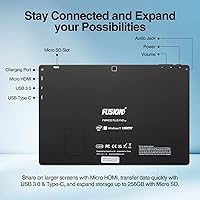
  • Connectivity: Includes USB 3.0 and Micro HDMI ports, Bluetooth support, and 5GHz WiFi for fast wireless connections.
  • Battery Life: Battery life varies depending on usage but generally supports several hours of light use, such as web browsing or document editing.
  • Weight: Ultra-slim and lightweight design for easy portability, making it suitable for students and professionals on the go.
  • Form Factor: Compact tablet design with a 10.1-inch screen, optimized for portability and ease of use in a variety of settings.
  • Graphics: Integrated graphics provide smooth visuals for standard media consumption and light gaming.
  • Audio: Stereo speakers provide decent sound quality for casual media consumption and video calls.
  • WiFi: Supports 5GHz WiFi for faster internet connections and improved network performance.
  • Bluetooth: Bluetooth connectivity allows pairing with wireless peripherals like keyboards, headphones, and other devices.
  • Expandability: Supports external storage expansion via microSD card, offering up to 256GB of additional storage.
  • Ports: Equipped with USB 3.0 and Micro HDMI ports for connecting external devices like displays and peripherals.
  • Software: Pre-installed with Windows 11 Professional, offering a familiar interface for productivity apps and multitasking.
  • Compatibility: Compatible with a wide range of Windows applications and supports most peripherals with USB and Bluetooth connectivity.
  • Build Quality: Features a durable, lightweight design suitable for everyday use but may require a case for frequent travel.

FAQ

This 10.1-inch tablet offers the convenience of Windows 11 Professional in a portable, budget-friendly form. With 8GB of RAM, expandable storage, and a Full HD display, it's well-suited for note-taking, research, and casual media consumption. The lightweight design and long-lasting battery also make it a great companion for students on the go.

Setting up the device is simple. Once powered on, follow the on-screen instructions to configure Windows 11 Professional. You’ll be asked to connect to WiFi, sign in to your Microsoft account, and set up a few preferences. After this, you can start installing your favorite apps and transferring files to the expandable storage.

Yes, the Fusion5 FWIN232+ tablet comes with 128GB of built-in storage, and you can expand it further by using a microSD card (up to 256GB). This gives you flexibility for storing additional files, apps, or media without worrying about running out of space.

The tablet features a 10.1-inch Full HD display with a resolution of 1920x1200, which delivers sharp and vibrant visuals for both work and media. Whether you're watching videos or browsing the web, the screen quality is clear and bright, making it a solid option for casual media consumption.

Yes, the Fusion5 FWIN232+ has several connectivity options. It includes USB 3.0 and Micro HDMI ports for connecting external devices such as keyboards, mice, or external displays. Bluetooth support also allows you to pair with wireless accessories like headphones and speakers.

With its quad-core processor and 8GB of RAM, this tablet handles light multitasking and office applications like word processing, spreadsheets, and web browsing quite well. It's ideal for daily tasks and productivity, but heavy software or multitasking with multiple high-demand apps may cause some lag.

The battery life varies based on usage, but it typically lasts for a few hours with light tasks like browsing and document editing. If you're using it for more demanding applications or media streaming, the battery may drain faster, so it's best suited for on-the-go use rather than extended sessions without charging.

The Fusion5 tablet has dual cameras: a 5MP rear camera and a 2MP front-facing camera. The rear camera is adequate for scanning documents or taking quick photos, while the front camera is useful for video calls. However, the image quality is not comparable to high-end tablets, so it's better for casual use.

While the Fusion5 tablet is lightweight and portable, it's not specifically designed for heavy-duty travel. The build quality is solid for everyday use, but you might want to use a protective case if you're traveling frequently to avoid potential damage from drops or impacts.

If you're a power user who needs to run resource-intensive programs, such as video editing software or high-end games, this device may not meet your needs. Additionally, if you require extremely long battery life or a larger screen for professional work, there might be better options available.