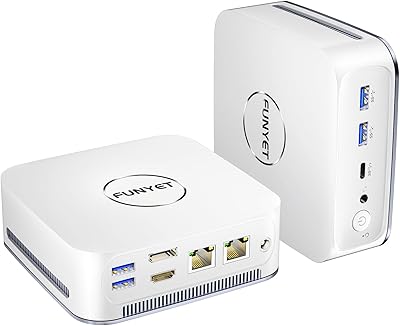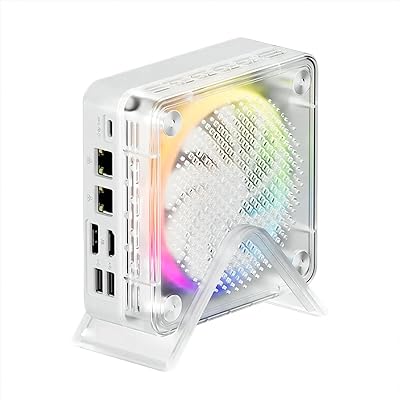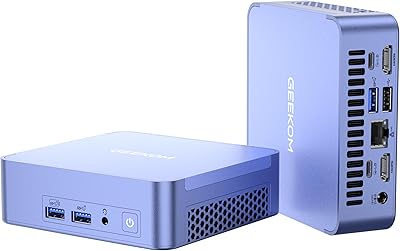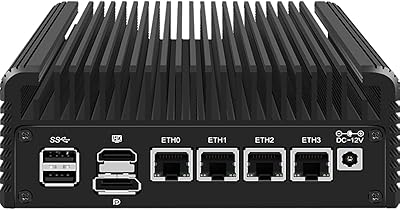



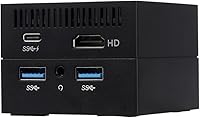
Overview

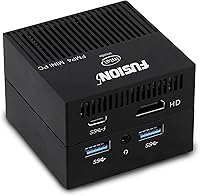
The Fusion5 FMP4 Mini PC is roughly the size of a deck of cards — and that single fact does most of the selling. Weighing just 140 grams, this pocket-sized desktop slips into any bag without a thought, making it a distinctly different kind of Windows machine. The processor is an Intel N4120 Quad Core, a budget-friendly chip that handles browsing, documents, and video comfortably. Push it harder and you will notice the limits. This is not a workstation replacement — it is a light-use companion built for everyday computing. At this price tier, it is one of the most portable full Windows desktops you will find.

Features & Benefits

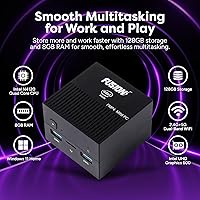
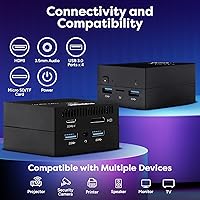
The N4120 processor pairs with 8GB of DDR4 RAM, which is real headroom for a machine in this class — you can keep a handful of browser tabs open alongside a document or spreadsheet without things grinding to a halt. Storage is 128GB eMMC, and that distinction matters: eMMC is slower than the NVMe SSD you would find in pricier mini PCs, so large file transfers and app launches can feel sluggish by comparison. Connectivity is actually a strong point — four USB 3.0 ports, HDMI out with 4K output support, a Micro SD card slot, dual-band Wi-Fi, and Bluetooth all come included. A 12-month US warranty rounds things out nicely.

Best For

This mini PC is a natural fit for students who need a full desktop OS without lugging around a laptop. It also works well in a second-room setup — think a bedroom streaming hub that handles video and casual browsing without fuss. Small business owners running a reception desk or digital display will find the compact form factor genuinely practical. Frequent travelers who want a Windows environment they can plug into a hotel TV via HDMI will appreciate how little space the Fusion5 FMP4 takes up in a bag. It also makes a solid entry-level pick for anyone curious about mini PCs but not ready to spend significantly more.

User Feedback

Buyers who spend time with this pocket-sized desktop are often caught off guard by its physical size — that tends to be the standout comment in positive reviews. Consistent praise also goes toward overall value, particularly from users who only need it for browsing, media, and light office work. On the critical side, some owners note that Windows 11 feels noticeably slow when several apps run simultaneously, and the eMMC storage draws repeated complaints for sluggish read and write speeds. A handful of verified buyers have flagged minor build concerns and inconsistent fan behavior under load, though neither issue appears to be widespread across the user base.

Pros

  • Remarkably small and light — fits in a coat pocket and weighs next to nothing.
  • Full Windows 11 Home included out of the box, no extra licensing cost.
  • 8GB of DDR4 RAM is a generous amount for a machine in this price bracket.
  • Four USB 3.0 ports means you can connect peripherals without hunting for a hub.
  • 4K HDMI output is a real bonus for a desktop this size and price.
  • Dual-band Wi-Fi keeps connections stable whether on 2.4GHz or 5GHz networks.
  • Micro SD card slot adds easy expandable storage for documents and media.
  • A 12-month US warranty with an actual service centre provides meaningful peace of mind.
  • Whisper-quiet during light workloads — ideal for library, classroom, or office environments.
  • Genuinely competitive value for a portable full-desktop Windows experience.

Cons

  • eMMC storage is noticeably slower than NVMe SSDs, making app launches and file transfers feel sluggish.
  • The N4120 CPU struggles visibly when multiple apps compete for resources at the same time.
  • 128GB of built-in storage fills up faster than expected once Windows updates and apps are installed.
  • Thermal throttling under sustained load has been flagged by some verified buyers.
  • Fan behavior can be inconsistent, occasionally ramping up unexpectedly during light tasks.
  • Build quality feels utilitarian — the plastic chassis does not inspire premium confidence.
  • No expandable RAM means you are locked into 8GB with no upgrade path.
  • Windows 11 updates alone can consume a significant portion of the available storage over time.
  • The pocket-sized desktop lacks a built-in display, keyboard, or mouse, so setup costs add up for new buyers.
  • Customer support responsiveness has received mixed reviews in post-purchase feedback.

Ratings

The scores below reflect our AI-driven analysis of verified global user reviews for the Fusion5 FMP4 Mini PC, with spam, bot submissions, and incentivized feedback actively filtered out before scoring. Each category is graded independently, balancing genuine praise against recurring complaints to give you an honest picture of where this machine excels and where it falls short. Both the strengths that keep buyers satisfied and the pain points that prompt returns are transparently represented in every score.

Portability
94%
This is the single most praised aspect across verified reviews — buyers consistently describe being genuinely shocked by how small and light the unit is in person. Frequent travelers in particular love being able to drop it into a bag alongside a laptop sleeve or even a large jacket pocket, then plug it into any hotel TV or monitor with an HDMI cable.
A small number of users note that the compact size comes at the cost of a single display output and no room for internal expansion, which can feel limiting once you are set up and settled. The diminutive form factor also means the power brick is proportionally noticeable by comparison.
Value for Money
78%
22%
For buyers who genuinely need only light-use computing — schoolwork, streaming, basic office tasks — the overall package feels well-priced relative to competing mini PCs in its tier. Getting Windows 11 Home, 8GB of RAM, four USB 3.0 ports, and Bluetooth in this form factor strikes most light users as a fair deal.
Buyers who push the machine even moderately feel the value equation shift, since the eMMC storage and entry-level CPU begin to limit the experience fairly quickly. A few reviewers note that spending modestly more gets you a meaningfully faster NVMe-based alternative, which makes the price feel less compelling in hindsight.
Everyday Performance
63%
37%
For core light tasks — web browsing with a handful of tabs, writing documents, watching YouTube, or joining a video call — the Fusion5 FMP4 keeps up without constant frustration. Users running it as a second-room or school machine report a largely acceptable experience when they stay within its intended scope.
Step outside that comfort zone and the cracks show quickly. Running several applications simultaneously, especially with browser-heavy workloads, causes noticeable sluggishness that some buyers describe as worse than expected even at this price point. Windows 11 update processes in the background can temporarily make the machine feel nearly unresponsive.
Storage Speed
47%
53%
The 128GB eMMC is adequate for users who stick to cloud-based workflows and keep local files lean, and it is certainly faster than a traditional spinning hard drive for everyday file access. Buyers using this as a dedicated streaming or light productivity device rarely hit a wall with raw storage capacity alone.
eMMC read and write speeds are the most consistent technical complaint across verified reviews, particularly from buyers who have used NVMe SSD-based machines before. App installs, large file transfers, and Windows updates all take noticeably longer, and the 128GB ceiling fills up faster than expected once the OS and updates claim their share.
Connectivity
88%
Four USB 3.0 ports is genuinely above average for a machine this size, and buyers appreciate not needing a hub just to connect a keyboard, mouse, and USB drive simultaneously. Dual-band Wi-Fi performs reliably on both 2.4GHz and 5GHz, and Bluetooth pairing with wireless peripherals is consistently reported as smooth.
The absence of a USB-C port is a recurring frustration for users with modern peripherals or monitors that rely on it. Ethernet is also absent, which is a real inconvenience for buyers who prefer wired connections for stability, particularly in office or home-server scenarios.
Build Quality
59%
41%
The unit feels solid enough for desk use and light travel, and the matte black finish avoids looking cheap outright. Most buyers who handle it carefully and use it in a stationary setup report no structural issues over extended ownership.
The plastic chassis does not inspire confidence for buyers expecting something that feels premium for the money, and a portion of verified reviewers describe a slightly flimsy feel when picking it up. A handful of longer-term owners have noted minor fit-and-finish issues appearing over time with regular handling.
Thermal Management
54%
46%
During light tasks the unit stays cool and the fan remains barely audible, which makes it a comfortable companion in quiet environments like home offices, classrooms, or bedrooms. The low-power N4120 chip contributes to generally modest heat generation under standard workloads.
Under sustained load, thermal throttling has been flagged by a notable share of verified reviewers, meaning the processor deliberately slows itself down to manage heat — which compounds the performance limitations already present. Fan behavior is reported as somewhat erratic, occasionally spinning up loudly during what should be undemanding operations.
Display Output Quality
82%
18%
The ability to push 4K resolution over HDMI is a genuine and appreciated feature, particularly for users plugging this pocket-sized desktop into a large living room TV for streaming or casual use. Most buyers who test 4K output confirm it works as advertised with compatible displays.
Only a single HDMI port is available, ruling out dual-monitor configurations that many productivity-focused users rely on. A small segment of reviewers note occasional compatibility quirks with older monitors or certain 4K TVs at higher refresh rates.
Software & OS Experience
66%
34%
Windows 11 Home arrives fully activated with no additional licensing required, which buyers appreciate as a genuine out-of-the-box convenience. For users already familiar with the Windows ecosystem, the setup process is straightforward and the interface feels familiar.
Windows 11 is a more resource-demanding operating system than earlier versions, and on this hardware it occasionally shows. Background processes, automatic updates, and system indexing can noticeably affect responsiveness, and the OS itself consumes a substantial share of the 128GB storage allocation.
Setup & Ease of Use
83%
Most buyers describe initial setup as simple and intuitive — plug in a monitor, keyboard, and mouse, power it on, and walk through the standard Windows 11 setup process. The multiple USB ports mean you can connect everything you need without juggling adapters from day one.
Users who are less tech-savvy occasionally find Windows 11 configuration and driver management more involved than expected on a machine marketed toward casual audiences. Out-of-box bloatware, while not excessive, requires a small amount of cleanup for a cleaner starting experience.
Noise Level
71%
29%
For the majority of everyday use cases, the fan is quiet enough to disappear into the background, and buyers using this as a media PC or light workstation report a pleasantly unobtrusive acoustic experience. In genuinely idle conditions, the machine can be nearly silent.
The fan does not behave entirely predictably — some verified reviewers report it spinning up abruptly during low-demand tasks, which can be distracting in very quiet environments. It is not a loud machine by any measure, but it is not reliably silent either.
RAM Adequacy
76%
24%
8GB of DDR4 is a reasonable allocation for this class of machine, giving users enough headroom for typical light multitasking without the constant swap-file thrashing you would get with 4GB. Students and casual users running a few apps simultaneously generally find it sufficient.
Since the RAM is soldered and non-upgradeable, buyers whose needs grow over time have no recourse. Power users or those running memory-hungry applications like video conferencing tools alongside several browser tabs find 8GB begins to feel tight under realistic daily conditions.
Warranty & Support
69%
31%
A 12-month warranty backed by a dedicated US service centre is a meaningful commitment for a product in this price bracket, and buyers appreciate having a real point of contact for issues rather than navigating overseas support channels. Fusion5 has a multi-year track record that adds some reassurance.
Post-purchase support responsiveness receives mixed reviews, with some buyers reporting slower-than-expected communication when submitting warranty claims. The 12-month window itself is shorter than the 2-year coverage increasingly offered by competing brands in the mini PC segment.
Storage Capacity
55%
45%
128GB is workable for users who operate primarily from cloud storage and keep their local footprint lean, and the Micro SD card slot provides a low-cost way to extend available space for documents and media without buying external hardware.
Between the Windows 11 installation, system reserved space, and ongoing OS updates, the usable storage available to the end user can shrink to well under 90GB fairly quickly. Buyers who want to install a meaningful library of applications or store local media will find the capacity constraining within months of regular use.

Suitable for:

The Fusion5 FMP4 Mini PC is a smart pick for anyone whose computing needs sit firmly in the light-use category and who genuinely values portability over raw power. Students doing homework, research, and video calls will find it handles daily schoolwork without complaint. It also works well as a dedicated media PC plugged into a living room or bedroom TV, since it outputs 4K over HDMI despite its tiny footprint. Travelers who want a full Windows 11 environment they can slip into a jacket pocket and plug into any hotel display will get real practical mileage out of this machine. Small offices running a reception terminal, a digital display, or a low-demand workstation will also appreciate how little desk space it consumes while still running a proper desktop operating system.

Not suitable for:

Anyone expecting a capable all-purpose desktop will likely walk away disappointed by the Fusion5 FMP4 Mini PC. The Intel N4120 processor and eMMC storage are honest entry-level components, which means tasks like photo editing, video rendering, or even running a handful of demanding browser extensions simultaneously can push the machine into frustrating slowdowns. Users who work with large files regularly will feel the eMMC speed ceiling quickly — it simply cannot match the read and write pace of an NVMe SSD found in competing mini PCs at a slightly higher price. Gamers and anyone running resource-heavy software like video conferencing tools alongside multiple productivity apps should look elsewhere. If this will serve as your only computer and you depend on it for professional or creative output, the performance headroom here is genuinely too thin.

Specifications

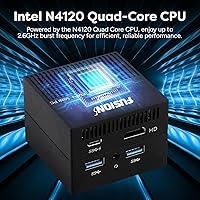
  • Processor: Intel Celeron N4120 Quad Core CPU with a burst frequency of up to 2.6GHz, designed for light computing workloads.
  • RAM: 8GB DDR4 SDRAM provides enough memory headroom for basic multitasking across everyday applications.
  • Storage: 128GB eMMC internal storage offers adequate space for a travel or secondary machine, though it is slower than NVMe SSD alternatives.
  • Operating System: Windows 11 Home comes pre-installed, giving users access to the full Microsoft desktop environment out of the box.
  • Graphics: Intel UHD Graphics 600 integrated GPU handles video playback and standard desktop tasks, with no discrete graphics card included.
  • Display Output: A single HDMI port supports video output at resolutions up to 3840x2160 (4K) for compatible external monitors or TVs.
  • USB Ports: Four USB 3.0 ports allow simultaneous connection of peripherals such as keyboards, mice, external drives, and hubs.
  • Storage Expansion: A Micro SD card slot provides a straightforward way to expand available storage beyond the built-in 128GB eMMC.
  • Wi-Fi: Dual-band 802.11ac Wi-Fi supports both 2.4GHz and 5GHz networks for flexible and stable wireless connectivity.
  • Bluetooth: Built-in Bluetooth enables wireless pairing with compatible peripherals such as keyboards, mice, and headsets.
  • Dimensions: The unit measures 2.55″ x 2.59″ x 1.85″, making it one of the smallest full-Windows desktops in its category.
  • Weight: At approximately 140g (0.3 lb), the unit is light enough to carry in a bag or even a jacket pocket with ease.
  • Color: Available in a single matte black finish that blends into most desk and home entertainment setups.
  • Warranty: A 12-month warranty is backed by Fusion5 and is serviced through their US-based service centre for domestic buyers.
  • Processor Brand: Intel supplies the chipset and integrated graphics, with four physical processing cores in the N4120 configuration.
  • Memory Type: DDR4 SDRAM is the memory standard used, which is reliable and well-supported across modern operating systems.
  • Package Dimensions: The retail box measures approximately 5.87″ x 4.72″ x 3.5″, packaging the unit compactly for shipping or travel.
  • Power Profile: The N4120 is a low-power mobile-class processor, which contributes to quiet operation and minimal heat generation during light use.

Related Reviews

Beelink Mini S12 Pro (N100, 16GB, 500GB)

83%
83%
Everyday Performance
91%
Value for Money
76%
Build Quality & Design
84%
Thermal Management & Noise
88%
Connectivity & Ports
More
Beelink Mini S12 Mini PC
78%
88%
Value for Money
82%
Performance for Daily Tasks
79%
Build Quality & Design
91%
Dual Monitor Support
84%
Thermal Management & Noise
More
ACEMAGICIAN Kron Mini K1 Mini PC
73%
83%
Everyday Performance
54%
Gaming Capability
61%
Thermal Management
89%
Display & Connectivity
78%
Value for Money
More
Beelink ME Mini PC
Beelink ME Mini PC
87%
88%
Performance
91%
Connectivity
85%
Storage Expansion
95%
Power Efficiency
90%
Noise Levels
More
Beelink EQi13 Pro (32GB/500GB)
83%
88%
Processing Performance
91%
Memory & Multitasking
86%
Storage Speed & Expandability
74%
Thermal Management & Noise
93%
Networking Capabilities
More
FUNYET STARSHIP N95 512GB Mini PC
74%
83%
Value for Money
72%
Performance
58%
Storage Speed
91%
Port Selection
88%
Display Output
More
Intel NUC7I3BNH Mini PC Kit
75%
88%
Build Quality
93%
Compact Form Factor
79%
Everyday Performance
74%
Value for Money
63%
Thermal Management
More
MINISFORUM X1-255 Barebone Mini PC
78%
83%
Performance
78%
Build Quality
71%
Value for Money
91%
Connectivity
69%
Thermal Management
More
GEEKOM AX8 Pro Mini PC
85%
90%
Performance
87%
Value for Money
83%
Build Quality
80%
Cooling System
92%
Portability/Size
More
CWWK N100 4-Port Firewall Mini PC
76%
92%
NIC Performance
89%
OS Compatibility
86%
Value for Money
74%
Thermal Management
83%
Build Quality
More

FAQ

No, neither a keyboard nor a mouse is included in the box. You will need to supply your own peripherals — a wireless combo that connects via USB dongle or Bluetooth both work well with this machine.

Unfortunately, the RAM is soldered directly to the board and cannot be upgraded. The eMMC storage is also integrated, so you cannot swap it for a faster SSD. If storage space becomes a concern, a Micro SD card or USB external drive is your best workaround.

It depends heavily on what your work involves. For email, video calls, web browsing, and basic document editing it holds up reasonably well. If your workflow involves multiple demanding applications running at the same time, or large file processing, you will notice the performance limits fairly quickly.

The HDMI port does support 4K output at up to 3840x2160, so the display resolution claim is genuine. Streaming 4K content from services like YouTube or Netflix is generally manageable, though very high-bitrate local 4K video files may occasionally stutter depending on the source and format.

eMMC is a type of flash storage that is physically soldered onto the motherboard — it is faster than a traditional hard drive but meaningfully slower than the NVMe SSDs found in pricier mini PCs. In day-to-day use, you may notice slightly longer app load times and slower file transfer speeds compared to an SSD-based system. For light use it is acceptable, but power users will feel the difference.

Under light loads like browsing or document work, the fan is usually quiet enough that you will not notice it in a typical room. Some users have reported the fan kicking in unexpectedly during what should be low-demand tasks, so it is not entirely silent — but it is far from intrusive during normal operation.

Yes, streaming video is well within this pocket-sized desktop's comfort zone. It handles HD and even 4K streams from major platforms without significant trouble, making it a practical choice as a dedicated living room or bedroom media PC.

No — there is only one HDMI port on this unit, so you are limited to a single external display. If dual-monitor support is important to your workflow, you would need to look at a different mini PC with multiple video outputs.

It can fill up faster than you expect. Windows 11 itself consumes a significant chunk of that space, and ongoing system updates eat into it further over time. For light users keeping only a few apps and documents on board, it is manageable. If you plan to store media files or install many programs, you should plan on using a Micro SD card or external drive from the start.

The box typically includes the mini PC unit itself, a power adapter, and an HDMI cable. Fusion5 does not include a monitor, keyboard, or mouse, so factor those into your setup costs if you are starting from scratch.