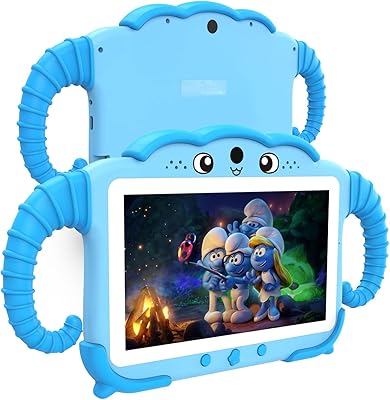
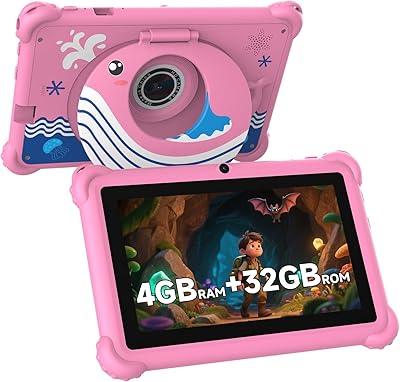
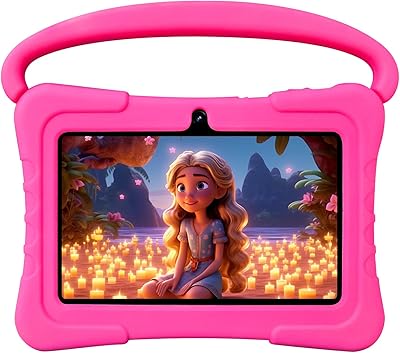
Overview

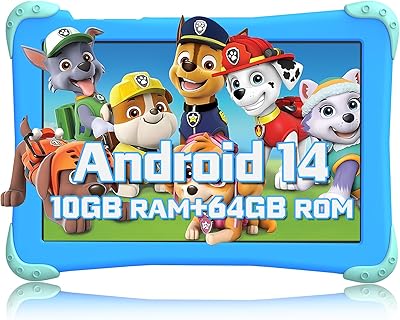
The Fivahiva F_764 7-inch Kids Android Tablet is a budget-conscious option that arrived in early 2024, targeting children roughly between toddler age and early teens. It runs Android 14 on an Allwinner octa-core processor with 10GB of RAM — specs that sound impressive on paper for the price point. Fivahiva isn't a household name, and that's worth acknowledging upfront, but the package they've put together is surprisingly complete: a protective case, charging cable, and charger are all included out of the box. A two-year warranty and 30-day returns add a layer of confidence for parents taking a chance on a lesser-known brand.
Features & Benefits

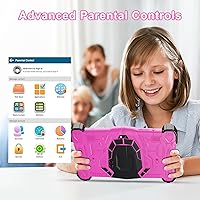
What stands out most for day-to-day use is how well this kids tablet handles the basics without making parents jump through hoops. The built-in parental controls let you set screen time limits, filter content by age, and block in-app purchases — all from within the device, no extra app required. Storage starts at 64GB and can grow to 512GB with a microSD card, which means you won't be deleting apps every few months as your child's interests expand. The 7-inch screen fits comfortably in small hands, and while the 1024x600 resolution won't wow anyone, it's perfectly adequate for cartoons, learning apps, and video calls with grandparents.

Best For

This children's Android tablet makes the most sense as a first device for toddlers and younger kids who are just starting to explore educational content. Parents who'd rather not configure third-party parental control software will appreciate that the controls come built in and work without any setup headaches. It's also a solid pick for gift shoppers — the included case and accessories mean it's genuinely ready to hand over without extra purchases. If your child's main activities are learning apps, YouTube Kids-style streaming, and occasional video calls, this tablet covers those needs well. It's not the right fit for kids who need high-resolution gaming or a full productivity setup.

User Feedback

Buyers generally respond positively to how easy the iWawa platform is to navigate — young kids can find content on their own without much hand-holding. The included protective case draws consistent praise for actually staying on and surviving the kind of drops that happen regularly with young children. On the downside, some parents report that app loading can feel sluggish when multiple things are running, and a handful of reviews raise questions about long-term Wi-Fi consistency. Battery life tends to get mixed marks — adequate for shorter sessions but not an all-day device. Customer service experiences with the warranty have been uneven, which is worth keeping in mind.

Pros

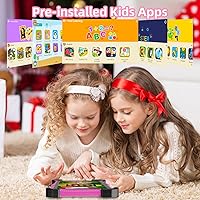
  • Built-in parental controls work out of the box — no extra apps or accounts needed to get started.
  • The iWawa platform gives young kids immediate access to curated, age-appropriate content from the first power-on.
  • Expandable storage up to 512GB means you won't outgrow the device quickly as your child downloads more apps and videos.
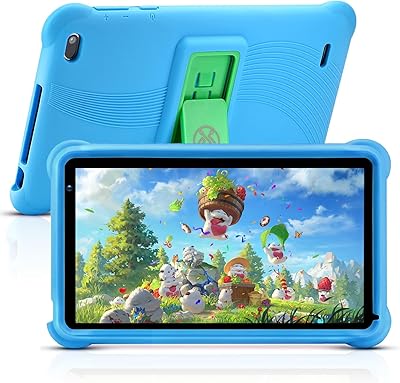
  • The included protective case is sturdy enough to handle the inevitable drops that come with young users.
  • Android 14 keeps the software current and compatible with a wide range of apps available on the Play Store.
  • The compact 7-inch form factor is genuinely comfortable for small hands and easy to carry on trips.
  • A 2-year warranty offers more coverage than many competing budget tablets in this price range.
  • 5G Wi-Fi support makes streaming educational videos and video calls noticeably smoother than older Wi-Fi standards.
  • The complete in-box package — case, cable, charger, manual — means no surprise add-on purchases after checkout.
  • At this price point, the 10GB of RAM is an unusually generous spec that helps keep basic multitasking from grinding to a halt.

Cons

  • The Allwinner processor can feel sluggish when multiple apps are open simultaneously, which frustrates kids mid-session.
  • Screen resolution is low by modern standards — text and images look noticeably soft compared to even mid-range alternatives.
  • Fivahiva is a relatively new brand with limited long-term track record, making warranty follow-through hard to fully predict.
  • Battery life is adequate for short sessions but falls short for extended use, like long car rides or travel days.
  • Wi-Fi connectivity has been inconsistent for some users, with occasional drops that interrupt streaming or video calls.
  • The 4MP rear camera produces mediocre image quality — fine for casual video calls but not much else.
  • Customer service experiences vary enough across buyers that post-purchase support feels like a gamble.
  • The iWawa content library, while curated, is narrower than what kids can access on more open platforms, which may frustrate older children.
  • At 2.38 pounds, it is slightly heavier than some competing kids tablets in the same size class, which younger toddlers may find tiring to hold.
  • App loading speeds occasionally lag behind expectations even for lightweight educational apps, which can break a young child's focus.

Ratings

The scores below for the Fivahiva F_764 7-inch Kids Android Tablet were generated by our AI rating engine after processing verified purchase reviews from buyers worldwide, with spam, bot-submitted, and incentivized feedback actively filtered out. The result is an honest, balanced snapshot of what real parents and caregivers experienced — strengths included, frustrations not glossed over.
Value for Money
83%
For parents who want a functional kids' tablet without spending flagship money, this kids tablet punches above its price tier in several ways. The included protective case, charger, and cable mean the out-of-box experience feels complete rather than cut-corners cheap. Buyers consistently note they got more than they expected for what they paid.
A small segment of buyers felt the performance limitations became apparent within months, making the long-term value feel shakier than the initial purchase suggested. If a child outgrows the device quickly — or if performance issues emerge — the savings feel less impressive in hindsight.
Parental Controls
79%
21%
Parents who dread setting up third-party monitoring apps were pleasantly surprised to find the built-in controls genuinely functional right out of the box. Age-based content filtering, screen time caps, and purchase lockouts are all accessible without tech expertise, which matters enormously to the target buyer.
Some caregivers reported that the controls, while adequate, feel less polished than those on Amazon Kids or Apple's Screen Time — occasional workarounds were possible for older, more persistent children. A few users also noted the interface for adjusting settings wasn't as intuitive as they'd hoped.
Performance & Speed
61%
39%
For light tasks — streaming a cartoon, running an iWawa learning activity, or joining a video call — the Fivahiva tablet handles things well enough that younger kids rarely notice any lag. The 10GB of RAM helps prevent the device from choking when switching between a couple of apps.
The Allwinner chip shows its limits when several apps run simultaneously or when launching heavier Android apps from the Play Store. Parents of kids who like to multitask or jump quickly between apps reported noticeable slowdowns, and some described load times as frustratingly inconsistent during peak use.
Display Quality
54%
46%
The 7-inch screen size is genuinely well-matched to small hands, and for a toddler watching educational videos or tapping through a reading app, the display does its job without obvious complaint from the child. Brightness levels are sufficient for indoor use in most lighting conditions.
The 1024x600 resolution is where this children's Android tablet shows its budget DNA most clearly — text can look slightly fuzzy, and images lack the crispness that kids accustomed to a phone screen or higher-end tablet might expect. Reviewers with older kids noted this limitation more sharply than those with toddlers.
Build Quality & Durability
72%
28%
The included protective case received consistent praise for staying securely attached and surviving typical kid-level drops onto hard floors. The tablet's slim 0.4-inch profile feels solid rather than flimsy, and the chassis doesn't flex or creak under normal handling pressure.
A handful of buyers reported the case showing wear relatively quickly, particularly around the corners after repeated drops. The tablet body itself held up, but some parents questioned whether the case would last through more than a year of daily use by an active young child.
Battery Life
58%
42%
For the average toddler's screen time — a morning learning session or an afternoon of videos — the battery gets through the day's allotted use without needing a mid-session charge. Parents managing screen time via the built-in controls rarely pushed the battery to its limits.
Longer use cases, like travel days or keeping a child entertained on a multi-hour flight, exposed the battery's limitations fairly quickly. Several reviewers noted the device needed recharging after three to four hours of active use, which falls short of what many competing kids' tablets offer at similar price points.
Wi-Fi Reliability
63%
37%
The 802.11ax Wi-Fi standard gives this kids tablet a technical edge in homes with modern routers, and buyers with strong 5GHz networks reported smooth streaming and stable video call performance. For typical home use on a decent ISP connection, the experience is generally trouble-free.
Wi-Fi consistency was a recurring complaint from buyers with older routers or in homes where the signal has to travel through walls. Dropped connections mid-video and occasional sluggish reconnections were mentioned often enough to be worth noting, especially for families who rely on streaming rather than offline content.
Educational Content (iWawa)
74%
26%
Young children — particularly in the 3 to 6 age range — engaged well with iWawa's interface, which is colorful, simple to navigate, and genuinely age-appropriate without any effort from parents. The curated nature of the platform means kids aren't a tap away from inappropriate content.
Parents of kids aged 8 and above found the iWawa library felt limiting relatively quickly, with content that skewed toward the younger end of the stated age range. The platform's depth doesn't scale especially well as children grow, which may push parents toward the broader Play Store sooner than expected.
Camera Quality
44%
56%
The dual-camera setup is adequate for what most kids actually use it for: quick video calls with grandparents and the occasional spontaneous photo. Having a rear camera at all is a feature that keeps kids engaged and makes the device feel more complete.
At 4MP, the rear camera produces images that look noticeably soft and washed out in anything other than bright lighting — no amount of expectation-setting fully prepares you for how mediocre the results are compared to even a basic smartphone camera. Parents hoping to let kids experiment with photography will likely be disappointed.
Setup & Ease of Use
81%
19%
First-boot setup was straightforward for the vast majority of buyers, including those who described themselves as non-technical. The parental control walkthrough guides caregivers through the key settings without requiring them to dig through menus or read a lengthy manual.
A small but vocal group of reviewers encountered confusion during Google account setup or had difficulty linking the device to existing family accounts. Customer support responses in these cases were described as slow or unhelpful by some users.
Portability
77%
23%
The slim profile and 7-inch footprint make this the kind of tablet that fits into a standard backpack pocket or a medium-sized tote without any issue, which parents appreciate for trips, waiting rooms, and school commutes. Kids can carry it independently without it feeling cumbersome.
The weight at 2.38 pounds is slightly heavier than some parents expected for a device this size — younger toddlers can find it tiring to hold up for extended periods. A few reviewers noted their child preferred resting it on a surface rather than holding it, which limits some use cases.
Storage & Expandability
86%
Starting at 64GB and scaling to 512GB via microSD, the Fivahiva tablet handles storage concerns more generously than many competing budget devices. Families who load up offline videos for travel or download large app libraries found the expandability genuinely useful rather than a theoretical spec.
The microSD card itself isn't included, which surprised a handful of buyers who assumed expandable storage meant they'd get a card in the box. This is a minor but recurring point of confusion that dampens an otherwise strong storage story.
Connectivity Options
71%
29%
Bluetooth 5.0 paired reliably with wireless headphones and portable speakers in most user reports, which parents found particularly useful for keeping kids' audio contained on car trips or in shared spaces. The Type-C charging port is a modern convenience that most households already have cables for.
There's no 4G or LTE option, so the tablet is entirely dependent on Wi-Fi for online content — a meaningful limitation for families who'd want to use it in locations without a reliable wireless network. A few buyers noted this limitation only after purchase, which led to frustration.
Warranty & After-Sales Support
55%
45%
The 2-year warranty is a longer coverage window than most budget kids' tablets offer, and on paper it provides meaningful peace of mind for parents investing in a device for a young child. The 30-day return window gives early buyers a fair opportunity to identify issues and return the product.
Real-world experiences with the warranty and support team were inconsistent — some parents had smooth resolutions while others described slow response times and unclear processes for making a claim. For a lesser-known brand, this variability in after-sales reliability is the biggest lingering trust concern.

Suitable for:

The Fivahiva F_764 7-inch Kids Android Tablet is a practical choice for parents who want a dedicated, ready-to-use device for younger children without committing to a premium price tag. It fits especially well in households with toddlers or kids in early elementary school who are just beginning to interact with educational apps, simple games, and video content. Because the parental controls are built directly into the device, it works particularly well for parents who aren't especially tech-savvy and don't want to research and configure third-party software. The pre-loaded iWawa platform means a young child can start exploring age-appropriate content from day one, without the parent needing to curate an app library from scratch. Gift shoppers will also find it convenient since the included case and accessories make it a complete package that requires nothing extra at checkout. If your main goal is giving a young child a safe, contained digital environment for learning and entertainment, this kids tablet delivers on that promise without much fuss.
Not suitable for:

The Fivahiva F_764 7-inch Kids Android Tablet is not the right fit for older kids or tweens who want to use a tablet for more demanding tasks like graphic-intensive gaming, creative apps, or schoolwork that requires a sharp, high-resolution display. The Allwinner chipset and 1024x600 screen are honest budget-tier components, and buyers expecting the responsiveness or visual clarity of an Amazon Fire HD or Apple iPad will be disappointed. Parents who place heavy importance on long-term brand support and a well-established service network may also feel uneasy with a relatively new, lesser-known manufacturer backing the device. If a child is already accustomed to a more capable tablet, the step down in performance may cause frustration rather than engagement. Families who need reliable all-day battery life for long trips or extended use should also temper expectations, as this children's Android tablet appears better suited to shorter daily sessions than marathon usage.
Specifications

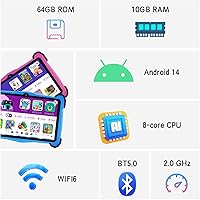
  • Screen Size: The display measures 7 inches diagonally, a compact size well suited to children's hands for extended reading and video sessions.
  • Resolution: The screen runs at 1024x600 pixels, which is functional for kids' apps and streaming but sits at the lower end of modern tablet displays.
  • Operating System: The tablet ships with Android 14, one of the more current Android versions available on a budget kids' device as of early 2024.
  • Processor: An Allwinner octa-core chip clocked at 2GHz handles the device's workload, providing adequate performance for light educational apps and media playback.
  • RAM: 10GB of RAM is included, which helps the device manage multiple apps running in the background without immediately slowing down.
  • Internal Storage: 64GB of onboard storage comes standard, offering enough room for a solid library of apps, videos, and downloaded content.
  • Expandable Storage: A microSD card slot supports storage expansion up to 512GB, allowing families to grow the device's capacity as the child's content needs increase.
  • Rear Camera: A 4MP rear-facing camera handles basic photo capture and supports video call framing, though image quality is modest by current standards.
  • Wi-Fi: The tablet supports 802.11ax (Wi-Fi 6) connectivity, including 5GHz band access for faster and more stable wireless streaming.
  • Bluetooth: Bluetooth 5.0 is built in, enabling pairing with wireless headphones, speakers, and other compatible accessories.
  • Dimensions: The device measures 7 x 4.7 x 0.4 inches, keeping the profile slim enough to fit comfortably in a child's bag or backpack.
  • Weight: At 2.38 pounds, the tablet is portable but slightly heavier than some competing 7-inch kids' devices in the same category.
  • Battery: A built-in lithium polymer battery powers the device; it is designed for moderate daily use rather than extended all-day sessions.
  • Charging Port: The tablet charges via a Type-C port, and a compatible cable and charger are both included in the box.
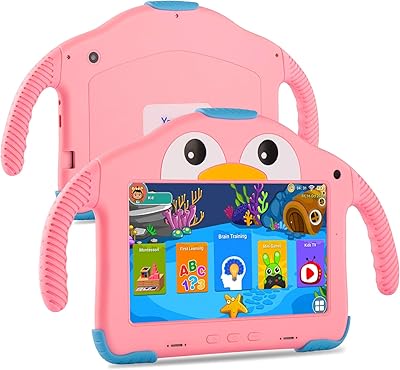
  • Pre-installed App: iWawa, a curated kids' content platform with age-appropriate educational and entertainment apps, comes pre-loaded and ready to use on first boot.
  • Parental Controls: Built-in parental controls allow caregivers to filter content by age group, set daily screen time limits, and block unauthorized in-app purchases.
  • Warranty: Fivahiva includes a 2-year limited warranty covering manufacturer defects, along with 24/7 online customer support access.
  • Return Policy: The brand offers a 30-day return and refund window for buyers who are not satisfied with their purchase.
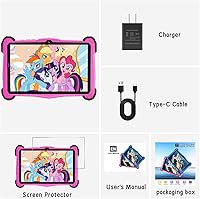
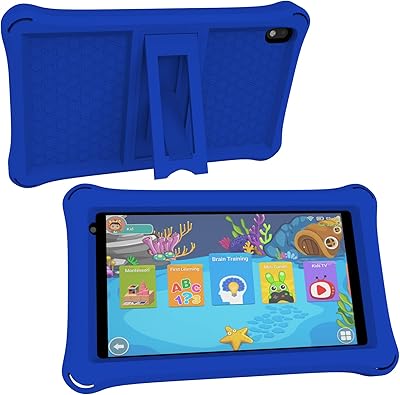
  • In-Box Contents: Each unit ships with the tablet, a protective case, a Type-C charging cable, a wall charger, and a printed user manual.
  • Available Colors: The tablet is available in Pink, making it a visually appealing option as a gift for younger children.

Related Reviews
PEICHENG PCQ8 7-Inch Kids Android Tablet
68%
83%
Value for Money
78%
Parental Controls
67%
Display Quality
62%
Performance & Speed
71%
Build & Durability
More
qunyiCO Y7 7-inch Kids Android Tablet
69%
83%
Value for Money
88%
Ease of Setup
54%
Performance & Speed
81%
Parental Controls
72%
Display Quality
More
Fivahiva FF-35 Kids Tablet 10-inch, 10GB RAM, 64GB Storage, Android 14
85%
91%
Performance
88%
Parental Controls
86%
Durability & Build Quality
83%
Battery Life
74%
Display Quality
More
QISTOQI KD88 7-inch Kids Tablet
69%
83%
Value for Money
78%
Durability & Build
87%
Ease of Setup
72%
Parental Controls
61%
Display Quality
More
YosaToo ZIDS701 7-inch Kids Tablet
67%
83%
Value for Money
86%
Parental Controls
74%
Durability
51%
Display Quality
62%
Performance & Speed
More
ATOZEE Q2 8-Inch Kids Android Tablet
65%
83%
Value for Money
81%
Parental Controls
58%
Display Quality
62%
Performance & Speed
74%
Build Quality & Durability
More
YosaToo KIDS712 Kids Tablet 7-inch 32GB
84%
89%
Value for Money
85%
Battery Life
92%
Parental Controls
88%
Build Quality/Durability
75%
Display Quality
More
NEWISION K7 7-inch Kids Tablet 32GB
84%
88%
Build Quality & Durability
94%
Parental Controls
90%
Educational Value
63%
Battery Life
80%
Display Quality
More
zcobro KIDS710 7-inch 32GB Kids Tablet
68%
83%
Value for Money
78%
Parental Controls
86%
Ease of Setup
54%
Performance & Speed
63%
Battery Life
More
ZZB ZZBAT70K Kids Tablet 7-inch, 32GB
84%
90%
Value for Money
88%
Durability
93%
Parental Controls
85%
Display Quality
80%
Battery Life
More

FAQ

Yes, the built-in parental controls are specifically designed to reduce the need for constant oversight. You can filter content by your child's age, cap daily screen time, and block in-app purchases entirely. The iWawa platform that comes pre-loaded also keeps kids within a curated content environment, which adds another layer of protection.

The protective case is included in the box — no separate purchase needed. It ships alongside the tablet, a Type-C charging cable, a wall charger, and a user manual, so it's genuinely ready to hand over as a gift without any add-ons.

iWawa is a kids' content platform that comes pre-installed and launches in a controlled environment suitable for younger children. It includes educational games, videos, and interactive content organized by age range. Since it's integrated into the parental control experience, removing it isn't recommended — but you can limit how much time your child spends in it through the built-in controls.

Yes, the tablet runs Android 14 and has access to the Google Play Store. However, through the parental controls, you can restrict downloads so that no new apps can be installed without your approval, which is a genuinely useful safeguard for younger kids.

For most young children using educational apps, streaming videos, and light games, 64GB is plenty to start with. If your child tends to download a lot of offline content or you plan to load up videos for travel, the microSD slot lets you expand storage all the way to 512GB without replacing the device.

The 1024x600 display is perfectly adequate for cartoons, educational videos, and basic reading apps — content that makes up the bulk of what most kids use a tablet for. That said, if your child is older and expects sharp text for extended reading or crisp graphics for games, the screen resolution may feel limiting compared to higher-end tablets.

Based on user feedback, the battery handles a few hours of active use comfortably but isn't an all-day powerhouse. For a toddler's daily screen time — say, an hour or two of videos and apps — it holds up fine. For longer stretches, like a road trip, you'll want to keep the charger handy.

The tablet supports Wi-Fi 6 on the 5GHz band, which means it's technically capable of smooth video calls on a decent home network. That said, some users have reported occasional connectivity hiccups, so if your home Wi-Fi signal is strong and consistent, the experience should be solid for apps like Zoom.

This children's Android tablet is best suited for kids in the toddler-to-early-elementary range, roughly ages 3 to 8. A 10-year-old who wants more demanding games, a sharper screen, or the freedom to explore the web more broadly will likely outgrow it quickly. For older kids, a mid-range tablet with a higher-resolution display and more processing power would be a better long-term investment.

Fivahiva offers a 2-year warranty and claims 24/7 customer support availability, which is a reasonable commitment for this price tier. In practice, user experiences with the warranty process have been mixed, so it's worth keeping your purchase receipt and registering the product if the brand offers that option. The 30-day return window gives you a solid initial safety net if any issues appear early on.