
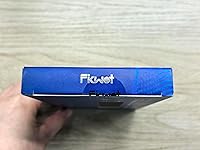
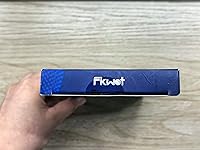
Overview

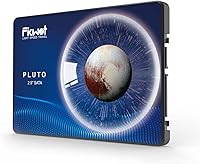
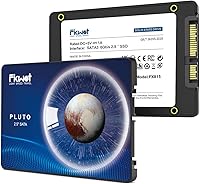
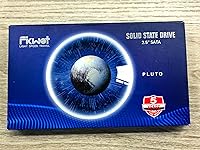
The Fikwot FX815 512GB 2.5″ SATA SSD is a straightforward, no-frills upgrade for anyone still running on a spinning hard drive and wondering why their computer feels perpetually sluggish. Fikwot isn't a household name like Samsung or Western Digital, but that's kind of the point — this budget solid state drive competes on specs and price rather than brand prestige. The 2.5-inch, 7mm slim form factor means it physically fits into the overwhelming majority of laptops, including ultra-slim models, as well as standard desktop bays. If your machine has a SATA slot and you're tired of waiting, this drive is a practical, low-risk entry point into SSD territory.

Features & Benefits

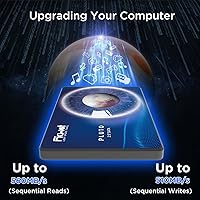
Running on a SATA 3.0 interface, the FX815 tops out at 560 MB/s read and 490 MB/s write — numbers that won't impress NVMe enthusiasts, but represent a massive practical leap over any mechanical hard drive. The drive uses 3D NAND flash paired with an SLC cache layer, which temporarily treats a portion of the NAND as faster single-level storage to handle bursts of data quickly. For everyday tasks like booting Windows, launching browsers, or copying moderate file sizes, you won't notice any bottleneck. It's worth knowing that if you transfer very large files repeatedly, the SLC cache can fill and speeds will drop — but for typical home or office workloads, that rarely matters. The 7mm chassis and shock resistance add genuine value for laptop users on the move.

Best For

This SATA SSD makes the most sense for people upgrading an older laptop or desktop that has a 2.5-inch bay but no M.2 or NVMe slot — a setup that's still extremely common in machines from the last decade. Students and home office users who want faster boot times and snappier application loading without spending a lot will find it hits the right balance. It also works well as a secondary storage drive for a desktop, or as an upgrade inside a PS3 or PS4 console. Gamers should note that while loading times improve significantly over an HDD, SATA is not NVMe — open-world load times will still be slower than on a modern NVMe-equipped PC.

User Feedback

With over 4,300 ratings and a 4.5-star average, the FX815 has earned notably solid reception for a relatively young brand. Buyers consistently mention easy installation and a clear speed improvement over their old hard drives as the top highlights. On the constructive side, some users have flagged occasional compatibility quirks with specific older laptop models, and a handful note that large file transfers can slow down once the SLC cache is saturated — which, again, is normal at this price tier and not unique to this drive. Long-term reliability data is still limited given the brand's age, so the 5-year warranty becomes particularly relevant reassurance for cautious buyers.

Pros

  • Instantly transforms an old, sluggish laptop or desktop into a noticeably faster machine without major investment.
  • The 7mm slim form factor fits a wide range of laptops, including ultrabooks, with no adapter needed.
  • Read speeds up to 560 MB/s represent a dramatic real-world jump over any mechanical hard drive.
  • Installation is straightforward — most users report a simple plug-and-play experience with no technical hurdles.
  • Lower power consumption compared to spinning drives can meaningfully extend laptop battery life during typical use.
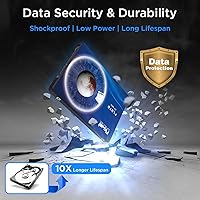
  • Shock and vibration resistance makes this SATA SSD a practical choice for laptops that travel regularly.
  • A 5-year warranty provides solid peace of mind for a budget-tier drive.
  • With 512GB of usable space, there is room for an operating system, applications, and a healthy media library.
  • Works well as a secondary storage drive in a desktop, not just as a primary boot drive.
  • Rated 4.5 stars across thousands of real buyers, which is a reassuring signal for a lesser-known brand.

Cons

  • Fikwot is a newer brand with limited long-term reliability data compared to Samsung, Crucial, or Western Digital.
  • SLC cache exhaustion during large file transfers can cause write speeds to drop significantly — a real limitation for heavy users.
  • SATA throughput is the hard ceiling here; no software update will close the performance gap with NVMe drives.
  • 160 TBW endurance is on the lower end, which may be a concern for users planning intensive or long-term write workloads.
  • A small number of buyers have reported compatibility or BIOS recognition issues with specific older laptop models.
  • 512GB may feel limiting sooner than expected if you store large media libraries or multiple game installs.
  • The brand's customer support infrastructure is less established than major storage manufacturers, which could matter if warranty claims arise.
  • No included cloning software or mounting hardware — budget buyers may need to purchase extras for a complete migration.

Ratings

The Fikwot FX815 512GB 2.5″ SATA SSD has been scored across 10 performance and ownership categories by our AI rating system, which analyzed thousands of verified global buyer reviews while actively filtering out incentivized, bot-generated, and low-quality submissions. Scores reflect both what this budget solid state drive genuinely gets right and where it falls short, so you can make an informed call before purchasing. Strengths and pain points are weighted equally — nothing is glossed over.

Value for Money
91%
For buyers replacing a sluggish mechanical hard drive on a tight budget, the FX815 delivers a performance jump that far exceeds what the price tag implies. Users consistently report feeling like they bought a new computer after installation, which is about the highest praise a storage upgrade can receive.
The value calculus shifts if you compare it against slightly pricier drives from Crucial or Kingston that offer better-established reliability data. For buyers who can stretch the budget even modestly, there are options with stronger long-term track records.
Read/Write Performance
83%
Day-to-day tasks — booting Windows, launching Chrome, opening Office documents — feel noticeably faster than any spinning hard drive. Buyers who have never used an SSD before are often genuinely surprised by how much snappier their machine becomes after swapping in this budget solid state drive.
Sustained write performance under heavy workloads is the weak point. Once the SLC cache fills during large file transfers, write speeds drop to the underlying NAND speed, which is a real limitation for anyone regularly moving large batches of data.
Installation Experience
88%
The physical installation process is about as straightforward as it gets — unscrew the panel, swap the drive, replace the screws. Buyers with no prior hardware experience consistently report completing the job in under 20 minutes, often without consulting a tutorial.
No cloning software or mounting bracket is included in the box, which catches some buyers off guard. Setting up the OS on the new drive requires a separate step that first-timers occasionally find confusing without guidance.
Build Quality
76%
24%
The drive feels solid in hand despite its light 2.12-ounce weight, and the 7mm chassis shows no obvious signs of cost-cutting in terms of physical construction. The shock and vibration resistance specs give laptop users reasonable confidence when carrying their machine daily.
Fikwot is a newer brand, and independent teardown data on component quality is limited. There is no way yet to verify whether the internal build matches the durability claims as rigorously as drives from more established manufacturers.
Compatibility
79%
21%
The standard 2.5-inch SATA form factor means this drive works across an enormous range of laptops, desktops, and even gaming consoles like the PS3 and PS4. Most buyers report zero compatibility issues and immediate recognition upon first boot.
A small but consistent subset of users has flagged BIOS recognition problems with specific older laptop models. These issues are not unique to the FX815, but they are real and can require a BIOS update or firmware troubleshooting to resolve.
Boot Time Improvement
89%
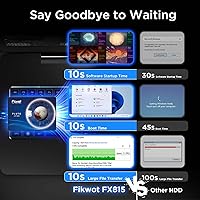
Users upgrading from mechanical hard drives report Windows boot times dropping from over a minute down to roughly 10 to 15 seconds. That tangible, immediate transformation is one of the most frequently cited reasons buyers leave five-star reviews for the FX815.
Boot speed gains plateau at what the SATA interface allows, so buyers who already have an SSD or who are comparing this to NVMe-based systems will find the performance underwhelming rather than impressive.
Long-Term Reliability
63%
37%
The 5-year warranty provides a meaningful safety net, and the 160 TBW endurance rating is comfortably sufficient for typical home or student workloads — realistically more than a decade of average daily use. LDPC ECC error correction actively protects stored data over time.
Fikwot has limited public longevity data because the brand is relatively new. Buyers cannot yet draw on years of community-reported failure rates the way they can with Samsung or Western Digital, which introduces a small but legitimate unknown.
Power Efficiency
84%
The reduction in power consumption compared to a mechanical hard drive is genuine and measurable. Laptop users doing moderate tasks have reported small but noticeable gains in battery endurance after making the switch to this SATA SSD.
The efficiency advantage over competing SSDs at this price tier is essentially nonexistent — most SATA SSDs draw similar power. The real comparison is only meaningful when upgrading from an HDD, not when comparing drives in the same category.
SLC Cache Behavior
67%
33%
For everyday use — copying a handful of photos, installing an app, downloading a game — the SLC cache handles bursts of data cleanly and quickly. Most home users will never push the drive hard enough to notice any cache-related slowdown during normal sessions.
Video editors, IT professionals, or anyone routinely transferring files over 30 to 40GB in a single session will hit the cache ceiling and experience a visible write speed drop. This is an industry-wide trait at this price point, but it is still a tangible limitation.
Noise and Vibration
97%
As a solid state drive with no moving parts, it operates in complete silence under all conditions. Users coming from mechanical hard drives specifically mention the total absence of clicking, spinning, and seeking noise as an unexpectedly pleasant quality-of-life improvement.
There is genuinely little to criticize here — silence is silence. The only minor note is that vibration resistance specs cannot be independently validated without destructive testing, though no buyers have reported physical failure from drops or impact.
Thermal Performance
72%
28%
In typical usage scenarios — office work, web browsing, media playback — the drive runs cool and stable with no throttling reported by the vast majority of buyers. The slim chassis does not appear to trap heat in standard laptop configurations.
Under sustained heavy workloads, some budget SATA drives at this tier can produce more warmth than expected, though documented thermal throttling complaints for the FX815 specifically are sparse. Long-term thermal behavior in confined ultrabook bays remains an open question.
Brand Trust
61%
39%
The 4.5-star aggregate rating across over 4,300 verified purchases is a credible signal that this budget solid state drive performs as advertised for the majority of buyers. The 5-year warranty also suggests Fikwot is willing to stand behind the product commercially.
Brand trust is genuinely the biggest variable here. Fikwot lacks the decades of consumer reputation that justifies unquestioned confidence, and buyers who prioritize established brand pedigree over price will reasonably gravitate toward alternatives regardless of review scores.
Capacity Adequacy
77%
23%
At 512GB, this drive comfortably handles a full Windows installation, a suite of productivity applications, a browser, and a reasonable media library without feeling cramped. For students and home office users, it hits a practical sweet spot.
Gamers or users with large photo and video libraries will find 512GB starts to feel limiting faster than expected, particularly as game file sizes continue to grow. For storage-heavy users, the drive is better suited as a boot and apps volume than an all-in-one solution.

Suitable for:

The Fikwot FX815 512GB 2.5″ SATA SSD is built squarely for people whose computers feel painfully slow and who have been putting off an upgrade because they assumed it would be complicated or expensive. It fits perfectly into older laptops and desktops that use a 2.5-inch SATA bay — a configuration that remains common in machines manufactured throughout the 2010s and even into the early 2020s. Students running a laptop between classes, home office workers who need faster boot times and snappier file access, and anyone using their machine primarily for documents, browsing, and media will get a genuinely meaningful improvement in day-to-day responsiveness. The 7mm slim profile also makes this SATA SSD a viable option for ultrabooks and ultra-slim notebooks that can't accommodate thicker drives. PS3 and PS4 owners looking for a simple, affordable storage upgrade will find the form factor and interface are a natural match as well.

Not suitable for:

The Fikwot FX815 512GB 2.5″ SATA SSD is not the right tool for buyers whose systems already support M.2 or NVMe storage — stepping down to SATA when you have faster options available is a trade-off that simply isn't worth making. Serious PC gamers expecting the kind of near-instant load times seen on modern NVMe setups will be disappointed; SATA has a hard ceiling, and no amount of caching changes that fundamental reality. Power users who regularly move large batches of files — think video editors working with raw 4K footage or IT professionals deploying large disk images — may run into sustained write speed drops once the SLC cache fills, which happens faster than most people expect under heavy workloads. The 160 TBW endurance rating is perfectly adequate for typical home or office use, but it is on the modest side for anyone planning to use this drive as a high-write workload target over many years. Buyers who strongly prefer established storage brands with a long public track record may also want to consider alternatives, since Fikwot is still a relatively young name in the market.

Specifications

  • Brand: Manufactured by Fikwot, a growing budget-tier storage brand offering competitive hardware specifications at accessible price points.
  • Model: The drive carries the model designation FX815, available in multiple capacity configurations from 256GB up to 2TB.
  • Capacity: This specific variant provides 512GB of usable storage, sufficient for an operating system, applications, and a substantial media library.
  • Form Factor: Built in the standard 2.5-inch form factor with a 7mm height, fitting the vast majority of laptops, ultrabooks, and desktop drive bays.
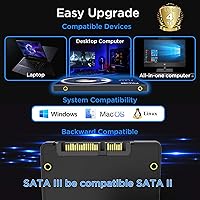
  • Interface: Uses a SATA 3.0 (SATA-600) interface, the standard connection found in most laptops and desktops produced over the past 15 years.
  • Read Speed: Maximum sequential read speed is rated at up to 560 MB/s under ideal conditions over the SATA 3.0 interface.
  • Write Speed: Maximum sequential write speed is rated at up to 490 MB/s, representing a dramatic improvement over mechanical hard drive write performance.
  • NAND Type: Uses 3D NAND flash memory, which stacks memory cells vertically to improve density, endurance, and energy efficiency compared to older planar NAND.
  • Cache Type: Equipped with an intelligent SLC cache layer that accelerates burst read and write operations during typical everyday workloads.
  • Error Correction: Incorporates LDPC (Low-Density Parity-Check) ECC to detect and correct data errors at the hardware level, protecting data integrity over time.
  • Endurance: Rated for 160 TBW (Terabytes Written), which is adequate for standard home and office use but modest for high-write professional workloads.
  • Warranty: Covered by a 5-year limited warranty, with additional technical support available through Fikwot's official website.
  • Installation Type: Designed for internal installation only; this is not an external or portable drive and requires opening the target device to install.
  • Weight: The drive weighs 2.12 ounces, making it lightweight and well-suited for use in portable laptop systems.
  • Dimensions: Physical dimensions measure 3 x 2 x 0.1 inches (LxWxH), conforming to the standard 2.5-inch drive footprint.
  • Compatible Devices: Compatible with laptops, PC desktops, and gaming consoles such as the PS3 and PS4 that use a standard 2.5-inch SATA interface.
  • Power Consumption: Consumes significantly less power than a traditional mechanical hard drive, which can contribute to improved battery runtime on laptops.
  • Durability: Built with shock and vibration resistance to withstand the physical demands of daily use in portable computers.

Related Reviews
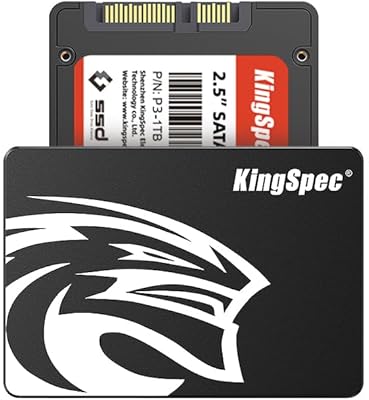
KingSpec 512GB 2.5-inch SATA SSD

77%
88%
Value for Money
83%
Read & Write Speed
86%
Installation Ease
61%
Long-term Reliability
63%
Thermal Performance
More
Vantec NexStar JX 3.5″ HDD Enclosure
76%
93%
Ease of Setup
78%
Transfer Speed — USB
86%
Transfer Speed — eSATA
74%
Thermal Management
67%
Build Quality
More
Cenmate 5-Bay Hybrid HDD/NVMe Enclosure
73%
83%
Build Quality
78%
Thermal Management
71%
Transfer Speed
69%
RAID Functionality
76%
Drive Compatibility
More
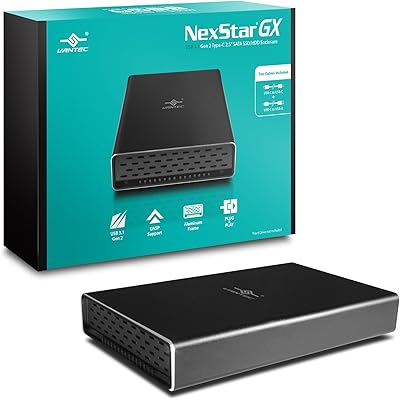
Vantec NexStar GX 2.5″ USB-C Drive Enclosure

79%
88%
Build Quality
83%
Transfer Speed
91%
Ease of Setup
71%
Heat Management
63%
Drive Fit & Tolerance
More
ICY DOCK ToughArmor MB998SP-B 8-Bay 2.5” SATA/SAS HDD/SSD Mobile Rack Enclosure for 5.25″ Bay
87%
91%
Performance
88%
Cooling Efficiency
89%
Build Quality
93%
Ease of Installation
72%
Noise Level
More
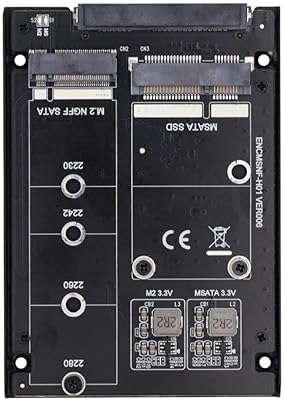
ChenYang CY-SA-060 mSATA M.2 SATA SSD Enclosure
70%
88%
Value for Money
54%
Drive Compatibility
79%
JBOD Functionality
58%
Build Quality
72%
Installation Ease
More
Fikwot FN203 2TB M.2 SATA SSD
73%
91%
Value for Money
78%
Read Performance
63%
Write Performance
69%
Compatibility
86%
Installation Ease
More
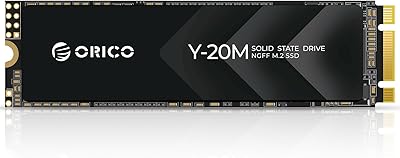
ORICO Y20M 512GB M.2 SATA SSD
78%
61%
Compatibility Clarity
78%
Read/Write Performance
88%
Installation Experience
84%
Value for Money
74%
Long-Term Reliability
More
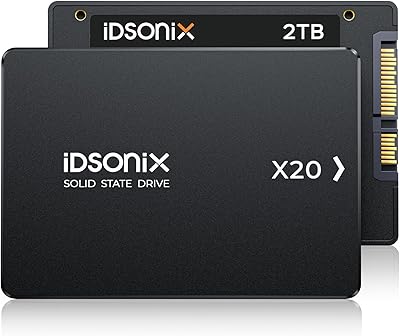
iDsonix X20 2TB 2.5-inch Internal SSD
74%
74%
Read/Write Performance
83%
Value for Money
86%
Storage Capacity
47%
Brand Reliability
57%
Warranty & Support
More
Fikwot FN203 2TB M.2 SATA SSD
88%
88%
Sequential Read Speed
84%
Sequential Write Speed
90%
Durability
87%
Data Integrity/Error Correction
95%
Ease of Installation
More

FAQ

In most cases, yes. If your laptop uses a 2.5-inch SATA drive — which is by far the most common configuration in machines from the past 15 years — the FX815 will slot right in. The 7mm height also means it works in ultra-slim models that can't accommodate a 9.5mm drive. If you're unsure, check your laptop's manual or look up the model online to confirm the drive bay size and interface type before purchasing.

Generally, all you need is a small Phillips-head screwdriver to open the drive bay panel on your laptop or desktop. The drive itself is plug-and-play at the hardware level. What you will need to plan for is getting your operating system onto the new drive — either by cloning your existing drive with free software like Macrium Reflect, or doing a fresh OS install from a USB drive. Note that no cloning software is included in the box.

The difference is substantial and immediately noticeable. Boot times on a mechanical hard drive can run anywhere from 45 seconds to well over a minute; on this SATA SSD, Windows typically loads in under 15 seconds. Applications open faster, file copying is quicker, and the system feels more responsive overall. It's honestly one of the most impactful upgrades you can make to an older machine.

Yes. The PS4 uses a standard 2.5-inch SATA interface, and this drive fits the bay without any modifications. You will need to follow Sony's official process for replacing the PS4's internal drive, which involves formatting the new drive and reinstalling the system software from a USB stick. Load times in games will improve noticeably compared to the stock mechanical drive.

SLC cache is a technique where the drive temporarily uses a portion of its NAND flash as faster single-level storage to handle incoming data quickly. For most users — browsing the web, working in Office apps, streaming, and loading games — the cache is more than sufficient and you'll never notice it filling up. Where it becomes relevant is during sustained large file transfers, like copying hundreds of gigabytes at once. In those cases, speeds can drop once the cache is exhausted. For everyday home or office use, this rarely matters in practice.

The rated endurance is 160 TBW, which means you could write 160 terabytes of data to the drive before it reaches the end of its rated lifespan. For a typical home user writing 20–30GB per day, that works out to well over a decade of use. Heavy users — say, someone continuously recording video or running database operations — would burn through that faster, but this drive isn't really aimed at those workloads. The 5-year warranty provides a practical safety net regardless.

It will noticeably reduce game load times compared to a spinning hard drive, which is a meaningful quality-of-life improvement. That said, it is a SATA drive, so it won't match the load time performance of an NVMe SSD. If your PC has an M.2 slot available, an NVMe drive would be the better gaming upgrade. But if your system is SATA-only, this budget solid state drive is a solid step up from what you probably have now.

That depends on what you're storing. For a primary laptop used for work, school, or general home use — documents, photos, a browser, and a handful of apps — 512GB is comfortable. If you're a gamer installing multiple large titles, or you keep a large local video or photo library, you may find yourself managing space more carefully. In that case, it's worth considering using this as a boot and apps drive while keeping a larger secondary drive or external storage for bulk files.

A small number of buyers have mentioned compatibility quirks with specific older laptop models, usually around BIOS recognition. This isn't unique to this drive — some aging systems can be finicky with newer SSD firmware. In most cases, a BIOS update on the laptop resolves the issue. If you have a very old machine, it's worth checking forums for your specific model before purchasing any new SSD.

No — solid state drives have no moving parts, so this SATA SSD operates completely silently. If you're coming from a mechanical hard drive, the absence of clicking, spinning, and seek noise is one of the more pleasant surprises of making the switch.