

Overview
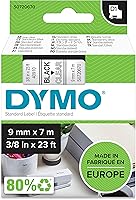
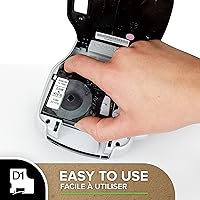
The DYMO LabelManager Plug N Play Label Maker is one of those rare desk tools that actually does what its name promises — plug it into a USB port and you are printing labels within seconds. There is no driver disc, no software to hunt down, and no power adapter taking up outlet space. The built-in interface launches right in your browser, and the USB rechargeable battery draws power directly from your computer. It is a compact, no-fuss entry into computer-based label printing, though keep in mind the machine ships alone — D1 label tape, DYMO's proprietary cartridge format, must be purchased separately.
Features & Benefits
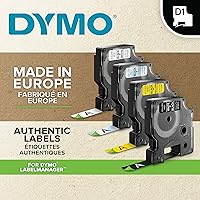
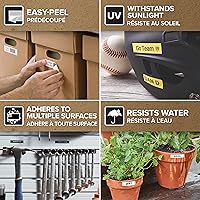
What this USB label maker lacks in physical buttons it more than makes up for in computer-driven versatility. Because label design happens on your PC or Mac, you can use custom fonts, graphics, and even print multiple barcode formats — Code 128, Code 39, UPC-A, and several others — putting it well ahead of basic handheld printers in that regard. It works with DYMO D1 tapes in three widths: 1/4-inch for fine labeling, 3/8-inch for standard use, and 1/2-inch for bolder applications. Labels come out with a laminate adhesive finish, so they hold up reasonably well on shelves, folders, and storage bins.
Best For
This plug-and-play label printer is a natural fit for home organizers who want labels that look cleaner than anything a handheld device can produce, without the complexity of a full-sized label printer. It works well in small office settings — think file rooms, supply closets, or shared desks — where labels are printed in batches rather than on the fly. That said, the USB cord tethers you to a computer, so if you picture yourself labeling shelves while walking around a garage or warehouse, this is not the right tool. It suits anyone who prints labels at a desk, deliberately, a few times a week.
User Feedback
People who buy the DYMO Plug N Play tend to agree on one thing: setup is effortless. Most users report being up and printing within a minute or two of unboxing, which is a genuine win. The criticism, however, is consistent. D1 tape cartridges can feel expensive over time, and off-brand alternatives sometimes cause print quality issues or jamming. A handful of reviewers have noted software hiccups on newer operating systems, so it is worth confirming compatibility with your current OS version before committing. On print quality itself, most find results sharp enough for home labeling and light office use.
Pros
- No software installation needed — just plug into a USB port and start printing immediately.
- The built-in rechargeable battery means zero spending on AA batteries over time.
- Computer-based label design lets you use real fonts and graphics, not just a tiny keyboard.
- Barcode printing support covers six common formats, including Code 128 and UPC-A.
- Weighing just over an ounce, this USB label maker tucks into a drawer without taking up real estate.
- Laminate adhesive labels resist smudging and hold up well on shelves and folders.
- Compatible with three D1 tape widths, giving you flexibility for different labeling jobs.
- Works on both Windows and Mac without any driver headaches.
- A single USB cable handles both power and data, keeping the setup clean and minimal.
Cons
- Completely non-functional without a connected computer — no standalone printing whatsoever.
- DYMO D1 tape cartridges are proprietary and can be costly to replace regularly.
- Third-party tape alternatives often cause print quality issues or jamming, limiting your options.
- Some users have reported browser-based software glitches after updating to newer operating systems.
- The USB cord tethers you to a fixed spot, making mid-task mobility essentially impossible.
- Ships without any tape included, so you cannot print a single label straight out of the box.
- Print speed and volume capacity are modest — not suited for batch label jobs.
- The plastic build feels lightweight in a way that reads as fragile under daily heavy use.
- Black ink only — no color printing options for those who rely on color-coded labeling systems.
Ratings
The scores below reflect our AI-driven analysis of thousands of verified global reviews for the DYMO LabelManager Plug N Play Label Maker, with spam, bot activity, and incentivized feedback actively filtered out before any scoring was applied. Each category is rated independently to give you a clear, unvarnished picture of where this plug-and-play label printer genuinely delivers — and where real buyers have run into friction.
Ease of Setup
Print Quality
Value for Money
Software & Interface
Tape & Consumable Cost
Build Quality
Portability
Barcode Printing
Label Durability
OS Compatibility
Connectivity
Label Width Versatility
Unboxing & First Impression
Suitable for:
The DYMO LabelManager Plug N Play Label Maker is an excellent match for anyone who wants cleaner, more polished labels than a handheld device can produce but does not need the bulk or cost of a professional label printer. Home organizers tackling pantry shelves, file cabinets, or storage bins will appreciate how quickly it gets going — plug it in and you are printing within seconds. It also works well for small business owners or office administrators who occasionally need barcode labels for inventory, since the supported formats cover most common retail and filing standards. Students setting up a home workspace or remote workers organizing a shared desk will find the computer-based design process intuitive and flexible. Because it draws power directly from a USB port, it is also a smart pick for anyone who is particular about keeping their workspace free of extra cables and power bricks.
Not suitable for:
The DYMO LabelManager Plug N Play Label Maker is a poor fit for anyone who needs to print labels away from a computer, since it is entirely dependent on a USB connection to function. Warehouse workers, event staff, or tradespeople who label on the move should look at a standalone handheld label maker instead. Buyers expecting to run high volumes of labels will also find this device limiting — it is built for occasional, deliberate use rather than continuous output. Those who are sensitive to ongoing consumable costs should be aware that DYMO D1 tape cartridges, the proprietary format this printer requires, carry a noticeable price premium over the generic tapes used by some competing brands. Finally, users on the latest versions of macOS or Windows should verify software compatibility before purchasing, as a segment of reviewers has reported interface issues after OS updates.
Specifications
- Brand: Manufactured by Sanford under the DYMO brand.
- Model Number: The model identifier is S0720670, also referenced by ASIN B0006B2ROA.
- Dimensions: The unit measures 0.7 × 2.55 × 3.39 inches, making it one of the more compact label printers available.
- Weight: The device weighs just 1.09 ounces, light enough to store in a desk drawer or pencil cup.
- Material: The housing is constructed from plastic in a white and grey finish.
- Power Source: Power is supplied by a built-in lithium-ion battery that recharges via the USB connection — no wall adapter or AA batteries required.
- Connectivity: Connects to Windows PCs or Mac computers via USB; no Bluetooth or wireless option is available.
- Software: Label design runs through a built-in browser-based interface that requires no software download or driver installation.
- Tape Compatibility: Designed exclusively for DYMO D1 label tape cartridges, which use a laminate adhesive construction for durability.
- Tape Widths: Supports D1 tape in three widths: 1/4-inch (6mm), 3/8-inch (9mm), and 1/2-inch (12mm).
- Ink Color: Prints in black ink only; no color printing is supported.
- Label Finish: Output labels have a laminated adhesive finish, offering resistance to light moisture and everyday handling.
- Barcode Formats: Capable of printing six barcode types: UPC-A, UPC-E, Code 39, Code 128, EAN-8, and EAN-13.
- Label Types: Supports custom text labels, graphic elements sourced from the connected computer, and barcode labels.
- OS Compatibility: Compatible with both Windows and Mac operating systems; users should verify support for the latest OS versions before purchasing.
- Package Contents: Ships as machine only — no D1 tape cartridge is included in the box.
- Discontinuation: As of the available product data, this model has not been discontinued by the manufacturer.
Related Reviews
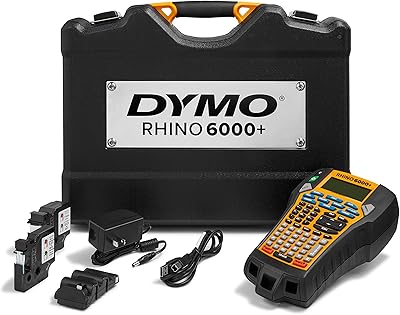
DYMO Rhino 6000+ Industrial Label Maker
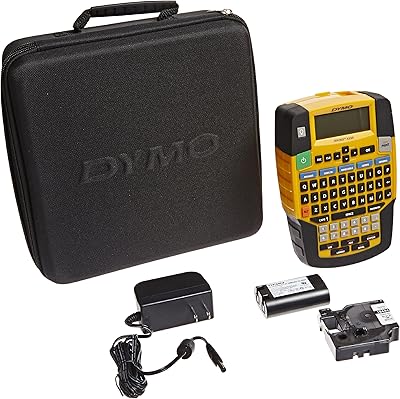
DYMO Rhino 4200 Industrial Label Maker Kit
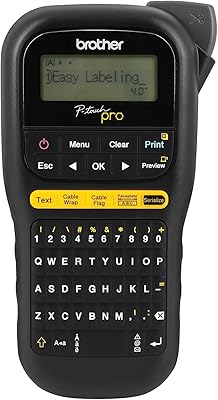
Brother P-touch PT-H111 Label Maker
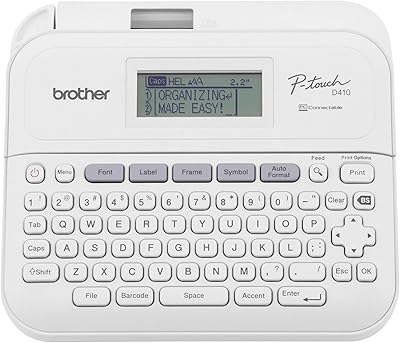
Brother P-Touch PT-D410
Boogie Board Scribble n' Play Drawing Board
Brother PT-D460BT Bluetooth Label Maker
Brother PT-D610BTVP Label Maker

Lux Unfiltered First Class Glow Self-Tanner Kit
Snug Play+ Kids On-Ear Headphones