Overview

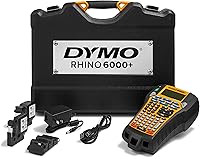
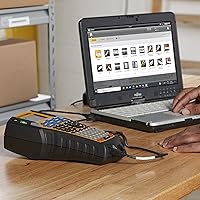
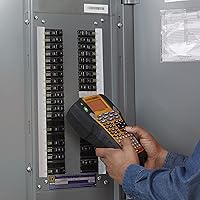
The DYMO Rhino 6000+ Industrial Label Maker is built squarely for IT technicians, electricians, and facilities teams who work in environments where label compliance actually matters. Unlike consumer units, this industrial label maker arrives as a proper kit — hard carry case, vinyl and flexible nylon tape cassettes, and a rechargeable lithium-ion battery all included. It meets ANSI and TIA/EIA-606-B standards, a genuine requirement in regulated industries rather than just a spec-sheet checkbox. Pair it with DYMO ID software on a Windows PC and you can design complex multi-line layouts and barcodes from your desk, then print on the job site. Be clear-eyed though: this is a specialized tool at a premium price, not a general office solution.

Features & Benefits

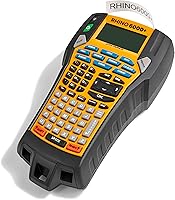
One of the first things you notice on a real job is how much the one-touch Hot Keys reduce friction. Rather than manually configuring font size and spacing every time, a single keystroke handles the formatting — a small thing that adds up fast when you are labeling dozens of cable runs. The thermal printing engine outputs at 180 dpi with no ink to buy or replace, which keeps ongoing supply costs manageable. Barcode support is genuinely broad, covering Code 128, QR codes, PDF-417, and several other formats that asset-tracking workflows actually require. Onboard memory holds up to 1,000 labels, so a technician can store and reprint job-specific templates without touching a computer. Tape up to 1-inch wide and five printable lines cover the vast majority of real-world labeling tasks.

Best For

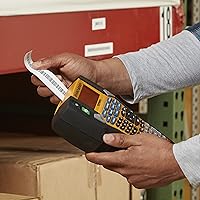
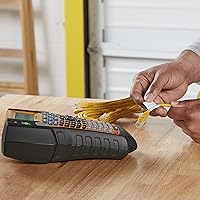
This DYMO unit makes the most sense for network and IT technicians who need to label patch panels, cable runs, and server rack equipment to industry standards. Electricians and facilities managers dealing with harsh environments will find the combination of vinyl and nylon tape options genuinely practical — those materials handle heat, moisture, and abrasion in ways paper-based alternatives simply cannot. Organizations with multi-site labeling programs benefit from the DYMO ID software's ability to standardize formats across teams. One firm caveat: the software is Windows-only, so Mac shops should factor that in before committing. If barcode scanning and label compliance are baseline requirements for your workflow, this is one of the more capable portable options at this tier.

User Feedback

With around 55 ratings and a 4.2-star average, the feedback pool is relatively small for a niche professional tool — treat the score as directional, not definitive. Buyers consistently praise the build quality, the bundled carry case, and how well the DYMO ID software handles complex label templates once you get past the learning curve. The criticisms are just as consistent: the Windows-only requirement frustrates some buyers, and replacement tape cassettes carry a noticeable cost premium. A few users report that battery life in the field falls short of spec expectations. The recurring debate is whether the price premium over the Rhino 5200 is justified — most conclude it is, but only for teams who genuinely need the wider tape and expanded barcode support.

Pros

  • Meets ANSI and TIA/EIA-606-B standards, making it a legitimate compliance tool for regulated cabling projects.
  • Broad barcode support — QR codes, Code 128, PDF-417, and more — covers most real-world asset-labeling needs.
  • Thermal printing means zero ink costs and no cartridge swaps mid-job.
  • One-touch Hot Keys dramatically cut setup time when you are cycling through dozens of labels on a job site.
  • Onboard storage for up to 1,000 labels lets technicians recall and reprint templates without connecting to a PC.
  • The included hard carry case is genuinely road-worthy, not a flimsy afterthought.
  • Dual power options — rechargeable lithium-ion battery or AC adapter — give flexibility in the shop and in the field.
  • Both vinyl and flexible nylon tape cassettes are included, covering tough and irregular-surface labeling from day one.
  • The 2.87-inch display is large enough to preview multi-line layouts before printing.

Cons

  • DYMO ID software is Windows-only, which is a hard dealbreaker for Mac users with no official alternative.
  • The learning curve on DYMO ID software is real — expect time investment before output feels efficient.
  • Replacement tape cassettes are expensive relative to third-party alternatives, and long-term costs add up.
  • Battery life in demanding field conditions reportedly falls short of manufacturer claims, according to some buyers.
  • The review pool sits at around 55 ratings — too small to draw firm conclusions about long-term reliability.
  • At eight pounds with the case, this DYMO unit is not comfortable to carry for extended periods on a ladder or in tight spaces.
  • Print speed of 0.4 inches per second feels slow when you need to run a large batch of labels quickly.
  • The premium price is only justified if you genuinely need 1-inch tape and expanded barcode formats — occasional users will overpay.
  • No Bluetooth or wireless connectivity means you must be physically tethered to a PC to use the full software feature set.

Ratings

The scores below reflect an AI-driven analysis of verified buyer reviews for the DYMO Rhino 6000+ Industrial Label Maker, sourced globally and filtered to remove incentivized, bot-generated, and outlier feedback. With a relatively modest review pool for such a specialized professional tool, we weighted recurring patterns heavily over isolated opinions. Both the genuine strengths and the friction points that real technicians encounter on the job are represented honestly here.

Build Quality
88%
Technicians who carry this unit between job sites consistently note that it feels built to last — the casing resists drops and the keyboard holds up to dusty, gritty work environments. The hard carry case adds meaningful protection during daily transport in vans and equipment bags.
A handful of users report that the tape compartment latch feels less robust than the rest of the unit, and a few long-term owners mention minor wear on the display after extended field use. Nothing catastrophic, but the case does more protective work than the body alone.
Print Quality
83%
At 180 dpi, labels come out sharp enough for both human-readable text and scannable barcodes on the first pass — a real advantage when you are producing cable identification labels that need to pass an inspector's QR scan. Multi-line layouts are crisp and consistently aligned across a full tape run.
Print quality is noticeably better on genuine DYMO tape than on third-party cassettes, where some users report faint edges or inconsistent ink transfer. At 0.4 inches per second, the thermal head also occasionally produces slightly lighter output at the start of a cold-weather print session.
Software (DYMO ID)
67%
33%
Once you invest time in learning DYMO ID, the template and serialization tools are genuinely powerful for teams managing large cable infrastructure projects. Being able to design a multi-line label with a barcode on a desktop and batch-print it directly to the unit is a workflow most competing software does not match cleanly.
Windows-only compatibility is a hard wall that frustrates a meaningful segment of buyers, particularly in creative and tech industries where Macs are common. Even on Windows, the interface feels dated and the learning curve is steeper than it should be for a tool at this price point.
Value for Money
71%
29%
For IT and electrical professionals working on structured cabling projects with compliance requirements, the Rhino 6000+ delivers a capability set — 1-inch tape, TIA/EIA-606-B compliance, QR and PDF-417 barcodes — that genuinely justifies the premium over mid-tier alternatives. The included kit contents add tangible day-one value.
Buyers who do not specifically need 1-inch tape or advanced barcode formats consistently feel they are overpaying relative to the Rhino 5200. Ongoing tape cassette costs also erode the value proposition for high-volume users, since proprietary DYMO cassettes are priced at a premium compared to competing ecosystems.
Ease of Use
74%
26%
The ABC keyboard layout and one-touch Hot Keys make on-device label creation noticeably faster than label makers with alphabetical scroll navigation. Technicians who need to produce quick cable flags on a live job site appreciate not having to think about formatting — the Hot Keys handle it.
New users coming from basic consumer label makers find the feature depth initially overwhelming, particularly the barcode configuration menus. The DYMO ID software steepens the overall onboarding experience considerably for teams that want to take full advantage of PC-connected workflows.
Battery Performance
62%
38%
The dual power option — rechargeable lithium-ion battery plus AC adapter compatibility — gives this DYMO unit genuine flexibility for both shop and field work. Users who rotate charging overnight find the battery sufficient for moderate daily job-site sessions.
Real-world field reports paint a less favorable picture than the spec sheet suggests, especially in colder climates where lithium-ion performance drops noticeably. Several buyers flag that heavy barcode print sessions drain the battery faster than expected, making the AC adapter less of a convenience and more of a necessity for intensive days.
Barcode Versatility
91%
The breadth of supported barcode formats — spanning Code 128, QR Code, PDF-417, EAN, UPC, Codabar, and Code 39 variants — covers virtually every asset-tracking and cable-identification standard in active professional use. Being able to generate these natively, without third-party software, is a genuine differentiator at this tier.
Configuring less common barcode types like PDF-417 through the onboard interface is cumbersome, and most users end up relying on DYMO ID software for anything beyond a simple Code 128 — which reintroduces the Windows dependency for advanced barcode work.
Industry Compliance
89%
ANSI and TIA/EIA-606-B compliance is built into the device design, not bolted on as a marketing claim — the tape widths, label formats, and barcode support align directly with what the standard requires for structured cabling administration. For contractors working in regulated commercial or government environments, this is a meaningful checkbox.
Compliance depends on the operator using the correct tape materials and label formats — the device enables it but does not enforce it. Teams unfamiliar with TIA/EIA-606-B requirements may still need training to ensure their labeling practice actually meets the standard in the field.
Portability
61%
39%
The hard carry case makes the unit genuinely transportable between job sites without worrying about damage, and the battery-powered operation means you are not hunting for an outlet in a server room or electrical closet. For a professional-grade industrial unit, the overall footprint is reasonable.
At 8 pounds with the case, this is not something you carry up a ladder or hold in one hand while working. Technicians who spend hours moving between rack units or crawl spaces find the weight accumulates quickly, and some would prefer a lighter dedicated cabling label maker for physically demanding installs.
Tape & Media Flexibility
78%
22%
Supporting tape widths from narrow up to 1-inch (24mm) and offering compatibility with vinyl, flexible nylon, self-laminating, and heat-shrink tube cassettes means this industrial label maker can handle the majority of commercial installation scenarios without needing a second device.
The reliance on proprietary DYMO Rhino-series cassettes creates a supply dependency that some buyers resent — especially when third-party alternatives introduce quality inconsistencies. In regions with limited DYMO distribution, sourcing specific tape types like heat-shrink tubes can be surprisingly difficult.
Display & Navigation
76%
24%
The 2.87-inch display is large enough to preview a full multi-line label layout before printing, which reduces wasted tape from mis-formatted outputs on a real job. Navigation through the onboard menus is logical once you have a few sessions under your belt.
In direct sunlight or bright outdoor environments, screen visibility drops noticeably — a limitation that matters for technicians working in open electrical rooms with skylights or near exterior panels. The display resolution is also not high enough to preview intricate barcode structures with full confidence.
Label Memory & Storage
84%
Storing up to 1,000 labels onboard is a practical advantage for recurring project types — a technician can load a full rack labeling template before leaving the office and print on-site without touching a laptop. This puts it well ahead of entry-level competitors that store fewer than 100 labels.
The memory is not organized into folders or projects natively, which makes navigating a large library of stored labels tedious when multiple job types are mixed together. Teams managing many different site templates would benefit from better onboard organizational tools.
Kit Contents & Packaging
86%
Arriving with a hard carry case, two tape cassettes covering different application types, and a rechargeable battery already included means buyers can start productive work immediately without a supplementary accessories order. The kit framing clearly targets professionals who need to be ready on arrival.
The included vinyl cassette is a 3/8-inch width, which is narrower than the maximum the unit supports — buyers expecting to start with 1-inch labels will need to purchase those separately. The starter cassettes are also relatively short runs, so a real installation project will require additional tape early.

Suitable for:

The DYMO Rhino 6000+ Industrial Label Maker is purpose-built for professionals who treat labeling as a compliance requirement, not an afterthought. Network and IT technicians will find it particularly well-matched to structured cabling projects where TIA/EIA-606-B standards are enforced — the kind of work where a poorly labeled patch panel can cost hours of troubleshooting down the line. Electricians and facilities managers operating in environments with heat, moisture, or abrasion will appreciate that both vinyl and flexible nylon tape options are included right out of the box. Organizations that need consistent label formats across multiple technicians or job sites benefit most from the DYMO ID software integration, which lets you design and distribute standardized templates from a Windows PC. If barcode generation — QR codes, Code 128, PDF-417 — is part of your asset-tracking workflow, the Rhino 6000+ handles it natively without requiring third-party workarounds.

Not suitable for:

Anyone working in a Mac-only environment should stop here — the DYMO ID software that unlocks the most powerful features of the DYMO Rhino 6000+ Industrial Label Maker is strictly Windows-compatible, and there is no official workaround. Office administrators or small business owners who simply need to label folders, shelves, or shipping packages will find this unit dramatically over-engineered and overpriced for those tasks. Casual or infrequent users should also consider the total cost of ownership carefully, since proprietary tape cassette replacements carry a noticeable price premium that adds up quickly if volume is high. At just under eight pounds with a carry case, this is not the tool for someone who needs something light and pocketable on a ladder. Buyers comparing this against the Rhino 5200 should honestly assess whether they need 1-inch tape width and expanded barcode formats — if not, the step-down model is a more sensible spend.

Specifications

  • Brand & Model: Manufactured by DYMO under the Rhino professional series, model designation Rhino 6000+.
  • Print Technology: Thermal direct printing requires no ink, toner, or ribbons, reducing consumable costs over time.
  • Print Resolution: Prints at 180 dpi, producing clear, legible text and barcodes on all supported tape widths.
  • Print Speed: Average print speed is 0.4 inches (approximately 10mm) per second under normal operating conditions.
  • Max Tape Width: Supports tape cassettes up to 1-inch (24mm) wide, the widest in the Rhino consumer-facing lineup.
  • Printable Lines: Prints up to 5 lines of text per label, enabling detailed multi-line identification on a single strip.
  • Display: Equipped with a 2.87-inch (73mm) screen for previewing label layouts before committing to print.
  • Keyboard: ABC-layout keyboard allows direct character entry without navigating alphabetical scroll menus.
  • Connectivity: Connects to a Windows PC via USB for use with DYMO ID label design software.
  • Software: Compatible with DYMO ID software on Windows PCs only; Mac OS is not officially supported.
  • Barcode Support: Natively generates Code 128 (Auto), Code 39, Code 39 Mod 43, EAN8, EAN13, UPC-A/E, Codabar, PDF-417, and QR Code formats.
  • Label Memory: Stores up to 1,000 labels onboard, allowing technicians to recall and reprint templates without a connected PC.
  • Power Supply: Operates on a rechargeable lithium-ion battery (included) or an AC adapter, supporting both field and shop use.
  • Industry Standards: Compliant with ANSI and TIA/EIA-606-B structured cabling labeling standards for regulated commercial installations.
  • Included Accessories: Ships with a hard carry case, one 3/8-inch vinyl tape cassette (black on white), and one 1-inch flexible nylon tape cassette (black on white).
  • Item Weight: The unit weighs approximately 8 pounds, which includes the device body and battery.
  • Dimensions: Product dimensions are 15.5 x 5.1 x 20.4 inches as packaged for shipping and storage.
  • Memory Storage: Internal memory capacity is 64 KB, sufficient for holding the 1,000-label storage quota.

Related Reviews
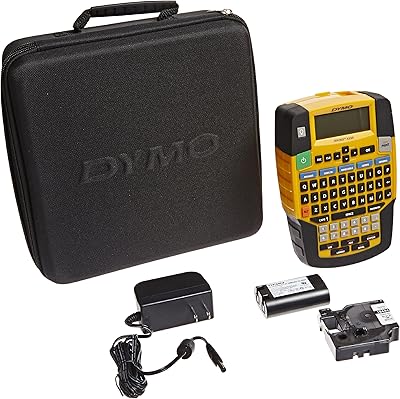
DYMO Rhino 4200 Industrial Label Maker Kit
77%
91%
Label Format Versatility
88%
Keyboard Usability
93%
Label Durability
86%
Ease of Use
78%
Battery Performance
More
DYMO LabelManager Plug N Play Label Maker
68%
93%
Ease of Setup
74%
Print Quality
68%
Value for Money
71%
Software & Interface
46%
Tape & Consumable Cost
More
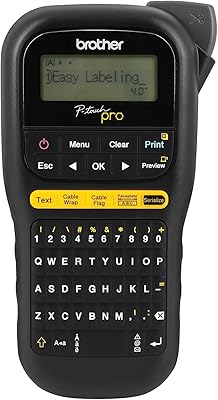
Brother P-touch PT-H111 Label Maker
79%
88%
Build Quality
93%
Label Durability
76%
Ease of Use
91%
Electrical Labeling Performance
86%
Portability
More
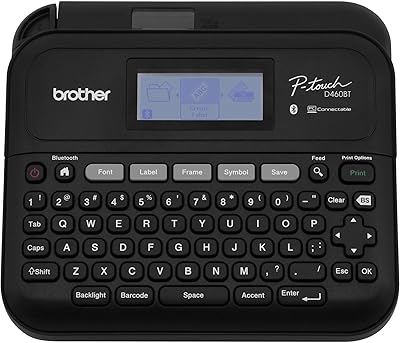
Brother PT-D460BT Bluetooth Label Maker
77%
88%
Bluetooth Connectivity
84%
Label Print Quality
76%
App Experience
89%
Tape Adhesion & Durability
71%
Value for Money
More
Brother PT-D610BTVP Label Maker
81%
91%
Print Quality
88%
TZe Tape Compatibility & Variety
72%
Bluetooth Connectivity
67%
App Experience (iPrint&Label)
86%
Label Memory & Reprinting
More
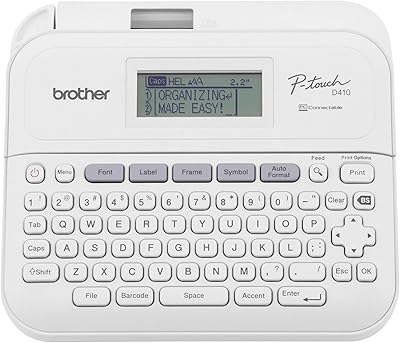
Brother P-Touch PT-D410
82%
88%
Build Quality
91%
Text Clarity
54%
Tape Efficiency
86%
Software Integration
72%
Portability
More
Sanco Industries 64oz USP Grade Vegetable Glycerin
83%
93%
Purity & Grade
89%
Value for Money
67%
Packaging Quality
88%
Texture & Consistency
94%
Odor & Color Neutrality
More
Brady M210 Portable Label Printer
85%
88%
Ease of Use
94%
Build Quality
91%
Durability
89%
Portability
86%
Label Print Quality
More
Catastrophic Industries Claymore Portable Bluetooth Speaker

80%
72%
Sound Quality
88%
Build Quality
83%
Waterproofing
76%
Battery Life
86%
Portability
More
Yeacomm YF325 Dual-SIM Industrial 4G LTE Router
74%
83%
Build Quality
87%
Connectivity Reliability
89%
Dual SIM Failover
58%
Setup & Configuration
47%
Web Management Interface
More

FAQ

No, it does not. The DYMO ID software that powers the PC-connected features of the DYMO Rhino 6000+ Industrial Label Maker is Windows-only. If your workflow is Mac-based, you can still use the Rhino 6000+ as a standalone device via its onboard keyboard, but you will lose access to complex label design, template management, and software-driven barcode creation.

Yes, the unit functions as a fully standalone label maker. The ABC keyboard, onboard display, and Hot Keys let you create and print labels directly on the device. You can also store up to 1,000 labels in memory and recall them without a PC. The computer connection is there for more complex design work, not as a requirement for basic use.

The Rhino 6000+ accepts DYMO Rhino-series tape cassettes up to 1-inch (24mm) wide, including vinyl, flexible nylon, self-laminating, and heat-shrink tube varieties. Third-party cassettes exist but compatibility and print quality can vary significantly — some users report feeding issues or faded output. For compliance-critical labeling, sticking with genuine DYMO cassettes is generally the safer call.

Yes, the Rhino 6000+ is designed to meet both ANSI and TIA/EIA-606-B structured cabling administration standards. That said, meeting the standard depends on using appropriate label materials and formats — the device supports the right tape widths, multi-line layouts, and barcode types to comply, but the installer still needs to follow the specification requirements for field placement and content.

The rechargeable lithium-ion battery is rated for reasonable field use, but some buyers report that real-world performance in colder environments or during heavy print sessions falls short of what the spec sheet suggests. Keeping the AC adapter on hand for shop-based work and reserving the battery for job-site runs is a practical approach. The dual-power design is genuinely useful here.

The main upgrades in the Rhino 6000+ are the wider maximum tape width (1-inch versus 3/4-inch), a larger label memory (1,000 versus 100 labels), and a broader barcode format library. If your work involves 1-inch nylon labels on patch panels or requires PDF-417 and QR code output, the step-up is justified. If you mostly do basic vinyl cable flagging with Code 39, the Rhino 5200 is a more cost-effective option.

It has a real learning curve, particularly if you want to build multi-line templates or configure barcode parameters. Most users find the basics approachable within a session, but mastering the template and serialization features takes more time. DYMO provides tutorial resources, and there are enough community walkthroughs online to get up to speed without too much frustration.

You can generate barcodes directly from the device without a PC — the onboard interface has barcode type selection built in. However, for complex barcode configurations, serialized sequences, or importing data from a spreadsheet, the DYMO ID software on a Windows PC gives you far more control and accuracy. For simple asset tags or sequential barcodes, the standalone mode works well.

Vinyl labels hold up well against moisture, mild chemicals, and moderate heat — they are a solid choice for electrical panels and standard cable runs. The flexible nylon cassette included in the kit is better suited for curved surfaces and environments with more physical flex or temperature variation. For extreme conditions like high heat near boilers or outdoor UV exposure, DYMO also offers specialized tape variants.

Buyers consistently rate the carry case as one of the better-executed parts of the kit. It is a rigid molded case with foam padding that keeps the unit, tape cassettes, and battery organized and protected during transport. It is not waterproof, so avoid leaving it exposed in heavy rain, but for daily movement between sites in a van or bag, it holds up well.

Where to Buy