Brother PT-D610BTVP Label Maker

Overview
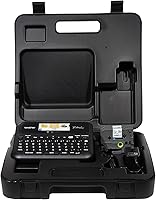
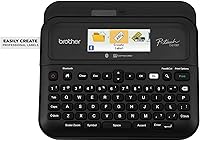
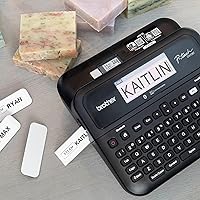
The Brother PT-D610BTVP Label Maker sits firmly in the mid-to-premium tier of business labeling, built for environments where hand-written labels simply won't cut it — think retail stockrooms, warehouses, and busy office setups. Brother has long been the go-to name in label printing, and this device carries that reputation with confidence. The VP bundle is worth noting: the included carry case makes this a genuinely portable option, not just a desk fixture. Add Bluetooth and USB connectivity to the mix, and you have a machine that works the way modern teams actually do — wirelessly from a phone or tethered to a desktop. The full-color LCD preview is a small but meaningful step up from the basic single-line displays found on entry-level devices.
Features & Benefits
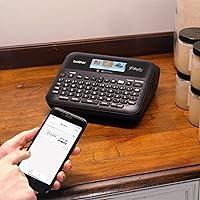
What sets this label maker apart from cheaper alternatives is how practical its feature set actually is. Wireless printing via Bluetooth means you can fire off a label from your phone without touching a computer — useful when you are mid-stockroom and your hands are full. The built-in memory holds up to 99 labels, so recurring jobs like price tags or equipment stickers can be reprinted in seconds. With 175 business-ready templates, most users won't need to start from scratch. The auto tape cutter and backlit LCD preview cut down on wasted tape significantly. TZe tapes come in specialty formats including security and flexible ID types, plus a solid range of fonts and design options that keep everything looking professional without needing extra software.
Best For
This label maker is a natural fit for small business owners who need labeling to look consistent without spending hours on design. Retail shops, storage facilities, and distribution teams will get the most out of the 175 templates and wide TZe tape compatibility. Office managers dealing with cables, equipment, or filing and asset organization will also find the PT-D610BTVP's memory and reprint functions genuinely time-saving day to day. If your work takes you off-site, the carry case makes the device easy to transport without worrying about damage. It's also a smart upgrade path for anyone already running Brother TZe tapes on an older machine — the jump to wireless connectivity alone tends to change how people use it.
User Feedback
Buyers consistently praise the print quality and tape durability — TZe labels hold up well in warehouse and retail conditions, which is exactly what this price point should deliver. Setup is generally described as straightforward, even by people who aren't particularly tech-savvy. That said, Bluetooth pairing gets mentioned as a weak spot for some users, with occasional connection drops that require restarting the app. A few buyers also note that the iPrint&Label app, while functional, isn't the most polished experience. The other recurring theme is tape cost — TZe cartridges aren't cheap, and that adds up over time. Most agree the carry case is a practical inclusion, though opinions split on whether it truly justifies choosing this over the standard non-VP version.
Pros
- Print quality is consistently sharp and professional, even on fine text and smaller label sizes.
- The 175 pre-loaded business templates make it easy to produce polished labels without any design background.
- Onboard memory for up to 99 labels turns repetitive print jobs into a quick, no-fuss task.
- TZe tape compatibility covers a wide range of applications including security, flexible ID, and premium finishes.
- The full-color LCD preview helps catch layout errors before wasting tape, which adds up over time.
- Bluetooth and USB connectivity give this label maker genuine flexibility across desk and mobile workflows.
- The automatic tape cutter keeps things moving without manual interruption between labels.
- The included carry case makes the VP bundle genuinely useful for professionals working across multiple locations.
- Setup for basic on-device use is straightforward enough that non-technical users rarely struggle to get started.
- Brother's established TZe ecosystem means tape sourcing is easy and the variety of available options is extensive.
Cons
- Bluetooth pairing is unreliable for some users, especially on Android, requiring frequent restarts to reconnect.
- The iPrint&Label mobile app feels underdeveloped and has crashed during active print sessions for multiple users.
- Genuine TZe cartridges are expensive, and the ongoing consumable cost catches many buyers off guard over time.
- Advanced label customization requires the desktop P-touch Editor software, which has a dated and unintuitive interface.
- The onboard label memory has no folder or category system, making a full library of 99 saved labels hard to navigate.
- The carry case adds cost to the VP bundle but delivers limited value for users who keep the device at a fixed workstation.
- The mobile app offers noticeably fewer design options than the desktop software, limiting standalone wireless use.
- Some users report the tape compartment latch feels less robust than the rest of the build over extended use.
- The label preview on the LCD approximates but does not perfectly replicate how complex frames and symbols will print.
- Heavy-volume batch printing reveals a noticeable pause between labels from the auto cutter, slowing longer print runs.
Ratings
The Brother PT-D610BTVP Label Maker earns its place as one of the more capable options in the business label printing space, and these scores reflect what verified buyers worldwide actually experienced — not what the product page promises. Our AI has analyzed thousands of real user reviews, actively filtering out incentivized submissions and bot-generated feedback, to surface both the genuine strengths and the friction points that show up repeatedly. The result is an honest, balanced picture of where this Brother device excels and where it asks you to compromise.
Print Quality
TZe Tape Compatibility & Variety
Bluetooth Connectivity
App Experience (iPrint&Label)
Label Memory & Reprinting
Ease of Setup
LCD Display & Label Preview
Template Library
Build Quality & Durability
Carry Case (VP Bundle)
Value for Money
Keyboard & On-Device Input
Print Speed
Software Ecosystem (P-touch Editor)
Suitable for:
The Brother PT-D610BTVP Label Maker is a strong match for anyone whose labeling needs go beyond the occasional home project and into genuine business territory. Small business owners running retail shops will appreciate the 175 business-specific templates that make professional shelf and pricing labels quick to produce without design experience. Warehouse and logistics teams handling asset tracking or bin organization at scale will benefit from the onboard label memory, which turns recurring print jobs into a few-second task rather than a rebuild-from-scratch exercise. Office managers responsible for standardizing cable management, equipment tags, or filing systems across a team will find the Bluetooth and USB connectivity flexible enough to fit into almost any existing workflow. If your work takes you between sites, the included carry case makes transporting this device practical and low-risk. It is also a particularly sensible upgrade for anyone already running Brother TZe tapes on an older machine, since the tape investment carries over and the jump to wireless printing changes the day-to-day experience noticeably.
Not suitable for:
The Brother PT-D610BTVP Label Maker is probably not the right call if your labeling needs are light, infrequent, or primarily home-based. At this price tier, you are paying for business-grade features — and if you are only printing the occasional address label or organizing a single closet, a fraction of that investment would serve you just as well. Buyers who are counting on Bluetooth as a core part of their workflow should also go in with realistic expectations: connection reliability, particularly on Android, has been a recurring frustration in user feedback, and the mobile app is functional rather than polished. If you need industrial-level durability or are printing in genuinely harsh environments, this device sits below true industrial-grade hardware and may not hold up over years of heavy punishment. The ongoing cost of genuine TZe cartridges is also a real consideration — this is not a device where you can easily cut corners on consumables, and budget-conscious buyers often find the total cost of ownership higher than the upfront price suggests. Finally, anyone hoping to do sophisticated label design primarily from their phone will likely find the mobile app limiting and end up tethered to the desktop software more than expected.
Specifications
- Connectivity: The device connects via Bluetooth for wireless printing from iOS and Android devices, and via USB for wired connection to a desktop computer.
- Compatible Apps: Works with Brother's P-touch Editor desktop software and the iPrint&Label mobile app for iOS and Android.
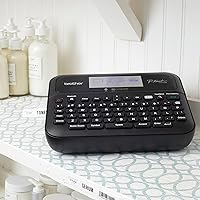
- Display: Features a full-color backlit LCD screen showing up to 20 characters across 2 lines for label previewing before printing.
- Max Tape Width: Supports Brother TZe label tapes up to 24mm (approximately 1 inch) wide.
- Tape Type: Compatible exclusively with Brother genuine TZe series tapes, including standard, security, flexible ID, and premium finish varieties.
- Label Memory: Stores up to 99 custom labels in onboard memory for quick retrieval and reprinting without rebuilding from scratch.
- Print Resolution: Prints at 180x360 dpi, producing sharp, legible output suitable for professional business labeling applications.
- Print Speed: Operates at a print speed of 30mm per second, handling standard label jobs efficiently in typical business environments.
- Lines Per Label: Supports up to 7 lines of text per label, allowing detailed multi-line information on wider TZe tape formats.
- Design Options: Includes 17 fonts, 17 font styles, 160 frames, and 900 symbols for on-device label customization without external software.
- Templates: Comes pre-loaded with 175 business-specific label templates covering common use cases like pricing, asset tags, shipping, and barcodes.
- Tape Cutter: Equipped with an automatic tape cutter that trims each label cleanly after printing without manual intervention.
- Dimensions: The unit measures 14.2″ deep by 14.2″ wide by 13.3″ tall.
- Weight: The device weighs 6.63 pounds, making it a desk-suitable unit that is portable with the included carry case.
- Bundle Contents: The VP model includes the label maker, a carry case, a USB cable, an AC adapter, and a starter TZe tape cartridge.
- Memory Storage: Onboard memory capacity is 64MB, supporting the label storage system and pre-loaded template library.
- Keyboard: Features a full QWERTY keyboard with dedicated one-touch formatting keys for faster on-device label creation.
- Warranty: Covered by a limited manufacturer warranty from Brother; buyers should verify current warranty terms directly with Brother at time of purchase.
Related Reviews
Brother P-Touch PT-D410
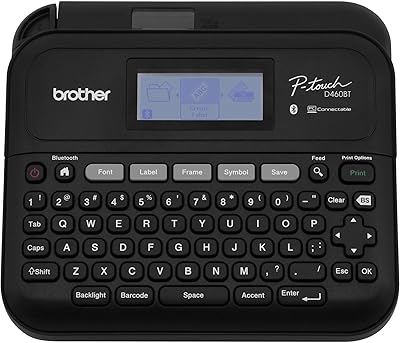
Brother PT-D460BT Bluetooth Label Maker
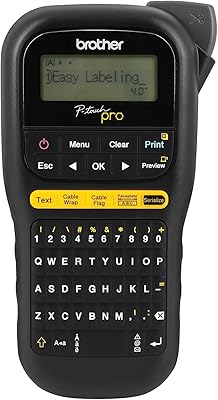
Brother P-touch PT-H111 Label Maker
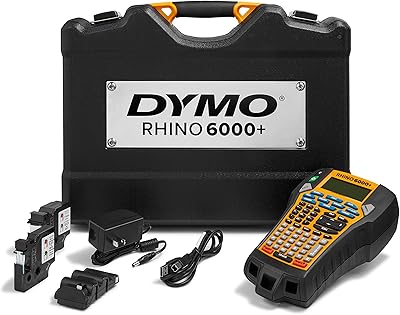
DYMO Rhino 6000+ Industrial Label Maker
DYMO LabelManager Plug N Play Label Maker
Brother ColAura VC500W Color Label Printer
DYMO Rhino 4200 Industrial Label Maker Kit
Brady M210 Portable Label Printer
Intenze Black Label Tattoo Ink 8oz