
Overview
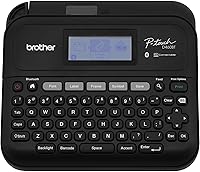
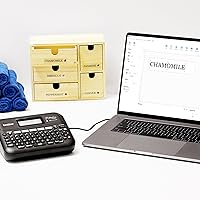
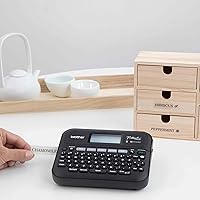
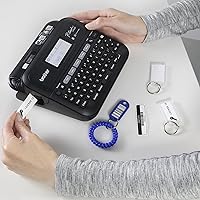
The Brother PT-D460BT Bluetooth Label Maker sits comfortably in the mid-range of Brother's lineup — practical enough for a busy office, capable enough to make basic handheld models feel dated. Introduced in 2022, it targets small business owners and office staff who want more than a standalone device but don't need industrial-grade output. It connects wirelessly to iOS and Android phones via the iPrint&Label app, or plugs into a PC via USB using P-touch Editor software. The display is backlit and monochrome, tape cuts are manual, and prints max out at 18mm wide — all reasonable for the price point.
Features & Benefits
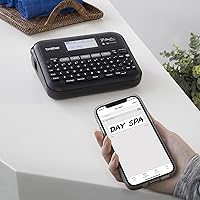
What sets the PT-D460BT apart from simpler Brother models is genuine app-driven workflow. Pull up iPrint&Label on your phone, design a label in under a minute, and it prints without ever touching a keyboard. The onboard memory holds up to 70 saved templates — useful if you're reprinting the same shelf tags or cable labels week after week. Design options are generous: 16 fonts, hundreds of symbols, and 40 auto-format templates cover most office needs without feeling overwhelming. Print speed is 30mm per second at 180 dpi, which is competent for light-to-moderate workloads but won't impress anyone printing in bulk. The broad TZe tape range makes swapping in color-coded or specialty tapes easy.
Best For
This Bluetooth label printer is a natural fit for office managers who spend time organizing filing systems, labeling cables, or marking shelving — basically anyone printing labels in small-to-medium batches who'd rather do it from a phone than a dedicated keyboard. Small business owners who've outgrown a basic handheld model will find the app connectivity genuinely useful rather than just a marketing feature. It's also well-suited for home organizers who want professional-looking labels without a steep learning curve. If your team regularly reprints the same labels, the saved template memory alone justifies the upgrade. Already using Brother TZe tapes? Even better — no need to switch ecosystems.
User Feedback
Across nearly 300 ratings, this label maker holds a 4.6-star average — a score reflecting consistent satisfaction rather than outlier enthusiasm. Most buyers highlight two things: reliable Bluetooth pairing and strong tape adhesion that holds up in real office environments. On the flip side, the manual tape cutter draws some grumbling — it's a small friction point that auto-cut models don't have, and worth knowing before you buy. A few users found the P-touch Editor software took some getting used to on first install. One note that comes up regularly: TZe tape cartridges add up over time, so factor that into your long-term cost picture. Overall, complaints are minor and satisfaction runs high.
Pros
- Bluetooth pairing with iOS and Android is reliable and takes under a minute to set up
- The iPrint&Label app makes designing labels from your phone straightforward, even without tech savvy
- Onboard storage for up to 70 templates is a genuine time-saver for teams with repeat labeling needs
- TZe tape adhesion is strong and consistent — labels stay put on shelves, cables, and bins
- A wide selection of fonts, styles, frames, and symbols gives you real design flexibility for an office-grade device
- USB connectivity to PC and Mac means you are not locked into the app if you prefer working from a computer
- Compact enough to sit on a desk without taking up significant space
- 4.6-star average across nearly 300 reviews reflects consistent, real-world satisfaction
- Works with the broad TZe tape ecosystem, making it easy to switch between tape colors and materials
- Backlit display is readable without needing to position the device near a window or bright lamp
Cons
- Manual tape cutter slows things down and requires an extra step after every single label
- Print speed of 30mm per second is not suited for anyone printing in bulk or under time pressure
- P-touch Editor software has a noticeable learning curve for first-time users on PC
- TZe tape cartridges are a recurring expense that significantly raises the true long-term cost of ownership
- No auto-cut function, which is a standard feature on several competing models in a similar price range
- Monochrome output limits design options — colored labels require buying specific tape backgrounds, not ink
- App functionality depends on your phone's Bluetooth stability, which can vary across devices and operating systems
- Not built for demanding environments where the device itself needs to withstand drops, dust, or moisture
Ratings
The scores below for the Brother PT-D460BT Bluetooth Label Maker were generated by AI after analyzing verified buyer reviews from multiple global markets, with spam, bot-generated, and incentivized feedback actively filtered out before scoring. Each category reflects the honest consensus of real users across a range of experience levels and use cases — strengths and frustrations alike are represented as they actually appear in the data.
Bluetooth Connectivity
Label Print Quality
App Experience
Tape Adhesion & Durability
Value for Money
Ease of Setup
P-touch Editor Software
Print Speed
Tape Cutter
Build Quality
Design Versatility
Template Memory
Compatibility
Portability
Suitable for:
The Brother PT-D460BT Bluetooth Label Maker is a strong fit for anyone who needs to produce clean, professional labels regularly without the hassle of sitting down at a desktop every time. Office managers organizing file cabinets, supply rooms, cable runs, or equipment racks will find the phone-based workflow genuinely practical — design a label on your phone, walk to the shelf, print it on the spot. Small business owners who've been getting by with a basic handheld model and keep wishing for more control over fonts, layout, and saved templates will feel the upgrade immediately. It's equally well-suited for organized home users who want something that looks and functions more professionally than a toy-grade label printer, but without the complexity of an enterprise system. Teams that reprint the same labels repeatedly — think retail shelf tags, event signage, or storage bins — get real value from the 70-template onboard memory. And if you're already using Brother TZe tapes in your office, this device slots into your existing setup without requiring you to buy into a new tape format.
Not suitable for:
The Brother PT-D460BT Bluetooth Label Maker is not the right call for buyers who need high-volume, fast-paced label production. At 30mm per second, the print speed is perfectly adequate for occasional to moderate use, but anyone printing dozens or hundreds of labels in a single session will feel the pace. The manual tape cutter — while functional — becomes a real friction point when you're trimming label after label, and buyers who've used auto-cut machines will notice the difference immediately. This device is also monochrome only, so if your workflow demands color-printed labels, you'll need to look elsewhere or rely on colored tape backgrounds rather than printed color. It's not a fit for heavy industrial or warehouse environments where durability of the device itself matters as much as the labels it produces. Buyers on a tight ongoing budget should also think carefully: TZe tape cartridges are a recurring cost, and that adds up faster than most people expect when they first buy the device.
Specifications
- Connectivity: Connects to smartphones and tablets via Bluetooth and to PC or Mac via USB.
- Compatible Apps: Works with the iPrint&Label app on iOS and Android, and with P-touch Editor software on PC and Mac.
- Max Tape Width: Supports TZe label tapes up to 18mm (approximately 3/4 inch) wide.
- Tape Type: Uses Brother TZe laminated tape cartridges, available in a wide range of colors and materials.
- Print Speed: Prints at 30mm per second, suitable for light to moderate office labeling workloads.
- Print Resolution: Produces monochrome labels at 180 dpi, which is adequate for clear text and basic graphics.
- Display: Features a backlit monochrome display for visibility in typical indoor office conditions.
- Label Memory: Stores up to 70 label templates in onboard memory for convenient repeat printing.
- Print Lines: Supports up to 5 lines of text per label, allowing for detailed labeling in a compact format.
- Design Options: Includes 16 fonts, 7 font sizes, 15 font styles, 140 frames, 800-plus symbols, and 40 auto-format templates.
- Tape Cutter: Equipped with a manual tape cutter; there is no automatic cutting mechanism on this model.
- Print Output: Prints in monochrome only, producing black text and graphics on the chosen tape background color.
- Compatible Devices: Designed for use with PC, Mac, iOS smartphones and tablets, and Android smartphones and tablets.
- Dimensions: Measures 12.3 x 8.9 x 3.9 inches, making it a compact desktop device suitable for most office workspaces.
- Weight: Weighs 1.69 pounds, light enough to move between workstations or storage areas with minimal effort.
- Model Series: Part of Brother's PTD460 series, positioned in the upper tier of their consumer and small-business label maker range.
- Warranty: Covered by a Brother limited warranty; buyers should verify current terms directly with Brother at time of purchase.
- Date Available: First became available in July 2022, representing a relatively recent addition to Brother's connected label maker lineup.
Related Reviews
Brother PT-D610BTVP Label Maker
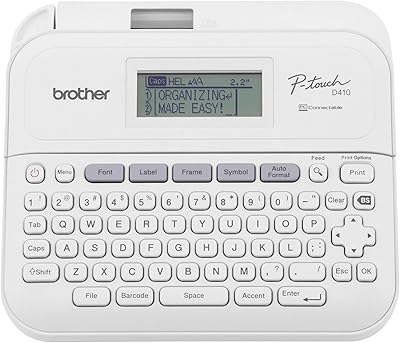
Brother P-Touch PT-D410
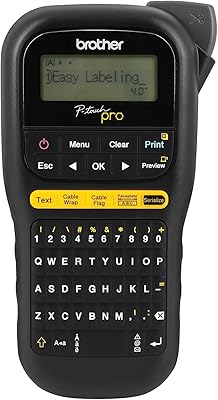
Brother P-touch PT-H111 Label Maker
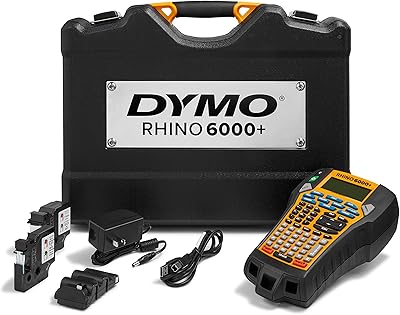
DYMO Rhino 6000+ Industrial Label Maker
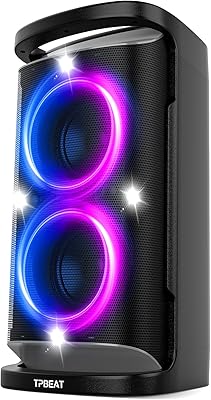
QxbJoy PT-01 Portable Bluetooth Speaker
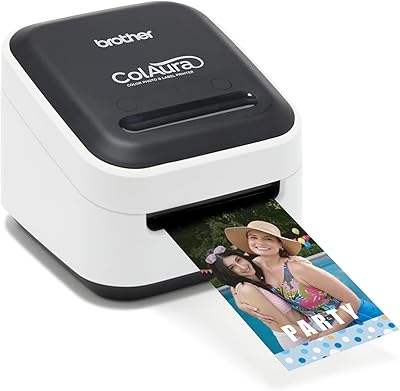
Brother ColAura VC500W Color Label Printer
DYMO LabelManager Plug N Play Label Maker
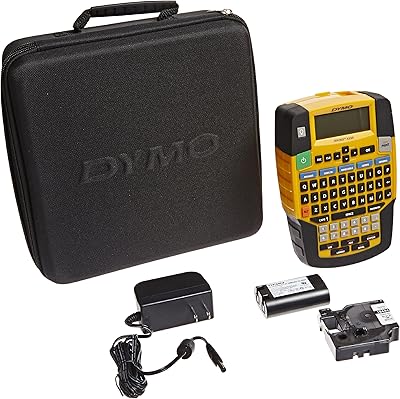
DYMO Rhino 4200 Industrial Label Maker Kit
Amazfit Up Open-Ear Wireless Earbuds