Overview

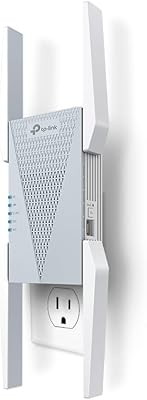
The Drunken CF-XR185 Wi-Fi 6 Range Extender arrived on the market in mid-2025, positioning itself as a capable mid-range option for households tired of dead zones in far corners of their home. The brand name might raise an eyebrow, but the specs tell a more straightforward story: dual-band AX2400 coverage with a claimed reach of up to 12,000 square feet. That's an ambitious number, worth treating with healthy skepticism until real-world use backs it up. One important thing to clarify upfront — this is a repeater, not a mesh node, so expect some speed reduction compared to your primary router. That said, EasyMesh compatibility gives it a real advantage for users already running a mesh-friendly setup.
Features & Benefits

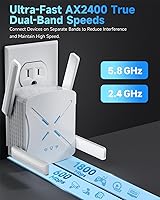
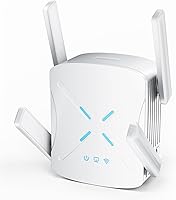
Running on Wi-Fi 6 (802.11ax), this Wi-Fi 6 extender splits its work across two bands: the 5GHz channel handles video calls and streaming, while 2.4GHz keeps smart home devices ticking along without crowding the faster lane. The AX2400 throughput figure is a theoretical ceiling — real-world speeds depend heavily on placement, interference, and distance from your router. The Gigabit Ethernet port is a genuinely useful addition, letting you hardwire a desktop or console for a stable, low-latency connection. Setup is handled via WPS or a smartphone app, so no networking knowledge is required. The inclusion of WPA3 encryption means your extended network isn't lagging behind on security, either.

Best For

This range booster makes the most sense for homeowners dealing with large, multi-story layouts or homes with thick concrete and brick walls that chew through wireless signals. It's a natural fit for anyone on a fiber connection who wants to push coverage out to a detached garage, backyard patio, or home office without running cables. Smart home users juggling dozens of devices — cameras, speakers, smart displays — will appreciate the dual-band separation keeping IoT traffic off the faster lane. If you want Wi-Fi 6 capability without rebuilding your entire network around a new mesh system, the CF-XR185 offers a simpler path forward. It's plug-and-play, no router replacement necessary.

User Feedback

With a 4.4-star average across nearly 700 ratings, the CF-XR185 has gathered a reasonably positive reception for a product that only launched a few months ago — though the reviewer pool is still growing, so treat the consensus as early-stage. The most consistent praise centers on ease of setup and real, noticeable signal improvement in previously weak areas of the home. On the flip side, several users flag the expected wireless speed drop that comes with repeater mode, and a handful note that placement matters more than the packaging implies — too far from the router and performance drops off sharply. Long-term reliability data is still limited given the recent launch, so it's worth revisiting buyer feedback over time.

Pros

  • Wi-Fi 6 support delivers a real-world improvement over older extenders at a comparable price point.
  • WPS pairing is fast and reliable — most users are online within three minutes, no technical knowledge needed.
  • The Gigabit Ethernet port lets you hardwire a desktop or console for a stable, low-latency connection.
  • Dual-band operation keeps IoT devices off the faster 5GHz lane, reducing congestion across busy households.
  • WPA3 encryption provides stronger security than the WPA2 standard still found on many competing extenders.
  • EasyMesh compatibility enables clean device roaming for households already on a mesh-friendly router.
  • Compact and surface-friendly design allows flexible placement rather than locking you to a wall outlet.
  • 4.4-star average across nearly 700 ratings suggests consistent real-world satisfaction for typical home use cases.
  • Coverage improvements in garages, backyards, and multi-floor dead zones are widely confirmed by actual buyers.

Cons

  • Repeater mode cuts wireless throughput by roughly half compared to the main router — unavoidable with this architecture.
  • Placement is more sensitive than the packaging suggests; too far from the router and performance drops sharply.
  • The 12,000 sq ft coverage claim is an ideal-conditions figure that many users in concrete or heavily furnished homes cannot realistically achieve.
  • Only one Ethernet port means you cannot hardwire multiple devices simultaneously without buying a separate switch.
  • Band steering does not always work reliably, with some devices stubbornly connecting to the slower 2.4GHz band.
  • The companion app offers little beyond initial setup — no traffic prioritization, parental controls, or per-device insights.
  • Drunken has no established history of firmware updates or responsive after-sales support, raising long-term reliability questions.
  • The plastic housing runs noticeably warm during extended use, which could be a concern in enclosed or poorly ventilated spaces.
  • The reviewer pool is still relatively young given the July 2025 launch, so long-term durability data remains limited.

Ratings

The Drunken CF-XR185 Wi-Fi 6 Range Extender has been scored by our AI system after analyzing verified buyer reviews from global marketplaces, with spam, bot-generated, and incentivized submissions actively filtered out. Across nearly 700 ratings, the picture that emerges is largely positive for everyday home use, though a handful of recurring pain points keep it from being a clean sweep. The scores below reflect both what this range booster does well and where real users have run into frustration.
Signal Coverage
78%
22%
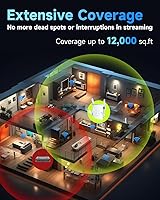
Most buyers in two-story homes or properties with detached garages report a meaningful improvement in previously dead areas. Thick interior walls that used to kill the signal become far more manageable with the CF-XR185 positioned in a central hallway or near a staircase.
The 12,000 sq ft coverage claim is best treated as an ideal-conditions ceiling. Reviewers in homes with concrete block construction or heavy appliance interference report the effective range dropping noticeably, sometimes falling short of expectations set by the marketing copy.
Wireless Speed Performance
67%
33%
On the 5GHz band, users on fiber connections report solid throughput for 4K streaming and video calls when the extender is placed within a reasonable distance of the main router. The Wi-Fi 6 standard does provide a real-world improvement over older extenders at similar price points.
The inherent half-duplex limitation of repeater mode means speeds are noticeably lower than what the primary router delivers. Several reviewers measured roughly a 40 to 50 percent drop in throughput over wireless backhaul, which is normal for repeater operation but still disappoints users expecting near-router performance.
Ease of Setup
91%
Setup is one of the most consistently praised aspects across the review pool. WPS pairing typically completes in under three minutes, and users with no networking background report successfully connecting the extender without consulting a manual or watching a tutorial video.
A small segment of reviewers encountered WPS pairing failures with certain older routers, requiring a fallback to the app-based method. The companion app, while functional, received a few complaints about unclear prompts during the initial network scan step.
Ethernet Port Utility
88%
The Gigabit Ethernet port is a practical bonus that sets this unit apart from many extenders in this price range. Home office users who plugged a desktop directly into the port reported stable, low-latency connections that performed noticeably better than staying on the extended wireless network.
There is only one Ethernet port, which limits flexibility if you want to hardwire multiple devices simultaneously. Users hoping to connect both a smart TV and a gaming console via cable will need a separate switch, adding cost and complexity.
EasyMesh Compatibility
83%
For households already running an EasyMesh-compatible router, this range booster integrates cleanly without requiring a separate SSID or manual band switching. Buyers upgrading from older Wi-Fi 5 extenders noted a tangible improvement in how devices hand off between the router and the CF-XR185 while moving around the home.
EasyMesh functionality is dependent on the main router also supporting the standard, which not all budget or ISP-provided routers do. Users on non-compatible routers lose this benefit entirely and operate the unit as a standard repeater with a separate network name.
Dual-Band Management
74%
26%
Having dedicated 2.4GHz and 5GHz bands running simultaneously helps households with a mix of newer laptops and older smart home gadgets. IoT devices like smart plugs and sensors connect to the slower band without competing for bandwidth with devices that need it more.
Band steering — the automatic process of moving a device to the optimal band — is not always reliable according to reviewers. Some users noted their laptops stubbornly latching onto the 2.4GHz band during initial connection, requiring a manual override through their device settings.
Security (WPA3)
86%
WPA3 support is a genuine step up from the WPA2 standard still found on many competing extenders at this price point. For users handling sensitive home office work or online banking over the extended network, the stronger encryption provides real peace of mind.
A handful of reviewers with older client devices noted compatibility hiccups when WPA3 was the only enabled mode. Toggling to WPA2/WPA3 mixed mode resolved the issue, but the initial troubleshooting process was not well-documented in the included setup materials.
Build Quality & Design
71%
29%
The extender has a compact, unobtrusive profile that fits neatly on a shelf or surface without drawing attention. At just over 15 ounces, it feels solid enough, and the white finish blends with most home interiors without looking out of place.
The plastic housing feels closer to budget-tier than mid-range when handled directly. A few users noted the unit runs noticeably warm during extended use, and while no failures were reported from heat alone, it raised questions about long-term durability in poorly ventilated spots.
Device Capacity
76%
24%
Smart home households running a dozen or more connected devices generally report stable simultaneous connections. Camera feeds, smart speakers, and streaming sticks all coexist without the kind of network congestion that plagued older single-band extenders.
The claim of supporting 99-plus devices simultaneously is a theoretical figure. Reviewers who pushed past 20 to 25 active connections reported some degradation in responsiveness, particularly on the 2.4GHz band where older IoT devices tend to cluster.
Placement Flexibility
63%
37%
The unit is surface-mounted rather than wall-plug, which gives users more freedom to position it at optimal signal crossover points — on a bookshelf between floors, for instance, rather than locked to wherever an outlet happens to be.
That flexibility comes with a trade-off: optimal placement is more sensitive than the packaging implies. Reviewers who placed the extender too far from their router to reach a distant dead zone reported disappointing results, and finding the right spot requires some trial and error.
Value for Money
79%
21%
Compared to the cost of a full mesh system upgrade, this range booster delivers Wi-Fi 6 capability and Gigabit Ethernet at a price point accessible to most households. For users who just need to fix one or two dead zones rather than rebuild their entire network, it represents reasonable value.
At this price, buyers are not far from entry-level mesh systems that would eliminate the repeater speed penalty entirely. Those who prioritize throughput over simplicity may find themselves wishing they had stretched the budget slightly rather than choosing the extender route.
Long-Term Reliability
69%
31%
Early adopters from the July 2025 launch report no major stability issues over the first few months of use. Units have maintained consistent uptime without frequent reboots or disconnection events that often plague lower-quality extenders.
The product has only been on the market since mid-2025, so the reliability picture is still forming. There is limited data on how the hardware holds up beyond six months, and Drunken as a brand does not yet have an established track record for long-term firmware support or warranty service.
App & Software Experience
66%
34%
The smartphone app covers the essentials: initial setup, connected device list, and basic signal diagnostics. For users who just want to get online quickly, it does the job without requiring any technical background.
Beyond setup, the app offers limited ongoing utility. There are no advanced traffic management tools, parental controls, or detailed per-device speed insights that more established brands provide. Power users will likely find the software experience underwhelming after the initial configuration.
Brand Credibility
58%
42%
Despite being an unfamiliar name, Drunken appears to have invested in delivering a hardware spec sheet that competes with better-known brands at this tier. The 4.4-star average across a growing reviewer pool suggests the product is at least performing as described for most buyers.
Brand recognition and after-sales confidence remain genuine concerns. With no established history of firmware updates, customer service responsiveness, or warranty claims processing, buyers are taking on more uncertainty than they would with a Netgear, TP-Link, or ASUS equivalent.

Suitable for:

The Drunken CF-XR185 Wi-Fi 6 Range Extender is a practical pick for homeowners who have already accepted that their router simply cannot reach every corner of a large house on its own. If you live in a two-story home, a property with a detached garage, or a space with brick or concrete walls that eat through wireless signals, this range booster gives you a legitimate fix without tearing out your existing network setup. It works especially well for households loaded with smart home gadgets — cameras, speakers, smart displays — where the 2.4GHz band can absorb IoT traffic while faster devices claim the 5GHz lane. Fiber internet subscribers who want to push decent speeds out to a backyard office or workshop will find the Gigabit Ethernet port genuinely useful for hardwiring a workstation. People who want a quick, low-hassle upgrade without touching their router configuration will appreciate the WPS setup process, which most users complete in just a few minutes.

Not suitable for:

The Drunken CF-XR185 Wi-Fi 6 Range Extender is not the right call for anyone who needs to maintain near-router speeds throughout their entire home — the repeater architecture means wireless throughput will drop, often by 40 to 50 percent, compared to what your main router delivers. If you are a competitive gamer or regularly transfer large files wirelessly, that speed reduction will be noticeable and frustrating regardless of how well the unit is placed. Buyers in smaller apartments or homes under 2,000 square feet are also unlikely to see a meaningful return on this purchase, since a good router alone typically covers those spaces without help. If brand trust and long-term firmware support matter to you, the CF-XR185 comes from a manufacturer with no established track record yet, which is a real concern for a device you expect to run reliably for years. And if your router does not support EasyMesh, you lose one of the standout features entirely, leaving you with a capable but more conventional repeater.
Specifications

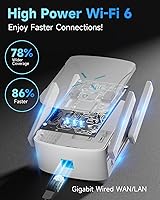
  • Wi-Fi Standard: Operates on Wi-Fi 6 (802.11ax), the current-generation wireless standard offering improved efficiency and reduced congestion compared to Wi-Fi 5.
  • Combined Throughput: Rated at AX2400, representing a theoretical combined maximum of 2400Mbps across both bands under ideal lab conditions.
  • Frequency Bands: Dual-band configuration covering both 2.4GHz for longer range and IoT devices, and 5GHz for bandwidth-intensive tasks like streaming and video calls.
  • Coverage Area: Manufacturer claims coverage of up to 12,000 sq ft, though real-world results vary depending on wall materials, interference, and placement.
  • Ethernet Port: Includes one Gigabit Ethernet port, suitable for hardwiring a desktop computer, gaming console, or smart TV for a more stable wired connection.
  • Security Protocol: Supports WPA3 encryption, the latest Wi-Fi security standard, offering stronger protection than the WPA2 found on many older or lower-priced extenders.
  • Setup Methods: Compatible with WPS one-button pairing and smartphone app-based configuration, both designed for users without a networking background.
  • Mesh Compatibility: Supports the EasyMesh standard, allowing integration into an existing EasyMesh-compatible network for improved device roaming across access points.
  • Device Capacity: Rated to handle connections from 99 or more devices simultaneously, though real-world throughput per device decreases as active connections increase.
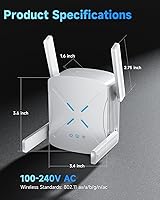
  • Dimensions: Measures 6.38 x 4.57 x 2.91 inches, a compact footprint suitable for shelf or surface placement in a hallway, stairwell, or open living area.
  • Weight: Weighs 15.2 oz, making it easy to reposition during placement testing without tools or mounting hardware.
  • Color: Available in white, a neutral finish that blends into most home interiors without drawing attention.
  • Model Number: Carries the official model designation CF-XR185, used for warranty registration, firmware updates, and technical support identification.
  • Manufacturer: Produced by Drunken, a manufacturer that entered the home networking market with this model in mid-2025.
  • Availability Date: First made available for purchase in July 2025, making it one of the newer Wi-Fi 6 extender releases in its price category.
  • Operation Mode: Functions as a wireless repeater, rebroadcasting the existing router signal rather than acting as a dedicated mesh node, which means wireless backhaul speeds are reduced.
  • Reset Method: Factory reset is performed by pressing and holding the dedicated reset button for 8 seconds, restoring the unit to its default out-of-box state.
  • Optimal Placement: Manufacturer recommends positioning the extender between 10 and 40 feet from the primary router to balance signal reception and extended coverage range.

Related Reviews
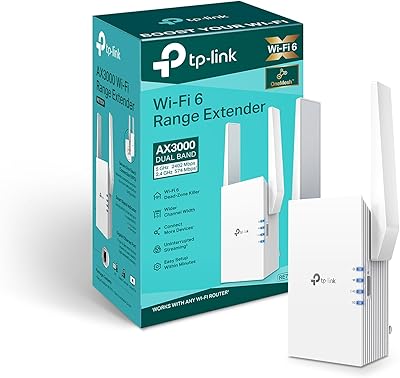
TP-Link RE705X Wi-Fi 6 Range Extender
84%
89%
Performance
87%
Wi-Fi Coverage Range
93%
Ease of Setup
85%
Connectivity Reliability
70%
App Experience
More
D-Link AX1800 Mesh Wi-Fi 6 Range Extender
84%
90%
Wi-Fi Range and Coverage
85%
Setup and Installation
88%
Device Compatibility
80%
Wi-Fi Speed and Stability
93%
Security Features
More
TP-Link RE813XE Wi-Fi 6E Range Extender
86%
91%
Performance
89%
Wi-Fi Coverage
81%
Ease of Setup
95%
Compatibility with TP-Link Routers
88%
Streaming & Gaming Performance
More
TP-Link TL-WA860RE Wi-Fi Range Extender
86%
95%
Ease of Setup
84%
Performance in Larger Homes
90%
Wi-Fi Range Extension
88%
Reliability
85%
Build Quality
More
Cudy RE3000 AX3000 Wi-Fi 6 Extender
74%
88%
Setup & Ease of Use
76%
Wi-Fi Coverage
67%
5 GHz Band Performance
81%
2.4 GHz Band Reliability
63%
Real-World Speed Throughput
More
TP-Link RE403BE BE6300 Wi-Fi 7 Range Extender
79%
81%
Wireless Performance
78%
Coverage Range
84%
Setup & Installation
91%
2.5G Ethernet Port
73%
EasyMesh Integration
More
TP-Link RE223BE Wi-Fi 7 Range Extender
81%
88%
Coverage & Dead Zone Elimination
71%
Wi-Fi 7 Feature Implementation
91%
Setup & Ease of Use
67%
Real-World Throughput
78%
Build Quality & Design
More
TP-Link RE370K Smart Plug & Wi-Fi Range Extender
85%
92%
Setup and Installation
84%
Wi-Fi Performance and Coverage
88%
Voice Control Integration
80%
App Usability (Kasa)
75%
Reliability and Connection Stability
More
TP-Link RE653BE Wi-Fi 7 Range Extender
80%
88%
Wireless Performance
83%
Wi-Fi 7 Feature Depth
79%
Coverage Range
93%
Ethernet Port Utility
86%
Setup & App Experience
More
TP-Link TL-WPA7817 Powerline Wi-Fi 6 Extender Kit
86%
88%
Wi-Fi Performance
94%
Setup & Installation
91%
Value for Money
85%
Powerline Range
89%
Dual-Band Speeds
More

FAQ

The CF-XR185 is designed to work with any standard Wi-Fi router regardless of brand. You can connect it via WPS or the app-based setup without any special router configuration. The EasyMesh feature requires your router to also support that standard, but basic repeater functionality works universally.

This is one of the most important things to understand before buying. Because it operates as a repeater, the extender receives a signal from your router and then rebroadcasts it — and that process roughly halves the available wireless throughput. In practical terms, if your router delivers 400Mbps in a nearby room, expect somewhere around 150 to 200Mbps through the extender depending on placement and conditions. Wiring a device directly into the Gigabit Ethernet port avoids this penalty and gives you the best speeds this unit can deliver.

Treat that number as a best-case scenario rather than a guarantee. In open floor plans with minimal obstructions, you may get close to it. However, concrete block walls, brick construction, multiple floors, and appliance interference all reduce effective range significantly. Most reviewers in typical suburban homes report solid coverage improvements, but few are working with anything close to 12,000 square feet.

By default, the extender creates its own network name (SSID), which means your devices may not automatically switch between the router and extender as you move around your home. If your router supports EasyMesh, you can configure the extender to share the same SSID and enable seamless roaming. Without EasyMesh, you can still manually assign the same network name and password during setup, though device handoff between access points will not be as automatic.

Yes, and honestly this is one of the better reasons to choose this extender over models without a wired port. Connecting a desktop or console directly via Ethernet bypasses the wireless speed reduction entirely, giving you a stable, lower-latency connection. Just keep in mind there is only one port, so you can only hardwire one device at a time without adding a separate network switch.

Setup is one of the most consistently praised aspects of this range booster. The WPS method involves pressing a button on your router and a button on the extender — most users are connected within two to three minutes. If your router does not have WPS, the smartphone app walks you through a straightforward scan-and-connect process. Either way, you do not need any networking knowledge to get it running.

The sweet spot is roughly halfway between your router and the dead zone you are trying to fix — ideally within 10 to 40 feet of the router so it receives a strong signal to rebroadcast. Avoid tucking it behind large appliances, inside cabinets, or in corners, as all of those cut range. If you can place it in a central hallway or at the top of a staircase, you will typically get the best coverage spread across multiple rooms or floors.

Wi-Fi 6 is fully backward compatible, so your older laptops, phones, and smart home devices will all connect without any issues. They will simply connect at the speed their hardware supports rather than the faster Wi-Fi 6 rates. Wi-Fi 6 devices on the same network will benefit from improved efficiency and reduced congestion, especially in households running many devices simultaneously.

WPA3 is available on this extender and represents a genuine security improvement over WPA2. However, a small number of older client devices have compatibility issues connecting to a network running WPA3-only mode. If you run into connection problems with an older laptop or smart home gadget, switching the security setting to WPA2/WPA3 mixed mode typically resolves the issue without sacrificing protection for your newer devices.

Press and hold the reset button on the unit for 8 seconds — the extender will reboot and return to its factory default state. After that, you will need to go through the setup process again as if it were new. This is also a useful first step if you move the extender to a new location or switch to a different router and need to pair it fresh.