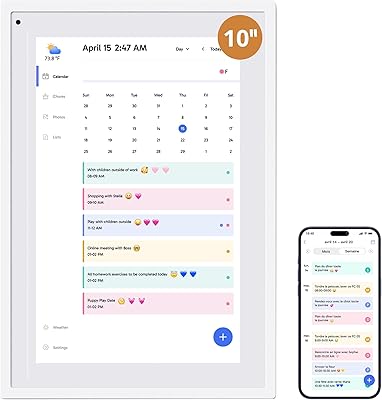
Dragon Touch TM15 15.6″ Smart Family Calendar Display





Overview
The Dragon Touch TM15 15.6″ Smart Family Calendar Display is built for households that have outgrown sticky notes and paper calendars stuck to the fridge. Positioned as a central scheduling hub rather than a simple digital photo frame, this smart family display mounts on a wall or sits on a desk — wherever it makes the most sense for your home. The 15.6-inch full HD touchscreen is sharp and large enough to read from across a kitchen. Launched in late 2024, it quickly climbed into the top 100 in its Amazon category. At its premium price point, it clearly targets families who want something far more functional than a basic frame.
Features & Benefits
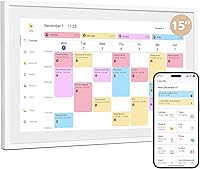
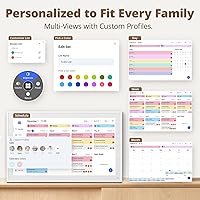
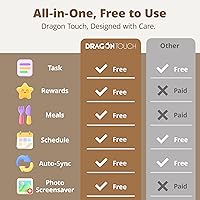
Color-coded scheduling is where this wall-mounted family planner earns its place. Each family member gets their own color, so at a glance you can see who has soccer practice, a dentist appointment, or a work deadline — no scrolling required. It syncs with Google and Apple calendars automatically via the eCalendar app, so whatever is already on your phone appears on screen without re-entering anything. The interactive chore chart lets parents assign tasks to kids by name, and a built-in dinner planner answers that nightly question before anyone thinks to ask. Core features like the grocery list are free; some advanced tools, including Magic Import, require a paid upgrade worth considering before buying.
Best For
This smart family display is a natural fit for households with kids, multiple overlapping schedules, and a real need to keep everyone informed without relying on group texts and last-minute reminders. It works especially well for parents who already use Google Calendar or Apple Calendar — the automatic sync removes friction entirely. Families wanting a dedicated household hub in a kitchen or hallway will get the most from it. If you want one mounted screen that handles scheduling, chores, meal planning, and a photo slideshow, this covers that ground well. It's less suited for individuals or couples with minimal scheduling demands, where the feature depth would go largely unused.
User Feedback
Early buyers are largely positive about how fast the Dragon Touch calendar screen gets up and running — connect to Wi-Fi and the sync happens quickly, with little setup friction. Touchscreen accuracy and display brightness draw consistent praise in typical home lighting. On the downside, some users report that the eCalendar app can be slow to push updates, and the line between free and paid features surprises buyers who expected the full package out of the box. The fiberboard housing is the most common build quality concern — at this price tier, a handful of buyers feel the casing does not match the quality of the screen itself. The chore chart earns early enthusiasm from kids, though long-term engagement appears mixed.
Pros
- Automatic sync with Google and Apple calendars means the display stays current without manual input.
- Color-coded scheduling makes it genuinely easy to see each family member's day at a quick glance.
- The 15.6-inch 1080p screen is sharp and readable from across a room in normal home lighting.
- Setup is fast — most users are up and running within minutes of opening the box.
- Wall and desk mounting options give real flexibility for different home layouts.
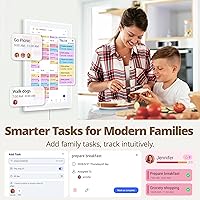
- The chore chart allows task assignment by individual family member, not just a generic shared list.
- Remote management via the mobile app lets parents update schedules and grocery lists from anywhere.
- The dinner planner reduces daily back-and-forth about meals in a surprisingly practical way.
- Core features including the chore chart, dinner plan, and grocery list are available without a paid subscription.
- The photo slideshow mode makes the screen useful even when no one is actively checking the calendar.
Cons
- The fiberboard casing feels lightweight and cost-cut for a device at this price point.
- Calendar sync delays can leave the display showing outdated information for several minutes or longer.
- The eCalendar app performs sluggishly on older smartphones and occasionally requires a force-restart to sync.
- Advanced features like Magic Import are locked behind a paid subscription with limited upfront transparency.
- Chore chart engagement tends to drop off with kids after the initial novelty wears off.
- No automatic brightness adjustment means manual calibration is needed in rooms with changing light conditions.
- Touch accuracy near screen edges is inconsistent, which makes navigating smaller interface elements frustrating.
- Larger families with five or more members may find the color-coding options feel limited.
- Recurring chore reminders and push notifications to children's devices are not supported.
- Wi-Fi reconnection after network interruptions is not always automatic, requiring manual intervention.
- Corner and edge touch zones are the most frequently cited accuracy problem during daily use.
Ratings
The Dragon Touch TM15 15.6″ Smart Family Calendar Display has been evaluated by our AI rating system after analyzing verified purchaser reviews from global markets, with spam, bot-generated, and incentivized feedback actively filtered out. The scores below reflect the real distribution of buyer sentiment — from what genuinely impresses families in daily use to the friction points that come up repeatedly. Both sides are represented honestly, so you can weigh the trade-offs before committing.
Setup & Initial Configuration
Touchscreen Accuracy
Display Quality
Calendar Sync Reliability
Chore Chart Functionality
App Experience
Build Quality & Materials
Dinner Planner Feature
Remote Management
Photo Frame Mode
Value for Money
Mounting & Installation
Color-Coded Scheduling
Wi-Fi Connectivity Stability
Suitable for:
The Dragon Touch TM15 15.6″ Smart Family Calendar Display is built for households where coordination is a daily challenge — think two working parents, multiple kids with different activity schedules, and the constant background noise of trying to keep everyone on the same page. Families who already live inside Google Calendar or Apple Calendar will get the most immediate value, since the automatic sync means the display stays current without anyone having to manually update a screen. It works especially well mounted in a kitchen or hallway where it becomes a natural gathering point — the kind of spot where everyone glances before heading out the door. Parents who want a structured, visual way to assign and track chores will find the color-coded system more effective than a paper chart, at least in the early months of use. If you want one device that handles your weekly schedule, dinner plans, grocery list, and idle photo display without juggling separate apps or boards, this smart family display is genuinely designed around that use case.
Not suitable for:
The Dragon Touch TM15 15.6″ Smart Family Calendar Display is a harder sell for buyers who expect premium build materials to match a premium price — the fiberboard casing is functional, but it does not feel substantial in the way that a metal or high-grade plastic chassis would at this cost. Singles, couples, or anyone without a real scheduling coordination problem will find that most of the feature set simply goes unused, making the price difficult to justify. Tech-averse households may also struggle with the app dependency — if the eCalendar app runs poorly on your phone or your home Wi-Fi is unreliable, the core experience degrades noticeably. Buyers who assume all features are included out of the box should know that certain advanced tools require a paid subscription, which catches some users off guard after purchase. If your primary interest is a large digital photo frame that occasionally shows a calendar, there are less expensive options that do that specific job without the added complexity.
Specifications
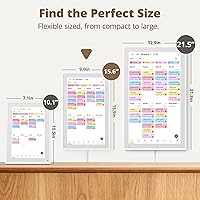
- Screen Size: The display features a 15.6-inch diagonal touchscreen panel with a 1080p Full HD resolution for sharp, clear visibility across the room.
- Touchscreen: The screen is fully interactive with capacitive touch support, allowing direct input for scheduling, chore management, and navigation.
- Dimensions: The unit measures 11.54″ wide by 20.12″ tall, making it a vertically oriented display suited to wall or desk placement.
- Weight: The device weighs 5.85 pounds, which is manageable for wall mounting but substantial enough to require secure hardware installation.
- Casing Material: The outer housing is constructed from fiberboard, finished in white, providing a clean aesthetic at the cost of premium material feel.
- Mounting Options: Supports both wall mounting and desk standing configurations, with the necessary hardware included in the box for both setups.
- Connectivity: Connects to home networks via Wi-Fi, supporting standard 2.4GHz and 5GHz band routers for calendar sync and app communication.
- Calendar Sync: Compatible with Google Calendar and Apple iOS Calendar, syncing automatically through the eCalendar app without manual data entry.
- Companion App: The eCalendar app is available for both iOS and Android devices and is required for initial setup, remote management, and calendar linking.
- Color Coding: Each family member can be assigned a unique color within the scheduling interface, making multi-person calendars easy to read at a glance.
- Chore Chart: The built-in chore chart allows task assignment by individual family member name, with visual tracking of completion status on screen.
- Dinner Planner: A dedicated dinner planner module displays meal plans for the week on the main screen, visible to all household members.
- Grocery List: A shared grocery list feature is accessible via the mobile app and displayed on screen, included as part of the free core feature set.
- Photo Frame Mode: When the display is idle, it transitions into a photo slideshow mode, cycling through family photos uploaded via the eCalendar app.
- Model Number: The device is identified by model number TM15, manufactured and sold under the Dragon Touch brand.
- Brand: Dragon Touch is the manufacturer, a consumer electronics brand specializing in digital frames and smart display devices.
- Date Available: The product was first made available for purchase in December 2024, positioning it as a recent entry in the smart family display category.
- Power: The device is powered via a wired connection and is not battery operated, requiring a nearby power outlet for continuous use.
- Advanced Features: Certain premium functions, including Magic Import and other advanced tools within the eCalendar app, require a paid subscription beyond the free base tier.
- BSR Ranking: As of its early sales period, the device reached a Best Sellers Rank of number 66 in the Digital Picture Frames category on Amazon.
Related Reviews
Dragon Touch S1 Pro 15.6-Inch 4K Portable Monitor

ASUS ProArt Display PA169CDV 15.6” 4K Pen Display
YENOCK 15.6-inch Touchscreen Digital Family Calendar
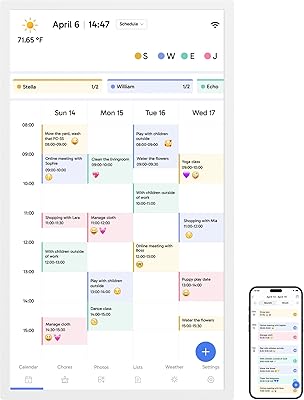
Dragon Touch 32″ Smart Family Calendar Display
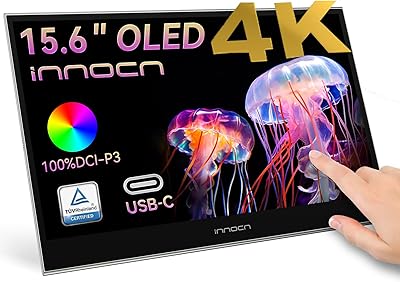
INNOCN 15.6″ Portable OLED Touch Monitor
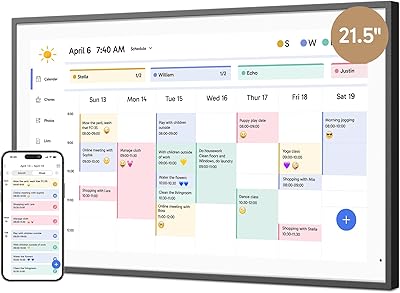
Dragon Touch 21.5″ Smart Family Calendar Display
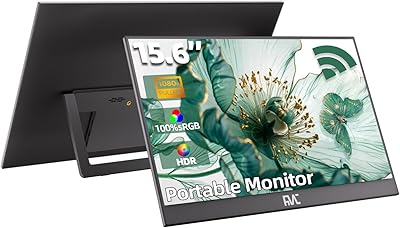
FMC 15.6-Inch Wireless Portable Monitor
SYLVOX 15.6-inch Kitchen Smart TV
Canupdog 15.6-Inch Smart Family Calendar Display