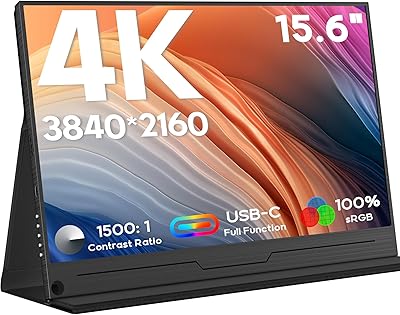
Dopesplay DR1563 15.6″ Portable Monitor


Overview
The Dopesplay DR1563 15.6″ Portable Monitor is a budget-conscious second screen built for people who actually move around — remote workers, frequent travelers, and anyone tired of squinting at a single laptop display. At its price point, you get a 15.6-inch FHD 1080P IPS panel, which is a legitimate value proposition. The plug-and-play USB-C setup means most users are up and running in under a minute, and the built-in kickstand puts it a step ahead of flat-panel alternatives that require a separate stand. This is not a prosumer display, but it does not pretend to be.
Features & Benefits
The Dopesplay screen runs a full HD IPS panel with HDR support, which keeps colors honest and text crisp — important if you are editing documents or watching video. At roughly 0.3 inches thick and just 1.32 lbs, it genuinely fits in a standard laptop sleeve without forcing a bag upgrade. The adjustable kickstand locks into position without wobbling, a small but welcome detail. Connectivity covers both USB-C and mini HDMI, though the mini HDMI connection requires the included adapter to power the display. Windows, macOS including M1 through M3 chips, Android, and ChromeOS are all supported natively.
Best For
This travel display makes the most sense for hybrid workers who bounce between home, coffee shops, and coworking spaces and need a reliable second screen without hauling extra bulk. Students working in cramped library carrels or shared desks will appreciate the compact footprint. It also handles casual console gaming — PS5, Xbox, and Switch all connect without issue. Content creators who need a quick preview monitor while on location will find the color accuracy adequate for review purposes. If you have been making do with one laptop screen and want a low-commitment upgrade, this portable monitor delivers solid day-to-day value.
User Feedback
With a 4.4-star average across more than 1,100 ratings, the Dopesplay screen earns its standing as a dependable budget pick. Buyers consistently praise how quickly it sets up and how slim the build feels in hand. Color reproduction also comes up positively, especially for this price tier. That said, two issues surface repeatedly: at 250 nits, indoor use is fine, but direct sunlight or bright rooms will wash the image out noticeably. The other recurring sticking point is USB-C compatibility — if your port is not a full-function port, you will need an extra cable. Customer support responsiveness is frequently highlighted as a genuine bright spot.
Pros
- Genuinely lightweight at 1.32 lbs — most users forget it is even in their bag.
- Plug-and-play USB-C setup works instantly on laptops with full-function ports.
- The built-in kickstand removes the need for any separate stand or case accessory.
- 1080P IPS panel delivers clean, readable text and accurate-enough color for daily work.
- Works natively with Windows, macOS M1 through M3, ChromeOS, and Android devices.
- Console compatibility with PS5, Xbox, and Nintendo Switch is reliable and straightforward.
- Matte screen surface reduces glare in typical indoor lighting conditions effectively.
- Lifetime technical support is a meaningful commitment that buyers consistently appreciate.
- At this price, the dual USB-C and mini HDMI connectivity gives real flexibility across devices.
Cons
- 250 nits is insufficient for bright rooms or near-window workspaces — visibility suffers noticeably.
- USB-C port compatibility is genuinely confusing; charging-only ports will not drive the display at all.
- The plastic chassis shows scuffs and flex after sustained daily bag use.
- Included cable quality has been inconsistent, with some buyers reporting early fraying.
- The kickstand hinge can loosen over several months of repeated daily use.
- Only one USB port total means no peripheral passthrough or daisy-chaining.
- Mini HDMI requires the bundled adapter for power — easy to misplace and annoying to replace.
- Box contents appear inconsistent across shipments; some buyers have received incomplete accessory sets.
- Color temperature runs warm by default and on-screen display controls offer limited correction options.
Ratings
The scores you see here for the Dopesplay DR1563 15.6″ Portable Monitor were generated by our AI system after analyzing verified buyer reviews from multiple global markets, with spam, bot submissions, and incentivized feedback actively filtered out. We looked at thousands of real ownership experiences — from daily commuters to weekend gamers — to surface what this travel display genuinely does well and where it falls short. Both strengths and frustrations are reflected honestly in every score below.
Value for Money
Display Quality
Portability & Build
Setup & Ease of Use
Kickstand Design
Compatibility
Brightness & Visibility
Color Accuracy
Connectivity Options
Customer Support
Warranty & Reliability
Gaming Performance
Cable & Accessories Included
Screen Size & Ergonomics
Suitable for:
The Dopesplay DR1563 15.6″ Portable Monitor is a strong fit for remote workers and hybrid professionals who regularly work from coffee shops, co-working spaces, or client sites and genuinely need a second screen without adding meaningful weight to their bag. Students who split time between a dorm room, library, and campus common areas will find it easy to set up and pack away without disrupting their workflow. If your laptop has a full-function USB-C port — which most modern MacBooks, Dell XPS models, and recent ThinkPads do — you can have this travel display running as a second screen in under a minute. Casual console gamers who want to bring their PS5 or Switch to a friend's place or a hotel room will also get solid mileage out of it, since the 1080P resolution and screen size work naturally for that use case. It also makes a practical entry point for anyone who has been considering a dual-monitor setup but is not ready to commit to a full desktop display.
Not suitable for:
Buyers who work frequently in bright environments — near windows, in sunlit offices, or outdoors — will run into the brightness ceiling quickly, and no software adjustment fully compensates for a 250-nit panel in those conditions. The Dopesplay DR1563 15.6″ Portable Monitor is also not the right tool for professional color grading, photo retouching, or any task that demands a calibrated, wide-color-gamut display — the IPS panel is decent for its price tier, but it is not built for that level of precision. Competitive gamers who care about refresh rates and response times should look elsewhere, since the 60Hz panel introduces noticeable limitations in fast-paced titles. If your laptop only has a charging-only or data-only USB-C port, be prepared for extra setup friction — you will likely need an additional cable, and it may not work at all without one. Finally, buyers expecting a premium build with a rigid chassis and scratch-resistant surfaces may be underwhelmed by the plastic construction after a few months of daily carry.
Specifications
- Screen Size: The display measures 15.6 inches diagonally, providing a comfortable viewing area for dual-screen productivity and casual media consumption.
- Resolution: Native resolution is 1920 x 1080 pixels (FHD 1080P), delivering sharp text and clear imagery across the full panel.
- Panel Type: An IPS (In-Plane Switching) panel is used, offering wider viewing angles and more consistent color reproduction than TN alternatives at this price tier.
- HDR Support: The display supports HDR (High Dynamic Range), which enhances contrast and color depth when connected to an HDR-capable source device.
- Brightness: Peak brightness is rated at 250 nits, suitable for standard indoor environments but limited in brightly lit or outdoor settings.
- Aspect Ratio: The panel uses a standard 16:9 widescreen aspect ratio, which pairs naturally with most modern laptop displays and video content.
- Screen Surface: The screen features a matte anti-glare finish that reduces reflections in typical indoor lighting conditions.
- Dimensions: The unit measures approximately 14.17 x 8.66 x 0.51 inches, making it slim enough to slide into a standard laptop sleeve alongside most 15-inch notebooks.
- Weight: The monitor weighs 1.32 lbs, keeping it genuinely lightweight for daily commutes and travel use.
- Connectivity: Two input options are available: a full-function USB-C port and a mini HDMI port, covering a broad range of host devices.
- USB Ports: There is one USB port on the unit in total, which is used for both data and power delivery depending on the connection method.
- Power Input: The display operates at 5 volts, drawing power directly from the connected host device via USB-C or through the included adapter when using mini HDMI.
- Kickstand: A built-in adjustable kickstand is integrated into the rear of the monitor, allowing custom viewing angles without requiring a separate stand or case.
- Compatible OS: Natively supported operating systems include Windows, macOS (including M1, M2, and M3 chips), Android, and ChromeOS.
- Console Support: The monitor is compatible with PlayStation 4 and 5, Xbox, and Nintendo Switch when connected via the mini HDMI port with the included adapter.
- Warranty: Dopesplay provides a 12-month quality guarantee covering manufacturing defects from the date of purchase.
- Tech Support: Lifetime technical support is offered by the manufacturer, accessible for setup guidance and compatibility troubleshooting at any point after purchase.
- Model Number: The official model number for this display is DR1563, manufactured and sold under the Dopesplay brand.
Related Reviews

Topmonitor P15.6/2.5K 15.6-inch Portable Monitor
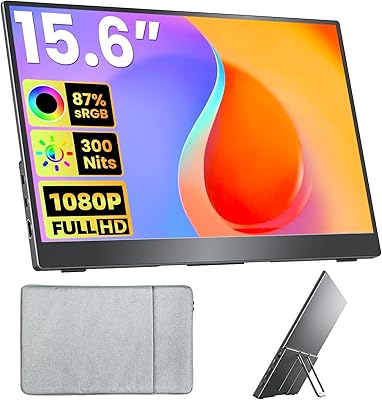
Upperizon U156LH 15.6″ Portable Monitor
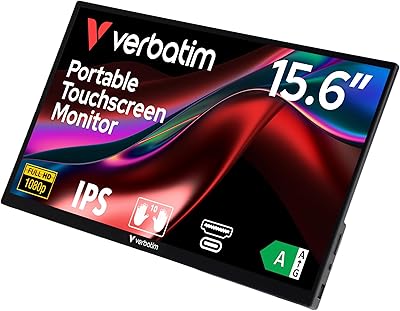
Verbatim 15.6″ Portable Touchscreen Monitor

HotYeah 15.6-inch 1080P Portable Monitor
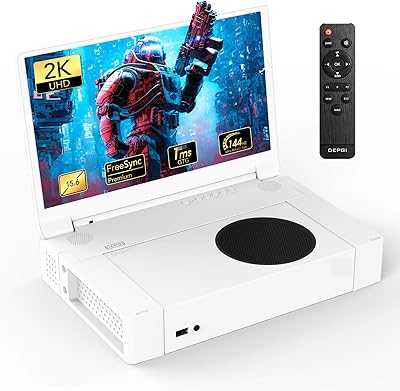
DEPGI 15.6″ Portable Gaming Monitor
ARZOPA S1 Table 15.6″ Portable Monitor
UFYQL 15.6-inch FHD Portable Monitor

Anyuse PM1561P 15.6-inch Portable Monitor

Westinghouse 15.6 Inch Portable Monitor