Overview

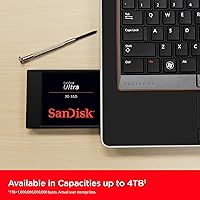
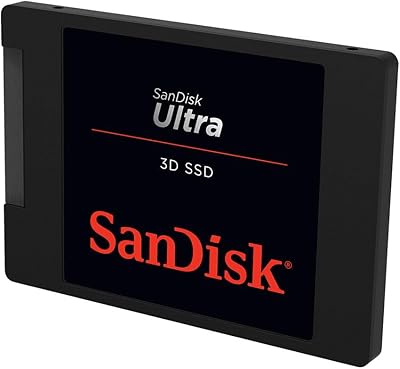
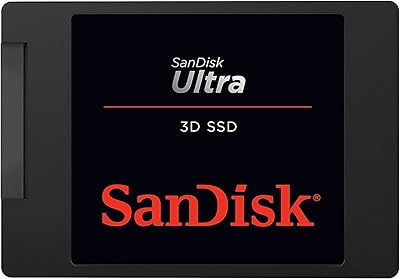
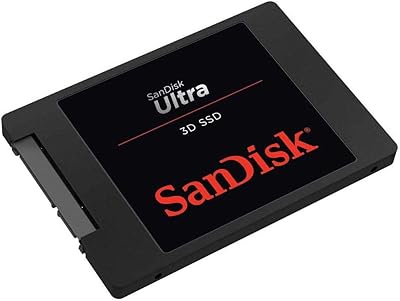
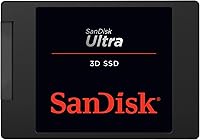
The SanDisk Ultra 3D 1TB Internal SSD sits squarely in the mid-range SATA market, designed for people who want to breathe new life into an older laptop or desktop without overspending. Made by Western Digital under the SanDisk brand, it carries real credibility in a crowded storage category. The 2.5-inch, 7mm slim profile fits virtually every consumer laptop bay, making installation straightforward for most users. That said, this is a SATA-based drive, so it operates within the inherent bandwidth limits of that interface. If you need NVMe-level throughput, look elsewhere. For everyday computing, though, the Ultra 3D drive delivers a meaningful and noticeable upgrade over any spinning hard drive.
Features & Benefits

The real appeal of this SanDisk SATA SSD comes down to what it does in practice. Booting Windows from a cold start drops from over a minute to under fifteen seconds — that kind of difference is hard to ignore. The drive uses 3D NAND flash technology, which stacks memory cells vertically to improve both durability and power efficiency compared to older planar designs. An onboard nCache 2.0 layer helps manage burst writes smoothly, so copying a batch of files feels consistent rather than sluggish. The shock-resistant build adds a layer of reassurance for laptop users. And because it draws less power than a mechanical drive, you can expect modest but real battery life gains on portable machines.

Best For

This 1TB upgrade drive makes the most sense for anyone pulling a slow mechanical hard drive out of an older machine. If your laptop or desktop lacks an M.2 slot — which is true of a lot of hardware from the early-to-mid 2010s — the SATA interface is your only SSD option, and this drive handles that role well. It suits light to moderate workloads comfortably: everyday browsing, streaming, productivity apps, and even casual gaming all run noticeably smoother. It is less compelling if you are building a new system that supports NVMe, where you can get significantly faster speeds for a comparable investment. But for broad compatibility and a plug-and-play upgrade experience, few drives at this price point match it.

User Feedback

With nearly 1,900 ratings and a 4.5-star average, the Ultra 3D drive has built a solid track record among real buyers. The most consistent praise centers on the HDD-to-SSD transformation — people who swap out a mechanical drive routinely describe the speed difference as dramatic. Quiet operation gets mentions too, which is expected but still appreciated. On the critical side, some buyers note the absence of a 2.5-to-3.5-inch mounting bracket, which can be an inconvenience in desktop builds. A few technically inclined reviewers point out that SATA bandwidth means this drive cannot compete with modern NVMe options. Long-term reliability reports are generally positive, though the dataset skews toward relatively recent purchases. Overall, buyer confidence in the SanDisk name carries real weight here.

Pros

  • Boot times drop dramatically compared to a traditional spinning hard drive, often from over a minute to under fifteen seconds.
  • The 2.5-inch, 7mm form factor fits nearly every consumer laptop without needing an adapter.
  • 3D NAND technology improves cell endurance and power efficiency over older flash designs.
  • Low power consumption translates to modest but real battery life gains on laptops.
  • The shock-resistant build adds meaningful data protection for users who travel with their machines.
  • Installation is straightforward, with no proprietary tools or complex setup required.
  • A trusted Western Digital-backed brand provides reasonable confidence in quality control.
  • 1TB of capacity covers the storage needs of most everyday users with room to spare.
  • nCache 2.0 helps keep burst write performance consistent during typical workloads.
  • Nearly 1,900 reviews with a strong average rating reflect broad, sustained buyer satisfaction.

Cons

  • The SATA III interface caps peak throughput well below what modern NVMe drives deliver at similar prices.
  • No mounting bracket is included, which can be an inconvenience for standard desktop drive bays.
  • Heavy workloads like large video editing or rapid large-file transfers will expose the bandwidth ceiling quickly.
  • The drive is not a competitive choice for any system that already supports M.2 NVMe storage.
  • Long-term endurance data is limited, so multi-year reliability is harder to verify independently.
  • Write speeds under sustained heavy loads can drop below the advertised peak once the cache is saturated.
  • No cloning software or data migration tool is bundled in the box, which newcomers may expect.
  • For newer gaming setups, load times will still lag noticeably behind faster NVMe alternatives.

Ratings

Our AI rating engine analyzed thousands of verified global reviews for the SanDisk Ultra 3D 1TB Internal SSD, actively filtering out incentivized, bot-generated, and duplicate submissions to surface what real buyers consistently experience. The scores below reflect both the genuine strengths that keep this drive near the top of its category and the honest limitations that matter depending on your setup. Nothing is glossed over — if a pattern of frustration emerged in the data, it is reflected here.

Real-World Speed Improvement
91%
Users replacing a mechanical hard drive report some of the most dramatic before-and-after experiences in the SATA SSD category. Windows boot times dropping from 90 seconds to under 15, applications snapping open instantly, and file transfers finishing in a fraction of the previous time are the most commonly cited improvements. For everyday computing, the perceived performance gain is transformative.
The SATA III interface imposes a hard bandwidth ceiling, and buyers coming from a modern NVMe drive will notice no meaningful difference or may even feel let down. Sustained large sequential transfers — moving a 50GB video archive, for example — also expose speed inconsistencies once the nCache 2.0 buffer saturates.
Installation Ease
88%
The standard 2.5-inch form factor and universal SATA connection mean this 1TB upgrade drive drops into most laptops and desktops with nothing more than a screwdriver. Users with no prior hardware experience consistently describe the physical swap as uncomplicated, and the slim 7mm height eliminates most fit-related concerns across a wide range of chassis.
No mounting bracket is included, which catches desktop users off guard when they realize the drive cannot be secured in a 3.5-inch bay without an extra purchase. Additionally, SanDisk does not bundle any cloning or migration software, so first-time upgraders who want to avoid a full OS reinstall must source a third-party tool on their own.
Value for Money
84%
Within the SATA SSD segment, the Ultra 3D drive sits at a competitive price point that most buyers consider fair given the brand reputation and consistent performance. For someone upgrading a machine that lacks an M.2 slot, paying mid-range pricing for a reliable, well-supported drive from a major manufacturer makes clear financial sense versus buying an unknown brand.
The value proposition weakens significantly when compared against NVMe alternatives, which have closed the price gap considerably. Buyers who can use an M.2 drive will get meaningfully more performance per dollar elsewhere, which makes the value calculation here strictly dependent on whether SATA is your only option.
Reliability and Longevity
79%
21%
The majority of users who have owned this SanDisk SATA SSD for one to three years report no failures, and the 3D NAND architecture is a tangible step up in cell endurance compared to older planar flash designs. The Western Digital backing also means warranty support is handled by an established infrastructure rather than a niche brand.
Long-term endurance data beyond three years is limited in the review pool, making it hard to make confident claims about five-plus year reliability. A small but consistent minority of reviewers report early failures, and without built-in health monitoring tools bundled in the package, most users have no visibility into the drive's remaining lifespan until problems arise.
Compatibility
93%
The 2.5-inch SATA standard is one of the most universally supported interfaces in consumer computing history, and this drive benefits from that ubiquity. Whether the target machine is a decade-old budget laptop or a recent desktop with a mix of storage bays, users almost universally report a clean fit with no compatibility surprises.
Compatibility is a non-issue for SATA systems but a complete dealbreaker for machines that have moved exclusively to M.2 storage, which includes most laptops released after 2018. Buyers with Apple hardware from the past several years will also find this drive entirely incompatible, as modern Macs use proprietary storage solutions.
Build Quality and Durability
76%
24%
The absence of moving parts gives the Ultra 3D drive an inherent durability advantage over any mechanical hard drive, and the shock-resistant design is a practical benefit for laptop users who travel frequently. Users who have accidentally dropped a machine with this drive installed report no data loss, which builds confidence in the physical resilience of the unit.
The plastic casing feels unremarkable compared to premium SSDs that use aluminum enclosures, and some buyers note it feels lighter and less substantial than expected. While functional durability appears solid, the build does not inspire the same premium tactile confidence that higher-end drives convey.
Noise and Vibration
97%
This is one of the clearest wins for the drive: it is completely silent under every workload. Users who previously tolerated the clicking, spinning, and seeking sounds of mechanical hard drives describe the transition to this drive as a noticeable quality-of-life improvement, particularly in quiet work or study environments.
There is genuinely little to criticize here — silence is an inherent property of flash storage with no moving parts. The only minor note is that some users in very quiet environments can detect faint electrical coil whine from other system components that was previously masked by hard drive noise, though this is unrelated to the drive itself.
Power Efficiency
81%
19%
Laptop users upgrading from a spinning hard drive frequently report a modest but real improvement in battery life, typically in the range of 20 to 45 additional minutes of light use. The lower active and idle power draw of this SanDisk SATA SSD compared to a traditional HDD is a straightforward and consistent benefit for portable computing scenarios.
The efficiency gains are less pronounced than those offered by newer NVMe drives with advanced power-state management, and the improvement varies considerably depending on the laptop's overall power profile. Users whose machines have aging batteries or inefficient processors may not notice the difference in a meaningful way.
Sustained Write Performance
63%
37%
For typical day-to-day tasks — saving documents, downloading files, installing applications — the nCache 2.0 buffer keeps performance feeling smooth and responsive. Users who stick to everyday workloads rarely encounter any perceptible slowdown during write operations, and burst performance during short transfers is consistently fast.
Once the write cache is exhausted during prolonged large transfers, speeds can fall noticeably, which frustrates users who regularly move large media files or back up substantial amounts of data in a single session. This is a known architectural limitation of consumer SATA drives with write caching rather than a defect specific to this model.
Brand Reputation and Trust
86%
SanDisk carries decades of brand equity in consumer flash storage, and most buyers arrive with a pre-existing level of trust that competitors at a similar price point cannot easily replicate. The Western Digital parent company infrastructure behind warranty claims and customer support adds a layer of institutional reliability that smaller brands lack.
Some technically informed buyers are aware that SanDisk drives have occasionally shipped with firmware issues on first-generation batches, which introduces a small degree of caution around buying immediately after a product refresh. Brand trust, while generally warranted, does not fully substitute for independent long-term reliability data.
Packaging and Unboxing
58%
42%
The drive arrives well-protected and undamaged in transit according to the overwhelming majority of buyers, which is the baseline expectation for any piece of hardware. The compact packaging is straightforward and functional.
Beyond basic protection, the packaging experience is minimal — no mounting hardware, no migration software, no quick-start guide with any meaningful detail. Buyers expecting a more complete kit, even at this price tier, are consistently disappointed by how bare the package contents are compared to some competing drives.
Temperature and Thermal Management
74%
26%
Under normal operating conditions — browsing, office work, media playback — the Ultra 3D drive runs cool and stays within safe thermal limits without issue. Users in well-ventilated desktop cases or standard laptop chassis report no heat-related problems during everyday use.
During sustained heavy workloads in thermally constrained environments, such as a thin laptop with poor airflow, temperatures can climb to the point where thermal throttling affects performance. Users who push the drive hard inside compact, poorly ventilated machines may see this translate into inconsistent write speeds over extended sessions.
Software and Ecosystem Support
61%
39%
Western Digital offers the SanDisk Dashboard utility, which allows users to monitor drive health, update firmware, and check S.M.A.R.T. data without relying entirely on third-party tools. For users who want basic visibility into their drive without downloading unfamiliar software, this is a worthwhile inclusion.
The SanDisk Dashboard has received mixed reviews for its interface and feature depth, with some users finding it clunky compared to monitoring tools offered by competitors like Samsung. No data migration or cloning tool is bundled, which is a notable omission given that the primary use case for this drive is replacing an existing hard drive.

Suitable for:

The SanDisk Ultra 3D 1TB Internal SSD is an excellent fit for anyone pulling a sluggish mechanical hard drive out of an older laptop or desktop and wanting a straightforward, high-impact upgrade. It is particularly well-suited to machines from the early-to-mid 2010s that only offer a 2.5-inch SATA bay and have no M.2 slot available, since those systems have no other SSD upgrade path. Students, remote workers, and home users who rely on their computers for browsing, office applications, streaming, and light photo or video work will notice a genuine and immediate improvement in responsiveness. The slim 7mm profile means it slides into the vast majority of consumer laptop chassis without any adapter, keeping the installation process accessible even for less experienced users. If your primary goal is to stop waiting on a slow boot or a creaky application launch, this 1TB upgrade drive covers that ground reliably and without unnecessary complexity.

Not suitable for:

Buyers building or upgrading a modern system with an available M.2 slot should think carefully before choosing the SanDisk Ultra 3D 1TB Internal SSD, because NVMe drives at comparable price points now offer dramatically higher sequential speeds and better sustained performance under heavy workloads. The SATA III interface imposes a hard bandwidth ceiling that no firmware update or caching trick can overcome, which matters for tasks like large video editing projects, rapid game loading on current-generation titles, or frequent transfers of very large file archives. Desktop builders who need to mount this drive in a 3.5-inch drive bay should also know that no bracket is included in the box, which means an extra purchase and a minor installation hassle. Power users, creative professionals, and anyone who has already invested in a recent platform will find this drive underwhelming as a primary system storage solution. It is simply not designed to compete at the high end, and presenting it as such would be doing buyers a disservice.

Specifications

  • Storage Capacity: The drive offers 1TB of usable flash storage, suitable for operating systems, applications, and large media libraries.
  • Form Factor: It uses the standard 2.5-inch form factor with a 7mm height profile, compatible with the majority of consumer laptops and desktops.
  • Interface: The drive connects via SATA III at 6 Gb/s, which is backward compatible with SATA II ports at reduced speeds.
  • Read Speed: Sequential read performance reaches up to 560 MB/s under optimal conditions on a SATA III connection.
  • Write Speed: Sequential write performance reaches up to 520 MB/s, with real-world speeds varying based on file type and system configuration.
  • Flash Type: Western Digital 3D NAND technology stacks memory cells vertically to improve density, endurance, and energy efficiency over planar NAND designs.
  • Cache Technology: nCache 2.0 uses a portion of the NAND as a high-speed write buffer to sustain consistent burst performance during typical workloads.
  • Shock Resistance: The drive is built to withstand accidental drops and vibrations, a practical advantage over mechanical hard drives with moving parts.
  • Power Consumption: Low active and idle power draw makes this drive more battery-friendly in laptops compared to traditional spinning hard drives.
  • Weight: The drive weighs 1.92 ounces, making it light enough to have no meaningful impact on a laptop's overall portability.
  • Dimensions: Physical dimensions are 0.28 x 3.96 x 2.75 inches (H x W x D), matching the standard 2.5-inch drive footprint.
  • Compatible Devices: The drive is designed for internal installation in laptops and desktop PCs with a 2.5-inch SATA drive bay.
  • Manufacturer: Produced by Western Digital Technologies, Inc. and sold under the SanDisk brand, which Western Digital acquired in 2016.
  • Model Number: The official model identifier is SDSSDH3-1T00-G26, which can be used to verify compatibility and check warranty status.
  • Installation Type: This is an internal drive requiring physical installation inside a computer chassis; it does not function as an external or portable device on its own.
  • Operating Temperature: The drive is rated for operation between 0°C and 70°C, covering the full range of normal consumer computing environments.
  • Warranty: SanDisk covers this drive with a 3-year limited warranty, which is standard for mid-range consumer SSDs in this category.
  • Noise Level: Because the drive has no moving mechanical parts, it operates in complete silence under all workloads.

Related Reviews

SanDisk Ultra 3D 500GB Internal SSD
87%
94%
Performance
91%
Value for Money
88%
Durability
93%
Read Speed
90%
Write Speed
More
SanDisk Ultra 3D NAND 2TB Internal SSD
89%
91%
Performance
89%
Read Speed
88%
Write Speed
90%
Build Quality
87%
Durability
More
SanDisk Ultra 3D NAND 4TB Internal SSD
91%
94%
Sequential Read Speed
91%
Sequential Write Speed
96%
Endurance & Reliability
88%
Ease of Installation
90%
Compatibility
More
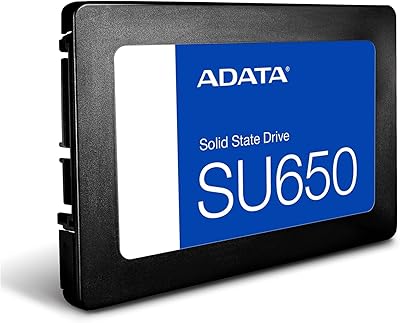
ADATA SU650 1TB 3D-NAND SATA 2.5 inch Internal SSD
86%
88%
Performance
92%
Value for Money
85%
Installation Ease
87%
Speed (Read/Write)
78%
Software Experience
More
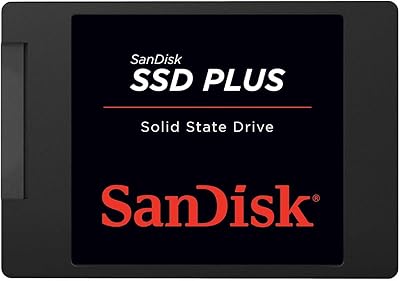
SanDisk SSD Plus 480GB Internal SSD
83%
91%
Value for Money
86%
Read Performance
67%
Write Performance
94%
Installation Ease
71%
Long-term Reliability
More
SanDisk SSD PLUS 240GB Internal SSD
87%
88%
Performance
92%
Speed Improvement vs HDD
90%
Durability / Shock Resistance
87%
Value for Money
94%
Ease of Installation
More
SanDisk SSD Plus 2TB Internal SSD
82%
88%
Read Speed Performance
74%
Write Speed Performance
94%
Installation & Compatibility
91%
Value for Money
86%
Long-Term Durability & Reliability
More
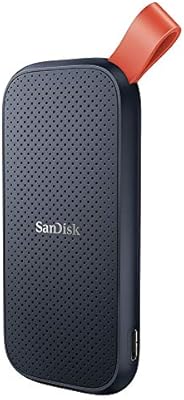
SanDisk Portable SSD 1TB External Drive
77%
88%
Transfer Speed
93%
Portability & Form Factor
79%
Build Quality & Durability
41%
Cable & Accessories
86%
Value for Money
More
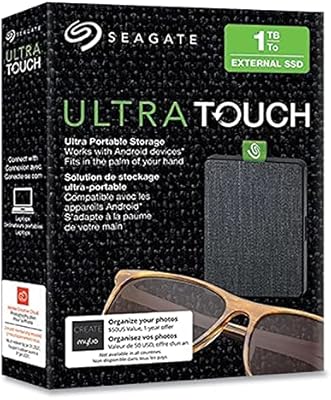
Seagate Ultra Touch 1TB External SSD
80%
93%
Portability & Form Factor
91%
Design & Aesthetics
67%
Transfer Speed — Real World
72%
Build Quality & Durability
88%
Connectivity & Compatibility
More
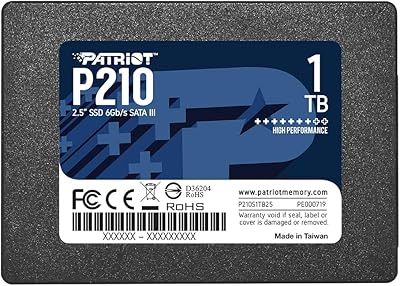
Patriot P210 1TB 2.5″ Internal SSD
83%
91%
Value for Money
83%
Real-World Performance
94%
Installation Ease
92%
Boot Time Improvement
67%
Long-Term Reliability
More

FAQ

In most cases, yes. The 2.5-inch, 7mm form factor matches the standard bay found in the vast majority of consumer laptops from roughly 2010 onward. If your current machine uses a 9.5mm drive, you may need a thin spacer to fill the extra height, but those are inexpensive and widely available. Just check your laptop model's specifications before ordering to confirm it uses a SATA connection rather than a proprietary interface.

The difference is substantial and immediately noticeable, especially if you are coming from a mechanical hard drive. Cold boot times on Windows typically drop from 60-plus seconds to somewhere in the 10-to-15 second range. Application launches, file saves, and browser responsiveness all improve noticeably. It will not make an old processor faster, but it removes storage as the primary bottleneck for most everyday tasks.

Typically just a small Phillips screwdriver to open your laptop panel and remove the old drive. A SATA-to-USB adapter or external enclosure is also helpful if you want to clone your existing drive to the new one before swapping it in, rather than doing a clean install. Note that no mounting bracket is included in the box, so desktop users who need a 3.5-inch bay adapter will need to purchase one separately.

Cloning is absolutely an option and saves a lot of setup time. SanDisk does not bundle cloning software in the box, but free tools like Macrium Reflect work reliably for this purpose. You connect the Ultra 3D drive via a SATA-to-USB enclosure, clone your old drive to it, then swap the drives physically. As long as the cloned partition is smaller than 1TB, the process is straightforward.

It is compatible with macOS as well, provided your Mac uses a 2.5-inch SATA drive bay. Older MacBook Pro models from 2012 and earlier, for example, accept this form factor. Newer Macs use proprietary PCIe-based storage that is not compatible. After installing the drive in a Mac, you would format it as APFS or Mac OS Extended using Disk Utility before use.

If your system supports NVMe via an M.2 slot, an NVMe drive will deliver significantly higher sequential speeds — often three to five times faster reads — at a now-comparable price. For most day-to-day tasks like booting and opening apps, the practical difference is less dramatic than the raw numbers suggest. But if your machine supports NVMe, that is generally the better path. The SanDisk Ultra 3D 1TB Internal SSD makes the most sense when a SATA bay is your only available interface.

Like most drives that rely on a write cache, performance can dip once the cache fills up during sustained large transfers. For typical user workloads — moving a few gigabytes of photos, downloading a game, or transferring a video file — this is rarely a practical issue. Only users routinely moving very large data sets back to back will encounter this ceiling regularly.

Significantly less risk than with a mechanical hard drive. Because this SanDisk SATA SSD has no spinning platters or moving read heads, it is inherently more resilient to physical shock and vibration. The drive is specifically rated as shock-resistant. That said, no storage device is completely immune to catastrophic impact, so regular backups remain good practice regardless of what drive you use.

That depends on your laptop manufacturer. Many manufacturers explicitly allow user-replaceable storage without voiding the warranty, but others are more restrictive. It is worth checking your laptop's documentation or contacting the manufacturer before opening the chassis. In regions covered by consumer protection laws, such as much of the EU and certain US states, manufacturers generally cannot void a warranty simply because you installed a storage upgrade.

Most 1TB consumer SSDs have endurance ratings in the range of 400 to 600 terabytes written over their lifespan, which translates to many years of normal use. You can monitor the health and estimated remaining life of the 1TB upgrade drive using free tools like CrystalDiskInfo on Windows or DriveDx on macOS, both of which read S.M.A.R.T. data directly from the drive. Western Digital also covers this drive with a 3-year limited warranty for added peace of mind.

Where to Buy