Overview

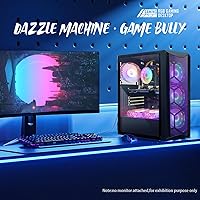
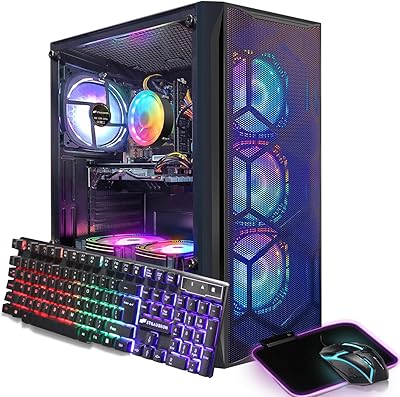
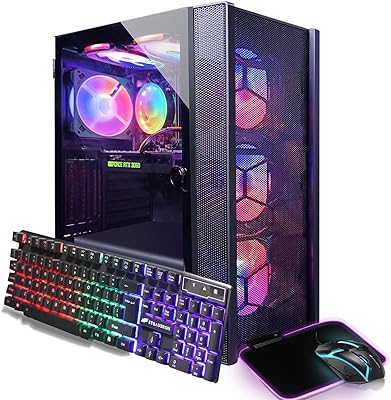
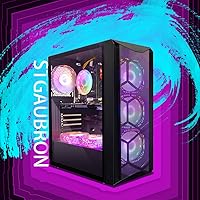
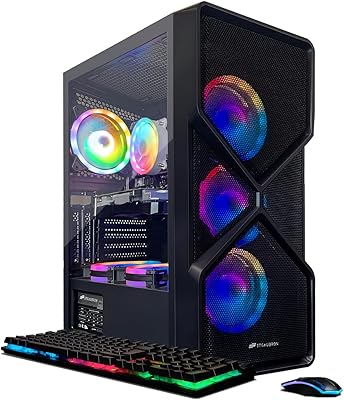
The STGAubron ABR1924 Gaming Desktop i7-8th Gen, RTX 3050 6G, 16GB DDR4, 512GB SSD launched in early 2025 and has quietly climbed to #23 in Tower Computers — a sign that budget-conscious buyers are paying attention. The combination of an 8th Gen Intel Core i7 and a more modern RTX 3050 GPU is an unusual pairing worth understanding before you buy. It is not a machine built for ultra settings or 4K ambitions. What it does offer is a complete out-of-the-box experience, including an RGB keyboard, mouse, and mouse pad, making it genuinely appealing for first-time PC gamers who do not want the hassle of sourcing every component separately.
Features & Benefits

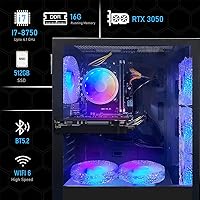
The i7-8700 is a competent chip — six cores, twelve threads, boosting to 4.1GHz — but it dates back to 2018, and by 2025 standards it shows its age in CPU-heavy workloads. Paired with the RTX 3050 6G, you can expect playable framerates in Valorant, Fortnite, and Minecraft at 1080p medium-to-high settings; Elden Ring and Warzone are more demanding and will need tuning. The 16GB DDR4 handles gaming and browser multitasking without constant stuttering, though dual-channel configuration is unconfirmed. The 512GB SSD keeps load times short but fills up fast with a few modern titles installed. WiFi 6 and Bluetooth 5.2 arrive via USB adapters, not onboard chips — a real distinction for anyone sensitive to connection consistency.

Best For

This prebuilt gaming desktop makes the most sense for someone stepping into PC gaming for the first time and not wanting to piece together a build. Students pulling double duty — gaming at night, handling coursework or video calls by day — will find Windows 11 Home and 16GB of RAM more than adequate for their needs. The bundled RGB peripherals mean you are not spending extra just to get started. Budget-minded streamers running OBS alongside a game will manage, though headroom is tighter than on newer platforms. If you are chasing high-framerate AAA gaming or need room for a large game library, both the CPU and storage will become limiting factors sooner than expected.

User Feedback

Buyers consistently praise how simple the setup process is — plug in, power on, and you are gaming within minutes, which counts for a lot when you are new to the hobby. The RGB lighting earns predictably good marks for aesthetics. On the critical side, the aging i7-8700 is a recurring concern; users who game heavily are hitting it as a performance ceiling faster than expected, especially in thread-dependent titles. The USB WiFi adapter draws complaints from those who assumed native integration, with occasional drops reported. Build quality is generally rated solid for the price, though fan noise under sustained load gets a mention. Overall, buyer sentiment leans positive for value, but long-term confidence in this budget gaming PC stays cautiously mixed.

Pros

  • Plug-and-play setup takes most buyers from box to gaming in under 15 minutes.
  • RGB keyboard, mouse, and mouse pad are included — no additional purchases needed to get started.
  • The RTX 3050 6G handles 1080p gaming in popular esports titles at medium-to-high settings reliably.
  • Windows 11 Home arrives pre-installed and activated, saving setup time and licensing hassle.
  • Six case fans keep thermals manageable during moderate gaming sessions without throttling.
  • WiFi 6 and Bluetooth 5.2 are modern wireless standards rarely found at this price tier.
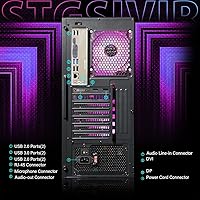
  • Three video outputs — HDMI, DisplayPort, and DVI — support dual-monitor setups out of the box.
  • Lifetime tech support is an unusually generous offer for a sub-$500 prebuilt desktop.
  • 16GB DDR4 handles gaming alongside Discord, a browser, and streaming software without constant slowdowns.
  • Strong sales rank (#23 in Tower Computers) reflects broad buyer satisfaction for the category.

Cons

  • The i7-8700 is a 2018 CPU — it bottlenecks the RTX 3050 in thread-heavy modern games.
  • 512GB SSD fills up fast; installing just a handful of modern AAA titles leaves little breathing room.
  • WiFi 6 and Bluetooth arrive via USB adapters, not onboard chips, leading to occasional connection drops.
  • Dual-channel RAM configuration is unconfirmed, which may reduce memory bandwidth below expectations.
  • Fan noise under sustained load is noticeably higher than many buyers anticipate for a bedroom or living room setup.
  • The included peripherals are entry-level quality and are commonly replaced within the first few months.
  • Upgrade headroom is limited — the 8th Gen platform offers no viable CPU upgrade path worth pursuing.
  • Ray tracing is technically supported but practically unusable at acceptable framerates in demanding titles.
  • The aging CPU architecture means long-term gaming performance will decline relative to newer platforms faster than the hardware age alone would suggest.
  • Some buyers encountered a frustrating catch-22: the USB WiFi adapter needed manual driver installation before the machine could connect to the internet.

Ratings

The STGAubron ABR1924 Gaming Desktop i7-8th Gen, RTX 3050 6G, 16GB DDR4, 512GB SSD has been scored by our AI system after processing verified global buyer reviews, with spam, bot-submitted, and incentivized feedback actively filtered out. Ratings reflect the honest distribution of real user experiences — strengths and frustrations weighted equally. Where this prebuilt gaming desktop earns genuine praise and where it falls short are both represented transparently below.
Gaming Performance at 1080p
73%
27%
For casual and mid-tier titles at 1080p, this budget gaming PC holds up well. Fortnite, Valorant, and Minecraft run smoothly at medium-to-high settings, and users report consistent framerates that make these games genuinely enjoyable without constant dips or stuttering.
More demanding titles like Elden Ring or Warzone require noticeable setting compromises to stay playable, and the aging i7-8700 creates a CPU bottleneck that the RTX 3050 cannot compensate for. Users chasing 144Hz experiences in modern AAA titles will hit the ceiling quickly.
CPU Performance & Longevity
54%
46%
The i7-8700 is a six-core, twelve-thread chip that handles everyday multitasking, web browsing, light video editing, and streaming without breaking a sweat. For buyers primarily doing office work or playing older or less demanding titles, it covers the basics reliably.
By 2025 standards, the 8th Gen architecture is genuinely dated, and buyers who plan to keep this machine for three or more years are likely to feel the age problem sooner than expected. Thread-heavy games and newer titles increasingly expose the generational gap in instructions-per-clock performance.
GPU Capability
71%
29%
The RTX 3050 6G GDDR6 is a capable 1080p card that supports hardware ray tracing and DLSS, features you simply do not get at this price point with older GPU options. Users gaming on a single 1080p monitor report clean visuals and acceptable framerates in the majority of their library.
The 6GB VRAM ceiling becomes a real issue in texture-heavy titles and newer games with aggressive VRAM requirements, leading to stuttering or forced low-texture settings. Ray tracing is technically available but practically limited — enabling it in demanding titles tanks performance to uncomfortable levels.
Value for Money
78%
22%
At its sub-$500 price point, bundling a tower, RGB peripherals, Windows 11 Home, and a capable GPU into one package is hard to dismiss. First-time buyers who would otherwise spend separately on a keyboard, mouse, and operating system find the all-in pricing genuinely competitive against comparable prebuilts.
Buyers who compare the component cost individually — particularly the older CPU — feel the value proposition weakens under scrutiny. For roughly the same budget, some competing prebuilts offer newer CPU architectures, which shifts the value calculus depending on how much you prioritize future-proofing.
Setup & Out-of-Box Experience
88%
This is one of the most consistently praised aspects across buyer reviews. The machine arrives ready to use with peripherals included, Windows pre-activated, and a straightforward physical setup that takes most users under 15 minutes from box to desktop. For first-time PC owners, that confidence matters.
A small number of buyers report driver setup hiccups post-boot, particularly with the USB WiFi adapter requiring manual configuration before connecting. The included peripherals, while appreciated, are entry-level quality and some users replace them quickly.
Wireless Connectivity
61%
39%
WiFi 6 and Bluetooth 5.2 are modern standards that compare favorably to older prebuilts still shipping with WiFi 5 or earlier. Users in well-covered WiFi environments report stable connections during gaming sessions and reliable Bluetooth pairing with headsets and controllers.
Both wireless features are delivered via USB adapters rather than onboard chips, which is a meaningful distinction. Several buyers report intermittent drops and reduced signal strength compared to native motherboard WiFi, and occupying a USB port for wireless is a minor but real inconvenience.
Storage Adequacy
58%
42%
The 512GB SSD delivers fast boot times and snappy application loading that makes daily use feel responsive. For users with a small, curated game library of five to eight titles, the drive fills a practical role without feeling restrictive from day one.
Modern games routinely consume 60 to 100GB each, meaning this drive fills up alarmingly fast for anyone with a broader library. Users who did not anticipate adding a secondary drive quickly found themselves managing storage or uninstalling games, which is a friction point that comes up frequently in reviews.
RAM Performance
74%
26%
16GB DDR4 is a practical amount for gaming while running a browser, Discord, and OBS simultaneously without constant slowdowns. Users who game and stream casually find the memory headroom sufficient for their typical workload without needing an immediate upgrade.
The dual-channel configuration is not confirmed in product specs, and some users suspect single-channel operation based on their benchmark results, which would meaningfully reduce memory bandwidth. For a machine at this price, a confirmed dual-channel setup should be a baseline expectation.
Thermal Management & Noise
69%
31%
Six case fans provide solid airflow that keeps temperatures manageable under moderate gaming loads. Users running the system for extended sessions report that the machine does not throttle or shut down unexpectedly, which speaks to a functional thermal design for its class.
Under sustained heavy load, the fan noise becomes noticeable and is described by some users as louder than expected for a living room or bedroom setup. The RGB fans prioritize aesthetics alongside airflow, and buyers sensitive to acoustic comfort may find the noise floor higher than comparable towers.
Build Quality & Aesthetics
72%
28%
The chassis feels solid for a budget tower, and the six RGB fans create a visually striking interior that appeals strongly to first-time builders who want that classic gaming rig look. The black finish and overall dimensions make it an easy fit on most desks or floor setups.
Panel fit and finish is functional but not premium — some buyers note flex in the side panels and minor sharp edges during internal access. Buyers who compare it to mid-range cases from dedicated brands notice the cost savings in the chassis material and construction detail.
Included Peripherals Quality
63%
37%
Having an RGB keyboard, mouse, and mouse pad included at this price is a genuine convenience that removes the immediate need for additional purchases. For a first-time setup, this bundle gets buyers into the game the same day the box arrives, which many users appreciate.
The peripherals are entry-level in every sense — key travel on the keyboard feels shallow, the mouse sensor is basic, and the mouse pad is thin. A meaningful number of buyers replace at least the mouse within the first few months, treating the bundle as a temporary starter kit rather than a long-term solution.
Upgrade Headroom
52%
48%
The storage situation is the easiest thing to fix — adding a secondary SSD is straightforward for most users and meaningfully extends the machine's usefulness. RAM is also technically upgradable if slots permit, giving entry-level buyers a path to modest improvement.
The i7-8700 platform limits meaningful CPU upgrades, and the GPU slot will support an upgrade but the dated CPU becomes an increasingly mismatched bottleneck. Buyers who plan to upgrade their way to a high-performance machine are better served starting with a newer platform from the outset.
Display Output Flexibility
76%
24%
Three video outputs — HDMI, DisplayPort, and DVI — provide practical flexibility for users who want to drive multiple monitors or connect to a range of display types without adapters. Dual-monitor productivity setups work without any additional hardware out of the box.
DVI is an aging standard that limits compatibility with newer high-refresh-rate monitors at higher resolutions. Users targeting a 1440p or 4K display specifically should verify their monitor input compatibility, as DVI in particular has resolution and refresh rate constraints worth checking in advance.
Software & OS Experience
81%
19%
Windows 11 Home comes pre-installed and activated, removing a step that trips up many first-time builders. The system arrives relatively clean by prebuilt standards, and buyers report that the out-of-box software experience requires minimal cleanup before getting to their actual work or gaming.
A small subset of users encountered driver issues specifically with the USB wireless adapter requiring a manual download before the machine could connect online — a chicken-and-egg problem that frustrated buyers without a secondary wired connection or another device to troubleshoot from.
Warranty & Support
77%
23%
A one-year parts-and-labor warranty combined with lifetime technical support is an unusually generous offer at this price tier, and buyers feel reassured knowing there is a support channel beyond the purchase date. This is a tangible differentiator compared to some competing budget prebuilts.
Real-world support experiences are mixed, with some users reporting response delays and limited troubleshooting depth from the support team. The lifetime tech support offer sounds compelling but in practice, the quality of that support appears to vary significantly depending on the nature of the issue.

Suitable for:

The STGAubron ABR1924 Gaming Desktop i7-8th Gen, RTX 3050 6G, 16GB DDR4, 512GB SSD is genuinely well-suited for anyone stepping into PC gaming for the first time and wanting a complete, ready-to-run setup without the complexity of building from scratch. Students who split their screen time between coursework, video calls, and casual gaming on titles like Fortnite, Valorant, or Minecraft will find this machine covers all three comfortably. Families looking for a shared home computer that can also handle light gaming are a natural fit, as is the budget-conscious buyer who wants a full peripheral kit included rather than sourcing each piece separately. Casual streamers running OBS alongside a game will manage reasonably well, provided they keep expectations realistic about simultaneous workload headroom. If your gaming habits lean toward esports titles and your primary display is a standard 1080p monitor, this prebuilt gaming desktop delivers a solid entry point without demanding a four-figure investment.
Not suitable for:

Buyers with serious gaming ambitions should think carefully before committing to this budget gaming PC, because the i7-8700 is a 2018-era processor that already shows its limitations in CPU-heavy modern titles — and that gap will only widen over the next few years. If you plan to run demanding AAA releases at high framerates, or if you are eyeing a 1440p or 4K display, both the CPU and the RTX 3050 6G will become restrictive faster than the price tag implies they should. Anyone who needs a large local game library should know upfront that 512GB disappears quickly when modern titles routinely consume 60 to 100GB each, and the USB-based WiFi adapter is a real limitation for users who demand rock-solid, low-latency wireless connectivity during competitive play. Enthusiast-level builders who intend to upgrade components incrementally will also find the 8th Gen platform a dead end for meaningful CPU upgrades, making this a poor foundation for that kind of long-term investment strategy. If any of these scenarios describe you, the honest advice is to stretch the budget toward a newer platform rather than work around the constraints of this one.

Specifications

  • CPU: Intel Core i7-8700 (8th Gen), 6 cores, 12 threads, base clock 3.2GHz, boost clock up to 4.1GHz, 9MB cache.
  • GPU: NVIDIA GeForce RTX 3050 6GB GDDR6 dedicated graphics card with DisplayPort, HDMI, and DVI outputs.
  • RAM: 16GB DDR4 system memory for handling gaming, multitasking, and light creative workloads.
  • Storage: 512GB solid state drive providing fast boot times and application loading with no moving parts.
  • Operating System: Windows 11 Home 64-bit, pre-installed and activated, ready to use out of the box.
  • Video Outputs: One HDMI port, one DisplayPort, and one DVI port allow connection to multiple displays simultaneously.
  • Wireless: USB WiFi 6 (802.11ax) adapter and USB Bluetooth 5.2 adapter are included but not natively integrated into the motherboard.
  • Ethernet: One RJ-45 Gigabit Ethernet port provides a wired network connection option for stable, low-latency connectivity.
  • Cooling: Six RGB case fans are installed for active airflow management across the interior components.
  • Dimensions: The tower measures 16.4 x 14.8 x 8.2 inches (L x W x H), suited for desktop or floor placement.
  • Weight: The unit weighs 20.9 pounds, making it moderately heavy for a mid-tower form factor.
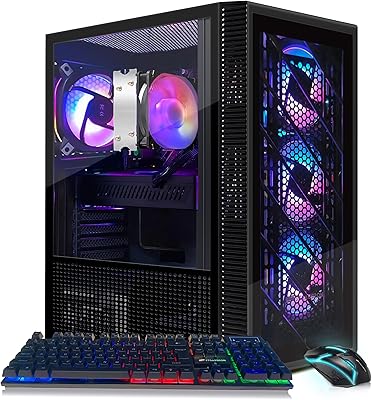
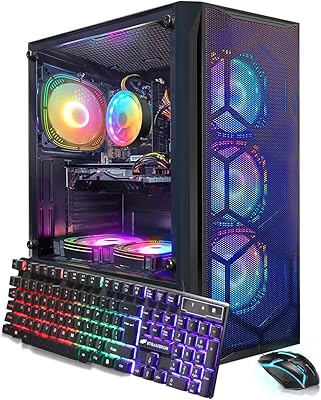
  • Form Factor: Standard desktop tower design with a black chassis and RGB-lit interior visible through the case.
  • Included Accessories: Package includes an RGB gaming keyboard, RGB gaming mouse, and an RGB mouse pad at no additional cost.
  • Warranty: Covered by a one-year parts and labor warranty, with complimentary lifetime technical support from STGAubron.
  • 4K Decoding: Hardware 4K video decoding is supported, enabling smooth playback of 4K video content via compatible software.
  • Power Source: Standard AC power input; no external power brick is required as the power supply is housed internally.
  • USB Connectivity: Multiple USB ports are available on the chassis for peripherals, storage devices, and the included wireless adapters.
  • Ray Tracing: The RTX 3050 GPU supports NVIDIA hardware ray tracing and DLSS, though performance at high settings in demanding titles is limited.

Related Reviews
STGAubron ABR1824 Gaming PC (i7-8th Gen, RTX 2060 Super, 1TB SSD)
83%
86%
1080p Gaming Performance
91%
Value for Money
88%
Thermal Management
84%
Storage Speed & Capacity
89%
Wireless Connectivity
More
STGAubron Gaming PC Desktop, Intel Core i7 8th Gen, Radeon RX 580 8GB, 16GB RAM, 1TB SSD
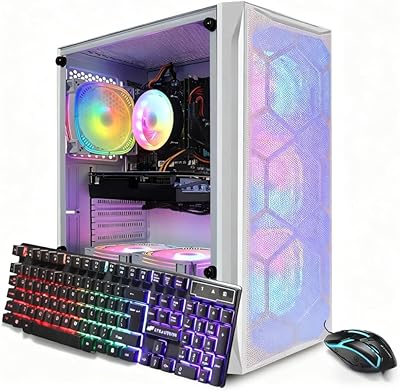
82%
88%
Gaming Performance
91%
Value for Money
85%
Ease of Setup
83%
Multitasking Capability
87%
Graphics Quality (1080p)
More
STGAubron Gaming PC Desktop, Intel Core i7, GTX 1660 Ti, 16GB RAM, 512GB SSD
84%
87%
Gaming Performance
91%
Ease of Setup
82%
Build Quality
68%
Noise Levels
88%
RGB Lighting Customization
More
STGAubron ABR0122 Gaming Desktop (i7, RX 580 8G, 16GB, 512GB)
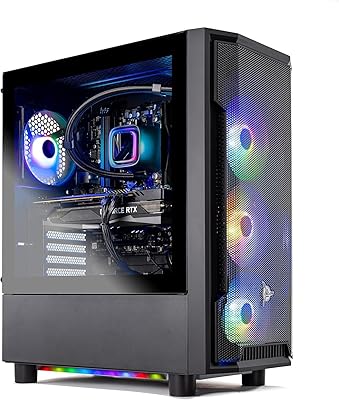
68%
71%
Gaming Performance at 1080p
43%
CPU Capability & Transparency
67%
Value for Money
84%
Out-of-Box Setup Experience
76%
GPU Quality (RX 580 8GB)
More
Skytech Gaming Shadow Gaming PC Desktop – Intel Core i7 13700F, NVIDIA RTX 4060, 1TB SSD, 16GB RAM
88%
94%
Performance
91%
Graphics Quality
89%
Storage Speed
87%
Multitasking Ability
85%
Build Quality
More
STGAubron Gaming PC Desktop, Intel Core i7, RTX 3060 12GB, 32GB RAM, 1TB SSD
86%
94%
Gaming Performance
88%
Setup & Installation
91%
Aesthetic Appeal (RGB Lighting)
86%
Build Quality
92%
Multitasking Capability
More
Acer Predator Helios 300 Gaming Laptop i7-12700H, 16GB RAM, 512GB SSD, RTX 3060
83%
94%
Gaming Performance
92%
Display Quality
88%
Build Quality
75%
Thermals
68%
Portability
More
HP Envy Desktop 12th Gen Intel Core i7-12700, 16GB RAM, 512GB SSD + 1TB HDD
83%
90%
Performance
89%
Storage Capacity
70%
Graphics Performance
93%
Ease of Setup
88%
Value for Money
More
STGAubron Gaming PC Desktop, Ryzen 5 5500, Radeon RX 580 8GB, 16GB RAM, 512GB SSD
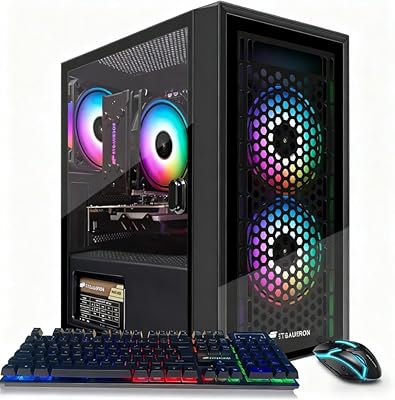
82%
88%
Gaming Performance
91%
Value for Money
85%
Build Quality
93%
Ease of Setup
80%
Aesthetic Appeal (RGB Fans)
More
STGAubron Gaming PC Desktop, Intel Xeon E5, Radeon RX 550 4GB, 16GB RAM, 512GB SSD
81%
91%
Value for Money
75%
Gaming Performance
88%
Ease of Setup
83%
Multitasking Performance
68%
Graphics Card Performance
More

FAQ

Yes, comfortably. Both titles are well-optimized and not particularly demanding, so you can expect smooth performance at 1080p on medium-to-high settings. Valorant in particular is very CPU-light, meaning you will hit high framerates without much effort.

It is an add-on — both WiFi 6 and Bluetooth 5.2 are delivered via USB adapters that plug into the back of the tower. This is worth knowing because USB-based wireless adapters can occasionally be less stable than onboard chips, and they occupy a USB port permanently. If connection reliability matters to you, using the Ethernet port is the more dependable option.

Windows 11 Home typically consumes around 20 to 30GB, leaving you with roughly 470 to 480GB of usable space. Given that modern AAA games can take up 60 to 100GB each, the drive fills up quickly if you have a broad library. Adding a secondary SSD is a straightforward and affordable upgrade worth planning for early.

It manages light streaming setups reasonably well. Running OBS alongside Fortnite or Valorant is feasible with 16GB of RAM covering both tasks. That said, the i7-8700 is an older processor, so if you plan to stream more CPU-intensive titles at higher quality settings, you may notice some performance strain.

Yes on both counts. Adding a second SSD is the most practical and impactful upgrade, and it is something you can do without voiding the warranty in most cases. RAM is also upgradable depending on available slots on the motherboard. The more significant limitation is the CPU — the LGA1151 platform used by the i7-8700 has a ceiling, and there is no meaningful upgrade path beyond what is already installed.

Essentially everything is included — the tower, an RGB keyboard, mouse, mouse pad, and Windows 11 Home pre-activated. You just need a monitor and an internet connection. The peripherals are entry-level, so some buyers replace them over time, but they are perfectly functional for getting started on day one.

It is not whisper-quiet. With six case fans running, noise levels climb noticeably during sustained gaming sessions. For a desk in a dedicated gaming room it is rarely a serious issue, but if you are in a shared bedroom or a quiet environment, the fan noise may be more noticeable than you expect.

For casual and esports gaming it is still serviceable, but it is genuinely showing its age in newer, CPU-demanding titles. Games like Microsoft Flight Simulator or newer open-world releases that stress processor threads will expose the generational gap. If you plan to game heavily on cutting-edge AAA titles for the next several years, the CPU will be a limiting factor sooner than the GPU will.

The machine outputs through HDMI, DisplayPort, and DVI, so it works with the vast majority of gaming monitors available today. HDMI and DisplayPort both support high-refresh-rate 1080p displays without issue. If you are looking at a 1440p or 4K monitor, verify that your chosen display supports the input you plan to use, as DVI has resolution and refresh-rate limitations at higher specs.

The one-year warranty covers parts and labor, which is a standard level of protection for this category. The lifetime tech support is a nice differentiator on paper, though buyer experiences with support quality vary — some report helpful responses, others find the depth of troubleshooting limited. For straightforward setup questions or minor issues, it is a useful safety net. For complex hardware failures beyond year one, you will be relying on the tech support channel rather than a warranty replacement.