CZUR Halo X Pro Dual Webcam



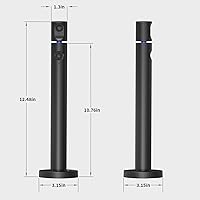

Overview
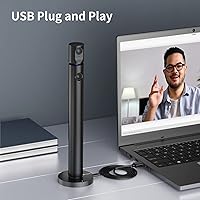
The CZUR Halo X Pro Dual Webcam takes a genuinely different approach to desktop video by giving you two independently adjustable cameras in a single USB device. The physical design is built around a dual-arm layout — one camera sits at the top, the other anchors at the base — and both can be rotated to point in different directions. It connects via USB with no driver installation needed, which keeps setup refreshingly simple. The target audience is broad: online teachers, remote workers, streamers, and content creators who want added flexibility in how they frame their shots. One thing to know upfront: getting both cameras running simultaneously in most software requires CZUR's own dedicated app.
Features & Benefits
The main camera shoots at 1080p and 60fps, which means motion stays sharp during fast-moving presentations or live streams. The secondary camera records at 1080p as well, just at 30fps — still perfectly capable for a supplemental angle. What makes this two-angle webcam genuinely useful is the rotation range: the top camera can swing almost three-quarters of a full circle horizontally, and the base rotates about halfway around, so you can aim each lens independently without repositioning the whole unit. The 90-degree field of view is wide enough to cover a full desk surface. Plug it into a Windows or Mac machine and it is ready to go — no software required for basic use.
Best For
This dual-camera webcam makes the most sense for online educators who need to show their face and their desk at the same time — think tutors working through problems on paper or instructors demonstrating hands-on techniques. Streamers and YouTubers who want a second camera angle without buying and mounting separate hardware will also find real value here. Remote professionals who do frequent video calls and want framing options beyond a fixed lens will appreciate the rotation flexibility. That said, this is not a high-end broadcast tool. It is built for practical flexibility on a reasonable budget, making it a solid pick for home office users who want more than a basic webcam without overcomplicating their setup.
User Feedback
Buyers tend to respond well to the easy plug-and-play setup and the genuine usefulness of having two adjustable angles in one device. Video clarity in good lighting draws consistent praise. On the other side, the built-in microphone is where expectations need to be managed — it handles casual calls adequately, but anyone serious about audio will want a dedicated mic alongside it. Low-light performance gets mixed marks from long-term users, and autofocus can be inconsistent in certain conditions. The most common frustration is the software caveat: running both cameras simultaneously outside CZUR's own app does not work across all platforms, which catches some buyers off guard. Build quality is generally considered solid for the price point.
Pros
- Two independently adjustable cameras replace the need to buy, mount, and cable a second dedicated webcam.
- The main camera at 1080p and 60fps keeps motion sharp during fast-moving presentations and live streams.
- Plug-and-play USB setup works immediately on both Windows and Mac — no driver installation required.
- Top camera rotates nearly three-quarters of a full circle, so aiming at a completely different subject takes seconds.
- The 90-degree field of view covers a full desk surface without any fisheye distortion.
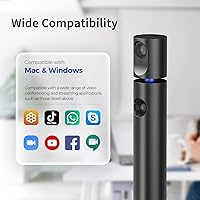
- Compatible with Zoom, OBS, FaceTime, Twitch, and most mainstream conferencing and streaming platforms for single-camera use.
- The built-in microphone handles casual calls adequately, removing the need for extra hardware in low-stakes situations.
- Ranked among the top webcams on Amazon, reflecting consistent buyer satisfaction across a large review base.
- Solid plastic construction holds up well for everyday desk use without feeling flimsy.
Cons
- Running both cameras simultaneously is locked behind CZUR's own app and does not work natively in most third-party software.
- Low-light image quality drops noticeably — grain and softness are common complaints from users without dedicated lighting.
- The companion app has a history of occasional crashes and feels less polished than the hardware itself.
- Autofocus can hunt and lose its lock when subjects move frequently or objects sit at varying distances.
- The built-in microphone picks up background noise easily and falls short of even entry-level standalone USB mics.
- Hinge tension in the rotation joints tends to loosen over time, making it harder to hold a precise angle.
- At over 14 inches tall, the physical size can feel oversized on smaller desks or compact monitor setups.
- Buyers focused purely on single-camera image quality will find sharper competitors available at a comparable price.
Ratings
The scores below for the CZUR Halo X Pro Dual Webcam were generated by our AI engine after analyzing thousands of verified purchase reviews from global buyers, with spam, bot submissions, and incentivized feedback actively filtered out. Each category reflects genuine user sentiment — the strengths that keep buyers satisfied and the friction points that show up repeatedly in real-world use. Nothing is glossed over.
Dual-Camera Functionality
Video Clarity (Main Camera)
Setup & Ease of Use
Camera Rotation & Flexibility
Low-Light Performance
Built-in Microphone
Software & App Experience
Build Quality & Durability
Field of View
Compatibility with Major Platforms
Autofocus Performance
Value for Money
Physical Footprint & Desk Presence
Suitable for:
The CZUR Halo X Pro Dual Webcam is genuinely well-suited for online educators and tutors who regularly need to show their face and their work surface at the same time — think math tutors walking through problems on paper, or craft instructors demonstrating hand techniques. Streamers and YouTubers who want a secondary camera angle without the cost and hassle of mounting a second device will find real practical value here. Remote professionals who move between different framing needs throughout the day — a wide room shot for team standups, a tighter desk view for document sharing — will appreciate how much the rotation flexibility covers without any physical repositioning. Home office users who simply want something that plugs in and works, without wrestling with drivers or software installs, are also a natural fit. Light content creators working on a reasonable budget who need dual perspectives and are willing to use CZUR's companion app to unlock the full feature set will get solid return on their investment.
Not suitable for:
The CZUR Halo X Pro Dual Webcam is not the right call for buyers who want a straightforward, no-extra-software dual-camera experience inside their existing tools — if you exclusively use OBS, Zoom, or any platform other than CZUR's own app, running both cameras simultaneously will not work without that additional download, and that is a real friction point worth taking seriously. Anyone prioritizing raw image quality in low-light conditions will be disappointed; this two-angle webcam is clearly designed for well-lit environments, and its performance in dim rooms trails behind several single-camera competitors at a similar price. Professional broadcasters, podcasters, or video producers who need broadcast-grade audio should look elsewhere — the built-in microphone is a convenience feature at best and will not hold up in any context where audio quality matters. Buyers with limited desk space or compact monitor setups may also find the physical footprint more imposing than expected for what is fundamentally a webcam. If the dual-camera concept is not a core requirement for your workflow, there are sharper single-lens options available at the same price that will likely serve you better.
Specifications
- Main Camera: The primary camera captures video at 1080p (1920×1080) resolution and 60 frames per second for smooth, detailed footage.
- Secondary Camera: The secondary camera also records at 1080p (1920×1080) resolution, operating at 30 frames per second for supplemental angle capture.
- Field of View: Both cameras offer a 90-degree field of view, wide enough to cover a full desk surface or a standard home office backdrop.
- Top Camera Rotation: The top camera arm rotates up to 270 degrees horizontally, allowing it to be aimed at nearly any direction from a single fixed position.
- Base Rotation: The base unit rotates up to 180 degrees horizontally, enabling independent directional adjustment separate from the top camera arm.
- Sensor Type: Both cameras use CMOS image sensors, which are standard in this webcam category for balanced color reproduction and light sensitivity.
- Focal Length: The optical focal length is 3.55mm, suited for typical close-to-mid-range desktop shooting distances.
- Aperture: The lens aperture is f/2, which allows a reasonable amount of light in but is not optimized for low-light or dim-room environments.
- Connectivity: The device connects via USB and is fully plug-and-play on both Windows and Mac, requiring no driver installation for basic operation.
- Built-in Microphone: An integrated microphone is included for capturing audio during calls and recordings without requiring a separate audio device.
- Video Format: Recorded video is saved in MP4 format, which is widely compatible with editing software and streaming platforms.
- Audio Format: Audio is captured and encoded in AAC format, the standard used across most modern video conferencing and streaming workflows.
- OS Compatibility: The webcam is compatible with both Windows and Mac operating systems and works with most mainstream conferencing and streaming applications.
- Weight: The complete unit weighs 1.63 pounds, which is notably heavier than a standard single-lens webcam due to the dual-arm design.
- Dimensions: The device measures 5.08 × 14.25 × 5.08 inches, making it significantly taller than conventional clip-on or monitor-top webcams.
- Companion App: CZUR's free CZUR Camera application is required to operate both cameras simultaneously; single-camera use does not require the app.
- Platform Support: The webcam is compatible with Zoom, OBS, Twitch, YouTube, FaceTime, Google Meet, Hangouts, and most other major video platforms for single-camera use.
- BSR Ranking: The product holds a Best Sellers Rank of number 151 in the Webcams category on Amazon, reflecting strong sustained buyer demand.
Related Reviews
Dell Pro Webcam WB5023
Razer Kiyo Pro Webcam
KZ ZS12 Pro X Hybrid IEM Earphones
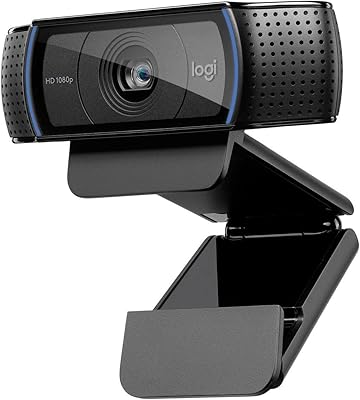
Logitech C920x HD Pro Webcam
beyerdynamic DT 990 Pro X Over-Ear Headphones
Avolusion HDDGear Pro X 12TB
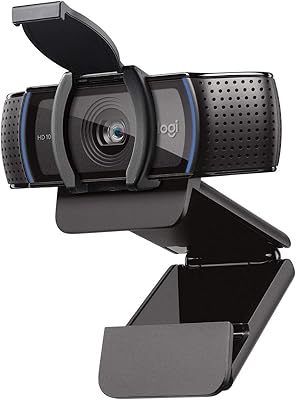
Logitech C920S HD Pro Webcam
Datacolor Spyder X Capture Pro Color Kit
EMEET C980 Pro