




Overview
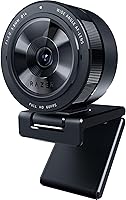
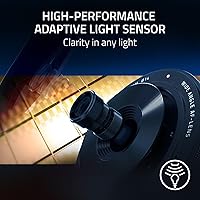
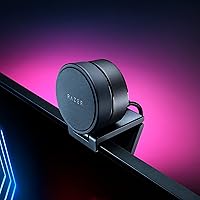
The Razer Kiyo Pro Webcam entered the market as a serious option for streamers and remote professionals who wanted broadcast-quality footage without building a full studio setup. At the heart of it is a Sony STARVIS sensor — the same sensor technology found in professional low-light cameras — which immediately sets it apart from the generic CMOS chips packed into typical webcams. Setup is straightforward: plug it into a USB 3.0 port and most platforms recognize it instantly. Whether the premium price is justified depends on what you are replacing, but against mid-range competitors, the sensor quality alone makes the comparison genuinely worth having.
Features & Benefits
What separates the Kiyo Pro from the crowd starts with uncompressed 1080p at 60FPS — not a compressed stream passed off as HD, but a full signal that keeps motion clean and faces sharp during fast-paced gameplay or lively conversation. The f/1.7 aperture does real work in dim rooms, pulling in enough light that a ring light becomes optional rather than essential. When your environment has mixed lighting — a bright window behind you, for example — switching to HDR mode at 30FPS recovers detail in highlights and shadows effectively. The adjustable field of view, controlled through Razer Synapse, lets you tighten or widen the frame to suit your setup. The built-in microphone handles casual calls acceptably but should not replace a dedicated mic for serious streaming.
Best For
This streaming webcam makes the most sense for content creators and streamers who deal with variable or imperfect lighting and cannot always rely on a ring light or softbox. It is equally strong for remote professionals spending long hours on video calls who want their image to look polished without extra gear. OBS and Streamlabs users in particular benefit from the software integration and FOV flexibility. That said, if 4K resolution is a priority, Razer's flagship webcam does not offer it — 1080p is the ceiling here. Budget-conscious buyers will find the price a significant ask when cheaper options handle well-lit environments just fine. This is a tool for users who genuinely stress the limits of a standard webcam.
User Feedback
With over 5,600 reviews averaging 4.3 stars, the overall consensus is positive — but not without nuance. Low-light image quality is consistently the most praised aspect, with buyers noting clear differences versus competitors at a similar price point. Build quality also earns steady appreciation; the camera feels solid and unobtrusive on a monitor or desk stand. On the critical side, Razer Synapse is a recurring friction point — some users find it bloated, and Mac users in particular report limited functionality or compatibility issues. Autofocus inconsistency during rapid lighting transitions has also been flagged as occasionally distracting mid-stream. A smaller number of buyers note that a proper USB 3.0 port is genuinely required for peak performance, which older machines cannot always deliver.
Pros
- The Sony STARVIS sensor handles dim rooms better than almost any webcam in its class.
- Uncompressed 1080p at 60FPS keeps motion smooth and faces sharp, even during fast-paced content.
- The f/1.7 aperture reduces the need for a ring light in most typical home setups.
- HDR mode at 30FPS effectively recovers detail when harsh windows or mixed lighting would otherwise blow out the image.
- Three adjustable field-of-view options give streamers real flexibility for different scene configurations.
- Plug-and-play USB 3.0 setup works without driver installation on most platforms.
- Compatible with OBS, Streamlabs, XSplit, Zoom, Teams, and Skype right out of the box.
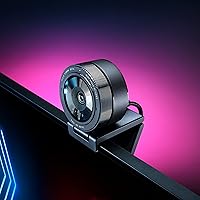
- Build quality feels solid and the minimal design fits cleanly on any monitor or desk stand.
- The 1.5m braided cable gives enough reach for most desk layouts without extensions.
Cons
- Razer Synapse is required to access FOV controls, which is a significant limitation for Mac users.
- No 4K option exists at any frame rate, which is a real gap as more competitors offer it.
- Autofocus can hunt or lose its lock during quick lighting transitions, which is noticeable mid-stream.
- The built-in microphone is mediocre and should not replace a dedicated audio solution for any serious use.
- Razer Synapse itself has a reputation for being resource-heavy and occasionally unstable on some systems.
- A USB 3.0 port is genuinely required for full performance, which can be a problem on older machines or certain hubs.
- The premium price is difficult to justify if your shooting environment is already well-lit.
- Windows users get a notably better experience than those on other operating systems due to software limitations.
- No physical privacy shutter is included, which some remote workers and security-conscious buyers prefer.
Ratings
The Razer Kiyo Pro Webcam scores below are generated by our AI review engine after analyzing thousands of verified global purchases, actively filtering out incentivized, bot-generated, and low-effort feedback to surface what real users consistently experience. The result is a transparent breakdown that reflects both where this streaming webcam genuinely delivers and where it falls short — no spin, no padding.
Low-Light Performance
Image Sharpness
HDR Quality
Autofocus Reliability
Build Quality
Software Experience
Mac Compatibility
Microphone Quality
FOV Flexibility
Setup & Ease of Use
Value for Money
Streaming Platform Integration
Cable & Physical Design
Suitable for:
The Razer Kiyo Pro Webcam is built for people who put their camera through real conditions — uneven home lighting, late-night streams, back-lit home offices — and need consistent, clean footage without a dedicated lighting rig. Streamers and gaming content creators will appreciate the smooth 60FPS output and the wide-angle lens flexibility, which lets you frame a full desk setup or tighten to a talking-head shot depending on the stream. Remote professionals who spend several hours a day on video calls will find an immediate and noticeable upgrade over built-in laptop cameras, particularly in rooms that do not receive strong natural light. The Kiyo Pro also fits well into any workflow already built around OBS, Streamlabs, or XSplit, since the Razer Synapse integration allows granular adjustments without third-party workarounds. If you want genuinely good-looking footage from a compact, plug-and-play device and your setup runs on Windows, this webcam punches well above the average consumer option.
Not suitable for:
Buyers expecting 4K output should look elsewhere — the Razer Kiyo Pro Webcam tops out at 1080p, and no software update changes that ceiling. If you are on a tight budget, the premium price is hard to justify unless low-light performance is a specific and persistent problem for your setup; in a well-lit environment, more affordable webcams close the gap considerably. Mac users should research carefully before purchasing, as Razer Synapse has limited macOS support, which locks out the FOV adjustment and some image control features that make the camera competitive. Those who stream or record in brightly lit studios with professional lighting gear will find the adaptive sensor less relevant to their workflow and may get equivalent image quality from cheaper alternatives. The built-in microphone is also not a substitute for a standalone mic, so anyone expecting to drop an external microphone from their setup will likely be disappointed.
Specifications
- Image Sensor: Uses a 1/2.8″ Sony STARVIS CMOS sensor, a professional-grade chip known for strong low-light sensitivity.
- Max Resolution: Captures uncompressed Full HD video at 1080p and up to 60 frames per second for smooth, high-fidelity output.
- HDR Mode: HDR is available at 1080p and 30FPS, expanding dynamic range to recover detail in overexposed or shadowed areas.
- Aperture: Features a large f/1.7 maximum aperture, which allows significantly more light to reach the sensor compared to typical webcam lenses.
- Field of View: Offers three adjustable field-of-view settings — 103°, 90°, and 80° — selectable through Razer Synapse software.
- Focal Length: Fixed focal length of 3.8mm, optimized for the wide-angle, close-to-mid-range distances typical of desk and monitor-mount use.
- Microphone: Integrated microphone records 16-bit audio at 48kHz PCM with a sensitivity rating of -38dB, suitable for voice pickup in quiet environments.
- Connection: Connects via USB 3.0, delivering up to 5Gbps of bandwidth to transmit the uncompressed video signal without degradation.
- Cable: Includes a 1.5-meter braided USB cable, which resists tangling and fraying better than standard rubber-coated cables.
- Dimensions: Measures 2.71 x 2.71 x 1.91 inches, making it compact enough to sit on a monitor bezel without obstructing the screen.
- Weight: Weighs 6.9 ounces, light enough for standard monitor clips but with enough mass to stay stable on a flat surface.
- Software: Full feature control, including FOV adjustment and image settings, requires Razer Synapse, which is available primarily for Windows.
- OS Compatibility: Windows 10 with a USB 3.0 port is the recommended configuration; macOS is supported for basic use but Synapse features are largely unavailable.
- Platform Support: Certified compatible with OBS, XSplit, Streamlabs, Zoom, Microsoft Teams, and Skype without additional drivers on Windows.
- Plug and Play: Recognized automatically by most operating systems over USB without requiring manual driver installation for basic video output.
- Model Number: Official Razer model identifier is RZ19-03640100-R3U1, useful when checking firmware updates or warranty status.
- Release Date: First made available in February 2021, positioning it as a direct response to the surge in demand for quality home streaming hardware.
- Manufacturer: Designed and manufactured by Razer Inc., a brand primarily known for gaming peripherals with a dedicated creator-focused hardware line.
Related Reviews
Dell Pro Webcam WB5023
Razer Seiren V2 Pro
EMEET C980 Pro
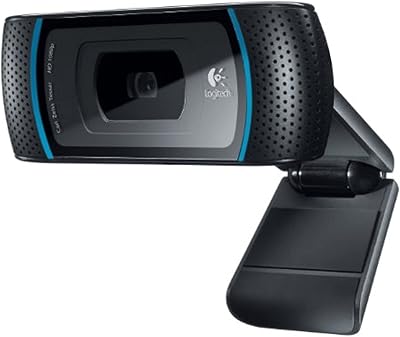
Logitech C910 HD Pro Webcam
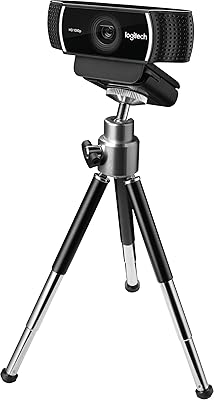
Logitech C922 Pro Stream Webcam
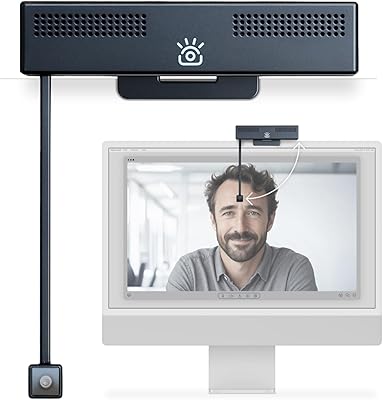
iContact Camera Pro 4K Webcam
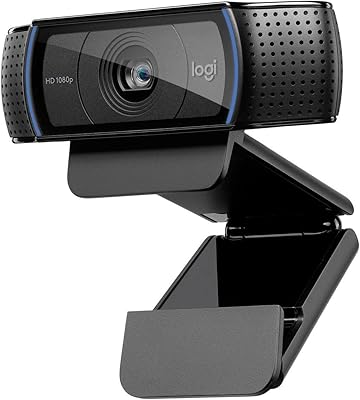
Logitech C920x HD Pro Webcam
Logitech C920S HD Pro Webcam
Razer Pro Click Wireless Mouse