Overview

The Cudy GS1016E 16-Port Managed Gigabit Switch occupies an interesting spot in the networking market — it offers genuine management features at a price point where most buyers are stuck choosing between dumb unmanaged hardware and expensive enterprise gear. This managed switch is aimed squarely at small business owners and home lab builders who need VLAN support, QoS, and real per-port control without paying a premium. What sets it apart from comparably priced options is the rack-mountable steel chassis — a feature you rarely see at this tier. Access everything through the web-based management interface, which keeps things approachable. Just keep expectations calibrated: this is a light managed switch, not a Cisco replacement.
Features & Benefits

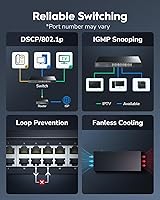
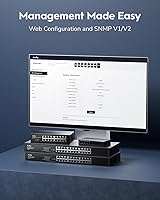
Getting into the GS1016E's feature set, the web-based GUI is the starting point for everything. Setup involves pointing your browser at the switch's IP address and working through a straightforward dashboard — no command-line knowledge required. VLAN configuration lets you isolate traffic between guest Wi-Fi, IoT devices, and core business machines, which is genuinely useful for security-conscious setups. Port-based QoS means you can prioritize VoIP calls or security camera feeds so they never compete with regular data traffic. IGMP Snooping handles multicast traffic efficiently, and Link Aggregation lets you bond ports for higher throughput between servers or NAS devices. The shielded RJ45 ports and solid steel housing feel more substantial than the price suggests.

Best For

This managed switch makes the most sense for anyone who has outgrown a basic unmanaged switch but does not need — or want to pay for — full enterprise hardware. Small business owners running a mix of office PCs, VoIP handsets, and IP cameras will find the per-port management genuinely practical. Home lab enthusiasts who want to experiment with VLANs and network segmentation without a steep learning curve will also appreciate the accessible interface. The rack-mount kit bundled in the box makes it a natural fit for anyone building out a compact server closet or AV rack. If you run an NVR-based security setup, the IGMP support alone makes this Cudy switch worth a close look.

User Feedback

With around 61 ratings and a 4.6-star average, the feedback base is still relatively small — worth keeping in mind when weighing the overall score. That said, early reception is positive. Buyers consistently highlight easy initial setup and the solid, no-flex build quality as standout positives. Value for the money comes up repeatedly, particularly from users comparing it to pricier TP-Link or Netgear alternatives at similar port counts. On the other side, a handful of reviewers wish the management software went deeper, and a few mention the documentation could be clearer. Long-term reliability is still an open question given the product's recent launch, but short-term reports from small office and home lab users have been largely encouraging.

Pros

  • VLAN and QoS support at this price tier is rare and genuinely useful for mixed-device networks.
  • The web-based management GUI is accessible enough for non-engineers to configure without frustration.
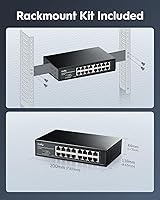
  • Rack-mount kit is included in the box — no extra purchase needed for server closet installs.
  • Shielded RJ45 ports and a rigid steel chassis feel more durable than the price implies.
  • Link Aggregation support lets you bond ports for higher throughput to NAS or server hardware.
  • IGMP Snooping makes this managed switch a solid choice for IP camera or media streaming setups.
  • Early buyers consistently praise the straightforward setup process and quick time-to-working.
  • At 1.12 kg, the unit is compact and light enough to reposition easily during a network build.
  • Supports both rack and desktop installation, giving flexibility for different workspace configurations.
  • Competitive value compared to TP-Link and Netgear options with similar port counts and feature sets.

Cons

  • The management software lacks depth for users who need advanced ACLs or granular traffic policies.
  • Documentation included in the box is basic and may leave less experienced users hunting for answers online.
  • Cudy has a shorter brand history than TP-Link or Netgear, which raises reasonable questions about long-term support.
  • No CLI access means network professionals cannot script configurations or automate deployments.
  • Long-term reliability is unproven — the product launched in late 2024 and field data is still limited.
  • The review pool is small (roughly 61 ratings), making it harder to spot recurring failure patterns.
  • No Layer 3 routing capabilities, which rules it out for environments needing inter-VLAN routing at the switch level.
  • Firmware update frequency and ongoing software support from Cudy are not yet well-documented or community-tested.

Ratings

The scores below reflect our AI-driven analysis of verified global buyer reviews for the Cudy GS1016E 16-Port Managed Gigabit Switch, with spam, bot-generated, and incentivized feedback actively filtered out before any scoring is applied. We have weighted both the enthusiasm from satisfied home lab builders and small business users, and the frustrations raised around software depth and brand familiarity, so the numbers you see here reflect the full picture — not just the highlights.

Value for Money
88%
Buyers consistently note that getting VLAN, QoS, and LAG support in a steel-encased rack-mountable unit at this price tier feels like a genuine win. Home lab users in particular say it punches well above what they expected for the money, especially compared to unmanaged alternatives at similar price points.
A few reviewers feel the savings come with trade-offs in software depth and brand assurance. Users who have owned TP-Link or Netgear switches at slightly higher prices sometimes question whether the cost difference is worth the uncertainty around long-term support and firmware updates.
Ease of Setup
84%
Most buyers, including those with no prior managed switch experience, report getting the unit up and running within an hour. The browser-based interface is consistently described as clean and navigable, and the included documentation covers the basics well enough for straightforward deployments.
Users who want to push beyond basic VLAN or QoS configuration often find the guidance runs thin. A handful of reviewers mention needing to look up external resources to complete more specific tasks, which suggests the included documentation has real gaps for intermediate users.
Build Quality
83%
The rigid steel chassis draws frequent praise from buyers who were expecting plastic at this price. Shielded RJ45 ports add a layer of confidence for users running cables in electrically noisy environments like server closets or AV racks alongside power equipment.
A small number of buyers note the finish and port tolerances feel slightly below what you would find on a Netgear or TP-Link unit in the same category. Nothing reported as a functional defect, but the tactile impression does not quite match the solidity the steel chassis implies.
Web Management Interface
76%
24%
For users stepping up from an unmanaged switch, the GUI feels accessible and logically organized. Basic tasks like assigning VLANs or adjusting port priorities are straightforward to find and apply without needing to read a manual or watch tutorial videos first.
Power users and network professionals find the interface limiting fairly quickly. There is no CLI, advanced ACL support is absent, and the dashboard lacks the depth that comparable web-smart switches from more established brands offer, which is a recurring frustration among technically experienced buyers.
VLAN Functionality
81%
19%
Users running mixed-device networks — separating IP cameras from office PCs, or isolating guest Wi-Fi traffic — report that VLAN setup works reliably and takes effect quickly. Port-based and 802.1Q configurations cover the main scenarios that home lab and small office users actually encounter.
The VLAN implementation, while functional, lacks some of the granularity that mid-tier enterprise switches provide. Users attempting more complex multi-VLAN routing or inter-VLAN policies find that this managed switch requires an upstream router to fill in the gaps.
QoS Performance
78%
22%
VoIP users and those running IP camera systems note that port-based QoS makes a real difference in call clarity and stream consistency during peak network usage. Assigning priority to specific ports is straightforward through the GUI and works as advertised in typical small office scenarios.
The QoS implementation is port-based only, which limits flexibility compared to switches offering DSCP or traffic-class-based prioritization. Users with more complex traffic shaping needs find the options too coarse to handle nuanced priority policies across multiple application types.
IGMP Snooping
79%
21%
Buyers running NVR-based security systems or media servers specifically call out IGMP Snooping as a feature that reduces visible network congestion. In multi-camera setups, the difference in bandwidth efficiency is noticeable once snooping is enabled and configured correctly.
Documentation on configuring IGMP Snooping is sparse, and a few users report needing trial and error to get multicast groups working as intended. For buyers unfamiliar with how multicast works at the switch level, the learning curve here is steeper than the rest of the interface suggests.
Link Aggregation (LAG)
74%
26%
Home lab users who bond ports for NAS connectivity or server uplinks report that LAG works without issues once configured. The added throughput is appreciated for large file transfers and backup jobs that would otherwise saturate a single gigabit connection.
The LAG configuration options are basic compared to more feature-rich managed switches, and the interface gives limited feedback on bonded link status. A handful of users report minor compatibility quirks when setting up LAG with certain NAS firmware versions.
Port Count and Layout
86%
Having 16 ports in a compact 1U form factor satisfies the majority of small business and home lab buyers who are expanding beyond 8-port options. The port spacing is practical, and even with larger RJ45 connectors there is no crowding that would block adjacent ports.
There are no SFP uplink ports, which limits fiber connectivity options for users who want to link this switch to another switch or router over longer distances or higher-speed backbone connections. Buyers with uplink requirements beyond copper Gigabit should factor this in.
Rack Mountability
89%
Including the rack-mount kit in the box is a genuine convenience that buyers notice and appreciate. Installation into a standard 19-inch rack is straightforward, and the compact depth means it fits even in shallow-mount enclosures without cable management issues.
The mounting ears feel slightly less substantial than those bundled with switches from Netgear or TP-Link at higher price points. For permanent rack installations in high-vibration environments, a couple of users recommend reinforcing the mount points with additional hardware.
Thermal Management
72%
28%
The GS1016E runs fanless, which makes it completely silent — a meaningful advantage in home offices, small meeting rooms, or AV setups where fan noise would be distracting. Passive cooling keeps the unit quiet under normal mixed-traffic loads across all 16 ports.
Under sustained high-throughput loads across many ports simultaneously, the chassis does get noticeably warm. The fanless design is a comfort win in quiet environments, but buyers in poorly ventilated rack cabinets should ensure adequate airflow around the unit.
Documentation Quality
58%
42%
The installation guide is sufficient for physically setting up the switch and reaching the web GUI for the first time. Buyers who stick to out-of-the-box configurations with minimal customization generally find they have enough guidance to get started without outside help.
Multiple reviewers point out that the documentation drops off sharply once you move past basic setup. Feature-specific guidance for VLAN, LAG, and IGMP configuration is thin or absent, pushing users toward third-party forum posts and community guides to fill in the gaps.
Brand Reliability
63%
37%
Cudy has built a reasonable reputation in the budget networking segment, and early buyers of the GS1016E report no significant hardware failures during the first months of use. For low-stakes deployments, the brand appears to deliver functional, honest hardware at its stated price.
Cudy lacks the established track record of TP-Link or Netgear in the managed switch category, and its community support ecosystem is considerably smaller. Buyers who rely on forums, community wikis, or long-term firmware update histories for peace of mind will find less reassurance here.
Compatibility
82%
18%
The switch plays well with a wide range of devices including standard PCs, consumer routers, IP cameras, and NAS units from major manufacturers. Users in mixed-vendor environments report no significant compatibility issues during initial deployment or ongoing operation.
A small number of users report minor interoperability quirks when pairing the switch with certain older networking equipment or less common NAS firmware versions. These appear to be edge cases rather than widespread issues, but compatibility testing is advisable before committing to a large deployment.

Suitable for:

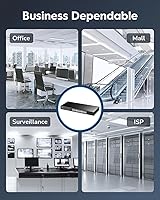
The Cudy GS1016E 16-Port Managed Gigabit Switch is a strong fit for small business owners, home lab enthusiasts, and budget-conscious IT administrators who need real network control without the complexity or cost of enterprise hardware. If you are running a mixed environment — office workstations alongside VoIP phones, IP security cameras, or a NAS device — the ability to configure VLANs and set QoS priorities per port makes a tangible difference in day-to-day reliability. Home lab builders who want to practice network segmentation or experiment with managed switch features will find the web GUI approachable enough to learn on without needing CLI experience. The bundled rack-mount kit makes this Cudy switch a practical choice for anyone organizing a small server closet, AV rack, or structured wiring setup. It also works well as a desktop unit, so it adapts to whatever your physical space demands.

Not suitable for:

The Cudy GS1016E 16-Port Managed Gigabit Switch is not the right tool for environments that demand enterprise-grade reliability, deep CLI access, or advanced routing features. Network engineers accustomed to Cisco IOS or Junos will find the management software shallow — there is no command-line interface, and the feature ceiling is noticeably lower than established players like TP-Link's TL-SG3428 or Netgear's GS716T at comparable price points. Organizations that need Layer 3 routing, advanced ACLs, or robust failover protocols should look elsewhere. Buyers who prioritize brand longevity and extensive community support may also feel uneasy with Cudy, as the brand has a shorter track record in the managed switch space and a smaller user community to draw on for troubleshooting. Finally, with only around 61 ratings collected so far, long-term durability data is limited, which may be a concern for mission-critical deployments.
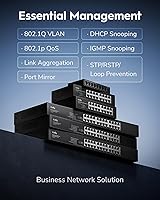
Specifications

  • Total Ports: The switch provides 16 Gigabit RJ45 ports, each capable of 1000 Mbps full-duplex data transfer.
  • Port Shielding: All RJ45 ports are shielded to reduce electromagnetic interference and improve signal integrity in dense cable environments.
  • Management Type: The switch is a light managed (web smart) device, configurable entirely through a browser-based GUI with no CLI required.
  • VLAN Support: Port-based and 802.1Q VLAN configurations are supported, enabling traffic segmentation across different device groups or security zones.
  • QoS: Port-based Quality of Service (QoS) allows administrators to assign traffic priority per port to protect latency-sensitive applications.
  • IGMP Snooping: IGMP Snooping is supported to manage and optimize multicast traffic, reducing unnecessary bandwidth consumption across non-target ports.
  • Link Aggregation: LAG (Link Aggregation) is supported, allowing multiple physical ports to be bonded together for increased throughput and basic redundancy.
  • Enclosure Material: The chassis is constructed from steel, providing a rigid, grounded housing suitable for both rack and desktop deployment.
  • Dimensions: The unit measures 7.87″ long by 4.65″ wide by 1.73″ high, conforming to a standard 1U half-rack form factor.
  • Weight: The switch weighs 1.12 kg (2.46 lbs), making it lightweight enough for easy repositioning during installation.
  • Rack Mounting: A rack-mount kit is included in the box, supporting installation in standard 19-inch equipment racks without additional hardware purchases.
  • Desktop Use: The unit also supports flat desktop placement, offering flexibility for environments without a dedicated rack enclosure.
  • Input Voltage: The switch operates on AC input up to 260 Volts, making it compatible with standard power supplies across multiple regions.
  • Data Rate: Each port delivers up to 1000 Megabits per second, providing full Gigabit throughput across all 16 connections simultaneously.
  • Compatible Devices: The switch is compatible with PCs, routers, IP security cameras, NVRs, and other standard RJ45 Ethernet network devices.
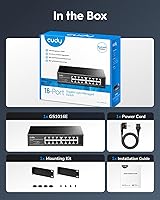
  • Included Contents: The package includes the GS1016E switch unit, an installation guide, a rack-mount kit, and a power cord.
  • Brand Origin: The GS1016E is manufactured by Shenzhen Cudy Technology Co., Ltd., a China-based networking hardware company.
  • Market Availability: The product was first listed for sale in December 2024, making it a relatively recent entry in the managed switch segment.

Related Reviews

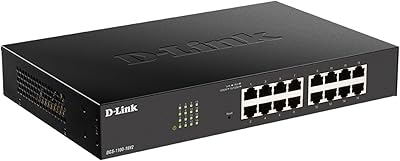
D-Link DGS-1100-16V2 16-Port Gigabit Ethernet Switch
80%
83%
Ease of Setup
67%
VLAN Configuration
84%
Build Quality
91%
Fanless Performance
76%
QoS Effectiveness
More
TP-Link TL-SG2218P Smart Managed PoE Switch
82%
78%
PoE Performance
88%
Omada SDN Integration
83%
Web Interface & Usability
86%
Build Quality
81%
Fan Noise
More
Cisco SG100-16 16-Port Gigabit Network Switch
72%
91%
Ease of Setup
54%
Build Quality
83%
Port Performance
49%
Value for Money
47%
Long-Term Reliability
More
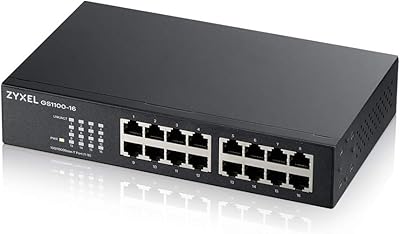
Zyxel GS1100-16 16-Port Gigabit Ethernet Switch
85%
88%
Performance
94%
Ease of Setup
91%
Energy Efficiency
85%
Build Quality
92%
Noise Levels
More
YuLinca UMG16 16-Port Gigabit Network Switch
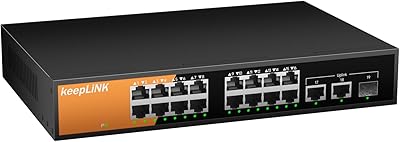
80%
92%
Value for Money
83%
Build Quality
96%
Ease of Setup
88%
Port Performance
97%
Noise Level
More
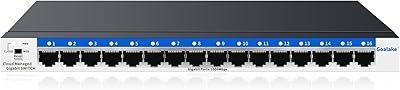
Goalake 16-Port Gigabit Managed Switch
79%
93%
Value for Money
88%
Build Quality
96%
Noise Level
79%
Ease of Initial Setup
66%
Management App Quality
More
keepLiNK 16-Port Gigabit PoE Unmanaged Switch
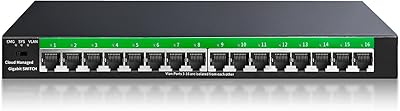
81%
91%
Value for Money
93%
Ease of Setup
78%
PoE Power Delivery
84%
Build Quality
71%
Thermal Performance
More
STEAMEMO 16-Port Managed Gigabit Ethernet Switch
78%
91%
Value for Money
88%
Ease of Setup
84%
Build Quality
86%
Network Performance
74%
VLAN Functionality
More
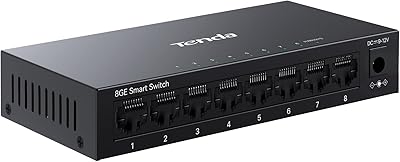
Tenda TEG208E 8-Port Managed Gigabit Switch
85%
94%
Value for Money
88%
Ease of Setup
91%
Build Quality
93%
Network Performance
97%
Noise Level
More
NETGEAR GS316 16-Port Gigabit Network Switch
85%
97%
Ease of Setup
96%
Noise Level
78%
Build Quality
91%
Port Performance
88%
Reliability & Longevity
More

FAQ

Not really. The web-based interface is designed for people who are not network engineers. You connect the switch to your router, open a browser, navigate to the switch's IP address, and work through a straightforward dashboard. Most users report getting basic configuration done within an hour, even without prior managed switch experience.

Yes, that is one of the most practical use cases for this managed switch. You can create separate VLANs and assign specific ports to each one, keeping IoT gadgets, guest devices, and your main workstations completely isolated from each other at the network level.

It does, and the IGMP Snooping feature specifically helps here. Instead of broadcasting camera multicast streams to every port on the switch, IGMP Snooping ensures that traffic only goes where it needs to, which reduces congestion and keeps your recording system running efficiently.

It is included in the box. Cudy ships the unit with a rack-mount kit, so if you are installing it in a standard 19-inch rack, you have everything you need right out of the packaging.

The GS1016E holds up reasonably well on paper — it covers the core managed switch features like VLANs, QoS, and IGMP that you would expect from TP-Link or Netgear options at a similar port count. The main difference is brand maturity: TP-Link and Netgear have larger user communities and more established firmware track records. Cudy is newer to this segment, so community resources and long-term support history are thinner.

No, it does not. Configuration is handled entirely through the web GUI. That is fine for most small business and home lab use cases, but if you need CLI access for scripting, automation, or advanced policy control, this Cudy switch is not the right fit.

Yes. Port-based QoS lets you assign a higher priority to the ports your VoIP phones are connected to. That means call traffic gets handled before general browsing or file transfers, which significantly reduces the chance of choppy audio during peak usage.

The unit is 7.87″ long by 4.65″ wide by 1.73″ high and weighs just over a kilogram. It fits comfortably in a standard 1U rack slot and is compact enough to sit on a shelf or desktop without taking up much room.

It is a good match for that scenario. With 16 ports, you have room for all your devices plus a couple of uplink connections to your router or an access switch. The VLAN and QoS features give you meaningful control over traffic without requiring a costly enterprise solution.

That is a fair concern. The GS1016E launched in late 2024 and has a relatively small number of reviews so far, which means there is not much long-term field data available yet. Early feedback is positive on build quality and day-to-day performance, but if you need proven multi-year reliability for a critical deployment, it is worth weighing that uncertainty against the cost savings compared to more established brands.