Overview

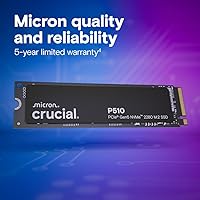
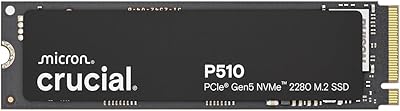
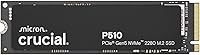
The Crucial P510 2TB Gen5 NVMe SSD is Crucial's push into the PCIe 5.0 tier, aimed at upgraders who want the fastest consumer storage available today. Built on Micron's own NAND, this Gen5 SSD sits at the higher end of the price spectrum — worth acknowledging upfront. What you're paying for is blistering sequential throughput that makes a real difference in demanding workloads, not just benchmark numbers. The M.2 2280 form factor fits most modern motherboards, and the bundled Acronis True Image software means migrating from an old drive doesn't require a tech background. Fast, capable, and reasonably well-rounded.
Features & Benefits

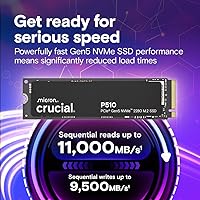
The headline spec is sequential read performance pushing past 10,000 MB/s, which translates to noticeably snappier large file transfers — think exporting a 4K video project or moving a full game library in seconds rather than minutes. If your motherboard doesn't support PCIe 5.0 yet, the P510 is backward compatible with Gen4 and Gen3 slots, so it won't go to waste in an older system. Crucial manufactures its own NAND through Micron, which generally means tighter quality control than brands sourcing chips from third parties. The 2TB capacity covers a full OS install, a solid game library, and room for project files without needing a secondary drive.

Best For

This PCIe 5.0 drive makes the most sense if you're running a recent motherboard that actually supports Gen5 — without that, you're paying a premium to run at Gen4 speeds. It's a strong fit for content creators and PC builders who push large files regularly: video editors, photographers, and 3D artists moving gigabyte-scale assets will notice the throughput. Gamers upgrading from older drives will see faster load times in asset-heavy open-world titles, though gains over a solid Gen4 SSD are more incremental than dramatic. For anyone wanting to consolidate onto one fast drive, the bundled cloning software makes the switch unusually straightforward.

User Feedback

With a 4.8-star average across over 400 ratings for a drive that launched in April 2025, the early reception is genuinely strong. Buyers consistently praise easy installation and measurably faster boot and load times compared to their previous drives. The Acronis migration software gets mixed mentions — most first-timers found it helpful, but a few reported it was fussier than expected. The recurring practical concern is thermals: running a Gen5 drive hard in a tight case without a heatsink can lead to throttling, which isn't unique to this model but is worth planning for. Ranking #12 in Internal SSDs signals this is moving units because it delivers on its core promise.

Pros

  • Throughput is fast enough that large file transfers and exports feel genuinely quicker, not just benchmark-faster.
  • 2TB capacity handles a full OS, game library, and active project files without a second drive.
  • Micron-manufactured NAND means consistent quality control that third-party-sourced brands can not always match.
  • Backward compatible with PCIe 4.0 and 3.0 slots, so it works in older systems without being wasted.
  • Bundled Acronis True Image software makes cloning an old drive straightforward for most users.
  • Launched to a 4.8-star average with over 400 ratings in just weeks, signaling genuine buyer satisfaction.
  • Standard M.2 2280 form factor fits the vast majority of desktops, laptops, and workstations.
  • Ranked in the top 15 of Internal SSDs, indicating real purchase volume and not just marketing attention.
  • Weighs almost nothing and installs in minutes — no tools or technical expertise required.

Cons

  • Gen5 speeds are only fully realized on PCIe 5.0 motherboards, which many current systems still lack.
  • Sustained heavy workloads can cause thermal throttling without a heatsink in tight or poorly ventilated cases.
  • Priced at a premium over comparable Gen4 drives that deliver near-identical everyday performance for most users.
  • The Acronis migration software experience is inconsistent — some users find it fussy or unreliable on certain setups.
  • No included heatsink, which is a practical concern given how hot Gen5 drives can run under load.
  • Early adopter risk: the product launched in April 2025 and long-term endurance data is still limited.
  • Buyers on older platforms may see throttled speeds that do not justify the cost over a Gen4 alternative.

Ratings

The Crucial P510 2TB Gen5 NVMe SSD earns its strong reputation through a combination of cutting-edge throughput and practical usability features that hold up under real-world scrutiny. These scores were produced by our AI system after analyzing verified global buyer reviews, with spam, bot-generated feedback, and incentivized posts actively filtered out. The results reflect an honest picture — where this Gen5 SSD genuinely excels and where real buyers have run into friction.
Sequential Read Performance
94%
Buyers running content creation workflows — exporting 4K timelines, batch-converting RAW files, or moving large project folders — consistently describe transfers that feel dramatically faster than their previous Gen4 or Gen3 setups. On compatible PCIe 5.0 platforms, the throughput is as advertised and noticeably tangible in sustained workloads.
Users on PCIe 4.0 or older motherboards see the speed ceiling drop significantly, which catches some buyers off guard after expecting full Gen5 numbers. Real-world gains over a strong Gen4 drive are modest in typical desktop tasks, so the headline speed only fully materializes in specific, bandwidth-hungry scenarios.
Sequential Write Performance
91%
Sustained write performance holds up well during large game installs, video file saves, and OS imaging tasks, with most buyers reporting that write speeds feel consistent rather than dropping off sharply after the initial burst. Content creators particularly praise the drive for not stuttering during back-to-back export sessions.
Some users noted that write speeds under prolonged heavy loads — particularly without a heatsink — can drop as thermal throttling kicks in. This is an inherent Gen5 challenge rather than a P510-specific flaw, but it is worth understanding before assuming peak numbers are always sustained.
Thermal Management
62%
38%
In well-ventilated builds with motherboard-mounted M.2 heatsinks, the drive maintains stable temperatures under moderate workloads and daily use without any noticeable throttling. Buyers who proactively added a heatsink reported clean, consistent performance even during extended large-file operations.
Without active cooling or a heatsink, sustained workloads push temperatures into throttling territory faster than most Gen4 drives would. Several buyers in compact laptops or mini-ITX cases flagged unexpected slowdowns that traced back to thermals, making this one of the more commonly cited real-world pain points in user feedback.
Installation & Setup
93%
The physical installation process earns near-universal praise — buyers describe it as a straightforward slot-and-screw process that takes under five minutes even for first-time builders. The M.2 2280 form factor fits without adapters in virtually every modern system, and the drive is immediately recognized on boot without additional driver fuss.
A small number of users ran into BIOS configuration steps required to enable NVMe boot on certain motherboards, which wasn't immediately obvious without research. This isn't unique to this drive, but first-time upgraders occasionally expected a completely zero-configuration experience.
Data Migration Software
74%
26%
The bundled Acronis True Image for Crucial is a meaningful inclusion that removes a genuine barrier for users upgrading from an older system. Many first-timers found the step-by-step interface approachable, successfully cloning their entire drive — including OS and applications — without needing third-party tools.
Feedback on the software is noticeably split: experienced users describe it as functional but bloated, while some first-timers reported errors or incomplete clones depending on their source drive configuration. The activation and download process also drew complaints about unnecessary account creation steps before the tool would run.
Value for Money
76%
24%
For buyers who own a PCIe 5.0 platform and regularly push heavy workloads, the P510 lands at a price point that feels justifiable relative to the performance tier — especially compared to early Gen5 drives that launched at considerably higher prices. The included migration software adds practical value that reduces setup costs.
For anyone on Gen4 hardware or with typical home and office usage patterns, the premium over a well-regarded Gen4 drive is difficult to justify on a performance basis alone. Budget-conscious buyers frequently noted that the speed gains they experienced in daily use did not feel proportionate to the price gap.
Build & NAND Quality
88%
Micron's vertical integration — manufacturing their own NAND rather than sourcing it externally — is a real differentiator that buyers with brand awareness specifically called out as a purchasing factor. Early reliability data looks strong, with no significant failure reports surfacing in the review pool despite the drive being relatively new to market.
The drive launched in April 2025, so long-term endurance figures and multi-year reliability data are not yet available to draw firm conclusions from. Buyers who prioritize a proven long-term track record may want to revisit this in another year once the field data matures.
Compatibility Range
87%
The backward compatibility with PCIe 3.0 and 4.0 slots means buyers can install the P510 today and carry it forward into a future Gen5 platform upgrade without replacing the drive. Support across Windows, macOS, and Linux makes it a flexible choice for multi-OS households or creative professionals who use mixed environments.
Some buyers on older systems were disappointed to find that backward compatibility, while functional, left them running the drive at a fraction of its rated speed — making the purchase feel like a future-proofing bet rather than an immediate upgrade. Console compatibility also comes with caveats around heatsink requirements and interface speed caps.
Capacity Efficiency
89%
At 2TB, the drive hits a practical sweet spot that accommodates a full operating system, a substantial library of installed games, and active creative project files without requiring a secondary drive in most systems. Buyers consolidating from multiple older drives consistently noted it covered everything they needed in a single slot.
Buyers with very large uncompressed media archives or who run multiple storage-heavy virtual machines found 2TB felt tighter than expected over time. There is no indication of a larger capacity variant available at launch, which limits options for power users who might prefer a 4TB configuration.
Boot & Application Load Times
86%
Everyday responsiveness — cold boots, application launches, and game loading screens — draws consistently positive feedback from users upgrading from SATA or Gen3 NVMe drives. The subjective snappiness of the system feels markedly improved, which is the experience most non-technical buyers care about most.
Users switching from a recent high-performance Gen4 SSD reported that daily application load times were nearly indistinguishable, with differences only apparent in synthetic benchmarks or large sequential transfers. Managing expectations around day-to-day speed gains is something the product's marketing does not fully address.
Physical Footprint
92%
Weighing under a quarter of an ounce and conforming to the universal M.2 2280 standard, the drive imposes essentially zero physical constraints on the systems it fits into. Laptop upgraders particularly appreciated that the compact profile left no clearance issues even in slim chassis designs.
There is no included heatsink or thermal pad in the box, which is an oversight given how relevant thermal management is for this drive category. Competing Gen5 drives at similar price points occasionally bundle one, making the omission stand out.
Brand Reputation & Trust
90%
Crucial's association with Micron carries real weight among informed buyers — particularly in enthusiast and professional communities where NAND provenance matters. The brand's established history in consumer storage gives buyers confidence in warranty support and long-term firmware update availability.
Some buyers noted that Crucial's customer support responsiveness has been inconsistent in past product generations, which created slight hesitation despite the brand's overall positive reputation. First-time Crucial buyers occasionally expressed surprise that the brand is less prominent in retail channels than some competitors.

Suitable for:

The Crucial P510 2TB Gen5 NVMe SSD is built for buyers who want to extract every bit of performance from a modern PCIe 5.0 platform and are ready to put that speed to real use. Video editors and photographers working with large RAW or 4K files will feel the difference immediately — transferring or scrubbing through heavy assets becomes noticeably faster compared to even a good Gen4 drive. Serious PC builders putting together a high-end 2024 or 2025 system will appreciate having storage that matches the rest of their hardware without bottlenecking the platform. Gamers who play open-world or asset-heavy titles and want shorter load times without juggling multiple drives will find the 2TB capacity practical as a single primary drive. Anyone upgrading from an older SATA or Gen3 SSD will experience a dramatic jump, and the bundled Acronis cloning software makes that migration process far less intimidating for non-technical users.

Not suitable for:

The Crucial P510 2TB Gen5 NVMe SSD is not the right call for buyers on a tight budget or those running older hardware that tops out at PCIe 3.0 or 4.0 — the drive works in those slots, but you would be paying a Gen5 premium for Gen4-level performance. Casual users who primarily browse, stream, and handle office documents will never notice any real-world difference between this and a much cheaper drive. If your case or laptop has limited airflow and no M.2 heatsink, sustained workloads can push temperatures high enough to trigger throttling, which undermines the performance you paid for. Buyers who need maximum storage per dollar would get more capacity for the same spend with a mid-range Gen4 drive. This is also not the drive for someone who wants to set it and forget it in a sealed system without thinking about thermals.

Specifications

  • Capacity: The drive offers 2TB of usable storage, suitable for a primary OS installation alongside a large game library or media archive.
  • Interface: It uses a PCIe 5.0 x4 NVMe interface, delivering the fastest bandwidth currently available in consumer M.2 storage.
  • Form Factor: The standard M.2 2280 form factor means it fits the vast majority of modern desktops, laptops, and workstations without adapters.
  • Sequential Read: Maximum sequential read speed reaches up to 11,000 MB/s under ideal conditions on a compatible PCIe 5.0 platform.
  • Sequential Write: Maximum sequential write speed is rated at up to 9,500 MB/s, making large file saves and exports considerably faster than previous generations.
  • Backward Compatibility: The drive is backward compatible with PCIe 4.0 and PCIe 3.0 M.2 slots, operating at those generations' respective maximum speeds.
  • OS Support: Compatible operating systems include Windows, macOS, and Linux, covering the overwhelming majority of consumer and professional computing environments.
  • Compatible Devices: Supported device types include desktops, laptops, workstations, and gaming consoles with an accessible M.2 2280 slot.
  • NAND Manufacturer: NAND flash memory is manufactured by Micron, Crucial's parent company, allowing for tighter quality oversight compared to third-party sourced chips.
  • Bundled Software: Acronis True Image for Crucial is included, providing drive cloning and data migration functionality to simplify upgrading from an existing drive.
  • Dimensions: Physical dimensions measure 3.1 x 0.86 x 0.09 inches, consistent with the M.2 2280 standard.
  • Weight: The drive weighs just 0.229 oz, making it one of the lightest storage upgrades available for any system build.
  • Color: The drive ships in black, which is standard for M.2 SSDs and typically not visible once installed inside a system.
  • Model Number: The official model number is CT2000P510SSD8-01, which should be referenced when checking motherboard compatibility lists or warranty status.
  • Release Date: The P510 became available in April 2025, making it one of the more recently launched Gen5 consumer SSDs on the market.

Related Reviews
Crucial P510 1TB Gen5 NVMe SSD
84%
93%
Raw Read & Write Performance
91%
Value for Money
61%
Thermal Management
94%
Installation & Compatibility
88%
Reliability & Endurance
More
Crucial T710 2TB Gen5 NVMe SSD
88%
96%
Performance
94%
Speed (Read/Write)
90%
Thermal Management (Cooling)
88%
Ease of Installation
70%
Software Experience
More
Crucial T705 2TB PCIe Gen5 NVMe SSD
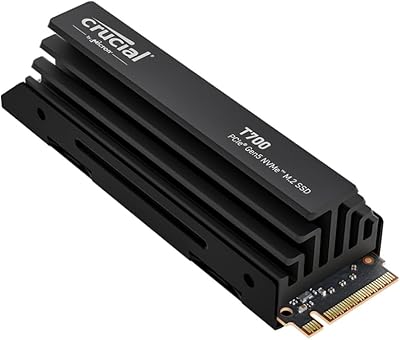
84%
98%
Sequential Read Performance
91%
Game Loading Efficiency
56%
Thermal Management
94%
Video Rendering Speed
93%
DirectStorage Integration
More
Crucial T700 2TB Gen5 NVMe M.2 SSD
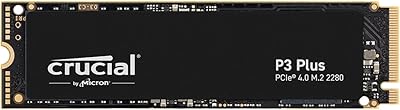
82%
96%
Sequential Read Performance
93%
Sequential Write Performance
71%
Thermal Management
67%
Platform Compatibility
88%
Random I/O Performance
More
Crucial P3 Plus 2TB NVMe SSD
80%
88%
Sequential Read Speed
61%
Sustained Write Performance
69%
Random Access Performance
91%
Value for Money
87%
Gaming Load Times
More
Crucial T700 1TB Gen5 NVMe M.2 SSD
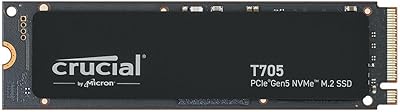
89%
96%
Performance
94%
Speed (Read/Write)
92%
Gaming Performance
90%
Compatibility
80%
Thermal Management
More
Crucial P2 2TB NVMe PCIe M.2 SSD
87%
91%
Performance
94%
Value for Money
89%
Reliability
90%
Speed (Read/Write)
88%
Ease of Installation
More
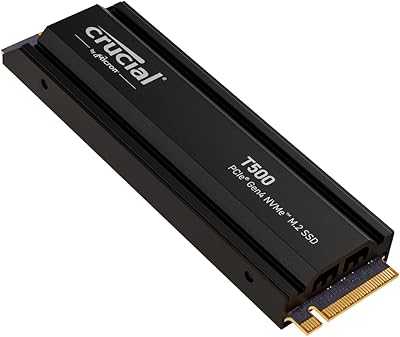
Crucial T500 2TB Gen4 NVMe M.2 SSD with Heatsink
89%
95%
Read Speed
92%
Write Speed
88%
Thermal Management
90%
Compatibility with PS5
83%
Ease of Installation
More
Crucial T705 4TB PCIe Gen5 NVMe SSD
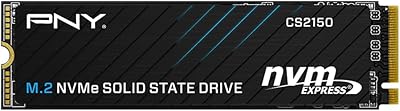
81%
96%
Raw Transfer Speed
91%
Random I/O Performance
67%
Thermal Management
89%
Installation Experience
63%
Value for Money
More
PNY CS2150 2TB Gen5 NVMe SSD
80%
93%
Sequential Read Speed
91%
Sequential Write Speed
58%
Thermal Management
78%
Value for Money
88%
Installation Ease
More

FAQ

Yes, the P510 is backward compatible with both PCIe 3.0 and 4.0 M.2 slots. It will still work and be recognized normally — just keep in mind it will run at that slot's maximum speed rather than full Gen5 throughput, so you won't get the top-end performance the drive is capable of.

Technically no, but practically it depends on your use case. Gen5 drives run hotter than their Gen4 counterparts, especially under sustained workloads like large file transfers or game installs. If your case has good airflow or your motherboard has a built-in M.2 heatsink, you're likely fine. In tight or poorly ventilated setups, adding a heatsink is a smart precaution to avoid thermal throttling.

Check your motherboard or laptop specifications — specifically look for mention of PCIe 5.0 M.2 slots. Most boards based on Intel 13th Gen or earlier, and AMD Ryzen 5000 or earlier, do not support Gen5 storage. Boards using Intel 14th Gen or AMD Ryzen 7000 and later are more likely to include at least one PCIe 5.0 M.2 slot, but always verify your exact model's spec sheet.

Most first-time users find it manageable. You download it using a code included with the drive, connect your old drive via a USB adapter or secondary slot, and Acronis walks you through copying everything over. Some users have reported occasional quirks depending on their system configuration, so it's worth creating a backup before you start just to be safe.

For everyday tasks like booting Windows or opening apps, the honest answer is: not dramatically. Where the difference becomes tangible is in sustained workloads — exporting video, moving large folders, or loading asset-heavy game worlds. If you're coming from a Gen3 or SATA drive, the jump will feel much more obvious across the board.

For most general users, a good Gen4 SSD closes the gap significantly at a lower price. The P510 makes more sense if you have a PCIe 5.0 platform and regularly push large data through your storage — think 4K video editing, 3D rendering, or large game installs. If you're a typical home or office user, the Gen4 category offers strong value without the Gen5 premium.

Technically possible if you have an M.2 NVMe enclosure, but Gen5 speeds will be heavily bottlenecked by USB bandwidth — you'd see a fraction of the drive's actual capability. This drive is designed and priced for internal installation where it can fully leverage the PCIe 5.0 interface.

Crucial typically covers their SSD lineup with a 5-year limited warranty, which is standard for the industry at this tier. Always verify the warranty terms on Crucial's official website at the time of purchase, as terms can vary by region.

For most users, 2TB as a primary drive covers a Windows installation, a substantial game library, and active project files comfortably. If you work with very large uncompressed video archives or run multiple heavy creative applications simultaneously, you might eventually feel the constraint — but for the majority of buyers, 2TB hits a practical sweet spot.

The PS5 accepts M.2 NVMe drives, and this Gen5 SSD is physically compatible with that slot. Sony recommends a heatsink for the PS5's M.2 bay, and a Gen5 drive makes that recommendation even more relevant given the heat these drives can generate. Performance will be capped at what the PS5's interface supports, so full Gen5 speeds will not be realized on a console.

Where to Buy