Creative Sound Blaster Recon3D SB1350
Overview
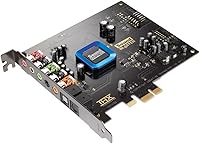
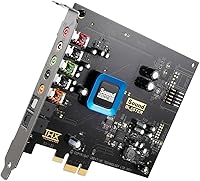
The Creative Sound Blaster Recon3D SB1350 sits in an interesting spot in Creative's lineup — it's a mid-range PCIe card aimed squarely at gamers and home-theater PC users who've outgrown their motherboard's built-in audio but don't want to spend big on a standalone DAC and amp setup. The real hardware differentiator here is the Sound Core3D processor, a quad-core chip that handles audio processing independently, keeping things cleaner than what onboard solutions typically manage. This card has been around since 2011, and the fact that it still ranks competitively in its category says something about how well it was built for its target audience.
Features & Benefits
The Sound Core3D quad-core chip is what separates this PCIe audio card from a simple pass-through board — it actively processes audio independently, so you get less CPU overhead and a noticeably lower noise floor. The THX TruStudio Pro suite adds virtual surround, a crystalizer for compressed audio, and bass enhancement; these aren't magic, but they do make a real difference when gaming with headphones late at night. Dolby Digital Live encoding lets you run a single optical cable to your receiver and get proper 5.1 output from any audio source. There's also a dedicated headphone amp built in, capable of driving high-impedance cans comfortably, which is something most onboard audio simply cannot do.
Best For
The Recon3D SB1350 makes the most sense for PC gamers who rely on headphones and want positional audio clarity without buying a separate amp. If you're running an HTPC and want clean 5.1 sound through a receiver without a rats' nest of cables, the optical output alone justifies the purchase. It's also a practical pick for anyone driving high-impedance headphones — think Sennheiser HD 600-class cans — where onboard audio just doesn't have enough juice. Content creators on a tighter budget who need a cleaner microphone signal will find value here too. Where it struggles is on Windows 10 and 11; driver support has become inconsistent, so it's best suited to stable Windows 7 or 8 setups.
User Feedback
Across roughly 156 ratings, this Sound Blaster card lands at 3.9 stars — a score that reflects genuine satisfaction alongside some real frustrations. On the positive side, buyers consistently highlight the jump in audio quality over motherboard sound and the strong headphone output, particularly for high-impedance headphones. The criticisms are equally consistent: getting drivers working properly on Windows 10 or 11 can be a real headache, and the software interface feels like it hasn't been touched in years. A handful of users also mention electrical interference depending on PCIe slot placement, which is worth keeping in mind. Long-term owners generally report the hardware itself is durable; it's the software side where Creative's support has let people down.
Pros
- Delivers a clearly audible improvement over onboard motherboard audio, especially through quality headphones.
- The built-in headphone amp comfortably drives high-impedance cans up to 600 ohms without strain.
- Dolby Digital Live lets you run a single optical cable to a receiver for real 5.1 surround output.
- Scout Mode provides genuine positional audio benefits in competitive shooters and stealth games.
- Sound Core3D processor offloads audio tasks from the CPU, reducing overhead during heavy gaming sessions.
- Long-term hardware reliability is strong — owners report years of stable operation without component failures.
- Broad software control panel allows per-application EQ, microphone tuning, and voice settings in one place.
- Ranks competitively in its category despite being over a decade old, reflecting a well-engineered design.
Cons
- Driver installation on Windows 10 and Windows 11 is frequently problematic and time-consuming.
- The control panel software looks and feels outdated, with a confusing layout that does not match modern UX standards.
- Settings sometimes fail to persist after a system restart, requiring users to reapply preferences manually.
- Electrical interference and audible whine from GPU or CPU activity is a recurring issue in tightly packed builds.
- Creative customer support has been widely criticized as slow and unhelpful when driver issues arise.
- THX processing effects can sound artificial on high-quality source material, and disabling them is not always straightforward.
- Low-impedance, sensitive in-ear monitors may reveal a faint hiss at the headphone output.
- Buyers in compact cases may face physical clearance problems given the card's full-length PCIe form factor.
Ratings
The Creative Sound Blaster Recon3D SB1350 has been stress-tested by a wide range of buyers — from competitive PC gamers to home-theater enthusiasts — and our AI has analyzed verified global reviews, actively filtering out incentivized and bot-generated feedback to surface what real users actually experience. Scores reflect both the genuine strengths that keep this card relevant years after its launch and the friction points that have frustrated buyers, particularly around modern OS compatibility. Nothing has been smoothed over: the highs and the lows are represented proportionally.
Audio Quality Improvement Over Onboard
Headphone Amplifier Performance
Driver Compatibility & Installation
Dolby Digital Live Output
Gaming Positional Audio (Scout Mode)
Software & Control Panel Usability
Noise Floor & Electrical Interference
THX TruStudio Pro Processing
Microphone Input Quality
Build Quality & Hardware Durability
Value for Money
Ease of Physical Installation
Surround Sound Virtualization
Customer Support & Long-Term Software Updates
Suitable for:
The Creative Sound Blaster Recon3D SB1350 is a strong fit for PC gamers and home-theater enthusiasts who are tired of the limitations of motherboard audio and want a meaningful, hardware-level upgrade without assembling a separate DAC and amplifier stack. If you regularly game with high-impedance headphones — anything in the 150-ohm to 600-ohm range — this card's dedicated amp stage will give you power and clarity that onboard audio simply cannot match. Home-theater PC users who want to connect to a receiver or soundbar over a single optical cable will find the Dolby Digital Live encoding particularly practical, turning any stereo or surround source into a proper 5.1 signal in real time. Content creators on a tighter budget who need a cleaner microphone input and basic noise reduction for voice work or streaming will also get genuine value here. Critically, this card is best suited to users still running Windows 7 or Windows 8, where driver support is stable, well-documented, and unlikely to cause headaches.
Not suitable for:
The Creative Sound Blaster Recon3D SB1350 is a harder sell for anyone running Windows 10 or Windows 11 as their daily OS — driver compatibility issues are well-documented and persistent, and Creative has not kept pace with modern operating system updates in a way that inspires confidence. Users expecting plug-and-play simplicity will likely be frustrated; getting full functionality on a current Windows build can require significant troubleshooting, community forum digging, and patience. Audiophiles who prefer a transparent, unprocessed signal path will find the THX processing suite more of an obstacle than an asset, since disabling it to get a clean output is not always intuitive. Buyers in compact or mini-ITX builds should also be cautious, as the card's physical length and PCIe slot placement relative to the GPU can create both clearance and electrical interference problems. Finally, anyone primarily using low-impedance, sensitive in-ear monitors may encounter a faint noise floor from the headphone output that they would not tolerate.
Specifications
- Model Number: This card carries the official model designation SB1350, released under Creative's Sound Blaster Recon3D product line.
- Interface: It connects via a PCI Express x1 slot, making it compatible with virtually any modern desktop motherboard that has a spare PCIe lane.
- Audio Processor: The Sound Core3D quad-core chip handles all audio processing independently from the host CPU, reducing system load and improving signal quality.
- Surround Support: Dolby Digital Live encoding enables real-time 5.1 surround sound output over a single S/PDIF optical cable to a compatible receiver or soundbar.
- Headphone Amp: The onboard dedicated headphone amplifier supports headphones and headsets with impedance ratings of up to 600 ohms.
- Output Modes: Supported audio output modes include stereo, virtual surround sound, and encoded Dolby Digital, selectable through the software control panel.
- Sound Technologies: THX TruStudio Pro is included, providing a suite of processing tools such as virtual surround expansion, a crystalizer for compressed audio, and bass enhancement.
- OS Platform: Officially supported on Windows 7; driver availability for Windows 8, 10, and 11 varies and has been inconsistent according to user reports.
- Dimensions: The card measures 11.36 x 2.44 x 8 inches, which places it in full-length PCIe card territory — verify clearance before purchasing for compact builds.
- Weight: At 7.2 ounces, the card is lightweight enough to seat securely in a standard PCIe slot without requiring additional bracket support in most mid-tower cases.
- Brand: Manufactured by Creative Technology, a Singapore-based company with a long history in PC audio hardware dating back to the original Sound Blaster series.
- First Available: The card first became available in November 2011, making it a long-tenured product that has maintained market presence for well over a decade.
- BSR Ranking: It holds a Best Sellers Rank of #47 in the Computer Internal Sound Cards category on Amazon at the time of evaluation.
- User Rating: Based on 156 verified ratings, the card carries an aggregate score of 3.9 out of 5 stars across global Amazon buyers.
- Scout Mode: A dedicated gaming feature called Scout Mode applies directional audio processing to enhance positional cue detection for competitive gaming scenarios.
- Microphone Input: The card includes a microphone input with software-controlled noise reduction and voice morphing options accessible through the control panel.
- EQ Control: The bundled software allows per-application equalizer customization, enabling users to set distinct audio profiles for individual games or programs.
Related Reviews
Creative Sound Blaster Audigy FX V2
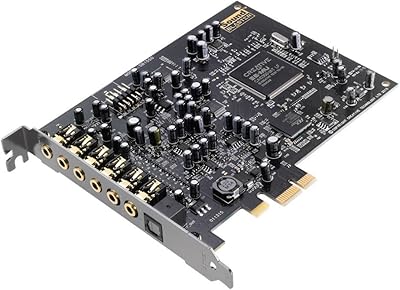
Creative Sound Blaster Audigy RX 7.1 PCIe Sound Card
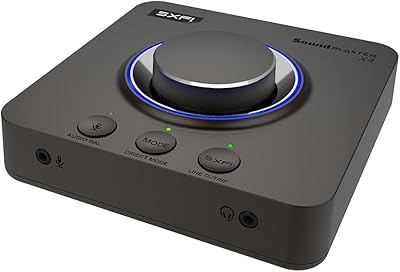
Creative Sound Blaster X4
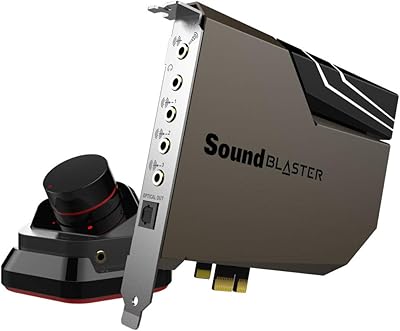
Creative Sound Blaster AE-7
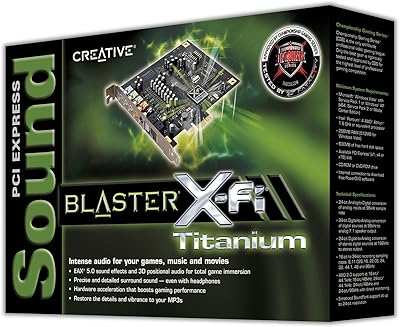
Creative Sound Blaster X-Fi Titanium
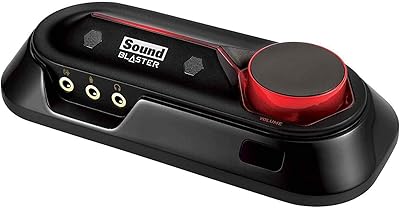
Creative Sound Blaster Omni Surround 5.1
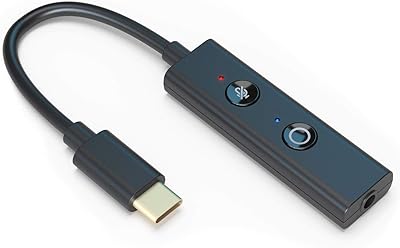
Creative Sound Blaster Play! 4
Creative SBS E2900 + Sound Blaster Z SE
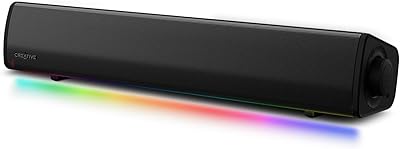
Creative Sound Blaster GS3