Overview

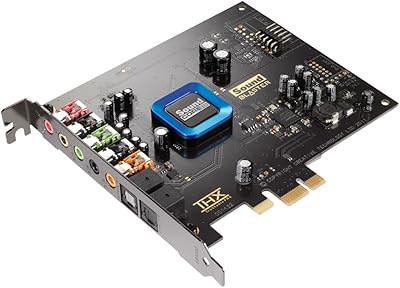
The Creative Sound Blaster Audigy FX V2 is a mid-range internal sound card built for desktop PC users who are tired of the hiss, static, or flatness that comes with typical onboard audio. Creative Labs has been making sound cards since the early days of PC audio, so there is genuine know-how behind this hardware. It uses a PCIe x1 slot, keeping it compatible with virtually any modern Windows 10 desktop build. The card is compact and physically undemanding — installation takes minutes. Just don't expect studio-grade recording; this is aimed squarely at everyday listeners and gamers who want a clear, noticeable step up from their motherboard's built-in chip.
Features & Benefits

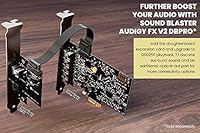
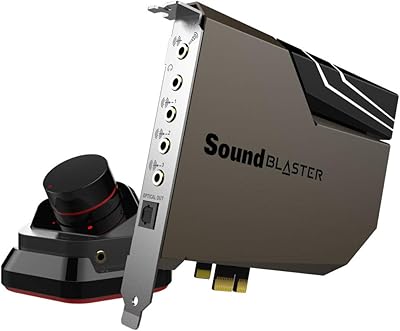
Slotting into a PCIe x1 lane, this sound card physically separates audio processing from the cluttered electrical environment of your motherboard — and that separation is the whole point. Onboard audio chips are surrounded by components that generate interference; dedicated hardware like this sidesteps much of that noise. It handles both stereo and surround output, and the bundled Sound Blaster software lets you dial in EQ settings and virtual surround effects to your taste. The dedicated audio processor also offloads that workload from your CPU, which matters during demanding gaming sessions. At roughly 4.6 by 4.8 inches, it fits without issue in standard ATX or micro-ATX cases.

Best For

This PCIe audio upgrade makes the most sense for a few specific types of users. If your current PC audio sounds thin, buzzy, or lifeless, swapping in dedicated hardware will make a noticeable difference in day-to-day listening. Gamers who rely on positional audio cues — knowing where footsteps are coming from — will appreciate the surround sound support without adding an external USB device to their setup. It is also a solid fix for home theater PCs where onboard audio has become unreliable over time. The one firm requirement: you need a Windows 10 desktop, as there is no meaningful support for Mac or Linux.

User Feedback

With a 4.3-star average across 120 ratings, the reception for the Audigy FX V2 is genuinely positive, though not without caveats. Most buyers highlight the immediate improvement in audio clarity over their old motherboard audio, and several note that the physical installation is refreshingly straightforward. Where opinions get more divided is around the companion software — some find the Sound Blaster app useful for tuning, while others describe it as clunky or unnecessarily complex. A handful of buyers felt the feature set was a bit modest relative to the asking price. There are also no drivers for Mac or Linux, which is a hard stop for anyone outside the Windows ecosystem.

Pros

  • Delivers a clear, immediate improvement over noisy or weak onboard motherboard audio.
  • Physical installation is fast and straightforward — most users are up and running within minutes.
  • PCIe x1 interface keeps the card compatible with virtually any modern or mid-generation desktop build.
  • Dedicated audio processing takes that workload off your CPU, which helps during demanding gaming sessions.
  • Supports both stereo and surround output modes, covering most everyday and gaming use cases.
  • The Sound Blaster software suite adds real EQ and audio customization options beyond bare-bones playback.
  • Compact dimensions mean it fits without crowding other expansion slots in standard ATX or micro-ATX cases.
  • Creative Labs has decades of experience in PC audio, which brings a baseline of driver support and reliability.
  • Reduces electrical interference and background hiss noticeably, especially on older or budget motherboards.
  • Ranked among the top internal sound cards on Amazon, reflecting consistent buyer satisfaction across a sizeable review base.

Cons

  • The companion software feels dated and can become unstable after major Windows updates.
  • Configuration and setup documentation is thin — many users resort to forums just to get surround modes working correctly.
  • No support for Mac or Linux, making it a non-starter for anyone outside the Windows ecosystem.
  • Some buyers feel the feature set does not fully justify the price when compared to external USB audio alternatives at a similar cost.
  • Virtual surround processing sounds artificial to critical listeners and works best disabled for straight stereo headphone use.
  • Driver conflicts during initial installation have been reported, particularly on systems with lingering onboard audio drivers.
  • Long-term ownership occasionally requires software reinstallation after OS updates to restore stable performance.
  • Users with higher-end headphones may find the output improvement real but not dramatic enough to satisfy critical listening.
  • No front-panel header support, so accessing headphone output requires running a cable directly to the card or rear I/O.

Ratings

The Creative Sound Blaster Audigy FX V2 earns a generally strong reception among Windows desktop users looking to move past frustrating onboard audio limitations — and these scores reflect exactly that picture. Our AI analyzed verified buyer reviews from multiple global sources, actively filtering out incentivized, duplicate, and bot-generated feedback, so the numbers represent real-world ownership experiences. Both the genuine strengths and the friction points users consistently ran into are reflected here without bias.

Audio Quality Improvement
83%
The most consistent praise across buyers is the clear, immediate improvement over typical motherboard audio. Background hiss, electrical interference, and flat dynamics are noticeably reduced, and most listeners describe voices, music, and game effects as feeling more present and defined without any additional tuning.
The upgrade is meaningful but not dramatic for users coming from a higher-end motherboard with a decent integrated codec. A few buyers with audiophile-grade headphones felt the output was cleaner but still not resolving enough at the top end to fully satisfy critical listening sessions.
Ease of Installation
89%
Physical installation is one of the most praised aspects — the card slots into a PCIe x1 lane cleanly, Windows 10 detects it quickly, and most buyers report being up and running within fifteen minutes. For users replacing failed onboard audio or upgrading an older build, this low-friction process is a real plus.
A small number of users ran into conflicts with existing audio drivers that required a manual cleanup before the card was recognized cleanly. Those running older Windows builds or custom OS configurations occasionally needed an extra troubleshooting step that was not clearly documented in the packaging.
Software & Driver Experience
57%
43%
The Sound Blaster app provides genuine value for users who take time to explore it — the EQ controls, virtual surround modes, and audio profiles give real customization options that go well beyond what any onboard solution offers. For gamers and home theater users who want to tailor their sound, the feature depth is appreciated.
Driver and software quality is the most divisive issue in buyer feedback. The companion app is described by a recurring group of users as bloated, unintuitive, and occasionally unstable after Windows updates. Some buyers found the installation process for the software side confusing, with prompts that felt outdated compared to modern software standards.
Surround Sound Performance
74%
26%
For gaming and home theater use cases, the surround processing delivers a noticeable positional improvement that helps with spatial awareness in games and makes movie audio feel more expansive. Users replacing a failed HTPC audio solution in particular found the surround output reliable and consistent across their speaker setups.
The virtual surround effect is processed digitally and sounds artificial to critical listeners, especially at wider soundstage settings. Users with high-quality stereo headphones often found the surround mode added a hollow quality to audio and preferred disabling it in favor of straight stereo output.
Build Quality & Hardware
78%
22%
The card feels solid in the hand and is constructed without any obvious cost-cutting in the physical components. Once seated in a PCIe slot, buyers report no issues with looseness or contact problems, and the compact form factor means it fits without crowding adjacent slots in tighter cases.
At this price point, some buyers noted the card lacks any visible premium touches such as shielding or heatsink elements found on more expensive competitors. A small number of long-term owners reported that longevity beyond two to three years raised questions, though outright hardware failures were not a dominant complaint.
Value for Money
68%
32%
For users replacing dead onboard audio or stepping up from a genuinely noisy integrated solution, the improvement delivered relative to cost is reasonable. The brand name, Windows plug-and-play behavior, and the included software suite make the overall package feel justified for casual and gaming use cases.
Users with higher expectations — particularly those comparing against external USB DAC options at a similar price — felt the internal card did not offer a clear enough advantage to justify choosing it specifically. A recurring theme in critical reviews is that the feature count and software quality felt slightly behind where buyers expected for the asking price.
Compatibility
71%
29%
PCIe x1 is a near-universal slot on modern and older ATX and micro-ATX motherboards, so physical fit is rarely an issue. Windows 10 compatibility is solid and well-tested, and the card works correctly across a wide range of desktop configurations without hardware conflicts in most cases.
The Windows-only limitation is a firm ceiling on who can use this card. Mac users are entirely excluded, and Linux support is limited enough that it functions as a hard no for that audience. Users running dual-boot systems also noted that audio behavior under non-Windows partitions was unreliable.
Noise Floor & Interference Reduction
81%
19%
Moving audio processing away from the motherboard environment meaningfully reduces the electrical noise that plagues integrated solutions, particularly in older or budget boards. Users with sensitive headphones noticed the quieter noise floor immediately, and the reduction in ground loop hum was highlighted in several reviews.
Buyers in very high-interference PC environments — dense with multiple GPUs or poorly shielded cases — still reported some residual noise pickup, suggesting the card is not fully shielded. The improvement is real but not absolute, and results vary depending on the overall build quality of the host system.
Gaming Audio Performance
76%
24%
Light to mid-range gamers found this PCIe audio upgrade genuinely useful for positional cues in shooters and open-world games, with better headphone imaging than most onboard solutions. The dedicated processing also means audio workload does not compete with the CPU during intensive gameplay moments.
Competitive or enthusiast-level gamers who have used higher-end dedicated solutions or quality USB DAC-amp combos found the positional accuracy still lagging behind those alternatives. The surround processing, while helpful, does not fully replicate the more convincing spatial imaging of premium hardware.
Physical Footprint & Form Factor
86%
The compact card dimensions make it an easy fit in a wide range of desktop cases, including tighter micro-ATX builds where card clearance is limited. It occupies only a single slot and does not require any power connectors, keeping cable management clean and installation tidy.
There is little to criticize here for most users, though builders using very compact ITX cases may still find slot availability tight depending on existing expansion cards. The absence of any external connection options — like a front-panel header — was mentioned by a few users who wanted easier headphone access.
Brand Reliability & Support
72%
28%
Creative Labs carries real credibility in PC audio hardware built over decades, and most buyers feel a baseline level of confidence purchasing from them rather than an unknown brand. That track record matters for users who want to know driver support will continue for at least a few years post-purchase.
Customer support responsiveness was flagged as inconsistent by buyers who ran into driver or software issues post-purchase. The brand reputation is strong historically, but some users felt that the software side of the product did not reflect the same level of care that older Creative hardware was known for.
Setup Documentation
61%
39%
For users familiar with PC hardware, the physical installation steps are intuitive enough that the manual is rarely needed. The card is recognized by Windows without any unusual configuration, and basic stereo audio works immediately after seating it in the slot.
The documentation for the companion software is thin, and buyers who wanted to configure surround modes, EQ profiles, or speaker setups often had to rely on community forums and YouTube tutorials to get results. The printed materials in the box were described by multiple buyers as minimal and not helpful for less experienced users.
Longevity & Durability
66%
34%
The majority of buyers who have owned this sound card for over a year report no hardware issues, and the internal PCIe format protects it better from the physical wear that external audio devices sometimes experience. Most report stable performance over time once drivers are correctly configured.
A smaller but notable group of buyers reported performance degradation or driver instability after major Windows updates, requiring reinstallation of the software suite to restore normal function. It is a manageable issue but adds friction for users who expect a set-and-forget experience over the long term.

Suitable for:

The Creative Sound Blaster Audigy FX V2 is a strong fit for Windows 10 desktop users who have grown frustrated with the noise, hiss, or general flatness of their motherboard's built-in audio. If your current setup produces audible static through headphones, or if audio quality has degraded on an aging system, dropping this card into a spare PCIe x1 slot is one of the most straightforward fixes available. Gamers who want better positional awareness in shooters or open-world titles — without adding a bulky external device to their desk — will find the internal format practical and the surround processing a genuine step up. Home theater PC users who need reliable multi-channel output routed through a dedicated chip rather than a shared motherboard resource will also get solid results. And because installation is quick and Windows recognition is largely automatic, less experienced builders who simply want better audio without a complicated setup will feel comfortable with the process.
Not suitable for:

Anyone outside the Windows ecosystem should stop here — the Audigy FX V2 offers no meaningful support for Mac or Linux, and that is a firm hardware and driver limitation, not something a workaround will reliably fix. Users expecting professional-grade audio for home recording, music production, or critical mixing work will find this card underpowered for those demands; it is not designed to compete with audio interfaces built for that purpose. Buyers who have already invested in a quality external USB DAC or amp setup may see little practical gain from switching to an internal solution at this tier. If a clean, low-maintenance experience is your priority, the companion software has enough reported friction — particularly around updates and configuration — that it could become a recurring irritant. Finally, anyone building in a compact ITX case with limited slot availability, or hoping to use the card on a secondary non-Windows partition, should consider alternatives before committing.

Specifications

  • Brand: Manufactured by Creative Labs, a company with decades of experience producing PC audio hardware.
  • Product Line: Part of the Sound Blaster Audigy series, Creative's long-running line of consumer-focused internal sound cards.
  • Model Number: The official model number is 70SB187000000.
  • Interface: Uses a PCI Express x1 slot, compatible with virtually any modern desktop motherboard that has a spare PCIe lane.
  • Audio Output: Supports both stereo and surround sound output modes for flexible use with headphones, stereo speakers, or multi-channel setups.
  • Platform: Designed and supported exclusively for Windows 10 desktop PCs; no official Mac or Linux driver support is provided.
  • Dimensions: The card measures 4.61 x 4.76 x 0.83 inches, making it compact enough to fit standard ATX and micro-ATX cases without clearance issues.
  • Weight: The card weighs 6.7 ounces, reflecting a lightweight build that does not stress the PCIe slot under normal conditions.
  • Color: Available in black, consistent with the standard aesthetic of most internal PC expansion cards.
  • Hardware Platform: Intended for desktop PC builds only; not compatible with laptops or all-in-one systems that lack accessible PCIe slots.
  • Power Requirement: Powered entirely through the PCIe slot with no external power connector required, simplifying installation and cable management.
  • Software Suite: Compatible with Creative's Sound Blaster Command software, which provides EQ controls, virtual surround modes, and customizable audio profiles.
  • Audio Processing: Includes a dedicated onboard audio processor that handles sound output independently from the host CPU.
  • BSR Ranking: Ranked number 5 in the Computer Internal Sound Cards category on Amazon at time of listing.
  • Average Rating: Holds a 4.3 out of 5 star average based on 120 verified ratings across the Amazon platform.
  • Availability Date: First made available for purchase in June 2023.
  • Form Factor: Single-slot PCIe card design that occupies one expansion bay and does not require an adjacent slot to be left empty.
  • Interference Reduction: Physically separates audio processing from the motherboard's electrical environment to reduce noise and ground loop interference.

Related Reviews
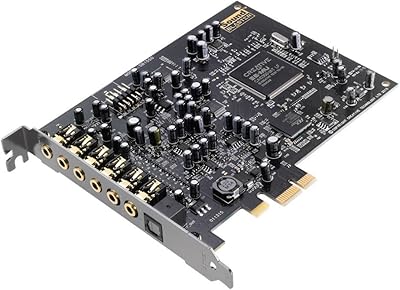
Creative Sound Blaster Audigy PCIe RX 7.1 Sound Card
84%
88%
Sound Quality
83%
Setup and Installation
76%
Driver Compatibility
85%
Build Quality
92%
Value for Money
More
Creative Sound Blaster X4
80%
88%
Audio Quality
91%
Headphone Amplifier Performance
74%
Surround Sound & Virtualization
86%
Build Quality & Physical Controls
92%
Connectivity & I/O Options
More
Creative Sound Blaster AE-7
80%
93%
Audio Fidelity
91%
Headphone Amplifier Performance
71%
Value for Money
58%
Software Quality
67%
Installation & Compatibility
More
Creative Sound Blaster Omni Surround 5.1
81%
89%
Audio Quality Improvement
76%
Ease of Installation
82%
Microphone Performance
91%
Physical Controls & Design
84%
Surround Sound Capability
More
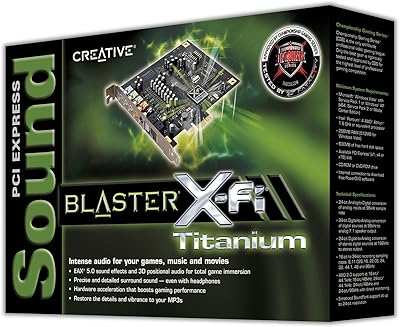
Creative Sound Blaster X-Fi Titanium
72%
91%
Audio Quality Upgrade vs. Onboard
88%
Gaming Positional Audio
44%
Driver Installation & Setup
39%
Windows 10 / 11 Compatibility
82%
ASIO Recording Performance
More
Creative Sound Blaster Play! 4
81%
88%
Audio Quality Upgrade
84%
Microphone Performance
91%
VoiceDetect Auto-Mute
79%
Noise Cancellation (Two-Way)
93%
Plug-and-Play Ease
More
Creative SBS E2900 + Sound Blaster Z SE
76%
88%
Audio Clarity & Fidelity
84%
Bass Performance
91%
Headphone Amplifier Quality
79%
Gaming Audio & Surround
58%
Software & Driver Experience
More
Creative Sound Blaster Recon3D SB1350
69%
88%
Audio Quality Improvement Over Onboard
84%
Headphone Amplifier Performance
47%
Driver Compatibility & Installation
81%
Dolby Digital Live Output
73%
Gaming Positional Audio (Scout Mode)
More
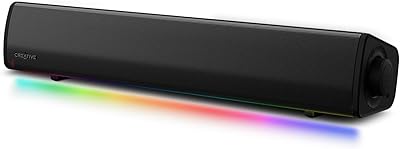
Creative Sound Blaster GS3
83%
94%
Form Factor & Desk Integration
84%
Overall Sound Quality
67%
Bass Performance
91%
Connectivity & Setup
82%
RGB Lighting & Aesthetics
More
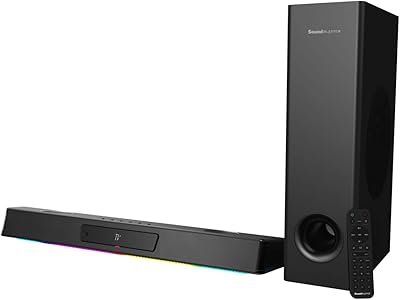
Creative Sound Blaster Katana V2X 5.1 Gaming Soundbar
85%
91%
Sound Quality
89%
Bass Performance
78%
Ease of Setup
88%
RGB Lighting Customization
85%
Build Quality
More

FAQ

It is worth disabling your onboard audio in the BIOS before installing the card, or at minimum uninstalling any existing audio drivers in Windows first. This prevents conflicts where Windows tries to use both audio devices simultaneously. Once those are cleared, physical installation is straightforward — seat the card in a PCIe x1 slot, secure the bracket, boot into Windows, and let it detect the hardware before installing the Sound Blaster software.

Creative has released driver and software support for Windows 11 as well, so you should not run into issues on the newer OS. The official listing references Windows 10 compatibility, but the product launched in mid-2023 when Windows 11 was already widely adopted, and the software suite functions correctly on both versions.

For most users coming from a budget or mid-range motherboard, the difference is real and noticeable — particularly through headphones. Background hiss and electrical interference drop significantly, and audio feels more defined and dynamic. That said, if your current motherboard already has a high-quality integrated codec, the gap will be smaller than you might expect.

The card supports surround sound output modes, so multi-channel setups are supported. You will want to check the specific output connections on the card to confirm they match your speaker system's inputs, and then configure the speaker layout through the Sound Blaster Command software for the best results.

The card will function as a basic audio output device without the software installed — Windows will recognize it and play audio through it. But to access EQ settings, surround modes, and audio profiles, you need the Sound Blaster Command app installed. For casual use, skipping the software is a valid option; for gaming or home theater, it is worth setting up.

Yes, the card is compact enough at under five inches in both length and width to fit comfortably in micro-ATX cases without issue. It is a single-slot design, so it only occupies one expansion bay and does not require an adjacent slot to be left empty, which matters in tighter builds.

Not in any supported or reliable way. Creative does not provide Linux drivers for this card, and community-built solutions tend to be inconsistent and version-dependent. If Linux compatibility is important to your setup, this is not the right card — you would be better served by an external USB audio device with broader OS support.

The card itself improves audio output quality, but noise reduction and echo cancellation for microphone input depends on the software suite and what you are plugging in. The Sound Blaster Command software does include some voice processing features, but for serious streaming or podcast work, a dedicated audio interface with proper microphone preamps would serve you better than this PCIe upgrade.

Most first-timers complete the physical installation in under twenty minutes. The steps are minimal: power down, open the case, remove the bracket cover from the target slot, seat the card firmly, close the case, and power on. Driver and software installation adds another ten to fifteen minutes on a typical internet connection. Community resources and video guides are widely available if you get stuck.

It is actually one of the most practical use cases for this PCIe audio upgrade. When onboard audio fails or becomes unreliable, an internal card like this restores full audio functionality cleanly and at a reasonable cost. Just make sure to disable the onboard audio device in your BIOS after installing the card to avoid any device conflicts in Windows.