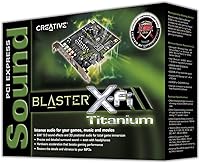
Creative Sound Blaster X-Fi Titanium
Overview
The Creative Sound Blaster X-Fi Titanium arrived in 2008 as Creative's answer to audiophiles and gamers who were tired of the thin, noisy output from integrated motherboard audio. It slots into a PCIe interface, making it a step up from the older PCI generation in both bandwidth and stability. The card sits comfortably in the mid-range to premium tier — not an impulse buy, but not boutique pricing either. Its dual appeal is worth noting: on one side, immersive gaming audio with real positional cues; on the other, a credible recording option for hobbyist producers who need low-latency drivers without buying a separate external interface. Windows-focused through and through.
Features & Benefits
The EAX 5.0 audio engine is one of this sound card's most discussed capabilities — it processes environmental effects like reverb, occlusion, and obstruction in real time, giving compatible games a spatial depth that plain stereo cannot reproduce. Hardware audio acceleration offloads processing from the CPU, which matters in demanding titles where every freed resource counts. Positional audio is notably precise in shooters; you can genuinely distinguish a sound approaching from the left versus behind you. For recording, ASIO driver support keeps latency tight when tracking through a DAW. Rounding things out, the bundled PowerDVD software handles Dolby Digital-EX and DTS decoding for proper surround playback on DVDs.
Best For
This PCIe audio card makes most sense for PC gamers playing titles where spatial audio shifts the experience — competitive shooters, atmospheric RPGs, anything where hearing a threat before you see it matters. It also works well for the home studio hobbyist who wants reliable ASIO support without the added cost of an external interface sitting on their desk. Home theater PC setups running DVD content get real benefit from the onboard surround decoding too. The honest caveat: the card shines brightest on Windows Vista and 7, and buyers running Windows 10 or 11 should research driver compatibility carefully before purchasing. It rewards users comfortable doing a bit of hands-on setup work.
User Feedback
Long-term owners consistently point to one thing above all else: the jump in audio clarity over onboard sound is immediately obvious and hard to walk back from. Build quality earns praise too — this is not a flimsy card. On the critical side, driver installation draws the most complaints; some users report a frustrating setup process, and those on modern Windows versions face real compatibility hurdles that Creative has not fully resolved. A handful of buyers have also flagged fitment issues with certain motherboard configurations, so checking your PCIe slot layout beforehand is smart. Overall, enthusiasts who got the setup right tend to keep the X-Fi Titanium for years — but it demands patience upfront.
Pros
- Dramatic improvement in audio clarity over typical integrated motherboard sound is immediately obvious.
- EAX 5.0 delivers convincing spatial audio in compatible older games without any extra configuration.
- Hardware audio acceleration takes audio processing load off the CPU, benefiting older and mid-range systems.
- Low-latency ASIO driver support makes this sound card a credible recording tool for hobbyist DAW users.
- Onboard Dolby Digital-EX and DTS decoding adds real value for desktop home theater setups with surround speakers.
- PCIe interface provides a stable, high-bandwidth connection that legacy PCI cards cannot match.
- Physical build quality is consistently praised — long-term owners report years of reliable, uninterrupted performance.
- Headphone output has a noticeably lower noise floor than most motherboard jacks, benefiting daily listening.
- Strong enthusiast community has produced driver patches and guides that extend the card's usable life.
- Covers gaming, recording, and surround playback in one card — solid versatility for a single purchase.
Cons
- Official driver support stops at Windows 7, leaving modern OS users reliant on unofficial community patches.
- Driver installation is frequently described as confusing and time-consuming even for experienced PC builders.
- EAX 5.0 benefits are irrelevant in most games released after 2012, limiting the gaming audio advantage.
- Some motherboard configurations with shared PCIe lanes cause compatibility conflicts that are difficult to diagnose.
- The bundled PowerDVD software is outdated and offers no support for modern streaming or newer disc formats.
- Headphone output struggles to drive high-impedance headphones adequately without an additional amplifier.
- No external interface form factor means zero portability — useless outside a desktop tower environment.
- Creative's manufacturer support for this card has effectively ended, with no updates or patches expected.
- Users on current-generation CPUs will see no meaningful performance benefit from hardware audio acceleration.
- Surround headphone simulation receives mixed feedback, with many finding it sounds artificial compared to stereo.
Ratings
The Creative Sound Blaster X-Fi Titanium has accumulated a substantial body of verified buyer feedback over its long market life, and our AI-driven scoring system has processed those real-world reviews globally — actively filtering out incentivized, bot-generated, and outlier submissions — to produce the scores below. Strengths in gaming audio and recording versatility are reflected honestly alongside recurring frustrations with driver compatibility on modern operating systems. Both sides of the ownership experience are represented here so you can make a genuinely informed decision.
Audio Quality Upgrade vs. Onboard
Gaming Positional Audio
Driver Installation & Setup
Windows 10 / 11 Compatibility
ASIO Recording Performance
Build Quality & Hardware Durability
PCIe Slot Compatibility
Surround Sound & Home Theater
Value for Money
Software Bundle (PowerDVD)
CPU Offload & System Performance
Headphone Output Quality
Product Longevity & Support
Installation Complexity (Physical)
Suitable for:
The Creative Sound Blaster X-Fi Titanium is a strong pick for PC gamers who still play titles from the mid-2000s through early 2010s era, where EAX-compatible audio was baked into the game design and positional sound cues genuinely affect gameplay. If you are running a Windows 7 machine — or a carefully maintained Windows 10 system with community driver support already confirmed — and you want a meaningful audio upgrade over integrated sound without buying an external device, this card delivers real, audible results. Home studio hobbyists on a budget will appreciate the low-latency ASIO capability, which allows recording through a DAW without the sluggish response that plagues standard Windows audio drivers. Desktop home theater users who watch DVDs through their PC and have a 5.1 or 7.1 speaker setup will also get tangible benefit from the onboard Dolby Digital-EX and DTS decoding. Broadly, this card rewards technically comfortable buyers who know their hardware setup, have verified PCIe slot availability, and are upgrading from genuinely weak integrated audio on an older or mid-range motherboard.
Not suitable for:
Buyers running Windows 10 or Windows 11 as their primary OS should approach this PCIe audio card with serious caution — Creative has not released full official driver support for modern Windows versions, and getting the card fully functional often requires hours of community troubleshooting with no guarantee of success. The Creative Sound Blaster X-Fi Titanium is also a poor fit for anyone expecting a simple plug-and-play experience; if your tolerance for driver management and device configuration is low, the frustration will likely outweigh the audio benefits. Gamers who exclusively play modern titles built on newer audio APIs will find that EAX 5.0 benefits simply do not apply to their library, making one of the card's headline features irrelevant. Laptop users or anyone without a desktop tower with an available PCIe slot cannot use this card at all — it is strictly an internal desktop component. Finally, professional recording artists or anyone needing robust multi-channel simultaneous input support would be better served by a purpose-built external audio interface, where driver reliability and I/O flexibility are held to a higher standard.
Specifications
- Manufacturer: This sound card is designed and manufactured by Creative Labs, a pioneer in PC audio hardware.
- Model Number: The official model number is SB0880, corresponding to the internal part code 70SB088000004.
- Interface: The card uses a PCI Express (PCIe) interface, compatible with any standard PCIe x1 or larger slot on a desktop motherboard.
- Audio Engine: It is powered by Creative's X-Fi audio processor, which handles hardware-accelerated mixing, EAX effects, and 3D positional audio calculations.
- EAX Version: EAX 5.0 (Environmental Audio Extensions) is supported, enabling real-time environmental sound effects such as reverb, occlusion, and obstruction in compatible games.
- Surround Output: The card supports surround sound output of up to 7.1 channels for multi-speaker desktop setups.
- Audio Decoding: Onboard decoding covers Dolby Digital-EX and DTS formats, enabling proper surround playback of encoded DVD audio content via the bundled PowerDVD software.
- ASIO Support: Low-latency ASIO (Audio Stream Input/Output) drivers are included, allowing the card to function as a recording interface within DAW applications with minimal input delay.
- Hardware Acceleration: Hardware audio acceleration is built into the X-Fi processor, offloading audio computation from the host CPU to improve system performance during audio-intensive tasks.
- Compatible OS: Official driver support covers Windows Vista and Windows 7 only; Windows 10 and Windows 11 compatibility requires third-party or community-sourced driver solutions.
- Bundled Software: PowerDVD is included in the package, providing a software player with Dolby Digital-EX and DTS decoding for DVD surround sound playback on the desktop.
- Compatible Devices: The card is designed to work with desktop PCs, external speakers, and headphones connected via standard 3.5mm or digital outputs.
- Audio Output Mode: The primary output mode is surround sound, with stereo output also supported for standard two-channel listening.
- Item Weight: The card weighs 15.2 ounces, reflecting its full-size PCIe bracket and onboard X-Fi processor hardware.
- First Available: The product was first made available on May 2, 2008, placing it firmly in the late-2000s generation of dedicated PC audio hardware.
- Discontinued Status: As of the latest available information, the card has not been officially discontinued by Creative Labs.
- BSR Ranking: The card holds a Best Sellers Rank of number 15 in the Computer Internal Sound Cards category on Amazon, indicating sustained buyer interest.
Related Reviews
Creative Sound Blaster X1
Creative Sound Blaster Audigy FX V2
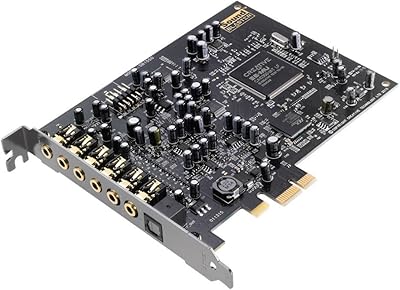
Creative Sound Blaster Audigy RX 7.1 PCIe Sound Card
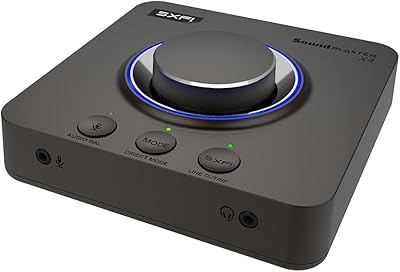
Creative Sound Blaster X4
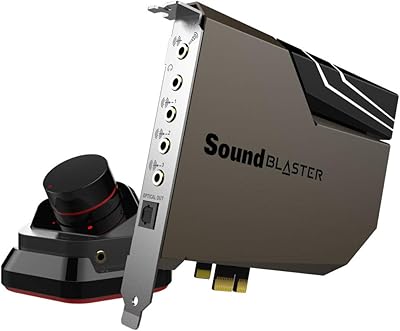
Creative Sound Blaster AE-7
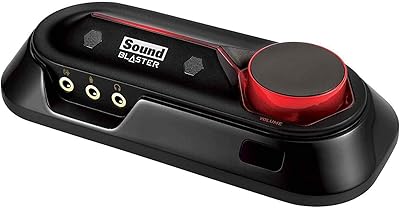
Creative Sound Blaster Omni Surround 5.1
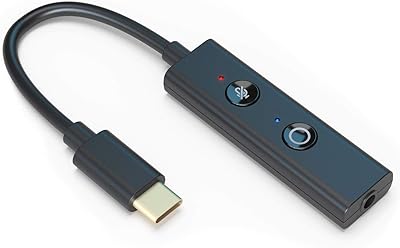
Creative Sound Blaster Play! 4
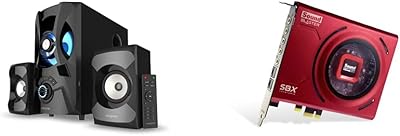
Creative SBS E2900 + Sound Blaster Z SE
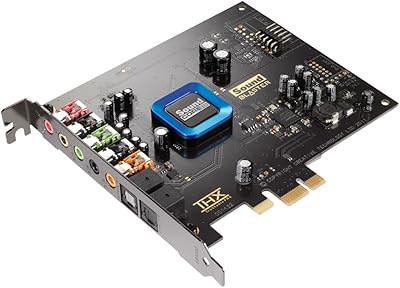
Creative Sound Blaster Recon3D SB1350