Overview

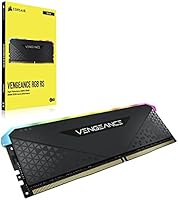
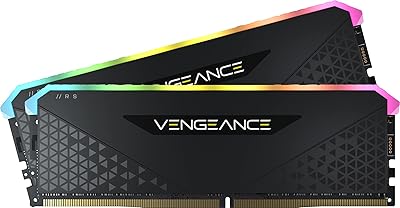
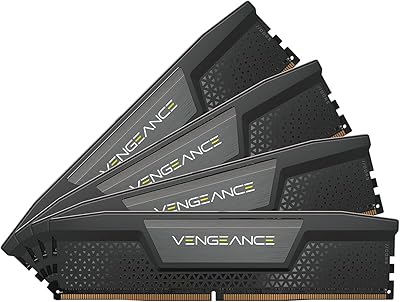
The Corsair Vengeance RGB RS 64GB DDR4 RAM occupies a comfortable middle ground in Corsair's memory lineup — more capable than entry-level options but without a flagship price tag. Configured as a 2x32GB dual-channel kit, it gives content creators and heavy multitaskers the working memory they genuinely need. Corsair's standing in the desktop memory space is well-earned, and the Vengeance RS reflects that reliability without unnecessary excess. For existing iCUE users, the lighting integration is a practical bonus rather than a gimmick. One thing to be clear about upfront: this is a DDR4-only kit, built for AM4 and LGA1200 platforms. Anyone already on a DDR5 board should look elsewhere.

Features & Benefits

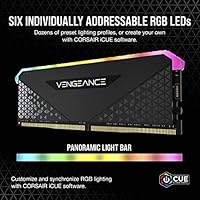
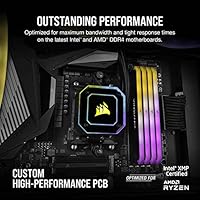
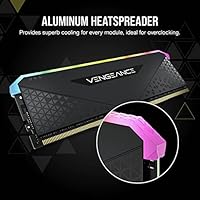
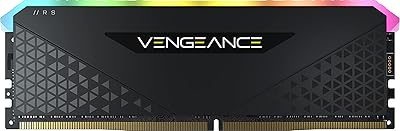
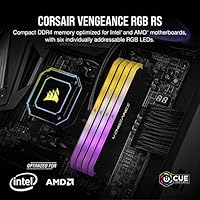
Each stick carries six addressable RGB LEDs behind a full-length light pipe that distributes color evenly across the module — clean-looking without being overdone. The 3600MHz speed at CL18 timings hits a practical sweet spot; the real-world gap between this and tighter-timed kits at lower frequencies is smaller than raw specs imply for most workloads. Enabling XMP 2.0 in your BIOS is a single setting change — no manual timing adjustments needed. The solid aluminum heatspreader does genuine thermal work during long rendering or encoding sessions. Corsair's custom PCB supports signal stability at rated speeds, and the limited lifetime warranty adds meaningful long-term confidence to the purchase.

Best For

This 64GB DDR4 memory kit makes the most sense for builders running demanding creative workloads — think video editing and 3D rendering, or managing dozens of simultaneous applications without performance degradation. It is also a natural fit for anyone already in the Corsair iCUE ecosystem who wants RAM lighting to sync with fans, coolers, and peripherals without extra effort. This Corsair memory set is firmly a DDR4 solution, so it belongs on AM4 or LGA1200 builds specifically. Builders who prefer a plug-and-play XMP experience over manually dialing in timings will appreciate how straightforwardly the kit reaches its rated speed once seated and configured in the BIOS.

User Feedback

The overall buyer sentiment skews strongly positive, with recurring praise for out-of-box XMP stability and RGB output that holds up well inside windowed cases. Most users report no friction getting the kit running at rated speed after a single BIOS change. The more consistent criticisms are worth knowing: iCUE's background software feels resource-heavy to users running lean systems, and the heatspreader height has caused clearance problems with taller air coolers in some builds — a measurement worth verifying before committing. A smaller share of reviews flag motherboard compatibility issues, particularly on certain B450 and X570 boards, though these appear to be isolated cases rather than a pattern affecting most users.

Pros

  • Reaches its rated 3600MHz speed with a single XMP 2.0 toggle in the BIOS — no manual configuration needed.
  • 64GB across two sticks gives content creators and power users substantial headroom for demanding workloads.
  • RGB lighting is even, well-diffused, and genuinely looks polished inside a windowed case.
  • Solid aluminum heatspreader keeps temperatures stable during sustained encoding or rendering sessions.
  • Corsair's iCUE integration lets users sync this 64GB DDR4 memory kit with fans, coolers, and peripherals from one dashboard.
  • Custom PCB design contributes to consistent signal stability at rated speeds without exotic tuning.
  • Limited lifetime warranty covers the kit for the long term, which is rare comfort in the memory category.
  • Dual-channel configuration extracts noticeably better bandwidth than running equivalent capacity in single-channel mode.
  • Strong track record of compatibility across a wide range of AM4 and LGA1200 motherboards from major vendors.

Cons

  • iCUE software runs persistently in the background, which adds overhead that minimalist users will find frustrating.
  • CL18 latency is on the looser end for 3600MHz DDR4 — tighter-timed alternatives exist at similar price points.
  • Heatspreader height can create clearance conflicts with large tower air coolers, requiring a fit check before buying.
  • A small but consistent subset of buyers has reported compatibility friction with certain B450 and X570 board configurations.
  • This Corsair memory set offers no upgrade path to DDR5 — buyers on aging platforms face a full kit replacement when they migrate.
  • RGB functionality is effectively locked behind iCUE; third-party lighting software support is limited.
  • Not the right choice for overclockers chasing sub-CL16 timings without paying more for a higher-tier kit.
  • Value proposition weakens if the buyer has no interest in RGB and does not use the iCUE ecosystem.

Ratings

The Corsair Vengeance RGB RS 64GB DDR4 RAM earns a strong overall standing in our analysis, which is built on AI-assisted evaluation of verified global buyer reviews with spam, bot-generated, and incentivized feedback actively filtered out before scoring. Across more than a dozen rated dimensions, this kit's genuine strengths in setup ease, stability, and build quality emerge clearly — as do its real limitations around software overhead and latency trade-offs. Both sides are reflected transparently in the scores below, so you can make a well-grounded decision based on what matters most to your specific build.

XMP Setup Ease
93%
Most buyers report getting this kit running at its rated 3600MHz without touching a single timing value manually — enabling the XMP profile in BIOS is all it takes. For builders who are not overclocking veterans, this kind of friction-free setup experience genuinely matters and saves hours of potential troubleshooting.
A small share of users on certain older B450 boards found that even with XMP enabled, the system required additional BIOS tweaking before reaching stability at 3600MHz. This is more a motherboard limitation than a kit defect, but it can catch first-time builders off guard.
Stability & Reliability
91%
Across the majority of verified reviews, users running this kit for months — through long video rendering jobs, gaming sessions, and heavy multitasking — report rock-solid stability with zero crashes or memory errors. That consistency is exactly what professional and semi-professional workloads demand from a high-capacity memory kit.
A handful of users mention intermittent boot failures when first enabling XMP, though these tend to resolve after a BIOS update or reseating the sticks. The issue appears more common on boards running edge-case memory controller configurations rather than being a widespread defect pattern.
Performance at Rated Speed
82%
18%
At 3600MHz, this Corsair memory set delivers solid bandwidth headroom for memory-intensive workloads like Premiere Pro timelines, large Photoshop documents, and simultaneous application workloads. Buyers using it for content creation on AM4 platforms report smooth, lag-free operation that reflects real gains over running at default JEDEC speeds.
The CL18 latency is a legitimate limitation at 3600MHz — competing kits at comparable price points achieve CL16 or even CL14, which translates to measurably lower response times in latency-sensitive tasks. For pure gaming scenarios, the gap between this and a tighter-timed kit at the same frequency is small but statistically consistent.
Value for Money
76%
24%
For buyers specifically targeting 64GB of DDR4 capacity with RGB and a lifetime warranty in a single purchase, this Vengeance RGB RS kit lands in a reasonable price band relative to comparable offerings. The build quality and Corsair's brand reliability add tangible confidence that cheaper no-name alternatives simply do not.
Some reviewers feel the CL18 latency is not the tightest available at this speed tier, and competing kits offer CL16 timings at similar prices — a real trade-off for buyers who care about raw latency performance. The RGB premium is baked into the price, which can feel unjustified to users who simply want fast, reliable memory.
iCUE Software Experience
63%
37%
For builders already running other Corsair hardware, iCUE delivers genuinely useful unified control — adjusting RGB effects across memory, fans, and AIO coolers from a single dashboard is a convenience that dedicated Corsair users consistently appreciate. The preset lighting profiles are varied enough to suit most aesthetic preferences without needing to design anything from scratch.
iCUE is one of the more resource-hungry peripheral management applications available — it runs multiple background processes and can noticeably impact startup times and idle RAM usage on older systems. Users who are not invested in the Corsair ecosystem find little reason to run it, and without it, RGB customization is simply not accessible.
RGB Lighting Quality
88%
The panoramic light pipe design diffuses color evenly across the full length of each stick, avoiding the blotchy hot-spot look that cheaper RGB memory produces. Inside a windowed case, the effect is clean and consistent — buyers who want a polished build aesthetic tend to come away genuinely satisfied.
Without iCUE running, the sticks default to a pre-set cycling pattern that not everyone appreciates — users who want static colors or a specific mode cannot achieve that without the software installed. A few reviewers also note that the RGB effect is less visually impactful in larger cases where it competes with other lighting sources.
Build Quality
87%
The aluminum heatspreader feels substantial and well-fitted to each module — not the thin, loosely attached shell found on budget kits. The modules seat firmly in DIMM slots without the flex or wobble that can indicate lower manufacturing tolerances, which inspires confidence during installation.
The heatspreader is not removable, which limits options for extreme overclockers who prefer direct contact cooling solutions or custom water blocks. The aesthetic, while clean, skews understated and may feel plain to builders expecting the visual drama of more premium Corsair tiers like the Dominator Platinum.
Thermal Management
84%
The solid aluminum heatspreader does genuine thermal work — users running extended Blender renders or Premiere Pro exports report that module temperatures stay within a comfortable range without any active cooling assist. That consistency matters when the system is under sustained load for hours at a time.
In tightly packed mid-tower builds with limited airflow, a few users note slightly elevated temperatures during prolonged overclocked operation, though none report thermal throttling as a result. Those pushing well beyond rated speeds may want to ensure the case has active airflow directed toward the memory area.
Dual-Channel Bandwidth
85%
Running both sticks in their correct paired slots unlocks dual-channel memory bandwidth, which on AMD Ryzen AM4 systems makes a particularly meaningful difference — the Infinity Fabric in Ryzen CPUs benefits substantially from the wider memory bus. Users on both Intel and AMD platforms report noticeably better multi-threaded performance compared to single-channel configurations.
Some first-time builders install both sticks in adjacent slots by mistake, defaulting the system to single-channel operation and leaving a significant chunk of performance unrealized. This setup error affects a visible share of early user reviews and is avoidable only if the builder consults the motherboard manual before installation.
Compatibility
79%
21%
This 64GB DDR4 memory kit works reliably across a broad range of AM4 and LGA1200 motherboards from major vendors including ASUS, MSI, Gigabyte, and ASRock. Most users on mainstream chipsets like B550, X570, and Z490 report straightforward compatibility with no intervention beyond enabling XMP.
A subset of users on older B450 boards or non-standard BIOS revisions have reported stability issues at 3600MHz, requiring a speed reduction or manual subtiming adjustments. Corsair does not publish an exhaustive QVL for this exact kit, so confirming your board's memory support list before purchasing is genuinely advisable.
Overclocking Headroom
67%
33%
Users who enjoy manual overclocking find that these modules have some headroom beyond their rated XMP speed, particularly when paired with capable AM4 boards with strong memory controller implementations. A portion of reviewers report successfully pushing to 3733MHz or 3800MHz with careful voltage and timing adjustments.
The Vengeance RS line does not use the same premium ICs found in Corsair's top-tier Dominator kits, so overclocking ceiling expectations should be tempered accordingly. Users chasing the highest possible DDR4 frequencies with hand-tuned subtimings will hit a wall sooner here than they would with a purpose-built enthusiast kit.
Physical Fit & Clearance
71%
29%
At 1.77 inches tall, these modules are not unusually tall by DDR4 RGB standards, and they fit without issue in the vast majority of mid-tower and full-tower builds using compact or low-profile CPU coolers. The consistent profile across both sticks keeps the visual presentation tidy in windowed or open-frame cases.
Builders using large air coolers — particularly dual-tower designs or wide single-tower units with fans that overhang the first DIMM slot — have reported clearance conflicts requiring fan repositioning or a cooler swap. This is a known caveat of any DDR4 RGB kit with a taller heatspreader profile and must be checked before committing.
Warranty & Support
89%
Corsair's limited lifetime warranty on this kit is a meaningful ownership differentiator — if a module fails under normal use, Corsair's RMA process is widely regarded as efficient and straightforward. Multiple reviewers specifically cite positive support experiences as a reason they continue to choose Corsair over competing brands at similar price points.
The warranty does not cover damage from overvolting, physical mishandling, or sustained operation outside rated specifications — a limitation aggressive overclockers should factor in. A small number of users report longer-than-expected response times during peak support periods, though this appears situational rather than indicative of a systemic support quality issue.
Packaging & Presentation
81%
19%
The kit arrives in structured retail packaging that protects both sticks from static and physical damage during shipping, a baseline expectation that Corsair consistently meets. Builders who document their builds for content creation appreciate the clean unboxing experience, which feels appropriately considered for this price tier.
No DIMM slot reference card or XMP activation guide is included in the box, leaving first-time builders to consult the motherboard manual for correct slot pairing. Some buyers also note that the packaging offers no explanation of the XMP activation process, a small but real stumbling block for newcomers to DDR4 platform building.

Suitable for:

The Corsair Vengeance RGB RS 64GB DDR4 RAM is built for desktop builders who need serious working memory on an AM4 or LGA1200 platform — particularly video editors, 3D artists, and anyone juggling large project files, virtual machines, or dozens of simultaneous applications. The 2x32GB dual-channel configuration gives creative professionals the headroom to work without constantly hitting memory ceilings, which is a real bottleneck in editing timelines or complex rendering queues. Builders already using Corsair peripherals, coolers, or fans will find the iCUE lighting integration genuinely useful, since unified RGB control across a full build is a practical convenience rather than just an aesthetic touch. Those who want a reliable, near-plug-and-play experience will appreciate that enabling XMP 2.0 in the BIOS is all it takes to hit rated speeds — no manual tuning required. This kit also suits buyers who want the reassurance of a lifetime warranty from a well-established memory brand.

Not suitable for:

Anyone building on a modern DDR5 platform — Intel Core Ultra or AMD Ryzen 7000 series and beyond — should stop here, because the Corsair Vengeance RGB RS 64GB DDR4 RAM is physically and electrically incompatible with those boards. Laptop builders are also out of scope entirely, as this is a full-size DIMM designed exclusively for desktop systems. Buyers running large air coolers with tall heatsinks should measure available clearance carefully before purchasing, since the heatspreader height has caused fitment problems in some cases. Users who prefer a minimal software footprint should know that getting the full RGB functionality requires running Corsair's iCUE software in the background, which adds to system overhead — a genuine annoyance for those who run lean. Finally, anyone chasing the tightest possible DDR4 timings for competitive overclocking will find better-suited options at the higher end of Corsair's own lineup.

Specifications

  • Total Capacity: This kit provides 64GB of total memory, delivered as two 32GB DDR4 DIMM modules designed to run in dual-channel configuration.
  • Memory Type: Both modules use DDR4 SDRAM, the standard for Intel LGA1200 and AMD AM4 desktop platforms released between 2017 and 2022.
  • Rated Speed: The kit is rated at 3600MHz (PC4-28800), which requires XMP 2.0 activation in the BIOS to reach — the default JEDEC speed is lower.
  • Latency: Primary latency is CL18, meaning each stick has a CAS latency of 18 clock cycles at the rated 3600MHz operating frequency.
  • Operating Voltage: Both modules operate at 1.35V, which is standard for higher-frequency DDR4 and falls within safe limits for compatible motherboards.
  • Form Factor: These are full-size DDR4 DIMMs intended exclusively for desktop motherboards — they are not compatible with laptops or SO-DIMM slots.
  • Dimensions: Each stick measures 5.31″ long by 1.77″ tall and 0.28″ wide, with the heatspreader accounting for most of the height.
  • Weight: Each individual module weighs approximately 1.62 oz, making the full two-stick kit just over 3 oz combined.
  • RGB Lighting: Each stick includes six individually addressable RGB LEDs housed beneath a full-length panoramic light pipe for wide, even color distribution.
  • Lighting Software: RGB control and lighting synchronization are managed through Corsair iCUE software, which must be installed on the host PC for full functionality.
  • Heatspreader: A solid aluminum heatspreader runs the full length of each module, conducting heat away from the memory chips during sustained or overclocked operation.
  • PCB Design: Corsair uses a custom-engineered performance PCB in this kit, designed to maintain signal integrity and stable operation at rated speeds.
  • XMP Support: XMP 2.0 profiles are pre-loaded on each module, allowing the rated 3600MHz speed to be enabled with a single BIOS setting change.
  • Compatibility: This kit is validated for use with Intel DDR4 platforms (LGA1200 and earlier) and AMD DDR4 platforms (AM4 socket), covering a wide range of consumer motherboards.
  • Warranty: Corsair covers this kit with a limited lifetime warranty, providing long-term replacement assurance for manufacturing defects under normal operating conditions.

Related Reviews

Corsair Vengeance RGB RS 64GB DDR4 RAM
83%
93%
Installation Ease
91%
RGB Lighting Quality
78%
Memory Performance
89%
Build Quality
74%
iCUE Software Integration
More
Corsair Vengeance RGB RS 16GB DDR4 Desktop Memory
80%
83%
Value for Money
88%
RGB Lighting Quality
91%
Installation Ease
78%
Gaming Performance
92%
Stability & Reliability
More
Corsair Vengeance RGB Pro 64GB (4x16GB) DDR4 3200MHz
87%
92%
Performance
85%
RGB Customization
93%
Installation Ease
89%
Compatibility
88%
Overclocking Potential
More
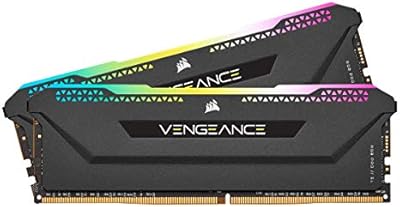
Corsair Vengeance RGB PRO SL 64GB RAM
83%
92%
RGB Lighting Quality
78%
iCUE Software Integration
93%
Cooler Clearance
88%
XMP Stability
74%
Memory Performance
More
Corsair Vengeance RGB PRO SL 64GB RAM
86%
88%
Performance
91%
RGB Lighting
93%
Build Quality
94%
Cooler Compatibility
67%
Software Experience
More
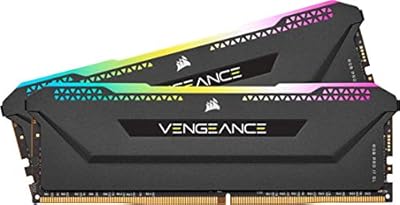
Corsair Vengeance RGB PRO SL 64GB (2x32GB) DDR4 3200MHz C16 Desktop Memory
87%
91%
Performance
88%
Ease of Installation
93%
RGB Customization
86%
Value for Money
84%
Compatibility
More
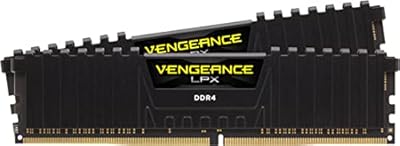
Corsair Vengeance LPX 64GB DDR4 RAM Kit
82%
91%
Ease of Installation
78%
Compatibility
88%
Performance Consistency
93%
Physical Design & Clearance
84%
Thermal Management
More
Corsair Vengeance DDR5 64GB 6000MHz Desktop RAM
83%
93%
Performance at Rated Speed
91%
XMP Setup & Ease of Use
94%
Stability & Reliability
67%
Platform Compatibility
62%
Value for Money
More
Corsair Vengeance LPX 64GB DDR4-3200 (2x32GB)
87%
91%
Ease of Installation
88%
Compatibility
93%
Physical Fit & Form Factor
86%
Thermal Performance
89%
Performance at Rated Speed
More
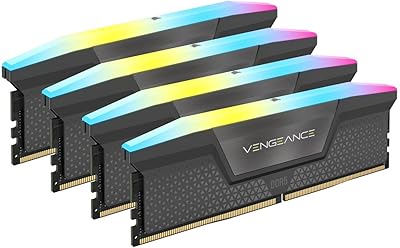
Corsair Vengeance RGB 64GB DDR5 Desktop RAM
81%
88%
Memory Performance
91%
Installation Experience
83%
Platform Compatibility
86%
RGB Lighting Quality
87%
Thermal Management
More

FAQ

It will not run at 3600MHz by default — like most high-frequency DDR4 kits, it ships running at the standard JEDEC speed, which is lower. To reach the rated 3600MHz, you need to go into your BIOS and enable the XMP 2.0 profile. It takes about 30 seconds and is a single toggle — no manual timing adjustments needed.

Yes, it is compatible with AMD AM4 motherboards across popular chipsets including X570, B550, X470, and B450. AMD calls its version of XMP either EXPO or DOCP depending on the board, so look for that option in your BIOS rather than the Intel XMP label. A small number of users have reported occasional compatibility quirks on older B450 boards, so checking your motherboard's QVL list beforehand is worth a few minutes of your time.

The memory itself works perfectly without iCUE installed — you will get full performance regardless. iCUE is only required if you want to customize or sync the RGB lighting. If you skip the software, the sticks will still light up using a default pre-set pattern.

Possibly, but you should measure before ordering. The heatspreader sits at 1.77″ tall, which is enough to conflict with some tower air coolers that have wide bases or fans that hang low over the first DIMM slot. If you are running a cooler like a Noctua NH-D15 or a similarly large unit, check the manufacturer's RAM clearance spec first.

Mixing RAM kits is generally not recommended, even if the speeds look similar on paper. Different manufacturers use different chips and ICs, which can lead to instability, failure to POST, or the system defaulting to a much lower base speed. For best results, use matched kits from the same part number.

No. DDR4 and DDR5 are physically incompatible — the notch positions on the modules are different, and DDR4 DIMMs will not physically seat in a DDR5 slot. If your motherboard uses DDR5, you need a DDR5 kit.

Most motherboards use slots 2 and 4 (sometimes labeled A2 and B2) for dual-channel with a two-stick kit. Check your motherboard manual for the exact recommended slots, since installing in the wrong pair can drop you into single-channel mode, which noticeably reduces memory bandwidth.

For gaming alone, 64GB is more than most titles will ever use — 32GB covers virtually any gaming scenario today with room to spare. Where 64GB earns its place is when you are simultaneously gaming, streaming, running a browser with many tabs open, and capturing footage in the background. It is also the right call for video editors or 3D artists who use the same machine for both work and play.

iCUE is a background service, and on most modern systems it has minimal impact on everyday performance. That said, it does consume some RAM and CPU cycles, and on older or lower-spec systems some users notice it adds to startup time and background overhead. If a lean software footprint matters to you, there are memory kits with ARGB support that work through motherboard software instead.

Corsair's limited lifetime warranty covers manufacturing defects under normal use conditions — it does not cover damage from overvolting, physical mishandling, or running the sticks outside their rated specifications for extended periods. If a module fails under normal conditions, you contact Corsair support directly, provide proof of purchase, and they handle the replacement process. The process is generally well-regarded among users based on community feedback.