Overview

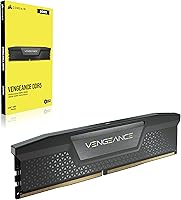
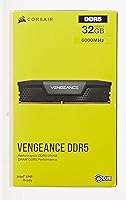
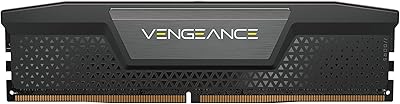
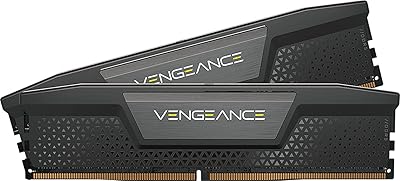
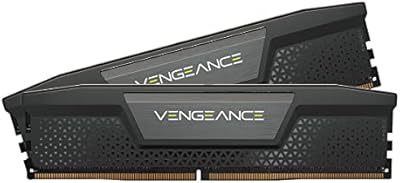
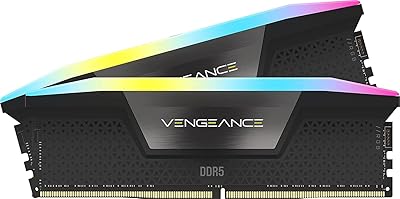
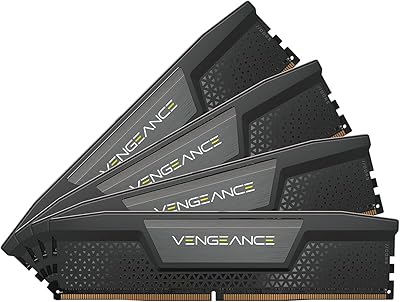
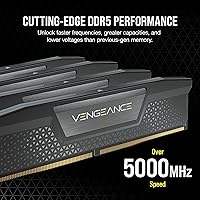
The Corsair Vengeance 32GB DDR5 Desktop RAM lands at what most Intel builders consider the sweet spot of the current DDR5 market: fast enough to push your CPU hard, sensible enough not to require exotic tuning. Running at 6000MHz with CL40 timings, this DDR5 kit sits where bandwidth gains are genuinely felt — in rendering queues, large file transfers, and heavy multitasking — without chasing diminishing returns at 7200MHz or beyond. The VENGEANCE lineup has long been Corsair's workhorse tier, and this entry keeps that tradition: no RGB, no extravagant heat spreader, just a compact, no-nonsense design that prioritizes cooler clearance over visual flair.
Features & Benefits

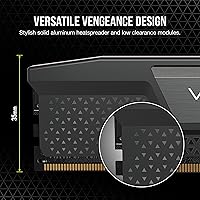
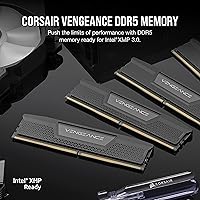
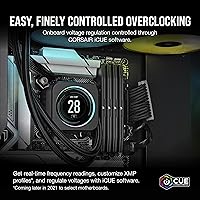
What makes this DDR5 kit stand out isn't raw frequency — it's how approachable the performance is. Intel XMP 3.0 means a single BIOS toggle reliably gets you to 6000MHz on compatible boards. Beyond that, Corsair moved voltage regulation onto the module itself via an onboard PMIC, which reduces how much your motherboard's power delivery affects stability — a real advantage if you're not running a flagship board. The modules operate at 1.35V, well within safe DDR5 norms. At just 1.38 inches tall, they clear virtually any tower cooler, and iCUE software provides real-time voltage monitoring for those who want that visibility, though it's entirely optional for everyday use.

Best For

This Corsair memory kit makes the most sense for Intel platform builders — specifically those on 12th, 13th, or 14th Gen — who want reliable XMP performance without babysitting BIOS settings. Content creators working in Premiere, DaVinci Resolve, or Blender will notice the bandwidth headroom when scrubbing large timelines or running memory-intensive simulations. Gamers who've made the DDR5 jump and don't want to pay extra for RGB they'll never see through a closed panel will find this a practical choice. It's also well suited for anyone pairing memory with a large air cooler, since the low-profile modules eliminate clearance conflicts with something like a Noctua NH-D15 or a be quiet! Dark Rock Pro.

User Feedback

Buyers broadly report that the VENGEANCE DDR5 32GB posts to XMP 6000 without fuss on Intel boards, with many calling it one of the more reliable kits at this speed class. The no-RGB aesthetic draws a split reaction — minimalist builders appreciate it, while some buyers expecting a lit-up kit based on the price tier feel caught off guard. iCUE gets similarly divided responses: enthusiasts value the readouts, while others treat it as optional bloatware. A small number of reviewers flagged DOA or early failures, though the pattern appears isolated rather than widespread. On AMD platforms, a handful of users needed manual EXPO tuning to reach rated speeds — something worth factoring in before committing to this kit.

Pros

  • XMP 3.0 enables one-click 6000MHz on compatible Intel boards with no manual tuning needed.
  • 6000MHz CL40 hits the practical performance sweet spot for Intel platforms without overspending on extreme frequencies.
  • Onboard voltage regulation reduces dependency on motherboard power delivery quality for stable operation.
  • The low 1.38-inch profile fits under virtually any large tower air cooler without clearance conflicts.
  • iCUE software provides real-time frequency and voltage monitoring for users who want that visibility.
  • No-RGB design keeps the kit competitively priced compared to lit alternatives at similar speeds.
  • Dual-channel configuration maximizes memory bandwidth for rendering, gaming, and multitasking workloads.
  • Strong community track record of consistent XMP posts on Intel 12th, 13th, and 14th Gen boards.
  • 1.35V operating voltage stays within safe DDR5 norms, which is reassuring for long-term daily use.

Cons

  • AMD platform users may need manual EXPO tuning and cannot count on rated speeds out of the box.
  • No RGB means this kit blends into a dark case — not ideal for windowed builds where memory is visible.
  • iCUE software feels like unnecessary overhead to casual users who have no interest in memory monitoring.
  • A small number of buyers have reported DOA units, suggesting quality control is not perfect across every batch.
  • 32GB may feel limiting sooner than expected for professional workloads scaling toward memory-heavy tasks.
  • No white colorway option is available, which limits aesthetic compatibility with white or light-themed builds.
  • Users on non-XMP-validated motherboards may struggle to maintain stability at the advertised 6000MHz speed.

Ratings

The scores below reflect an AI-driven analysis of verified global buyer reviews for the Corsair Vengeance 32GB DDR5 Desktop RAM, with spam, bot activity, and incentivized feedback actively filtered out before scoring. Each category captures both what real users praised and where frustrations surfaced, giving you an honest, unvarnished picture of how this Corsair memory kit performs across different build types and use cases.

XMP Stability
91%
On Intel 12th, 13th, and 14th Gen platforms, users consistently report that enabling XMP in the BIOS and booting straight to 6000MHz is genuinely reliable — no repeated POST cycles, no manual tweaking. Builders describe it as one of the smoothest DDR5 XMP experiences at this speed tier.
A small but recurring group of users on less common Intel boards found XMP 6000 unstable and had to drop to 5600MHz or adjust sub-timings manually. It is not universal, but it is worth cross-referencing your motherboard's QVL list before purchasing.
AMD Compatibility
52%
48%
The kit is not entirely unusable on AMD platforms — some Ryzen 7000 users do report successfully running it at rated speeds after configuring EXPO manually. For AMD builders who are comfortable in the BIOS, it can work given enough patience.
This DDR5 kit carries no EXPO certification, and a notable share of AMD users report either failing to hit 6000MHz or encountering instability that required dropping speeds significantly. It is a real risk, and AMD builders would be better served by an EXPO-certified kit designed for their platform.
Value for Money
83%
At its price point, the VENGEANCE DDR5 32GB lands in a competitive position — buyers consistently feel the 6000MHz CL40 spec is well matched to what they paid, especially compared to RGB kits charging a premium for lighting that adds nothing to performance. Content creators and gamers both cite it as a sensible spend.
A handful of users feel the CL40 latency leaves room for competitors offering tighter timings at similar or only slightly higher prices. If raw latency performance is your priority, the value equation shifts depending on what else is available at the time of purchase.
Cooler Clearance
94%
The 1.38-inch profile is one of the most practically useful traits of this kit — builders pairing it with Noctua NH-D15s, be quiet! Dark Rock Pros, or other large tower coolers repeatedly call out how stress-free installation was. No fan removal, no offset mounting, no compromises.
There is essentially no downside for most users here. The only minor gripe from a very small group is that the short height makes the kit visually underwhelming in a case with a window, which ties more into aesthetics than function.
Build & Physical Quality
86%
The heat spreader feels solid and well-fitted, and users report no flex or rattling when handled. For a no-frills design, the modules feel dense and well-manufactured, consistent with what Corsair typically delivers in their VENGEANCE line.
A few buyers flagged the plain black finish as feeling cheaper than expected at this price tier, particularly when compared side-by-side with RGB kits that have more visual presence. It is a cosmetic observation rather than a functional one, but worth noting for appearance-conscious builders.
iCUE Software Experience
67%
33%
For users already running Corsair peripherals or other iCUE-managed hardware, the integration genuinely adds value — real-time voltage and frequency readouts are accessible without a separate tool, and custom XMP profile switching is a useful feature for mixed workloads.
Casual users who installed iCUE solely for this kit frequently described it as bloated and unnecessary. Reports of iCUE consuming background resources or triggering occasional system slowdowns on lower-spec machines add friction that undermines the software's usefulness for a broad audience.
Installation Experience
88%
Most users describe the physical installation as completely standard — the modules seat firmly, the retention clips engage cleanly, and the low profile means there is no awkward maneuvering around cooler fins. First-time builders found it no more difficult than any other DIMM kit.
The main installation-adjacent frustration cited in reviews is slot placement confusion — users who installed into the wrong dual-channel slots and then wondered why their system ran in single-channel mode. This is a motherboard manual issue more than a product flaw, but it comes up enough to be worth flagging.
Thermal Performance
84%
Users running stress tests and extended rendering sessions report the heat spreader does its job without the modules ever getting uncomfortably hot to the touch. The onboard PMIC helping regulate voltage appears to contribute to stable temperatures during sustained workloads.
Because there is no active cooling or elaborate fin design, a small number of users running extreme overclocks beyond the rated XMP profile noted higher-than-expected heat output. Within the intended XMP 6000 spec, thermals are a non-issue for virtually everyone.
Gaming Performance
82%
18%
Gamers upgrading from DDR4 or from lower-speed DDR5 kits consistently report smoother frame delivery in CPU-bound titles, with open-world games in particular showing meaningful improvements in stutter reduction when paired with Intel 13th or 14th Gen processors.
At the highest refresh rates on competitive titles, the difference between this kit and a tighter-latency DDR5 option narrows considerably. Buyers expecting a dramatic fps uplift purely from the memory may find the gains more modest than anticipated, especially if their GPU is the real bottleneck.
Content Creation Performance
87%
Video editors and 3D artists repeatedly highlight how the 6000MHz bandwidth helps during export queues and large scene renders, where memory throughput is a genuine contributor to total processing time. Running Premiere Pro or Blender with this kit feels noticeably more fluid than mid-tier DDR5 options.
For truly memory-intensive professional workflows — think large-format compositing, machine learning model training, or massive virtual machine stacks — 32GB begins to show limits. The kit performs well within its capacity ceiling, but the ceiling itself is the constraint, not the speed.
Reliability & Longevity
78%
22%
The majority of users report stable operation over extended periods, with no degradation in performance and consistent XMP stability maintained across firmware updates and seasonal temperature swings. Corsair's lifetime warranty adds meaningful reassurance for the long haul.
A recurring thread in negative reviews involves DOA units or early-life failures, which — while not statistically dominant — appear often enough to suggest batch-level quality control inconsistencies. This does not define the typical experience, but it is a real risk a small percentage of buyers have encountered.
No-RGB Design Appeal
73%
27%
Builders who specifically sought a non-RGB kit find the plain black aesthetic clean and professional. It pairs well with minimalist or industrial-themed builds where visible LEDs would feel out of place, and the absence of lighting keeps the price leaner than comparable lit alternatives.
For anyone building in a windowed case or streaming their setup, the all-black finish with zero lighting is a genuine aesthetic miss. Some buyers discovered post-purchase that this was not an RGB kit and expressed frustration — a reminder that checking the spec sheet matters before ordering.
Packaging & Unboxing
79%
21%
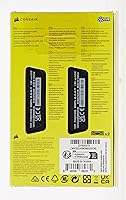
The kit arrives in Corsair's standard protective clamshell packaging, which keeps the modules secure during shipping and makes the unboxing experience feel appropriately premium for the price tier. Modules arrive protected and clearly labeled.
A few users noted the packaging feels over-engineered and wasteful for what is ultimately two sticks of RAM. No meaningful accessories, documentation, or extras are included, which is standard practice but occasionally disappoints first-time buyers expecting installation guides.
Dual-Channel Bandwidth
89%
In dual-channel mode — which this kit is specifically tuned to operate in — memory bandwidth scores in benchmarks like AIDA64 sit comfortably in the top tier for 6000MHz DDR5 configurations. Real-world workloads that scale with bandwidth, such as rendering and large data processing, reflect this.
The bandwidth advantage only materializes when installed correctly in the right paired slots. Users who accidentally ran in single-channel mode for weeks before noticing the performance gap represent a recurring cautionary tale in the review thread, highlighting how critical proper installation is to getting what you paid for.

Suitable for:

The Corsair Vengeance 32GB DDR5 Desktop RAM is a strong fit for anyone building or upgrading a desktop PC on an Intel 12th, 13th, or 14th Gen platform who wants reliable, fast memory without unnecessary complexity. Builders who enable XMP in their BIOS and move on will get consistent 6000MHz performance with no manual tuning required. Content creators running video editors, 3D rendering software, or large project files will benefit from the dual-channel bandwidth at this frequency tier, where memory throughput genuinely impacts export times and timeline responsiveness. Gamers who care more about stable frame delivery than having a light show inside their case will find this kit punches at its weight class. It also suits anyone pairing memory with a large air cooler, since the low 1.38-inch profile eliminates the clearance headaches that plague taller kits. If you're already in the Corsair iCUE ecosystem, the monitoring integration is a convenient bonus.
Not suitable for:

The Corsair Vengeance 32GB DDR5 Desktop RAM is not the right call for AMD platform builders expecting a plug-and-play experience, since this kit is tuned around Intel XMP 3.0 and may require manual EXPO configuration to reach rated speeds on Ryzen systems — if it cooperates at all. Buyers chasing a visually impressive build with synchronized RGB lighting will be disappointed, as this kit ships with a plain black heat spreader and no lighting whatsoever. Those who need more than 32GB for professional workloads like large-scale video compositing, virtual machines, or memory-heavy data processing should look at 64GB kits instead. If you're building on a budget motherboard with weak power delivery, the onboard PMIC helps, but it's not a substitute for a board that's properly validated for DDR5 at this speed. Laptop or small-form-factor builders have no use for this kit either, as it's a full-size desktop DIMM.
Specifications

  • Capacity: This kit includes two 16GB DDR5 modules for a total of 32GB in a dual-channel configuration.
  • Memory Type: Uses DDR5 SDRAM technology, the current-generation standard offering higher bandwidth and lower base voltage than DDR4.
  • Speed: Rated at 6000MHz when operating under an enabled XMP 3.0 profile on a compatible motherboard.
  • Latency: Primary timings are CL40-40-40-77, which is typical and well-balanced for DDR5 running at 6000MHz.
  • Voltage: Operates at 1.35V under XMP, within the standard safe range for DDR5 modules during daily use.
  • Form Factor: Standard desktop DIMM format with a low-profile heat spreader standing just 1.38″ tall.
  • Dimensions: Each module measures 5.31″ long, 0.28″ wide, and 1.38″ tall, making it compatible with tight cooler clearances.
  • Weight: The full kit weighs approximately 1.3 ounces, consistent with a compact, heat-spreader-only design.
  • XMP Support: Supports Intel XMP 3.0, which allows users to store and switch between multiple custom overclocking profiles.
  • Voltage Regulation: Each module integrates an onboard PMIC for independent voltage management, reducing reliance on motherboard power delivery.
  • Software: Compatible with Corsair iCUE software for real-time frequency and voltage monitoring on supported systems.
  • RGB Lighting: No RGB lighting is present; the kit ships exclusively in a plain black heat spreader finish.
  • Platform: Designed and optimized for Intel desktop platforms; AMD compatibility may require manual EXPO configuration.
  • Model Number: The official Corsair model identifier for this kit is CMK32GX5M2B6000C40.
  • Module Count: Sold as a matched pair of two modules, intended for installation in dual-channel slots on a compatible motherboard.
  • Color: Available in black only; no white or alternative colorway variant exists for this specific model.
  • BSR Ranking: Holds a top-400 position in the Amazon Computer Memory category, reflecting strong and consistent sales volume.

Related Reviews

Corsair Vengeance SODIMM DDR5 32GB Laptop RAM
80%
93%
Installation Ease
89%
Speed Detection & XMP
84%
Real-World Performance
76%
Platform Compatibility
67%
Latency & Timings
More
Corsair Vengeance DDR5 32GB (2x16GB) 7200MHz RAM
89%
93%
Performance
94%
Speed and Responsiveness
88%
Ease of Installation
90%
Overclocking Stability
91%
Compatibility with Modern Motherboards
More
Corsair Vengeance DDR5 32GB (2x16GB) 6800MHz RAM
88%
91%
Overall Performance
94%
Gaming Performance
88%
Ease of Overclocking
89%
Software Integration (iCUE)
92%
Compatibility with Intel Systems
More
Corsair Vengeance 32GB DDR5 SODIMM RAM
84%
93%
Overall Reliability
91%
Installation Experience
88%
Speed & Auto-Configuration
84%
Real-World Performance Gain
79%
Compatibility Range
More
Corsair Vengeance DDR5 32GB (2x16GB) 5200MHz
91%
94%
Performance for Gaming
91%
Ease of Installation
88%
Overclocking Stability
90%
Multitasking Performance
89%
Power Efficiency (1.25V)
More
Corsair Vengeance DDR5 64GB 6000MHz Desktop RAM
83%
93%
Performance at Rated Speed
91%
XMP Setup & Ease of Use
94%
Stability & Reliability
67%
Platform Compatibility
62%
Value for Money
More
Corsair Vengeance RGB DDR5 32GB (2x16GB) 6200MHz
86%
92%
Performance
88%
RGB Lighting Customization
89%
Overclocking Support
85%
Build Quality
90%
Compatibility with Desktop PCs
More
Corsair Vengeance RGB 32GB DDR5 Desktop RAM
79%
91%
XMP Setup & Ease of Use
84%
Performance at Rated Speed
88%
RGB Lighting Quality
76%
iCUE Software Integration
89%
Stability & Reliability
More
Corsair Vengeance RGB 32GB DDR5 Desktop RAM
82%
93%
Performance at Rated Speed
89%
Ease of Setup
91%
RGB Lighting Quality
67%
iCUE Software Experience
82%
Compatibility Range
More
Corsair Vengeance RGB DDR5 32GB (2x16GB) 6400MHz
88%
91%
Performance for Gaming
94%
Overclocking Stability
88%
Ease of Setup
85%
RGB Lighting Customization
90%
Compatibility with Intel Systems
More

FAQ

You do need to enable XMP in your BIOS, but that is a single toggle and takes about 30 seconds. On a compatible Intel board, it will lock in at 6000MHz from that point on without any additional tuning. Most users report it posts cleanly on the first boot after enabling XMP.

It can work, but this DDR5 kit is tuned for Intel XMP 3.0, not AMD EXPO. On a Ryzen platform, you may need to manually set the speed, timings, and voltage yourself to reach the rated 6000MHz. Some users get there without issue, but it is not a guaranteed plug-and-play experience the way it is on Intel.

For most gamers and general users, 32GB is comfortably sufficient and leaves significant headroom to spare. Content creators working with very large video projects, complex 3D scenes, or multiple virtual machines may find 64GB worth considering. If your workload is gaming, web browsing, office tasks, or light creative work, 32GB will not be your bottleneck.

Yes, that is actually one of the practical strengths of this kit. At just 1.38″ tall, the VENGEANCE DDR5 32GB clears virtually any large tower cooler on the market without needing to offset or remove fans. It was clearly designed with clearance compatibility in mind.

No, iCUE is completely optional. The modules operate normally and maintain their XMP profile without any software installed. iCUE is only useful if you want to monitor real-time frequency and voltage readings or create custom XMP profile presets — it adds nothing to basic functionality.

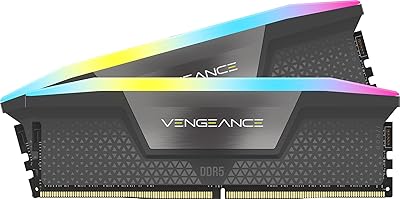
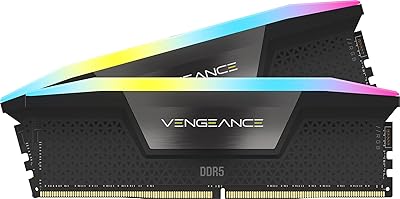
The Corsair Vengeance 32GB DDR5 Desktop RAM is a non-RGB kit by design — the listing clearly specifies a plain black heat spreader with no lighting. If you need RGB, Corsair does offer RGB variants in their DDR5 lineup, but this specific model is intentionally built for users who want a clean, minimal look or maximum cooler clearance.
Technically yes, but running a single module will drop you into single-channel mode, which noticeably reduces memory bandwidth. You will get better performance from day one by installing both sticks together in the correct dual-channel slots as specified in your motherboard manual.

Check your motherboard manual for the recommended dual-channel slots — on most Intel boards, this means slots 2 and 4 (the second and fourth slots from the CPU socket, often labeled A2 and B2). Installing in the wrong slots can prevent dual-channel mode from activating or cause boot issues.

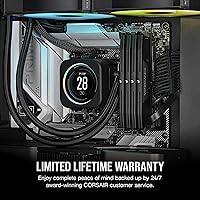
Corsair covers their VENGEANCE DDR5 memory with a limited lifetime warranty. If a module fails under normal use, you can contact Corsair support directly for a replacement. Keep your purchase receipt or order confirmation as proof of purchase when submitting a warranty claim.

CL40 at 6000MHz is a well-established trade-off — tighter latency kits like CL36 at the same speed do exist, but the real-world difference in gaming frame rates is typically small enough to fall within margin-of-error territory. For most buyers, the gap is not worth the extra cost unless you are specifically chasing benchmark numbers rather than practical performance.

Where to Buy